mirror of
https://github.com/infiniflow/ragflow.git
synced 2025-12-30 00:32:30 +08:00
 c2e9064474
### What problem does this PR solve?


### Type of change


- [x] Documentation Update

---------

Co-authored-by: Yingfeng Zhang <yingfeng.zhang@gmail.com>
2.6 KiB
2.6 KiB
sidebar_position, slug
| sidebar_position | slug |
|---|---|
| -5 | /manage_metadata |
Manage metadata
Manage metadata for your dataset and for your individual documents.
From v0.23.0 onwards, RAGFlow allows you to manage metadata both at the dataset level and for individual files.
Procedure
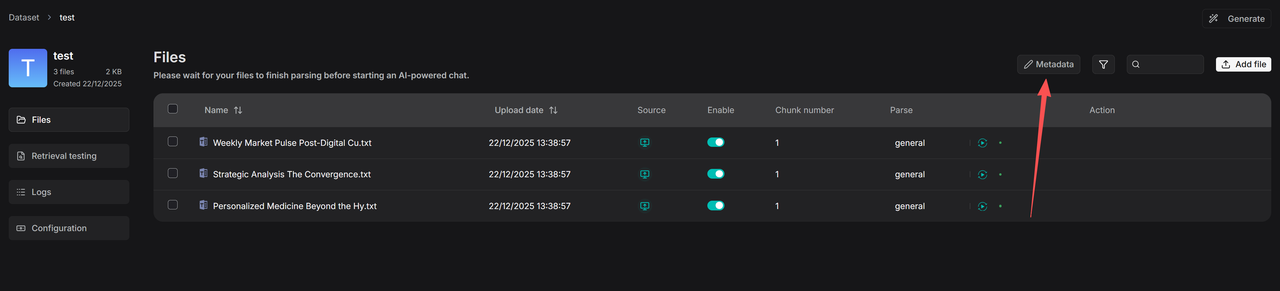
- Click on Metadata within your dataset to access the Manage Metadata page.
-
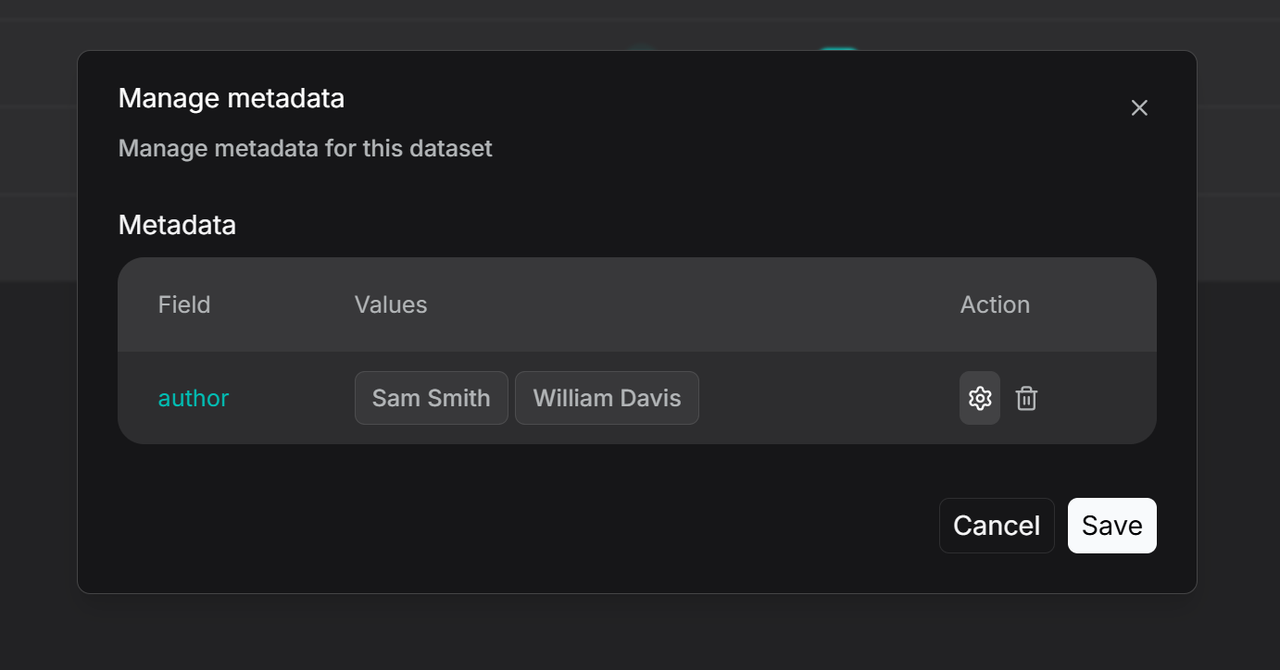
On the Manage Metadata page, you can do either of the following:
- Edit Values: You can modify existing values. If you rename two values to be identical, they will be automatically merged.
- Delete: You can delete specific values or entire fields. These changes will apply to all associated files.
The configuration page for rules on automatically generating metadata appears.
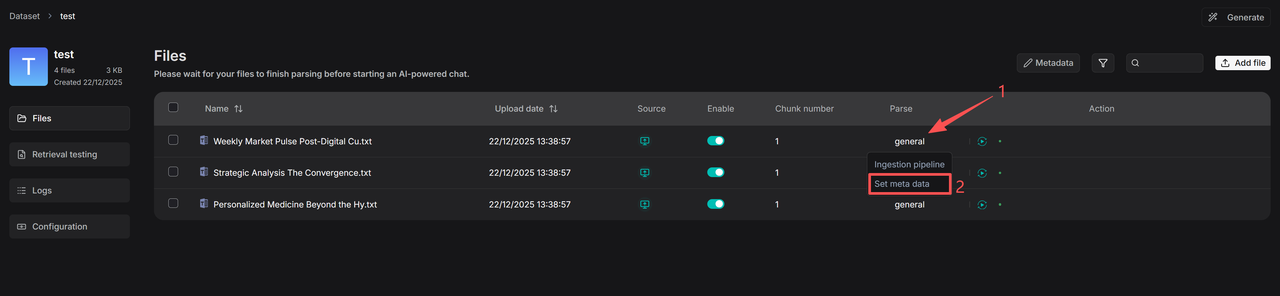
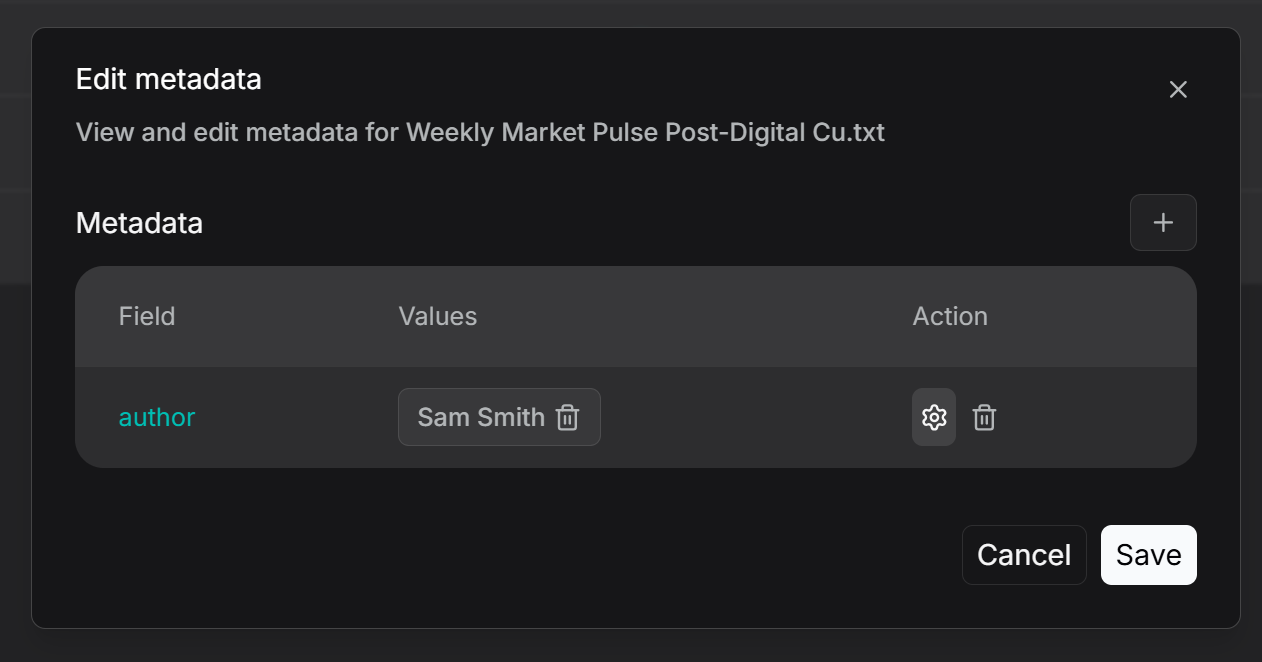
- To manage metadata for a single file, navigate to the file's details page as shown below. Click on the parsing method (e.g., General), then select Set Metadata to view or edit the file's metadata. Here, you can add, delete, or modify metadata fields for this specific file. Any edits made here will be reflected in the global statistics on the main Metadata management page for the knowledge base.
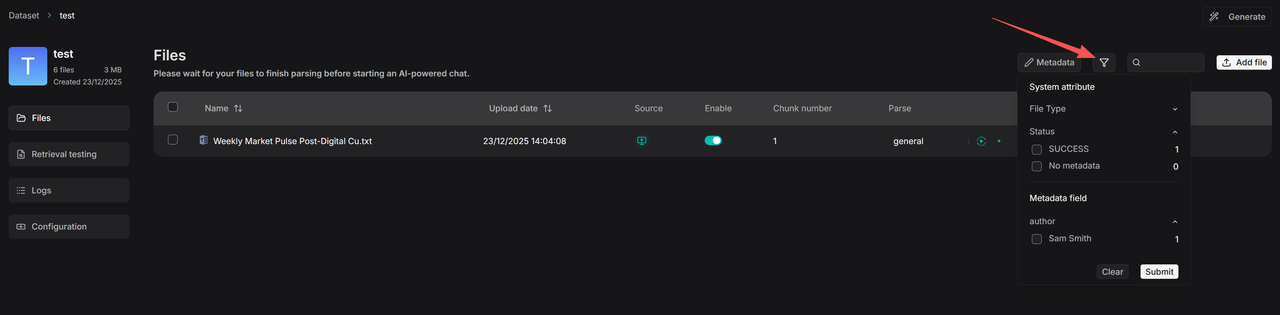
- The filtering function operates at two levels: knowledge base management and retrieval. Within the dataset, click the Filter button to view the number of files associated with each value under existing metadata fields. By selecting specific values, you can display all linked files.
- Metadata filtering is also supported during the retrieval stage. In Chat, for example, you can set metadata filtering rules after configuring a knowledge base:
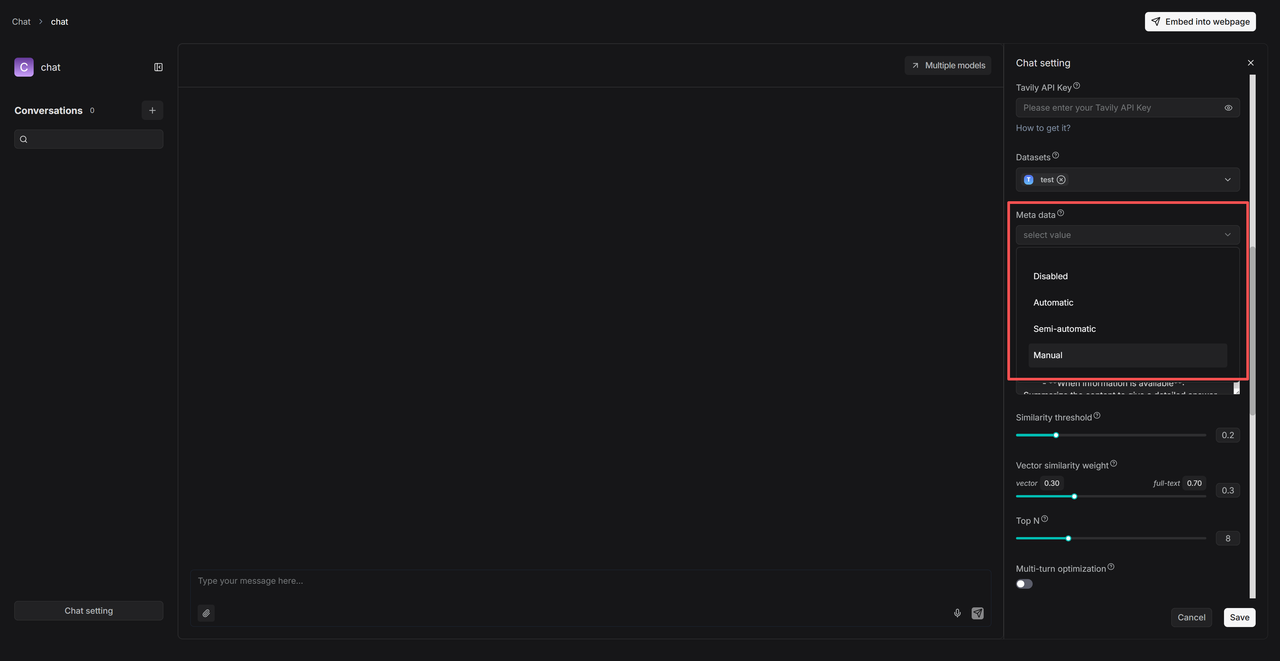
- Automatic Mode: The system automatically filters documents based on the user's query and the existing metadata in the knowledge base.
- Semi-automatic Mode: Users first define the filtering scope at the field level (e.g., for Author), and then the system automatically filters within that preset range.
- Manual Mode: Users manually set precise, value-specific filter conditions, supported by operators such as Equals, Not equals, In, Not in, and more.