 c2e9064474
### What problem does this PR solve?


### Type of change


- [x] Documentation Update

---------

Co-authored-by: Yingfeng Zhang <yingfeng.zhang@gmail.com>
1.7 KiB
sidebar_position, slug
| sidebar_position | slug |
|---|---|
| -8 | /set_context_window |
Set context window size
Set context window size for images and tables to improve long-context RAG performances.
RAGFlow leverages built-in DeepDoc, along with external document models like MinerU and Docling, to parse document layouts. In previous versions, images and tables extracted based on document layout were treated as independent chunks. Consequently, if a search query did not directly match the content of an image or table, these elements would not be retrieved. However, real-world documents frequently interweave charts and tables with surrounding text, which often describes them. Therefore, recalling charts based on this contextual text is an essential capability.
To address this, RAGFlow 0.23.0 introduces the Image & table context window feature. Inspired by key principles of the research-focused, open-source multimodal RAG project RAG-Anything, this functionality allows surrounding text and adjacent visuals to be grouped into a single chunk based on a user-configurable window size. This ensures they are retrieved together, significantly improving the recall accuracy for charts and tables.
Procedure
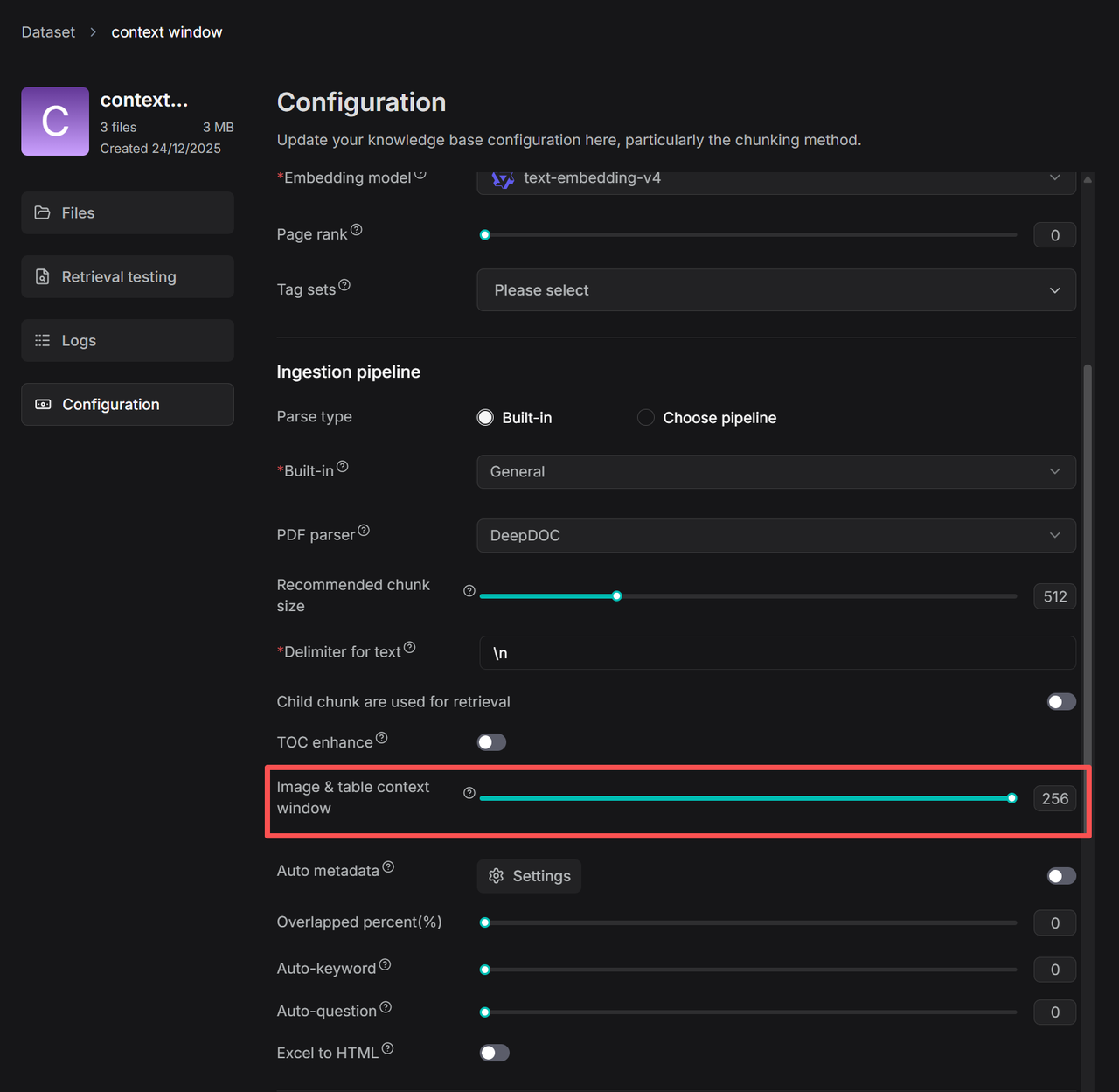
- On your dataset's Configuration page, find the Image & table context window slider:
-
Adjust the number of context tokens according to your needs.
*The number in the red box indicates that approximately N tokens of text from above and below the image/table will be captured and inserted into the image or table chunk as contextual information. The capture process intelligently optimizes boundaries at punctuation marks to preserve semantic integrity. *