mirror of
https://github.com/infiniflow/ragflow.git
synced 2025-12-08 20:42:30 +08:00

42 lines
1.6 KiB
Markdown
42 lines
1.6 KiB
Markdown
---
|
|
sidebar_position: 2
|
|
slug: /manage_team_members
|
|
---
|
|
|
|
# Manage team members
|
|
|
|
Invite or remove team members.
|
|
|
|
---
|
|
|
|
By default, each RAGFlow user is assigned a single team named after their name. RAGFlow allows you to invite RAGFlow users to your team. Your team members can help you:
|
|
|
|
- Upload documents to your shared datasets.
|
|
- Parse documents in your shared datasets.
|
|
- Use your shared Agents.
|
|
|
|
:::tip NOTE
|
|
- Your team members are currently *not* allowed to invite users to your team, and only you, the team owner, is permitted to do so.
|
|
- Sharing added models with team members is only available in RAGFlow's Enterprise edition.
|
|
:::
|
|
|
|
## Prerequisites
|
|
|
|
1. Ensure that the invited team member is a RAGFlow user and that the Email address used is associated with a RAGFlow user account.
|
|
2. To allow your team members to view and update your dataset, ensure that you set **Permissions** on its **Configuration** page from **Only me** to **Team**.
|
|
|
|
## Invite team members
|
|
|
|
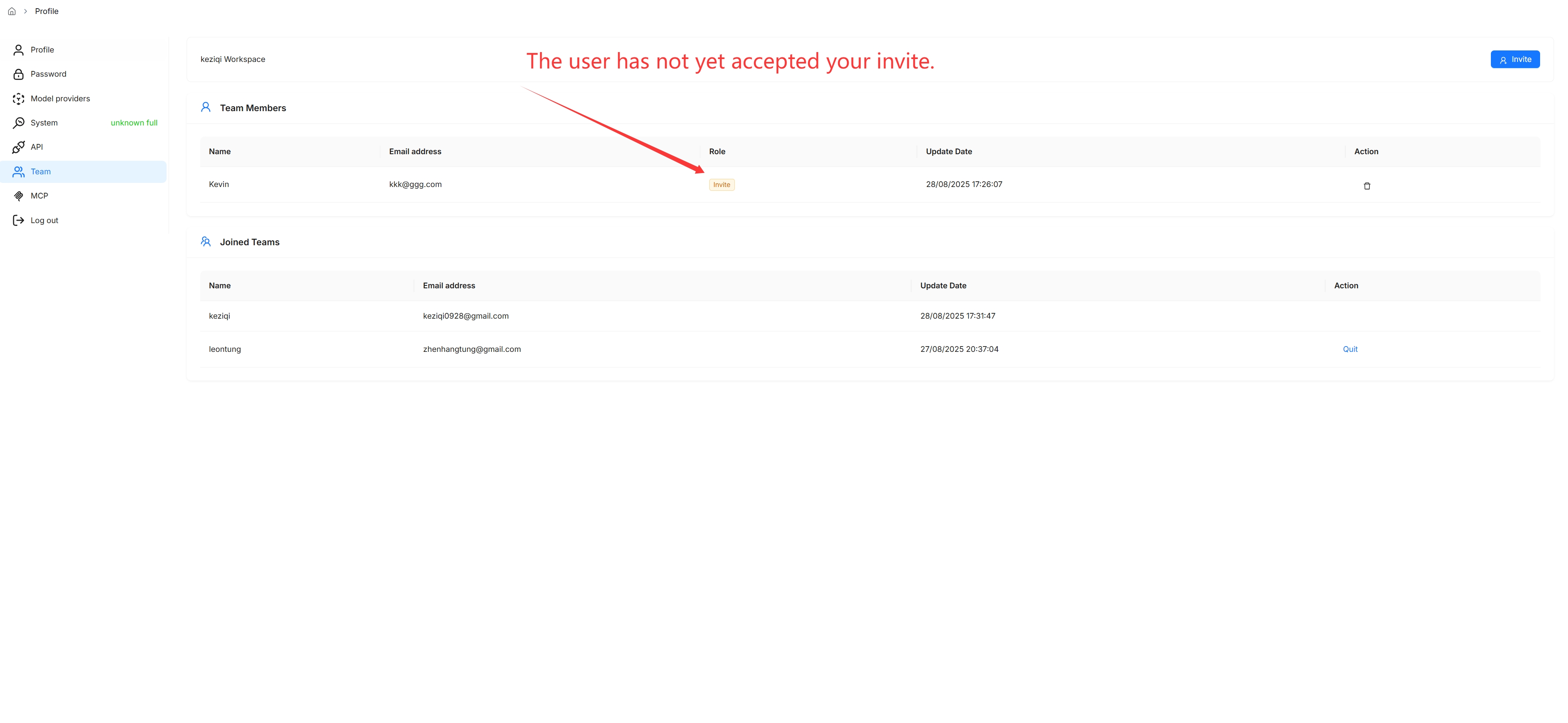
Click on your avatar in the top right corner of the page, then select **Team** in the left-hand panel to access the **Team** page.
|
|
|
|
|
|
|
|
_On the **Team** page, you can view the information about members of your team and the teams you have joined._
|
|
|
|
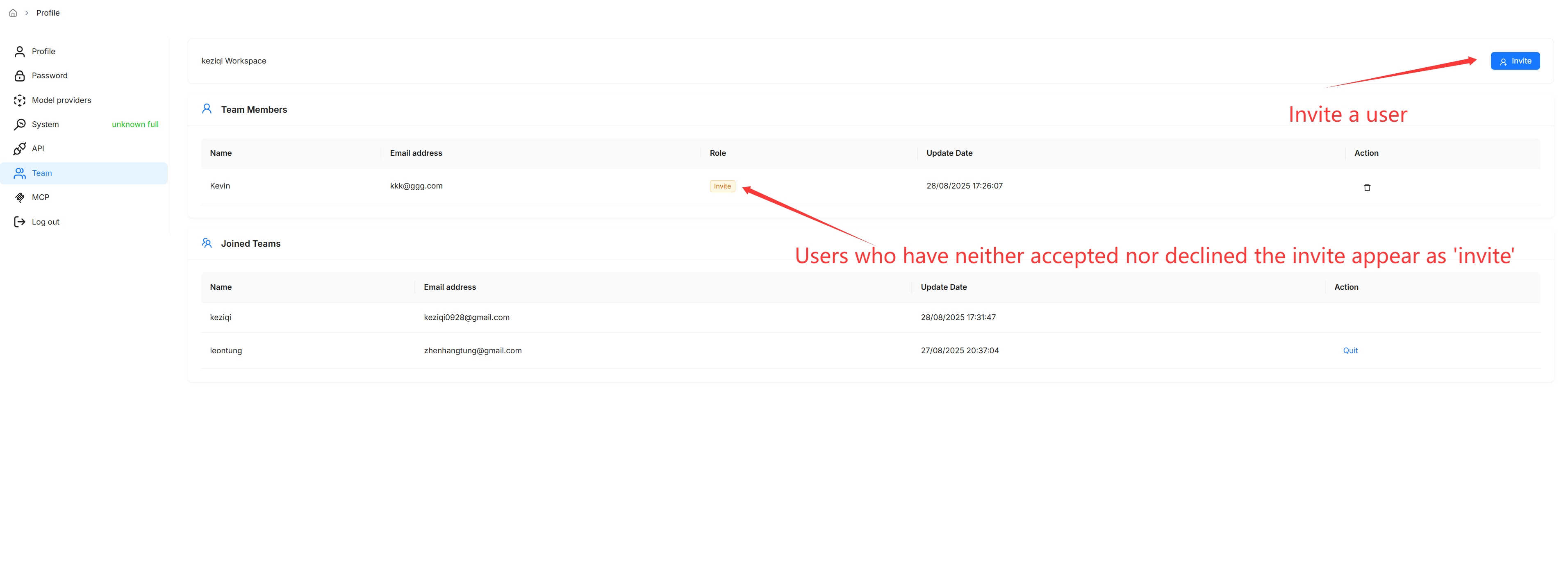
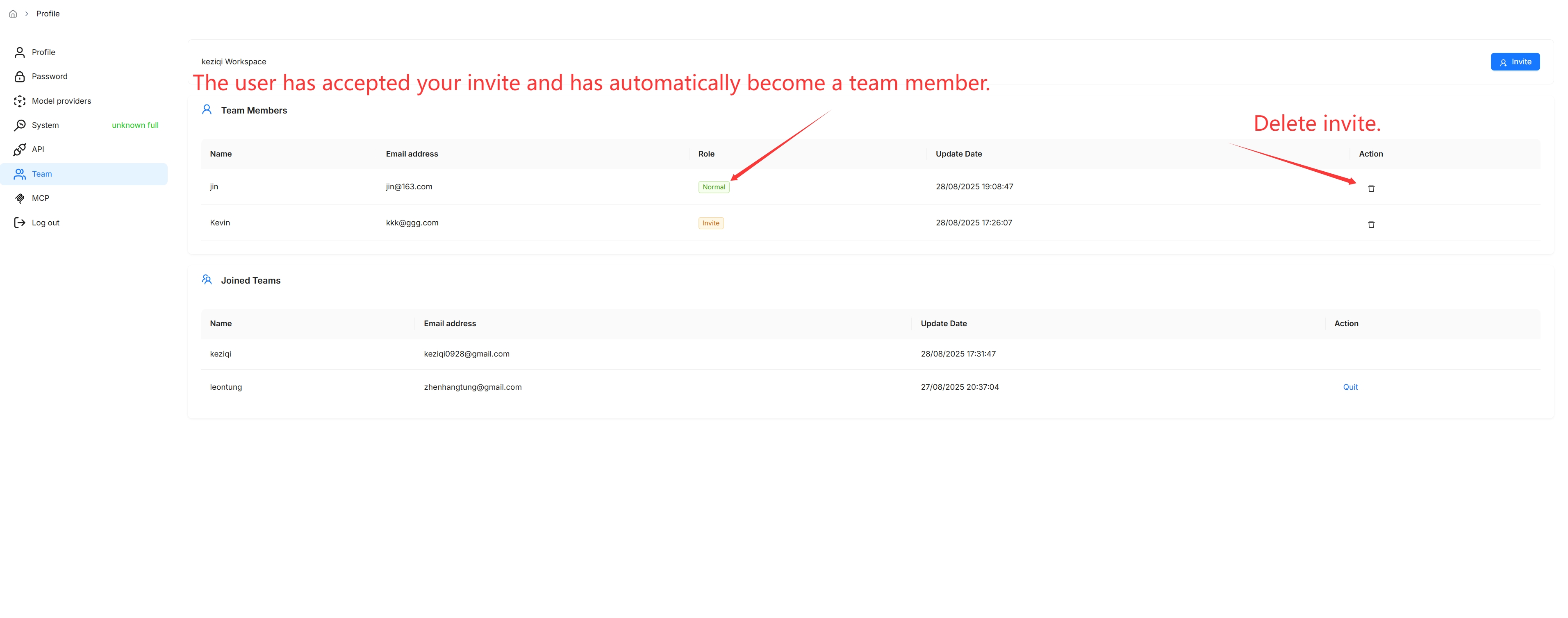
You are, by default, the owner of your own team and the only person permitted to invite users to join your team or remove team members.
|
|
|
|
|
|
|
|
## Remove team members
|
|
|
|
 |