86b03f399a
### What problem does this PR solve?

As title

### Type of change

- [x] Bug Fix (non-breaking change which fixes an issue)

Signed-off-by: Jin Hai <haijin.chn@gmail.com>
2.5 KiB
sidebar_position, slug
| sidebar_position | slug |
|---|---|
| -6 | /auto_metadata |
Auto-extract metadata
Automatically extract metadata from uploaded files.
RAGFlow v0.23.0 introduces the Auto-metadata feature, which uses large language models to automatically extract and generate metadata for files—eliminating the need for manual entry. In a typical RAG pipeline, metadata serves two key purposes:
- During the retrieval stage: Filters out irrelevant documents, narrowing the search scope to improve retrieval accuracy.
- During the generation stage: If a text chunk is retrieved, its associated metadata is also passed to the LLM, providing richer contextual information about the source document to aid answer generation.
:::danger WARNING Enabling TOC extraction requires significant memory, computational resources, and tokens. :::
Procedure
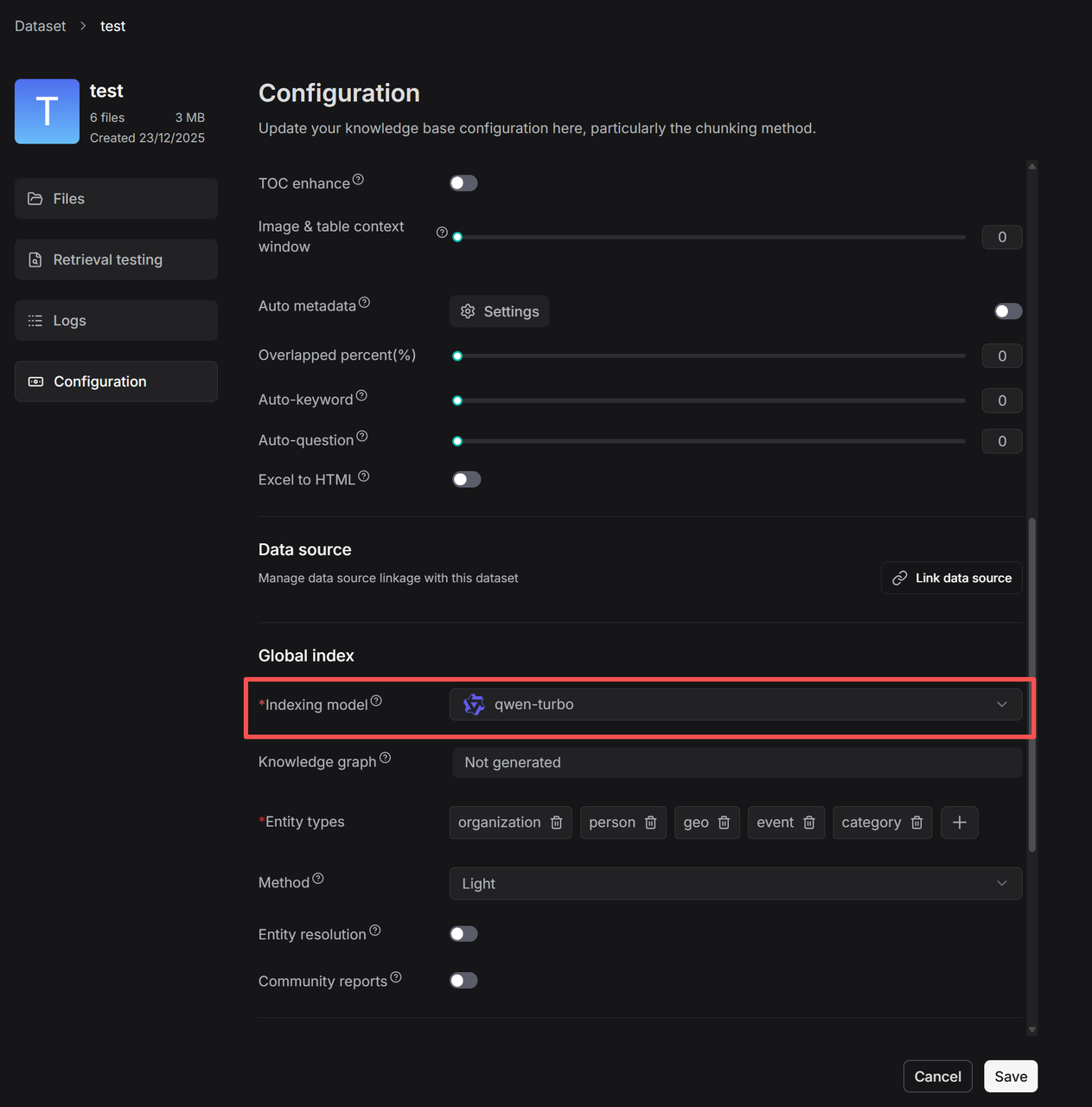
- On your dataset's Configuration page, select an indexing model, which will be used to generate the knowledge graph, RAPTOR, auto-metadata, auto-keyword, and auto-question features for this dataset.
-
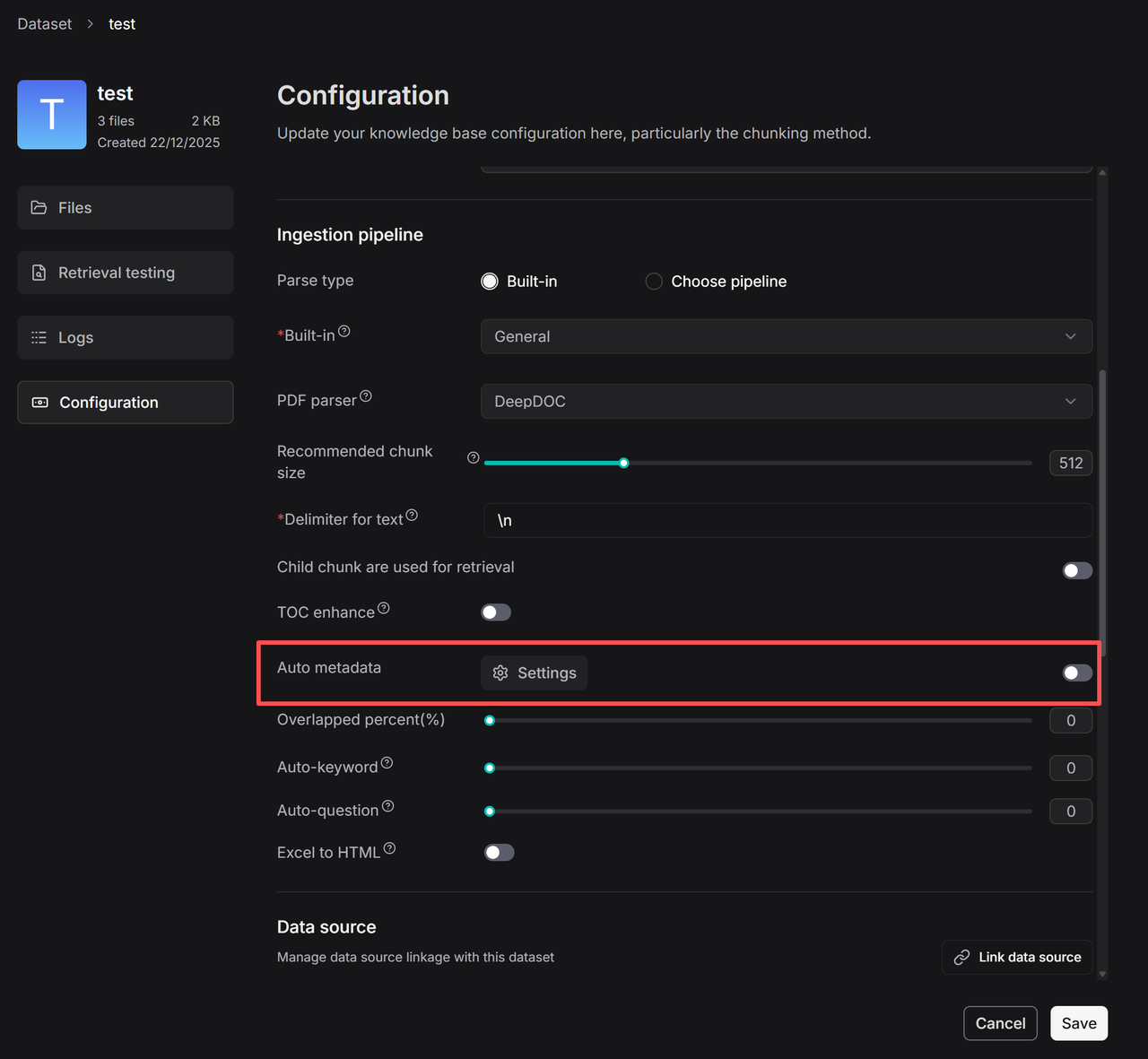
Click Auto metadata > Settings to go to the configuration page for automatic metadata generation rules.
The configuration page for rules on automatically generating metadata appears.
- Click + to add new fields and enter the configuration page.
-
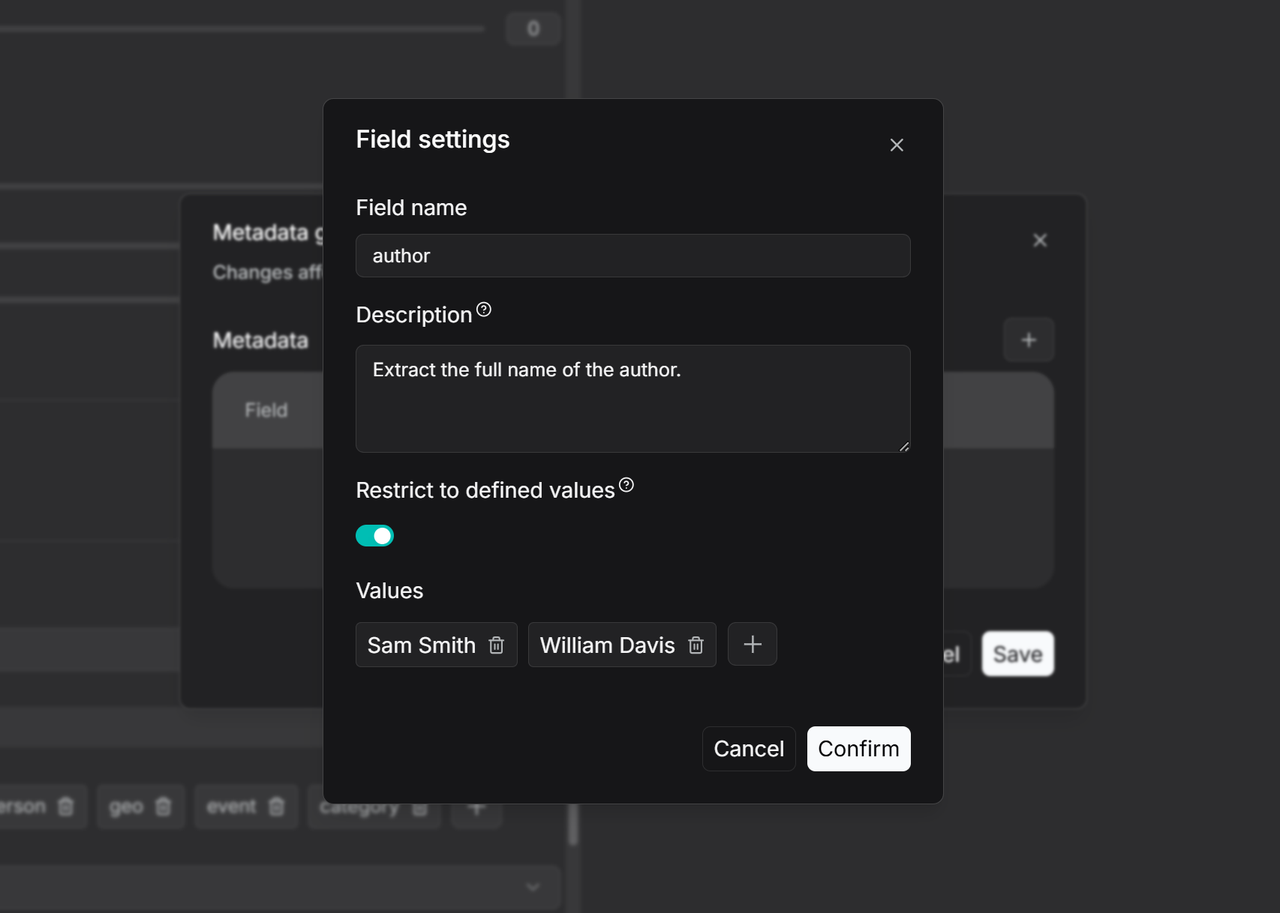
Enter a field name, such as Author, and add a description and examples in the Description section. This provides context to the large language model (LLM) for more accurate value extraction. If left blank, the LLM will extract values based only on the field name.
-
To restrict the LLM to generating metadata from a predefined list, enable the Restrict to defined values mode and manually add the allowed values. The LLM will then only generate results from this preset range.
-
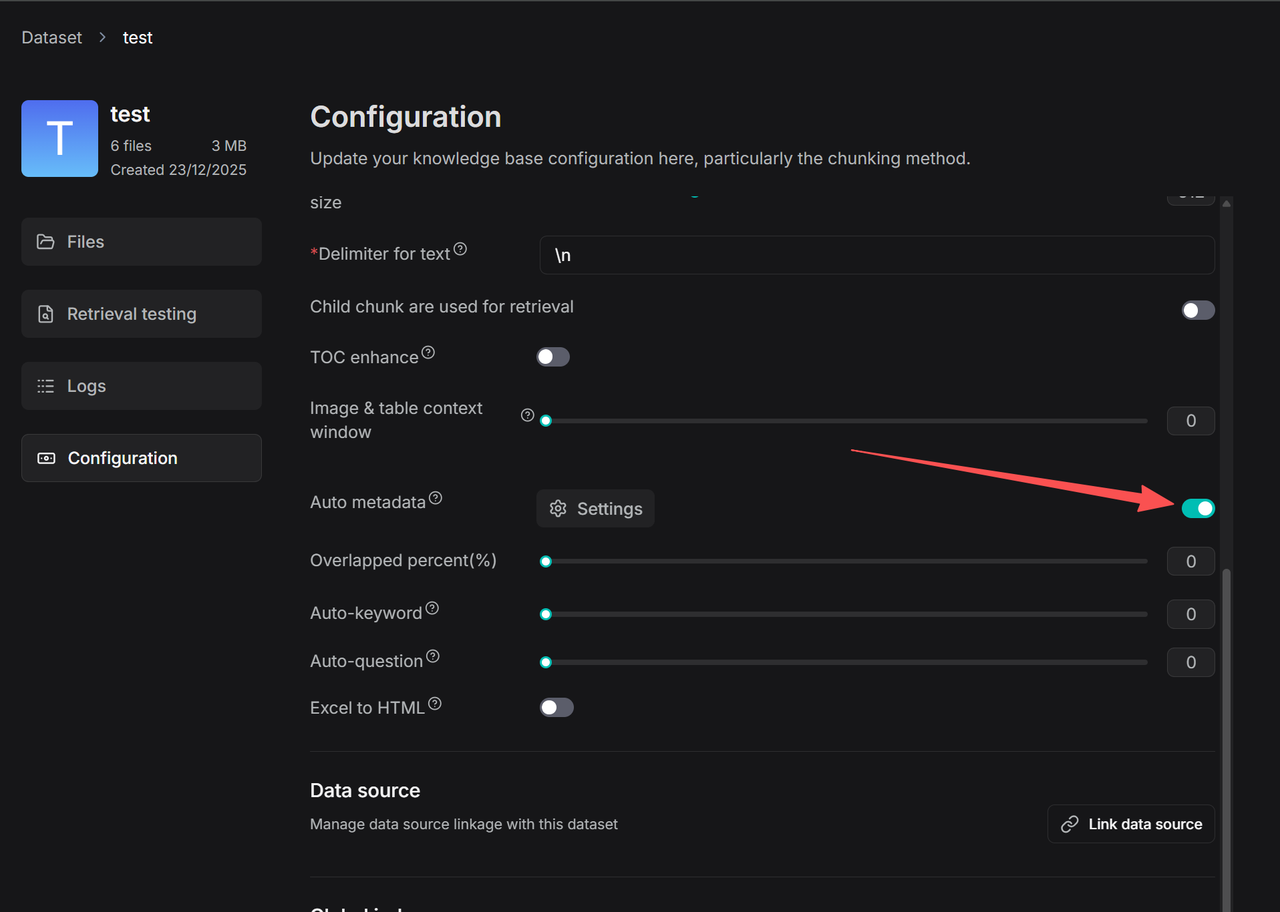
Once configured, turn on the Auto-metadata switch on the Configuration page. All newly uploaded files will have these rules applied during parsing. For files that have already been processed, you must re-parse them to trigger metadata generation. You can then use the filter function to check the metadata generation status of your files.