mirror of
https://github.com/infiniflow/ragflow.git
synced 2026-01-29 22:56:36 +08:00
 efb136c29c
### What problem does this PR solve?

Removed redundant command + "*the* current version" @JinHai-CN

### Type of change

- [x] Documentation Update
17 lines
698 B
Markdown
17 lines
698 B
Markdown
---
|
|
sidebar_position: 3
|
|
slug: /embed_agent_into_webpage
|
|
sidebar_custom_props: {
|
|
categoryIcon: LucideMonitorDot
|
|
}
|
|
---
|
|
# Embed Agent into webpage
|
|
|
|
You can use iframe to embed an agent into a third-party webpage.
|
|
|
|
1. Before proceeding, you must [acquire an API key](../models/llm_api_key_setup.md); otherwise, an error message would appear.
|
|
2. On the **Agent** page, click an intended agent to access its editing page.
|
|
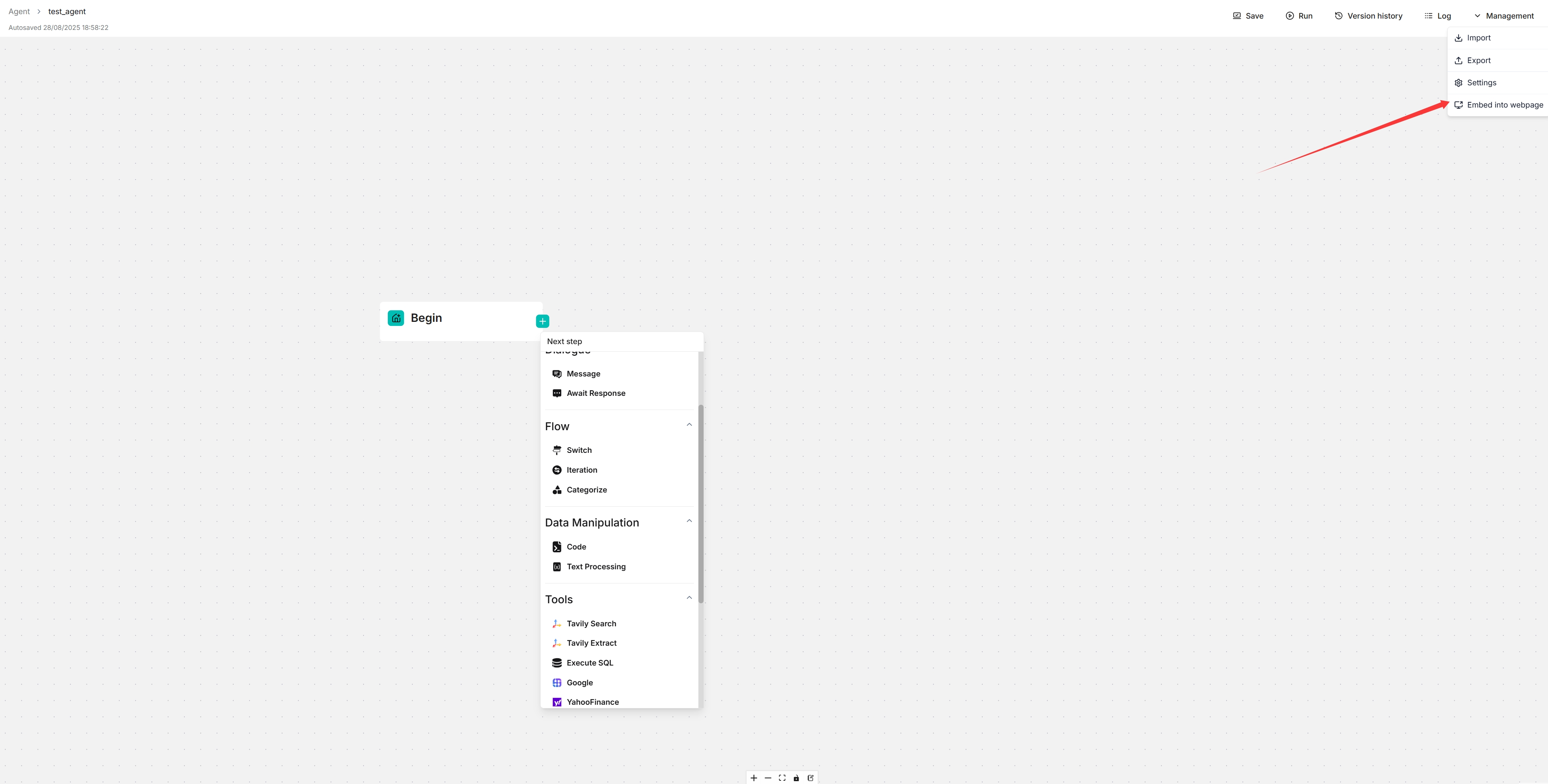
3. Click **Management > Embed into webpage** on the top right corner of the canvas to show the **iframe** window:
|
|
4. Copy the iframe and embed it into your webpage.
|
|
|
|
 |