mirror of
https://github.com/jeecgboot/JeecgBoot.git
synced 2025-12-08 17:12:28 +08:00
Compare commits
263 Commits
v3.6.3_spr
...
v3.7.1
| Author | SHA1 | Date | |
|---|---|---|---|
| cc9384abb6 | |||
| c346d0d6e6 | |||
| 2942d69fa1 | |||
| 7d7cc3fb08 | |||
| 0b84192c29 | |||
| 9fde47957d | |||
| ae753f60fd | |||
| 2d3b1418de | |||
| 15f1ca953d | |||
| 17180bfcd5 | |||
| c5ddea5c62 | |||
| 13cb18b707 | |||
| 17c68f6d53 | |||
| 39ca47d2ef | |||
| 824f3c2b90 | |||
| 70607dbe2b | |||
| 7e2b4c68ec | |||
| 5359fc4112 | |||
| c31a4e8ab4 | |||
| 2b773d6e6b | |||
| 996a56bd59 | |||
| 4d48f9b500 | |||
| 2570e454ed | |||
| 4fd8ae1f94 | |||
| 72829aa2af | |||
| 0cada33e49 | |||
| ca2a56248c | |||
| 6846e9fdef | |||
| 33be0079f0 | |||
| 31a865f5e0 | |||
| 114f59f712 | |||
| 7eef470d28 | |||
| ae9e85d3f6 | |||
| e9ac37d118 | |||
| 1d2b10c2a5 | |||
| 34442b7226 | |||
| c75e9bf05b | |||
| d1ac35108d | |||
| e0fb952146 | |||
| 4aa4c57db4 | |||
| 517600f9a4 | |||
| 1c9e76931f | |||
| d0f09480ca | |||
| e99deb1c33 | |||
| 099e745b8f | |||
| 5898656227 | |||
| 7dcf8f9b5a | |||
| 4753a74456 | |||
| 0a76623c53 | |||
| cd6bb2ca04 | |||
| 819555e612 | |||
| 0148a0b45e | |||
| 7049e9974e | |||
| 1243fe1cad | |||
| b189e6de52 | |||
| 5dd3bdc23f | |||
| 7015eef621 | |||
| fd92d516ee | |||
| 606f079a93 | |||
| ab86013e7b | |||
| 11ac387559 | |||
| ec93d615f4 | |||
| fbebaf456b | |||
| 7ea46609b1 | |||
| e3cd6bfc97 | |||
| 8000d61ce0 | |||
| 4ac18b5d81 | |||
| 54676a4512 | |||
| 2d16d1c79c | |||
| 3c7da54c3c | |||
| 434d1cca61 | |||
| 7b14b5df4a | |||
| befa0f0603 | |||
| 0ad9942e89 | |||
| 41cfbd192c | |||
| 0d79cccc52 | |||
| d51127a9b7 | |||
| 4a6110c618 | |||
| b2bc848281 | |||
| 65a12c1156 | |||
| 9070b4a1c7 | |||
| 6b56be941c | |||
| 8064ea6abb | |||
| 850815b9c6 | |||
| f2c35552b8 | |||
| 068434a5ec | |||
| 68ab90915f | |||
| 9e987337c3 | |||
| 5d95a3277c | |||
| 5c4154941a | |||
| e7dfe5cdc3 | |||
| e016390f00 | |||
| f69dd81b8b | |||
| 2ec292e406 | |||
| aeac0549f8 | |||
| c53e217448 | |||
| f2dfad1b15 | |||
| 2bed764621 | |||
| 2eea01bd37 | |||
| c6f482b898 | |||
| 67b1e237bd | |||
| 3f74fc0778 | |||
| c30218f17a | |||
| 21711e5f0c | |||
| 4368b4ce1e | |||
| 03f922376e | |||
| 0325e34dcb | |||
| bb918b742e | |||
| 56da1a23c2 | |||
| d3c5a58db9 | |||
| d44945f688 | |||
| f370855683 | |||
| c582efd115 | |||
| c687c7a916 | |||
| 8e44080b00 | |||
| 56ca53cc93 | |||
| 0075ec6751 | |||
| 7e31341f1a | |||
| d4ca2eb934 | |||
| 84946888ad | |||
| d276c3d8ad | |||
| 7dccaf2ec8 | |||
| ae1b8d4654 | |||
| 49f709a32a | |||
| 335c369546 | |||
| 1a446007c7 | |||
| 76f9575140 | |||
| fd7783644f | |||
| f6a3e11aa2 | |||
| c2768cea85 | |||
| 2d37b166a2 | |||
| cff5ec5a40 | |||
| 0947a199b6 | |||
| 2ecfe74b33 | |||
| 6147e923de | |||
| 3a07d5a983 | |||
| 2747868ea7 | |||
| dcc27d71b4 | |||
| 30c0482b6d | |||
| 641298b32d | |||
| 09a536f549 | |||
| 35ab818741 | |||
| e00358859c | |||
| aa24978d2b | |||
| ee497a8d1e | |||
| 935575576f | |||
| b45e75007b | |||
| 52ae0c359e | |||
| 06e6594b75 | |||
| 73d62b484c | |||
| 0ff93a220d | |||
| 2071b5bcc4 | |||
| e1378f4ee5 | |||
| a6b6e7c9d4 | |||
| 857fb53fa1 | |||
| 9db6c1a7ac | |||
| fd0461644e | |||
| 10263720d4 | |||
| 7548f3aa60 | |||
| ad3d2eb3fc | |||
| d0406fcd83 | |||
| 9159b55096 | |||
| faebdee755 | |||
| 2fc672dfab | |||
| 4dc4e87900 | |||
| 13d00a8bb4 | |||
| fb95cf7f2f | |||
| 78f048fda5 | |||
| 200adb8490 | |||
| f1496b5084 | |||
| 7b06715bff | |||
| 3091d5b6f0 | |||
| c117abb2d4 | |||
| dbc3f13c65 | |||
| ea6927a2a7 | |||
| b69a716b04 | |||
| 7e71fa26d7 | |||
| 4fed40ff7d | |||
| ee4ff35c90 | |||
| c9b92decaf | |||
| eed3bc346d | |||
| 6edef14f07 | |||
| ab49983759 | |||
| 5a09a6fb4a | |||
| ac93bf7d6b | |||
| c9c6dd5c1d | |||
| e3e1cd6b0d | |||
| f3cf90bd28 | |||
| 70847d17f1 | |||
| 2cfc39b23f | |||
| c8676b3040 | |||
| 73bd04d04a | |||
| 0ca4badb77 | |||
| 80b92ca132 | |||
| 58865bef28 | |||
| 9fd40d0973 | |||
| 266ebd9122 | |||
| fee729e16c | |||
| 10a3e9c6ba | |||
| 990f79fdfe | |||
| 6360aee0ff | |||
| 685b81e5ec | |||
| e38e395436 | |||
| 39af6e25ee | |||
| b15e6e0422 | |||
| 8f99a80352 | |||
| 936a87e738 | |||
| 2af165b201 | |||
| 3d5efc07ad | |||
| 21e8d640d2 | |||
| b0ce456909 | |||
| b8e1306955 | |||
| 37a38ad288 | |||
| 9ee05c9510 | |||
| 275a68bb6a | |||
| f3f70e8549 | |||
| e15e9d80c4 | |||
| f7538c1ed8 | |||
| a9dba08a8d | |||
| acf0713385 | |||
| cee872000a | |||
| 4a857680d0 | |||
| a47d0984dc | |||
| e333b126b6 | |||
| 3618842f44 | |||
| fd8c848c9e | |||
| 09614a0239 | |||
| 6fe8f1d81a | |||
| 0bd7f715c4 | |||
| 041d88161e | |||
| 79a62aa056 | |||
| b86b4d9676 | |||
| aeaac80012 | |||
| e0ef20cf08 | |||
| 169a66f5dd | |||
| 7e39b31123 | |||
| 18765450a6 | |||
| dff8c84d9c | |||
| d962c34846 | |||
| cd9794d818 | |||
| 5034b7cf18 | |||
| fdde84c68a | |||
| 4c54ff6f52 | |||
| de3285dc1b | |||
| 7f0c035c4c | |||
| 43593e8def | |||
| 48b0b608d8 | |||
| 69287a772b | |||
| 337d5a9489 | |||
| cfeb81ee1e | |||
| 09f92f01aa | |||
| 6d1094936b | |||
| 8836a2793a | |||
| c36ece8923 | |||
| a82213b90c | |||
| 98facdd2ee | |||
| d080b0b5ea | |||
| 338902ca0c | |||
| 7ae6a11cf0 | |||
| cdbe1cb1a9 | |||
| 090f790df4 | |||
| 82d051f388 | |||
| 5a3631c332 |

4
.gitattributes
vendored
4
.gitattributes
vendored
@ -1,5 +1,5 @@
|
||||
*.js linguist-language=Java
|
||||
*.css linguist-language=Java
|
||||
*.html linguist-language=Java
|
||||
*.vue linguist-language=Java
|
||||
*.ts linguist-language=vue
|
||||
*.html linguist-language=vue
|
||||
*.sql linguist-language=Java
|
||||
|
||||
17
.github/ISSUE_TEMPLATE.md
vendored
17
.github/ISSUE_TEMPLATE.md
vendored
@ -1,21 +1,16 @@
|
||||
##### 版本号:
|
||||
|
||||
|
||||
##### 前端版本:vue3版?还是 vue2版?
|
||||
|
||||
|
||||
##### 问题描述:
|
||||
|
||||
|
||||
##### 截图&代码:
|
||||
|
||||
##### 错误截图:
|
||||
|
||||
|
||||
|
||||
|
||||
#### 友情提示(为了提高issue处理效率):
|
||||
- 未按格式要求发帖,会被直接删掉;
|
||||
- 描述过于简单或模糊,导致无法处理的,会被直接删掉;
|
||||
- 请自己初判问题描述是否清楚,是否方便我们调查处理;
|
||||
- 针对问题请说明是Online在线功能(需说明用的主题模板),还是生成的代码功能;
|
||||
|
||||
|
||||
#### 友情提示:
|
||||
- 未按格式要求发帖、描述过于简单的,会被直接删掉;
|
||||
- 描述问题请图文并茂,方便我们理解并快速定位问题;
|
||||
- 如果使用的不是master,请说明你使用的分支;
|
||||
5
.gitignore
vendored
5
.gitignore
vendored
@ -10,5 +10,6 @@ rebel.xml
|
||||
## front
|
||||
**/*.lock
|
||||
os_del.cmd
|
||||
|
||||
*.log
|
||||
os_del_doc.cmd
|
||||
.svn
|
||||
derby.log
|
||||
|
||||
15
LICENSE
15
LICENSE
@ -200,17 +200,4 @@
|
||||
See the License for the specific language governing permissions and
|
||||
limitations under the License.
|
||||
|
||||
In any case, you must not make any such use of this software as to develop software which may be considered competitive with this software.
|
||||
|
||||
开源协议补充
|
||||
JeecgBoot 是由 北京国炬信息技术有限公司 发行的软件。 总部位于北京,地址:中国·北京·朝阳区科荟前街1号院奥林佳泰大厦。邮箱:jeecgos@163.com
|
||||
本软件受适用的国家软件著作权法(包括国际条约)和双重保护许可。
|
||||
|
||||
1.允许基于本平台软件开展业务系统开发。
|
||||
2.JeecgBoot底层依赖的非开源功能:online lib依赖、仪表盘lib依赖等,统一采用LGPL开源协议(不二次改造、不拆分出jeecgboot之外使用,就不产生侵权)
|
||||
3.不得基于该平台软件的基础,修改包装成一个与JeecgBoot平台软件功能类似的产品进行发布、销售,或与JeecgBoot参与同类软件产品市场的竞争。
|
||||
违反此条款属于侵权行为,须赔偿侵权经济损失,同时立即停止著作权侵权行为。
|
||||
|
||||
总结:在遵循Apache开源协议和开源协议补充条款下,允许商用使用,不会造成侵权行为!
|
||||
解释权归:http://www.jeecg.com
|
||||
|
||||
In any case, you must not make any such use of this software as to develop software which may be considered competitive with this software.
|
||||
287
README-EN.md
287
README-EN.md
@ -7,13 +7,12 @@
|
||||
JEECG BOOT Low Code Development Platform
|
||||
===============
|
||||
|
||||
当前最新版本: 3.6.1(发布日期:2023-12-11)
|
||||
Current version: 3.7.1 (Release date: 2024-09-12)
|
||||
|
||||
|
||||
[](https://github.com/zhangdaiscott/jeecg-boot/blob/master/LICENSE)
|
||||
[](http://www.jeecg.com)
|
||||
[](https://jeecg.blog.csdn.net)
|
||||
[](https://github.com/zhangdaiscott/jeecg-boot)
|
||||
[](https://github.com/zhangdaiscott/jeecg-boot)
|
||||
[](https://github.com/zhangdaiscott/jeecg-boot)
|
||||
[](https://github.com/zhangdaiscott/jeecg-boot)
|
||||
|
||||
@ -37,19 +36,8 @@ JEECG Business process: Using workflow to implement and extend the task interfac
|
||||
Technical support
|
||||
-----------------------------------
|
||||
|
||||
Problems or bugs in use can be found in [Making on the Issues](https://github.com/jeecgboot/jeecg-boot/issues/new)
|
||||
Problems or bugs in use can be found in [Making on the Issues](https://github.com/jeecgboot/JeecgBoot/issues/new)
|
||||
|
||||
Official Support: http://jeecg.com/doc/help
|
||||
|
||||
|
||||
Download the source code
|
||||
-----------------------------------
|
||||
项目源码
|
||||
-----------------------------------
|
||||
| Source |Front-end source (Vue3 version) | The background source |
|
||||
|-|-|-|
|
||||
| Github | [jeecgboot-vue3](https://github.com/jeecgboot/jeecgboot-vue3) | [jeecg-boot](https://github.com/jeecgboot/jeecg-boot) |
|
||||
| Gitee | [jeecgboot-vue3](https://gitee.com/jeecg/jeecgboot-vue3) | [jeecg-boot](https://gitee.com/jeecg/jeecg-boot) |
|
||||
|
||||
##### Project description
|
||||
|
||||
@ -58,25 +46,25 @@ Download the source code
|
||||
| `jeecg-boot` | SpringBoot background source code (support microservices) |
|
||||
| `jeecgboot-vue3` | Vue3+TS new front-end source code|
|
||||
| `jeecg-uniapp` | [APP development framework, a code multi terminal adaptation, and support APP, small program, H5](https://github.com/jeecgboot/jeecg-uniapp) |
|
||||
| `SpringBoot3+JDK17` | [BranchSourceCode](https://github.com/jeecgboot/jeecg-boot/tree/springboot3) [UpgradeBlog](https://blog.csdn.net/zhangdaiscott/article/details/134805602) |
|
||||
| `More` | [Download more source code](http://jeecg.com/download) |
|
||||
|
||||
|
||||
|
||||
Download other source code
|
||||
-----------------------------------
|
||||
- APP SourceCode:https://github.com/jeecgboot/jeecg-uniapp
|
||||
|
||||
|
||||
|
||||
For the project
|
||||
-----------------------------------
|
||||
Jeecg-Boot low code development platform can be applied in the development of any J2EE project, especially for SAAS projects, enterprise information management system (MIS), internal office system (OA), enterprise resource planning system (ERP), customer relationship management system (CRM), etc. Its semi-intelligent manual Merge development method, Can significantly improve the development efficiency of more than 70%, greatly reduce the development cost.
|
||||
|
||||
|
||||
|
||||
Docker starts the project
|
||||
Starts the project
|
||||
-----------------------------------
|
||||
|
||||
- [Docker starts the monomer background](https://help.jeecg.com/java/setup/docker/up.html)
|
||||
- [Docker starts the Vue3 front-end](http://help.jeecg.com/publish/docker.html)
|
||||
- [Docker starts the micro-service background](https://help.jeecg.com/java/springcloud/docker.html)
|
||||
|
||||
- [IDEA Quick start](https://help.jeecg.com/java/setup/idea/startup.html)
|
||||
- [Docker Quick start](https://help.jeecg.com/java/docker/quick.html)
|
||||
|
||||
|
||||
|
||||
@ -85,18 +73,12 @@ Technical documentation
|
||||
|
||||
- Website: [http://www.jeecg.com](http://www.jeecg.com)
|
||||
- Doc: [http://help.jeecg.com](http://help.jeecg.com)
|
||||
- Newbie guide: [Quick start](http://www.jeecg.com/doc/quickstart) | [video](https://space.bilibili.com/454617261/channel/series) | [Q&A ](http://www.jeecg.com/doc/qa) | [help](http://jeecg.com/doc/help) | [1 minute experience](https://my.oschina.net/jeecg/blog/3083313)
|
||||
- Microservice Development: [Monomer upgrade to microservice](https://help.jeecg.com/java/springcloud/switchcloud/monomer.html)
|
||||
- QQ group : ⑧825232878、⑦791696430、⑥730954414(full)、683903138(full)、⑤860162132(full)、④774126647(full)、③816531124(full)、②769925425(full)、①284271917(full)
|
||||
- Demo : [Vue3](http://boot3.jeecg.com) | [Vue2](http://boot.jeecg.com) | [APP](http://jeecg.com/appIndex)
|
||||
> [please click obtain account password to obtain](http://jeecg.com/doc/demo)
|
||||
- Newbie guide: [Quick start](http://www.jeecg.com/doc/quickstart) | [Q&A ](http://www.jeecg.com/doc/qa) | [1 minute experience](https://my.oschina.net/jeecg/blog/3083313)
|
||||
- QQ group : ⑨808791225、⑧825232878、⑦791696430、⑥730954414(full)、683903138(full)、⑤860162132(full)、④774126647(full)、③816531124(full)、②769925425(full)、①284271917(full)
|
||||
- Demo : [OnlineDemo](http://boot3.jeecg.com) | [APP](http://jeecg.com/appIndex)
|
||||
|
||||
|
||||
|
||||
Thinking
|
||||
-----------------------------------
|
||||
> We are pursuing the goal of implementing complex business systems without writing code! That has been done so far
|
||||
- https://www.qiaoqiaoyun.com
|
||||
|
||||
|
||||
Star charts
|
||||
@ -161,7 +143,7 @@ Why JeecgBoot?
|
||||
* Support SAAS service model and provide SaaS multi-tenant architecture solution.
|
||||
* Distributed file service, integration of minio, Ali OSS and other excellent third parties, to provide convenient file upload and management, but also support local storage.
|
||||
* Mainstream database compatibility, a set of code is fully compatible with Mysql, Postgresql, Oracle, Sqlserver, MariaDB, dream and other mainstream databases.
|
||||
* Integrate workflow activiti and realize only the configuration of flow direction in the page, which can greatly simplify the development of bpm workflow; Using bpm's process designer to draw the flow direction, a workflow is basically complete with a small amount of java code;
|
||||
* Integrate workflow flowable and realize only the configuration of flow direction in the page, which can greatly simplify the development of bpm workflow; Using bpm's process designer to draw the flow direction, a workflow is basically complete with a small amount of java code;
|
||||
* Low code ability: online process design, using open source Activiti process engine, to achieve online drawing process, custom form, form attachment, business flow
|
||||
* Multi-data source: its simple way of use, online configuration of data source configuration, convenient to grab data from other data;
|
||||
* Provide single sign-on CAS integration solution, and complete docking code has been provided in the project
|
||||
@ -192,7 +174,7 @@ Technical Architecture:
|
||||
|
||||
#### Development Environment
|
||||
|
||||
- Language: Java 8+ (less than 17)
|
||||
- Language: Java 8+ (17)
|
||||
|
||||
- IDE(JAVA) : IDEA (lombok plug-in must be installed)
|
||||
|
||||
@ -202,20 +184,20 @@ Technical Architecture:
|
||||
|
||||
- Cache: Redis
|
||||
|
||||
- Database: MySQL5.7 + & Oracle 11 g & Sqlserver2017 [More Databases](https://my.oschina.net/jeecg/blog/4905722)
|
||||
- Database: MySQL5.7 + [More Databases](https://my.oschina.net/jeecg/blog/4905722)
|
||||
|
||||
|
||||
#### backend
|
||||
|
||||
- Basic framework: Spring Boot 2.6.14
|
||||
- Basic framework: Spring Boot 2.7.18
|
||||
|
||||
- Microservice framework: Spring Cloud Alibaba 2021.0.1.0
|
||||
|
||||
- Persistence layer framework: MybatisPlus 3.5.1
|
||||
- Persistence layer framework: MybatisPlus 3.5.3.2
|
||||
|
||||
- Report tool: JimuReport 1.5.8
|
||||
- Report tool: JimuReport 1.7.6
|
||||
|
||||
- Security framework: Apache Shiro 1.10.0, Jwt 3.11.0
|
||||
- Security framework: Apache Shiro 1.12.0, Jwt 3.11.0
|
||||
|
||||
- Microservice technology stack: Spring Cloud Alibaba, Nacos, Gateway, Sentinel, Skywalking
|
||||
|
||||
@ -228,8 +210,7 @@ Technical Architecture:
|
||||
|
||||
#### The front end
|
||||
|
||||
- Vue2 version:`Vue2.6+@vue/cli+AntDesignVue+Viser-vue+Vuex` [detail](https://github.com/jeecgboot/ant-design-vue-jeecg)
|
||||
- Vue3 version:`Vue3.0+TypeScript+Vite+AntDesignVue+pinia+echarts` [detail](https://github.com/jeecgboot/jeecgboot-vue3)
|
||||
- TechnologyStack:`Vue3.0+TypeScript+Vite+AntDesignVue+pinia+echarts`
|
||||
|
||||
#### Support library
|
||||
|
||||
@ -240,44 +221,28 @@ Technical Architecture:
|
||||
| Sqlserver2017 | √ |
|
||||
| PostgreSQL | √ |
|
||||
| MariaDB | √ |
|
||||
| 达梦、人大金仓 | √ |
|
||||
|
||||
| 达梦 | √ |
|
||||
| 人大金仓 | √ |
|
||||
|
||||
|
||||
## Microservice solutions
|
||||
|
||||
|
||||
1. Service registration and discovery Nacos √
|
||||
|
||||
2. Nacos √
|
||||
|
||||
3. Route gateway gateway(Three loading modes) √
|
||||
|
||||
4. Distributed http feign √
|
||||
|
||||
5. fuse degrade current limiting Sentinel √
|
||||
|
||||
6. Distributed files Minio and Alioss √
|
||||
|
||||
7. Unified permission control
|
||||
|
||||
8. Service monitoring SpringBootAdmin√
|
||||
|
||||
9. link tracking Skywalking [reference document](https://help.jeecg.com/java/springcloud/super/skywarking.html)
|
||||
|
||||
10. Messaging middleware RabbitMQ √
|
||||
|
||||
11. Distributed task xxl-job √
|
||||
|
||||
12. Distributed Transaction Seata
|
||||
|
||||
13. Distributed log elk + kafka
|
||||
|
||||
14. Support docker-compose, k8s, jenkins
|
||||
|
||||
15. CAS SSO √
|
||||
|
||||
16. Route traffic limiting √
|
||||
- 1. Service registration and discovery Nacos √
|
||||
- 2. Nacos √
|
||||
- 3. Route gateway gateway(Three loading modes) √
|
||||
- 4. Distributed http feign √
|
||||
- 5. fuse degrade current limiting Sentinel √
|
||||
- 6. Distributed files Minio and Alioss √
|
||||
- 7. Unified permission control
|
||||
- 8. Service monitoring SpringBootAdmin√
|
||||
- 9. link tracking Skywalking [reference document](https://help.jeecg.com/java/springcloud/super/skywarking.html)
|
||||
- 10. Messaging middleware RabbitMQ √
|
||||
- 11. Distributed task xxl-job √
|
||||
- 12. Distributed Transaction Seata
|
||||
- 13. Distributed log Loki+grafana
|
||||
- 14. Support docker-compose, k8s, jenkins
|
||||
- 15. CAS SSO √
|
||||
- 16. Route traffic limiting √
|
||||
|
||||
|
||||
#### Microservice architecture diagram
|
||||
@ -286,161 +251,17 @@ Technical Architecture:
|
||||
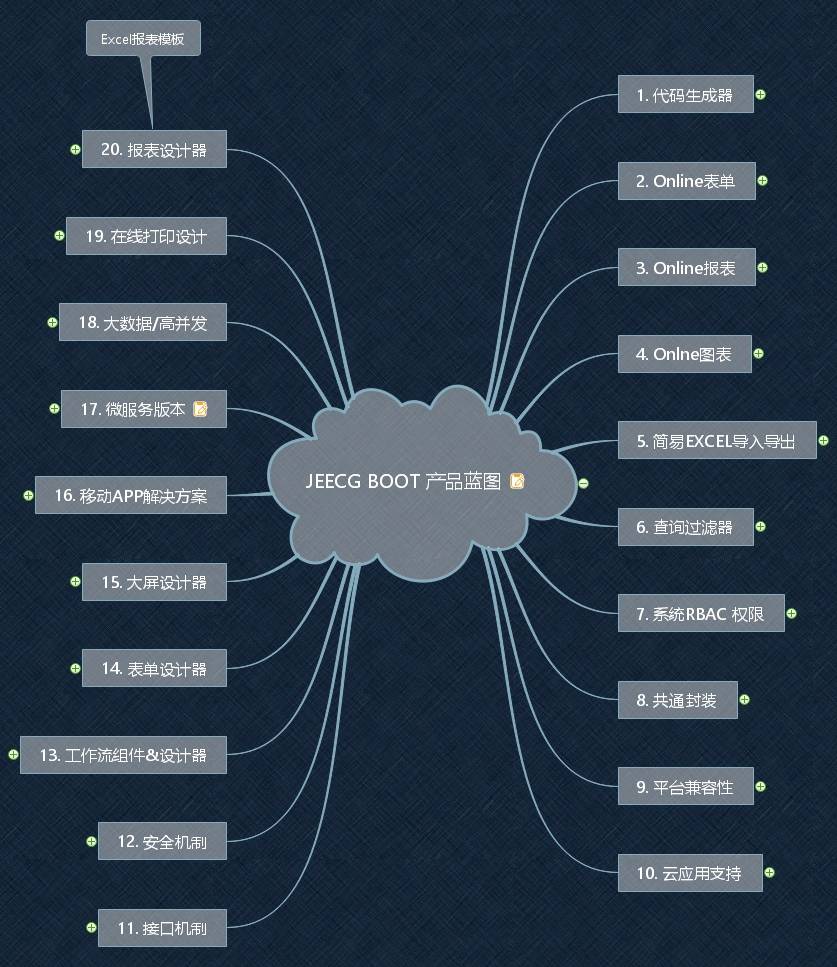
### Jeecg Boot product functionality blueprint
|
||||
|
||||
|
||||
|
||||
|
||||
|
||||
### Function module
|
||||
```
|
||||
├─系统管理
|
||||
│ ├─用户管理
|
||||
│ ├─角色管理
|
||||
│ ├─菜单管理
|
||||
│ ├─权限设置(支持按钮权限、数据权限)
|
||||
│ ├─表单权限(控制字段禁用、隐藏)
|
||||
│ ├─部门管理
|
||||
│ ├─我的部门(二级管理员)
|
||||
│ └─字典管理
|
||||
│ └─分类字典
|
||||
│ └─系统公告
|
||||
│ └─职务管理
|
||||
│ └─通讯录
|
||||
│ └─多租户管理
|
||||
├─消息中心
|
||||
│ ├─消息管理
|
||||
│ ├─模板管理
|
||||
├─代码生成器(低代码)
|
||||
│ ├─代码生成器功能(一键生成前后端代码,生成后无需修改直接用,绝对是后端开发福音)
|
||||
│ ├─代码生成器模板(提供4套模板,分别支持单表和一对多模型,不同风格选择)
|
||||
│ ├─代码生成器模板(生成代码,自带excel导入导出)
|
||||
│ ├─查询过滤器(查询逻辑无需编码,系统根据页面配置自动生成)
|
||||
│ ├─高级查询器(弹窗自动组合查询条件)
|
||||
│ ├─Excel导入导出工具集成(支持单表,一对多 导入导出)
|
||||
│ ├─平台移动自适应支持
|
||||
├─系统监控
|
||||
│ ├─Gateway路由网关
|
||||
│ ├─性能扫描监控
|
||||
│ │ ├─监控 Redis
|
||||
│ │ ├─Tomcat
|
||||
│ │ ├─jvm
|
||||
│ │ ├─服务器信息
|
||||
│ │ ├─请求追踪
|
||||
│ │ ├─磁盘监控
|
||||
│ ├─定时任务
|
||||
│ ├─系统日志
|
||||
│ ├─消息中心(支持短信、邮件、微信推送等等)
|
||||
│ ├─数据日志(记录数据快照,可对比快照,查看数据变更情况)
|
||||
│ ├─系统通知
|
||||
│ ├─SQL监控
|
||||
│ ├─swagger-ui(在线接口文档)
|
||||
│─报表示例
|
||||
│ ├─曲线图
|
||||
│ └─饼状图
|
||||
│ └─柱状图
|
||||
│ └─折线图
|
||||
│ └─面积图
|
||||
│ └─雷达图
|
||||
│ └─仪表图
|
||||
│ └─进度条
|
||||
│ └─排名列表
|
||||
│ └─等等
|
||||
│─大屏模板
|
||||
│ ├─作战指挥中心大屏
|
||||
│ └─物流服务中心大屏
|
||||
│─常用示例
|
||||
│ ├─自定义组件
|
||||
│ ├─对象存储(对接阿里云)
|
||||
│ ├─JVXETable示例(各种复杂ERP布局示例)
|
||||
│ ├─单表模型例子
|
||||
│ └─一对多模型例子
|
||||
│ └─打印例子
|
||||
│ └─一对多TAB例子
|
||||
│ └─内嵌table例子
|
||||
│ └─常用选择组件
|
||||
│ └─异步树table
|
||||
│ └─接口模拟测试
|
||||
│ └─表格合计示例
|
||||
│ └─异步树列表示例
|
||||
│ └─一对多JEditable
|
||||
│ └─JEditable组件示例
|
||||
│ └─图片拖拽排序
|
||||
│ └─图片翻页
|
||||
│ └─图片预览
|
||||
│ └─PDF预览
|
||||
│ └─分屏功能
|
||||
│─封装通用组件
|
||||
│ ├─行编辑表格JEditableTable
|
||||
│ └─省略显示组件
|
||||
│ └─时间控件
|
||||
│ └─高级查询
|
||||
│ └─用户选择组件
|
||||
│ └─报表组件封装
|
||||
│ └─字典组件
|
||||
│ └─下拉多选组件
|
||||
│ └─选人组件
|
||||
│ └─选部门组件
|
||||
│ └─通过部门选人组件
|
||||
│ └─封装曲线、柱状图、饼状图、折线图等等报表的组件(经过封装,使用简单)
|
||||
│ └─在线code编辑器
|
||||
│ └─上传文件组件
|
||||
│ └─验证码组件
|
||||
│ └─树列表组件
|
||||
│ └─表单禁用组件
|
||||
│ └─等等
|
||||
│─更多页面模板
|
||||
│ ├─各种高级表单
|
||||
│ ├─各种列表效果
|
||||
│ └─结果页面
|
||||
│ └─异常页面
|
||||
│ └─个人页面
|
||||
├─高级功能
|
||||
│ ├─系统编码规则
|
||||
│ ├─提供单点登录CAS集成方案
|
||||
│ ├─提供APP发布方案
|
||||
│ ├─集成Websocket消息通知机制
|
||||
├─Online在线开发(低代码)
|
||||
│ ├─Online在线表单 - 功能已开放
|
||||
│ ├─Online代码生成器 - 功能已开放
|
||||
│ ├─Online在线报表 - 功能已开放
|
||||
│ ├─Online在线图表(未开源)
|
||||
│ ├─Online图表模板配置(未开源)
|
||||
│ ├─Online布局设计(未开源)
|
||||
│ ├─多数据源管理 - 功能已开放
|
||||
├─积木报表设计器(低代码)
|
||||
│ ├─打印设计器
|
||||
│ ├─数据报表设计
|
||||
│ ├─图形报表设计(支持echart)
|
||||
│ ├─大屏设计器(未开源)
|
||||
│─流程模块功能 (未开源)
|
||||
│ ├─流程设计器
|
||||
│ ├─表单设计器
|
||||
├─大屏设计器
|
||||
├─门户设计/仪表盘设计器
|
||||
│ └─我的任务
|
||||
│ └─历史流程
|
||||
│ └─历史流程
|
||||
│ └─流程实例管理
|
||||
│ └─流程监听管理
|
||||
│ └─流程表达式
|
||||
│ └─我发起的流程
|
||||
│ └─我的抄送
|
||||
│ └─流程委派、抄送、跳转
|
||||
│ └─。。。
|
||||
│─OA办公组件 (未开源)
|
||||
│ ├─更多功能
|
||||
│ └─。。。
|
||||
└─其他模块
|
||||
└─更多功能开发中。。
|
||||
|
||||
```
|
||||
|
||||
|
||||
|
||||
|
||||
|
||||
### quick start
|
||||
- Microservice Development: [Monomer upgrade to microservice](https://help.jeecg.com/java/springcloud/switchcloud/monomer.html)
|
||||
- [Docker starts the micro-service background](https://help.jeecg.com/java/docker/springcloud.html)
|
||||
|
||||
|
||||
### Effect of system
|
||||
|
||||
##### ChatGPT AI Dialog
|
||||
> Go to the JeecgBoot background home page and click "AI Assistant" in the middle of the right side of the home page. The AI Assistant dialog screen is displayed.
|
||||

|
||||
|
||||
|
||||
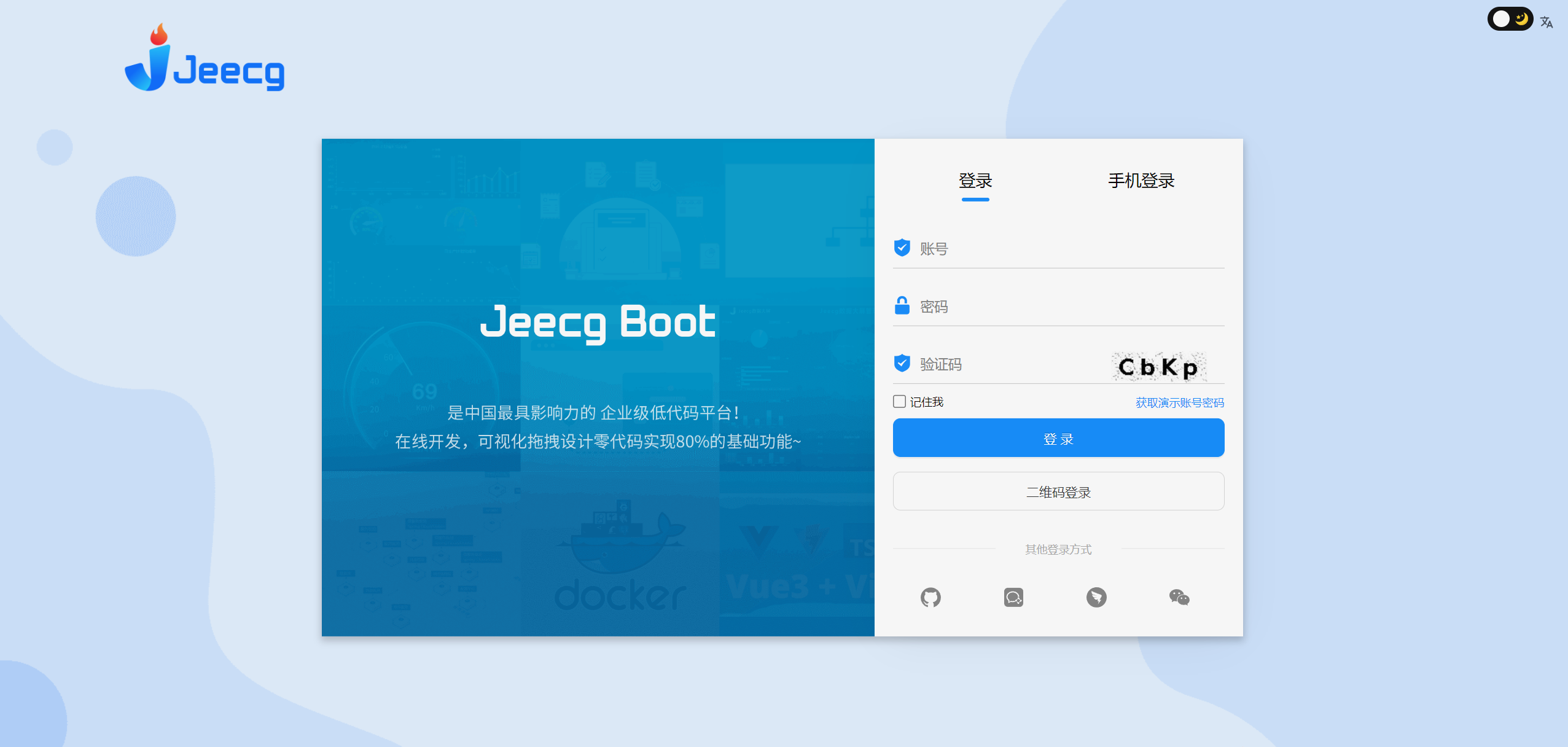
##### PC
|
||||
|
||||
@ -479,10 +300,22 @@ Technical Architecture:
|
||||
|
||||
|
||||
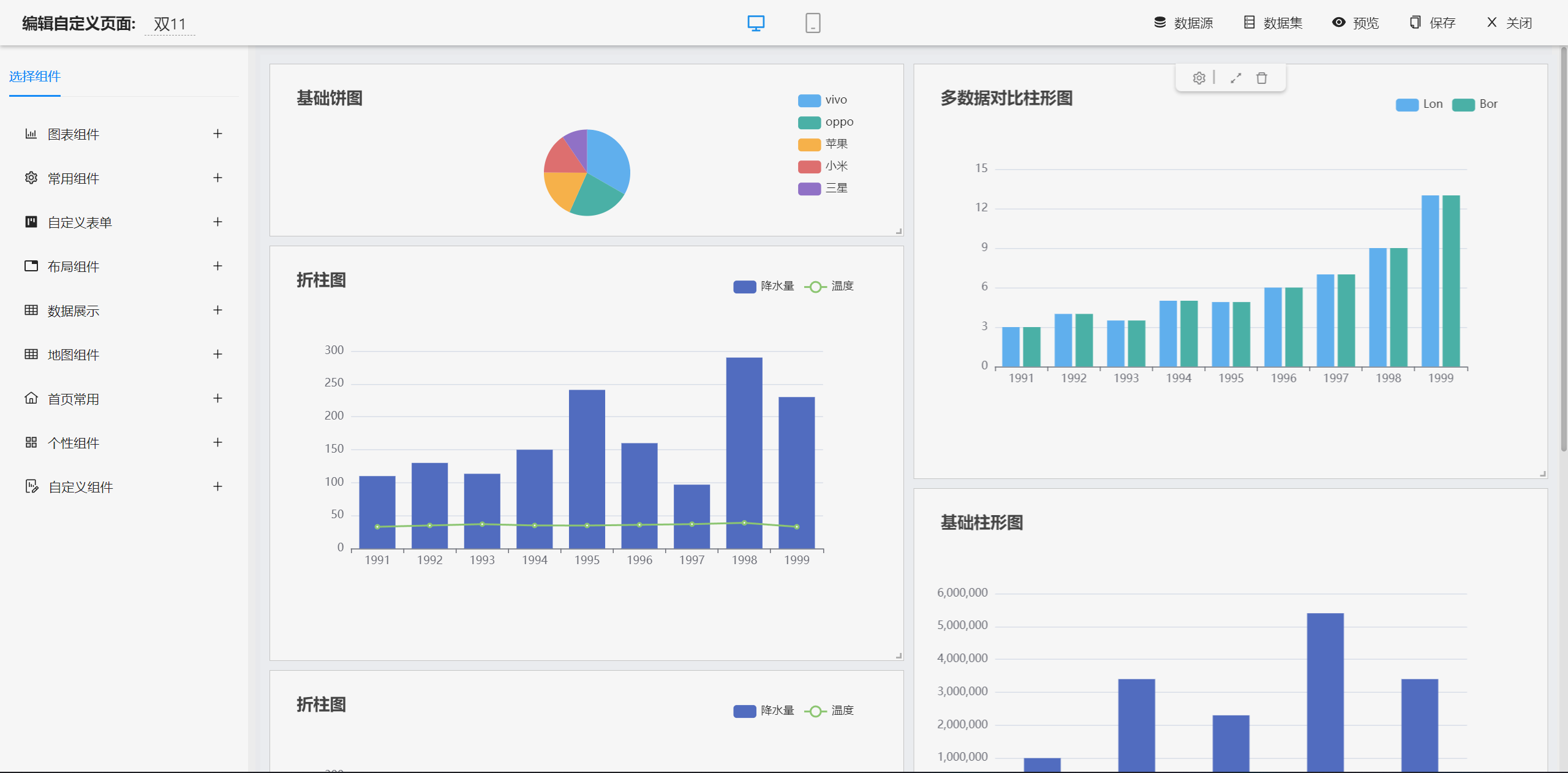
##### dashboard Designer
|
||||
|
||||
|
||||
|
||||

|
||||
|
||||

|
||||
|
||||

|
||||
|
||||

|
||||
|
||||
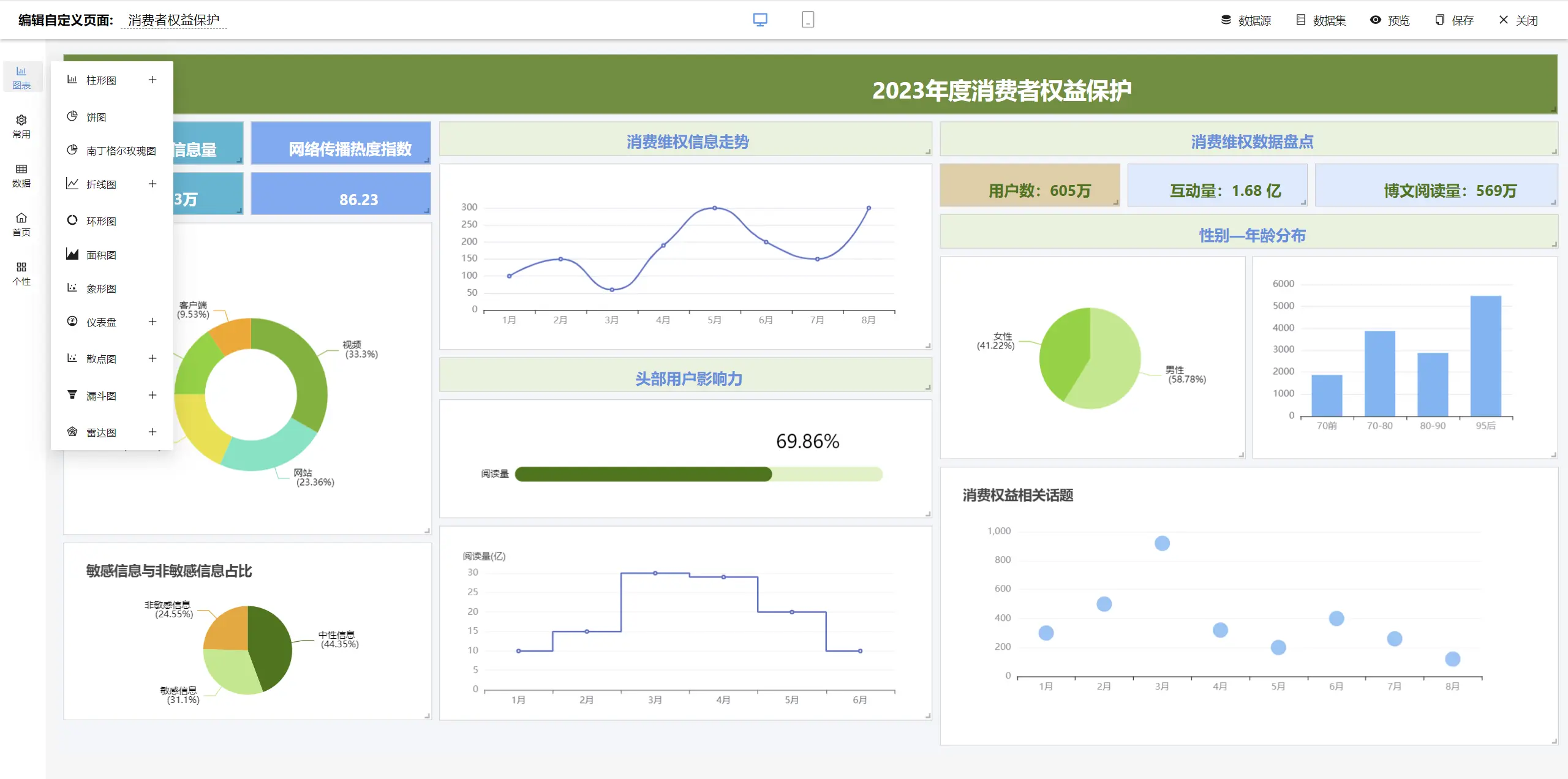
|
||||
|
||||
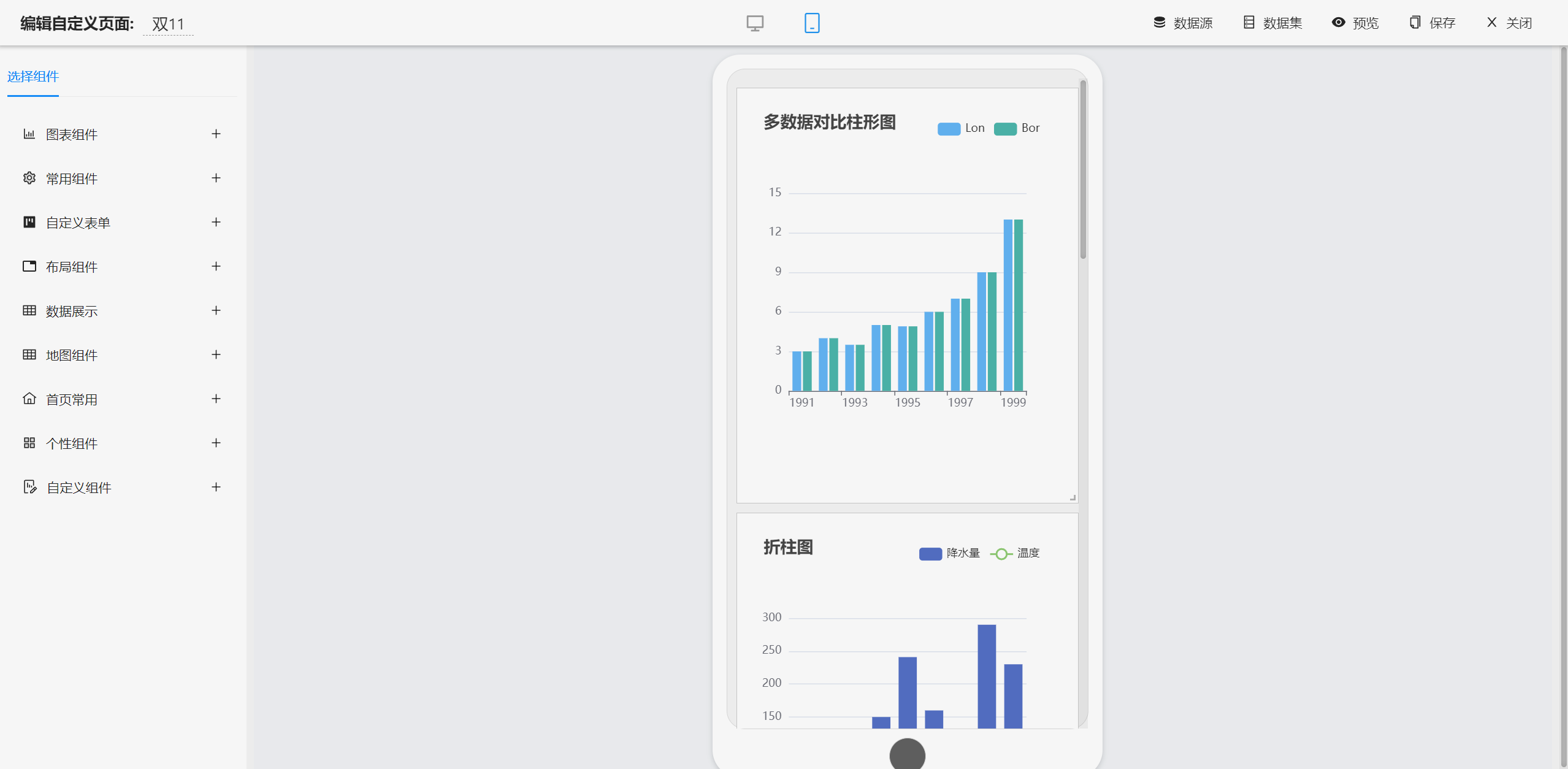
|
||||
|
||||
|
||||
|
||||
##### report Designer
|
||||
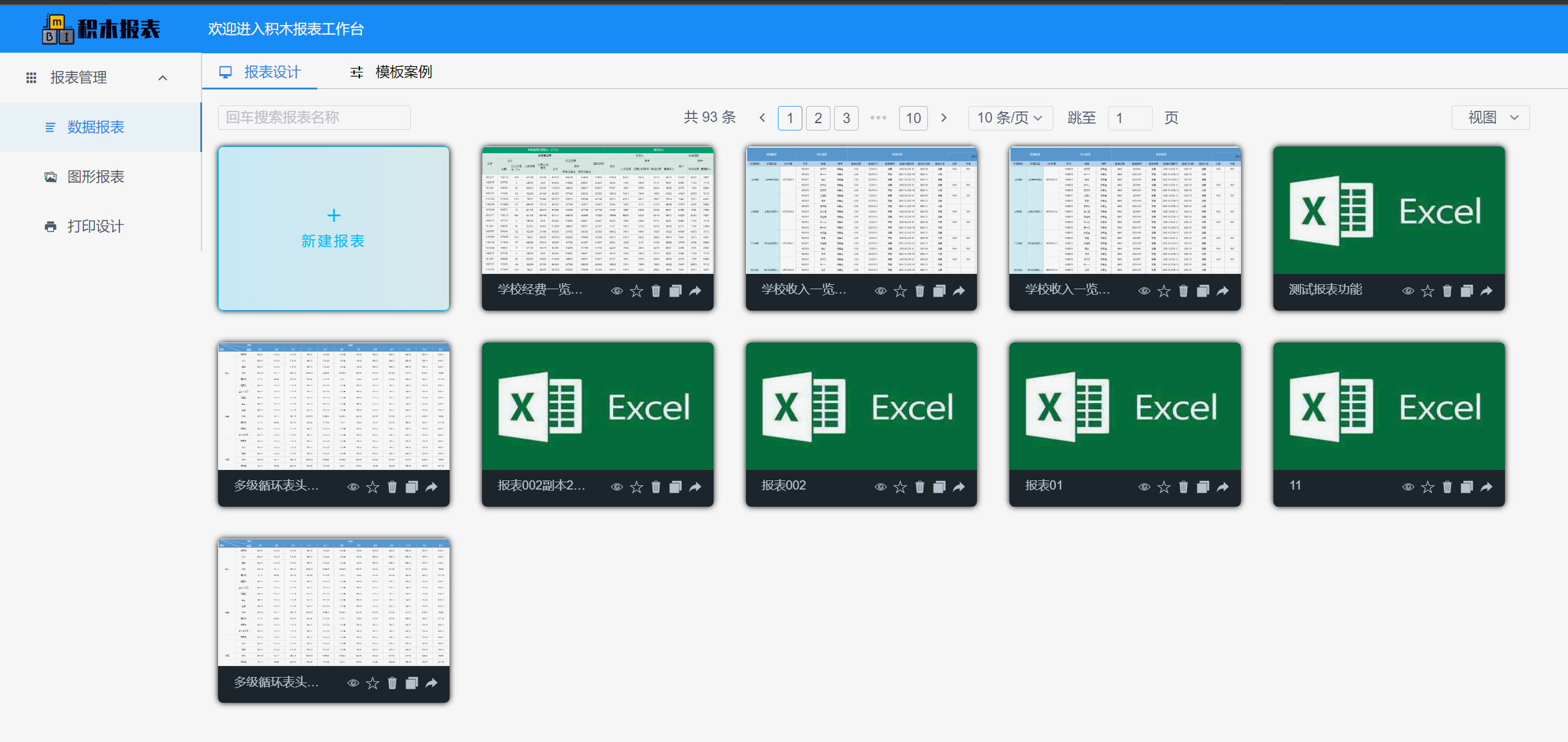
|
||||
|
||||
|
||||
490
README.md
490
README.md
@ -1,21 +1,15 @@
|
||||
|
||||
|
||||

|
||||
|
||||
|
||||
|
||||
JEECG BOOT 低代码开发平台
|
||||
JeecgBoot 低代码开发平台
|
||||
===============
|
||||
|
||||
当前最新版本: 3.6.1(发布日期:2023-12-11)
|
||||
当前最新版本: 3.7.1(发布日期:2024-09-12)
|
||||
|
||||
|
||||
[](https://github.com/zhangdaiscott/jeecg-boot/blob/master/LICENSE)
|
||||
[](http://jeecg.com/aboutusIndex)
|
||||
[](https://jeecg.blog.csdn.net)
|
||||
[](https://github.com/zhangdaiscott/jeecg-boot)
|
||||
[](https://github.com/zhangdaiscott/jeecg-boot)
|
||||
[](https://github.com/zhangdaiscott/jeecg-boot)
|
||||
[](https://github.com/jeecgboot/JeecgBoot/blob/master/LICENSE)
|
||||
[](http://guojusoft.com)
|
||||
[](https://github.com/jeecgboot/JeecgBoot)
|
||||
[](https://github.com/jeecgboot/JeecgBoot)
|
||||
[](https://github.com/jeecgboot/JeecgBoot)
|
||||
|
||||
|
||||
|
||||
@ -24,160 +18,130 @@ JEECG BOOT 低代码开发平台
|
||||
|
||||
<h3 align="center">Java Low Code Platform for Enterprise web applications</h3>
|
||||
|
||||
JeecgBoot 是一款基于代码生成器的`低代码开发平台`!前后端分离架构 SpringBoot2.x,SpringCloud,Ant Design&Vue,Mybatis-plus,Shiro,JWT,支持微服务。强大的代码生成器让前后端代码一键生成,实现低代码开发! JeecgBoot 引领新的低代码开发模式(OnlineCoding-> 代码生成器-> 手工MERGE), 帮助解决Java项目70%的重复工作,让开发更多关注业务。既能快速提高效率,节省研发成本,同时又不失灵活性!
|
||||
JeecgBoot 是一款基于代码生成器的`低代码开发平台`!前后端分离架构 SpringBoot2.x和3.x,SpringCloud,Ant Design Vue3,Mybatis-plus,Shiro,JWT,支持微服务。强大的代码生成器让前后端代码一键生成,实现低代码开发! JeecgBoot 引领新的低代码开发模式(OnlineCoding-> 代码生成器-> 手工MERGE), 帮助解决Java项目70%的重复工作,让开发更多关注业务。既能快速提高效率,节省研发成本,同时又不失灵活性!
|
||||
|
||||
JeecgBoot 提供了一系列`低代码模块`,实现在线开发`真正的零代码`:Online表单开发、Online报表、报表配置能力、在线图表设计、大屏设计、移动配置能力、表单设计器、在线设计流程、流程自动化配置、插件能力(可插拔)等等!
|
||||
JeecgBoot 提供了一系列`低代码模块`,实现在线开发`真正的零代码`:Online表单开发、Online报表、报表配置能力、在线图表设计、仪表盘设计、大屏设计、移动配置能力、表单设计器、在线设计流程、流程自动化配置、插件能力(可插拔)等等!
|
||||
|
||||
|
||||
`JEECG宗旨是:` 简单功能由OnlineCoding配置实现,做到`零代码开发`;复杂功能由代码生成器生成进行手工Merge 实现`低代码开发`,既保证了`智能`又兼顾`灵活`;实现了低代码开发的同时又支持灵活编码,解决了当前低代码产品普遍不灵活的弊端!
|
||||
|
||||
`JEECG业务流程:` 采用工作流来实现、扩展出任务接口,供开发编写业务逻辑,表单提供多种解决方案: 表单设计器、online配置表单、编码表单。同时实现了流程与表单的分离设计(松耦合)、并支持任务节点灵活配置,既保证了公司流程的保密性,又减少了开发人员的工作量。
|
||||
|
||||
遇到技术问题,[请在这里反馈BUG](https://github.com/jeecgboot/jeecg-boot/issues/new)
|
||||
|
||||
适用项目
|
||||
-----------------------------------
|
||||
Jeecg-Boot低代码开发平台,可以应用在任何J2EE项目的开发中,尤其适合SAAS项目、企业信息管理系统(MIS)、内部办公系统(OA)、企业资源计划系统(ERP)、客户关系管理系统(CRM)等,其半智能手工Merge的开发方式,可以显著提高开发效率70%以上,极大降低开发成本。
|
||||
Jeecg-Boot低代码开发平台,可以应用在任何J2EE项目的开发中,支持信创国产化(默认适配达梦和人大金仓)。尤其适合SAAS项目、企业信息管理系统(MIS)、内部办公系统(OA)、企业资源计划系统(ERP)、客户关系管理系统(CRM)等,其半智能手工Merge的开发方式,可以显著提高开发效率70%以上,极大降低开发成本。
|
||||
|
||||
|
||||
|
||||
|
||||
项目源码
|
||||
-----------------------------------
|
||||
| 仓库 |前端源码 Vue3版 | 后端JAVA源码 |
|
||||
|-|-|-|
|
||||
| Github | [jeecgboot-vue3](https://github.com/jeecgboot/jeecgboot-vue3) | [jeecg-boot](https://github.com/jeecgboot/jeecg-boot) |
|
||||
| 码云 | [jeecgboot-vue3](https://gitee.com/jeecg/jeecgboot-vue3) | [jeecg-boot](https://gitee.com/jeecg/jeecg-boot) |
|
||||
|
||||
|
||||
#### 项目说明
|
||||
|
||||
| 项目名 | 说明 |
|
||||
|--------------------|------------------------|
|
||||
| `jeecgboot-vue3` | 前端源码 (Vue3版本) |
|
||||
| `jeecg-boot` | 后端JAVA源码(支持微服务) |
|
||||
| `jeecg-uniapp` | [APP开发框架,一份代码多终端适配,同时支持APP、小程序、H5](https://github.com/jeecgboot/jeecg-uniapp) |
|
||||
| `SpringBoot3+JDK17 后端分支` | [分支源码](https://github.com/jeecgboot/jeecg-boot/tree/springboot3) [升级博客](https://blog.csdn.net/zhangdaiscott/article/details/134805602) |
|
||||
| `更多开源项目` | [更多底层源码下载](http://jeecg.com/download) |
|
||||
|
||||
|
||||
|
||||
快速搭建开发环境
|
||||
-----------------------------------
|
||||
|
||||
- [通过IDEA导入项目](https://help.jeecg.com/java/setup/idea.html)
|
||||
- [通过IDEA启动前后端项目](https://help.jeecg.com/java/setup/idea/startup.html)
|
||||
- [Vue3前端项目快速启动](http://help.jeecg.com/setup/startup.html)
|
||||
- [单体快速切换为微服务版](https://help.jeecg.com/java/springcloud/switchcloud/monomer.html)
|
||||
|
||||
|
||||
Docker快速启动项目
|
||||
-----------------------------------
|
||||
|
||||
- [Docker启动单体后台](https://help.jeecg.com/java/setup/docker/up.html)
|
||||
- [Docker启动Vue3前端](http://help.jeecg.com/publish/docker.html)
|
||||
- [Docker启动微服务后台](https://help.jeecg.com/java/springcloud/docker.html)
|
||||
| `jeecg-boot` | 后端源码JAVA(SpringBoot微服务架构) |
|
||||
| `jeecgboot-vue3` | 前端源码VUE3(vue3+vite5+ts最新技术栈) |
|
||||
| `jeecg-uniapp` | [配套APP框架](https://github.com/jeecgboot/jeecg-uniapp) 适配多个终端,支持APP、小程序、H5 |
|
||||
|
||||
|
||||
技术文档
|
||||
-----------------------------------
|
||||
|
||||
- 项目官网: [http://www.jeecg.com](http://www.jeecg.com)
|
||||
- 开发文档: [http://help.jeecg.com](http://help.jeecg.com)
|
||||
- 新手指南: [快速入门](http://www.jeecg.com/doc/quickstart) | [常见问题 ](http://www.jeecg.com/doc/qa) | [视频教程](https://space.bilibili.com/454617261/channel/series) | [1分钟低代码体验](https://my.oschina.net/jeecg/blog/3083313)
|
||||
|
||||
- 在线演示 : [Vue3演示](http://boot3.jeecg.com) | [APP演示](http://jeecg.com/appIndex) | [敲敲云零代码](https://qiaoqiaoyun.com)
|
||||
> 演示系统的登录账号密码,请点击 [获取账号密码](http://jeecg.com/doc/demo) 获取
|
||||
>
|
||||
- QQ交流群 : ⑧825232878、⑦791696430(满)、⑥730954414(满)、683903138(满)、⑤860162132(满)、④774126647(满)、③816531124(满)、②769925425(满)、①284271917(满)
|
||||
> ` 提醒:【QQ群是自助服务群,建议给帮助您解决问题的同学发送指定红包,表示感谢!】 `
|
||||
- 官方网站: [http://www.jeecg.com](http://www.jeecg.com)
|
||||
- 开发文档: [https://help.jeecg.com](https://help.jeecg.com)
|
||||
- 反馈问题: [在Github上提Issues](https://github.com/jeecgboot/JeecgBoot/issues/new)
|
||||
- 新手指南: [快速入门](http://www.jeecg.com/doc/quickstart) | [入门视频](http://jeecg.com/doc/video)
|
||||
- QQ交流群 : ⑨808791225、其他(满)
|
||||
- 在线演示 : [在线演示](http://boot3.jeecg.com) | [APP演示](http://jeecg.com/appIndex)
|
||||
|
||||
|
||||
大龄码农的思考
|
||||
-----------------------------------
|
||||
> 作为码农年纪大了写不动代码了怎么办??哎!!
|
||||
所以我们团队在追求不写代码也可实现复杂业务系统!目前已经做到了,不信你到敲敲云零代码试试(通过流程串联修改业务数据)
|
||||
|
||||
- https://www.qiaoqiaoyun.com
|
||||
|
||||
|
||||
技术支持
|
||||
启动项目
|
||||
-----------------------------------
|
||||
|
||||
关闭gitee的issue通道,使用中遇到问题或者BUG可以在 [Github上提Issues](https://github.com/jeecgboot/jeecg-boot/issues/new)
|
||||
|
||||
官方支持: [http://jeecg.com/doc/help](http://jeecg.com/doc/help)
|
||||
- [IDEA启动前后端项目](https://help.jeecg.com/java/setup/idea/startup.html)
|
||||
- [Docker一键启动前后端](https://help.jeecg.com/java/docker/quick.html)
|
||||
|
||||
|
||||
|
||||
|
||||
VUE2版本专题介绍
|
||||
-----------------------------------
|
||||
#### 项目介绍
|
||||
- 项目名称:ant-design-vue-jeecg
|
||||
- 说明:JeecgBoot前端提供两套解决方案,一套VUE2和一套VUE3版本,目前vue2版本最新代码只支持到jeecgboot 3.4.3版本,一定注意。
|
||||
|
||||
#### 源码下载
|
||||
| 源码 | 源码地址 |
|
||||
|--------------------|------------------------|
|
||||
| 后端JAVA源码 `Vue2版` |https://gitee.com/jeecg/jeecg-boot/tree/v3.4.3last |
|
||||
| 前端vue2源码 `Vue2版` |https://gitee.com/jeecg/ant-design-vue-jeecg |
|
||||
|
||||
#### Vue2与Vue3版本区别
|
||||
> - VUE3版本彻底抛弃IE兼容,不兼容IE和低版本浏览器,只适配高版本谷歌和Edge
|
||||
(政府、事业类单位项目需要谨慎选择——国产化迁移是一个漫长的过程,万一过程中要求IE兼容,这个不可逆)
|
||||
> - 所以如果对浏览器有要求的项目,请选择VUE2版本。
|
||||
> - VUE3版是全新的技术栈,紧跟主流(前端重写),各个功能都做了优化,拥有更好的体验效果
|
||||
|
||||
#### 技术文档
|
||||
- 在线演示:[Vue2版演示](http://boot.jeecg.com)
|
||||
- 开发文档:| [开发文档](http://doc.jeecg.com) | [Vue2前端快速启动](http://doc.jeecg.com/2678320) | [Vue2前端采用Docker启动](http://doc.jeecg.com/3043612)
|
||||
|
||||
|
||||
|
||||
Star走势图
|
||||
技术架构:
|
||||
-----------------------------------
|
||||
|
||||
[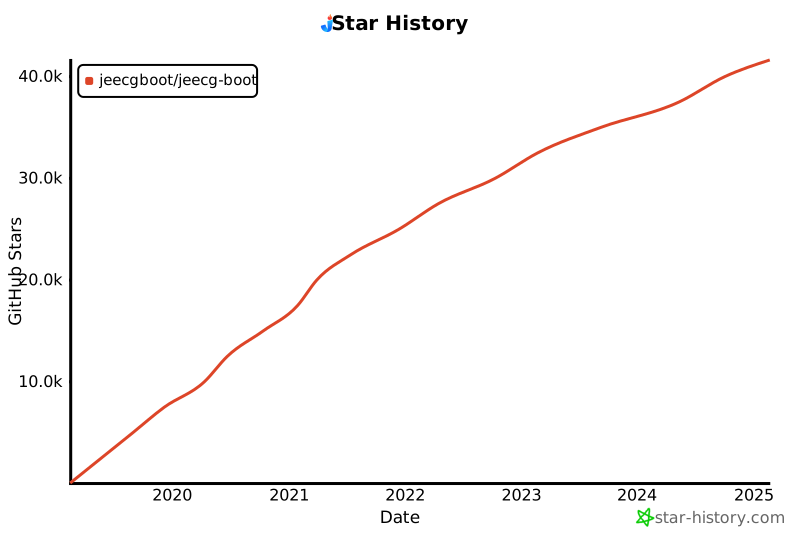](https://star-history.com/#jeecgboot/jeecg-boot)
|
||||
#### 后端
|
||||
|
||||
- IDE建议: IDEA (必须安装lombok插件 )
|
||||
- 语言:Java 8+ (支持17)
|
||||
- 依赖管理:Maven
|
||||
- 基础框架:Spring Boot 2.7.18
|
||||
- 微服务框架: Spring Cloud Alibaba 2021.0.1.0
|
||||
- 持久层框架:MybatisPlus 3.5.3.2
|
||||
- 报表工具: JimuReport 1.7.6
|
||||
- 安全框架:Apache Shiro 1.12.0,Jwt 3.11.0
|
||||
- 微服务技术栈:Spring Cloud Alibaba、Nacos、Gateway、Sentinel、Skywalking
|
||||
- 数据库连接池:阿里巴巴Druid 1.1.22
|
||||
- 日志打印:logback
|
||||
- 缓存:Redis
|
||||
- 其他:autopoi, fastjson,poi,Swagger-ui,quartz, lombok(简化代码)等。
|
||||
- 默认数据库脚本:MySQL5.7+
|
||||
- [其他数据库,需要自己转](https://my.oschina.net/jeecg/blog/4905722)
|
||||
|
||||
|
||||
#### 前端
|
||||
|
||||
- 前端IDE建议:WebStorm、Vscode
|
||||
- 采用 Vue3.0+TypeScript+Vite+Ant-Design-Vue等新技术方案,包括二次封装组件、utils、hooks、动态菜单、权限校验、按钮级别权限控制等功能
|
||||
- 最新技术栈:Vue3.0 + TypeScript + Vite5 + ant-design-vue4 + pinia + echarts + unocss + vxe-table + qiankun + es6
|
||||
- 依赖管理:node、npm、pnpm
|
||||
|
||||
|
||||
|
||||
#### 支持库
|
||||
|
||||
后台目录结构
|
||||
-----------------------------------
|
||||
```
|
||||
项目结构
|
||||
├─jeecg-boot-parent(父POM: 项目依赖、modules组织)
|
||||
│ ├─jeecg-boot-base-core(共通模块: 工具类、config、权限、查询过滤器、注解等)
|
||||
│ ├─jeecg-module-demo 示例代码
|
||||
│ ├─jeecg-module-system System系统管理目录
|
||||
│ │ ├─jeecg-system-biz System系统管理权限等功能
|
||||
│ │ ├─jeecg-system-start System单体启动项目(8080)
|
||||
│ │ ├─jeecg-system-api System系统管理模块对外api
|
||||
│ │ │ ├─jeecg-system-cloud-api System模块对外提供的微服务接口
|
||||
│ │ │ ├─jeecg-system-local-api System模块对外提供的单体接口
|
||||
│ ├─jeecg-server-cloud --微服务模块
|
||||
├─jeecg-cloud-gateway --微服务网关模块(9999)
|
||||
├─jeecg-cloud-nacos --Nacos服务模块(8848)
|
||||
├─jeecg-system-cloud-start --System微服务启动项目(7001)
|
||||
├─jeecg-demo-cloud-start --Demo微服务启动项目(7002)
|
||||
├─jeecg-visual
|
||||
├─jeecg-cloud-monitor --微服务监控模块 (9111)
|
||||
├─jeecg-cloud-xxljob --微服务xxljob定时任务服务端 (9080)
|
||||
├─jeecg-cloud-sentinel --sentinel服务端 (9000)
|
||||
├─jeecg-cloud-test -- 微服务测试示例(各种例子)
|
||||
├─jeecg-cloud-test-more -- 微服务测试示例(feign、熔断降级、xxljob、分布式锁)
|
||||
├─jeecg-cloud-test-rabbitmq -- 微服务测试示例(rabbitmq)
|
||||
├─jeecg-cloud-test-seata -- 微服务测试示例(seata分布式事务)
|
||||
├─jeecg-cloud-test-shardingsphere -- 微服务测试示例(分库分表)
|
||||
```
|
||||
| 数据库 | 支持 |
|
||||
| --- | --- |
|
||||
| MySQL | √ |
|
||||
| Oracle11g | √ |
|
||||
| Sqlserver2017 | √ |
|
||||
| PostgreSQL | √ |
|
||||
| MariaDB | √ |
|
||||
| 达梦 | √ |
|
||||
| 人大金仓 | √ |
|
||||
|
||||
|
||||
|
||||
## 微服务解决方案
|
||||
|
||||
|
||||
- 1、服务注册和发现 Nacos √
|
||||
- 2、统一配置中心 Nacos √
|
||||
- 3、路由网关 gateway(三种加载方式) √
|
||||
- 4、分布式 http feign √
|
||||
- 5、熔断降级限流 Sentinel √
|
||||
- 6、分布式文件 Minio、阿里OSS √
|
||||
- 7、统一权限控制 JWT + Shiro √
|
||||
- 8、服务监控 SpringBootAdmin√
|
||||
- 9、链路跟踪 Skywalking [参考文档](https://help.jeecg.com/java/springcloud/super/skywarking.html)
|
||||
- 10、消息中间件 RabbitMQ √
|
||||
- 11、分布式任务 xxl-job √
|
||||
- 12、分布式事务 Seata
|
||||
- 13、轻量分布式日志 Loki+grafana套件
|
||||
- 14、支持 docker-compose、k8s、jenkins
|
||||
- 15、CAS 单点登录 √
|
||||
- 16、路由限流 √
|
||||
|
||||
|
||||
#### 微服务方式启动
|
||||
|
||||
- [单体快速切换微服务](https://help.jeecg.com/java/springcloud/switchcloud/monomer.html)
|
||||
- [Docker一键启动微服务前后端](https://help.jeecg.com/java/docker/quickcloud.html)
|
||||
|
||||
|
||||
#### 微服务架构图
|
||||
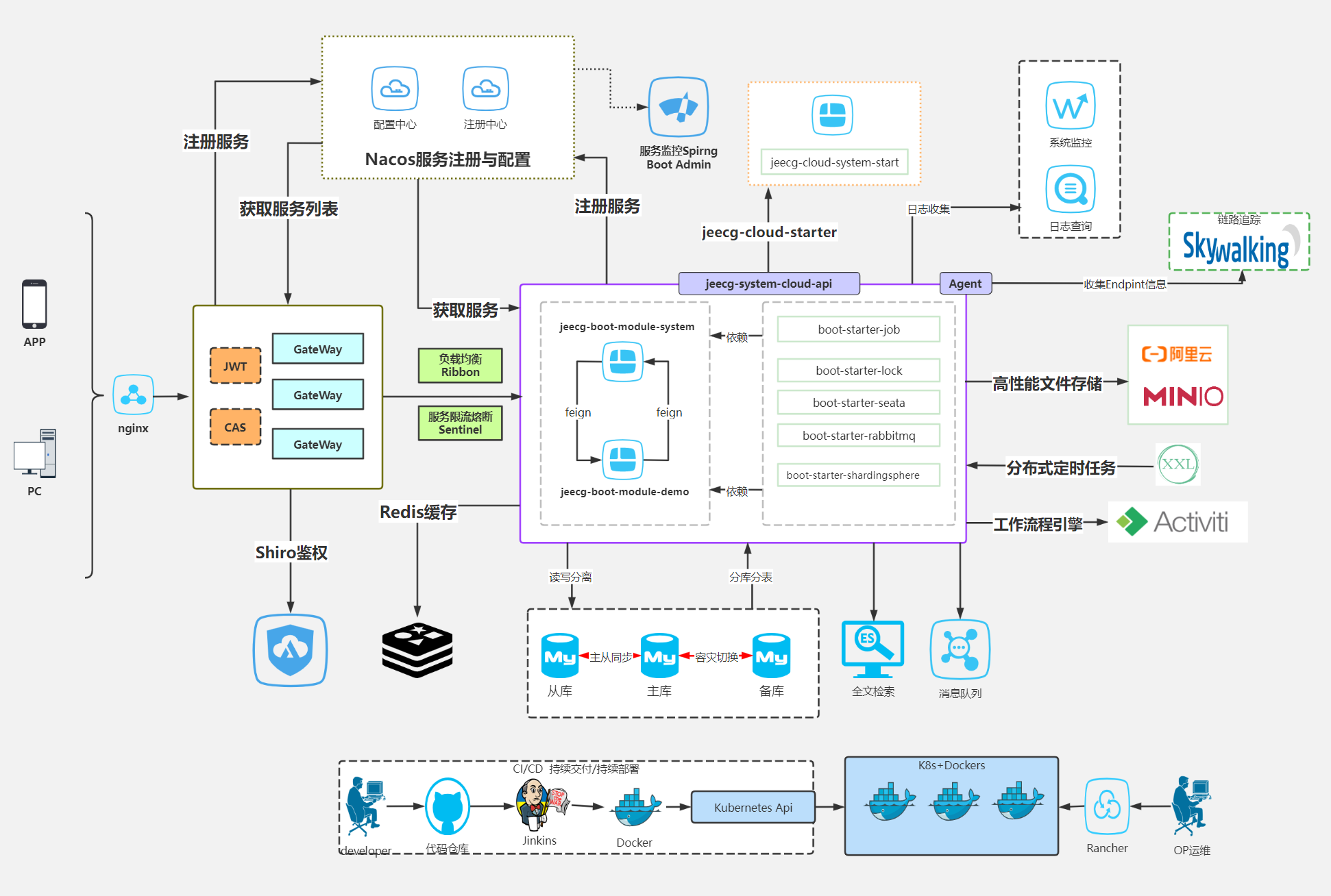
|
||||
|
||||
|
||||
|
||||
为什么选择JeecgBoot?
|
||||
-----------------------------------
|
||||
* 1.采用最新主流前后分离框架(Springboot+Mybatis+antd),容易上手; 代码生成器依赖性低,灵活的扩展能力,可快速实现二次开发;
|
||||
* 1.采用最新主流前后分离框架(Springboot+Mybatis+antd+vue3),容易上手; 代码生成器依赖性低,灵活的扩展能力,可快速实现二次开发;
|
||||
* 2.支持微服务SpringCloud Alibaba(Nacos、Gateway、Sentinel、Skywalking),提供切换机制支持单体和微服务自由切换
|
||||
* 3.开发效率高,采用代码生成器,单表、树列表、一对多、一对一等数据模型,增删改查功能一键生成,菜单配置直接使用;
|
||||
* 4.代码生成器提供强大模板机制,支持自定义模板,目前提供四套风格模板(单表两套、树模型一套、一对多三套)
|
||||
@ -195,9 +159,9 @@ Star走势图
|
||||
* 16.页面校验自动生成(必须输入、数字校验、金额校验、时间空间等);
|
||||
* 17.支持SAAS服务模式,提供SaaS多租户架构方案。
|
||||
* 18.分布式文件服务,集成minio、阿里OSS等优秀的第三方,提供便捷的文件上传与管理,同时也支持本地存储。
|
||||
* 19.主流数据库兼容,一套代码完全兼容Mysql、Postgresql、Oracle、Sqlserver、MariaDB、达梦等主流数据库。
|
||||
* 20.集成工作流activiti、flowable,并实现了只需在页面配置流程转向,可极大的简化bpm工作流的开发;用bpm的流程设计器画出了流程走向,一个工作流基本就完成了,只需写很少量的java代码;
|
||||
* 21.低代码能力:在线流程设计,采用开源Activiti流程引擎,实现在线画流程,自定义表单,表单挂靠,业务流转
|
||||
* 19.主流数据库兼容,一套代码完全兼容Mysql、Postgresql、Oracle、Sqlserver、MariaDB、达梦、人大金仓等主流数据库。
|
||||
* 20.集成工作流flowable,并实现了只需在页面配置流程转向,可极大的简化bpm工作流的开发;用bpm的流程设计器画出了流程走向,一个工作流基本就完成了,只需写很少量的java代码;
|
||||
* 21.低代码能力:在线流程设计,采用开源flowable流程引擎,实现在线画流程,自定义表单,表单挂靠,业务流转
|
||||
* 22.多数据源:及其简易的使用方式,在线配置数据源配置,便捷的从其他数据抓取数据;
|
||||
* 23.提供单点登录CAS集成方案,项目中已经提供完善的对接代码
|
||||
* 24.低代码能力:表单设计器,支持用户自定义表单布局,支持单表,一对多表单、支持select、radio、checkbox、textarea、date、popup、列表、宏等控件
|
||||
@ -218,104 +182,8 @@ Star走势图
|
||||
* 39.支持菜单动态路由
|
||||
* 40.权限控制采用 RBAC(Role-Based Access Control,基于角色的访问控制)
|
||||
* 41.提供新行编辑表格JVXETable,轻松满足各种复杂ERP布局,拥有更高的性能、更灵活的扩展、更强大的功能
|
||||
* 42.提供仪表盘设计器,类大屏设计支持移动端,免费的数据可视化设计工具,支持丰富的数据源连接,能够通过拖拉拽方式快速制作图表和门户设计;目前支持多种图表类型:柱形图、折线图、散点图、饼图、环形图、面积图、漏斗图、进度图、仪表盘、雷达图、地图等等;
|
||||
|
||||
|
||||
|
||||
|
||||
技术架构:
|
||||
-----------------------------------
|
||||
#### 开发环境
|
||||
|
||||
- 语言:Java 8+ (小于17)
|
||||
|
||||
- IDE(JAVA): IDEA (必须安装lombok插件 )
|
||||
|
||||
- IDE(前端): Vscode、WebStorm、IDEA
|
||||
|
||||
- 依赖管理:Maven
|
||||
|
||||
- 缓存:Redis
|
||||
|
||||
- 数据库脚本:MySQL5.7+ & Oracle 11g & Sqlserver2017(其他数据库,[需要自己转](https://my.oschina.net/jeecg/blog/4905722))
|
||||
|
||||
|
||||
#### 后端
|
||||
|
||||
- 基础框架:Spring Boot 2.6.14
|
||||
|
||||
- 微服务框架: Spring Cloud Alibaba 2021.0.1.0
|
||||
|
||||
- 持久层框架:MybatisPlus 3.5.1
|
||||
|
||||
- 报表工具: JimuReport 1.5.8
|
||||
|
||||
- 安全框架:Apache Shiro 1.10.0,Jwt 3.11.0
|
||||
|
||||
- 微服务技术栈:Spring Cloud Alibaba、Nacos、Gateway、Sentinel、Skywalking
|
||||
|
||||
- 数据库连接池:阿里巴巴Druid 1.1.22
|
||||
|
||||
- 日志打印:logback
|
||||
|
||||
- 其他:autopoi, fastjson,poi,Swagger-ui,quartz, lombok(简化代码)等。
|
||||
|
||||
|
||||
#### 前端
|
||||
|
||||
- Vue2版本:`Vue2.6+@vue/cli+AntDesignVue+Viser-vue+Vuex等` [详细查看](https://github.com/jeecgboot/ant-design-vue-jeecg)
|
||||
- Vue3版本:`Vue3.0+TypeScript+Vite+AntDesignVue+pinia+echarts等新方案` [详细查看](https://github.com/jeecgboot/jeecgboot-vue3)
|
||||
|
||||
#### 支持库
|
||||
|
||||
| 数据库 | 支持 |
|
||||
| --- | --- |
|
||||
| MySQL | √ |
|
||||
| Oracle11g | √ |
|
||||
| Sqlserver2017 | √ |
|
||||
| PostgreSQL | √ |
|
||||
| MariaDB | √ |
|
||||
| 达梦、人大金仓 | √ |
|
||||
|
||||
|
||||
|
||||
## 微服务解决方案
|
||||
|
||||
|
||||
1、服务注册和发现 Nacos √
|
||||
|
||||
2、统一配置中心 Nacos √
|
||||
|
||||
3、路由网关 gateway(三种加载方式) √
|
||||
|
||||
4、分布式 http feign √
|
||||
|
||||
5、熔断降级限流 Sentinel √
|
||||
|
||||
6、分布式文件 Minio、阿里OSS √
|
||||
|
||||
7、统一权限控制 JWT + Shiro √
|
||||
|
||||
8、服务监控 SpringBootAdmin√
|
||||
|
||||
9、链路跟踪 Skywalking [参考文档](https://help.jeecg.com/java/springcloud/super/skywarking.html)
|
||||
|
||||
10、消息中间件 RabbitMQ √
|
||||
|
||||
11、分布式任务 xxl-job √
|
||||
|
||||
12、分布式事务 Seata
|
||||
|
||||
13、分布式日志 elk + kafka
|
||||
|
||||
14、支持 docker-compose、k8s、jenkins
|
||||
|
||||
15、CAS 单点登录 √
|
||||
|
||||
16、路由限流 √
|
||||
|
||||
|
||||
#### 微服务架构图
|
||||

|
||||
|
||||
### Jeecg Boot 产品功能蓝图
|
||||

|
||||
@ -323,8 +191,34 @@ Star走势图
|
||||
|
||||
|
||||
|
||||
### 分支说明
|
||||
|
||||
> 主干master更稳定,如果你对最新技术栈无要求,建议采用主干
|
||||
|
||||
#### springboot3分支
|
||||
- 源码地址:https://github.com/jeecgboot/JeecgBoot/tree/springboot3
|
||||
- 架构说明:升级Spring Boot3 & JDK 17 + Undertow + springdoc + fastjson2
|
||||
|
||||
#### springboot3_sas分支
|
||||
- 源码地址:https://github.com/jeecgboot/JeecgBoot/tree/springboot3_sas
|
||||
- 架构说明:在springboot3分支基础上,采用SpringAuthorizationServer替换Shiro
|
||||
|
||||
|
||||
|
||||
### 功能模块
|
||||
```
|
||||
├─Online在线开发(低代码)
|
||||
│ ├─Online在线表单
|
||||
│ ├─Online代码生成器
|
||||
│ ├─Online在线报表
|
||||
│ ├─仪表盘设计器
|
||||
│ ├─AI助手
|
||||
│ ├─系统编码规则
|
||||
│ ├─系统校验规则
|
||||
├─积木报表设计器
|
||||
│ ├─打印设计器
|
||||
│ ├─数据报表设计
|
||||
│ ├─图形报表设计(支持echart)
|
||||
├─系统管理
|
||||
│ ├─用户管理
|
||||
│ ├─角色管理
|
||||
@ -338,7 +232,8 @@ Star走势图
|
||||
│ └─系统公告
|
||||
│ └─职务管理
|
||||
│ └─通讯录
|
||||
│ └─多租户管理
|
||||
│ ├─多数据源管理
|
||||
│ └─多租户管理(租户管理、租户角色、我的租户)
|
||||
├─消息中心
|
||||
│ ├─消息管理
|
||||
│ ├─模板管理
|
||||
@ -427,28 +322,13 @@ Star走势图
|
||||
│ └─异常页面
|
||||
│ └─个人页面
|
||||
├─高级功能
|
||||
│ ├─系统编码规则
|
||||
│ ├─提供单点登录CAS集成方案
|
||||
│ ├─提供APP发布方案
|
||||
│ ├─集成Websocket消息通知机制
|
||||
├─Online在线开发(低代码)
|
||||
│ ├─Online在线表单 - 功能已开放
|
||||
│ ├─Online代码生成器 - 功能已开放
|
||||
│ ├─Online在线报表 - 功能已开放
|
||||
│ ├─Online在线图表(未开源)
|
||||
│ ├─Online图表模板配置(未开源)
|
||||
│ ├─Online布局设计(未开源)
|
||||
│ ├─多数据源管理 - 功能已开放
|
||||
├─积木报表设计器(低代码)
|
||||
│ ├─打印设计器
|
||||
│ ├─数据报表设计
|
||||
│ ├─图形报表设计(支持echart)
|
||||
│ ├─大屏设计器(未开源)
|
||||
│─更多商业功能 (未开源)
|
||||
│─更多商业功能
|
||||
│ ├─流程设计器
|
||||
│ ├─表单设计器
|
||||
├─大屏设计器
|
||||
├─门户设计/仪表盘设计器
|
||||
│ ├─大屏设计器
|
||||
│ └─我的任务
|
||||
│ └─历史流程
|
||||
│ └─历史流程
|
||||
@ -458,26 +338,15 @@ Star走势图
|
||||
│ └─我发起的流程
|
||||
│ └─我的抄送
|
||||
│ └─流程委派、抄送、跳转
|
||||
│ └─OA办公组件
|
||||
│ └─。。。
|
||||
│─OA办公组件 (未开源)
|
||||
│ ├─更多功能
|
||||
│ └─。。。
|
||||
└─其他模块
|
||||
└─更多功能开发中。。
|
||||
|
||||
```
|
||||
|
||||
### 流程引擎推荐
|
||||
|
||||
JeecgBoot企业版本默认集成了activiti和flowable两套方案,大家在使用本开源项目时,如果想进一步集成流程引擎,推荐结合贺波老师的书 [《深入Activiti流程引擎:核心原理与高阶实战》](https://item.m.jd.com/product/13928958.html?gx=RnAomTM2bmCImZxDqYAkVCoIHuIYVqc)
|
||||
|
||||
<img src="https://jeecgos.oss-cn-beijing.aliyuncs.com/files/tuijian20231220161656.png" width="25%" height="auto">
|
||||
|
||||
|
||||
### 系统效果
|
||||
|
||||
|
||||
|
||||
##### PC端
|
||||

|
||||
|
||||
@ -496,29 +365,25 @@ JeecgBoot企业版本默认集成了activiti和flowable两套方案,大家在
|
||||
|
||||
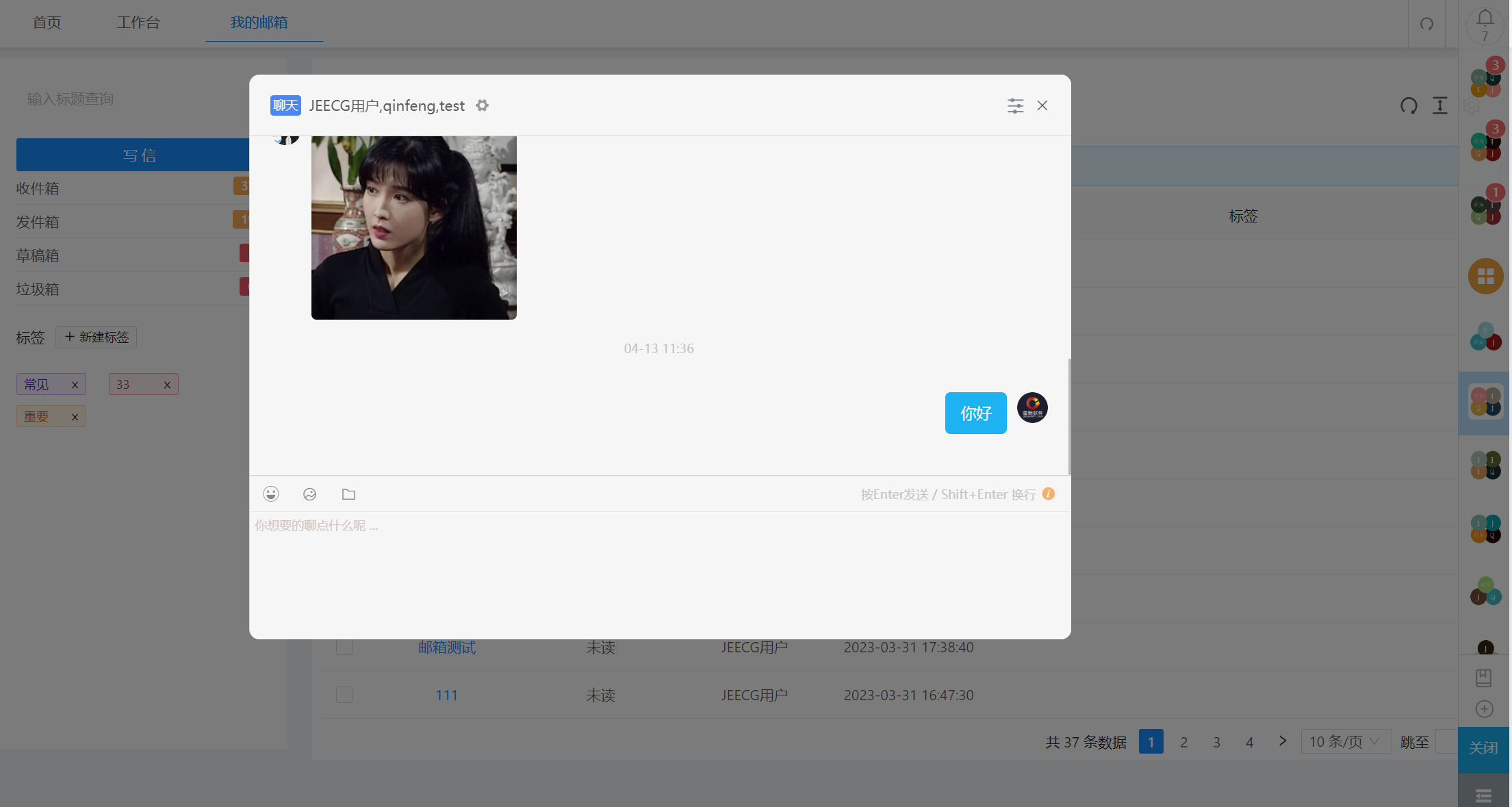
|
||||
|
||||
##### AI助手
|
||||

|
||||
|
||||
##### 流程设计
|
||||
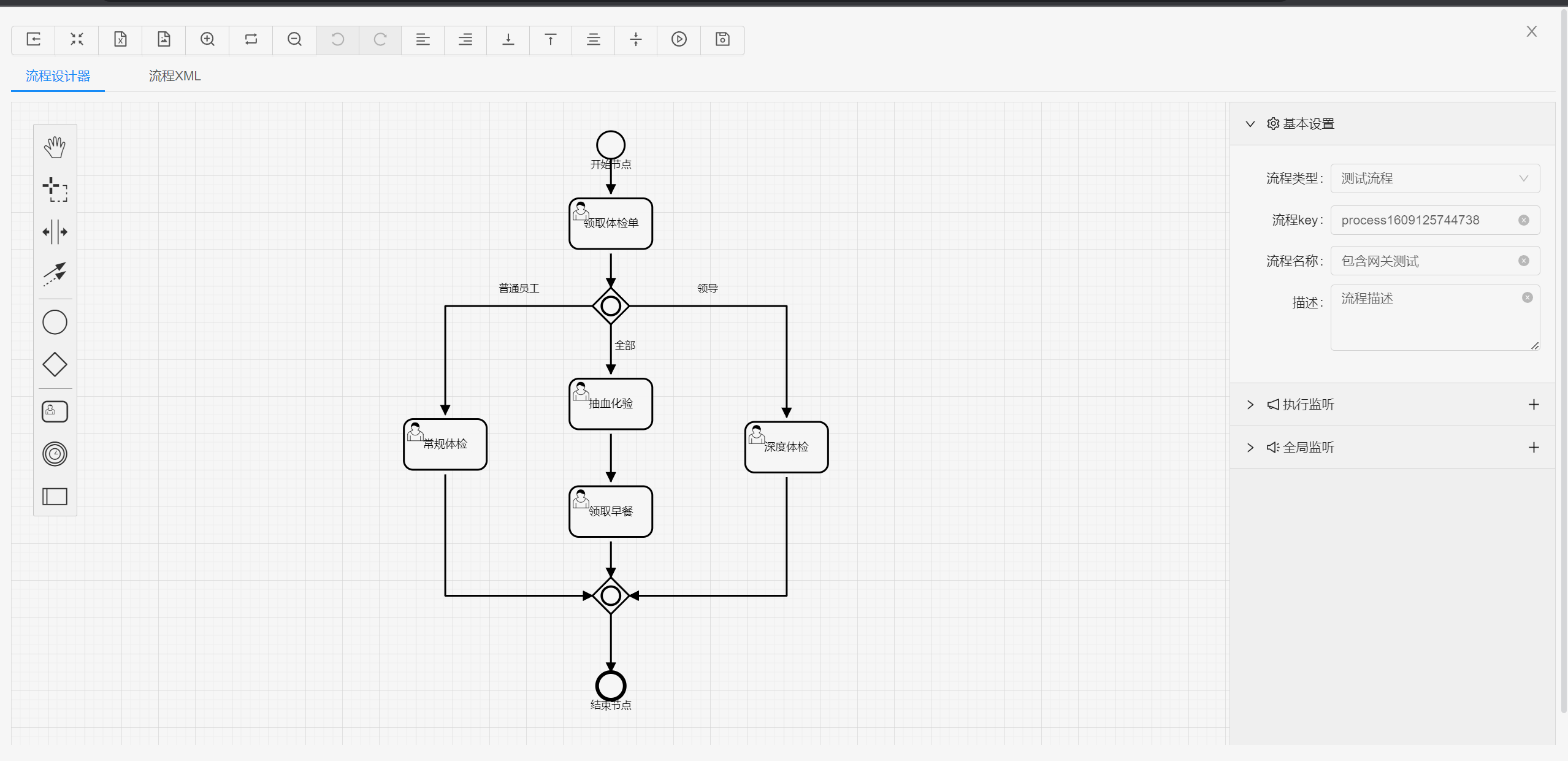
|
||||
|
||||
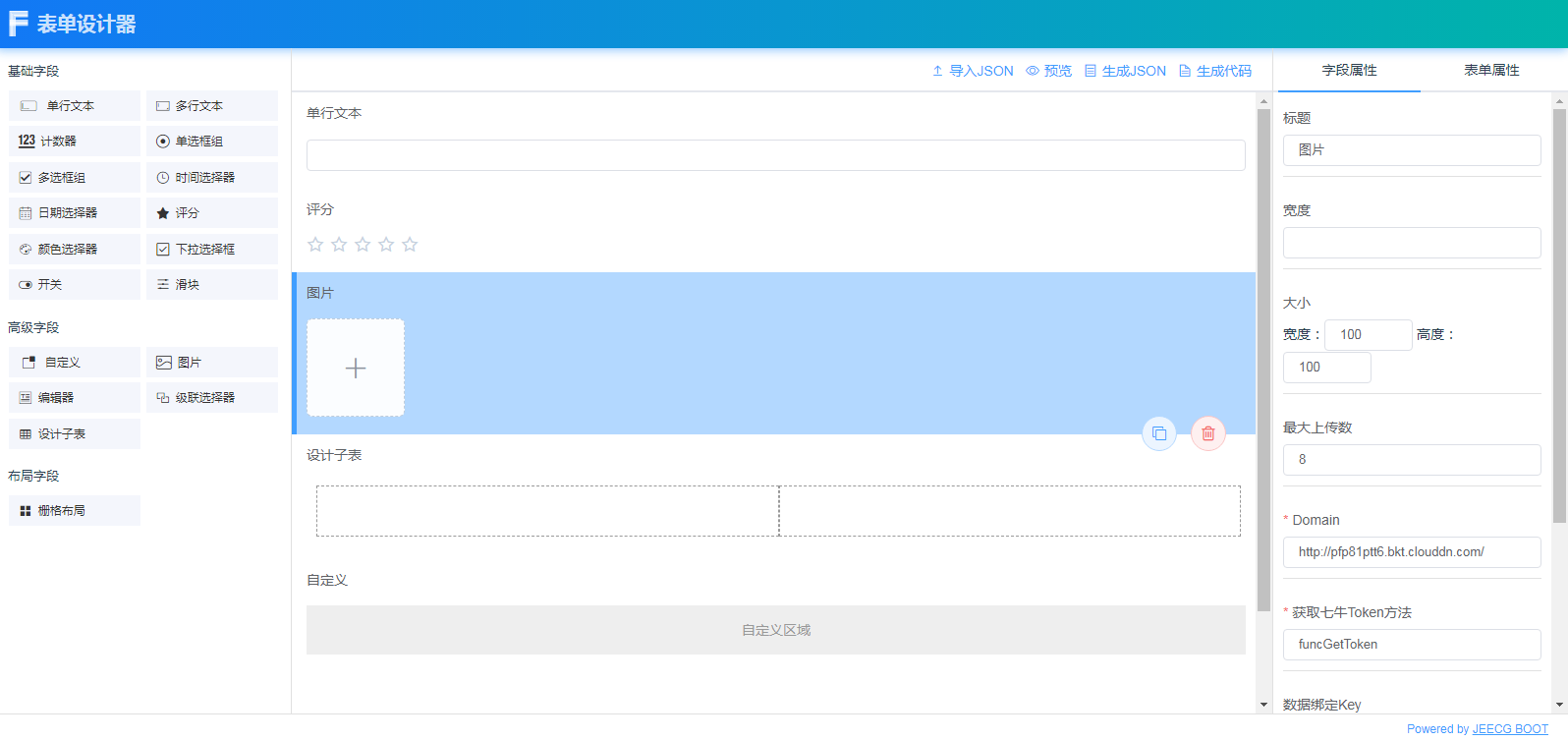
|
||||
|
||||
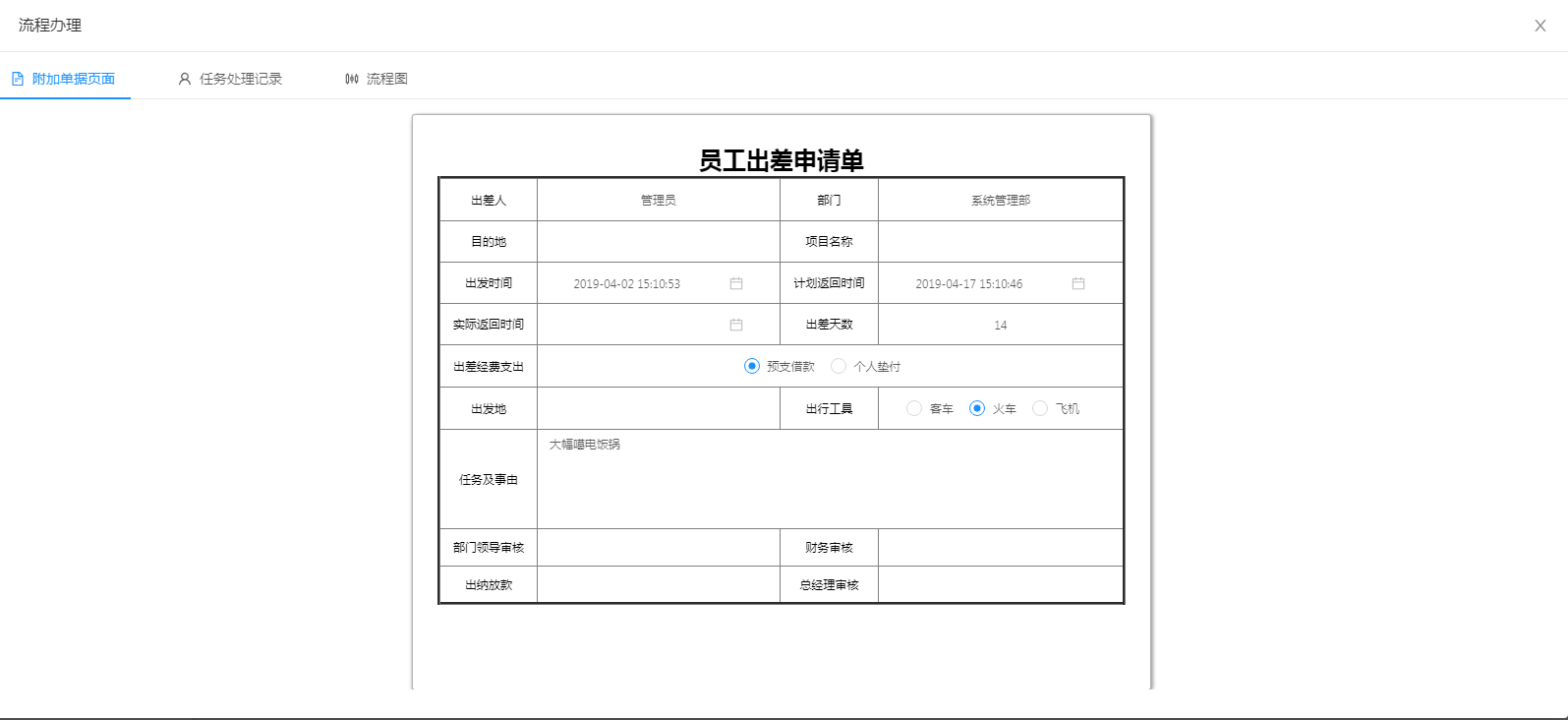
|
||||
|
||||
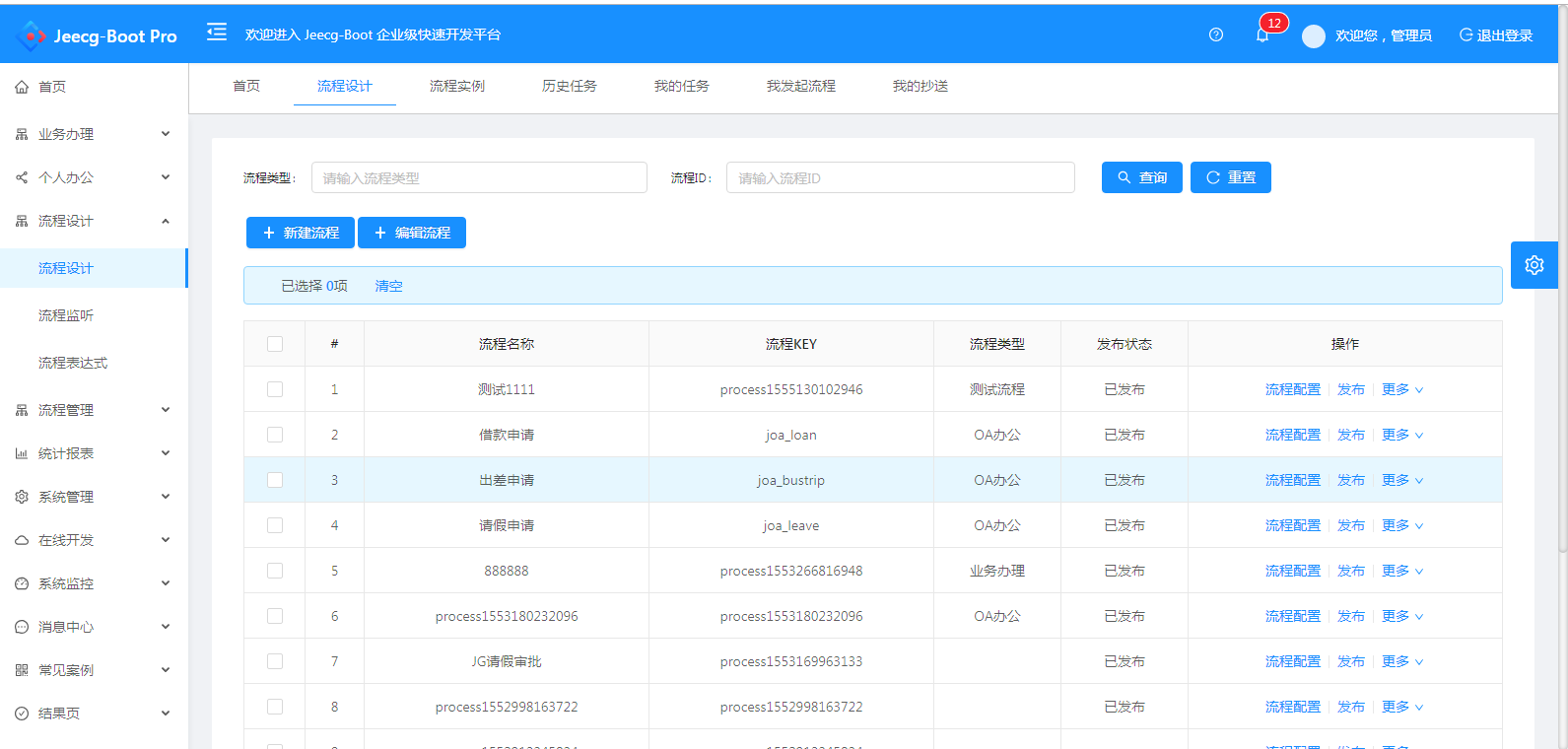
|
||||
|
||||
##### 简版流程设计
|
||||
|
||||
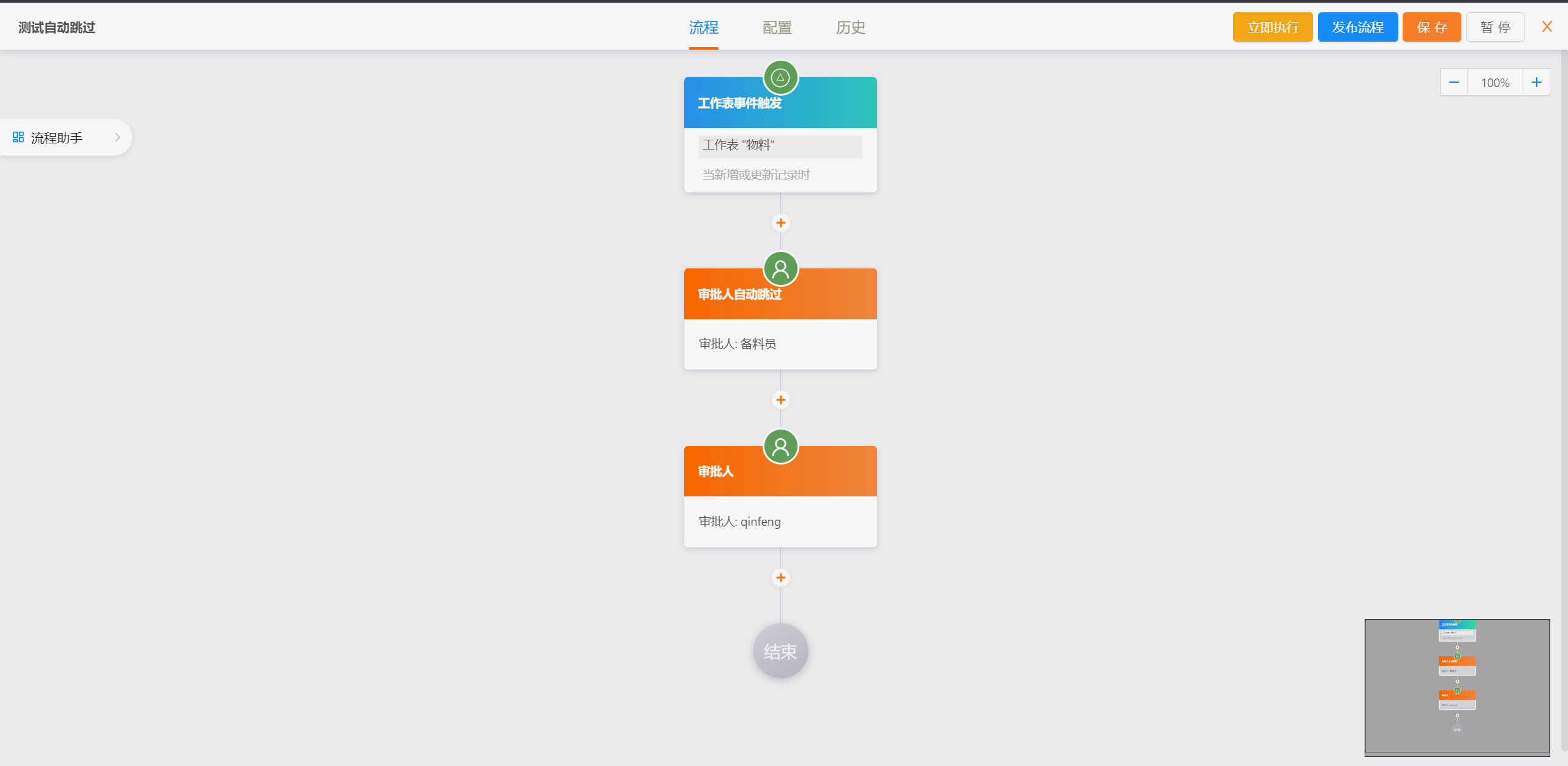
|
||||
|
||||
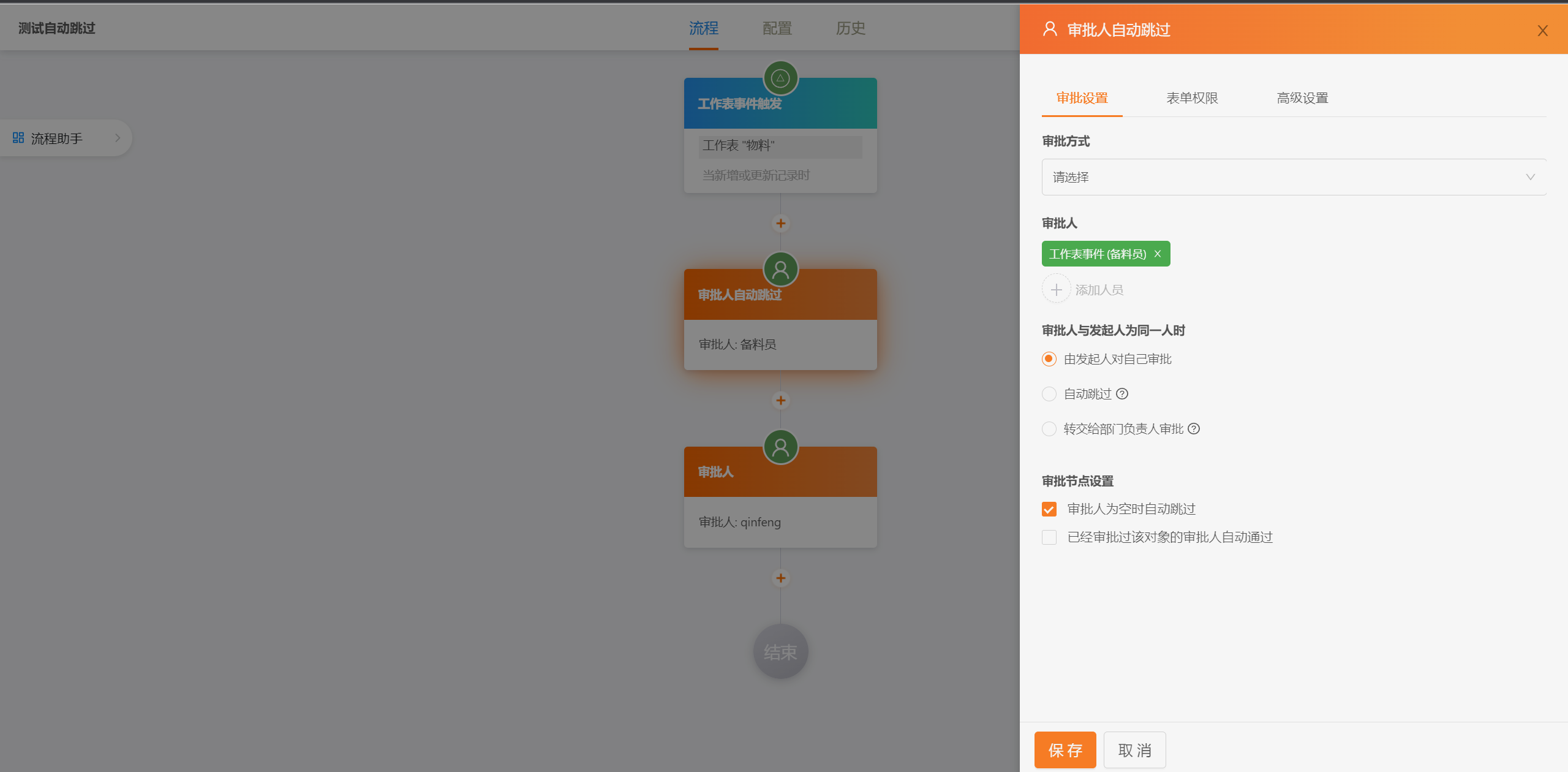
|
||||
|
||||

|
||||
|
||||
##### 仪表盘设计器
|
||||

|
||||
|
||||

|
||||
|
||||

|
||||
|
||||

|
||||
|
||||

|
||||
|
||||

|
||||
|
||||

|
||||
|
||||
|
||||
##### 报表设计器
|
||||

|
||||
|
||||
@ -528,38 +393,6 @@ JeecgBoot企业版本默认集成了activiti和flowable两套方案,大家在
|
||||
|
||||
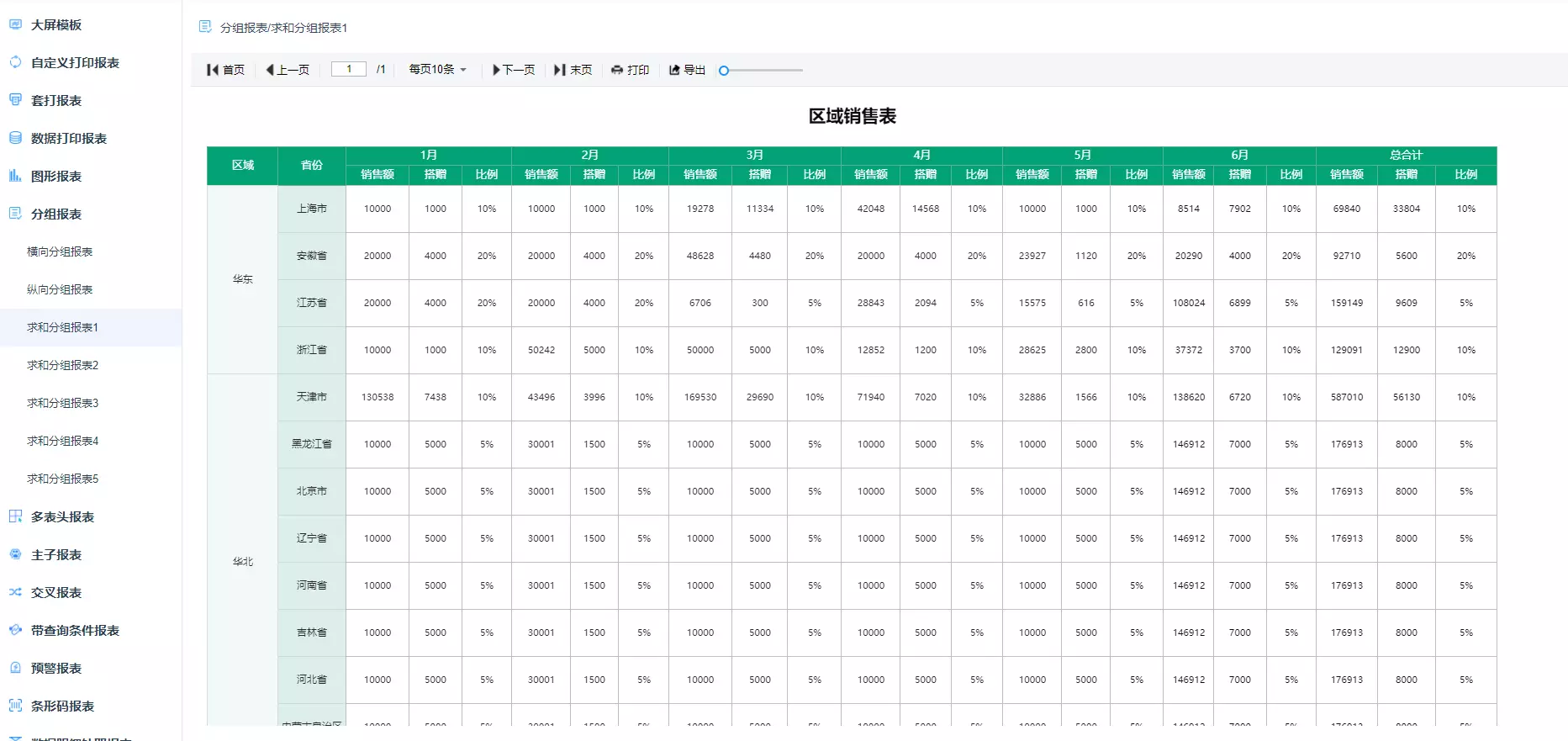
|
||||
|
||||
##### 表单设计器
|
||||
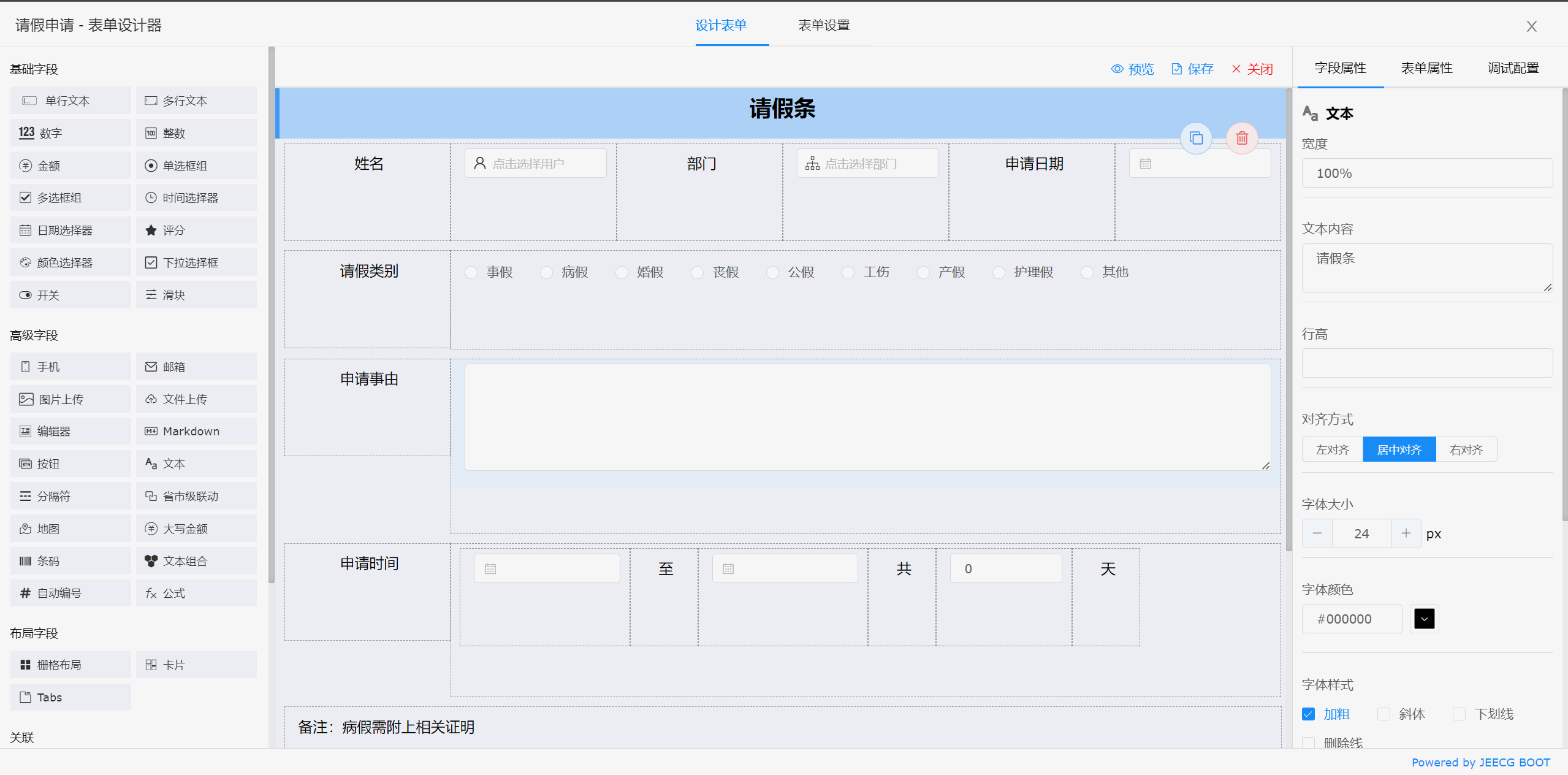
|
||||
|
||||
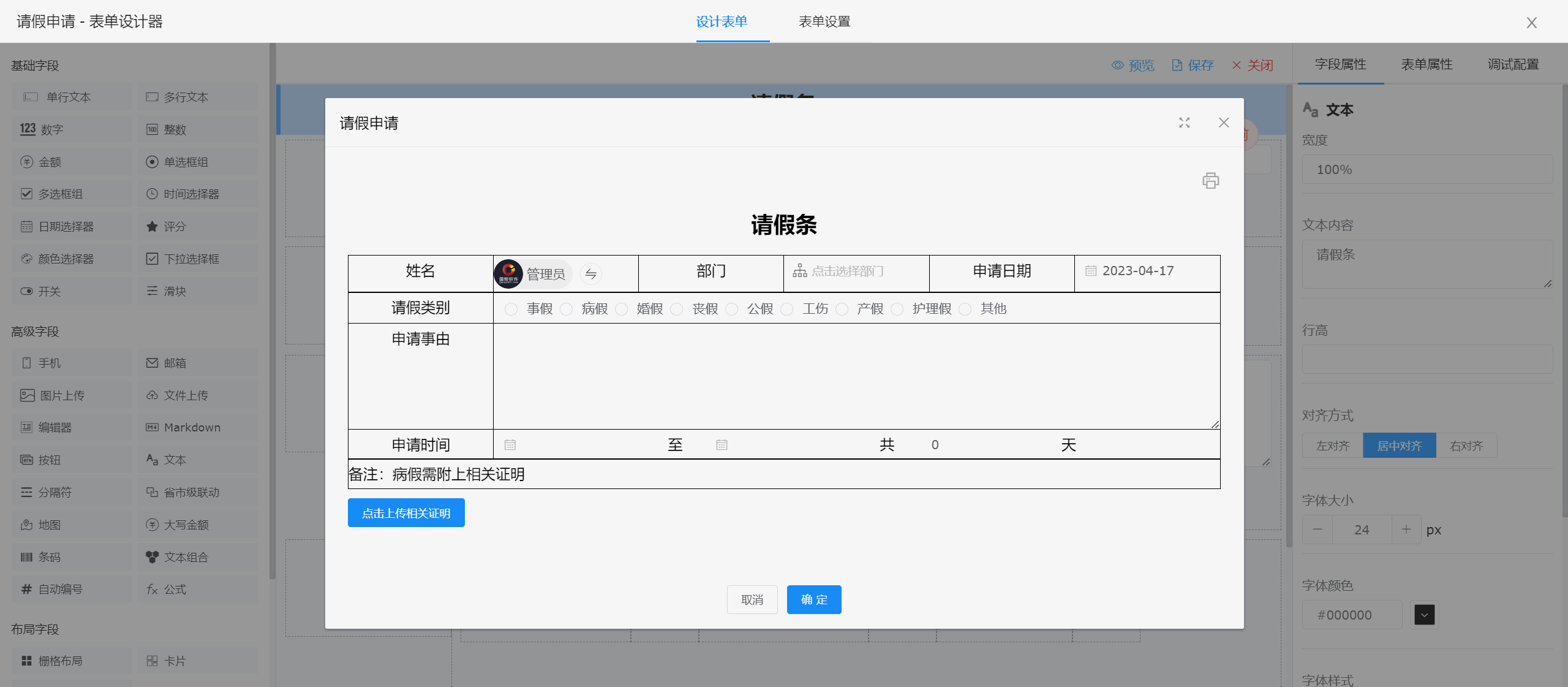
|
||||
|
||||
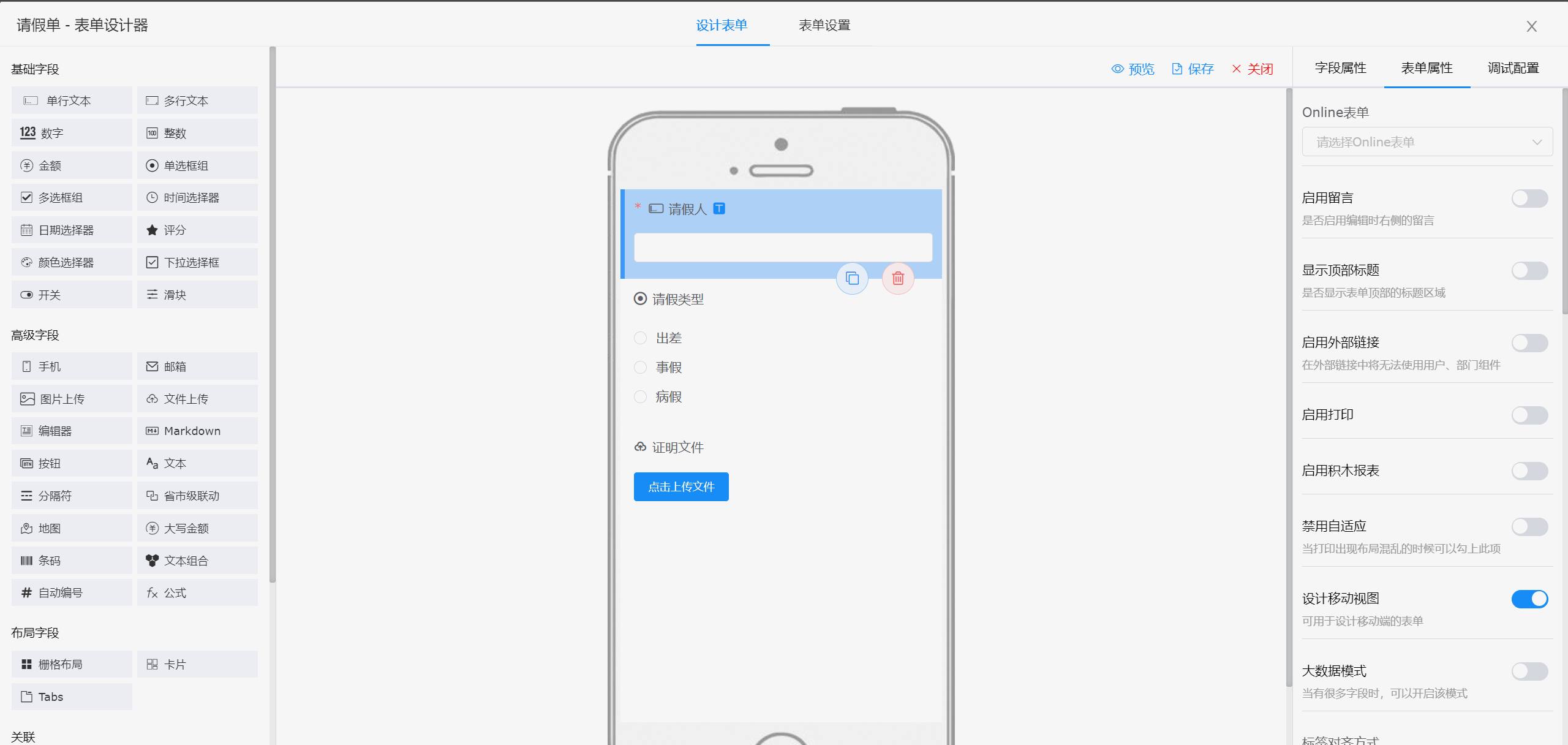
|
||||
|
||||
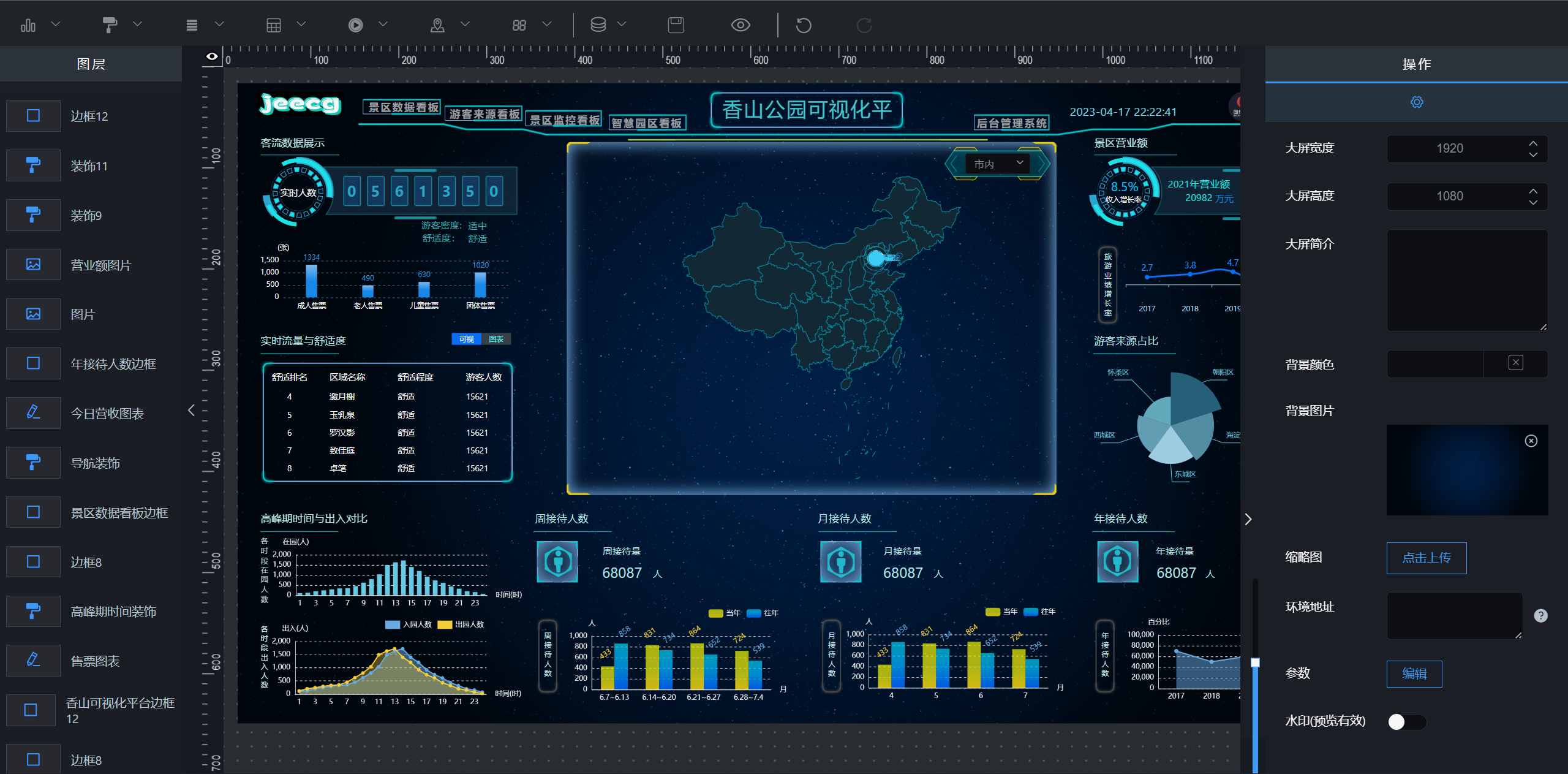
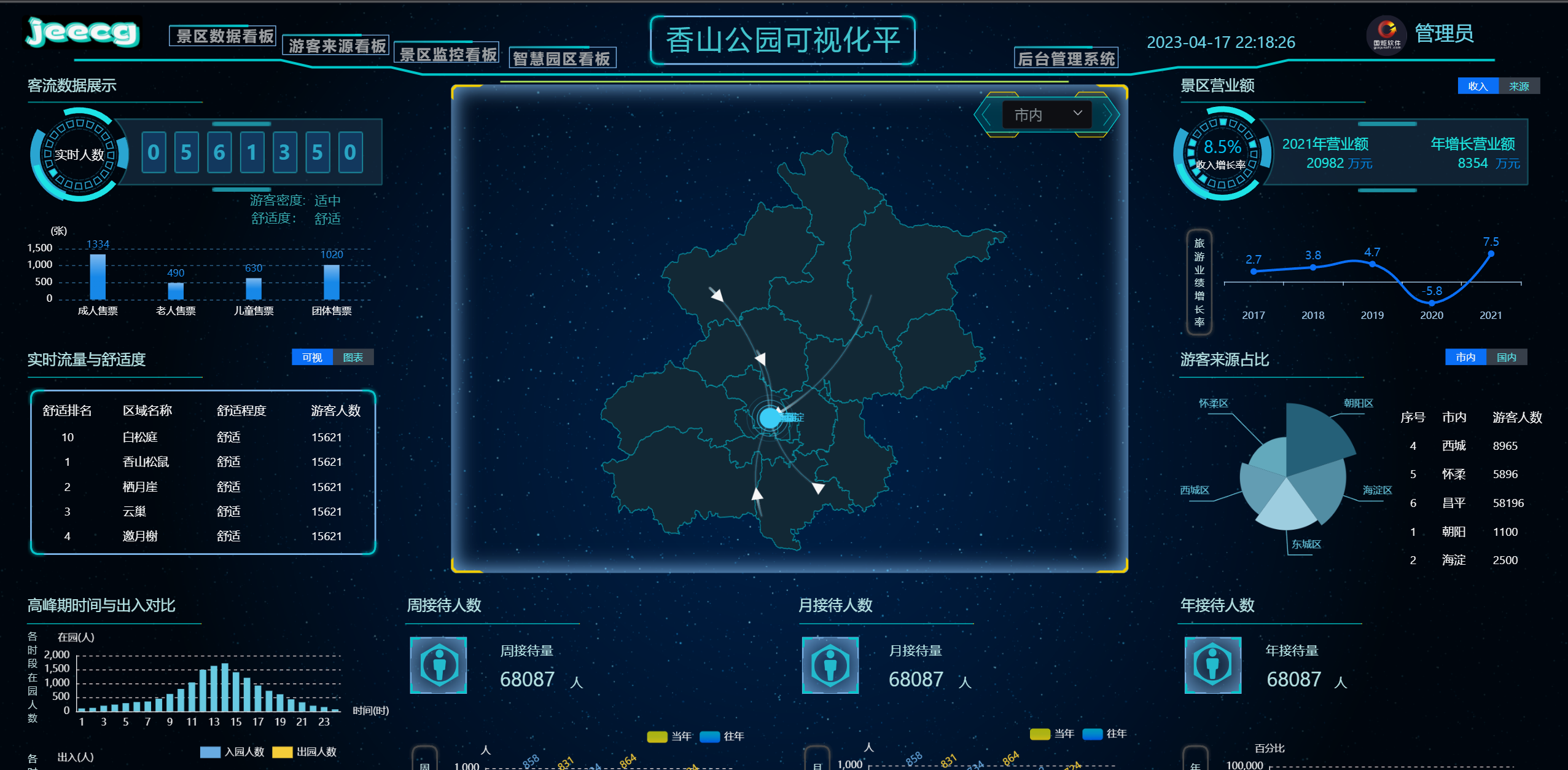
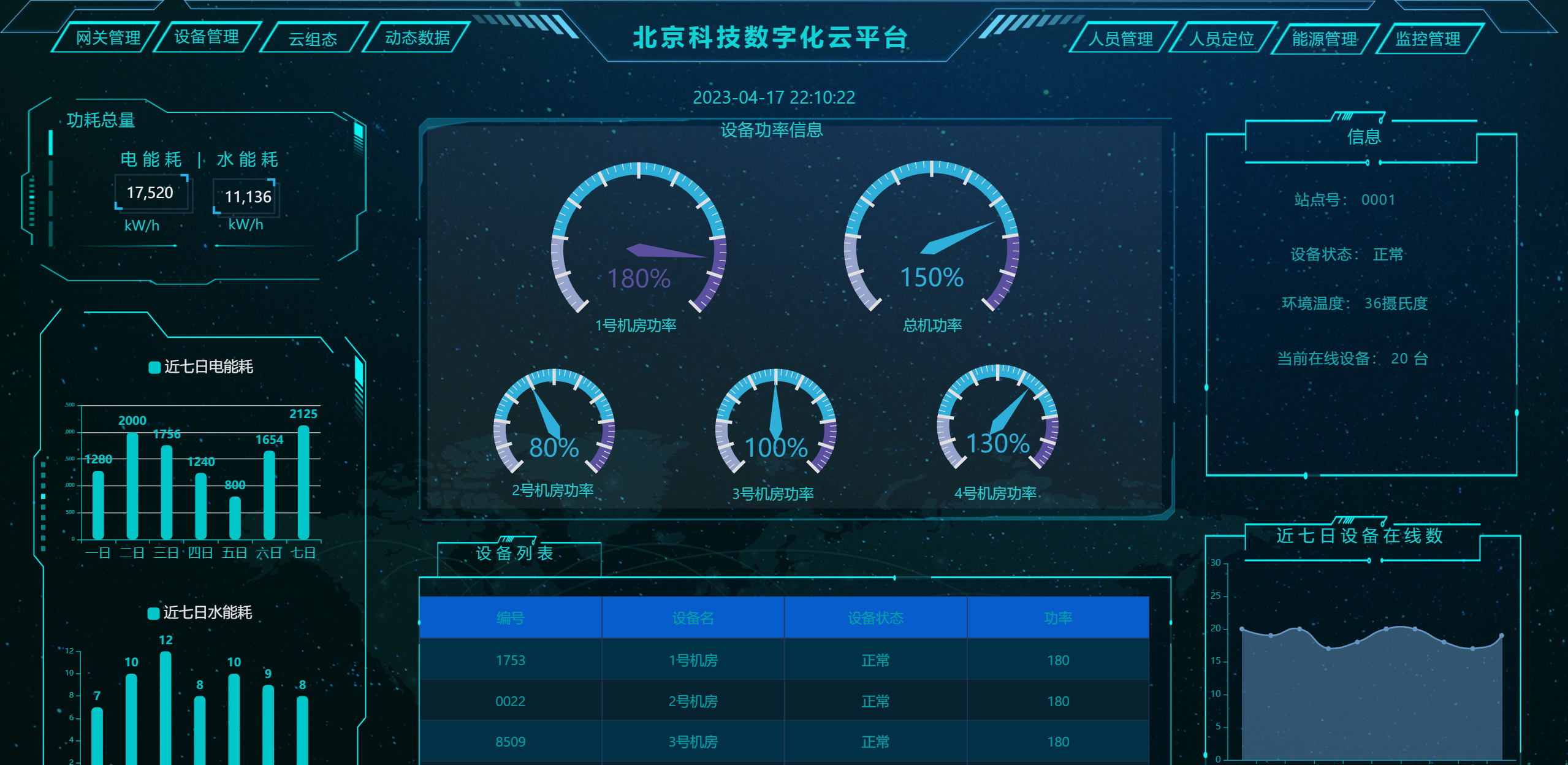
##### 大屏设计器
|
||||
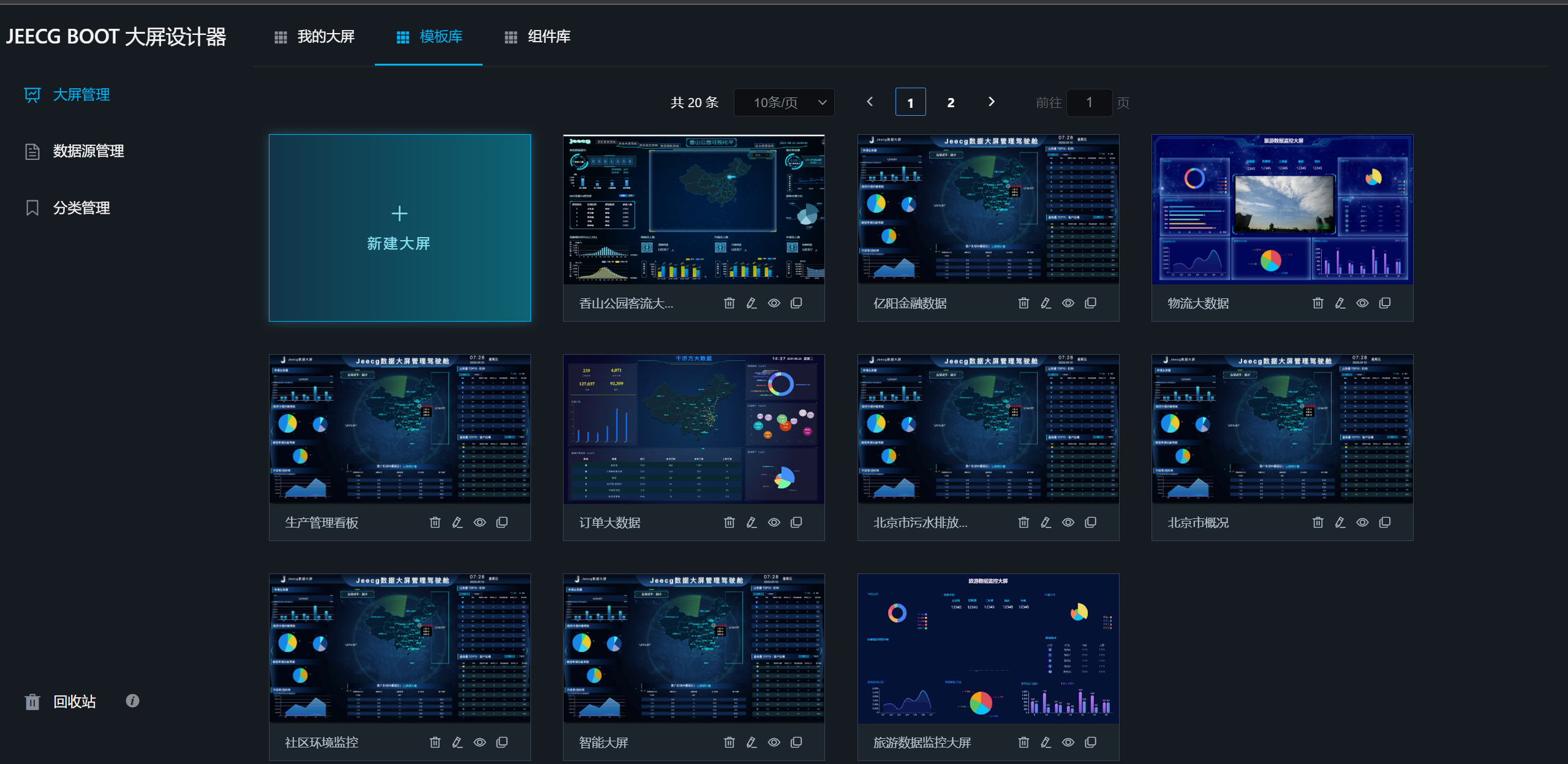
|
||||
|
||||
|
||||
|
||||
|
||||
|
||||
|
||||
|
||||
##### UNIAPP效果
|
||||
|
||||
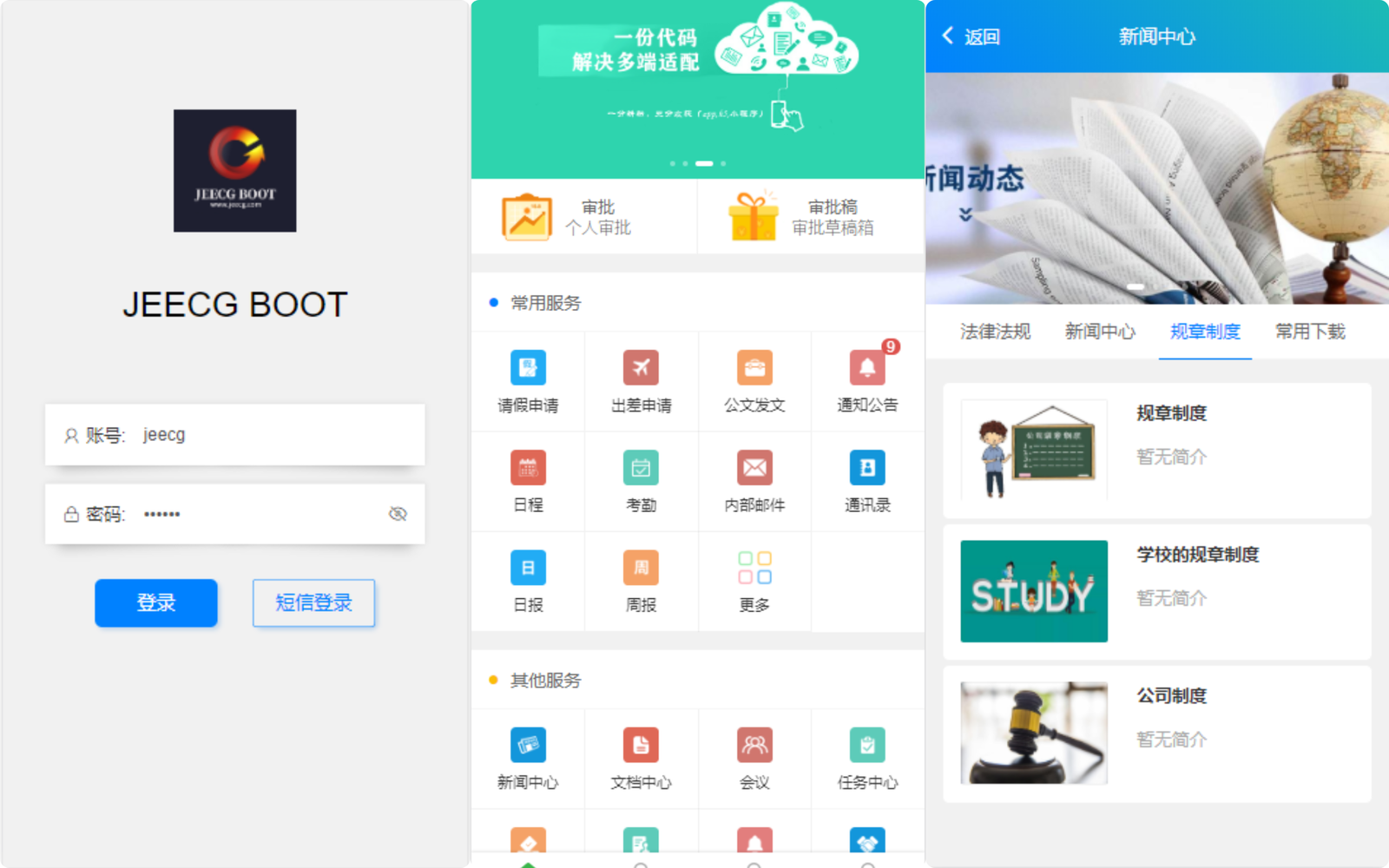
|
||||
|
||||
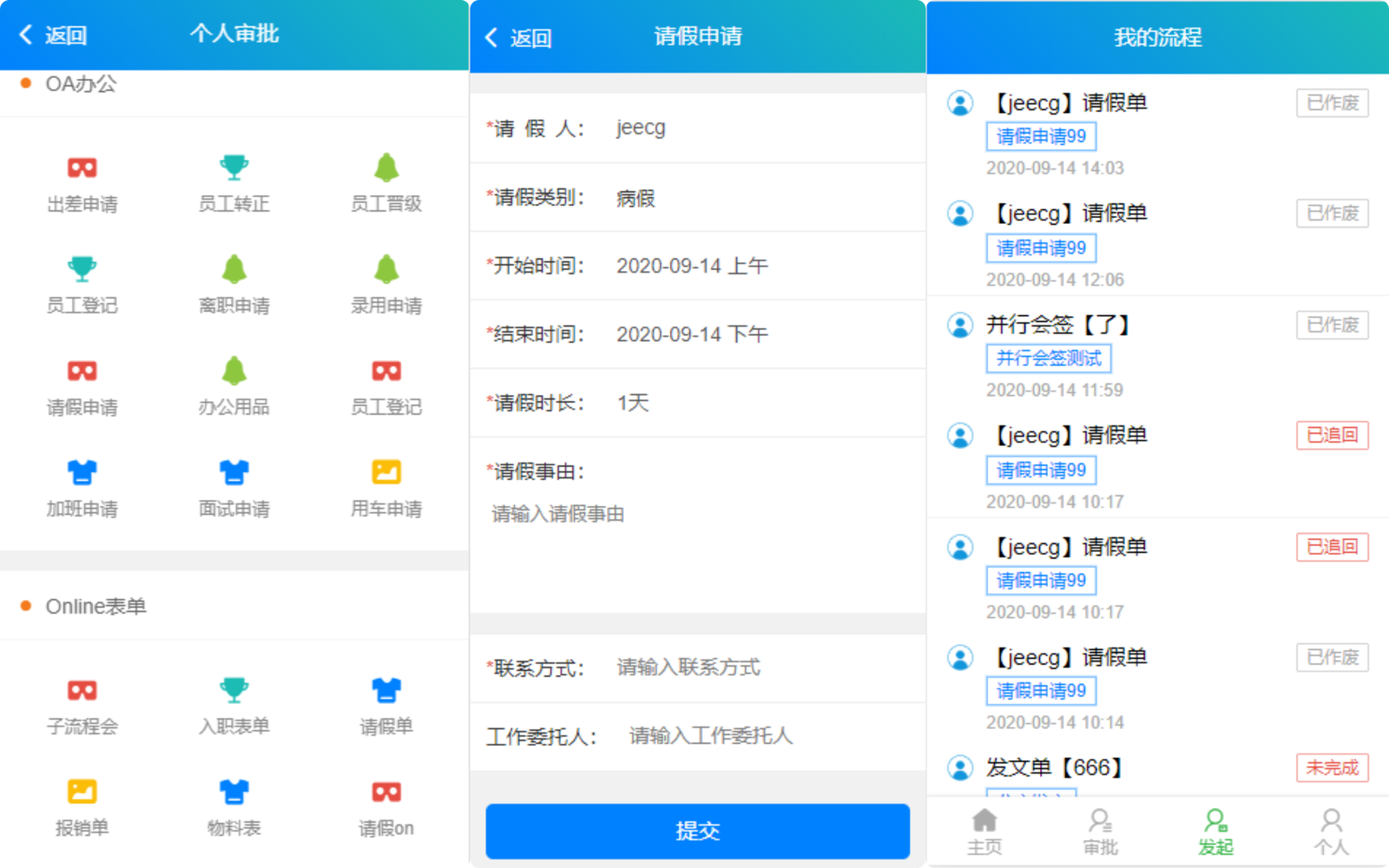
|
||||
|
||||
##### 零代码应用
|
||||
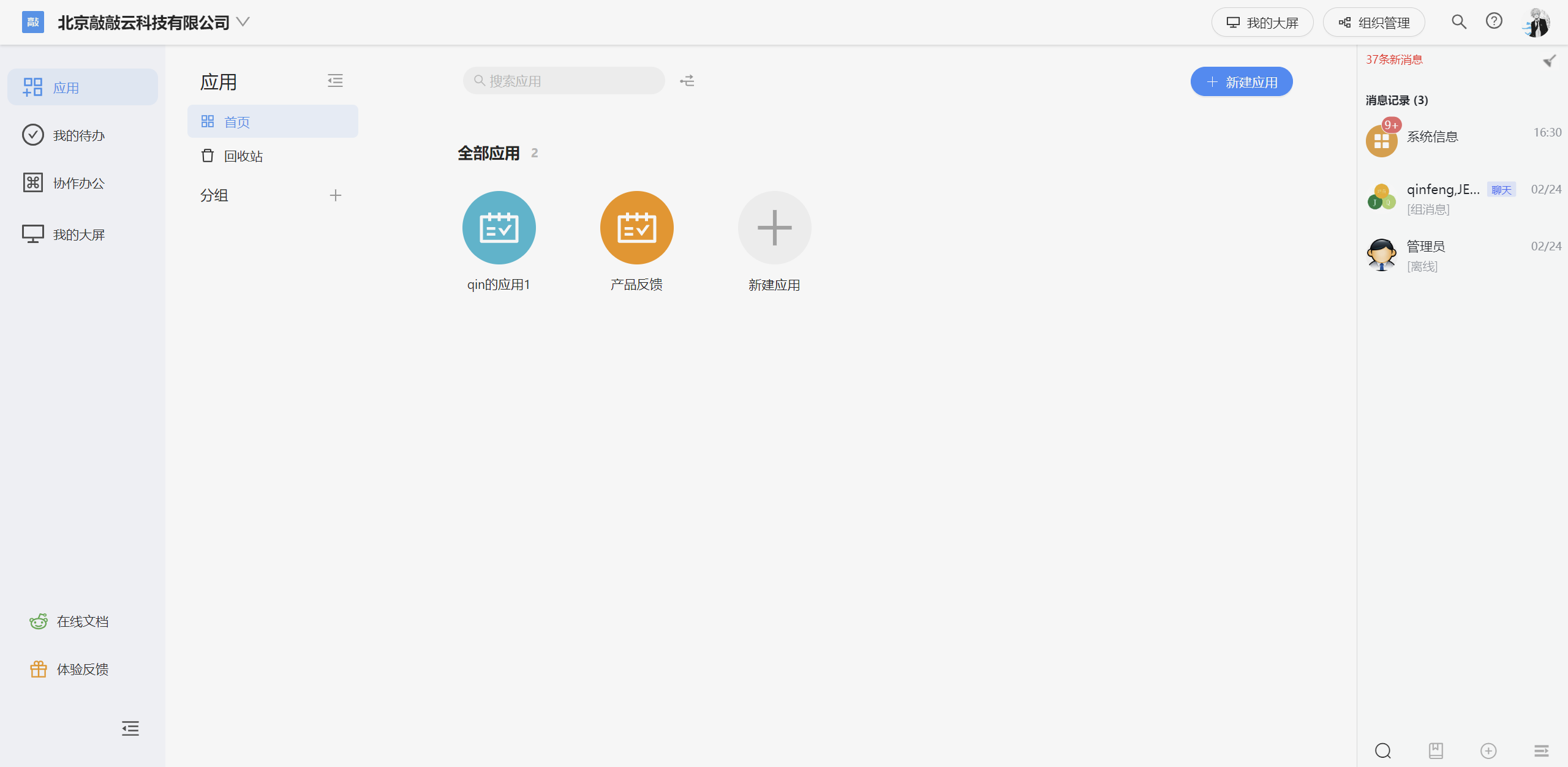
|
||||
|
||||
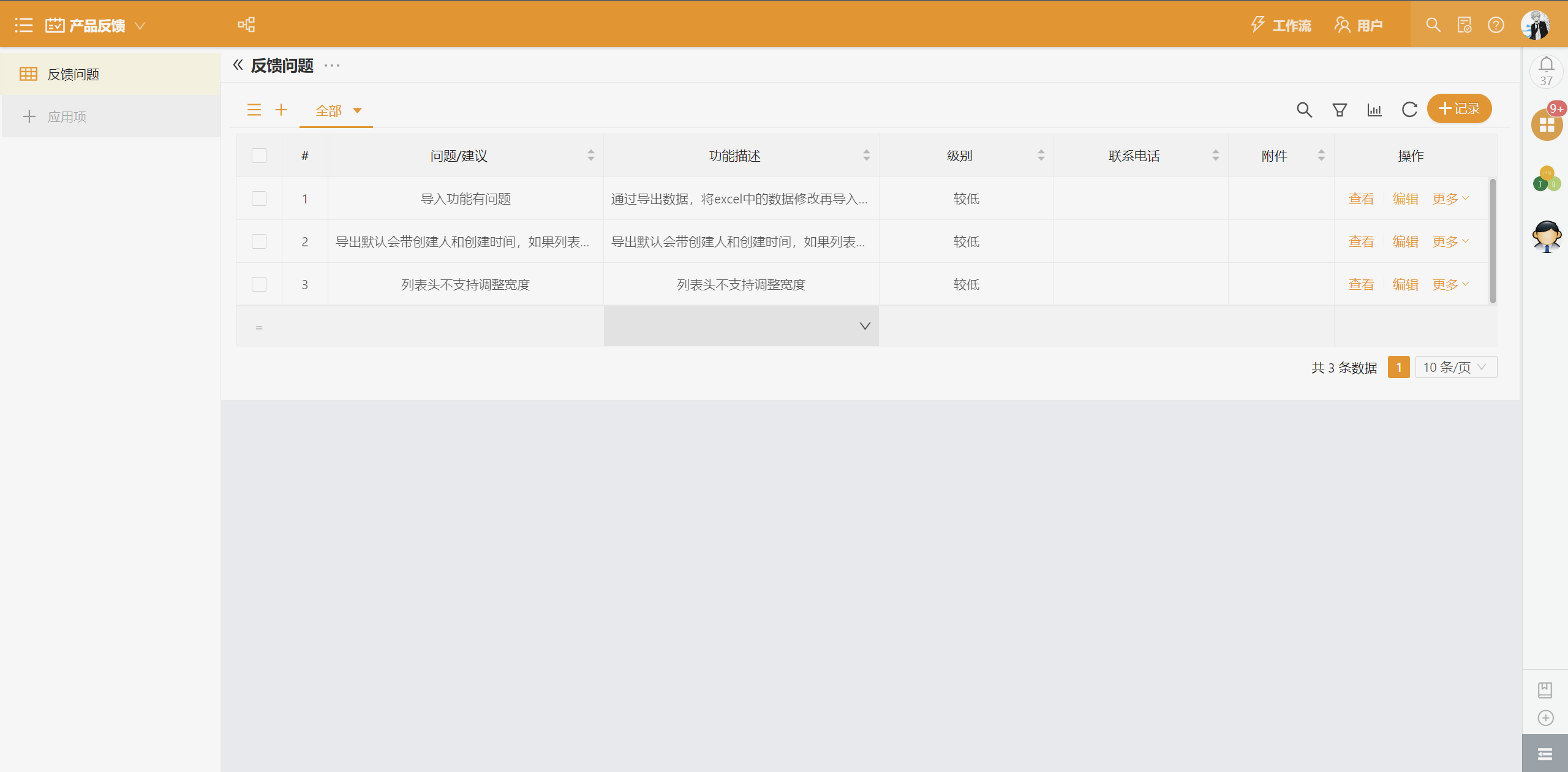
|
||||
|
||||
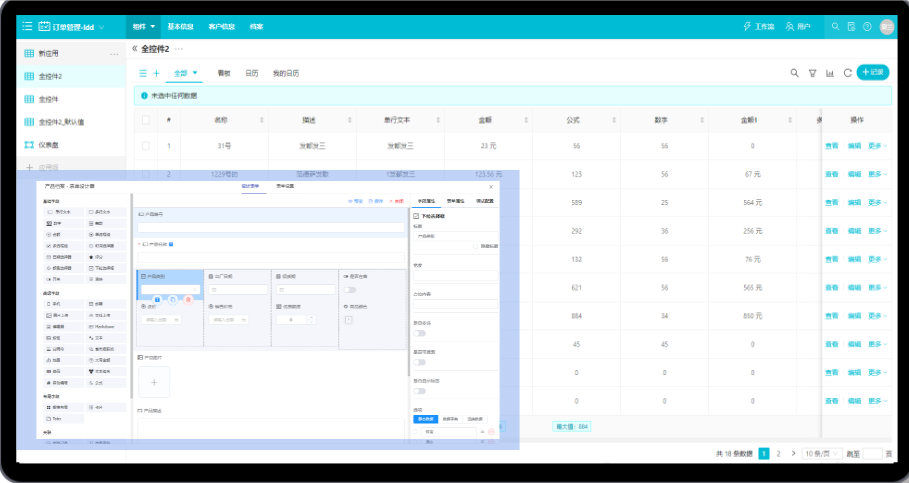
|
||||
|
||||
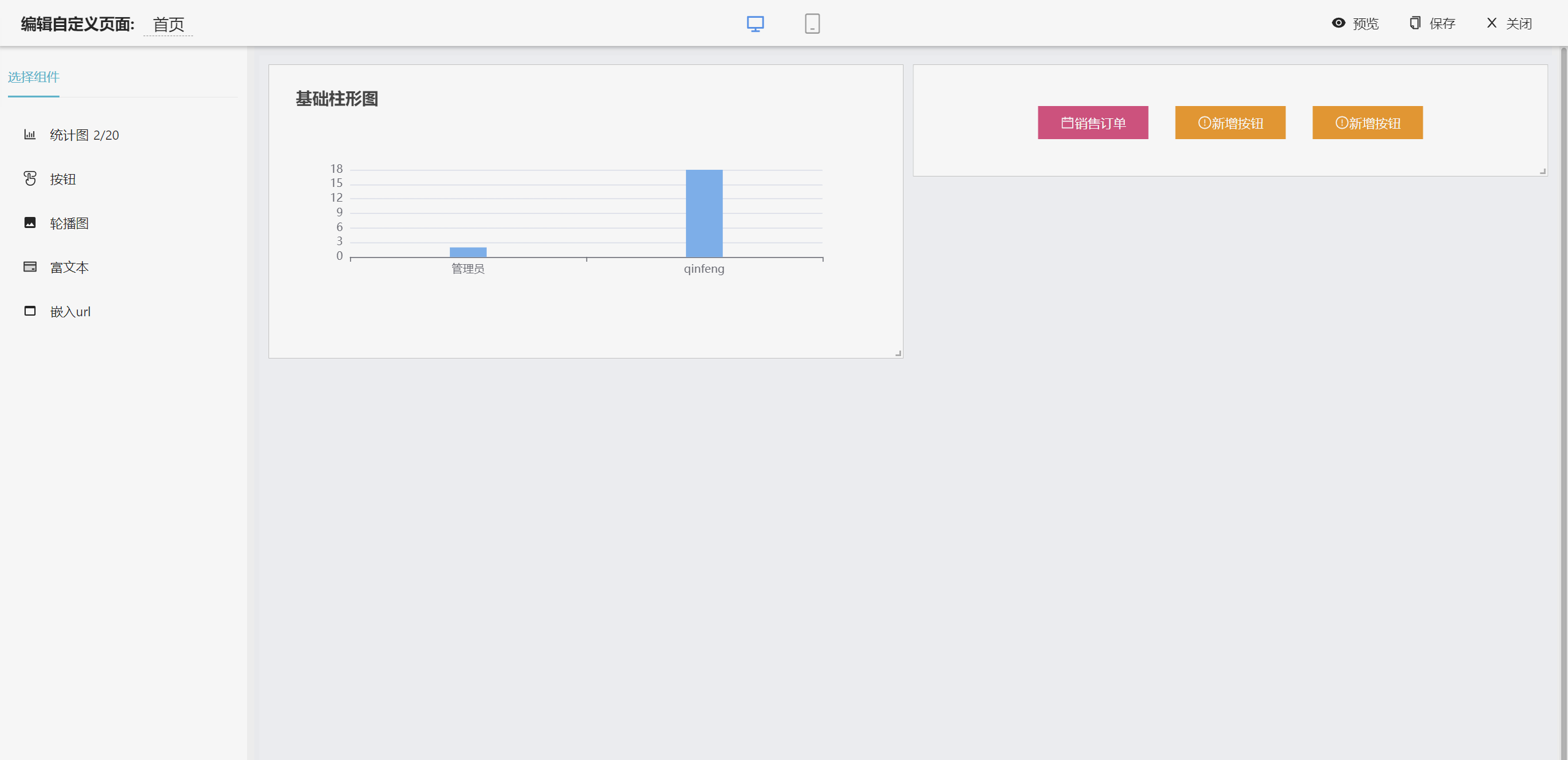
|
||||
|
||||
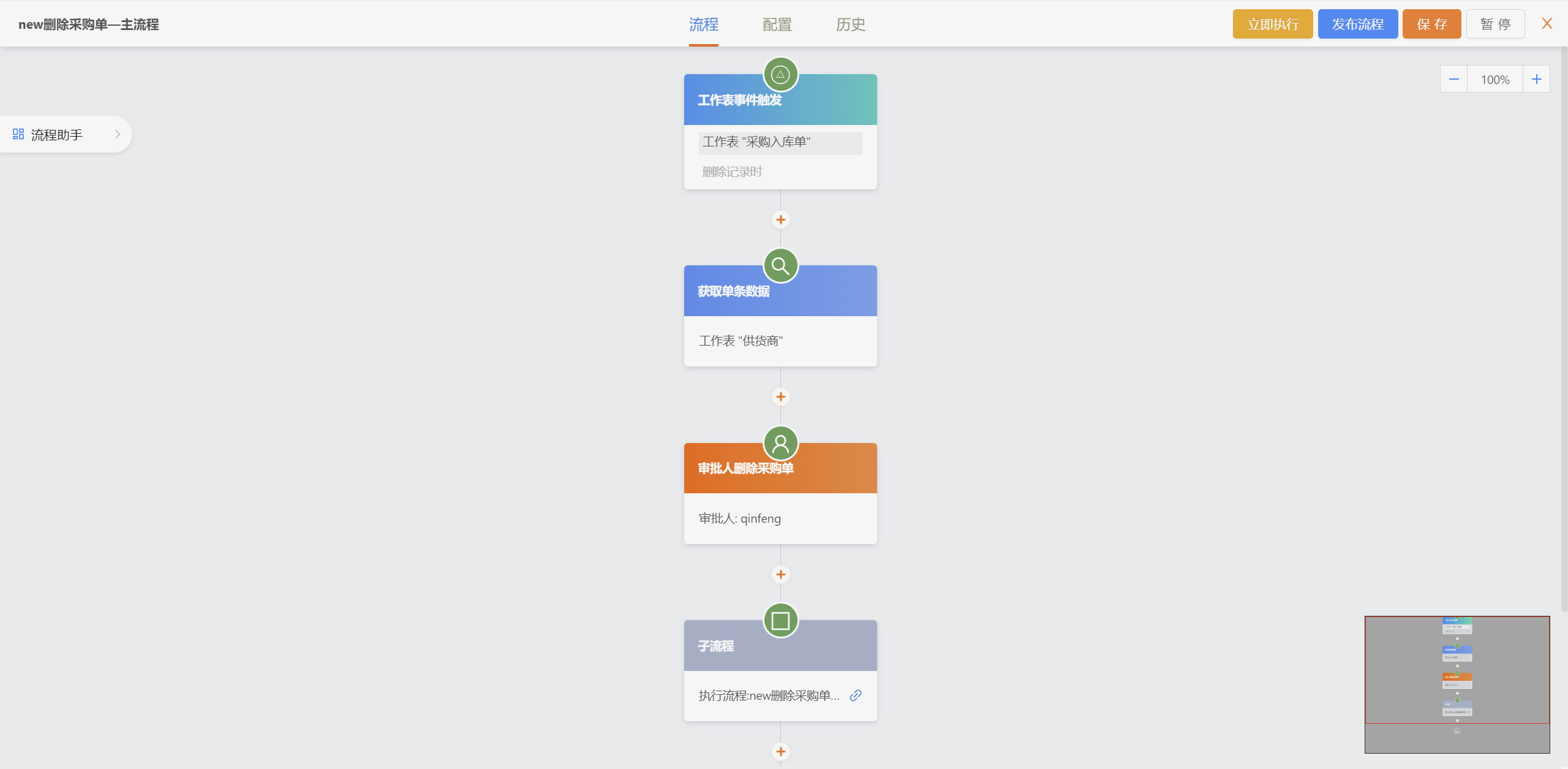
|
||||
|
||||
##### 手机端
|
||||
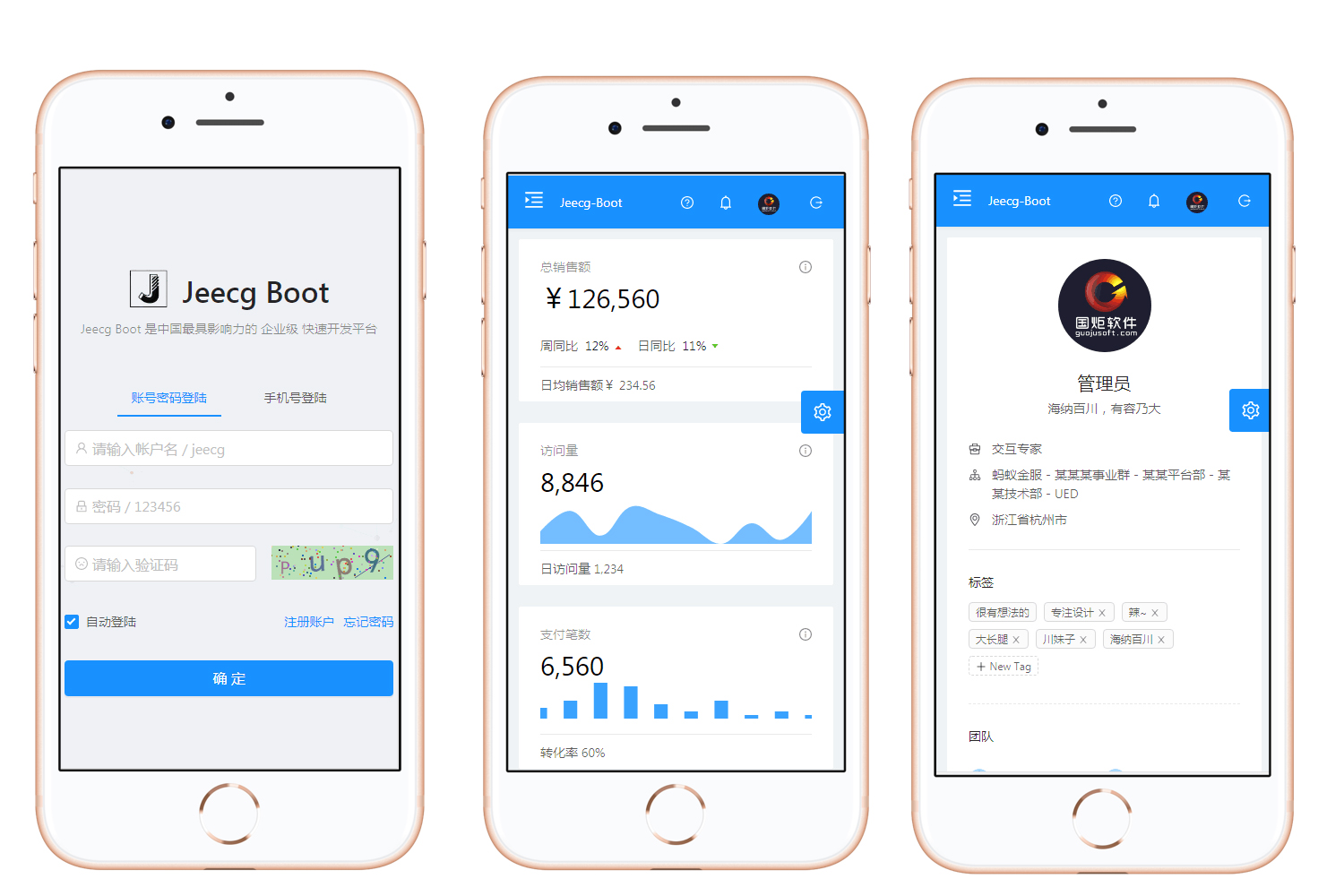
|
||||
@ -582,6 +415,53 @@ JeecgBoot企业版本默认集成了activiti和flowable两套方案,大家在
|
||||
##### 在线接口文档
|
||||
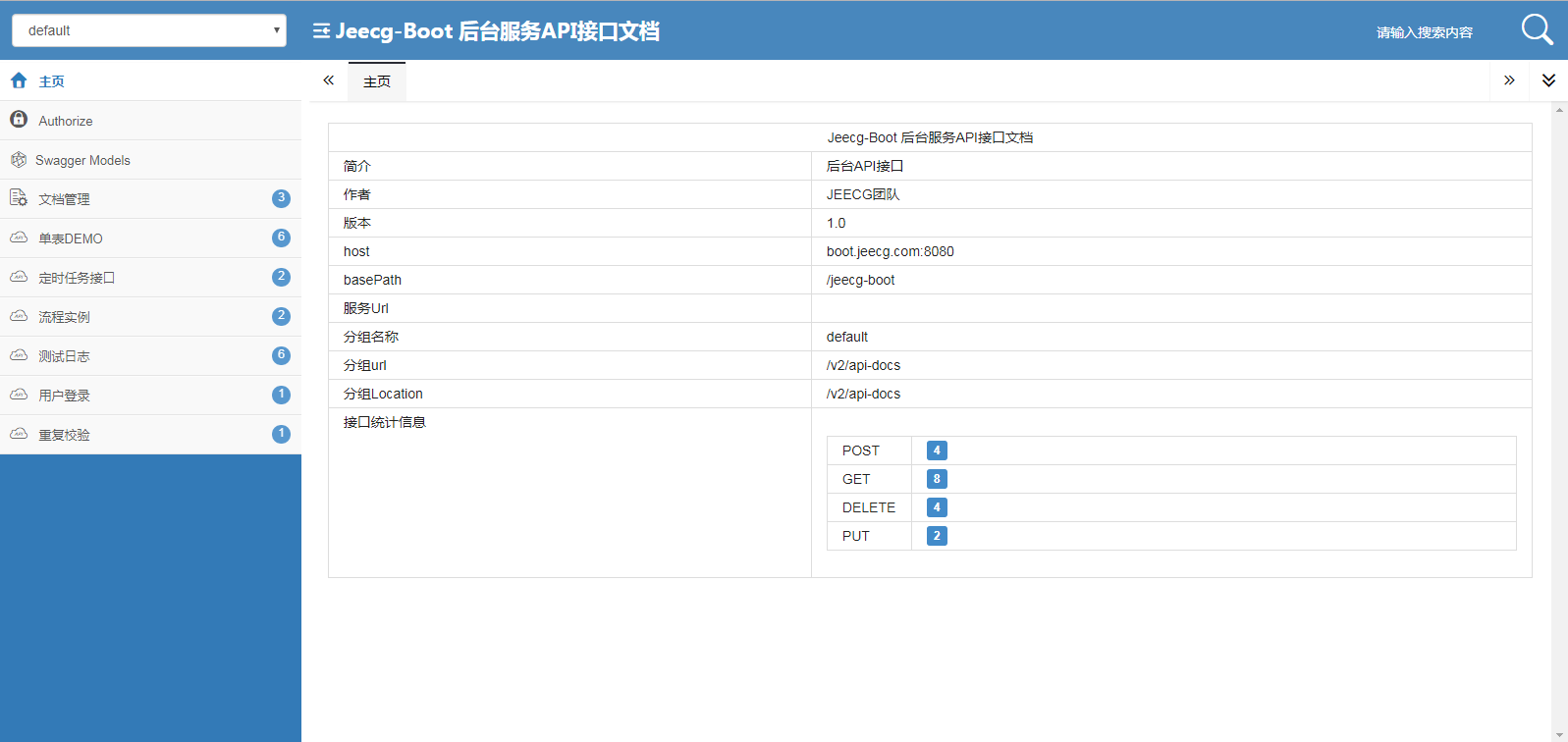
|
||||
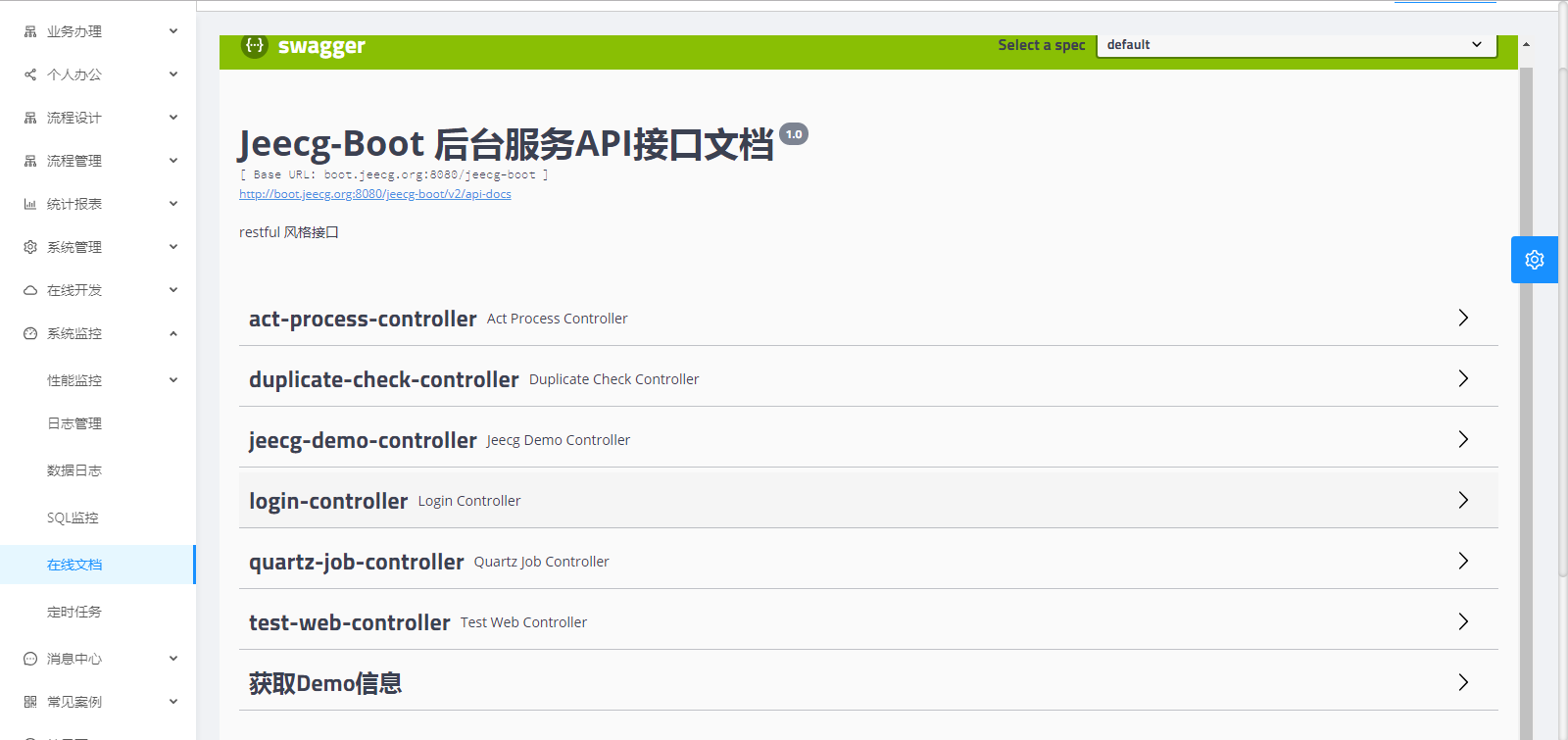
|
||||
|
||||
|
||||
##### UNIAPP效果
|
||||
|
||||

|
||||
|
||||

|
||||
|
||||
|
||||
##### 大屏设计器
|
||||

|
||||
|
||||

|
||||
|
||||

|
||||
|
||||

|
||||
|
||||
|
||||
##### 流程设计
|
||||

|
||||
|
||||

|
||||
|
||||

|
||||
|
||||

|
||||
|
||||

|
||||
|
||||

|
||||
|
||||
|
||||
|
||||
##### 表单设计器
|
||||

|
||||
|
||||

|
||||
|
||||

|
||||
|
||||
|
||||
|
||||
|
||||
|
||||
|
||||
|
||||
## 捐赠
|
||||
|
||||
如果觉得还不错,请作者喝杯咖啡吧 ☺
|
||||
|
||||
File diff suppressed because one or more lines are too long
File diff suppressed because one or more lines are too long
Binary file not shown.
File diff suppressed because one or more lines are too long
File diff suppressed because one or more lines are too long
@ -1,11 +0,0 @@
|
||||
-- 新增风格一对多内嵌和Tab风格
|
||||
INSERT INTO sys_permission (id, parent_id, name, url, component, is_route, component_name, redirect, menu_type, perms, perms_type, sort_no, always_show, icon, is_leaf, keep_alive, hidden, hide_tab, description, create_by, create_time, update_by, update_time, del_flag, rule_flag, status, internal_or_external)
|
||||
VALUES ('1691031996d5931315212', '1455100420297859074', 'AUTO在线一对多内嵌', '/online/cgformInnerTableList/:id', 'super/online/cgform/auto/innerTable/OnlCgformInnerTableList', 1, '', NULL, 1, NULL, '0', 1.00, 0, NULL, 1, 0, 1, 0, NULL, 'admin', '2023-08-14 18:20:20', 'admin', '2023-08-14 18:46:18', 0, 0, NULL, 0);
|
||||
INSERT INTO sys_permission (id, parent_id, name, url, component, is_route, component_name, redirect, menu_type, perms, perms_type, sort_no, always_show, icon, is_leaf, keep_alive, hidden, hide_tab, description, create_by, create_time, update_by, update_time, del_flag, rule_flag, status, internal_or_external)
|
||||
VALUES ('1691031996d5931315213', '1455100420297859074', 'AUTO在线Tab风格', '/online/cgformTabList/:id', 'super/online/cgform/auto/tab/OnlCgformTabList', 1, '', NULL, 1, NULL, '0', 1.00, 0, NULL, 1, 0, 1, 0, NULL, 'admin', '2023-08-14 18:20:20', 'admin', '2023-08-14 18:46:18', 0, 0, NULL, 0);
|
||||
|
||||
-- 【安全】online敏感接口,加权限注解(sql解析接口、同步数据库接口、导入表接口)
|
||||
INSERT INTO sys_permission (id, parent_id, name, url, component, is_route, component_name, redirect, menu_type, perms, perms_type, sort_no, always_show, icon, is_leaf, keep_alive, hidden, hide_tab, description, create_by, create_time, update_by, update_time, del_flag, rule_flag, status, internal_or_external) VALUES ('1699374704168534017', '1460888189937176577', 'SQL解析', NULL, NULL, 0, NULL, NULL, 2, 'online:report:parseSql', '1', NULL, 0, NULL, 1, 0, 0, 0, NULL, 'admin', '2023-09-06 18:51:17', NULL, NULL, 0, 0, '1', 0);
|
||||
INSERT INTO sys_permission (id, parent_id, name, url, component, is_route, component_name, redirect, menu_type, perms, perms_type, sort_no, always_show, icon, is_leaf, keep_alive, hidden, hide_tab, description, create_by, create_time, update_by, update_time, del_flag, rule_flag, status, internal_or_external) VALUES ('1699374509749960705', '1455101470794850305', '查询数据库表名', NULL, NULL, 0, NULL, NULL, 2, 'online:form:queryTables', '1', NULL, 0, NULL, 1, 0, 0, 0, NULL, 'admin', '2023-09-06 18:50:31', NULL, NULL, 0, 0, '1', 0);
|
||||
INSERT INTO sys_permission (id, parent_id, name, url, component, is_route, component_name, redirect, menu_type, perms, perms_type, sort_no, always_show, icon, is_leaf, keep_alive, hidden, hide_tab, description, create_by, create_time, update_by, update_time, del_flag, rule_flag, status, internal_or_external) VALUES ('1699374269152100354', '1455101470794850305', '同步数据库', NULL, NULL, 0, NULL, NULL, 2, 'online:form:syncDb', '1', NULL, 0, NULL, 1, 0, 0, 0, NULL, 'admin', '2023-09-06 18:49:33', NULL, NULL, 0, 0, '1', 0);
|
||||
update sys_permission set is_leaf=0 where id in ('1460888189937176577','1455101470794850305');
|
||||
@ -1,45 +0,0 @@
|
||||
CREATE TABLE `oauth2_registered_client` (
|
||||
`id` varchar(100) NOT NULL,
|
||||
`client_id` varchar(100) NOT NULL,
|
||||
`client_id_issued_at` timestamp NOT NULL DEFAULT CURRENT_TIMESTAMP,
|
||||
`client_secret` varchar(200) DEFAULT NULL,
|
||||
`client_secret_expires_at` timestamp NULL DEFAULT NULL,
|
||||
`client_name` varchar(200) NOT NULL,
|
||||
`client_authentication_methods` varchar(1000) NOT NULL,
|
||||
`authorization_grant_types` varchar(1000) NOT NULL,
|
||||
`redirect_uris` varchar(1000) DEFAULT NULL,
|
||||
`post_logout_redirect_uris` varchar(1000) DEFAULT NULL,
|
||||
`scopes` varchar(1000) NOT NULL,
|
||||
`client_settings` varchar(2000) NOT NULL,
|
||||
`token_settings` varchar(2000) NOT NULL,
|
||||
PRIMARY KEY (`id`)
|
||||
) ENGINE=InnoDB DEFAULT CHARSET=utf8mb4 COLLATE=utf8mb4_general_ci;
|
||||
|
||||
INSERT INTO `oauth2_registered_client`
|
||||
(`id`,
|
||||
`client_id`,
|
||||
`client_id_issued_at`,
|
||||
`client_secret`,
|
||||
`client_secret_expires_at`,
|
||||
`client_name`,
|
||||
`client_authentication_methods`,
|
||||
`authorization_grant_types`,
|
||||
`redirect_uris`,
|
||||
`post_logout_redirect_uris`,
|
||||
`scopes`,
|
||||
`client_settings`,
|
||||
`token_settings`)
|
||||
VALUES
|
||||
('3eacac0e-0de9-4727-9a64-6bdd4be2ee1f',
|
||||
'jeecg-client',
|
||||
now(),
|
||||
'secret',
|
||||
null,
|
||||
'3eacac0e-0de9-4727-9a64-6bdd4be2ee1f',
|
||||
'client_secret_basic',
|
||||
'refresh_token,authorization_code,password,app,phone,social',
|
||||
'http://127.0.0.1:8080/jeecg-',
|
||||
'http://127.0.0.1:8080/',
|
||||
'*',
|
||||
'{"@class":"java.util.Collections$UnmodifiableMap","settings.client.require-proof-key":false,"settings.client.require-authorization-consent":true}',
|
||||
'{"@class":"java.util.Collections$UnmodifiableMap","settings.token.reuse-refresh-tokens":true,"settings.token.id-token-signature-algorithm":["org.springframework.security.oauth2.jose.jws.SignatureAlgorithm","RS256"],"settings.token.access-token-time-to-live":["java.time.Duration",300000.000000000],"settings.token.access-token-format":{"@class":"org.springframework.security.oauth2.server.authorization.settings.OAuth2TokenFormat","value":"self-contained"},"settings.token.refresh-token-time-to-live":["java.time.Duration",3600.000000000],"settings.token.authorization-code-time-to-live":["java.time.Duration",300000.000000000],"settings.token.device-code-time-to-live":["java.time.Duration",300000.000000000]}');
|
||||
@ -1,11 +0,0 @@
|
||||
版本升级方法?
|
||||
|
||||
JeecgBoot属于平台级产品,每次升级改动内容较多,目前做不到平滑升级。
|
||||
|
||||
升级方案建议:
|
||||
1.代码升级 => 本地版本通过svn或者git做好主干,在分支上做业务开发,jeecg每次版本发布,可以手工覆盖主干的代码,对比合并代码;
|
||||
2.数据库升级 => 针对数据库我们每次发布会提供增量升级SQL,可以通过执行增量SQL实现数据库的升级。
|
||||
3.兼容问题 => 每次版本发布会针对不兼容地方标注说明,需要手工修改不兼容的代码。
|
||||
|
||||
注意: 升级sql目前只提供mysql版本,执行完脚步后,新菜单需要手工进行角色授权,刷新首页才会出现。
|
||||
【20230820 放开了系统管理等模块权限注解,如果没权限请通过角色授权授权对应的按钮权限】
|
||||
135
docker-compose-cloud.yml
Normal file
135
docker-compose-cloud.yml
Normal file
@ -0,0 +1,135 @@
|
||||
version: '2'
|
||||
services:
|
||||
jeecg-boot-mysql:
|
||||
build:
|
||||
context: ./jeecg-boot/db
|
||||
environment:
|
||||
MYSQL_ROOT_PASSWORD: root
|
||||
MYSQL_ROOT_HOST: '%'
|
||||
TZ: Asia/Shanghai
|
||||
restart: always
|
||||
container_name: jeecg-boot-mysql
|
||||
image: jeecg-boot-mysql
|
||||
command:
|
||||
--character-set-server=utf8mb4
|
||||
--collation-server=utf8mb4_general_ci
|
||||
--explicit_defaults_for_timestamp=true
|
||||
--lower_case_table_names=1
|
||||
--max_allowed_packet=128M
|
||||
--default-authentication-plugin=caching_sha2_password
|
||||
ports:
|
||||
- 3306:3306
|
||||
networks:
|
||||
- jeecg-boot
|
||||
|
||||
jeecg-boot-redis:
|
||||
image: registry.cn-hangzhou.aliyuncs.com/jeecgdocker/redis:5.0
|
||||
ports:
|
||||
- 6379:6379
|
||||
restart: always
|
||||
hostname: jeecg-boot-redis
|
||||
container_name: jeecg-boot-redis
|
||||
networks:
|
||||
- jeecg-boot
|
||||
|
||||
jeecg-boot-nacos:
|
||||
restart: always
|
||||
build:
|
||||
context: ./jeecg-boot/jeecg-server-cloud/jeecg-cloud-nacos
|
||||
ports:
|
||||
- 8848:8848
|
||||
container_name: jeecg-boot-nacos
|
||||
depends_on:
|
||||
- jeecg-boot-mysql
|
||||
hostname: jeecg-boot-nacos
|
||||
networks:
|
||||
- jeecg-boot
|
||||
|
||||
jeecg-boot-system:
|
||||
depends_on:
|
||||
- jeecg-boot-nacos
|
||||
build:
|
||||
context: ./jeecg-boot/jeecg-server-cloud/jeecg-system-cloud-start
|
||||
container_name: jeecg-system-start
|
||||
hostname: jeecg-boot-system
|
||||
restart: on-failure
|
||||
environment:
|
||||
- TZ=Asia/Shanghai
|
||||
networks:
|
||||
- jeecg-boot
|
||||
|
||||
jeecg-boot-demo:
|
||||
depends_on:
|
||||
- jeecg-boot-nacos
|
||||
build:
|
||||
context: ./jeecg-boot/jeecg-server-cloud/jeecg-demo-cloud-start
|
||||
container_name: jeecg-demo-start
|
||||
hostname: jeecg-boot-demo
|
||||
restart: on-failure
|
||||
environment:
|
||||
- TZ=Asia/Shanghai
|
||||
networks:
|
||||
- jeecg-boot
|
||||
|
||||
jeecg-boot-gateway:
|
||||
restart: on-failure
|
||||
build:
|
||||
context: ./jeecg-boot/jeecg-server-cloud/jeecg-cloud-gateway
|
||||
ports:
|
||||
- 9999:9999
|
||||
depends_on:
|
||||
- jeecg-boot-nacos
|
||||
- jeecg-boot-system
|
||||
container_name: jeecg-boot-gateway
|
||||
hostname: jeecg-boot-gateway
|
||||
networks:
|
||||
- jeecg-boot
|
||||
|
||||
# jeecg-boot-rabbitmq:
|
||||
# image: rabbitmq:3.7.7-management
|
||||
# ports:
|
||||
# - 5672:5672
|
||||
# - 15672:15672
|
||||
# restart: always
|
||||
# container_name: jeecg-boot-rabbitmq
|
||||
# hostname: jeecg-boot-rabbitmq
|
||||
# environment:
|
||||
# RABBITMQ_DEFAULT_USER: guest
|
||||
# RABBITMQ_DEFAULT_PASS: guest
|
||||
# jeecg-boot-sentinel:
|
||||
# restart: on-failure
|
||||
# build:
|
||||
# context: ./jeecg-visual/jeecg-cloud-sentinel
|
||||
# ports:
|
||||
# - 9000:9000
|
||||
# depends_on:
|
||||
# - jeecg-boot-nacos
|
||||
# - jeecg-boot-demo
|
||||
# - jeecg-boot-system
|
||||
# - jeecg-boot-gateway
|
||||
# container_name: jeecg-boot-sentinel
|
||||
# hostname: jeecg-boot-sentinel
|
||||
#
|
||||
# jeecg-boot-xxljob:
|
||||
# build:
|
||||
# context: ./jeecg-visual/jeecg-cloud-xxljob
|
||||
# ports:
|
||||
# - 9080:9080
|
||||
# container_name: jeecg-boot-xxljob
|
||||
# hostname: jeecg-boot-xxljob
|
||||
|
||||
jeecg-vue:
|
||||
build:
|
||||
context: ./jeecgboot-vue3
|
||||
container_name: jeecgboot-vue3-nginx
|
||||
image: jeecgboot-vue3
|
||||
depends_on:
|
||||
- jeecg-boot-system
|
||||
networks:
|
||||
- jeecg-boot
|
||||
ports:
|
||||
- 80:80
|
||||
|
||||
networks:
|
||||
jeecg-boot:
|
||||
name: jeecg_boot
|
||||
@ -2,7 +2,7 @@ version: '2'
|
||||
services:
|
||||
jeecg-boot-mysql:
|
||||
build:
|
||||
context: ./db
|
||||
context: ./jeecg-boot/db
|
||||
environment:
|
||||
MYSQL_ROOT_PASSWORD: root
|
||||
MYSQL_ROOT_HOST: '%'
|
||||
@ -23,7 +23,7 @@ services:
|
||||
- jeecg-boot
|
||||
|
||||
jeecg-boot-redis:
|
||||
image: redis:5.0
|
||||
image: registry.cn-hangzhou.aliyuncs.com/jeecgdocker/redis:5.0
|
||||
ports:
|
||||
- 6379:6379
|
||||
restart: always
|
||||
@ -34,7 +34,7 @@ services:
|
||||
|
||||
jeecg-boot-system:
|
||||
build:
|
||||
context: ./jeecg-module-system/jeecg-system-start
|
||||
context: ./jeecg-boot/jeecg-module-system/jeecg-system-start
|
||||
restart: on-failure
|
||||
depends_on:
|
||||
- jeecg-boot-mysql
|
||||
@ -46,6 +46,17 @@ services:
|
||||
- 8080:8080
|
||||
networks:
|
||||
- jeecg-boot
|
||||
jeecg-vue:
|
||||
build:
|
||||
context: ./jeecgboot-vue3
|
||||
container_name: jeecgboot-vue3-nginx
|
||||
image: jeecgboot-vue3
|
||||
depends_on:
|
||||
- jeecg-boot-system
|
||||
networks:
|
||||
- jeecg-boot
|
||||
ports:
|
||||
- 80:80
|
||||
|
||||
networks:
|
||||
jeecg-boot:
|
||||
|
||||
@ -1,21 +0,0 @@
|
||||
package org.apache.shiro;
|
||||
|
||||
import org.apache.shiro.subject.Subject;
|
||||
|
||||
/**
|
||||
* 兼容处理Online功能使用处理,请勿修改
|
||||
* @author eightmonth@qq.com
|
||||
* @date 2024/4/29 14:05
|
||||
*/
|
||||
public class SecurityUtils {
|
||||
|
||||
|
||||
public static Subject getSubject() {
|
||||
return new Subject() {
|
||||
@Override
|
||||
public Object getPrincipal() {
|
||||
return Subject.super.getPrincipal();
|
||||
}
|
||||
};
|
||||
}
|
||||
}
|
||||
@ -1,14 +0,0 @@
|
||||
package org.apache.shiro.subject;
|
||||
|
||||
import org.jeecg.config.security.utils.SecureUtil;
|
||||
|
||||
/**
|
||||
* 兼容处理Online功能使用处理,请勿修改
|
||||
* @author eightmonth@qq.com
|
||||
* @date 2024/4/29 14:18
|
||||
*/
|
||||
public interface Subject {
|
||||
default Object getPrincipal() {
|
||||
return SecureUtil.currentUser();
|
||||
}
|
||||
}
|
||||
@ -1,28 +0,0 @@
|
||||
package org.jeecg.common.exception;
|
||||
|
||||
import lombok.Data;
|
||||
|
||||
/**
|
||||
* @author kezhijie@wuhandsj.com
|
||||
* @date 2024/1/2 11:38
|
||||
*/
|
||||
@Data
|
||||
public class JeecgCaptchaException extends RuntimeException{
|
||||
|
||||
private Integer code;
|
||||
|
||||
private static final long serialVersionUID = -9093410345065209053L;
|
||||
|
||||
public JeecgCaptchaException(Integer code, String message) {
|
||||
super(message);
|
||||
this.code = code;
|
||||
}
|
||||
|
||||
public JeecgCaptchaException(String message, Throwable cause) {
|
||||
super(message, cause);
|
||||
}
|
||||
|
||||
public JeecgCaptchaException(Throwable cause) {
|
||||
super(cause);
|
||||
}
|
||||
}
|
||||
@ -1,183 +0,0 @@
|
||||
//package org.jeecg.config;
|
||||
//
|
||||
// 已使用swagger3config平替
|
||||
//import com.github.xiaoymin.knife4j.spring.annotations.EnableKnife4j;
|
||||
//import io.swagger.annotations.ApiOperation;
|
||||
//import org.jeecg.common.constant.CommonConstant;
|
||||
//import org.springframework.beans.BeansException;
|
||||
//import org.springframework.beans.factory.config.BeanPostProcessor;
|
||||
//import org.springframework.context.annotation.Bean;
|
||||
//import org.springframework.context.annotation.Configuration;
|
||||
//import org.springframework.context.annotation.Import;
|
||||
//import org.springframework.util.ReflectionUtils;
|
||||
//import org.springframework.web.bind.annotation.RestController;
|
||||
//import org.springframework.web.servlet.config.annotation.ResourceHandlerRegistry;
|
||||
//import org.springframework.web.servlet.config.annotation.WebMvcConfigurer;
|
||||
//import org.springframework.web.servlet.mvc.method.RequestMappingInfoHandlerMapping;
|
||||
//import springfox.bean.validators.configuration.BeanValidatorPluginsConfiguration;
|
||||
//import springfox.documentation.builders.ApiInfoBuilder;
|
||||
//import springfox.documentation.builders.ParameterBuilder;
|
||||
//import springfox.documentation.builders.PathSelectors;
|
||||
//import springfox.documentation.builders.RequestHandlerSelectors;
|
||||
//import springfox.documentation.oas.annotations.EnableOpenApi;
|
||||
//import springfox.documentation.schema.ModelRef;
|
||||
//import springfox.documentation.service.*;
|
||||
//import springfox.documentation.spi.DocumentationType;
|
||||
//import springfox.documentation.spi.service.contexts.SecurityContext;
|
||||
//import springfox.documentation.spring.web.plugins.Docket;
|
||||
//import springfox.documentation.spring.web.plugins.WebFluxRequestHandlerProvider;
|
||||
//import springfox.documentation.spring.web.plugins.WebMvcRequestHandlerProvider;
|
||||
//import springfox.documentation.swagger2.annotations.EnableSwagger2;
|
||||
//
|
||||
//import java.lang.reflect.Field;
|
||||
//import java.util.ArrayList;
|
||||
//import java.util.Collections;
|
||||
//import java.util.List;
|
||||
//import java.util.stream.Collectors;
|
||||
//
|
||||
///**
|
||||
// * @Author scott
|
||||
// */
|
||||
//@Configuration
|
||||
//@EnableSwagger2 //开启 Swagger2
|
||||
//@EnableKnife4j //开启 knife4j,可以不写
|
||||
//@Import(BeanValidatorPluginsConfiguration.class)
|
||||
//public class Swagger2Config implements WebMvcConfigurer {
|
||||
//
|
||||
// /**
|
||||
// *
|
||||
// * 显示swagger-ui.html文档展示页,还必须注入swagger资源:
|
||||
// *
|
||||
// * @param registry
|
||||
// */
|
||||
// @Override
|
||||
// public void addResourceHandlers(ResourceHandlerRegistry registry) {
|
||||
// registry.addResourceHandler("swagger-ui.html").addResourceLocations("classpath:/META-INF/resources/");
|
||||
// registry.addResourceHandler("doc.html").addResourceLocations("classpath:/META-INF/resources/");
|
||||
// registry.addResourceHandler("/webjars/**").addResourceLocations("classpath:/META-INF/resources/webjars/");
|
||||
// }
|
||||
//
|
||||
// /**
|
||||
// * swagger2的配置文件,这里可以配置swagger2的一些基本的内容,比如扫描的包等等
|
||||
// *
|
||||
// * @return Docket
|
||||
// */
|
||||
// @Bean(value = "defaultApi2")
|
||||
// public Docket defaultApi2() {
|
||||
// return new Docket(DocumentationType.SWAGGER_2)
|
||||
// .apiInfo(apiInfo())
|
||||
// .select()
|
||||
// //此包路径下的类,才生成接口文档
|
||||
// .apis(RequestHandlerSelectors.basePackage("org.jeecg"))
|
||||
// //加了ApiOperation注解的类,才生成接口文档
|
||||
// .apis(RequestHandlerSelectors.withClassAnnotation(RestController.class))
|
||||
// .apis(RequestHandlerSelectors.withMethodAnnotation(ApiOperation.class))
|
||||
// .paths(PathSelectors.any())
|
||||
// .build()
|
||||
// .securitySchemes(Collections.singletonList(securityScheme()))
|
||||
// .securityContexts(securityContexts())
|
||||
// .globalOperationParameters(setHeaderToken());
|
||||
// }
|
||||
//
|
||||
// /***
|
||||
// * oauth2配置
|
||||
// * 需要增加swagger授权回调地址
|
||||
// * http://localhost:8888/webjars/springfox-swagger-ui/o2c.html
|
||||
// * @return
|
||||
// */
|
||||
// @Bean
|
||||
// SecurityScheme securityScheme() {
|
||||
// return new ApiKey(CommonConstant.X_ACCESS_TOKEN, CommonConstant.X_ACCESS_TOKEN, "header");
|
||||
// }
|
||||
// /**
|
||||
// * JWT token
|
||||
// * @return
|
||||
// */
|
||||
// private List<Parameter> setHeaderToken() {
|
||||
// ParameterBuilder tokenPar = new ParameterBuilder();
|
||||
// List<Parameter> pars = new ArrayList<>();
|
||||
// tokenPar.name(CommonConstant.X_ACCESS_TOKEN).description("token").modelRef(new ModelRef("string")).parameterType("header").required(false).build();
|
||||
// pars.add(tokenPar.build());
|
||||
// return pars;
|
||||
// }
|
||||
//
|
||||
// /**
|
||||
// * api文档的详细信息函数,注意这里的注解引用的是哪个
|
||||
// *
|
||||
// * @return
|
||||
// */
|
||||
// private ApiInfo apiInfo() {
|
||||
// return new ApiInfoBuilder()
|
||||
// // //大标题
|
||||
// .title("JeecgBoot 后台服务API接口文档")
|
||||
// // 版本号
|
||||
// .version("1.0")
|
||||
//// .termsOfServiceUrl("NO terms of service")
|
||||
// // 描述
|
||||
// .description("后台API接口")
|
||||
// // 作者
|
||||
// .contact(new Contact("北京国炬信息技术有限公司","www.jeccg.com","jeecgos@163.com"))
|
||||
// .license("The Apache License, Version 2.0")
|
||||
// .licenseUrl("http://www.apache.org/licenses/LICENSE-2.0.html")
|
||||
// .build();
|
||||
// }
|
||||
//
|
||||
// /**
|
||||
// * 新增 securityContexts 保持登录状态
|
||||
// */
|
||||
// private List<SecurityContext> securityContexts() {
|
||||
// return new ArrayList(
|
||||
// Collections.singleton(SecurityContext.builder()
|
||||
// .securityReferences(defaultAuth())
|
||||
// .forPaths(PathSelectors.regex("^(?!auth).*$"))
|
||||
// .build())
|
||||
// );
|
||||
// }
|
||||
//
|
||||
// private List<SecurityReference> defaultAuth() {
|
||||
// AuthorizationScope authorizationScope = new AuthorizationScope("global", "accessEverything");
|
||||
// AuthorizationScope[] authorizationScopes = new AuthorizationScope[1];
|
||||
// authorizationScopes[0] = authorizationScope;
|
||||
// return new ArrayList(
|
||||
// Collections.singleton(new SecurityReference(CommonConstant.X_ACCESS_TOKEN, authorizationScopes)));
|
||||
// }
|
||||
//
|
||||
// /**
|
||||
// * 解决springboot2.6 和springfox不兼容问题
|
||||
// * @return
|
||||
// */
|
||||
// @Bean
|
||||
// public static BeanPostProcessor springfoxHandlerProviderBeanPostProcessor() {
|
||||
// return new BeanPostProcessor() {
|
||||
//
|
||||
// @Override
|
||||
// public Object postProcessAfterInitialization(Object bean, String beanName) throws BeansException {
|
||||
// if (bean instanceof WebMvcRequestHandlerProvider || bean instanceof WebFluxRequestHandlerProvider) {
|
||||
// customizeSpringfoxHandlerMappings(getHandlerMappings(bean));
|
||||
// }
|
||||
// return bean;
|
||||
// }
|
||||
//
|
||||
// private <T extends RequestMappingInfoHandlerMapping> void customizeSpringfoxHandlerMappings(List<T> mappings) {
|
||||
// List<T> copy = mappings.stream()
|
||||
// .filter(mapping -> mapping.getPatternParser() == null)
|
||||
// .collect(Collectors.toList());
|
||||
// mappings.clear();
|
||||
// mappings.addAll(copy);
|
||||
// }
|
||||
//
|
||||
// @SuppressWarnings("unchecked")
|
||||
// private List<RequestMappingInfoHandlerMapping> getHandlerMappings(Object bean) {
|
||||
// try {
|
||||
// Field field = ReflectionUtils.findField(bean.getClass(), "handlerMappings");
|
||||
// field.setAccessible(true);
|
||||
// return (List<RequestMappingInfoHandlerMapping>) field.get(bean);
|
||||
// } catch (IllegalArgumentException | IllegalAccessException e) {
|
||||
// throw new IllegalStateException(e);
|
||||
// }
|
||||
// }
|
||||
// };
|
||||
// }
|
||||
//
|
||||
//
|
||||
//}
|
||||
@ -1,59 +0,0 @@
|
||||
package org.jeecg.config;
|
||||
|
||||
import io.swagger.v3.oas.annotations.Operation;
|
||||
import io.swagger.v3.oas.models.Components;
|
||||
import io.swagger.v3.oas.models.OpenAPI;
|
||||
import io.swagger.v3.oas.models.Paths;
|
||||
import io.swagger.v3.oas.models.info.Contact;
|
||||
import io.swagger.v3.oas.models.info.Info;
|
||||
import io.swagger.v3.oas.models.info.License;
|
||||
import io.swagger.v3.oas.models.security.SecurityRequirement;
|
||||
import io.swagger.v3.oas.models.security.SecurityScheme;
|
||||
import org.jeecg.common.constant.CommonConstant;
|
||||
import org.springdoc.core.models.GroupedOpenApi;
|
||||
import org.springframework.context.annotation.Bean;
|
||||
import org.springframework.context.annotation.Configuration;
|
||||
import org.springframework.web.servlet.config.annotation.ResourceHandlerRegistry;
|
||||
import org.springframework.web.servlet.config.annotation.WebMvcConfigurer;
|
||||
|
||||
@Configuration
|
||||
public class Swagger3Config implements WebMvcConfigurer {
|
||||
/**
|
||||
*
|
||||
* 显示swagger-ui.html文档展示页,还必须注入swagger资源:
|
||||
*
|
||||
* @param registry
|
||||
*/
|
||||
@Override
|
||||
public void addResourceHandlers(ResourceHandlerRegistry registry) {
|
||||
registry.addResourceHandler("swagger-ui.html").addResourceLocations("classpath:/META-INF/resources/");
|
||||
registry.addResourceHandler("doc.html").addResourceLocations("classpath:/META-INF/resources/");
|
||||
registry.addResourceHandler("/webjars/**").addResourceLocations("classpath:/META-INF/resources/webjars/");
|
||||
}
|
||||
|
||||
@Bean
|
||||
public GroupedOpenApi swaggerOpenApi() {
|
||||
return GroupedOpenApi.builder()
|
||||
.group("default")
|
||||
.packagesToScan("org.jeecg")
|
||||
// 剔除以下几个包路径的接口生成文档
|
||||
.packagesToExclude("org.jeecg.modules.drag", "org.jeecg.modules.online", "org.jeecg.modules.jmreport")
|
||||
// 加了Operation注解的方法,才生成接口文档
|
||||
.addOpenApiMethodFilter(method -> method.isAnnotationPresent(Operation.class))
|
||||
.build();
|
||||
}
|
||||
|
||||
@Bean
|
||||
public OpenAPI customOpenAPI() {
|
||||
return new OpenAPI()
|
||||
.info(new Info()
|
||||
.title("JeecgBoot 后台服务API接口文档")
|
||||
.version("1.0")
|
||||
.contact(new Contact().name("北京国炬信息技术有限公司").url("www.jeccg.com").email("jeecgos@163.com"))
|
||||
.description( "后台API接口")
|
||||
.termsOfService("NO terms of service")
|
||||
.license(new License().name("Apache 2.0").url("http://www.apache.org/licenses/LICENSE-2.0.html"))
|
||||
);
|
||||
}
|
||||
|
||||
}
|
||||
@ -1,19 +0,0 @@
|
||||
package org.jeecg.config;
|
||||
|
||||
import io.undertow.server.DefaultByteBufferPool;
|
||||
import io.undertow.websockets.jsr.WebSocketDeploymentInfo;
|
||||
import org.springframework.boot.web.embedded.undertow.UndertowServletWebServerFactory;
|
||||
import org.springframework.boot.web.server.WebServerFactoryCustomizer;
|
||||
import org.springframework.stereotype.Component;
|
||||
|
||||
@Component
|
||||
public class UndertowCustomizer implements WebServerFactoryCustomizer<UndertowServletWebServerFactory> {
|
||||
@Override
|
||||
public void customize(UndertowServletWebServerFactory factory) {
|
||||
factory.addDeploymentInfoCustomizers(deploymentInfo -> {
|
||||
WebSocketDeploymentInfo webSocketDeploymentInfo = new WebSocketDeploymentInfo();
|
||||
webSocketDeploymentInfo.setBuffers(new DefaultByteBufferPool(false, 1024));
|
||||
deploymentInfo.addServletContextAttribute("io.undertow.websockets.jsr.WebSocketDeploymentInfo", webSocketDeploymentInfo);
|
||||
});
|
||||
}
|
||||
}
|
||||
@ -1,90 +0,0 @@
|
||||
package org.jeecg.config.security;
|
||||
|
||||
import lombok.AllArgsConstructor;
|
||||
import org.springframework.security.oauth2.core.AuthorizationGrantType;
|
||||
import org.springframework.security.oauth2.jose.jws.SignatureAlgorithm;
|
||||
import org.springframework.security.oauth2.server.authorization.client.RegisteredClient;
|
||||
import org.springframework.security.oauth2.server.authorization.client.RegisteredClientRepository;
|
||||
import org.springframework.security.oauth2.server.authorization.settings.OAuth2TokenFormat;
|
||||
import org.springframework.security.oauth2.server.authorization.settings.TokenSettings;
|
||||
import org.springframework.stereotype.Component;
|
||||
|
||||
import java.time.Duration;
|
||||
import java.util.Set;
|
||||
|
||||
/**
|
||||
* spring authorization server 注册客户端便捷工具类
|
||||
* @author eightmonth@qq.com
|
||||
* @date 2024/3/7 11:22
|
||||
*/
|
||||
@Component
|
||||
@AllArgsConstructor
|
||||
public class ClientService {
|
||||
|
||||
private RegisteredClientRepository registeredClientRepository;
|
||||
|
||||
/**
|
||||
* 修改客户端token有效期
|
||||
* 认证码、设备码有效期与accessToken有效期保持一致
|
||||
*/
|
||||
public void updateTokenValidation(String clientId, Long accessTokenValidation, Long refreshTokenValidation){
|
||||
RegisteredClient registeredClient = findByClientId(clientId);
|
||||
RegisteredClient.Builder builder = RegisteredClient.from(registeredClient);
|
||||
TokenSettings tokenSettings = TokenSettings.builder()
|
||||
.idTokenSignatureAlgorithm(SignatureAlgorithm.RS256)
|
||||
.accessTokenTimeToLive(Duration.ofSeconds(accessTokenValidation))
|
||||
.accessTokenFormat(OAuth2TokenFormat.SELF_CONTAINED)
|
||||
.reuseRefreshTokens(true)
|
||||
.refreshTokenTimeToLive(Duration.ofSeconds(refreshTokenValidation))
|
||||
.authorizationCodeTimeToLive(Duration.ofSeconds(accessTokenValidation))
|
||||
.deviceCodeTimeToLive(Duration.ofSeconds(accessTokenValidation))
|
||||
.build();
|
||||
builder.tokenSettings(tokenSettings);
|
||||
registeredClientRepository.save(builder.build());
|
||||
}
|
||||
|
||||
/**
|
||||
* 修改客户端授权类型
|
||||
* @param clientId
|
||||
* @param grantTypes
|
||||
*/
|
||||
public void updateGrantType(String clientId, Set<AuthorizationGrantType> grantTypes) {
|
||||
RegisteredClient registeredClient = findByClientId(clientId);
|
||||
RegisteredClient.Builder builder = RegisteredClient.from(registeredClient);
|
||||
for (AuthorizationGrantType grantType : grantTypes) {
|
||||
builder.authorizationGrantType(grantType);
|
||||
}
|
||||
registeredClientRepository.save(builder.build());
|
||||
}
|
||||
|
||||
/**
|
||||
* 修改客户端重定向uri
|
||||
* @param clientId
|
||||
* @param redirectUris
|
||||
*/
|
||||
public void updateRedirectUris(String clientId, String redirectUris) {
|
||||
RegisteredClient registeredClient = findByClientId(clientId);
|
||||
RegisteredClient.Builder builder = RegisteredClient.from(registeredClient);
|
||||
builder.redirectUri(redirectUris);
|
||||
registeredClientRepository.save(builder.build());
|
||||
}
|
||||
|
||||
/**
|
||||
* 修改客户端授权范围
|
||||
* @param clientId
|
||||
* @param scopes
|
||||
*/
|
||||
public void updateScopes(String clientId, Set<String> scopes) {
|
||||
RegisteredClient registeredClient = findByClientId(clientId);
|
||||
RegisteredClient.Builder builder = RegisteredClient.from(registeredClient);
|
||||
for (String scope : scopes) {
|
||||
builder.scope(scope);
|
||||
}
|
||||
registeredClientRepository.save(builder.build());
|
||||
}
|
||||
|
||||
public RegisteredClient findByClientId(String clientId) {
|
||||
return registeredClientRepository.findByClientId(clientId);
|
||||
}
|
||||
|
||||
}
|
||||
@ -1,100 +0,0 @@
|
||||
package org.jeecg.config.security;
|
||||
|
||||
import cn.hutool.core.util.ArrayUtil;
|
||||
import lombok.AllArgsConstructor;
|
||||
import lombok.extern.slf4j.Slf4j;
|
||||
import org.jeecg.common.api.CommonAPI;
|
||||
import org.jeecg.common.system.vo.LoginUser;
|
||||
import org.jeecg.common.util.RedisUtil;
|
||||
import org.jeecg.config.security.utils.SecureUtil;
|
||||
import org.springframework.stereotype.Service;
|
||||
import org.springframework.util.PatternMatchUtils;
|
||||
import org.springframework.util.StringUtils;
|
||||
|
||||
import java.util.Arrays;
|
||||
import java.util.Objects;
|
||||
import java.util.Set;
|
||||
|
||||
/**
|
||||
* spring authorization server自定义权限处理,根据@PreAuthorize注解,判断当前用户是否具备权限
|
||||
* @author EightMonth
|
||||
* @date 2024/1/10 17:00
|
||||
*/
|
||||
@Service("jps")
|
||||
@AllArgsConstructor
|
||||
@Slf4j
|
||||
public class JeecgPermissionService {
|
||||
private final String SPLIT = "::";
|
||||
private final String PERM_PREFIX = "jps" + SPLIT;
|
||||
|
||||
private final CommonAPI commonAPI;
|
||||
private final RedisUtil redisUtil;
|
||||
|
||||
/**
|
||||
* 判断接口是否有任意xxx,xxx权限
|
||||
* @param permissions 权限
|
||||
* @return {boolean}
|
||||
*/
|
||||
public boolean requiresPermissions(String... permissions) {
|
||||
if (ArrayUtil.isEmpty(permissions)) {
|
||||
return false;
|
||||
}
|
||||
LoginUser loginUser = SecureUtil.currentUser();
|
||||
|
||||
Object cache = redisUtil.get(buildKey("permission", loginUser.getUsername()));
|
||||
Set<String> permissionList;
|
||||
if (Objects.nonNull(cache)) {
|
||||
permissionList = (Set<String>) cache;
|
||||
} else {
|
||||
permissionList = commonAPI.queryUserAuths(loginUser.getUsername());
|
||||
redisUtil.set(buildKey("permission", loginUser.getUsername()), permissionList);
|
||||
}
|
||||
|
||||
boolean pass = permissionList.stream().filter(StringUtils::hasText)
|
||||
.anyMatch(x -> PatternMatchUtils.simpleMatch(permissions, x));
|
||||
if (!pass) {
|
||||
log.error("权限不足,缺少权限:"+ Arrays.toString(permissions));
|
||||
}
|
||||
return pass;
|
||||
}
|
||||
|
||||
/**
|
||||
* 判断接口是否有任意xxx,xxx角色
|
||||
* @param roles 角色
|
||||
* @return {boolean}
|
||||
*/
|
||||
public boolean requiresRoles(String... roles) {
|
||||
if (ArrayUtil.isEmpty(roles)) {
|
||||
return false;
|
||||
}
|
||||
LoginUser loginUser = SecureUtil.currentUser();
|
||||
|
||||
Object cache = redisUtil.get(buildKey("role", loginUser.getUsername()));
|
||||
Set<String> roleList;
|
||||
if (Objects.nonNull(cache)) {
|
||||
roleList = (Set<String>) cache;
|
||||
} else {
|
||||
roleList = commonAPI.queryUserRoles(loginUser.getUsername());
|
||||
redisUtil.set(buildKey("role", loginUser.getUsername()), roleList);
|
||||
}
|
||||
|
||||
boolean pass = roleList.stream().filter(StringUtils::hasText)
|
||||
.anyMatch(x -> PatternMatchUtils.simpleMatch(roles, x));
|
||||
if (!pass) {
|
||||
log.error("权限不足,缺少角色:" + Arrays.toString(roles));
|
||||
}
|
||||
return pass;
|
||||
}
|
||||
|
||||
/**
|
||||
* 由于缓存key是以人的维度,角色列表、权限列表在值中,jeecg是以权限列表绑定在角色上,形成的权限集合
|
||||
* 权限发生变更时,需要清理全部人的权限缓存
|
||||
*/
|
||||
public void clearCache() {
|
||||
redisUtil.removeAll(PERM_PREFIX);
|
||||
}
|
||||
|
||||
private String buildKey(String type, String username) {
|
||||
return PERM_PREFIX + type + SPLIT + username;
|
||||
}
|
||||
}
|
||||
@ -1,54 +0,0 @@
|
||||
package org.jeecg.config.security;
|
||||
|
||||
import lombok.RequiredArgsConstructor;
|
||||
import org.springframework.data.redis.core.RedisTemplate;
|
||||
import org.springframework.security.oauth2.server.authorization.OAuth2AuthorizationConsent;
|
||||
import org.springframework.security.oauth2.server.authorization.OAuth2AuthorizationConsentService;
|
||||
import org.springframework.stereotype.Component;
|
||||
import org.springframework.util.Assert;
|
||||
|
||||
import java.util.concurrent.TimeUnit;
|
||||
|
||||
/**
|
||||
* spring authorization server 自定义redis保存授权范围信息
|
||||
*/
|
||||
@Component
|
||||
@RequiredArgsConstructor
|
||||
public class JeecgRedisOAuth2AuthorizationConsentService implements OAuth2AuthorizationConsentService {
|
||||
|
||||
private final RedisTemplate<String, Object> redisTemplate;
|
||||
|
||||
private final static Long TIMEOUT = 10L;
|
||||
|
||||
@Override
|
||||
public void save(OAuth2AuthorizationConsent authorizationConsent) {
|
||||
Assert.notNull(authorizationConsent, "authorizationConsent cannot be null");
|
||||
|
||||
redisTemplate.opsForValue().set(buildKey(authorizationConsent), authorizationConsent, TIMEOUT,
|
||||
TimeUnit.MINUTES);
|
||||
|
||||
}
|
||||
|
||||
@Override
|
||||
public void remove(OAuth2AuthorizationConsent authorizationConsent) {
|
||||
Assert.notNull(authorizationConsent, "authorizationConsent cannot be null");
|
||||
redisTemplate.delete(buildKey(authorizationConsent));
|
||||
}
|
||||
|
||||
@Override
|
||||
public OAuth2AuthorizationConsent findById(String registeredClientId, String principalName) {
|
||||
Assert.hasText(registeredClientId, "registeredClientId cannot be empty");
|
||||
Assert.hasText(principalName, "principalName cannot be empty");
|
||||
return (OAuth2AuthorizationConsent) redisTemplate.opsForValue()
|
||||
.get(buildKey(registeredClientId, principalName));
|
||||
}
|
||||
|
||||
private static String buildKey(String registeredClientId, String principalName) {
|
||||
return "token:consent:" + registeredClientId + ":" + principalName;
|
||||
}
|
||||
|
||||
private static String buildKey(OAuth2AuthorizationConsent authorizationConsent) {
|
||||
return buildKey(authorizationConsent.getRegisteredClientId(), authorizationConsent.getPrincipalName());
|
||||
}
|
||||
|
||||
}
|
||||
@ -1,181 +0,0 @@
|
||||
package org.jeecg.config.security;
|
||||
|
||||
import cn.hutool.core.collection.CollUtil;
|
||||
import lombok.RequiredArgsConstructor;
|
||||
import org.springframework.data.redis.core.RedisTemplate;
|
||||
import org.springframework.data.redis.serializer.RedisSerializer;
|
||||
import org.springframework.lang.Nullable;
|
||||
import org.springframework.security.core.Authentication;
|
||||
import org.springframework.security.oauth2.core.OAuth2AccessToken;
|
||||
import org.springframework.security.oauth2.core.OAuth2RefreshToken;
|
||||
import org.springframework.security.oauth2.core.endpoint.OAuth2ParameterNames;
|
||||
import org.springframework.security.oauth2.server.authorization.OAuth2Authorization;
|
||||
import org.springframework.security.oauth2.server.authorization.OAuth2AuthorizationCode;
|
||||
import org.springframework.security.oauth2.server.authorization.OAuth2AuthorizationService;
|
||||
import org.springframework.security.oauth2.server.authorization.OAuth2TokenType;
|
||||
import org.springframework.stereotype.Component;
|
||||
import org.springframework.util.Assert;
|
||||
|
||||
import java.time.temporal.ChronoUnit;
|
||||
import java.util.ArrayList;
|
||||
import java.util.List;
|
||||
import java.util.Objects;
|
||||
import java.util.Set;
|
||||
import java.util.concurrent.TimeUnit;
|
||||
|
||||
/**
|
||||
* spring authorization server自定义redis保存认证信息
|
||||
* @author EightMonth
|
||||
*/
|
||||
@Component
|
||||
@RequiredArgsConstructor
|
||||
public class JeecgRedisOAuth2AuthorizationService implements OAuth2AuthorizationService {
|
||||
|
||||
private final static Long TIMEOUT = 10L;
|
||||
|
||||
private static final String AUTHORIZATION = "token";
|
||||
|
||||
private final RedisTemplate<String, Object> redisTemplate;
|
||||
|
||||
@Override
|
||||
public void save(OAuth2Authorization authorization) {
|
||||
Assert.notNull(authorization, "authorization cannot be null");
|
||||
|
||||
if (isState(authorization)) {
|
||||
String token = authorization.getAttribute("state");
|
||||
redisTemplate.setValueSerializer(RedisSerializer.java());
|
||||
redisTemplate.opsForValue().set(buildKey(OAuth2ParameterNames.STATE, token), authorization, TIMEOUT,
|
||||
TimeUnit.MINUTES);
|
||||
}
|
||||
|
||||
if (isCode(authorization)) {
|
||||
OAuth2Authorization.Token<OAuth2AuthorizationCode> authorizationCode = authorization
|
||||
.getToken(OAuth2AuthorizationCode.class);
|
||||
OAuth2AuthorizationCode authorizationCodeToken = authorizationCode.getToken();
|
||||
long between = ChronoUnit.MINUTES.between(authorizationCodeToken.getIssuedAt(),
|
||||
authorizationCodeToken.getExpiresAt());
|
||||
redisTemplate.setValueSerializer(RedisSerializer.java());
|
||||
redisTemplate.opsForValue().set(buildKey(OAuth2ParameterNames.CODE, authorizationCodeToken.getTokenValue()),
|
||||
authorization, between, TimeUnit.MINUTES);
|
||||
}
|
||||
|
||||
if (isRefreshToken(authorization)) {
|
||||
OAuth2RefreshToken refreshToken = authorization.getRefreshToken().getToken();
|
||||
long between = ChronoUnit.SECONDS.between(refreshToken.getIssuedAt(), refreshToken.getExpiresAt());
|
||||
redisTemplate.setValueSerializer(RedisSerializer.java());
|
||||
redisTemplate.opsForValue().set(buildKey(OAuth2ParameterNames.REFRESH_TOKEN, refreshToken.getTokenValue()),
|
||||
authorization, between, TimeUnit.SECONDS);
|
||||
}
|
||||
|
||||
if (isAccessToken(authorization)) {
|
||||
OAuth2AccessToken accessToken = authorization.getAccessToken().getToken();
|
||||
long between = ChronoUnit.SECONDS.between(accessToken.getIssuedAt(), accessToken.getExpiresAt());
|
||||
redisTemplate.setValueSerializer(RedisSerializer.java());
|
||||
redisTemplate.opsForValue().set(buildKey(OAuth2ParameterNames.ACCESS_TOKEN, accessToken.getTokenValue()),
|
||||
authorization, between, TimeUnit.SECONDS);
|
||||
|
||||
// 扩展记录 access-token 、username 的关系 1::token::username::admin::xxx
|
||||
String tokenUsername = String.format("%s::%s::%s", AUTHORIZATION, authorization.getPrincipalName(), accessToken.getTokenValue());
|
||||
redisTemplate.opsForValue().set(tokenUsername, accessToken.getTokenValue(), between, TimeUnit.SECONDS);
|
||||
}
|
||||
}
|
||||
|
||||
@Override
|
||||
public void remove(OAuth2Authorization authorization) {
|
||||
Assert.notNull(authorization, "authorization cannot be null");
|
||||
|
||||
List<String> keys = new ArrayList<>();
|
||||
if (isState(authorization)) {
|
||||
String token = authorization.getAttribute("state");
|
||||
keys.add(buildKey(OAuth2ParameterNames.STATE, token));
|
||||
}
|
||||
|
||||
if (isCode(authorization)) {
|
||||
OAuth2Authorization.Token<OAuth2AuthorizationCode> authorizationCode = authorization
|
||||
.getToken(OAuth2AuthorizationCode.class);
|
||||
OAuth2AuthorizationCode authorizationCodeToken = authorizationCode.getToken();
|
||||
keys.add(buildKey(OAuth2ParameterNames.CODE, authorizationCodeToken.getTokenValue()));
|
||||
}
|
||||
|
||||
if (isRefreshToken(authorization)) {
|
||||
OAuth2RefreshToken refreshToken = authorization.getRefreshToken().getToken();
|
||||
keys.add(buildKey(OAuth2ParameterNames.REFRESH_TOKEN, refreshToken.getTokenValue()));
|
||||
}
|
||||
|
||||
if (isAccessToken(authorization)) {
|
||||
OAuth2AccessToken accessToken = authorization.getAccessToken().getToken();
|
||||
keys.add(buildKey(OAuth2ParameterNames.ACCESS_TOKEN, accessToken.getTokenValue()));
|
||||
|
||||
// 扩展记录 access-token 、username 的关系 1::token::username::admin::xxx
|
||||
String key = String.format("%s::%s::%s", AUTHORIZATION, authorization.getPrincipalName(), accessToken.getTokenValue());
|
||||
keys.add(key);
|
||||
}
|
||||
|
||||
redisTemplate.delete(keys);
|
||||
}
|
||||
|
||||
@Override
|
||||
@Nullable
|
||||
public OAuth2Authorization findById(String id) {
|
||||
throw new UnsupportedOperationException();
|
||||
}
|
||||
|
||||
@Override
|
||||
@Nullable
|
||||
public OAuth2Authorization findByToken(String token, @Nullable OAuth2TokenType tokenType) {
|
||||
Assert.hasText(token, "token cannot be empty");
|
||||
Assert.notNull(tokenType, "tokenType cannot be empty");
|
||||
redisTemplate.setValueSerializer(RedisSerializer.java());
|
||||
return (OAuth2Authorization) redisTemplate.opsForValue().get(buildKey(tokenType.getValue(), token));
|
||||
}
|
||||
|
||||
private String buildKey(String type, String id) {
|
||||
return String.format("%s::%s::%s", AUTHORIZATION, type, id);
|
||||
}
|
||||
|
||||
private static boolean isState(OAuth2Authorization authorization) {
|
||||
return Objects.nonNull(authorization.getAttribute("state"));
|
||||
}
|
||||
|
||||
private static boolean isCode(OAuth2Authorization authorization) {
|
||||
OAuth2Authorization.Token<OAuth2AuthorizationCode> authorizationCode = authorization
|
||||
.getToken(OAuth2AuthorizationCode.class);
|
||||
return Objects.nonNull(authorizationCode);
|
||||
}
|
||||
|
||||
private static boolean isRefreshToken(OAuth2Authorization authorization) {
|
||||
return Objects.nonNull(authorization.getRefreshToken());
|
||||
}
|
||||
|
||||
private static boolean isAccessToken(OAuth2Authorization authorization) {
|
||||
return Objects.nonNull(authorization.getAccessToken());
|
||||
}
|
||||
|
||||
/**
|
||||
* 扩展方法根据 username 查询是否存在存储的
|
||||
* @param authentication
|
||||
* @return
|
||||
*/
|
||||
public void removeByUsername(Authentication authentication) {
|
||||
// 根据 username查询对应access-token
|
||||
String authenticationName = authentication.getName();
|
||||
|
||||
// 扩展记录 access-token 、username 的关系 1::token::username::admin::xxx
|
||||
String tokenUsernameKey = String.format("%s::%s::*", AUTHORIZATION, authenticationName);
|
||||
Set<String> keys = redisTemplate.keys(tokenUsernameKey);
|
||||
if (CollUtil.isEmpty(keys)) {
|
||||
return;
|
||||
}
|
||||
|
||||
List<Object> tokenList = redisTemplate.opsForValue().multiGet(keys);
|
||||
|
||||
for (Object token : tokenList) {
|
||||
// 根据token 查询存储的 OAuth2Authorization
|
||||
OAuth2Authorization authorization = this.findByToken((String) token, OAuth2TokenType.ACCESS_TOKEN);
|
||||
// 根据 OAuth2Authorization 删除相关令牌
|
||||
this.remove(authorization);
|
||||
}
|
||||
|
||||
}
|
||||
|
||||
}
|
||||
@ -1,38 +0,0 @@
|
||||
package org.jeecg.config.security;
|
||||
|
||||
/**
|
||||
* 登录模式
|
||||
* @author EightMonth
|
||||
* @date 2024/1/10 17:43
|
||||
*/
|
||||
public class LoginType {
|
||||
|
||||
/**
|
||||
* 密码模式
|
||||
*/
|
||||
public static final String PASSWORD = "password";
|
||||
|
||||
|
||||
/**
|
||||
* 手机号+验证码模式
|
||||
*/
|
||||
public static final String PHONE = "phone";
|
||||
|
||||
|
||||
/**
|
||||
* app登录
|
||||
*/
|
||||
public static final String APP = "app";
|
||||
|
||||
/**
|
||||
* 扫码登录
|
||||
*/
|
||||
public static final String SCAN = "scan";
|
||||
|
||||
/**
|
||||
* 所有联合登录,比如github\钉钉\企业微信\微信
|
||||
*/
|
||||
public static final String SOCIAL = "social";
|
||||
|
||||
public static final String SELF = "self";
|
||||
}
|
||||
@ -1,49 +0,0 @@
|
||||
package org.jeecg.config.security;
|
||||
|
||||
import jakarta.servlet.FilterChain;
|
||||
import jakarta.servlet.ServletException;
|
||||
import jakarta.servlet.http.HttpServletRequest;
|
||||
import jakarta.servlet.http.HttpServletResponse;
|
||||
import lombok.AllArgsConstructor;
|
||||
import org.jeecg.common.system.util.JwtUtil;
|
||||
import org.springframework.security.oauth2.core.OAuth2AuthenticationException;
|
||||
import org.springframework.security.oauth2.jwt.JwtDecoder;
|
||||
import org.springframework.security.oauth2.server.authorization.OAuth2Authorization;
|
||||
import org.springframework.security.oauth2.server.authorization.OAuth2AuthorizationService;
|
||||
import org.springframework.security.oauth2.server.authorization.OAuth2TokenType;
|
||||
import org.springframework.security.oauth2.server.resource.BearerTokenErrors;
|
||||
import org.springframework.security.oauth2.server.resource.web.DefaultBearerTokenResolver;
|
||||
import org.springframework.stereotype.Component;
|
||||
import org.springframework.web.filter.OncePerRequestFilter;
|
||||
|
||||
import java.io.IOException;
|
||||
import java.util.Objects;
|
||||
|
||||
/**
|
||||
* 当用户被强退时,使客户端token失效
|
||||
* @author eightmonth@qq.com
|
||||
* @date 2024/3/7 17:30
|
||||
*/
|
||||
@Component
|
||||
@AllArgsConstructor
|
||||
public class RedisTokenValidationFilter extends OncePerRequestFilter {
|
||||
private OAuth2AuthorizationService authorizationService;
|
||||
private JwtDecoder jwtDecoder;
|
||||
|
||||
@Override
|
||||
protected void doFilterInternal(HttpServletRequest request, HttpServletResponse response, FilterChain filterChain) throws ServletException, IOException {
|
||||
// 从请求中获取token
|
||||
DefaultBearerTokenResolver defaultBearerTokenResolver = new DefaultBearerTokenResolver();
|
||||
String token = defaultBearerTokenResolver.resolve(request);
|
||||
|
||||
|
||||
if (Objects.nonNull(token)) {
|
||||
// 检查认证信息是否已被清除,如果已被清除,则令该token失效
|
||||
OAuth2Authorization oAuth2Authorization = authorizationService.findByToken(token, OAuth2TokenType.ACCESS_TOKEN);
|
||||
if (Objects.isNull(oAuth2Authorization)) {
|
||||
throw new OAuth2AuthenticationException(BearerTokenErrors.invalidToken("认证信息已失效,请重新登录"));
|
||||
}
|
||||
}
|
||||
filterChain.doFilter(request, response);
|
||||
}
|
||||
}
|
||||
@ -1,262 +0,0 @@
|
||||
package org.jeecg.config.security;
|
||||
|
||||
import com.nimbusds.jose.jwk.JWKSet;
|
||||
import com.nimbusds.jose.jwk.RSAKey;
|
||||
import com.nimbusds.jose.jwk.source.ImmutableJWKSet;
|
||||
import com.nimbusds.jose.jwk.source.JWKSource;
|
||||
import com.nimbusds.jose.proc.SecurityContext;
|
||||
import lombok.AllArgsConstructor;
|
||||
import org.jeecg.config.security.app.AppGrantAuthenticationConvert;
|
||||
import org.jeecg.config.security.app.AppGrantAuthenticationProvider;
|
||||
import org.jeecg.config.security.password.PasswordGrantAuthenticationConvert;
|
||||
import org.jeecg.config.security.password.PasswordGrantAuthenticationProvider;
|
||||
import org.jeecg.config.security.phone.PhoneGrantAuthenticationConvert;
|
||||
import org.jeecg.config.security.phone.PhoneGrantAuthenticationProvider;
|
||||
import org.jeecg.config.security.social.SocialGrantAuthenticationConvert;
|
||||
import org.jeecg.config.security.social.SocialGrantAuthenticationProvider;
|
||||
import org.springframework.context.annotation.Bean;
|
||||
import org.springframework.context.annotation.Configuration;
|
||||
import org.springframework.core.annotation.Order;
|
||||
import org.springframework.http.MediaType;
|
||||
import org.springframework.jdbc.core.JdbcTemplate;
|
||||
import org.springframework.security.config.Customizer;
|
||||
import org.springframework.security.config.annotation.method.configuration.EnableMethodSecurity;
|
||||
import org.springframework.security.config.annotation.web.builders.HttpSecurity;
|
||||
import org.springframework.security.config.annotation.web.configuration.EnableWebSecurity;
|
||||
import org.springframework.security.config.annotation.web.configurers.AbstractHttpConfigurer;
|
||||
import org.springframework.security.config.annotation.web.configurers.HeadersConfigurer;
|
||||
import org.springframework.security.crypto.password.NoOpPasswordEncoder;
|
||||
import org.springframework.security.crypto.password.PasswordEncoder;
|
||||
import org.springframework.security.oauth2.jwt.JwtDecoder;
|
||||
import org.springframework.security.oauth2.jwt.NimbusJwtEncoder;
|
||||
import org.springframework.security.oauth2.server.authorization.OAuth2AuthorizationService;
|
||||
import org.springframework.security.oauth2.server.authorization.client.JdbcRegisteredClientRepository;
|
||||
import org.springframework.security.oauth2.server.authorization.client.RegisteredClientRepository;
|
||||
import org.springframework.security.oauth2.server.authorization.config.annotation.web.configuration.OAuth2AuthorizationServerConfiguration;
|
||||
import org.springframework.security.oauth2.server.authorization.config.annotation.web.configurers.OAuth2AuthorizationServerConfigurer;
|
||||
import org.springframework.security.oauth2.server.authorization.settings.AuthorizationServerSettings;
|
||||
import org.springframework.security.oauth2.server.authorization.token.*;
|
||||
import org.springframework.security.web.SecurityFilterChain;
|
||||
import org.springframework.security.web.authentication.LoginUrlAuthenticationEntryPoint;
|
||||
import org.springframework.security.web.header.writers.frameoptions.RegExpAllowFromStrategy;
|
||||
import org.springframework.security.web.header.writers.frameoptions.XFrameOptionsHeaderWriter;
|
||||
import org.springframework.security.web.util.matcher.AntPathRequestMatcher;
|
||||
import org.springframework.security.web.util.matcher.MediaTypeRequestMatcher;
|
||||
import org.springframework.web.cors.CorsConfiguration;
|
||||
|
||||
import java.security.KeyPair;
|
||||
import java.security.KeyPairGenerator;
|
||||
import java.security.SecureRandom;
|
||||
import java.security.interfaces.RSAPrivateKey;
|
||||
import java.security.interfaces.RSAPublicKey;
|
||||
import java.util.Arrays;
|
||||
import java.util.List;
|
||||
|
||||
/**
|
||||
* spring authorization server核心配置
|
||||
* @author eightmonth@qq.com
|
||||
* @date 2024/1/2 9:29
|
||||
*/
|
||||
@Configuration
|
||||
@EnableWebSecurity
|
||||
@EnableMethodSecurity
|
||||
@AllArgsConstructor
|
||||
public class SecurityConfig {
|
||||
|
||||
private JdbcTemplate jdbcTemplate;
|
||||
private OAuth2AuthorizationService authorizationService;
|
||||
|
||||
@Bean
|
||||
@Order(1)
|
||||
public SecurityFilterChain authorizationServerSecurityFilterChain(HttpSecurity http)
|
||||
throws Exception {
|
||||
OAuth2AuthorizationServerConfiguration.applyDefaultSecurity(http);
|
||||
// 注册自定义登录类型
|
||||
http.getConfigurer(OAuth2AuthorizationServerConfigurer.class)
|
||||
.tokenEndpoint(tokenEndpoint -> tokenEndpoint.accessTokenRequestConverter(new PasswordGrantAuthenticationConvert())
|
||||
.authenticationProvider(new PasswordGrantAuthenticationProvider(authorizationService, tokenGenerator())))
|
||||
.tokenEndpoint(tokenEndpoint -> tokenEndpoint.accessTokenRequestConverter(new PhoneGrantAuthenticationConvert())
|
||||
.authenticationProvider(new PhoneGrantAuthenticationProvider(authorizationService, tokenGenerator())))
|
||||
.tokenEndpoint(tokenEndpoint -> tokenEndpoint.accessTokenRequestConverter(new AppGrantAuthenticationConvert())
|
||||
.authenticationProvider(new AppGrantAuthenticationProvider(authorizationService, tokenGenerator())))
|
||||
.tokenEndpoint(tokenEndpoint -> tokenEndpoint.accessTokenRequestConverter(new SocialGrantAuthenticationConvert())
|
||||
.authenticationProvider(new SocialGrantAuthenticationProvider(authorizationService, tokenGenerator())))
|
||||
//开启OpenID Connect 1.0(其中oidc为OpenID Connect的缩写)。 访问 /.well-known/openid-configuration即可获取认证信息
|
||||
.oidc(Customizer.withDefaults());
|
||||
http
|
||||
//将需要认证的请求,重定向到login页面行登录认证。
|
||||
.exceptionHandling((exceptions) -> exceptions
|
||||
.defaultAuthenticationEntryPointFor(
|
||||
new LoginUrlAuthenticationEntryPoint("/sys/login"),
|
||||
new MediaTypeRequestMatcher(MediaType.TEXT_HTML)
|
||||
)
|
||||
)
|
||||
// 使用jwt处理接收到的access token
|
||||
.oauth2ResourceServer(oauth2ResourceServer ->
|
||||
oauth2ResourceServer.jwt(Customizer.withDefaults()));
|
||||
|
||||
return http.build();
|
||||
}
|
||||
|
||||
@Bean
|
||||
@Order(2)
|
||||
public SecurityFilterChain defaultSecurityFilterChain(HttpSecurity http)
|
||||
throws Exception {
|
||||
http
|
||||
//设置所有请求都需要认证,未认证的请求都被重定向到login页面进行登录
|
||||
.authorizeHttpRequests((authorize) -> authorize
|
||||
.requestMatchers(AntPathRequestMatcher.antMatcher("/sys/cas/client/validateLogin")).permitAll()
|
||||
.requestMatchers(AntPathRequestMatcher.antMatcher("/sys/randomImage/**")).permitAll()
|
||||
.requestMatchers(AntPathRequestMatcher.antMatcher("/sys/checkCaptcha")).permitAll()
|
||||
.requestMatchers(AntPathRequestMatcher.antMatcher("/sys/login")).permitAll()
|
||||
.requestMatchers(AntPathRequestMatcher.antMatcher("/sys/mLogin")).permitAll()
|
||||
.requestMatchers(AntPathRequestMatcher.antMatcher("/sys/logout")).permitAll()
|
||||
.requestMatchers(AntPathRequestMatcher.antMatcher("/sys/thirdLogin/**")).permitAll()
|
||||
.requestMatchers(AntPathRequestMatcher.antMatcher("/sys/getEncryptedString")).permitAll()
|
||||
.requestMatchers(AntPathRequestMatcher.antMatcher("/sys/sms")).permitAll()
|
||||
.requestMatchers(AntPathRequestMatcher.antMatcher("/sys/phoneLogin")).permitAll()
|
||||
.requestMatchers(AntPathRequestMatcher.antMatcher("/sys/user/checkOnlyUser")).permitAll()
|
||||
.requestMatchers(AntPathRequestMatcher.antMatcher("/sys/user/register")).permitAll()
|
||||
.requestMatchers(AntPathRequestMatcher.antMatcher("/sys/user/phoneVerification")).permitAll()
|
||||
.requestMatchers(AntPathRequestMatcher.antMatcher("/sys/user/passwordChange")).permitAll()
|
||||
.requestMatchers(AntPathRequestMatcher.antMatcher("/auth/2step-code")).permitAll()
|
||||
.requestMatchers(AntPathRequestMatcher.antMatcher("/sys/common/static/**")).permitAll()
|
||||
.requestMatchers(AntPathRequestMatcher.antMatcher("/sys/common/pdf/**")).permitAll()
|
||||
.requestMatchers(AntPathRequestMatcher.antMatcher("/generic/**")).permitAll()
|
||||
.requestMatchers(AntPathRequestMatcher.antMatcher("/sys/getLoginQrcode/**")).permitAll()
|
||||
.requestMatchers(AntPathRequestMatcher.antMatcher("/sys/getQrcodeToken/**")).permitAll()
|
||||
.requestMatchers(AntPathRequestMatcher.antMatcher("/sys/checkAuth")).permitAll()
|
||||
.requestMatchers(AntPathRequestMatcher.antMatcher("/")).permitAll()
|
||||
.requestMatchers(AntPathRequestMatcher.antMatcher("/doc.html")).permitAll()
|
||||
.requestMatchers(AntPathRequestMatcher.antMatcher("/**/*.js")).permitAll()
|
||||
.requestMatchers(AntPathRequestMatcher.antMatcher("/**/*.css")).permitAll()
|
||||
.requestMatchers(AntPathRequestMatcher.antMatcher("/**/*.html")).permitAll()
|
||||
.requestMatchers(AntPathRequestMatcher.antMatcher("/**/*.svg")).permitAll()
|
||||
.requestMatchers(AntPathRequestMatcher.antMatcher("/**/*.pdf")).permitAll()
|
||||
.requestMatchers(AntPathRequestMatcher.antMatcher("/**/*.jpg")).permitAll()
|
||||
.requestMatchers(AntPathRequestMatcher.antMatcher("/**/*.png")).permitAll()
|
||||
.requestMatchers(AntPathRequestMatcher.antMatcher("/**/*.gif")).permitAll()
|
||||
.requestMatchers(AntPathRequestMatcher.antMatcher("/**/*.ico")).permitAll()
|
||||
.requestMatchers(AntPathRequestMatcher.antMatcher("/**/*.ttf")).permitAll()
|
||||
.requestMatchers(AntPathRequestMatcher.antMatcher("/**/*.woff")).permitAll()
|
||||
.requestMatchers(AntPathRequestMatcher.antMatcher("/**/*.woff2")).permitAll()
|
||||
.requestMatchers(AntPathRequestMatcher.antMatcher("/druid/**")).permitAll()
|
||||
.requestMatchers(AntPathRequestMatcher.antMatcher("/swagger-ui.html")).permitAll()
|
||||
.requestMatchers(AntPathRequestMatcher.antMatcher("/swagger**/**")).permitAll()
|
||||
.requestMatchers(AntPathRequestMatcher.antMatcher("/webjars/**")).permitAll()
|
||||
.requestMatchers(AntPathRequestMatcher.antMatcher("/v3/**")).permitAll()
|
||||
.requestMatchers(AntPathRequestMatcher.antMatcher("/WW_verify*")).permitAll()
|
||||
.requestMatchers(AntPathRequestMatcher.antMatcher("/sys/annountCement/show/**")).permitAll()
|
||||
.requestMatchers(AntPathRequestMatcher.antMatcher("/jmreport/**")).permitAll()
|
||||
.requestMatchers(AntPathRequestMatcher.antMatcher("/**/*.js.map")).permitAll()
|
||||
.requestMatchers(AntPathRequestMatcher.antMatcher("/**/*.css.map")).permitAll()
|
||||
.requestMatchers(AntPathRequestMatcher.antMatcher("/drag/view")).permitAll()
|
||||
.requestMatchers(AntPathRequestMatcher.antMatcher("/drag/page/queryById")).permitAll()
|
||||
.requestMatchers(AntPathRequestMatcher.antMatcher("/drag/onlDragDatasetHead/getAllChartData")).permitAll()
|
||||
.requestMatchers(AntPathRequestMatcher.antMatcher("/drag/onlDragDatasetHead/getTotalData")).permitAll()
|
||||
.requestMatchers(AntPathRequestMatcher.antMatcher("/drag/mock/json/**")).permitAll()
|
||||
.requestMatchers(AntPathRequestMatcher.antMatcher("/test/bigScreen/**")).permitAll()
|
||||
.requestMatchers(AntPathRequestMatcher.antMatcher("/bigscreen/template1/**")).permitAll()
|
||||
.requestMatchers(AntPathRequestMatcher.antMatcher("/bigscreen/template1/**")).permitAll()
|
||||
.requestMatchers(AntPathRequestMatcher.antMatcher("/websocket/**")).permitAll()
|
||||
.requestMatchers(AntPathRequestMatcher.antMatcher("/newsWebsocket/**")).permitAll()
|
||||
.requestMatchers(AntPathRequestMatcher.antMatcher("/vxeSocket/**")).permitAll()
|
||||
.requestMatchers(AntPathRequestMatcher.antMatcher("/test/seata/**")).permitAll()
|
||||
.requestMatchers(AntPathRequestMatcher.antMatcher("/error")).permitAll()
|
||||
.anyRequest().authenticated()
|
||||
)
|
||||
.headers(headers -> headers.frameOptions(HeadersConfigurer.FrameOptionsConfig::disable))
|
||||
.cors(cors -> cors
|
||||
.configurationSource(req -> {
|
||||
CorsConfiguration config = new CorsConfiguration();
|
||||
config.applyPermitDefaultValues();
|
||||
config.setAllowedMethods(Arrays.asList("HEAD", "GET", "POST", "PUT", "DELETE", "PATCH", "OPTIONS"));
|
||||
return config;
|
||||
}))
|
||||
.csrf(AbstractHttpConfigurer::disable)
|
||||
.oauth2ResourceServer(oauth2 -> oauth2.jwt(Customizer.withDefaults()));
|
||||
return http.build();
|
||||
}
|
||||
|
||||
/**
|
||||
* 数据库保存注册客户端信息
|
||||
*/
|
||||
@Bean
|
||||
public RegisteredClientRepository registeredClientRepository() {
|
||||
return new JdbcRegisteredClientRepository(jdbcTemplate);
|
||||
}
|
||||
|
||||
/**
|
||||
*配置 JWK,为JWT(id_token)提供加密密钥,用于加密/解密或签名/验签
|
||||
* JWK详细见:https://datatracker.ietf.org/doc/html/draft-ietf-jose-json-web-key-41
|
||||
*/
|
||||
@Bean
|
||||
public JWKSource<SecurityContext> jwkSource() {
|
||||
KeyPair keyPair = generateRsaKey();
|
||||
RSAPublicKey publicKey = (RSAPublicKey) keyPair.getPublic();
|
||||
RSAPrivateKey privateKey = (RSAPrivateKey) keyPair.getPrivate();
|
||||
RSAKey rsaKey = new RSAKey.Builder(publicKey)
|
||||
.privateKey(privateKey)
|
||||
// 重要!生产环境需要修改!
|
||||
.keyID("jeecg")
|
||||
.build();
|
||||
JWKSet jwkSet = new JWKSet(rsaKey);
|
||||
return new ImmutableJWKSet<>(jwkSet);
|
||||
}
|
||||
|
||||
@Bean
|
||||
public PasswordEncoder passwordEncoder() {
|
||||
return NoOpPasswordEncoder.getInstance();
|
||||
}
|
||||
|
||||
/**
|
||||
*生成RSA密钥对,给上面jwkSource() 方法的提供密钥对
|
||||
*/
|
||||
private static KeyPair generateRsaKey() {
|
||||
KeyPair keyPair;
|
||||
try {
|
||||
KeyPairGenerator keyPairGenerator = KeyPairGenerator.getInstance("RSA");
|
||||
|
||||
// 生产环境不应该设置secureRandom,seed如果被泄露,jwt容易被伪造
|
||||
// 如果不设置secureRandom,会存在一个问题,当应用重启后,原有的token将会全部失效,因为重启的keyPair与之前已经不同
|
||||
SecureRandom secureRandom = SecureRandom.getInstance("SHA1PRNG");
|
||||
// 重要!生产环境需要修改!
|
||||
secureRandom.setSeed("jeecg".getBytes());
|
||||
keyPairGenerator.initialize(2048, secureRandom);
|
||||
keyPair = keyPairGenerator.generateKeyPair();
|
||||
}
|
||||
catch (Exception ex) {
|
||||
throw new IllegalStateException(ex);
|
||||
}
|
||||
return keyPair;
|
||||
}
|
||||
|
||||
/**
|
||||
* 配置jwt解析器
|
||||
*/
|
||||
@Bean
|
||||
public JwtDecoder jwtDecoder(JWKSource<SecurityContext> jwkSource) {
|
||||
return OAuth2AuthorizationServerConfiguration.jwtDecoder(jwkSource);
|
||||
}
|
||||
|
||||
/**
|
||||
*配置认证服务器请求地址
|
||||
*/
|
||||
@Bean
|
||||
public AuthorizationServerSettings authorizationServerSettings() {
|
||||
return AuthorizationServerSettings.builder().tokenEndpoint("/sys/login").build();
|
||||
}
|
||||
|
||||
/**
|
||||
*配置token生成器
|
||||
*/
|
||||
@Bean
|
||||
OAuth2TokenGenerator<?> tokenGenerator() {
|
||||
JwtGenerator jwtGenerator = new JwtGenerator(new NimbusJwtEncoder(jwkSource()));
|
||||
OAuth2AccessTokenGenerator accessTokenGenerator = new OAuth2AccessTokenGenerator();
|
||||
OAuth2RefreshTokenGenerator refreshTokenGenerator = new OAuth2RefreshTokenGenerator();
|
||||
return new DelegatingOAuth2TokenGenerator(
|
||||
jwtGenerator, accessTokenGenerator, refreshTokenGenerator);
|
||||
}
|
||||
|
||||
}
|
||||
@ -1,81 +0,0 @@
|
||||
package org.jeecg.config.security.app;
|
||||
|
||||
import jakarta.servlet.http.HttpServletRequest;
|
||||
import org.jeecg.config.security.LoginType;
|
||||
import org.jeecg.config.security.password.PasswordGrantAuthenticationToken;
|
||||
import org.springframework.security.core.Authentication;
|
||||
import org.springframework.security.core.context.SecurityContextHolder;
|
||||
import org.springframework.security.oauth2.core.OAuth2AuthenticationException;
|
||||
import org.springframework.security.oauth2.core.endpoint.OAuth2ParameterNames;
|
||||
import org.springframework.security.web.authentication.AuthenticationConverter;
|
||||
import org.springframework.util.LinkedMultiValueMap;
|
||||
import org.springframework.util.MultiValueMap;
|
||||
import org.springframework.util.StringUtils;
|
||||
|
||||
import java.util.HashMap;
|
||||
import java.util.Map;
|
||||
|
||||
/**
|
||||
* APP模式认证转换器
|
||||
* @author EightMonth
|
||||
* @date 2024/1/1
|
||||
*/
|
||||
public class AppGrantAuthenticationConvert implements AuthenticationConverter {
|
||||
@Override
|
||||
public Authentication convert(HttpServletRequest request) {
|
||||
|
||||
String grantType = request.getParameter(OAuth2ParameterNames.GRANT_TYPE);
|
||||
if (!LoginType.APP.equals(grantType)) {
|
||||
return null;
|
||||
}
|
||||
|
||||
Authentication clientPrincipal = SecurityContextHolder.getContext().getAuthentication();
|
||||
|
||||
//从request中提取请求参数,然后存入MultiValueMap<String, String>
|
||||
MultiValueMap<String, String> parameters = getParameters(request);
|
||||
|
||||
// username (REQUIRED)
|
||||
String username = parameters.getFirst(OAuth2ParameterNames.USERNAME);
|
||||
if (!StringUtils.hasText(username) ||
|
||||
parameters.get(OAuth2ParameterNames.USERNAME).size() != 1) {
|
||||
throw new OAuth2AuthenticationException("无效请求,用户名不能为空!");
|
||||
}
|
||||
String password = parameters.getFirst(OAuth2ParameterNames.PASSWORD);
|
||||
if (!StringUtils.hasText(password) ||
|
||||
parameters.get(OAuth2ParameterNames.PASSWORD).size() != 1) {
|
||||
throw new OAuth2AuthenticationException("无效请求,密码不能为空!");
|
||||
}
|
||||
|
||||
//收集要传入PasswordGrantAuthenticationToken构造方法的参数,
|
||||
//该参数接下来在PasswordGrantAuthenticationProvider中使用
|
||||
Map<String, Object> additionalParameters = new HashMap<>();
|
||||
//遍历从request中提取的参数,排除掉grant_type、client_id、code等字段参数,其他参数收集到additionalParameters中
|
||||
parameters.forEach((key, value) -> {
|
||||
if (!key.equals(OAuth2ParameterNames.GRANT_TYPE) &&
|
||||
!key.equals(OAuth2ParameterNames.CLIENT_ID) &&
|
||||
!key.equals(OAuth2ParameterNames.CODE)) {
|
||||
additionalParameters.put(key, value.get(0));
|
||||
}
|
||||
});
|
||||
|
||||
//返回自定义的PasswordGrantAuthenticationToken对象
|
||||
return new PasswordGrantAuthenticationToken(clientPrincipal, additionalParameters);
|
||||
|
||||
}
|
||||
|
||||
/**
|
||||
*从request中提取请求参数,然后存入MultiValueMap<String, String>
|
||||
*/
|
||||
private static MultiValueMap<String, String> getParameters(HttpServletRequest request) {
|
||||
Map<String, String[]> parameterMap = request.getParameterMap();
|
||||
MultiValueMap<String, String> parameters = new LinkedMultiValueMap<>(parameterMap.size());
|
||||
parameterMap.forEach((key, values) -> {
|
||||
if (values.length > 0) {
|
||||
for (String value : values) {
|
||||
parameters.add(key, value);
|
||||
}
|
||||
}
|
||||
});
|
||||
return parameters;
|
||||
}
|
||||
}
|
||||
@ -1,318 +0,0 @@
|
||||
package org.jeecg.config.security.app;
|
||||
|
||||
import com.alibaba.fastjson.JSONObject;
|
||||
import lombok.extern.slf4j.Slf4j;
|
||||
import org.jeecg.common.api.CommonAPI;
|
||||
import org.jeecg.common.constant.CacheConstant;
|
||||
import org.jeecg.common.constant.CommonConstant;
|
||||
import org.jeecg.common.exception.JeecgBootException;
|
||||
import org.jeecg.common.exception.JeecgCaptchaException;
|
||||
import org.jeecg.common.system.vo.LoginUser;
|
||||
import org.jeecg.common.system.vo.SysDepartModel;
|
||||
import org.jeecg.common.util.Md5Util;
|
||||
import org.jeecg.common.util.PasswordUtil;
|
||||
import org.jeecg.common.util.RedisUtil;
|
||||
import org.jeecg.common.util.oConvertUtils;
|
||||
import org.jeecg.config.JeecgBaseConfig;
|
||||
import org.jeecg.config.security.password.PasswordGrantAuthenticationToken;
|
||||
import org.jeecg.modules.base.service.BaseCommonService;
|
||||
import org.springframework.beans.factory.annotation.Autowired;
|
||||
import org.springframework.http.HttpStatus;
|
||||
import org.springframework.security.authentication.AuthenticationProvider;
|
||||
import org.springframework.security.authentication.UsernamePasswordAuthenticationToken;
|
||||
import org.springframework.security.core.Authentication;
|
||||
import org.springframework.security.core.AuthenticationException;
|
||||
import org.springframework.security.oauth2.core.*;
|
||||
import org.springframework.security.oauth2.core.endpoint.OAuth2ParameterNames;
|
||||
import org.springframework.security.oauth2.server.authorization.OAuth2Authorization;
|
||||
import org.springframework.security.oauth2.server.authorization.OAuth2AuthorizationService;
|
||||
import org.springframework.security.oauth2.server.authorization.OAuth2TokenType;
|
||||
import org.springframework.security.oauth2.server.authorization.authentication.OAuth2AccessTokenAuthenticationToken;
|
||||
import org.springframework.security.oauth2.server.authorization.authentication.OAuth2ClientAuthenticationToken;
|
||||
import org.springframework.security.oauth2.server.authorization.client.RegisteredClient;
|
||||
import org.springframework.security.oauth2.server.authorization.context.AuthorizationServerContextHolder;
|
||||
import org.springframework.security.oauth2.server.authorization.token.DefaultOAuth2TokenContext;
|
||||
import org.springframework.security.oauth2.server.authorization.token.OAuth2TokenContext;
|
||||
import org.springframework.security.oauth2.server.authorization.token.OAuth2TokenGenerator;
|
||||
import org.springframework.util.Assert;
|
||||
import org.springframework.util.StringUtils;
|
||||
|
||||
import java.security.Principal;
|
||||
import java.time.Instant;
|
||||
import java.util.*;
|
||||
import java.util.stream.Collectors;
|
||||
import java.util.stream.Stream;
|
||||
|
||||
/**
|
||||
* APP模式认证处理器,负责处理该认证模式下的核心逻辑
|
||||
* @author EightMonth
|
||||
* @date 2024/1/1
|
||||
*/
|
||||
@Slf4j
|
||||
public class AppGrantAuthenticationProvider implements AuthenticationProvider {
|
||||
|
||||
private static final String ERROR_URI = "https://datatracker.ietf.org/doc/html/rfc6749#section-5.2";
|
||||
|
||||
private final OAuth2AuthorizationService authorizationService;
|
||||
private final OAuth2TokenGenerator<? extends OAuth2Token> tokenGenerator;
|
||||
@Autowired
|
||||
private CommonAPI commonAPI;
|
||||
@Autowired
|
||||
private RedisUtil redisUtil;
|
||||
@Autowired
|
||||
private JeecgBaseConfig jeecgBaseConfig;
|
||||
@Autowired
|
||||
private BaseCommonService baseCommonService;
|
||||
|
||||
public AppGrantAuthenticationProvider(OAuth2AuthorizationService authorizationService, OAuth2TokenGenerator<? extends OAuth2Token> tokenGenerator) {
|
||||
Assert.notNull(authorizationService, "authorizationService cannot be null");
|
||||
Assert.notNull(tokenGenerator, "tokenGenerator cannot be null");
|
||||
this.authorizationService = authorizationService;
|
||||
this.tokenGenerator = tokenGenerator;
|
||||
}
|
||||
|
||||
@Override
|
||||
public Authentication authenticate(Authentication authentication) throws AuthenticationException {
|
||||
AppGrantAuthenticationToken appGrantAuthenticationToken = (AppGrantAuthenticationToken) authentication;
|
||||
Map<String, Object> additionalParameter = appGrantAuthenticationToken.getAdditionalParameters();
|
||||
|
||||
// 授权类型
|
||||
AuthorizationGrantType authorizationGrantType = appGrantAuthenticationToken.getGrantType();
|
||||
// 用户名
|
||||
String username = (String) additionalParameter.get(OAuth2ParameterNames.USERNAME);
|
||||
// 密码
|
||||
String password = (String) additionalParameter.get(OAuth2ParameterNames.PASSWORD);
|
||||
//请求参数权限范围
|
||||
String requestScopesStr = (String)additionalParameter.getOrDefault(OAuth2ParameterNames.SCOPE, "*");
|
||||
//请求参数权限范围专场集合
|
||||
Set<String> requestScopeSet = Stream.of(requestScopesStr.split(" ")).collect(Collectors.toSet());
|
||||
// 验证码
|
||||
String captcha = (String) additionalParameter.get("captcha");
|
||||
String checkKey = (String) additionalParameter.get("checkKey");
|
||||
|
||||
OAuth2ClientAuthenticationToken clientPrincipal = getAuthenticatedClientElseThrowInvalidClient(appGrantAuthenticationToken);
|
||||
RegisteredClient registeredClient = clientPrincipal.getRegisteredClient();
|
||||
|
||||
// 检查登录失败次数
|
||||
if(isLoginFailOvertimes(username)){
|
||||
Map<String, Object> map = new HashMap<>();
|
||||
map.put("message", "该用户登录失败次数过多,请于10分钟后再次登录!");
|
||||
return new OAuth2AccessTokenAuthenticationToken(registeredClient, clientPrincipal, new OAuth2AccessToken(OAuth2AccessToken.TokenType.BEARER,"fdsafas", Instant.now(), Instant.now().plusNanos(1)), null, map);
|
||||
}
|
||||
|
||||
if(captcha==null){
|
||||
Map<String, Object> map = new HashMap<>();
|
||||
map.put("message", "验证码无效");
|
||||
return new OAuth2AccessTokenAuthenticationToken(registeredClient, clientPrincipal, new OAuth2AccessToken(OAuth2AccessToken.TokenType.BEARER,"fdsafas", Instant.now(), Instant.now().plusNanos(1)), null, map);
|
||||
}
|
||||
String lowerCaseCaptcha = captcha.toLowerCase();
|
||||
// 加入密钥作为混淆,避免简单的拼接,被外部利用,用户自定义该密钥即可
|
||||
String origin = lowerCaseCaptcha+checkKey+jeecgBaseConfig.getSignatureSecret();
|
||||
String realKey = Md5Util.md5Encode(origin, "utf-8");
|
||||
Object checkCode = redisUtil.get(realKey);
|
||||
//当进入登录页时,有一定几率出现验证码错误 #1714
|
||||
if(checkCode==null || !checkCode.toString().equals(lowerCaseCaptcha)) {
|
||||
Map<String, Object> map = new HashMap<>();
|
||||
map.put("message", "验证码错误");
|
||||
return new OAuth2AccessTokenAuthenticationToken(registeredClient, clientPrincipal, new OAuth2AccessToken(OAuth2AccessToken.TokenType.BEARER,"fdsafas", Instant.now(), Instant.now().plusNanos(1)), null, map);
|
||||
}
|
||||
|
||||
if (!registeredClient.getAuthorizationGrantTypes().contains(authorizationGrantType)) {
|
||||
Map<String, Object> map = new HashMap<>();
|
||||
map.put("message", "非法登录");
|
||||
return new OAuth2AccessTokenAuthenticationToken(registeredClient, clientPrincipal, new OAuth2AccessToken(OAuth2AccessToken.TokenType.BEARER,"fdsafas", Instant.now(), Instant.now().plusNanos(1)), null, map);
|
||||
}
|
||||
|
||||
// 通过用户名获取用户信息
|
||||
LoginUser loginUser = commonAPI.getUserByName(username);
|
||||
//update-begin---author:eightmonth ---date:2024-04-30 for:【6168】master分支切sas分支登录发生错误-----------
|
||||
if (Objects.isNull(loginUser) || !StringUtils.hasText(loginUser.getSalt())) {
|
||||
redisUtil.del(CacheConstant.SYS_USERS_CACHE+"::"+username);
|
||||
loginUser = commonAPI.getUserByName(username);
|
||||
}
|
||||
//update-end---author:eightmonth ---date::2024-04-30 for:【6168】master分支切sas分支登录发生错误--------------
|
||||
// 检查用户可行性
|
||||
checkUserIsEffective(loginUser);
|
||||
|
||||
// 不使用spring security passwordEncoder针对密码进行匹配,使用自有加密匹配,针对 spring security使用noop传输
|
||||
password = PasswordUtil.encrypt(username, password, loginUser.getSalt());
|
||||
if (!password.equals(loginUser.getPassword())) {
|
||||
addLoginFailOvertimes(username);
|
||||
Map<String, Object> map = new HashMap<>();
|
||||
map.put("message", "用户名或密码不正确");
|
||||
return new OAuth2AccessTokenAuthenticationToken(registeredClient, clientPrincipal, new OAuth2AccessToken(OAuth2AccessToken.TokenType.BEARER,"fdsafas", Instant.now(), Instant.now().plusNanos(1)), null, map);
|
||||
}
|
||||
|
||||
//由于在上面已验证过用户名、密码,现在构建一个已认证的对象UsernamePasswordAuthenticationToken
|
||||
UsernamePasswordAuthenticationToken usernamePasswordAuthenticationToken = UsernamePasswordAuthenticationToken.authenticated(loginUser,clientPrincipal,new ArrayList<>());
|
||||
|
||||
DefaultOAuth2TokenContext.Builder tokenContextBuilder = DefaultOAuth2TokenContext.builder()
|
||||
.registeredClient(registeredClient)
|
||||
.principal(usernamePasswordAuthenticationToken)
|
||||
.authorizationServerContext(AuthorizationServerContextHolder.getContext())
|
||||
.authorizationGrantType(authorizationGrantType)
|
||||
.authorizedScopes(requestScopeSet)
|
||||
.authorizationGrant(appGrantAuthenticationToken);
|
||||
|
||||
OAuth2Authorization.Builder authorizationBuilder = OAuth2Authorization.withRegisteredClient(registeredClient)
|
||||
.principalName(clientPrincipal.getName())
|
||||
.authorizedScopes(requestScopeSet)
|
||||
.attribute(Principal.class.getName(), username)
|
||||
.authorizationGrantType(authorizationGrantType);
|
||||
|
||||
|
||||
// ----- Access token -----
|
||||
OAuth2TokenContext tokenContext = tokenContextBuilder.tokenType(OAuth2TokenType.ACCESS_TOKEN).build();
|
||||
OAuth2Token generatedAccessToken = this.tokenGenerator.generate(tokenContext);
|
||||
if (generatedAccessToken == null) {
|
||||
Map<String, Object> map = new HashMap<>();
|
||||
map.put("message", "无法生成访问token,请联系管理系。");
|
||||
return new OAuth2AccessTokenAuthenticationToken(registeredClient, clientPrincipal, new OAuth2AccessToken(OAuth2AccessToken.TokenType.BEARER,"fdsafas", Instant.now(), Instant.now().plusNanos(1)), null, map);
|
||||
}
|
||||
OAuth2AccessToken accessToken = new OAuth2AccessToken(OAuth2AccessToken.TokenType.BEARER,
|
||||
generatedAccessToken.getTokenValue(), generatedAccessToken.getIssuedAt(),
|
||||
generatedAccessToken.getExpiresAt(), tokenContext.getAuthorizedScopes());
|
||||
if (generatedAccessToken instanceof ClaimAccessor) {
|
||||
authorizationBuilder.token(accessToken, (metadata) -> {
|
||||
metadata.put(OAuth2Authorization.Token.CLAIMS_METADATA_NAME, ((ClaimAccessor) generatedAccessToken).getClaims());
|
||||
});
|
||||
} else {
|
||||
authorizationBuilder.accessToken(accessToken);
|
||||
}
|
||||
|
||||
// ----- Refresh token -----
|
||||
OAuth2RefreshToken refreshToken = null;
|
||||
if (registeredClient.getAuthorizationGrantTypes().contains(AuthorizationGrantType.REFRESH_TOKEN) &&
|
||||
// 不向公共客户端颁发刷新令牌
|
||||
!clientPrincipal.getClientAuthenticationMethod().equals(ClientAuthenticationMethod.NONE)) {
|
||||
|
||||
tokenContext = tokenContextBuilder.tokenType(OAuth2TokenType.REFRESH_TOKEN).build();
|
||||
OAuth2Token generatedRefreshToken = this.tokenGenerator.generate(tokenContext);
|
||||
if (!(generatedRefreshToken instanceof OAuth2RefreshToken)) {
|
||||
Map<String, Object> map = new HashMap<>();
|
||||
map.put("message", "无法生成刷新token,请联系管理员。");
|
||||
return new OAuth2AccessTokenAuthenticationToken(registeredClient, clientPrincipal, new OAuth2AccessToken(OAuth2AccessToken.TokenType.BEARER,"fdsafas", Instant.now(), Instant.now().plusNanos(1)), null, map);
|
||||
}
|
||||
|
||||
refreshToken = (OAuth2RefreshToken) generatedRefreshToken;
|
||||
authorizationBuilder.refreshToken(refreshToken);
|
||||
}
|
||||
|
||||
OAuth2Authorization authorization = authorizationBuilder.build();
|
||||
|
||||
// 保存认证信息至redis
|
||||
authorizationService.save(authorization);
|
||||
|
||||
// 登录成功,删除redis中的验证码
|
||||
redisUtil.del(realKey);
|
||||
redisUtil.del(CommonConstant.LOGIN_FAIL + username);
|
||||
baseCommonService.addLog("用户名: " + username + ",登录成功!", CommonConstant.LOG_TYPE_1, null,loginUser);
|
||||
|
||||
JSONObject addition = new JSONObject(new LinkedHashMap<>());
|
||||
addition.put("token", accessToken.getTokenValue());
|
||||
// 设置租户
|
||||
JSONObject jsonObject = commonAPI.setLoginTenant(username);
|
||||
addition.putAll(jsonObject.getInnerMap());
|
||||
|
||||
// 设置登录用户信息
|
||||
addition.put("userInfo", loginUser);
|
||||
addition.put("sysAllDictItems", commonAPI.queryAllDictItems());
|
||||
|
||||
List<SysDepartModel> departs = commonAPI.queryUserDeparts(loginUser.getId());
|
||||
addition.put("departs", departs);
|
||||
if (departs == null || departs.size() == 0) {
|
||||
addition.put("multi_depart", 0);
|
||||
} else if (departs.size() == 1) {
|
||||
commonAPI.updateUserDepart(username, departs.get(0).getOrgCode(),null);
|
||||
addition.put("multi_depart", 1);
|
||||
} else {
|
||||
//查询当前是否有登录部门
|
||||
if(oConvertUtils.isEmpty(loginUser.getOrgCode())){
|
||||
commonAPI.updateUserDepart(username, departs.get(0).getOrgCode(),null);
|
||||
}
|
||||
addition.put("multi_depart", 2);
|
||||
}
|
||||
|
||||
// 兼容原有shiro登录结果处理
|
||||
Map<String, Object> map = new HashMap<>();
|
||||
map.put("result", addition);
|
||||
map.put("code", 200);
|
||||
map.put("success", true);
|
||||
map.put("timestamp", System.currentTimeMillis());
|
||||
|
||||
// 返回access_token、refresh_token以及其它信息给到前端
|
||||
return new OAuth2AccessTokenAuthenticationToken(registeredClient, clientPrincipal, accessToken, refreshToken, map);
|
||||
}
|
||||
|
||||
@Override
|
||||
public boolean supports(Class<?> authentication) {
|
||||
return AppGrantAuthenticationToken.class.isAssignableFrom(authentication);
|
||||
}
|
||||
|
||||
private static OAuth2ClientAuthenticationToken getAuthenticatedClientElseThrowInvalidClient(Authentication authentication) {
|
||||
OAuth2ClientAuthenticationToken clientPrincipal = null;
|
||||
if (OAuth2ClientAuthenticationToken.class.isAssignableFrom(authentication.getPrincipal().getClass())) {
|
||||
clientPrincipal = (OAuth2ClientAuthenticationToken) authentication.getPrincipal();
|
||||
}
|
||||
if (clientPrincipal != null && clientPrincipal.isAuthenticated()) {
|
||||
return clientPrincipal;
|
||||
}
|
||||
throw new OAuth2AuthenticationException(OAuth2ErrorCodes.INVALID_CLIENT);
|
||||
}
|
||||
|
||||
/**
|
||||
* 登录失败超出次数5 返回true
|
||||
* @param username
|
||||
* @return
|
||||
*/
|
||||
private boolean isLoginFailOvertimes(String username){
|
||||
String key = CommonConstant.LOGIN_FAIL + username;
|
||||
Object failTime = redisUtil.get(key);
|
||||
if(failTime!=null){
|
||||
Integer val = Integer.parseInt(failTime.toString());
|
||||
if(val>5){
|
||||
return true;
|
||||
}
|
||||
}
|
||||
return false;
|
||||
}
|
||||
|
||||
/**
|
||||
* 记录登录失败次数
|
||||
* @param username
|
||||
*/
|
||||
private void addLoginFailOvertimes(String username){
|
||||
String key = CommonConstant.LOGIN_FAIL + username;
|
||||
Object failTime = redisUtil.get(key);
|
||||
Integer val = 0;
|
||||
if(failTime!=null){
|
||||
val = Integer.parseInt(failTime.toString());
|
||||
}
|
||||
// 10分钟
|
||||
redisUtil.set(key, ++val, 10);
|
||||
}
|
||||
|
||||
/**
|
||||
* 校验用户是否有效
|
||||
*/
|
||||
private void checkUserIsEffective(LoginUser loginUser) {
|
||||
//情况1:根据用户信息查询,该用户不存在
|
||||
if (Objects.isNull(loginUser)) {
|
||||
baseCommonService.addLog("用户登录失败,用户不存在!", CommonConstant.LOG_TYPE_1, null);
|
||||
throw new JeecgBootException("该用户不存在,请注册");
|
||||
}
|
||||
//情况2:根据用户信息查询,该用户已注销
|
||||
//update-begin---author:王帅 Date:20200601 for:if条件永远为falsebug------------
|
||||
if (CommonConstant.DEL_FLAG_1.equals(loginUser.getDelFlag())) {
|
||||
//update-end---author:王帅 Date:20200601 for:if条件永远为falsebug------------
|
||||
baseCommonService.addLog("用户登录失败,用户名:" + loginUser.getUsername() + "已注销!", CommonConstant.LOG_TYPE_1, null);
|
||||
throw new JeecgBootException("该用户已注销");
|
||||
}
|
||||
//情况3:根据用户信息查询,该用户已冻结
|
||||
if (CommonConstant.USER_FREEZE.equals(loginUser.getStatus())) {
|
||||
baseCommonService.addLog("用户登录失败,用户名:" + loginUser.getUsername() + "已冻结!", CommonConstant.LOG_TYPE_1, null);
|
||||
throw new JeecgBootException("该用户已冻结");
|
||||
}
|
||||
}
|
||||
|
||||
}
|
||||
@ -1,21 +0,0 @@
|
||||
package org.jeecg.config.security.app;
|
||||
|
||||
import org.jeecg.config.security.LoginType;
|
||||
import org.springframework.security.core.Authentication;
|
||||
import org.springframework.security.oauth2.core.AuthorizationGrantType;
|
||||
import org.springframework.security.oauth2.server.authorization.authentication.OAuth2AuthorizationGrantAuthenticationToken;
|
||||
|
||||
import java.util.Map;
|
||||
|
||||
/**
|
||||
* APP模式认证专用token类型,方法spring authorization server进行认证流转,配合convert使用
|
||||
* @author EightMonth
|
||||
* @date 2024/1/1
|
||||
*/
|
||||
public class AppGrantAuthenticationToken extends OAuth2AuthorizationGrantAuthenticationToken {
|
||||
|
||||
public AppGrantAuthenticationToken(Authentication clientPrincipal, Map<String, Object> additionalParameters) {
|
||||
super(new AuthorizationGrantType(LoginType.APP), clientPrincipal, additionalParameters);
|
||||
}
|
||||
|
||||
}
|
||||
@ -1,82 +0,0 @@
|
||||
package org.jeecg.config.security.password;
|
||||
|
||||
import jakarta.servlet.http.HttpServletRequest;
|
||||
import org.jeecg.common.constant.CommonConstant;
|
||||
import org.jeecg.config.security.LoginType;
|
||||
import org.springframework.security.core.Authentication;
|
||||
import org.springframework.security.core.context.SecurityContextHolder;
|
||||
import org.springframework.security.oauth2.core.AuthorizationGrantType;
|
||||
import org.springframework.security.oauth2.core.OAuth2AuthenticationException;
|
||||
import org.springframework.security.oauth2.core.endpoint.OAuth2ParameterNames;
|
||||
import org.springframework.security.web.authentication.AuthenticationConverter;
|
||||
import org.springframework.util.LinkedMultiValueMap;
|
||||
import org.springframework.util.MultiValueMap;
|
||||
import org.springframework.util.StringUtils;
|
||||
|
||||
import java.util.HashMap;
|
||||
import java.util.Map;
|
||||
|
||||
/**
|
||||
* 密码模式认证转换器
|
||||
* @author EightMonth
|
||||
* @date 2024/1/1
|
||||
*/
|
||||
public class PasswordGrantAuthenticationConvert implements AuthenticationConverter {
|
||||
@Override
|
||||
public Authentication convert(HttpServletRequest request) {
|
||||
|
||||
String grantType = request.getParameter(OAuth2ParameterNames.GRANT_TYPE);
|
||||
if (!LoginType.PASSWORD.equals(grantType)) {
|
||||
return null;
|
||||
}
|
||||
|
||||
Authentication clientPrincipal = SecurityContextHolder.getContext().getAuthentication();
|
||||
|
||||
//从request中提取请求参数,然后存入MultiValueMap<String, String>
|
||||
MultiValueMap<String, String> parameters = getParameters(request);
|
||||
|
||||
// username (REQUIRED)
|
||||
String username = parameters.getFirst(OAuth2ParameterNames.USERNAME);
|
||||
if (!StringUtils.hasText(username) ||
|
||||
parameters.get(OAuth2ParameterNames.USERNAME).size() != 1) {
|
||||
throw new OAuth2AuthenticationException("无效请求,用户名不能为空!");
|
||||
}
|
||||
String password = parameters.getFirst(OAuth2ParameterNames.PASSWORD);
|
||||
if (!StringUtils.hasText(password) ||
|
||||
parameters.get(OAuth2ParameterNames.PASSWORD).size() != 1) {
|
||||
throw new OAuth2AuthenticationException("无效请求,密码不能为空!");
|
||||
}
|
||||
|
||||
//收集要传入PasswordGrantAuthenticationToken构造方法的参数,
|
||||
//该参数接下来在PasswordGrantAuthenticationProvider中使用
|
||||
Map<String, Object> additionalParameters = new HashMap<>();
|
||||
//遍历从request中提取的参数,排除掉grant_type、client_id、code等字段参数,其他参数收集到additionalParameters中
|
||||
parameters.forEach((key, value) -> {
|
||||
if (!key.equals(OAuth2ParameterNames.GRANT_TYPE) &&
|
||||
!key.equals(OAuth2ParameterNames.CLIENT_ID) &&
|
||||
!key.equals(OAuth2ParameterNames.CODE)) {
|
||||
additionalParameters.put(key, value.get(0));
|
||||
}
|
||||
});
|
||||
|
||||
//返回自定义的PasswordGrantAuthenticationToken对象
|
||||
return new PasswordGrantAuthenticationToken(clientPrincipal, additionalParameters);
|
||||
|
||||
}
|
||||
|
||||
/**
|
||||
*从request中提取请求参数,然后存入MultiValueMap<String, String>
|
||||
*/
|
||||
private static MultiValueMap<String, String> getParameters(HttpServletRequest request) {
|
||||
Map<String, String[]> parameterMap = request.getParameterMap();
|
||||
MultiValueMap<String, String> parameters = new LinkedMultiValueMap<>(parameterMap.size());
|
||||
parameterMap.forEach((key, values) -> {
|
||||
if (values.length > 0) {
|
||||
for (String value : values) {
|
||||
parameters.add(key, value);
|
||||
}
|
||||
}
|
||||
});
|
||||
return parameters;
|
||||
}
|
||||
}
|
||||
@ -1,317 +0,0 @@
|
||||
package org.jeecg.config.security.password;
|
||||
|
||||
import com.alibaba.fastjson.JSONObject;
|
||||
import lombok.extern.slf4j.Slf4j;
|
||||
import org.jeecg.common.api.CommonAPI;
|
||||
import org.jeecg.common.constant.CacheConstant;
|
||||
import org.jeecg.common.constant.CommonConstant;
|
||||
import org.jeecg.common.exception.JeecgBootException;
|
||||
import org.jeecg.common.exception.JeecgCaptchaException;
|
||||
import org.jeecg.common.system.vo.LoginUser;
|
||||
import org.jeecg.common.system.vo.SysDepartModel;
|
||||
import org.jeecg.common.util.Md5Util;
|
||||
import org.jeecg.common.util.PasswordUtil;
|
||||
import org.jeecg.common.util.RedisUtil;
|
||||
import org.jeecg.common.util.oConvertUtils;
|
||||
import org.jeecg.config.JeecgBaseConfig;
|
||||
import org.jeecg.modules.base.service.BaseCommonService;
|
||||
import org.springframework.beans.factory.annotation.Autowired;
|
||||
import org.springframework.http.HttpStatus;
|
||||
import org.springframework.security.authentication.AuthenticationProvider;
|
||||
import org.springframework.security.authentication.UsernamePasswordAuthenticationToken;
|
||||
import org.springframework.security.core.Authentication;
|
||||
import org.springframework.security.core.AuthenticationException;
|
||||
import org.springframework.security.core.authority.SimpleGrantedAuthority;
|
||||
import org.springframework.security.core.userdetails.UserDetailsService;
|
||||
import org.springframework.security.oauth2.core.*;
|
||||
import org.springframework.security.oauth2.core.endpoint.OAuth2ParameterNames;
|
||||
import org.springframework.security.oauth2.server.authorization.OAuth2Authorization;
|
||||
import org.springframework.security.oauth2.server.authorization.OAuth2AuthorizationService;
|
||||
import org.springframework.security.oauth2.server.authorization.OAuth2TokenType;
|
||||
import org.springframework.security.oauth2.server.authorization.authentication.OAuth2AccessTokenAuthenticationToken;
|
||||
import org.springframework.security.oauth2.server.authorization.authentication.OAuth2ClientAuthenticationToken;
|
||||
import org.springframework.security.oauth2.server.authorization.client.RegisteredClient;
|
||||
import org.springframework.security.oauth2.server.authorization.context.AuthorizationServerContextHolder;
|
||||
import org.springframework.security.oauth2.server.authorization.token.DefaultOAuth2TokenContext;
|
||||
import org.springframework.security.oauth2.server.authorization.token.OAuth2TokenContext;
|
||||
import org.springframework.security.oauth2.server.authorization.token.OAuth2TokenGenerator;
|
||||
import org.springframework.util.Assert;
|
||||
import org.springframework.util.StringUtils;
|
||||
|
||||
import java.security.Principal;
|
||||
import java.time.Instant;
|
||||
import java.util.*;
|
||||
import java.util.stream.Collectors;
|
||||
import java.util.stream.Stream;
|
||||
|
||||
/**
|
||||
* 密码模式认证处理器,负责处理该认证模式下的核心逻辑
|
||||
* @author EightMonth
|
||||
* @date 2024/1/1
|
||||
*/
|
||||
@Slf4j
|
||||
public class PasswordGrantAuthenticationProvider implements AuthenticationProvider {
|
||||
|
||||
private static final String ERROR_URI = "https://datatracker.ietf.org/doc/html/rfc6749#section-5.2";
|
||||
|
||||
private final OAuth2AuthorizationService authorizationService;
|
||||
private final OAuth2TokenGenerator<? extends OAuth2Token> tokenGenerator;
|
||||
@Autowired
|
||||
private CommonAPI commonAPI;
|
||||
@Autowired
|
||||
private RedisUtil redisUtil;
|
||||
@Autowired
|
||||
private JeecgBaseConfig jeecgBaseConfig;
|
||||
@Autowired
|
||||
private BaseCommonService baseCommonService;
|
||||
|
||||
public PasswordGrantAuthenticationProvider(OAuth2AuthorizationService authorizationService, OAuth2TokenGenerator<? extends OAuth2Token> tokenGenerator) {
|
||||
Assert.notNull(authorizationService, "authorizationService cannot be null");
|
||||
Assert.notNull(tokenGenerator, "tokenGenerator cannot be null");
|
||||
this.authorizationService = authorizationService;
|
||||
this.tokenGenerator = tokenGenerator;
|
||||
}
|
||||
|
||||
@Override
|
||||
public Authentication authenticate(Authentication authentication) throws AuthenticationException {
|
||||
PasswordGrantAuthenticationToken passwordGrantAuthenticationToken = (PasswordGrantAuthenticationToken) authentication;
|
||||
Map<String, Object> additionalParameter = passwordGrantAuthenticationToken.getAdditionalParameters();
|
||||
|
||||
// 授权类型
|
||||
AuthorizationGrantType authorizationGrantType = passwordGrantAuthenticationToken.getGrantType();
|
||||
// 用户名
|
||||
String username = (String) additionalParameter.get(OAuth2ParameterNames.USERNAME);
|
||||
// 密码
|
||||
String password = (String) additionalParameter.get(OAuth2ParameterNames.PASSWORD);
|
||||
//请求参数权限范围
|
||||
String requestScopesStr = (String)additionalParameter.getOrDefault(OAuth2ParameterNames.SCOPE, "*");
|
||||
//请求参数权限范围专场集合
|
||||
Set<String> requestScopeSet = Stream.of(requestScopesStr.split(" ")).collect(Collectors.toSet());
|
||||
// 验证码
|
||||
String captcha = (String) additionalParameter.get("captcha");
|
||||
String checkKey = (String) additionalParameter.get("checkKey");
|
||||
|
||||
OAuth2ClientAuthenticationToken clientPrincipal = getAuthenticatedClientElseThrowInvalidClient(passwordGrantAuthenticationToken);
|
||||
RegisteredClient registeredClient = clientPrincipal.getRegisteredClient();
|
||||
|
||||
// 检查登录失败次数
|
||||
if(isLoginFailOvertimes(username)){
|
||||
throw new JeecgBootException("该用户登录失败次数过多,请于10分钟后再次登录!");
|
||||
}
|
||||
|
||||
if(captcha==null){
|
||||
throw new JeecgBootException("验证码无效");
|
||||
}
|
||||
String lowerCaseCaptcha = captcha.toLowerCase();
|
||||
// 加入密钥作为混淆,避免简单的拼接,被外部利用,用户自定义该密钥即可
|
||||
String origin = lowerCaseCaptcha+checkKey+jeecgBaseConfig.getSignatureSecret();
|
||||
String realKey = Md5Util.md5Encode(origin, "utf-8");
|
||||
Object checkCode = redisUtil.get(realKey);
|
||||
//当进入登录页时,有一定几率出现验证码错误 #1714
|
||||
if(checkCode==null || !checkCode.toString().equals(lowerCaseCaptcha)) {
|
||||
Map<String, Object> map = new HashMap<>();
|
||||
map.put("message", "验证码错误");
|
||||
return new OAuth2AccessTokenAuthenticationToken(registeredClient, clientPrincipal, new OAuth2AccessToken(OAuth2AccessToken.TokenType.BEARER,"fdsafas", Instant.now(), Instant.now().plusNanos(1)), null, map);
|
||||
}
|
||||
|
||||
if (!registeredClient.getAuthorizationGrantTypes().contains(authorizationGrantType)) {
|
||||
Map<String, Object> map = new HashMap<>();
|
||||
map.put("message", "非法登录");
|
||||
return new OAuth2AccessTokenAuthenticationToken(registeredClient, clientPrincipal, new OAuth2AccessToken(OAuth2AccessToken.TokenType.BEARER,"fdsafas", Instant.now(), Instant.now().plusNanos(1)), null, map);
|
||||
}
|
||||
|
||||
// 通过用户名获取用户信息
|
||||
LoginUser loginUser = commonAPI.getUserByName(username);
|
||||
//update-begin---author:eightmonth ---date:2024-04-30 for:【6168】master分支切sas分支登录发生错误-----------
|
||||
if (Objects.isNull(loginUser) || !StringUtils.hasText(loginUser.getSalt())) {
|
||||
redisUtil.del(CacheConstant.SYS_USERS_CACHE+"::"+username);
|
||||
loginUser = commonAPI.getUserByName(username);
|
||||
}
|
||||
//update-end---author:eightmonth ---date::2024-04-30 for:【6168】master分支切sas分支登录发生错误--------------
|
||||
// 检查用户可行性
|
||||
checkUserIsEffective(loginUser);
|
||||
|
||||
// 不使用spring security passwordEncoder针对密码进行匹配,使用自有加密匹配,针对 spring security使用noop传输
|
||||
password = PasswordUtil.encrypt(username, password, loginUser.getSalt());
|
||||
if (!password.equals(loginUser.getPassword())) {
|
||||
addLoginFailOvertimes(username);
|
||||
|
||||
Map<String, Object> map = new HashMap<>();
|
||||
map.put("message", "用户名或密码不正确");
|
||||
return new OAuth2AccessTokenAuthenticationToken(registeredClient, clientPrincipal, new OAuth2AccessToken(OAuth2AccessToken.TokenType.BEARER,"fdsafas", Instant.now(), Instant.now().plusNanos(1)), null, map);
|
||||
}
|
||||
|
||||
//由于在上面已验证过用户名、密码,现在构建一个已认证的对象UsernamePasswordAuthenticationToken
|
||||
UsernamePasswordAuthenticationToken usernamePasswordAuthenticationToken = UsernamePasswordAuthenticationToken.authenticated(loginUser,clientPrincipal,new ArrayList<>());
|
||||
|
||||
DefaultOAuth2TokenContext.Builder tokenContextBuilder = DefaultOAuth2TokenContext.builder()
|
||||
.registeredClient(registeredClient)
|
||||
.principal(usernamePasswordAuthenticationToken)
|
||||
.authorizationServerContext(AuthorizationServerContextHolder.getContext())
|
||||
.authorizationGrantType(authorizationGrantType)
|
||||
.authorizedScopes(requestScopeSet)
|
||||
.authorizationGrant(passwordGrantAuthenticationToken);
|
||||
|
||||
OAuth2Authorization.Builder authorizationBuilder = OAuth2Authorization.withRegisteredClient(registeredClient)
|
||||
.principalName(clientPrincipal.getName())
|
||||
.authorizedScopes(requestScopeSet)
|
||||
.attribute(Principal.class.getName(), username)
|
||||
.authorizationGrantType(authorizationGrantType);
|
||||
|
||||
|
||||
// ----- Access token -----
|
||||
OAuth2TokenContext tokenContext = tokenContextBuilder.tokenType(OAuth2TokenType.ACCESS_TOKEN).build();
|
||||
OAuth2Token generatedAccessToken = this.tokenGenerator.generate(tokenContext);
|
||||
if (generatedAccessToken == null) {
|
||||
Map<String, Object> map = new HashMap<>();
|
||||
map.put("message", "无法生成访问token,请联系管理系。");
|
||||
return new OAuth2AccessTokenAuthenticationToken(registeredClient, clientPrincipal, new OAuth2AccessToken(OAuth2AccessToken.TokenType.BEARER,"fdsafas", Instant.now(), Instant.now().plusNanos(1)), null, map);
|
||||
}
|
||||
OAuth2AccessToken accessToken = new OAuth2AccessToken(OAuth2AccessToken.TokenType.BEARER,
|
||||
generatedAccessToken.getTokenValue(), generatedAccessToken.getIssuedAt(),
|
||||
generatedAccessToken.getExpiresAt(), tokenContext.getAuthorizedScopes());
|
||||
if (generatedAccessToken instanceof ClaimAccessor) {
|
||||
authorizationBuilder.token(accessToken, (metadata) -> {
|
||||
metadata.put(OAuth2Authorization.Token.CLAIMS_METADATA_NAME, ((ClaimAccessor) generatedAccessToken).getClaims());
|
||||
});
|
||||
} else {
|
||||
authorizationBuilder.accessToken(accessToken);
|
||||
}
|
||||
|
||||
// ----- Refresh token -----
|
||||
OAuth2RefreshToken refreshToken = null;
|
||||
if (registeredClient.getAuthorizationGrantTypes().contains(AuthorizationGrantType.REFRESH_TOKEN) &&
|
||||
// 不向公共客户端颁发刷新令牌
|
||||
!clientPrincipal.getClientAuthenticationMethod().equals(ClientAuthenticationMethod.NONE)) {
|
||||
|
||||
tokenContext = tokenContextBuilder.tokenType(OAuth2TokenType.REFRESH_TOKEN).build();
|
||||
OAuth2Token generatedRefreshToken = this.tokenGenerator.generate(tokenContext);
|
||||
if (!(generatedRefreshToken instanceof OAuth2RefreshToken)) {
|
||||
Map<String, Object> map = new HashMap<>();
|
||||
map.put("message", "无法生成访问token,请联系管理系。");
|
||||
return new OAuth2AccessTokenAuthenticationToken(registeredClient, clientPrincipal, new OAuth2AccessToken(OAuth2AccessToken.TokenType.BEARER,"fdsafas", Instant.now(), Instant.now().plusNanos(1)), null, map);
|
||||
}
|
||||
|
||||
refreshToken = (OAuth2RefreshToken) generatedRefreshToken;
|
||||
authorizationBuilder.refreshToken(refreshToken);
|
||||
}
|
||||
|
||||
OAuth2Authorization authorization = authorizationBuilder.build();
|
||||
|
||||
// 保存认证信息至redis
|
||||
authorizationService.save(authorization);
|
||||
|
||||
// 登录成功,删除redis中的验证码
|
||||
redisUtil.del(realKey);
|
||||
redisUtil.del(CommonConstant.LOGIN_FAIL + username);
|
||||
baseCommonService.addLog("用户名: " + username + ",登录成功!", CommonConstant.LOG_TYPE_1, null,loginUser);
|
||||
|
||||
JSONObject addition = new JSONObject(new LinkedHashMap<>());
|
||||
addition.put("token", accessToken.getTokenValue());
|
||||
|
||||
// 设置租户
|
||||
JSONObject jsonObject = commonAPI.setLoginTenant(username);
|
||||
addition.putAll(jsonObject.getInnerMap());
|
||||
|
||||
// 设置登录用户信息
|
||||
addition.put("userInfo", loginUser);
|
||||
addition.put("sysAllDictItems", commonAPI.queryAllDictItems());
|
||||
|
||||
List<SysDepartModel> departs = commonAPI.queryUserDeparts(loginUser.getId());
|
||||
addition.put("departs", departs);
|
||||
if (departs == null || departs.size() == 0) {
|
||||
addition.put("multi_depart", 0);
|
||||
} else if (departs.size() == 1) {
|
||||
commonAPI.updateUserDepart(username, departs.get(0).getOrgCode(),null);
|
||||
addition.put("multi_depart", 1);
|
||||
} else {
|
||||
//查询当前是否有登录部门
|
||||
if(oConvertUtils.isEmpty(loginUser.getOrgCode())){
|
||||
commonAPI.updateUserDepart(username, departs.get(0).getOrgCode(),null);
|
||||
}
|
||||
addition.put("multi_depart", 2);
|
||||
}
|
||||
|
||||
// 兼容原有shiro登录结果处理
|
||||
Map<String, Object> map = new HashMap<>();
|
||||
map.put("result", addition);
|
||||
map.put("code", 200);
|
||||
map.put("success", true);
|
||||
map.put("timestamp", System.currentTimeMillis());
|
||||
|
||||
// 返回access_token、refresh_token以及其它信息给到前端
|
||||
return new OAuth2AccessTokenAuthenticationToken(registeredClient, clientPrincipal, accessToken, refreshToken, map);
|
||||
}
|
||||
|
||||
@Override
|
||||
public boolean supports(Class<?> authentication) {
|
||||
return PasswordGrantAuthenticationToken.class.isAssignableFrom(authentication);
|
||||
}
|
||||
|
||||
private static OAuth2ClientAuthenticationToken getAuthenticatedClientElseThrowInvalidClient(Authentication authentication) {
|
||||
OAuth2ClientAuthenticationToken clientPrincipal = null;
|
||||
if (OAuth2ClientAuthenticationToken.class.isAssignableFrom(authentication.getPrincipal().getClass())) {
|
||||
clientPrincipal = (OAuth2ClientAuthenticationToken) authentication.getPrincipal();
|
||||
}
|
||||
if (clientPrincipal != null && clientPrincipal.isAuthenticated()) {
|
||||
return clientPrincipal;
|
||||
}
|
||||
throw new OAuth2AuthenticationException(OAuth2ErrorCodes.INVALID_CLIENT);
|
||||
}
|
||||
|
||||
/**
|
||||
* 登录失败超出次数5 返回true
|
||||
* @param username
|
||||
* @return
|
||||
*/
|
||||
private boolean isLoginFailOvertimes(String username){
|
||||
String key = CommonConstant.LOGIN_FAIL + username;
|
||||
Object failTime = redisUtil.get(key);
|
||||
if(failTime!=null){
|
||||
Integer val = Integer.parseInt(failTime.toString());
|
||||
if(val>5){
|
||||
return true;
|
||||
}
|
||||
}
|
||||
return false;
|
||||
}
|
||||
|
||||
/**
|
||||
* 记录登录失败次数
|
||||
* @param username
|
||||
*/
|
||||
private void addLoginFailOvertimes(String username){
|
||||
String key = CommonConstant.LOGIN_FAIL + username;
|
||||
Object failTime = redisUtil.get(key);
|
||||
Integer val = 0;
|
||||
if(failTime!=null){
|
||||
val = Integer.parseInt(failTime.toString());
|
||||
}
|
||||
// 10分钟
|
||||
redisUtil.set(key, ++val, 10);
|
||||
}
|
||||
|
||||
/**
|
||||
* 校验用户是否有效
|
||||
*/
|
||||
private void checkUserIsEffective(LoginUser loginUser) {
|
||||
//情况1:根据用户信息查询,该用户不存在
|
||||
if (Objects.isNull(loginUser)) {
|
||||
baseCommonService.addLog("用户登录失败,用户不存在!", CommonConstant.LOG_TYPE_1, null);
|
||||
throw new JeecgBootException("该用户不存在,请注册");
|
||||
}
|
||||
//情况2:根据用户信息查询,该用户已注销
|
||||
//update-begin---author:王帅 Date:20200601 for:if条件永远为falsebug------------
|
||||
if (CommonConstant.DEL_FLAG_1.equals(loginUser.getDelFlag())) {
|
||||
//update-end---author:王帅 Date:20200601 for:if条件永远为falsebug------------
|
||||
baseCommonService.addLog("用户登录失败,用户名:" + loginUser.getUsername() + "已注销!", CommonConstant.LOG_TYPE_1, null);
|
||||
throw new JeecgBootException("该用户已注销");
|
||||
}
|
||||
//情况3:根据用户信息查询,该用户已冻结
|
||||
if (CommonConstant.USER_FREEZE.equals(loginUser.getStatus())) {
|
||||
baseCommonService.addLog("用户登录失败,用户名:" + loginUser.getUsername() + "已冻结!", CommonConstant.LOG_TYPE_1, null);
|
||||
throw new JeecgBootException("该用户已冻结");
|
||||
}
|
||||
}
|
||||
|
||||
}
|
||||
@ -1,21 +0,0 @@
|
||||
package org.jeecg.config.security.password;
|
||||
|
||||
import org.jeecg.config.security.LoginType;
|
||||
import org.springframework.security.core.Authentication;
|
||||
import org.springframework.security.oauth2.core.AuthorizationGrantType;
|
||||
import org.springframework.security.oauth2.server.authorization.authentication.OAuth2AuthorizationGrantAuthenticationToken;
|
||||
|
||||
import java.util.Map;
|
||||
|
||||
/**
|
||||
* 密码模式认证专用token类型,方法spring authorization server进行认证流转,配合convert使用
|
||||
* @author EightMonth
|
||||
* @date 2024/1/1
|
||||
*/
|
||||
public class PasswordGrantAuthenticationToken extends OAuth2AuthorizationGrantAuthenticationToken {
|
||||
|
||||
public PasswordGrantAuthenticationToken(Authentication clientPrincipal, Map<String, Object> additionalParameters) {
|
||||
super(new AuthorizationGrantType(LoginType.PASSWORD), clientPrincipal, additionalParameters);
|
||||
}
|
||||
|
||||
}
|
||||
@ -1,77 +0,0 @@
|
||||
package org.jeecg.config.security.phone;
|
||||
|
||||
import jakarta.servlet.http.HttpServletRequest;
|
||||
import lombok.AllArgsConstructor;
|
||||
import org.jeecg.config.security.LoginType;
|
||||
import org.springframework.security.core.Authentication;
|
||||
import org.springframework.security.core.context.SecurityContextHolder;
|
||||
import org.springframework.security.oauth2.core.OAuth2AuthenticationException;
|
||||
import org.springframework.security.oauth2.core.endpoint.OAuth2ParameterNames;
|
||||
import org.springframework.security.web.authentication.AuthenticationConverter;
|
||||
import org.springframework.util.LinkedMultiValueMap;
|
||||
import org.springframework.util.MultiValueMap;
|
||||
import org.springframework.util.StringUtils;
|
||||
|
||||
import java.util.HashMap;
|
||||
import java.util.Map;
|
||||
|
||||
/**
|
||||
* 手机号模式认证转换器
|
||||
* @author EightMonth
|
||||
* @date 2024/1/1
|
||||
*/
|
||||
@AllArgsConstructor
|
||||
public class PhoneGrantAuthenticationConvert implements AuthenticationConverter {
|
||||
@Override
|
||||
public Authentication convert(HttpServletRequest request) {
|
||||
|
||||
String grantType = request.getParameter(OAuth2ParameterNames.GRANT_TYPE);
|
||||
if (!LoginType.PHONE.equals(grantType)) {
|
||||
return null;
|
||||
}
|
||||
|
||||
Authentication clientPrincipal = SecurityContextHolder.getContext().getAuthentication();
|
||||
|
||||
//从request中提取请求参数,然后存入MultiValueMap<String, String>
|
||||
MultiValueMap<String, String> parameters = getParameters(request);
|
||||
|
||||
// 验证码
|
||||
String captcha = parameters.getFirst("captcha");
|
||||
if (!StringUtils.hasText(captcha)) {
|
||||
throw new OAuth2AuthenticationException("无效请求,验证码不能为空!");
|
||||
}
|
||||
|
||||
//收集要传入PhoneGrantAuthenticationToken构造方法的参数,
|
||||
//该参数接下来在PhoneGrantAuthenticationProvider中使用
|
||||
Map<String, Object> additionalParameters = new HashMap<>();
|
||||
//遍历从request中提取的参数,排除掉grant_type、client_id、code等字段参数,其他参数收集到additionalParameters中
|
||||
parameters.forEach((key, value) -> {
|
||||
if (!key.equals(OAuth2ParameterNames.GRANT_TYPE) &&
|
||||
!key.equals(OAuth2ParameterNames.CLIENT_ID) &&
|
||||
!key.equals(OAuth2ParameterNames.CODE)) {
|
||||
additionalParameters.put(key, value.get(0));
|
||||
}
|
||||
});
|
||||
|
||||
//返回自定义的PhoneGrantAuthenticationToken对象
|
||||
return new PhoneGrantAuthenticationToken(clientPrincipal, additionalParameters);
|
||||
|
||||
}
|
||||
|
||||
/**
|
||||
*从request中提取请求参数,然后存入MultiValueMap<String, String>
|
||||
*/
|
||||
private static MultiValueMap<String, String> getParameters(HttpServletRequest request) {
|
||||
Map<String, String[]> parameterMap = request.getParameterMap();
|
||||
MultiValueMap<String, String> parameters = new LinkedMultiValueMap<>(parameterMap.size());
|
||||
parameterMap.forEach((key, values) -> {
|
||||
if (values.length > 0) {
|
||||
for (String value : values) {
|
||||
parameters.add(key, value);
|
||||
}
|
||||
}
|
||||
});
|
||||
return parameters;
|
||||
}
|
||||
|
||||
}
|
||||
@ -1,290 +0,0 @@
|
||||
package org.jeecg.config.security.phone;
|
||||
|
||||
import com.alibaba.fastjson.JSONObject;
|
||||
import lombok.extern.slf4j.Slf4j;
|
||||
import org.jeecg.common.api.CommonAPI;
|
||||
import org.jeecg.common.constant.CommonConstant;
|
||||
import org.jeecg.common.exception.JeecgBootException;
|
||||
import org.jeecg.common.exception.JeecgCaptchaException;
|
||||
import org.jeecg.common.system.vo.LoginUser;
|
||||
import org.jeecg.common.system.vo.SysDepartModel;
|
||||
import org.jeecg.common.util.Md5Util;
|
||||
import org.jeecg.common.util.PasswordUtil;
|
||||
import org.jeecg.common.util.RedisUtil;
|
||||
import org.jeecg.common.util.oConvertUtils;
|
||||
import org.jeecg.config.JeecgBaseConfig;
|
||||
import org.jeecg.config.security.password.PasswordGrantAuthenticationToken;
|
||||
import org.jeecg.modules.base.service.BaseCommonService;
|
||||
import org.springframework.beans.factory.annotation.Autowired;
|
||||
import org.springframework.http.HttpStatus;
|
||||
import org.springframework.security.authentication.AuthenticationProvider;
|
||||
import org.springframework.security.authentication.UsernamePasswordAuthenticationToken;
|
||||
import org.springframework.security.core.Authentication;
|
||||
import org.springframework.security.core.AuthenticationException;
|
||||
import org.springframework.security.oauth2.core.*;
|
||||
import org.springframework.security.oauth2.core.endpoint.OAuth2ParameterNames;
|
||||
import org.springframework.security.oauth2.server.authorization.OAuth2Authorization;
|
||||
import org.springframework.security.oauth2.server.authorization.OAuth2AuthorizationService;
|
||||
import org.springframework.security.oauth2.server.authorization.OAuth2TokenType;
|
||||
import org.springframework.security.oauth2.server.authorization.authentication.OAuth2AccessTokenAuthenticationToken;
|
||||
import org.springframework.security.oauth2.server.authorization.authentication.OAuth2ClientAuthenticationToken;
|
||||
import org.springframework.security.oauth2.server.authorization.client.RegisteredClient;
|
||||
import org.springframework.security.oauth2.server.authorization.context.AuthorizationServerContextHolder;
|
||||
import org.springframework.security.oauth2.server.authorization.token.DefaultOAuth2TokenContext;
|
||||
import org.springframework.security.oauth2.server.authorization.token.OAuth2TokenContext;
|
||||
import org.springframework.security.oauth2.server.authorization.token.OAuth2TokenGenerator;
|
||||
import org.springframework.util.Assert;
|
||||
|
||||
import java.security.Principal;
|
||||
import java.time.Instant;
|
||||
import java.util.*;
|
||||
import java.util.stream.Collectors;
|
||||
import java.util.stream.Stream;
|
||||
|
||||
/**
|
||||
* 手机号模式认证处理器,负责处理该认证模式下的核心逻辑
|
||||
* @author EightMonth
|
||||
* @date 2024/1/1
|
||||
*/
|
||||
@Slf4j
|
||||
public class PhoneGrantAuthenticationProvider implements AuthenticationProvider {
|
||||
|
||||
private static final String ERROR_URI = "https://datatracker.ietf.org/doc/html/rfc6749#section-5.2";
|
||||
|
||||
private final OAuth2AuthorizationService authorizationService;
|
||||
private final OAuth2TokenGenerator<? extends OAuth2Token> tokenGenerator;
|
||||
@Autowired
|
||||
private CommonAPI commonAPI;
|
||||
@Autowired
|
||||
private RedisUtil redisUtil;
|
||||
@Autowired
|
||||
private JeecgBaseConfig jeecgBaseConfig;
|
||||
@Autowired
|
||||
private BaseCommonService baseCommonService;
|
||||
|
||||
public PhoneGrantAuthenticationProvider(OAuth2AuthorizationService authorizationService, OAuth2TokenGenerator<? extends OAuth2Token> tokenGenerator) {
|
||||
Assert.notNull(authorizationService, "authorizationService cannot be null");
|
||||
Assert.notNull(tokenGenerator, "tokenGenerator cannot be null");
|
||||
this.authorizationService = authorizationService;
|
||||
this.tokenGenerator = tokenGenerator;
|
||||
}
|
||||
|
||||
@Override
|
||||
public Authentication authenticate(Authentication authentication) throws AuthenticationException {
|
||||
PhoneGrantAuthenticationToken phoneGrantAuthenticationToken = (PhoneGrantAuthenticationToken) authentication;
|
||||
Map<String, Object> additionalParameter = phoneGrantAuthenticationToken.getAdditionalParameters();
|
||||
|
||||
// 授权类型
|
||||
AuthorizationGrantType authorizationGrantType = phoneGrantAuthenticationToken.getGrantType();
|
||||
// 手机号
|
||||
String phone = (String) additionalParameter.get("mobile");
|
||||
|
||||
if(isLoginFailOvertimes(phone)){
|
||||
throw new JeecgBootException("该用户登录失败次数过多,请于10分钟后再次登录!");
|
||||
}
|
||||
|
||||
//请求参数权限范围
|
||||
String requestScopesStr = (String)additionalParameter.getOrDefault(OAuth2ParameterNames.SCOPE, "*");
|
||||
//请求参数权限范围专场集合
|
||||
Set<String> requestScopeSet = Stream.of(requestScopesStr.split(" ")).collect(Collectors.toSet());
|
||||
// 验证码
|
||||
String captcha = (String) additionalParameter.get("captcha");
|
||||
|
||||
OAuth2ClientAuthenticationToken clientPrincipal = getAuthenticatedClientElseThrowInvalidClient(phoneGrantAuthenticationToken);
|
||||
RegisteredClient registeredClient = clientPrincipal.getRegisteredClient();
|
||||
|
||||
// 通过手机号获取用户信息
|
||||
LoginUser loginUser = commonAPI.getUserByPhone(phone);
|
||||
// 检查用户可行性
|
||||
checkUserIsEffective(loginUser);
|
||||
|
||||
|
||||
String redisKey = CommonConstant.PHONE_REDIS_KEY_PRE+phone;
|
||||
Object code = redisUtil.get(redisKey);
|
||||
|
||||
if (!captcha.equals(code)) {
|
||||
//update-begin-author:taoyan date:2022-11-7 for: issues/4109 平台用户登录失败锁定用户
|
||||
addLoginFailOvertimes(phone);
|
||||
|
||||
Map<String, Object> map = new HashMap<>();
|
||||
map.put("message", "手机验证码错误");
|
||||
return new OAuth2AccessTokenAuthenticationToken(registeredClient, clientPrincipal, new OAuth2AccessToken(OAuth2AccessToken.TokenType.BEARER,"fdsafas", Instant.now(), Instant.now().plusNanos(1)), null, map);
|
||||
|
||||
}
|
||||
|
||||
if (!registeredClient.getAuthorizationGrantTypes().contains(authorizationGrantType)) {
|
||||
Map<String, Object> map = new HashMap<>();
|
||||
map.put("message", "非法登录");
|
||||
return new OAuth2AccessTokenAuthenticationToken(registeredClient, clientPrincipal, new OAuth2AccessToken(OAuth2AccessToken.TokenType.BEARER,"fdsafas", Instant.now(), Instant.now().plusNanos(1)), null, map);
|
||||
}
|
||||
|
||||
//由于在上面已验证过用户名、密码,现在构建一个已认证的对象UsernamePasswordAuthenticationToken
|
||||
UsernamePasswordAuthenticationToken usernamePasswordAuthenticationToken = UsernamePasswordAuthenticationToken.authenticated(loginUser,clientPrincipal,new ArrayList<>());
|
||||
|
||||
DefaultOAuth2TokenContext.Builder tokenContextBuilder = DefaultOAuth2TokenContext.builder()
|
||||
.registeredClient(registeredClient)
|
||||
.principal(usernamePasswordAuthenticationToken)
|
||||
.authorizationServerContext(AuthorizationServerContextHolder.getContext())
|
||||
.authorizationGrantType(authorizationGrantType)
|
||||
.authorizedScopes(requestScopeSet)
|
||||
.authorizationGrant(phoneGrantAuthenticationToken);
|
||||
|
||||
OAuth2Authorization.Builder authorizationBuilder = OAuth2Authorization.withRegisteredClient(registeredClient)
|
||||
.principalName(clientPrincipal.getName())
|
||||
.authorizedScopes(requestScopeSet)
|
||||
.attribute(Principal.class.getName(), loginUser.getUsername())
|
||||
.authorizationGrantType(authorizationGrantType);
|
||||
|
||||
|
||||
// ----- Access token -----
|
||||
OAuth2TokenContext tokenContext = tokenContextBuilder.tokenType(OAuth2TokenType.ACCESS_TOKEN).build();
|
||||
OAuth2Token generatedAccessToken = this.tokenGenerator.generate(tokenContext);
|
||||
if (generatedAccessToken == null) {
|
||||
Map<String, Object> map = new HashMap<>();
|
||||
map.put("message", "无法生成刷新token,请联系管理员。");
|
||||
return new OAuth2AccessTokenAuthenticationToken(registeredClient, clientPrincipal, new OAuth2AccessToken(OAuth2AccessToken.TokenType.BEARER,"fdsafas", Instant.now(), Instant.now().plusNanos(1)), null, map);
|
||||
}
|
||||
OAuth2AccessToken accessToken = new OAuth2AccessToken(OAuth2AccessToken.TokenType.BEARER,
|
||||
generatedAccessToken.getTokenValue(), generatedAccessToken.getIssuedAt(),
|
||||
generatedAccessToken.getExpiresAt(), tokenContext.getAuthorizedScopes());
|
||||
if (generatedAccessToken instanceof ClaimAccessor) {
|
||||
authorizationBuilder.token(accessToken, (metadata) -> {
|
||||
metadata.put(OAuth2Authorization.Token.CLAIMS_METADATA_NAME, ((ClaimAccessor) generatedAccessToken).getClaims());
|
||||
});
|
||||
} else {
|
||||
authorizationBuilder.accessToken(accessToken);
|
||||
}
|
||||
|
||||
// ----- Refresh token -----
|
||||
OAuth2RefreshToken refreshToken = null;
|
||||
if (registeredClient.getAuthorizationGrantTypes().contains(AuthorizationGrantType.REFRESH_TOKEN) &&
|
||||
// 不向公共客户端颁发刷新令牌
|
||||
!clientPrincipal.getClientAuthenticationMethod().equals(ClientAuthenticationMethod.NONE)) {
|
||||
|
||||
tokenContext = tokenContextBuilder.tokenType(OAuth2TokenType.REFRESH_TOKEN).build();
|
||||
OAuth2Token generatedRefreshToken = this.tokenGenerator.generate(tokenContext);
|
||||
if (!(generatedRefreshToken instanceof OAuth2RefreshToken)) {
|
||||
Map<String, Object> map = new HashMap<>();
|
||||
map.put("message", "无法生成刷新token,请联系管理员。");
|
||||
return new OAuth2AccessTokenAuthenticationToken(registeredClient, clientPrincipal, new OAuth2AccessToken(OAuth2AccessToken.TokenType.BEARER,"fdsafas", Instant.now(), Instant.now().plusNanos(1)), null, map);
|
||||
}
|
||||
|
||||
refreshToken = (OAuth2RefreshToken) generatedRefreshToken;
|
||||
authorizationBuilder.refreshToken(refreshToken);
|
||||
}
|
||||
|
||||
OAuth2Authorization authorization = authorizationBuilder.build();
|
||||
|
||||
// 保存认证信息至redis
|
||||
authorizationService.save(authorization);
|
||||
|
||||
baseCommonService.addLog("用户名: " + loginUser.getUsername() + ",登录成功!", CommonConstant.LOG_TYPE_1, null,loginUser);
|
||||
|
||||
JSONObject addition = new JSONObject(new LinkedHashMap<>());
|
||||
addition.put("token", accessToken.getTokenValue());
|
||||
// 设置租户
|
||||
JSONObject jsonObject = commonAPI.setLoginTenant(loginUser.getUsername());
|
||||
addition.putAll(jsonObject.getInnerMap());
|
||||
|
||||
// 设置登录用户信息
|
||||
addition.put("userInfo", loginUser);
|
||||
addition.put("sysAllDictItems", commonAPI.queryAllDictItems());
|
||||
|
||||
List<SysDepartModel> departs = commonAPI.queryUserDeparts(loginUser.getId());
|
||||
addition.put("departs", departs);
|
||||
if (departs == null || departs.size() == 0) {
|
||||
addition.put("multi_depart", 0);
|
||||
} else if (departs.size() == 1) {
|
||||
commonAPI.updateUserDepart(loginUser.getUsername(), departs.get(0).getOrgCode(),null);
|
||||
addition.put("multi_depart", 1);
|
||||
} else {
|
||||
//查询当前是否有登录部门
|
||||
if(oConvertUtils.isEmpty(loginUser.getOrgCode())){
|
||||
commonAPI.updateUserDepart(loginUser.getUsername(), departs.get(0).getOrgCode(),null);
|
||||
}
|
||||
addition.put("multi_depart", 2);
|
||||
}
|
||||
|
||||
// 兼容原有shiro登录结果处理
|
||||
Map<String, Object> map = new HashMap<>();
|
||||
map.put("result", addition);
|
||||
map.put("code", 200);
|
||||
map.put("success", true);
|
||||
map.put("timestamp", System.currentTimeMillis());
|
||||
|
||||
// 返回access_token、refresh_token以及其它信息给到前端
|
||||
return new OAuth2AccessTokenAuthenticationToken(registeredClient, clientPrincipal, accessToken, refreshToken, map);
|
||||
}
|
||||
|
||||
@Override
|
||||
public boolean supports(Class<?> authentication) {
|
||||
return PhoneGrantAuthenticationToken.class.isAssignableFrom(authentication);
|
||||
}
|
||||
|
||||
private static OAuth2ClientAuthenticationToken getAuthenticatedClientElseThrowInvalidClient(Authentication authentication) {
|
||||
OAuth2ClientAuthenticationToken clientPrincipal = null;
|
||||
if (OAuth2ClientAuthenticationToken.class.isAssignableFrom(authentication.getPrincipal().getClass())) {
|
||||
clientPrincipal = (OAuth2ClientAuthenticationToken) authentication.getPrincipal();
|
||||
}
|
||||
if (clientPrincipal != null && clientPrincipal.isAuthenticated()) {
|
||||
return clientPrincipal;
|
||||
}
|
||||
throw new OAuth2AuthenticationException(OAuth2ErrorCodes.INVALID_CLIENT);
|
||||
}
|
||||
|
||||
/**
|
||||
* 登录失败超出次数5 返回true
|
||||
* @param username
|
||||
* @return
|
||||
*/
|
||||
private boolean isLoginFailOvertimes(String username){
|
||||
String key = CommonConstant.LOGIN_FAIL + username;
|
||||
Object failTime = redisUtil.get(key);
|
||||
if(failTime!=null){
|
||||
Integer val = Integer.parseInt(failTime.toString());
|
||||
if(val>5){
|
||||
return true;
|
||||
}
|
||||
}
|
||||
return false;
|
||||
}
|
||||
|
||||
/**
|
||||
* 记录登录失败次数
|
||||
* @param username
|
||||
*/
|
||||
private void addLoginFailOvertimes(String username){
|
||||
String key = CommonConstant.LOGIN_FAIL + username;
|
||||
Object failTime = redisUtil.get(key);
|
||||
Integer val = 0;
|
||||
if(failTime!=null){
|
||||
val = Integer.parseInt(failTime.toString());
|
||||
}
|
||||
// 10分钟
|
||||
redisUtil.set(key, ++val, 10);
|
||||
}
|
||||
|
||||
/**
|
||||
* 校验用户是否有效
|
||||
*/
|
||||
private void checkUserIsEffective(LoginUser loginUser) {
|
||||
//情况1:根据用户信息查询,该用户不存在
|
||||
if (Objects.isNull(loginUser)) {
|
||||
baseCommonService.addLog("用户登录失败,用户不存在!", CommonConstant.LOG_TYPE_1, null);
|
||||
throw new JeecgBootException("该用户不存在,请注册");
|
||||
}
|
||||
//情况2:根据用户信息查询,该用户已注销
|
||||
//update-begin---author:王帅 Date:20200601 for:if条件永远为falsebug------------
|
||||
if (CommonConstant.DEL_FLAG_1.equals(loginUser.getDelFlag())) {
|
||||
//update-end---author:王帅 Date:20200601 for:if条件永远为falsebug------------
|
||||
baseCommonService.addLog("用户登录失败,用户名:" + loginUser.getUsername() + "已注销!", CommonConstant.LOG_TYPE_1, null);
|
||||
throw new JeecgBootException("该用户已注销");
|
||||
}
|
||||
//情况3:根据用户信息查询,该用户已冻结
|
||||
if (CommonConstant.USER_FREEZE.equals(loginUser.getStatus())) {
|
||||
baseCommonService.addLog("用户登录失败,用户名:" + loginUser.getUsername() + "已冻结!", CommonConstant.LOG_TYPE_1, null);
|
||||
throw new JeecgBootException("该用户已冻结");
|
||||
}
|
||||
}
|
||||
|
||||
}
|
||||
@ -1,21 +0,0 @@
|
||||
package org.jeecg.config.security.phone;
|
||||
|
||||
import org.jeecg.config.security.LoginType;
|
||||
import org.springframework.security.core.Authentication;
|
||||
import org.springframework.security.oauth2.core.AuthorizationGrantType;
|
||||
import org.springframework.security.oauth2.server.authorization.authentication.OAuth2AuthorizationGrantAuthenticationToken;
|
||||
|
||||
import java.util.Map;
|
||||
|
||||
/**
|
||||
* 手机号模式认证专用token类型,方法spring authorization server进行认证流转,配合convert使用
|
||||
* @author EightMonth
|
||||
* @date 2024/1/1
|
||||
*/
|
||||
public class PhoneGrantAuthenticationToken extends OAuth2AuthorizationGrantAuthenticationToken {
|
||||
|
||||
public PhoneGrantAuthenticationToken(Authentication clientPrincipal, Map<String, Object> additionalParameters) {
|
||||
super(new AuthorizationGrantType(LoginType.PHONE), clientPrincipal, additionalParameters);
|
||||
}
|
||||
|
||||
}
|
||||
@ -1,228 +0,0 @@
|
||||
package org.jeecg.config.security.self;
|
||||
|
||||
import com.alibaba.fastjson.JSONObject;
|
||||
import org.jeecg.common.api.CommonAPI;
|
||||
import org.jeecg.common.constant.CommonConstant;
|
||||
import org.jeecg.common.exception.JeecgBootException;
|
||||
import org.jeecg.common.system.vo.LoginUser;
|
||||
import org.jeecg.common.system.vo.SysDepartModel;
|
||||
import org.jeecg.common.util.RedisUtil;
|
||||
import org.jeecg.common.util.oConvertUtils;
|
||||
import org.jeecg.config.JeecgBaseConfig;
|
||||
import org.jeecg.modules.base.service.BaseCommonService;
|
||||
import org.springframework.beans.factory.annotation.Autowired;
|
||||
import org.springframework.security.authentication.AuthenticationProvider;
|
||||
import org.springframework.security.authentication.UsernamePasswordAuthenticationToken;
|
||||
import org.springframework.security.core.Authentication;
|
||||
import org.springframework.security.core.AuthenticationException;
|
||||
import org.springframework.security.oauth2.core.*;
|
||||
import org.springframework.security.oauth2.core.endpoint.OAuth2ParameterNames;
|
||||
import org.springframework.security.oauth2.server.authorization.OAuth2Authorization;
|
||||
import org.springframework.security.oauth2.server.authorization.OAuth2AuthorizationService;
|
||||
import org.springframework.security.oauth2.server.authorization.OAuth2TokenType;
|
||||
import org.springframework.security.oauth2.server.authorization.authentication.OAuth2AccessTokenAuthenticationToken;
|
||||
import org.springframework.security.oauth2.server.authorization.authentication.OAuth2ClientAuthenticationToken;
|
||||
import org.springframework.security.oauth2.server.authorization.client.RegisteredClient;
|
||||
import org.springframework.security.oauth2.server.authorization.token.DefaultOAuth2TokenContext;
|
||||
import org.springframework.security.oauth2.server.authorization.token.OAuth2TokenContext;
|
||||
import org.springframework.security.oauth2.server.authorization.token.OAuth2TokenGenerator;
|
||||
import org.springframework.stereotype.Component;
|
||||
import org.springframework.util.Assert;
|
||||
|
||||
import java.security.Principal;
|
||||
import java.time.Instant;
|
||||
import java.util.*;
|
||||
import java.util.stream.Collectors;
|
||||
import java.util.stream.Stream;
|
||||
|
||||
/**
|
||||
* 自用生成token处理器,不对外开放,外部请求无法通过该方式生成token
|
||||
* @author eightmonth@qq.com
|
||||
* @date 2024/3/19 11:40
|
||||
*/
|
||||
@Component
|
||||
public class SelfAuthenticationProvider implements AuthenticationProvider {
|
||||
|
||||
private static final String ERROR_URI = "https://datatracker.ietf.org/doc/html/rfc6749#section-5.2";
|
||||
|
||||
private final OAuth2AuthorizationService authorizationService;
|
||||
private final OAuth2TokenGenerator<? extends OAuth2Token> tokenGenerator;
|
||||
@Autowired
|
||||
private CommonAPI commonAPI;
|
||||
@Autowired
|
||||
private RedisUtil redisUtil;
|
||||
@Autowired
|
||||
private JeecgBaseConfig jeecgBaseConfig;
|
||||
@Autowired
|
||||
private BaseCommonService baseCommonService;
|
||||
|
||||
public SelfAuthenticationProvider(OAuth2AuthorizationService authorizationService, OAuth2TokenGenerator<? extends OAuth2Token> tokenGenerator) {
|
||||
Assert.notNull(authorizationService, "authorizationService cannot be null");
|
||||
Assert.notNull(tokenGenerator, "tokenGenerator cannot be null");
|
||||
this.authorizationService = authorizationService;
|
||||
this.tokenGenerator = tokenGenerator;
|
||||
}
|
||||
|
||||
@Override
|
||||
public Authentication authenticate(Authentication authentication) throws AuthenticationException {
|
||||
SelfAuthenticationToken passwordGrantAuthenticationToken = (SelfAuthenticationToken) authentication;
|
||||
Map<String, Object> additionalParameter = passwordGrantAuthenticationToken.getAdditionalParameters();
|
||||
|
||||
// 授权类型
|
||||
AuthorizationGrantType authorizationGrantType = passwordGrantAuthenticationToken.getGrantType();
|
||||
// 用户名
|
||||
String username = (String) additionalParameter.get(OAuth2ParameterNames.USERNAME);
|
||||
//请求参数权限范围
|
||||
String requestScopesStr = "*";
|
||||
//请求参数权限范围专场集合
|
||||
Set<String> requestScopeSet = Stream.of(requestScopesStr.split(" ")).collect(Collectors.toSet());
|
||||
|
||||
OAuth2ClientAuthenticationToken clientPrincipal = getAuthenticatedClientElseThrowInvalidClient(passwordGrantAuthenticationToken);
|
||||
RegisteredClient registeredClient = clientPrincipal.getRegisteredClient();
|
||||
|
||||
if (!registeredClient.getAuthorizationGrantTypes().contains(authorizationGrantType)) {
|
||||
Map<String, Object> map = new HashMap<>();
|
||||
map.put("message", "非法登录");
|
||||
return new OAuth2AccessTokenAuthenticationToken(registeredClient, clientPrincipal, new OAuth2AccessToken(OAuth2AccessToken.TokenType.BEARER,"fdsafas", Instant.now(), Instant.now().plusNanos(1)), null, map);
|
||||
}
|
||||
|
||||
// 通过用户名获取用户信息
|
||||
LoginUser loginUser = commonAPI.getUserByName(username);
|
||||
// 检查用户可行性
|
||||
checkUserIsEffective(loginUser);
|
||||
|
||||
//由于在上面已验证过用户名、密码,现在构建一个已认证的对象UsernamePasswordAuthenticationToken
|
||||
UsernamePasswordAuthenticationToken usernamePasswordAuthenticationToken = UsernamePasswordAuthenticationToken.authenticated(loginUser,clientPrincipal,new ArrayList<>());
|
||||
|
||||
DefaultOAuth2TokenContext.Builder tokenContextBuilder = DefaultOAuth2TokenContext.builder()
|
||||
.registeredClient(registeredClient)
|
||||
.principal(usernamePasswordAuthenticationToken)
|
||||
.authorizationGrantType(authorizationGrantType)
|
||||
.authorizedScopes(requestScopeSet)
|
||||
.authorizationGrant(passwordGrantAuthenticationToken);
|
||||
|
||||
OAuth2Authorization.Builder authorizationBuilder = OAuth2Authorization.withRegisteredClient(registeredClient)
|
||||
.principalName(clientPrincipal.getName())
|
||||
.authorizedScopes(requestScopeSet)
|
||||
.attribute(Principal.class.getName(), username)
|
||||
.authorizationGrantType(authorizationGrantType);
|
||||
|
||||
|
||||
// ----- Access token -----
|
||||
OAuth2TokenContext tokenContext = tokenContextBuilder.tokenType(OAuth2TokenType.ACCESS_TOKEN).build();
|
||||
OAuth2Token generatedAccessToken = this.tokenGenerator.generate(tokenContext);
|
||||
if (generatedAccessToken == null) {
|
||||
Map<String, Object> map = new HashMap<>();
|
||||
map.put("message", "无法生成刷新token,请联系管理员。");
|
||||
return new OAuth2AccessTokenAuthenticationToken(registeredClient, clientPrincipal, new OAuth2AccessToken(OAuth2AccessToken.TokenType.BEARER,"fdsafas", Instant.now(), Instant.now().plusNanos(1)), null, map);
|
||||
|
||||
}
|
||||
OAuth2AccessToken accessToken = new OAuth2AccessToken(OAuth2AccessToken.TokenType.BEARER,
|
||||
generatedAccessToken.getTokenValue(), generatedAccessToken.getIssuedAt(),
|
||||
generatedAccessToken.getExpiresAt(), tokenContext.getAuthorizedScopes());
|
||||
if (generatedAccessToken instanceof ClaimAccessor) {
|
||||
authorizationBuilder.token(accessToken, (metadata) -> {
|
||||
metadata.put(OAuth2Authorization.Token.CLAIMS_METADATA_NAME, ((ClaimAccessor) generatedAccessToken).getClaims());
|
||||
});
|
||||
} else {
|
||||
authorizationBuilder.accessToken(accessToken);
|
||||
}
|
||||
|
||||
// ----- Refresh token -----
|
||||
OAuth2RefreshToken refreshToken = null;
|
||||
if (registeredClient.getAuthorizationGrantTypes().contains(AuthorizationGrantType.REFRESH_TOKEN) &&
|
||||
// 不向公共客户端颁发刷新令牌
|
||||
!clientPrincipal.getClientAuthenticationMethod().equals(ClientAuthenticationMethod.NONE)) {
|
||||
|
||||
tokenContext = tokenContextBuilder.tokenType(OAuth2TokenType.REFRESH_TOKEN).build();
|
||||
OAuth2Token generatedRefreshToken = this.tokenGenerator.generate(tokenContext);
|
||||
if (!(generatedRefreshToken instanceof OAuth2RefreshToken)) {
|
||||
Map<String, Object> map = new HashMap<>();
|
||||
map.put("message", "无法生成刷新token,请联系管理员。");
|
||||
return new OAuth2AccessTokenAuthenticationToken(registeredClient, clientPrincipal, new OAuth2AccessToken(OAuth2AccessToken.TokenType.BEARER,"fdsafas", Instant.now(), Instant.now().plusNanos(1)), null, map);
|
||||
}
|
||||
|
||||
refreshToken = (OAuth2RefreshToken) generatedRefreshToken;
|
||||
authorizationBuilder.refreshToken(refreshToken);
|
||||
}
|
||||
|
||||
OAuth2Authorization authorization = authorizationBuilder.build();
|
||||
|
||||
// 保存认证信息至redis
|
||||
authorizationService.save(authorization);
|
||||
|
||||
JSONObject addition = new JSONObject(new LinkedHashMap<>());
|
||||
addition.put("token", accessToken.getTokenValue());
|
||||
// 设置租户
|
||||
JSONObject jsonObject = commonAPI.setLoginTenant(username);
|
||||
addition.putAll(jsonObject.getInnerMap());
|
||||
|
||||
// 设置登录用户信息
|
||||
addition.put("userInfo", loginUser);
|
||||
addition.put("sysAllDictItems", commonAPI.queryAllDictItems());
|
||||
|
||||
List<SysDepartModel> departs = commonAPI.queryUserDeparts(loginUser.getId());
|
||||
addition.put("departs", departs);
|
||||
if (departs == null || departs.size() == 0) {
|
||||
addition.put("multi_depart", 0);
|
||||
} else if (departs.size() == 1) {
|
||||
commonAPI.updateUserDepart(username, departs.get(0).getOrgCode(),null);
|
||||
addition.put("multi_depart", 1);
|
||||
} else {
|
||||
//查询当前是否有登录部门
|
||||
if(oConvertUtils.isEmpty(loginUser.getOrgCode())){
|
||||
commonAPI.updateUserDepart(username, departs.get(0).getOrgCode(),null);
|
||||
}
|
||||
addition.put("multi_depart", 2);
|
||||
}
|
||||
|
||||
// 兼容原有shiro登录结果处理
|
||||
Map<String, Object> map = new HashMap<>();
|
||||
map.put("result", addition);
|
||||
map.put("code", 200);
|
||||
map.put("success", true);
|
||||
map.put("timestamp", System.currentTimeMillis());
|
||||
|
||||
// 返回access_token、refresh_token以及其它信息给到前端
|
||||
return new OAuth2AccessTokenAuthenticationToken(registeredClient, clientPrincipal, accessToken, refreshToken, map);
|
||||
}
|
||||
|
||||
@Override
|
||||
public boolean supports(Class<?> authentication) {
|
||||
return SelfAuthenticationToken.class.isAssignableFrom(authentication);
|
||||
}
|
||||
|
||||
private static OAuth2ClientAuthenticationToken getAuthenticatedClientElseThrowInvalidClient(Authentication authentication) {
|
||||
OAuth2ClientAuthenticationToken clientPrincipal = null;
|
||||
if (OAuth2ClientAuthenticationToken.class.isAssignableFrom(authentication.getPrincipal().getClass())) {
|
||||
clientPrincipal = (OAuth2ClientAuthenticationToken) authentication.getPrincipal();
|
||||
}
|
||||
if (clientPrincipal != null && clientPrincipal.isAuthenticated()) {
|
||||
return clientPrincipal;
|
||||
}
|
||||
throw new OAuth2AuthenticationException(OAuth2ErrorCodes.INVALID_CLIENT);
|
||||
}
|
||||
|
||||
/**
|
||||
* 校验用户是否有效
|
||||
*/
|
||||
private void checkUserIsEffective(LoginUser loginUser) {
|
||||
//情况1:根据用户信息查询,该用户不存在
|
||||
if (Objects.isNull(loginUser)) {
|
||||
baseCommonService.addLog("用户登录失败,用户不存在!", CommonConstant.LOG_TYPE_1, null);
|
||||
throw new JeecgBootException("该用户不存在,请注册");
|
||||
}
|
||||
//情况2:根据用户信息查询,该用户已注销
|
||||
//update-begin---author:王帅 Date:20200601 for:if条件永远为falsebug------------
|
||||
if (CommonConstant.DEL_FLAG_1.equals(loginUser.getDelFlag())) {
|
||||
//update-end---author:王帅 Date:20200601 for:if条件永远为falsebug------------
|
||||
baseCommonService.addLog("用户登录失败,用户名:" + loginUser.getUsername() + "已注销!", CommonConstant.LOG_TYPE_1, null);
|
||||
throw new JeecgBootException("该用户已注销");
|
||||
}
|
||||
//情况3:根据用户信息查询,该用户已冻结
|
||||
if (CommonConstant.USER_FREEZE.equals(loginUser.getStatus())) {
|
||||
baseCommonService.addLog("用户登录失败,用户名:" + loginUser.getUsername() + "已冻结!", CommonConstant.LOG_TYPE_1, null);
|
||||
throw new JeecgBootException("该用户已冻结");
|
||||
}
|
||||
}
|
||||
}
|
||||
@ -1,19 +0,0 @@
|
||||
package org.jeecg.config.security.self;
|
||||
|
||||
import org.jeecg.config.security.LoginType;
|
||||
import org.springframework.security.core.Authentication;
|
||||
import org.springframework.security.oauth2.core.AuthorizationGrantType;
|
||||
import org.springframework.security.oauth2.server.authorization.authentication.OAuth2AuthorizationGrantAuthenticationToken;
|
||||
|
||||
import java.util.Map;
|
||||
|
||||
/**
|
||||
* 自用生成token,不支持对外请求,仅为程序内部生成token
|
||||
* @author eightmonth
|
||||
* @date 2024/3/19 11:37
|
||||
*/
|
||||
public class SelfAuthenticationToken extends OAuth2AuthorizationGrantAuthenticationToken {
|
||||
public SelfAuthenticationToken(Authentication clientPrincipal, Map<String, Object> additionalParameters) {
|
||||
super(new AuthorizationGrantType(LoginType.SELF), clientPrincipal, additionalParameters);
|
||||
}
|
||||
}
|
||||
@ -1,81 +0,0 @@
|
||||
package org.jeecg.config.security.social;
|
||||
|
||||
import jakarta.servlet.http.HttpServletRequest;
|
||||
import lombok.AllArgsConstructor;
|
||||
import org.jeecg.config.security.LoginType;
|
||||
import org.springframework.security.core.Authentication;
|
||||
import org.springframework.security.core.context.SecurityContextHolder;
|
||||
import org.springframework.security.oauth2.core.OAuth2AuthenticationException;
|
||||
import org.springframework.security.oauth2.core.endpoint.OAuth2ParameterNames;
|
||||
import org.springframework.security.web.authentication.AuthenticationConverter;
|
||||
import org.springframework.util.LinkedMultiValueMap;
|
||||
import org.springframework.util.MultiValueMap;
|
||||
import org.springframework.util.StringUtils;
|
||||
|
||||
import java.util.HashMap;
|
||||
import java.util.Map;
|
||||
|
||||
/**
|
||||
* 社交模式认证转换器,配合github、企业微信、钉钉、微信登录使用
|
||||
* @author EightMonth
|
||||
* @date 2024/1/1
|
||||
*/
|
||||
@AllArgsConstructor
|
||||
public class SocialGrantAuthenticationConvert implements AuthenticationConverter {
|
||||
@Override
|
||||
public Authentication convert(HttpServletRequest request) {
|
||||
|
||||
String grantType = request.getParameter(OAuth2ParameterNames.GRANT_TYPE);
|
||||
if (!LoginType.SOCIAL.equals(grantType)) {
|
||||
return null;
|
||||
}
|
||||
|
||||
Authentication clientPrincipal = SecurityContextHolder.getContext().getAuthentication();
|
||||
|
||||
//从request中提取请求参数,然后存入MultiValueMap<String, String>
|
||||
MultiValueMap<String, String> parameters = getParameters(request);
|
||||
|
||||
String token = parameters.getFirst("token");
|
||||
if (!StringUtils.hasText(token)) {
|
||||
throw new OAuth2AuthenticationException("无效请求,三方token不能为空!");
|
||||
}
|
||||
|
||||
String source = parameters.getFirst("thirdType");
|
||||
if (!StringUtils.hasText(source)) {
|
||||
throw new OAuth2AuthenticationException("无效请求,三方来源不能为空!");
|
||||
}
|
||||
|
||||
//收集要传入PhoneGrantAuthenticationToken构造方法的参数,
|
||||
//该参数接下来在PhoneGrantAuthenticationProvider中使用
|
||||
Map<String, Object> additionalParameters = new HashMap<>();
|
||||
//遍历从request中提取的参数,排除掉grant_type、client_id、code等字段参数,其他参数收集到additionalParameters中
|
||||
parameters.forEach((key, value) -> {
|
||||
if (!key.equals(OAuth2ParameterNames.GRANT_TYPE) &&
|
||||
!key.equals(OAuth2ParameterNames.CLIENT_ID) &&
|
||||
!key.equals(OAuth2ParameterNames.CODE)) {
|
||||
additionalParameters.put(key, value.get(0));
|
||||
}
|
||||
});
|
||||
|
||||
//返回自定义的PhoneGrantAuthenticationToken对象
|
||||
return new SocialGrantAuthenticationToken(clientPrincipal, additionalParameters);
|
||||
|
||||
}
|
||||
|
||||
/**
|
||||
*从request中提取请求参数,然后存入MultiValueMap<String, String>
|
||||
*/
|
||||
private static MultiValueMap<String, String> getParameters(HttpServletRequest request) {
|
||||
Map<String, String[]> parameterMap = request.getParameterMap();
|
||||
MultiValueMap<String, String> parameters = new LinkedMultiValueMap<>(parameterMap.size());
|
||||
parameterMap.forEach((key, values) -> {
|
||||
if (values.length > 0) {
|
||||
for (String value : values) {
|
||||
parameters.add(key, value);
|
||||
}
|
||||
}
|
||||
});
|
||||
return parameters;
|
||||
}
|
||||
|
||||
}
|
||||
@ -1,276 +0,0 @@
|
||||
package org.jeecg.config.security.social;
|
||||
|
||||
import com.alibaba.fastjson.JSONObject;
|
||||
import com.auth0.jwt.JWT;
|
||||
import com.auth0.jwt.interfaces.DecodedJWT;
|
||||
import lombok.extern.slf4j.Slf4j;
|
||||
import org.jeecg.common.api.CommonAPI;
|
||||
import org.jeecg.common.constant.CommonConstant;
|
||||
import org.jeecg.common.exception.JeecgBootException;
|
||||
import org.jeecg.common.system.vo.LoginUser;
|
||||
import org.jeecg.common.system.vo.SysDepartModel;
|
||||
import org.jeecg.common.util.RedisUtil;
|
||||
import org.jeecg.common.util.oConvertUtils;
|
||||
import org.jeecg.config.JeecgBaseConfig;
|
||||
import org.jeecg.config.security.password.PasswordGrantAuthenticationToken;
|
||||
import org.jeecg.modules.base.service.BaseCommonService;
|
||||
import org.springframework.beans.factory.annotation.Autowired;
|
||||
import org.springframework.security.authentication.AuthenticationProvider;
|
||||
import org.springframework.security.authentication.UsernamePasswordAuthenticationToken;
|
||||
import org.springframework.security.core.Authentication;
|
||||
import org.springframework.security.core.AuthenticationException;
|
||||
import org.springframework.security.oauth2.core.*;
|
||||
import org.springframework.security.oauth2.core.endpoint.OAuth2ParameterNames;
|
||||
import org.springframework.security.oauth2.server.authorization.OAuth2Authorization;
|
||||
import org.springframework.security.oauth2.server.authorization.OAuth2AuthorizationService;
|
||||
import org.springframework.security.oauth2.server.authorization.OAuth2TokenType;
|
||||
import org.springframework.security.oauth2.server.authorization.authentication.OAuth2AccessTokenAuthenticationToken;
|
||||
import org.springframework.security.oauth2.server.authorization.authentication.OAuth2ClientAuthenticationToken;
|
||||
import org.springframework.security.oauth2.server.authorization.client.RegisteredClient;
|
||||
import org.springframework.security.oauth2.server.authorization.context.AuthorizationServerContextHolder;
|
||||
import org.springframework.security.oauth2.server.authorization.token.DefaultOAuth2TokenContext;
|
||||
import org.springframework.security.oauth2.server.authorization.token.OAuth2TokenContext;
|
||||
import org.springframework.security.oauth2.server.authorization.token.OAuth2TokenGenerator;
|
||||
import org.springframework.util.Assert;
|
||||
|
||||
import java.security.Principal;
|
||||
import java.time.Instant;
|
||||
import java.util.*;
|
||||
import java.util.stream.Collectors;
|
||||
import java.util.stream.Stream;
|
||||
|
||||
/**
|
||||
* 社交模式认证处理器,负责处理该认证模式下的核心逻辑,配合github、企业微信、钉钉、微信登录使用
|
||||
* @author EightMonth
|
||||
* @date 2024/1/1
|
||||
*/
|
||||
@Slf4j
|
||||
public class SocialGrantAuthenticationProvider implements AuthenticationProvider {
|
||||
|
||||
private static final String ERROR_URI = "https://datatracker.ietf.org/doc/html/rfc6749#section-5.2";
|
||||
|
||||
private final OAuth2AuthorizationService authorizationService;
|
||||
private final OAuth2TokenGenerator<? extends OAuth2Token> tokenGenerator;
|
||||
@Autowired
|
||||
private CommonAPI commonAPI;
|
||||
@Autowired
|
||||
private RedisUtil redisUtil;
|
||||
@Autowired
|
||||
private JeecgBaseConfig jeecgBaseConfig;
|
||||
@Autowired
|
||||
private BaseCommonService baseCommonService;
|
||||
|
||||
public SocialGrantAuthenticationProvider(OAuth2AuthorizationService authorizationService, OAuth2TokenGenerator<? extends OAuth2Token> tokenGenerator) {
|
||||
Assert.notNull(authorizationService, "authorizationService cannot be null");
|
||||
Assert.notNull(tokenGenerator, "tokenGenerator cannot be null");
|
||||
this.authorizationService = authorizationService;
|
||||
this.tokenGenerator = tokenGenerator;
|
||||
}
|
||||
|
||||
@Override
|
||||
public Authentication authenticate(Authentication authentication) throws AuthenticationException {
|
||||
SocialGrantAuthenticationToken socialGrantAuthenticationToken = (SocialGrantAuthenticationToken) authentication;
|
||||
Map<String, Object> additionalParameter = socialGrantAuthenticationToken.getAdditionalParameters();
|
||||
|
||||
// 授权类型
|
||||
AuthorizationGrantType authorizationGrantType = socialGrantAuthenticationToken.getGrantType();
|
||||
// 三方token
|
||||
String token = (String) additionalParameter.get("token");
|
||||
// 三方来源
|
||||
String source = (String) additionalParameter.get("thirdType");
|
||||
|
||||
//请求参数权限范围
|
||||
String requestScopesStr = (String)additionalParameter.getOrDefault(OAuth2ParameterNames.SCOPE, "*");
|
||||
//请求参数权限范围专场集合
|
||||
Set<String> requestScopeSet = Stream.of(requestScopesStr.split(" ")).collect(Collectors.toSet());
|
||||
|
||||
DecodedJWT jwt = JWT.decode(token);
|
||||
String username = jwt.getClaim("username").asString();
|
||||
|
||||
// 通过手机号获取用户信息
|
||||
LoginUser loginUser = commonAPI.getUserByName(username);
|
||||
// 检查用户可行性
|
||||
checkUserIsEffective(loginUser);
|
||||
|
||||
OAuth2ClientAuthenticationToken clientPrincipal = getAuthenticatedClientElseThrowInvalidClient(socialGrantAuthenticationToken);
|
||||
RegisteredClient registeredClient = clientPrincipal.getRegisteredClient();
|
||||
|
||||
if (!registeredClient.getAuthorizationGrantTypes().contains(authorizationGrantType)) {
|
||||
Map<String, Object> map = new HashMap<>();
|
||||
map.put("message", "非法登录");
|
||||
return new OAuth2AccessTokenAuthenticationToken(registeredClient, clientPrincipal, new OAuth2AccessToken(OAuth2AccessToken.TokenType.BEARER,"fdsafas", Instant.now(), Instant.now().plusNanos(1)), null, map);
|
||||
|
||||
}
|
||||
|
||||
//由于在上面已验证过用户名、密码,现在构建一个已认证的对象UsernamePasswordAuthenticationToken
|
||||
UsernamePasswordAuthenticationToken usernamePasswordAuthenticationToken = UsernamePasswordAuthenticationToken.authenticated(loginUser,clientPrincipal,new ArrayList<>());
|
||||
|
||||
DefaultOAuth2TokenContext.Builder tokenContextBuilder = DefaultOAuth2TokenContext.builder()
|
||||
.registeredClient(registeredClient)
|
||||
.principal(usernamePasswordAuthenticationToken)
|
||||
.authorizationServerContext(AuthorizationServerContextHolder.getContext())
|
||||
.authorizationGrantType(authorizationGrantType)
|
||||
.authorizedScopes(requestScopeSet)
|
||||
.authorizationGrant(socialGrantAuthenticationToken);
|
||||
|
||||
OAuth2Authorization.Builder authorizationBuilder = OAuth2Authorization.withRegisteredClient(registeredClient)
|
||||
.principalName(clientPrincipal.getName())
|
||||
.authorizedScopes(requestScopeSet)
|
||||
.attribute(Principal.class.getName(), loginUser.getUsername())
|
||||
.authorizationGrantType(authorizationGrantType);
|
||||
|
||||
|
||||
// ----- Access token -----
|
||||
OAuth2TokenContext tokenContext = tokenContextBuilder.tokenType(OAuth2TokenType.ACCESS_TOKEN).build();
|
||||
OAuth2Token generatedAccessToken = this.tokenGenerator.generate(tokenContext);
|
||||
if (generatedAccessToken == null) {
|
||||
Map<String, Object> map = new HashMap<>();
|
||||
map.put("message", "无法生成访问token,请联系管理系。");
|
||||
return new OAuth2AccessTokenAuthenticationToken(registeredClient, clientPrincipal, new OAuth2AccessToken(OAuth2AccessToken.TokenType.BEARER,"fdsafas", Instant.now(), Instant.now().plusNanos(1)), null, map);
|
||||
|
||||
}
|
||||
OAuth2AccessToken accessToken = new OAuth2AccessToken(OAuth2AccessToken.TokenType.BEARER,
|
||||
generatedAccessToken.getTokenValue(), generatedAccessToken.getIssuedAt(),
|
||||
generatedAccessToken.getExpiresAt(), tokenContext.getAuthorizedScopes());
|
||||
if (generatedAccessToken instanceof ClaimAccessor) {
|
||||
authorizationBuilder.token(accessToken, (metadata) -> {
|
||||
metadata.put(OAuth2Authorization.Token.CLAIMS_METADATA_NAME, ((ClaimAccessor) generatedAccessToken).getClaims());
|
||||
});
|
||||
} else {
|
||||
authorizationBuilder.accessToken(accessToken);
|
||||
}
|
||||
|
||||
// ----- Refresh token -----
|
||||
OAuth2RefreshToken refreshToken = null;
|
||||
if (registeredClient.getAuthorizationGrantTypes().contains(AuthorizationGrantType.REFRESH_TOKEN) &&
|
||||
// 不向公共客户端颁发刷新令牌
|
||||
!clientPrincipal.getClientAuthenticationMethod().equals(ClientAuthenticationMethod.NONE)) {
|
||||
|
||||
tokenContext = tokenContextBuilder.tokenType(OAuth2TokenType.REFRESH_TOKEN).build();
|
||||
OAuth2Token generatedRefreshToken = this.tokenGenerator.generate(tokenContext);
|
||||
if (!(generatedRefreshToken instanceof OAuth2RefreshToken)) {
|
||||
Map<String, Object> map = new HashMap<>();
|
||||
map.put("message", "无法生成刷新token,请联系管理员。");
|
||||
return new OAuth2AccessTokenAuthenticationToken(registeredClient, clientPrincipal, new OAuth2AccessToken(OAuth2AccessToken.TokenType.BEARER,"fdsafas", Instant.now(), Instant.now().plusNanos(1)), null, map);
|
||||
}
|
||||
|
||||
refreshToken = (OAuth2RefreshToken) generatedRefreshToken;
|
||||
authorizationBuilder.refreshToken(refreshToken);
|
||||
}
|
||||
|
||||
OAuth2Authorization authorization = authorizationBuilder.build();
|
||||
|
||||
// 保存认证信息至redis
|
||||
authorizationService.save(authorization);
|
||||
|
||||
baseCommonService.addLog("用户名: " + loginUser.getUsername() + ",登录成功!", CommonConstant.LOG_TYPE_1, null,loginUser);
|
||||
|
||||
JSONObject addition = new JSONObject(new LinkedHashMap<>());
|
||||
addition.put("token", accessToken.getTokenValue());
|
||||
// 设置租户
|
||||
JSONObject jsonObject = commonAPI.setLoginTenant(loginUser.getUsername());
|
||||
addition.putAll(jsonObject.getInnerMap());
|
||||
|
||||
// 设置登录用户信息
|
||||
addition.put("userInfo", loginUser);
|
||||
addition.put("sysAllDictItems", commonAPI.queryAllDictItems());
|
||||
|
||||
List<SysDepartModel> departs = commonAPI.queryUserDeparts(loginUser.getId());
|
||||
addition.put("departs", departs);
|
||||
if (departs == null || departs.size() == 0) {
|
||||
addition.put("multi_depart", 0);
|
||||
} else if (departs.size() == 1) {
|
||||
commonAPI.updateUserDepart(loginUser.getUsername(), departs.get(0).getOrgCode(),null);
|
||||
addition.put("multi_depart", 1);
|
||||
} else {
|
||||
//查询当前是否有登录部门
|
||||
if(oConvertUtils.isEmpty(loginUser.getOrgCode())){
|
||||
commonAPI.updateUserDepart(loginUser.getUsername(), departs.get(0).getOrgCode(),null);
|
||||
}
|
||||
addition.put("multi_depart", 2);
|
||||
}
|
||||
|
||||
// 兼容原有shiro登录结果处理
|
||||
Map<String, Object> map = new HashMap<>();
|
||||
map.put("result", addition);
|
||||
map.put("code", 200);
|
||||
map.put("success", true);
|
||||
map.put("timestamp", System.currentTimeMillis());
|
||||
|
||||
|
||||
// 返回access_token、refresh_token以及其它信息给到前端
|
||||
return new OAuth2AccessTokenAuthenticationToken(registeredClient, clientPrincipal, accessToken, refreshToken, map);
|
||||
}
|
||||
|
||||
@Override
|
||||
public boolean supports(Class<?> authentication) {
|
||||
return SocialGrantAuthenticationToken.class.isAssignableFrom(authentication);
|
||||
}
|
||||
|
||||
private static OAuth2ClientAuthenticationToken getAuthenticatedClientElseThrowInvalidClient(Authentication authentication) {
|
||||
OAuth2ClientAuthenticationToken clientPrincipal = null;
|
||||
if (OAuth2ClientAuthenticationToken.class.isAssignableFrom(authentication.getPrincipal().getClass())) {
|
||||
clientPrincipal = (OAuth2ClientAuthenticationToken) authentication.getPrincipal();
|
||||
}
|
||||
if (clientPrincipal != null && clientPrincipal.isAuthenticated()) {
|
||||
return clientPrincipal;
|
||||
}
|
||||
throw new OAuth2AuthenticationException(OAuth2ErrorCodes.INVALID_CLIENT);
|
||||
}
|
||||
|
||||
/**
|
||||
* 登录失败超出次数5 返回true
|
||||
* @param username
|
||||
* @return
|
||||
*/
|
||||
private boolean isLoginFailOvertimes(String username){
|
||||
String key = CommonConstant.LOGIN_FAIL + username;
|
||||
Object failTime = redisUtil.get(key);
|
||||
if(failTime!=null){
|
||||
Integer val = Integer.parseInt(failTime.toString());
|
||||
if(val>5){
|
||||
return true;
|
||||
}
|
||||
}
|
||||
return false;
|
||||
}
|
||||
|
||||
/**
|
||||
* 记录登录失败次数
|
||||
* @param username
|
||||
*/
|
||||
private void addLoginFailOvertimes(String username){
|
||||
String key = CommonConstant.LOGIN_FAIL + username;
|
||||
Object failTime = redisUtil.get(key);
|
||||
Integer val = 0;
|
||||
if(failTime!=null){
|
||||
val = Integer.parseInt(failTime.toString());
|
||||
}
|
||||
// 10分钟
|
||||
redisUtil.set(key, ++val, 10);
|
||||
}
|
||||
|
||||
/**
|
||||
* 校验用户是否有效
|
||||
*/
|
||||
private void checkUserIsEffective(LoginUser loginUser) {
|
||||
//情况1:根据用户信息查询,该用户不存在
|
||||
if (Objects.isNull(loginUser)) {
|
||||
baseCommonService.addLog("用户登录失败,用户不存在!", CommonConstant.LOG_TYPE_1, null);
|
||||
throw new JeecgBootException("该用户不存在,请注册");
|
||||
}
|
||||
//情况2:根据用户信息查询,该用户已注销
|
||||
//update-begin---author:王帅 Date:20200601 for:if条件永远为falsebug------------
|
||||
if (CommonConstant.DEL_FLAG_1.equals(loginUser.getDelFlag())) {
|
||||
//update-end---author:王帅 Date:20200601 for:if条件永远为falsebug------------
|
||||
baseCommonService.addLog("用户登录失败,用户名:" + loginUser.getUsername() + "已注销!", CommonConstant.LOG_TYPE_1, null);
|
||||
throw new JeecgBootException("该用户已注销");
|
||||
}
|
||||
//情况3:根据用户信息查询,该用户已冻结
|
||||
if (CommonConstant.USER_FREEZE.equals(loginUser.getStatus())) {
|
||||
baseCommonService.addLog("用户登录失败,用户名:" + loginUser.getUsername() + "已冻结!", CommonConstant.LOG_TYPE_1, null);
|
||||
throw new JeecgBootException("该用户已冻结");
|
||||
}
|
||||
}
|
||||
|
||||
}
|
||||
@ -1,21 +0,0 @@
|
||||
package org.jeecg.config.security.social;
|
||||
|
||||
import org.jeecg.config.security.LoginType;
|
||||
import org.springframework.security.core.Authentication;
|
||||
import org.springframework.security.oauth2.core.AuthorizationGrantType;
|
||||
import org.springframework.security.oauth2.server.authorization.authentication.OAuth2AuthorizationGrantAuthenticationToken;
|
||||
|
||||
import java.util.Map;
|
||||
|
||||
/**
|
||||
* 社交模式认证专用token类型,方法spring authorization server进行认证流转,配合convert使用,配合github、企业微信、钉钉、微信登录使用
|
||||
* @author EightMonth
|
||||
* @date 2024/1/1
|
||||
*/
|
||||
public class SocialGrantAuthenticationToken extends OAuth2AuthorizationGrantAuthenticationToken {
|
||||
|
||||
public SocialGrantAuthenticationToken(Authentication clientPrincipal, Map<String, Object> additionalParameters) {
|
||||
super(new AuthorizationGrantType(LoginType.SOCIAL), clientPrincipal, additionalParameters);
|
||||
}
|
||||
|
||||
}
|
||||
@ -1,23 +0,0 @@
|
||||
package org.jeecg.config.security.utils;
|
||||
|
||||
import com.alibaba.fastjson2.JSONObject;
|
||||
import org.jeecg.common.system.vo.LoginUser;
|
||||
import org.jeecg.common.util.SpringContextUtils;
|
||||
import org.springframework.security.core.context.SecurityContextHolder;
|
||||
|
||||
/**
|
||||
* 认证信息工具类
|
||||
* @author EightMonth
|
||||
* @date 2024/1/10 17:03
|
||||
*/
|
||||
public class SecureUtil {
|
||||
|
||||
/**
|
||||
* 通过当前认证信息获取用户信息
|
||||
* @return
|
||||
*/
|
||||
public static LoginUser currentUser() {
|
||||
String name = SecurityContextHolder.getContext().getAuthentication().getName();
|
||||
return JSONObject.parseObject(name, LoginUser.class);
|
||||
}
|
||||
}
|
||||
File diff suppressed because one or more lines are too long
15
jeecg-boot/.gitignore
vendored
Normal file
15
jeecg-boot/.gitignore
vendored
Normal file
@ -0,0 +1,15 @@
|
||||
## ide
|
||||
**/.idea
|
||||
*.iml
|
||||
rebel.xml
|
||||
|
||||
## backend
|
||||
**/target
|
||||
**/logs
|
||||
|
||||
## front
|
||||
**/*.lock
|
||||
os_del.cmd
|
||||
os_del_doc.cmd
|
||||
.svn
|
||||
derby.log
|
||||
203
jeecg-boot/LICENSE
Normal file
203
jeecg-boot/LICENSE
Normal file
@ -0,0 +1,203 @@
|
||||
Apache License
|
||||
Version 2.0, January 2004
|
||||
http://www.apache.org/licenses/
|
||||
|
||||
TERMS AND CONDITIONS FOR USE, REPRODUCTION, AND DISTRIBUTION
|
||||
|
||||
1. Definitions.
|
||||
|
||||
"License" shall mean the terms and conditions for use, reproduction,
|
||||
and distribution as defined by Sections 1 through 9 of this document.
|
||||
|
||||
"Licensor" shall mean the copyright owner or entity authorized by
|
||||
the copyright owner that is granting the License.
|
||||
|
||||
"Legal Entity" shall mean the union of the acting entity and all
|
||||
other entities that control, are controlled by, or are under common
|
||||
control with that entity. For the purposes of this definition,
|
||||
"control" means (i) the power, direct or indirect, to cause the
|
||||
direction or management of such entity, whether by contract or
|
||||
otherwise, or (ii) ownership of fifty percent (50%) or more of the
|
||||
outstanding shares, or (iii) beneficial ownership of such entity.
|
||||
|
||||
"You" (or "Your") shall mean an individual or Legal Entity
|
||||
exercising permissions granted by this License.
|
||||
|
||||
"Source" form shall mean the preferred form for making modifications,
|
||||
including but not limited to software source code, documentation
|
||||
source, and configuration files.
|
||||
|
||||
"Object" form shall mean any form resulting from mechanical
|
||||
transformation or translation of a Source form, including but
|
||||
not limited to compiled object code, generated documentation,
|
||||
and conversions to other media types.
|
||||
|
||||
"Work" shall mean the work of authorship, whether in Source or
|
||||
Object form, made available under the License, as indicated by a
|
||||
copyright notice that is included in or attached to the work
|
||||
(an example is provided in the Appendix below).
|
||||
|
||||
"Derivative Works" shall mean any work, whether in Source or Object
|
||||
form, that is based on (or derived from) the Work and for which the
|
||||
editorial revisions, annotations, elaborations, or other modifications
|
||||
represent, as a whole, an original work of authorship. For the purposes
|
||||
of this License, Derivative Works shall not include works that remain
|
||||
separable from, or merely link (or bind by name) to the interfaces of,
|
||||
the Work and Derivative Works thereof.
|
||||
|
||||
"Contribution" shall mean any work of authorship, including
|
||||
the original version of the Work and any modifications or additions
|
||||
to that Work or Derivative Works thereof, that is intentionally
|
||||
submitted to Licensor for inclusion in the Work by the copyright owner
|
||||
or by an individual or Legal Entity authorized to submit on behalf of
|
||||
the copyright owner. For the purposes of this definition, "submitted"
|
||||
means any form of electronic, verbal, or written communication sent
|
||||
to the Licensor or its representatives, including but not limited to
|
||||
communication on electronic mailing lists, source code control systems,
|
||||
and issue tracking systems that are managed by, or on behalf of, the
|
||||
Licensor for the purpose of discussing and improving the Work, but
|
||||
excluding communication that is conspicuously marked or otherwise
|
||||
designated in writing by the copyright owner as "Not a Contribution."
|
||||
|
||||
"Contributor" shall mean Licensor and any individual or Legal Entity
|
||||
on behalf of whom a Contribution has been received by Licensor and
|
||||
subsequently incorporated within the Work.
|
||||
|
||||
2. Grant of Copyright License. Subject to the terms and conditions of
|
||||
this License, each Contributor hereby grants to You a perpetual,
|
||||
worldwide, non-exclusive, no-charge, royalty-free, irrevocable
|
||||
copyright license to reproduce, prepare Derivative Works of,
|
||||
publicly display, publicly perform, sublicense, and distribute the
|
||||
Work and such Derivative Works in Source or Object form.
|
||||
|
||||
3. Grant of Patent License. Subject to the terms and conditions of
|
||||
this License, each Contributor hereby grants to You a perpetual,
|
||||
worldwide, non-exclusive, no-charge, royalty-free, irrevocable
|
||||
(except as stated in this section) patent license to make, have made,
|
||||
use, offer to sell, sell, import, and otherwise transfer the Work,
|
||||
where such license applies only to those patent claims licensable
|
||||
by such Contributor that are necessarily infringed by their
|
||||
Contribution(s) alone or by combination of their Contribution(s)
|
||||
with the Work to which such Contribution(s) was submitted. If You
|
||||
institute patent litigation against any entity (including a
|
||||
cross-claim or counterclaim in a lawsuit) alleging that the Work
|
||||
or a Contribution incorporated within the Work constitutes direct
|
||||
or contributory patent infringement, then any patent licenses
|
||||
granted to You under this License for that Work shall terminate
|
||||
as of the date such litigation is filed.
|
||||
|
||||
4. Redistribution. You may reproduce and distribute copies of the
|
||||
Work or Derivative Works thereof in any medium, with or without
|
||||
modifications, and in Source or Object form, provided that You
|
||||
meet the following conditions:
|
||||
|
||||
(a) You must give any other recipients of the Work or
|
||||
Derivative Works a copy of this License; and
|
||||
|
||||
(b) You must cause any modified files to carry prominent notices
|
||||
stating that You changed the files; and
|
||||
|
||||
(c) You must retain, in the Source form of any Derivative Works
|
||||
that You distribute, all copyright, patent, trademark, and
|
||||
attribution notices from the Source form of the Work,
|
||||
excluding those notices that do not pertain to any part of
|
||||
the Derivative Works; and
|
||||
|
||||
(d) If the Work includes a "NOTICE" text file as part of its
|
||||
distribution, then any Derivative Works that You distribute must
|
||||
include a readable copy of the attribution notices contained
|
||||
within such NOTICE file, excluding those notices that do not
|
||||
pertain to any part of the Derivative Works, in at least one
|
||||
of the following places: within a NOTICE text file distributed
|
||||
as part of the Derivative Works; within the Source form or
|
||||
documentation, if provided along with the Derivative Works; or,
|
||||
within a display generated by the Derivative Works, if and
|
||||
wherever such third-party notices normally appear. The contents
|
||||
of the NOTICE file are for informational purposes only and
|
||||
do not modify the License. You may add Your own attribution
|
||||
notices within Derivative Works that You distribute, alongside
|
||||
or as an addendum to the NOTICE text from the Work, provided
|
||||
that such additional attribution notices cannot be construed
|
||||
as modifying the License.
|
||||
|
||||
You may add Your own copyright statement to Your modifications and
|
||||
may provide additional or different license terms and conditions
|
||||
for use, reproduction, or distribution of Your modifications, or
|
||||
for any such Derivative Works as a whole, provided Your use,
|
||||
reproduction, and distribution of the Work otherwise complies with
|
||||
the conditions stated in this License.
|
||||
|
||||
5. Submission of Contributions. Unless You explicitly state otherwise,
|
||||
any Contribution intentionally submitted for inclusion in the Work
|
||||
by You to the Licensor shall be under the terms and conditions of
|
||||
this License, without any additional terms or conditions.
|
||||
Notwithstanding the above, nothing herein shall supersede or modify
|
||||
the terms of any separate license agreement you may have executed
|
||||
with Licensor regarding such Contributions.
|
||||
|
||||
6. Trademarks. This License does not grant permission to use the trade
|
||||
names, trademarks, service marks, or product names of the Licensor,
|
||||
except as required for reasonable and customary use in describing the
|
||||
origin of the Work and reproducing the content of the NOTICE file.
|
||||
|
||||
7. Disclaimer of Warranty. Unless required by applicable law or
|
||||
agreed to in writing, Licensor provides the Work (and each
|
||||
Contributor provides its Contributions) on an "AS IS" BASIS,
|
||||
WITHOUT WARRANTIES OR CONDITIONS OF ANY KIND, either express or
|
||||
implied, including, without limitation, any warranties or conditions
|
||||
of TITLE, NON-INFRINGEMENT, MERCHANTABILITY, or FITNESS FOR A
|
||||
PARTICULAR PURPOSE. You are solely responsible for determining the
|
||||
appropriateness of using or redistributing the Work and assume any
|
||||
risks associated with Your exercise of permissions under this License.
|
||||
|
||||
8. Limitation of Liability. In no event and under no legal theory,
|
||||
whether in tort (including negligence), contract, or otherwise,
|
||||
unless required by applicable law (such as deliberate and grossly
|
||||
negligent acts) or agreed to in writing, shall any Contributor be
|
||||
liable to You for damages, including any direct, indirect, special,
|
||||
incidental, or consequential damages of any character arising as a
|
||||
result of this License or out of the use or inability to use the
|
||||
Work (including but not limited to damages for loss of goodwill,
|
||||
work stoppage, computer failure or malfunction, or any and all
|
||||
other commercial damages or losses), even if such Contributor
|
||||
has been advised of the possibility of such damages.
|
||||
|
||||
9. Accepting Warranty or Additional Liability. While redistributing
|
||||
the Work or Derivative Works thereof, You may choose to offer,
|
||||
and charge a fee for, acceptance of support, warranty, indemnity,
|
||||
or other liability obligations and/or rights consistent with this
|
||||
License. However, in accepting such obligations, You may act only
|
||||
on Your own behalf and on Your sole responsibility, not on behalf
|
||||
of any other Contributor, and only if You agree to indemnify,
|
||||
defend, and hold each Contributor harmless for any liability
|
||||
incurred by, or claims asserted against, such Contributor by reason
|
||||
of your accepting any such warranty or additional liability.
|
||||
|
||||
END OF TERMS AND CONDITIONS
|
||||
|
||||
APPENDIX: How to apply the Apache License to your work.
|
||||
|
||||
To apply the Apache License to your work, attach the following
|
||||
boilerplate notice, with the fields enclosed by brackets "[]"
|
||||
replaced with your own identifying information. (Don't include
|
||||
the brackets!) The text should be enclosed in the appropriate
|
||||
comment syntax for the file format. We also recommend that a
|
||||
file or class name and description of purpose be included on the
|
||||
same "printed page" as the copyright notice for easier
|
||||
identification within third-party archives.
|
||||
|
||||
Copyright (c) 2019 <a href="http://www.jeecg.com">Jeecg Boot</a> All rights reserved.
|
||||
|
||||
Licensed under the Apache License, Version 2.0 (the "License");
|
||||
you may not use this file except in compliance with the License.
|
||||
You may obtain a copy of the License at
|
||||
|
||||
http://www.apache.org/licenses/LICENSE-2.0
|
||||
|
||||
Unless required by applicable law or agreed to in writing, software
|
||||
distributed under the License is distributed on an "AS IS" BASIS,
|
||||
WITHOUT WARRANTIES OR CONDITIONS OF ANY KIND, either express or implied.
|
||||
See the License for the specific language governing permissions and
|
||||
limitations under the License.
|
||||
|
||||
In any case, you must not make any such use of this software as to develop software which may be considered competitive with this software.
|
||||
164
jeecg-boot/README.md
Normal file
164
jeecg-boot/README.md
Normal file
@ -0,0 +1,164 @@
|
||||
|
||||
JeecgBoot 低代码开发平台
|
||||
===============
|
||||
|
||||
当前最新版本: 3.7.1(发布日期:2024-09-12)
|
||||
|
||||
|
||||
[](https://github.com/zhangdaiscott/jeecg-boot/blob/master/LICENSE)
|
||||
[](http://jeecg.com/aboutusIndex)
|
||||
[](https://github.com/zhangdaiscott/jeecg-boot)
|
||||
[](https://github.com/zhangdaiscott/jeecg-boot)
|
||||
[](https://github.com/zhangdaiscott/jeecg-boot)
|
||||
|
||||
|
||||
|
||||
项目介绍
|
||||
-----------------------------------
|
||||
|
||||
<h3 align="center">Java Low Code Platform for Enterprise web applications</h3>
|
||||
|
||||
JeecgBoot 是一款基于代码生成器的`低代码开发平台`!前后端分离架构 SpringBoot2.x和3.x,SpringCloud,Ant Design Vue3,Mybatis-plus,Shiro,JWT,支持微服务。强大的代码生成器让前后端代码一键生成,实现低代码开发! JeecgBoot 引领新的低代码开发模式(OnlineCoding-> 代码生成器-> 手工MERGE), 帮助解决Java项目70%的重复工作,让开发更多关注业务。既能快速提高效率,节省研发成本,同时又不失灵活性!
|
||||
|
||||
|
||||
#### 项目说明
|
||||
|
||||
| 项目名 | 说明 |
|
||||
|--------------------|------------------------|
|
||||
| `jeecg-boot` | 后端源码JAVA(SpringBoot微服务架构) |
|
||||
| `jeecgboot-vue3` | 前端源码VUE3(vue3+vite5+ts最新技术栈) |
|
||||
|
||||
|
||||
|
||||
技术文档
|
||||
-----------------------------------
|
||||
|
||||
- 官方网站: [http://www.jeecg.com](http://www.jeecg.com)
|
||||
- 新手指南: [快速入门](http://www.jeecg.com/doc/quickstart)
|
||||
- QQ交流群 : ⑨808791225、其他(满)
|
||||
- 在线演示 : [在线演示](http://boot3.jeecg.com) | [APP演示](http://jeecg.com/appIndex)
|
||||
> 演示系统的登录账号密码,请点击 [获取账号密码](http://jeecg.com/doc/demo) 获取
|
||||
|
||||
|
||||
|
||||
启动项目
|
||||
-----------------------------------
|
||||
|
||||
- [IDEA启动前后端项目](https://help.jeecg.com/java/setup/idea/startup.html)
|
||||
- [Docker一键启动前后端](https://help.jeecg.com/java/docker/quick.html)
|
||||
|
||||
|
||||
微服务启动
|
||||
-----------------------------------
|
||||
- [单体快速切换微服务](https://help.jeecg.com/java/springcloud/switchcloud/monomer.html)
|
||||
- [Docker启动微服务后台](https://help.jeecg.com/java/docker/springcloud.html)
|
||||
|
||||
|
||||
|
||||
技术架构:
|
||||
-----------------------------------
|
||||
|
||||
#### 后端
|
||||
|
||||
- IDE建议: IDEA (必须安装lombok插件 )
|
||||
- 语言:Java 8+ (支持17)
|
||||
- 依赖管理:Maven
|
||||
- 基础框架:Spring Boot 2.7.18
|
||||
- 微服务框架: Spring Cloud Alibaba 2021.0.1.0
|
||||
- 持久层框架:MybatisPlus 3.5.3.2
|
||||
- 报表工具: JimuReport 1.7.6
|
||||
- 安全框架:Apache Shiro 1.12.0,Jwt 3.11.0
|
||||
- 微服务技术栈:Spring Cloud Alibaba、Nacos、Gateway、Sentinel、Skywalking
|
||||
- 数据库连接池:阿里巴巴Druid 1.1.22
|
||||
- 日志打印:logback
|
||||
- 缓存:Redis
|
||||
- 其他:autopoi, fastjson,poi,Swagger-ui,quartz, lombok(简化代码)等。
|
||||
- 默认数据库脚本:MySQL5.7+
|
||||
- [其他数据库,需要自己转](https://my.oschina.net/jeecg/blog/4905722)
|
||||
|
||||
|
||||
#### 前端
|
||||
|
||||
- 前端IDE建议:WebStorm、Vscode
|
||||
- 采用 Vue3.0+TypeScript+Vite+Ant-Design-Vue等新技术方案,包括二次封装组件、utils、hooks、动态菜单、权限校验、按钮级别权限控制等功能
|
||||
- 最新技术栈:Vue3.0 + TypeScript + Vite5 + ant-design-vue4 + pinia + echarts + unocss + vxe-table + qiankun + es6
|
||||
- 依赖管理:node、npm、pnpm
|
||||
|
||||
|
||||
|
||||
#### 支持库
|
||||
|
||||
| 数据库 | 支持 |
|
||||
| --- | --- |
|
||||
| MySQL | √ |
|
||||
| Oracle11g | √ |
|
||||
| Sqlserver2017 | √ |
|
||||
| PostgreSQL | √ |
|
||||
| MariaDB | √ |
|
||||
| 达梦 | √ |
|
||||
| 人大金仓 | √ |
|
||||
|
||||
|
||||
|
||||
|
||||
## 微服务解决方案
|
||||
|
||||
|
||||
- 1、服务注册和发现 Nacos √
|
||||
- 2、统一配置中心 Nacos √
|
||||
- 3、路由网关 gateway(三种加载方式) √
|
||||
- 4、分布式 http feign √
|
||||
- 5、熔断降级限流 Sentinel √
|
||||
- 6、分布式文件 Minio、阿里OSS √
|
||||
- 7、统一权限控制 JWT + Shiro √
|
||||
- 8、服务监控 SpringBootAdmin√
|
||||
- 9、链路跟踪 Skywalking [参考文档](https://help.jeecg.com/java/springcloud/super/skywarking.html)
|
||||
- 10、消息中间件 RabbitMQ √
|
||||
- 11、分布式任务 xxl-job √
|
||||
- 12、分布式事务 Seata
|
||||
- 13、轻量分布式日志 Loki+grafana套件
|
||||
- 14、支持 docker-compose、k8s、jenkins
|
||||
- 15、CAS 单点登录 √
|
||||
- 16、路由限流 √
|
||||
|
||||
|
||||
|
||||
后台目录结构
|
||||
-----------------------------------
|
||||
```
|
||||
项目结构
|
||||
├─jeecg-boot-parent(父POM: 项目依赖、modules组织)
|
||||
│ ├─jeecg-boot-base-core(共通模块: 工具类、config、权限、查询过滤器、注解等)
|
||||
│ ├─jeecg-module-demo 示例代码
|
||||
│ ├─jeecg-module-system System系统管理目录
|
||||
│ │ ├─jeecg-system-biz System系统管理权限等功能
|
||||
│ │ ├─jeecg-system-start System单体启动项目(8080)
|
||||
│ │ ├─jeecg-system-api System系统管理模块对外api
|
||||
│ │ │ ├─jeecg-system-cloud-api System模块对外提供的微服务接口
|
||||
│ │ │ ├─jeecg-system-local-api System模块对外提供的单体接口
|
||||
│ ├─jeecg-server-cloud --微服务模块
|
||||
├─jeecg-cloud-gateway --微服务网关模块(9999)
|
||||
├─jeecg-cloud-nacos --Nacos服务模块(8848)
|
||||
├─jeecg-system-cloud-start --System微服务启动项目(7001)
|
||||
├─jeecg-demo-cloud-start --Demo微服务启动项目(7002)
|
||||
├─jeecg-visual
|
||||
├─jeecg-cloud-monitor --微服务监控模块 (9111)
|
||||
├─jeecg-cloud-xxljob --微服务xxljob定时任务服务端 (9080)
|
||||
├─jeecg-cloud-sentinel --sentinel服务端 (9000)
|
||||
├─jeecg-cloud-test -- 微服务测试示例(各种例子)
|
||||
├─jeecg-cloud-test-more -- 微服务测试示例(feign、熔断降级、xxljob、分布式锁)
|
||||
├─jeecg-cloud-test-rabbitmq -- 微服务测试示例(rabbitmq)
|
||||
├─jeecg-cloud-test-seata -- 微服务测试示例(seata分布式事务)
|
||||
├─jeecg-cloud-test-shardingsphere -- 微服务测试示例(分库分表)
|
||||
```
|
||||
|
||||
|
||||
|
||||
|
||||
#### 微服务架构图
|
||||

|
||||
|
||||
|
||||
|
||||
|
||||
|
||||
@ -1,4 +1,4 @@
|
||||
FROM mysql:8.0.19
|
||||
FROM registry.cn-hangzhou.aliyuncs.com/jeecgdocker/mysql:8.0.19
|
||||
|
||||
MAINTAINER jeecgos@163.com
|
||||
|
||||
10199
jeecg-boot/db/jeecgboot-mysql-5.7.sql
Normal file
10199
jeecg-boot/db/jeecgboot-mysql-5.7.sql
Normal file
File diff suppressed because one or more lines are too long
320
jeecg-boot/db/tables_nacos.sql
Normal file
320
jeecg-boot/db/tables_nacos.sql
Normal file
File diff suppressed because one or more lines are too long
15
jeecg-boot/db/版本升级说明.md
Normal file
15
jeecg-boot/db/版本升级说明.md
Normal file
@ -0,0 +1,15 @@
|
||||
# 版本升级方法
|
||||
|
||||
> JeecgBoot属于平台级产品,每次升级改动较大,目前做不到平滑升级。
|
||||
|
||||
### 增量升级方案
|
||||
#### 1.代码合并
|
||||
本地通过svn或git做好主干,在分支上做业务开发,jeecg每次版本发布,可以手工覆盖主干的代码,对比合并代码;
|
||||
|
||||
#### 2.数据库升级
|
||||
- 从3.6.2+版本增加flyway自动升级数据库机制,支持 mysql5.7、mysql8;
|
||||
- 其他库请手工执行SQL, 目录: `jeecg-module-system\jeecg-system-start\src\main\resources\flyway\sql\mysql`
|
||||
> 注意: 升级sql只提供mysql版本;如果有权限升级, 还需要手工角色授权,退出重新登录才好使。
|
||||
|
||||
#### 3.兼容问题
|
||||
每次发版,会针对不兼容地方重点说明。
|
||||
@ -2,13 +2,14 @@ version: '2'
|
||||
services:
|
||||
jeecg-boot-mysql:
|
||||
build:
|
||||
context: ../db
|
||||
context: ./db
|
||||
environment:
|
||||
MYSQL_ROOT_PASSWORD: root
|
||||
MYSQL_ROOT_HOST: '%'
|
||||
TZ: Asia/Shanghai
|
||||
restart: always
|
||||
container_name: jeecg-boot-mysql
|
||||
image: jeecg-boot-mysql
|
||||
command:
|
||||
--character-set-server=utf8mb4
|
||||
--collation-server=utf8mb4_general_ci
|
||||
@ -22,28 +23,30 @@ services:
|
||||
- jeecg-boot
|
||||
|
||||
jeecg-boot-redis:
|
||||
image: redis:5.0
|
||||
image: registry.cn-hangzhou.aliyuncs.com/jeecgdocker/redis:5.0
|
||||
ports:
|
||||
- 6379:6379
|
||||
restart: always
|
||||
container_name: jeecg-boot-redis
|
||||
hostname: jeecg-boot-redis
|
||||
container_name: jeecg-boot-redis
|
||||
networks:
|
||||
- jeecg-boot
|
||||
|
||||
jeecg-boot-system:
|
||||
build:
|
||||
context: ./jeecg-module-system/jeecg-system-start
|
||||
restart: on-failure
|
||||
depends_on:
|
||||
- jeecg-boot-mysql
|
||||
- jeecg-boot-redis
|
||||
container_name: jeecg-boot-system
|
||||
image: jeecg-boot-system
|
||||
hostname: jeecg-boot-system
|
||||
ports:
|
||||
- 8080:8080
|
||||
networks:
|
||||
- jeecg-boot
|
||||
|
||||
networks:
|
||||
jeecg-boot:
|
||||
name: jeecg_boot
|
||||
|
||||
# jeecg-boot-rabbitmq:
|
||||
# image: rabbitmq:3.7.7-management
|
||||
# ports:
|
||||
# - 5672:5672
|
||||
# - 15672:15672
|
||||
# restart: always
|
||||
# container_name: jeecg-boot-rabbitmq
|
||||
# hostname: jeecg-boot-rabbitmq
|
||||
# environment:
|
||||
# RABBITMQ_DEFAULT_USER: guest
|
||||
# RABBITMQ_DEFAULT_PASS: guest
|
||||
@ -4,15 +4,11 @@
|
||||
<parent>
|
||||
<groupId>org.jeecgframework.boot</groupId>
|
||||
<artifactId>jeecg-boot-parent</artifactId>
|
||||
<version>3.6.1</version>
|
||||
<version>3.7.1</version>
|
||||
</parent>
|
||||
<modelVersion>4.0.0</modelVersion>
|
||||
<artifactId>jeecg-boot-base-core</artifactId>
|
||||
|
||||
<properties>
|
||||
<spring-boot.version>3.1.5</spring-boot.version>
|
||||
</properties>
|
||||
|
||||
<repositories>
|
||||
<repository>
|
||||
<id>aliyun</id>
|
||||
@ -47,22 +43,12 @@
|
||||
<!--jeecg-tools-->
|
||||
<dependency>
|
||||
<groupId>org.jeecgframework.boot</groupId>
|
||||
<artifactId>jeecg-boot-common3</artifactId>
|
||||
<artifactId>jeecg-boot-common</artifactId>
|
||||
</dependency>
|
||||
<!--集成springmvc框架并实现自动配置 -->
|
||||
<dependency>
|
||||
<groupId>org.springframework.boot</groupId>
|
||||
<artifactId>spring-boot-starter-web</artifactId>
|
||||
<exclusions>
|
||||
<exclusion>
|
||||
<groupId>org.springframework.boot</groupId>
|
||||
<artifactId>spring-boot-starter-tomcat</artifactId>
|
||||
</exclusion>
|
||||
</exclusions>
|
||||
</dependency>
|
||||
<dependency>
|
||||
<groupId>org.springframework.boot</groupId>
|
||||
<artifactId>spring-boot-starter-undertow</artifactId>
|
||||
</dependency>
|
||||
<!-- websocket -->
|
||||
<dependency>
|
||||
@ -96,7 +82,7 @@
|
||||
<dependency>
|
||||
<groupId>commons-io</groupId>
|
||||
<artifactId>commons-io</artifactId>
|
||||
<version>${commons.version}</version>
|
||||
<version>${commons-io.version}</version>
|
||||
</dependency>
|
||||
<dependency>
|
||||
<groupId>commons-lang</groupId>
|
||||
@ -119,14 +105,14 @@
|
||||
<!-- druid -->
|
||||
<dependency>
|
||||
<groupId>com.alibaba</groupId>
|
||||
<artifactId>druid-spring-boot-3-starter</artifactId>
|
||||
<artifactId>druid-spring-boot-starter</artifactId>
|
||||
<version>${druid.version}</version>
|
||||
</dependency>
|
||||
|
||||
<!-- 动态数据源 -->
|
||||
<dependency>
|
||||
<groupId>com.baomidou</groupId>
|
||||
<artifactId>dynamic-datasource-spring-boot3-starter</artifactId>
|
||||
<artifactId>dynamic-datasource-spring-boot-starter</artifactId>
|
||||
<version>${dynamic-datasource-spring-boot-starter.version}</version>
|
||||
</dependency>
|
||||
|
||||
@ -159,7 +145,25 @@
|
||||
<version>${postgresql.version}</version>
|
||||
<scope>runtime</scope>
|
||||
</dependency>
|
||||
|
||||
<!--人大金仓驱动 版本号V008R006C005B0013 -->
|
||||
<dependency>
|
||||
<groupId>org.jeecgframework</groupId>
|
||||
<artifactId>kingbase8</artifactId>
|
||||
<version>9.0.0</version>
|
||||
<scope>runtime</scope>
|
||||
</dependency>
|
||||
<!--达梦数据库驱动 版本号1-3-26-2023.07.26-197096-20046-ENT -->
|
||||
<dependency>
|
||||
<groupId>com.dameng</groupId>
|
||||
<artifactId>Dm8JdbcDriver18</artifactId>
|
||||
<version>${dm8.version}</version>
|
||||
</dependency>
|
||||
<dependency>
|
||||
<groupId>com.dameng</groupId>
|
||||
<artifactId>DmDialect-for-hibernate5.0</artifactId>
|
||||
<version>${dm8.version}</version>
|
||||
</dependency>
|
||||
|
||||
<!-- Quartz定时任务 -->
|
||||
<dependency>
|
||||
<groupId>org.springframework.boot</groupId>
|
||||
@ -173,25 +177,38 @@
|
||||
<version>${java-jwt.version}</version>
|
||||
</dependency>
|
||||
|
||||
|
||||
<!--shiro-->
|
||||
<dependency>
|
||||
<groupId>org.springframework.boot</groupId>
|
||||
<artifactId>spring-boot-starter-oauth2-authorization-server</artifactId>
|
||||
<groupId>org.apache.shiro</groupId>
|
||||
<artifactId>shiro-spring-boot-starter</artifactId>
|
||||
<version>${shiro.version}</version>
|
||||
</dependency>
|
||||
<!-- shiro-redis -->
|
||||
<dependency>
|
||||
<groupId>org.springframework.boot</groupId>
|
||||
<artifactId>spring-boot-starter-oauth2-resource-server</artifactId>
|
||||
</dependency>
|
||||
<!-- 添加spring security cas支持 -->
|
||||
<dependency>
|
||||
<groupId>org.springframework.security</groupId>
|
||||
<artifactId>spring-security-cas</artifactId>
|
||||
<groupId>org.crazycake</groupId>
|
||||
<artifactId>shiro-redis</artifactId>
|
||||
<version>${shiro-redis.version}</version>
|
||||
<exclusions>
|
||||
<exclusion>
|
||||
<groupId>org.apache.shiro</groupId>
|
||||
<artifactId>shiro-core</artifactId>
|
||||
</exclusion>
|
||||
<exclusion>
|
||||
<artifactId>checkstyle</artifactId>
|
||||
<groupId>com.puppycrawl.tools</groupId>
|
||||
</exclusion>
|
||||
</exclusions>
|
||||
</dependency>
|
||||
|
||||
<!-- knife4j -->
|
||||
<!-- <dependency>
|
||||
<groupId>com.github.xiaoymin</groupId>
|
||||
<artifactId>knife4j-spring-boot-starter</artifactId>
|
||||
<version>3.0.3</version>
|
||||
</dependency>-->
|
||||
<dependency>
|
||||
<groupId>com.github.xiaoymin</groupId>
|
||||
<artifactId>knife4j-openapi3-jakarta-spring-boot-starter</artifactId>
|
||||
<artifactId>knife4j-openapi2-spring-boot-starter</artifactId>
|
||||
<version>${knife4j-spring-boot-starter.version}</version>
|
||||
</dependency>
|
||||
|
||||
@ -205,7 +222,7 @@
|
||||
|
||||
<!-- AutoPoi Excel工具类-->
|
||||
<dependency>
|
||||
<groupId>org.jeecgframework.boot3</groupId>
|
||||
<groupId>org.jeecgframework</groupId>
|
||||
<artifactId>autopoi-web</artifactId>
|
||||
<version>${autopoi-web.version}</version>
|
||||
<exclusions>
|
||||
@ -248,16 +265,6 @@
|
||||
<dependency>
|
||||
<groupId>com.xkcoding.justauth</groupId>
|
||||
<artifactId>justauth-spring-boot-starter</artifactId>
|
||||
<exclusions>
|
||||
<exclusion>
|
||||
<groupId>org.springframework.boot</groupId>
|
||||
<artifactId>spring-boot-autoconfigure</artifactId>
|
||||
</exclusion>
|
||||
<exclusion>
|
||||
<groupId>org.springframework.boot</groupId>
|
||||
<artifactId>spring-boot-configuration-processor</artifactId>
|
||||
</exclusion>
|
||||
</exclusions>
|
||||
</dependency>
|
||||
<dependency>
|
||||
<groupId>com.squareup.okhttp3</groupId>
|
||||
@ -281,6 +288,11 @@
|
||||
<groupId>cn.hutool</groupId>
|
||||
<artifactId>hutool-crypto</artifactId>
|
||||
</dependency>
|
||||
</dependencies>
|
||||
|
||||
<!-- chatgpt -->
|
||||
<dependency>
|
||||
<groupId>org.jeecgframework.boot</groupId>
|
||||
<artifactId>jeecg-boot-starter-chatgpt</artifactId>
|
||||
</dependency>
|
||||
</dependencies>
|
||||
</project>
|
||||
@ -1,6 +1,5 @@
|
||||
package org.jeecg.common.api;
|
||||
|
||||
import com.alibaba.fastjson.JSONObject;
|
||||
import org.jeecg.common.system.vo.*;
|
||||
|
||||
import java.util.List;
|
||||
@ -19,14 +18,21 @@ public interface CommonAPI {
|
||||
* @return
|
||||
*/
|
||||
Set<String> queryUserRoles(String username);
|
||||
|
||||
/**
|
||||
* 1查询用户角色信息
|
||||
* @param userId
|
||||
* @return
|
||||
*/
|
||||
Set<String> queryUserRolesById(String userId);
|
||||
|
||||
|
||||
/**
|
||||
* 2查询用户权限信息
|
||||
* @param username
|
||||
* @param userId
|
||||
* @return
|
||||
*/
|
||||
Set<String> queryUserAuths(String username);
|
||||
Set<String> queryUserAuths(String userId);
|
||||
|
||||
/**
|
||||
* 3根据 id 查询数据库中存储的 DynamicDataSourceModel
|
||||
@ -50,13 +56,13 @@ public interface CommonAPI {
|
||||
* @return
|
||||
*/
|
||||
public LoginUser getUserByName(String username);
|
||||
|
||||
|
||||
/**
|
||||
* 5根据用户手机号查询用户信息
|
||||
* 5根据用户账号查询用户Id
|
||||
* @param username
|
||||
* @return
|
||||
*/
|
||||
public LoginUser getUserByPhone(String phone);
|
||||
public String getUserIdByName(String username);
|
||||
|
||||
|
||||
/**
|
||||
@ -125,41 +131,17 @@ public interface CommonAPI {
|
||||
*/
|
||||
Map<String, List<DictModel>> translateManyDict(String dictCodes, String keys);
|
||||
|
||||
//update-begin---author:chenrui ---date:20231221 for:[issues/#5643]解决分布式下表字典跨库无法查询问题------------
|
||||
/**
|
||||
* 15 字典表的 翻译,可批量
|
||||
* @param table
|
||||
* @param text
|
||||
* @param code
|
||||
* @param keys 多个用逗号分割
|
||||
* @param dataSource 数据源
|
||||
* @return
|
||||
*/
|
||||
List<DictModel> translateDictFromTableByKeys(String table, String text, String code, String keys);
|
||||
|
||||
/**
|
||||
* 登录加载系统字典
|
||||
* @return
|
||||
*/
|
||||
Map<String,List<DictModel>> queryAllDictItems();
|
||||
|
||||
/**
|
||||
* 查询SysDepart集合
|
||||
* @param userId
|
||||
* @return
|
||||
*/
|
||||
List<SysDepartModel> queryUserDeparts(String userId);
|
||||
|
||||
/**
|
||||
* 根据用户名设置部门ID
|
||||
* @param username
|
||||
* @param orgCode
|
||||
*/
|
||||
void updateUserDepart(String username,String orgCode,Integer loginTenantId);
|
||||
|
||||
/**
|
||||
* 设置登录租户
|
||||
* @param username
|
||||
* @return
|
||||
*/
|
||||
JSONObject setLoginTenant(String username);
|
||||
List<DictModel> translateDictFromTableByKeys(String table, String text, String code, String keys, String dataSource);
|
||||
//update-end---author:chenrui ---date:20231221 for:[issues/#5643]解决分布式下表字典跨库无法查询问题------------
|
||||
|
||||
}
|
||||
@ -17,6 +17,8 @@ public class DataLogDTO {
|
||||
|
||||
private String type;
|
||||
|
||||
private String createName;
|
||||
|
||||
public DataLogDTO(){
|
||||
|
||||
}
|
||||
@ -2,7 +2,7 @@ package org.jeecg.common.api.dto;
|
||||
|
||||
import lombok.Data;
|
||||
|
||||
import jakarta.servlet.http.HttpServletResponse;
|
||||
import javax.servlet.http.HttpServletResponse;
|
||||
import java.io.Serializable;
|
||||
|
||||
/**
|
||||
@ -1,5 +1,6 @@
|
||||
package org.jeecg.common.api.dto;
|
||||
import lombok.Data;
|
||||
import org.jeecg.common.aspect.annotation.Dict;
|
||||
import org.jeecg.common.system.vo.LoginUser;
|
||||
import java.io.Serializable;
|
||||
import java.util.Date;
|
||||
@ -55,6 +56,11 @@ public class LogDTO implements Serializable {
|
||||
*/
|
||||
private Integer tenantId;
|
||||
|
||||
/**
|
||||
* 客户终端类型 pc:电脑端 app:手机端 h5:移动网页端
|
||||
*/
|
||||
private String clientType;
|
||||
|
||||
public LogDTO(){
|
||||
|
||||
}
|
||||
@ -30,6 +30,13 @@ public class OnlineAuthDTO implements Serializable {
|
||||
*/
|
||||
private String onlineFormUrl;
|
||||
|
||||
//update-begin---author:chenrui ---date:20240123 for:[QQYUN-7992]【online】工单申请下的online表单,未配置online表单开发菜单,操作报错无权限------------
|
||||
/**
|
||||
* online工单的地址
|
||||
*/
|
||||
private String onlineWorkOrderUrl;
|
||||
//update-end---author:chenrui ---date:20240123 for:[QQYUN-7992]【online】工单申请下的online表单,未配置online表单开发菜单,操作报错无权限------------
|
||||
|
||||
public OnlineAuthDTO(){
|
||||
|
||||
}
|
||||
@ -1,7 +1,8 @@
|
||||
package org.jeecg.common.api.vo;
|
||||
|
||||
import com.fasterxml.jackson.annotation.JsonIgnore;
|
||||
import io.swagger.v3.oas.annotations.media.Schema;
|
||||
import io.swagger.annotations.ApiModel;
|
||||
import io.swagger.annotations.ApiModelProperty;
|
||||
import lombok.Data;
|
||||
import org.jeecg.common.constant.CommonConstant;
|
||||
|
||||
@ -14,7 +15,7 @@ import java.io.Serializable;
|
||||
* @date 2019年1月19日
|
||||
*/
|
||||
@Data
|
||||
@Schema(description="接口返回对象")
|
||||
@ApiModel(value="接口返回对象", description="接口返回对象")
|
||||
public class Result<T> implements Serializable {
|
||||
|
||||
private static final long serialVersionUID = 1L;
|
||||
@ -22,31 +23,31 @@ public class Result<T> implements Serializable {
|
||||
/**
|
||||
* 成功标志
|
||||
*/
|
||||
@Schema(description = "成功标志")
|
||||
@ApiModelProperty(value = "成功标志")
|
||||
private boolean success = true;
|
||||
|
||||
/**
|
||||
* 返回处理消息
|
||||
*/
|
||||
@Schema(description = "返回处理消息")
|
||||
@ApiModelProperty(value = "返回处理消息")
|
||||
private String message = "";
|
||||
|
||||
/**
|
||||
* 返回代码
|
||||
*/
|
||||
@Schema(description = "返回代码")
|
||||
@ApiModelProperty(value = "返回代码")
|
||||
private Integer code = 0;
|
||||
|
||||
/**
|
||||
* 返回数据对象 data
|
||||
*/
|
||||
@Schema(description = "返回数据对象")
|
||||
@ApiModelProperty(value = "返回数据对象")
|
||||
private T result;
|
||||
|
||||
/**
|
||||
* 时间戳
|
||||
*/
|
||||
@Schema(description = "时间戳")
|
||||
@ApiModelProperty(value = "时间戳")
|
||||
private long timestamp = System.currentTimeMillis();
|
||||
|
||||
public Result() {
|
||||
@ -1,8 +1,8 @@
|
||||
package org.jeecg.common.aspect;
|
||||
|
||||
import com.alibaba.fastjson.JSON;
|
||||
import com.alibaba.fastjson.JSONObject;
|
||||
import com.alibaba.fastjson.serializer.PropertyFilter;
|
||||
import org.apache.shiro.SecurityUtils;
|
||||
import org.aspectj.lang.JoinPoint;
|
||||
import org.aspectj.lang.ProceedingJoinPoint;
|
||||
import org.aspectj.lang.annotation.Around;
|
||||
@ -15,21 +15,19 @@ import org.jeecg.common.aspect.annotation.AutoLog;
|
||||
import org.jeecg.common.constant.CommonConstant;
|
||||
import org.jeecg.common.constant.enums.ModuleType;
|
||||
import org.jeecg.common.constant.enums.OperateTypeEnum;
|
||||
import org.jeecg.config.security.utils.SecureUtil;
|
||||
import org.jeecg.modules.base.service.BaseCommonService;
|
||||
import org.jeecg.common.system.vo.LoginUser;
|
||||
import org.jeecg.common.util.IpUtils;
|
||||
import org.jeecg.common.util.SpringContextUtils;
|
||||
import org.jeecg.common.util.oConvertUtils;
|
||||
import org.springframework.core.LocalVariableTableParameterNameDiscoverer;
|
||||
import org.springframework.security.core.context.SecurityContextHolder;
|
||||
import org.springframework.stereotype.Component;
|
||||
import org.springframework.validation.BindingResult;
|
||||
import org.springframework.web.multipart.MultipartFile;
|
||||
import jakarta.annotation.Resource;
|
||||
import jakarta.servlet.ServletRequest;
|
||||
import jakarta.servlet.ServletResponse;
|
||||
import jakarta.servlet.http.HttpServletRequest;
|
||||
import javax.annotation.Resource;
|
||||
import javax.servlet.ServletRequest;
|
||||
import javax.servlet.ServletResponse;
|
||||
import javax.servlet.http.HttpServletRequest;
|
||||
import java.lang.reflect.Method;
|
||||
import java.util.Date;
|
||||
|
||||
@ -102,7 +100,7 @@ public class AutoLogAspect {
|
||||
//设置IP地址
|
||||
dto.setIp(IpUtils.getIpAddr(request));
|
||||
//获取登录用户信息
|
||||
LoginUser sysUser = SecureUtil.currentUser();
|
||||
LoginUser sysUser = (LoginUser) SecurityUtils.getSubject().getPrincipal();
|
||||
if(sysUser!=null){
|
||||
dto.setUserid(sysUser.getUsername());
|
||||
dto.setUsername(sysUser.getRealname());
|
||||
@ -52,7 +52,9 @@ public class DictAspect {
|
||||
/**
|
||||
* 定义切点Pointcut
|
||||
*/
|
||||
@Pointcut("execution(public * org.jeecg.modules..*.*Controller.*(..)) || @annotation(org.jeecg.common.aspect.annotation.AutoDict)")
|
||||
@Pointcut("(@within(org.springframework.web.bind.annotation.RestController) || " +
|
||||
"@within(org.springframework.stereotype.Controller) || @annotation(org.jeecg.common.aspect.annotation.AutoDict)) " +
|
||||
"&& execution(public org.jeecg.common.api.vo.Result org.jeecg..*.*(..))")
|
||||
public void excudeService() {
|
||||
}
|
||||
|
||||
@ -92,7 +94,8 @@ public class DictAspect {
|
||||
* @param result
|
||||
*/
|
||||
private Object parseDictText(Object result) {
|
||||
if (result instanceof Result) {
|
||||
//if (result instanceof Result) {
|
||||
if (true) {
|
||||
if (((Result) result).getResult() instanceof IPage) {
|
||||
List<JSONObject> items = new ArrayList<>();
|
||||
|
||||
@ -140,11 +143,15 @@ public class DictAspect {
|
||||
String code = field.getAnnotation(Dict.class).dicCode();
|
||||
String text = field.getAnnotation(Dict.class).dicText();
|
||||
String table = field.getAnnotation(Dict.class).dictTable();
|
||||
|
||||
//update-begin---author:chenrui ---date:20231221 for:[issues/#5643]解决分布式下表字典跨库无法查询问题------------
|
||||
String dataSource = field.getAnnotation(Dict.class).ds();
|
||||
//update-end---author:chenrui ---date:20231221 for:[issues/#5643]解决分布式下表字典跨库无法查询问题------------
|
||||
List<String> dataList;
|
||||
String dictCode = code;
|
||||
if (!StringUtils.isEmpty(table)) {
|
||||
dictCode = String.format("%s,%s,%s", table, text, code);
|
||||
//update-begin---author:chenrui ---date:20231221 for:[issues/#5643]解决分布式下表字典跨库无法查询问题------------
|
||||
dictCode = String.format("%s,%s,%s,%s", table, text, code, dataSource);
|
||||
//update-end---author:chenrui ---date:20231221 for:[issues/#5643]解决分布式下表字典跨库无法查询问题------------
|
||||
}
|
||||
dataList = dataListMap.computeIfAbsent(dictCode, k -> new ArrayList<>());
|
||||
this.listAddAllDeduplicate(dataList, Arrays.asList(value.split(",")));
|
||||
@ -169,10 +176,15 @@ public class DictAspect {
|
||||
String code = field.getAnnotation(Dict.class).dicCode();
|
||||
String text = field.getAnnotation(Dict.class).dicText();
|
||||
String table = field.getAnnotation(Dict.class).dictTable();
|
||||
|
||||
//update-begin---author:chenrui ---date:20231221 for:[issues/#5643]解决分布式下表字典跨库无法查询问题------------
|
||||
// 自定义的字典表数据源
|
||||
String dataSource = field.getAnnotation(Dict.class).ds();
|
||||
//update-end---author:chenrui ---date:20231221 for:[issues/#5643]解决分布式下表字典跨库无法查询问题------------
|
||||
String fieldDictCode = code;
|
||||
if (!StringUtils.isEmpty(table)) {
|
||||
fieldDictCode = String.format("%s,%s,%s", table, text, code);
|
||||
//update-begin---author:chenrui ---date:20231221 for:[issues/#5643]解决分布式下表字典跨库无法查询问题------------
|
||||
fieldDictCode = String.format("%s,%s,%s,%s", table, text, code, dataSource);
|
||||
//update-end---author:chenrui ---date:20231221 for:[issues/#5643]解决分布式下表字典跨库无法查询问题------------
|
||||
}
|
||||
|
||||
String value = record.getString(field.getName());
|
||||
@ -274,9 +286,25 @@ public class DictAspect {
|
||||
String[] arr = dictCode.split(",");
|
||||
String table = arr[0], text = arr[1], code = arr[2];
|
||||
String values = String.join(",", needTranslDataTable);
|
||||
//update-begin---author:chenrui ---date:20231221 for:[issues/#5643]解决分布式下表字典跨库无法查询问题------------
|
||||
// 自定义的数据源
|
||||
String dataSource = null;
|
||||
if (arr.length > 3) {
|
||||
dataSource = arr[3];
|
||||
}
|
||||
//update-end---author:chenrui ---date:20231221 for:[issues/#5643]解决分布式下表字典跨库无法查询问题------------
|
||||
log.debug("translateDictFromTableByKeys.dictCode:" + dictCode);
|
||||
log.debug("translateDictFromTableByKeys.values:" + values);
|
||||
List<DictModel> texts = commonApi.translateDictFromTableByKeys(table, text, code, values);
|
||||
//update-begin---author:chenrui ---date:20231221 for:[issues/#5643]解决分布式下表字典跨库无法查询问题------------
|
||||
|
||||
//update-begin---author:wangshuai---date:2024-01-09---for:微服务下为空报错没有参数需要传递空字符串---
|
||||
if(null == dataSource){
|
||||
dataSource = "";
|
||||
}
|
||||
//update-end---author:wangshuai---date:2024-01-09---for:微服务下为空报错没有参数需要传递空字符串---
|
||||
|
||||
List<DictModel> texts = commonApi.translateDictFromTableByKeys(table, text, code, values, dataSource);
|
||||
//update-end---author:chenrui ---date:20231221 for:[issues/#5643]解决分布式下表字典跨库无法查询问题------------
|
||||
log.debug("translateDictFromTableByKeys.result:" + texts);
|
||||
List<DictModel> list = translText.computeIfAbsent(dictCode, k -> new ArrayList<>());
|
||||
list.addAll(texts);
|
||||
@ -21,7 +21,7 @@ import org.springframework.beans.factory.annotation.Autowired;
|
||||
import org.springframework.context.annotation.Lazy;
|
||||
import org.springframework.stereotype.Component;
|
||||
|
||||
import jakarta.servlet.http.HttpServletRequest;
|
||||
import javax.servlet.http.HttpServletRequest;
|
||||
import java.lang.reflect.Method;
|
||||
import java.util.List;
|
||||
|
||||
@ -39,4 +39,16 @@ public @interface Dict {
|
||||
* @return 返回类型: String
|
||||
*/
|
||||
String dictTable() default "";
|
||||
|
||||
|
||||
//update-begin---author:chenrui ---date:20231221 for:[issues/#5643]解决分布式下表字典跨库无法查询问题------------
|
||||
/**
|
||||
* 方法描述: 数据字典表所在数据源名称
|
||||
* 作 者: chenrui
|
||||
* 日 期: 2023年12月20日-下午4:58
|
||||
*
|
||||
* @return 返回类型: String
|
||||
*/
|
||||
String ds() default "";
|
||||
//update-end---author:chenrui ---date:20231221 for:[issues/#5643]解决分布式下表字典跨库无法查询问题------------
|
||||
}
|
||||
@ -36,6 +36,16 @@ public interface CommonConstant {
|
||||
*/
|
||||
int LOG_TYPE_2 = 2;
|
||||
|
||||
/**
|
||||
* 系统日志类型: 租户操作日志
|
||||
*/
|
||||
int LOG_TYPE_3 = 3;
|
||||
|
||||
/**
|
||||
* 系统日志类型: 异常
|
||||
*/
|
||||
int LOG_TYPE_4 = 4;
|
||||
|
||||
/**
|
||||
* 操作日志类型: 查询
|
||||
*/
|
||||
@ -69,6 +79,8 @@ public interface CommonConstant {
|
||||
|
||||
/** {@code 500 Server Error} (HTTP/1.0 - RFC 1945) */
|
||||
Integer SC_INTERNAL_SERVER_ERROR_500 = 500;
|
||||
/** {@code 404 Not Found} (HTTP/1.0 - RFC 1945) */
|
||||
Integer SC_INTERNAL_NOT_FOUND_404 = 404;
|
||||
/** {@code 200 OK} (HTTP/1.0 - RFC 1945) */
|
||||
Integer SC_OK_200 = 200;
|
||||
|
||||
@ -78,7 +90,7 @@ public interface CommonConstant {
|
||||
/** 登录用户Shiro权限缓存KEY前缀 */
|
||||
public static String PREFIX_USER_SHIRO_CACHE = "shiro:cache:org.jeecg.config.shiro.ShiroRealm.authorizationCache:";
|
||||
/** 登录用户Token令牌缓存KEY前缀 */
|
||||
String PREFIX_USER_TOKEN = "token::jeecg-client::";
|
||||
String PREFIX_USER_TOKEN = "prefix_user_token:";
|
||||
// /** Token缓存时间:3600秒即一小时 */
|
||||
// int TOKEN_EXPIRE_TIME = 3600;
|
||||
|
||||
@ -132,7 +144,9 @@ public interface CommonConstant {
|
||||
*/
|
||||
String STATUS_0 = "0";
|
||||
String STATUS_1 = "1";
|
||||
|
||||
Integer STATUS_0_INT = 0;
|
||||
Integer STATUS_1_INT = 1;
|
||||
|
||||
/**
|
||||
* 同步工作流引擎1同步0不同步
|
||||
*/
|
||||
@ -284,6 +298,10 @@ public interface CommonConstant {
|
||||
* 在线聊天 用户好友缓存前缀
|
||||
*/
|
||||
String IM_PREFIX_USER_FRIEND_CACHE = "sys:cache:im:im_prefix_user_friend_";
|
||||
/**
|
||||
* 缓存用户id与用户名关系
|
||||
*/
|
||||
String SYS_USER_ID_MAPPING_CACHE = "sys:cache:user:id_mapping";
|
||||
|
||||
/**
|
||||
* 考勤补卡业务状态 (1:同意 2:不同意)
|
||||
@ -375,6 +393,8 @@ public interface CommonConstant {
|
||||
/**前端vue3版本Header参数名*/
|
||||
String VERSION="X-Version";
|
||||
|
||||
String VERSION_V3 = "v3";
|
||||
|
||||
/**存储在线程变量里的动态表名*/
|
||||
String DYNAMIC_TABLE_NAME="DYNAMIC_TABLE_NAME";
|
||||
/**
|
||||
@ -457,6 +477,11 @@ public interface CommonConstant {
|
||||
*/
|
||||
String FILE_EDITABLE = "editable";
|
||||
|
||||
/**
|
||||
* 文件 只读
|
||||
*/
|
||||
String FILE_READONLY = "readonly";
|
||||
|
||||
/**
|
||||
* 登录失败,用于记录失败次数的key
|
||||
*/
|
||||
@ -573,4 +598,30 @@ public interface CommonConstant {
|
||||
public static final String SAAS_MODE_TENANT = "tenant";
|
||||
//update-end---author:scott ---date::2023-09-10 for:积木报表常量----
|
||||
|
||||
//update-begin---author:wangshuai---date:2024-04-07---for:修改手机号常量---
|
||||
/**
|
||||
* 修改手机号短信验证码redis-key的前缀
|
||||
*/
|
||||
String CHANGE_PHONE_REDIS_KEY_PRE = "sys:cache:phone:change_phone_msg:";
|
||||
|
||||
/**
|
||||
* 缓存用户最后一次收到消息通知的时间 KEY
|
||||
*/
|
||||
String CACHE_KEY_USER_LAST_ANNOUNT_TIME_1HOUR = "sys:cache:userinfo:user_last_annount_time::%s";
|
||||
|
||||
/**
|
||||
* 验证原手机号
|
||||
*/
|
||||
String VERIFY_ORIGINAL_PHONE = "verifyOriginalPhone";
|
||||
|
||||
/**
|
||||
* 修改手机号
|
||||
*/
|
||||
String UPDATE_PHONE = "updatePhone";
|
||||
//update-end---author:wangshuai---date:2024-04-07---for:修改手机号常量---
|
||||
|
||||
/**
|
||||
* 修改手机号验证码请求次数超出
|
||||
*/
|
||||
Integer PHONE_SMS_FAIL_CODE = 40002;
|
||||
}
|
||||
@ -17,6 +17,9 @@ public interface DataBaseConstant {
|
||||
|
||||
/**postgreSQL达梦数据库*/
|
||||
public static final String DB_TYPE_POSTGRESQL = "POSTGRESQL";
|
||||
|
||||
/**人大金仓数据库*/
|
||||
public static final String DB_TYPE_KINGBASEES = "KINGBASEES";
|
||||
|
||||
/**sqlserver数据库*/
|
||||
public static final String DB_TYPE_SQLSERVER = "SQLSERVER";
|
||||
@ -55,6 +58,22 @@ public interface DataBaseConstant {
|
||||
* 数据-所属机构编码
|
||||
*/
|
||||
public static final String SYS_MULTI_ORG_CODE_TABLE = "sys_multi_org_code";
|
||||
/**
|
||||
* 数据-所属机构ID
|
||||
*/
|
||||
public static final String SYS_ORG_ID = "sysOrgId";
|
||||
/**
|
||||
* 数据-所属机构ID
|
||||
*/
|
||||
public static final String SYS_ORG_ID_TABLE = "sys_org_id";
|
||||
/**
|
||||
* 数据-所属角色code(多个逗号分割)
|
||||
*/
|
||||
public static final String SYS_ROLE_CODE = "sysRoleCode";
|
||||
/**
|
||||
* 数据-所属角色code(多个逗号分割)
|
||||
*/
|
||||
public static final String SYS_ROLE_CODE_TABLE = "sys_role_code";
|
||||
/**
|
||||
* 数据-系统用户编码(对应登录用户账号)
|
||||
*/
|
||||
@ -63,7 +82,14 @@ public interface DataBaseConstant {
|
||||
* 数据-系统用户编码(对应登录用户账号)
|
||||
*/
|
||||
public static final String SYS_USER_CODE_TABLE = "sys_user_code";
|
||||
|
||||
/**
|
||||
* 登录用户ID
|
||||
*/
|
||||
public static final String SYS_USER_ID = "sysUserId";
|
||||
/**
|
||||
* 登录用户ID
|
||||
*/
|
||||
public static final String SYS_USER_ID_TABLE = "sys_user_id";
|
||||
/**
|
||||
* 登录用户真实姓名
|
||||
*/
|
||||
@ -1,6 +1,7 @@
|
||||
package org.jeecg.common.constant;
|
||||
|
||||
import com.alibaba.fastjson.JSONObject;
|
||||
import org.apache.commons.lang3.StringUtils;
|
||||
import org.jeecg.common.util.oConvertUtils;
|
||||
import org.springframework.beans.factory.annotation.Value;
|
||||
import org.springframework.core.io.Resource;
|
||||
@ -22,26 +23,30 @@ public class ProvinceCityArea {
|
||||
List<Area> areaList;
|
||||
|
||||
public String getText(String code){
|
||||
this.initAreaList();
|
||||
if(this.areaList!=null || this.areaList.size()>0){
|
||||
List<String> ls = new ArrayList<String>();
|
||||
getAreaByCode(code,ls);
|
||||
return String.join("/",ls);
|
||||
if(StringUtils.isNotBlank(code)){
|
||||
this.initAreaList();
|
||||
if(this.areaList!=null || this.areaList.size()>0){
|
||||
List<String> ls = new ArrayList<String>();
|
||||
getAreaByCode(code,ls);
|
||||
return String.join("/",ls);
|
||||
}
|
||||
}
|
||||
return "";
|
||||
}
|
||||
|
||||
public String getCode(String text){
|
||||
this.initAreaList();
|
||||
if(areaList!=null && areaList.size()>0){
|
||||
for(int i=areaList.size()-1;i>=0;i--){
|
||||
//update-begin-author:taoyan date:2022-5-24 for:VUEN-1088 online 导入 省市区导入后 导入数据错乱 北京市/市辖区/西城区-->山西省/晋城市/城区
|
||||
String areaText = areaList.get(i).getText();
|
||||
String cityText = areaList.get(i).getAheadText();
|
||||
if(text.indexOf(areaText)>=0 && (cityText!=null && text.indexOf(cityText)>=0)){
|
||||
return areaList.get(i).getId();
|
||||
if(StringUtils.isNotBlank(text)){
|
||||
this.initAreaList();
|
||||
if(areaList!=null && areaList.size()>0){
|
||||
for(int i=areaList.size()-1;i>=0;i--){
|
||||
//update-begin-author:taoyan date:2022-5-24 for:VUEN-1088 online 导入 省市区导入后 导入数据错乱 北京市/市辖区/西城区-->山西省/晋城市/城区
|
||||
String areaText = areaList.get(i).getText();
|
||||
String cityText = areaList.get(i).getAheadText();
|
||||
if(text.indexOf(areaText)>=0 && (cityText!=null && text.indexOf(cityText)>=0)){
|
||||
return areaList.get(i).getId();
|
||||
}
|
||||
//update-end-author:taoyan date:2022-5-24 for:VUEN-1088 online 导入 省市区导入后 导入数据错乱 北京市/市辖区/西城区-->山西省/晋城市/城区
|
||||
}
|
||||
//update-end-author:taoyan date:2022-5-24 for:VUEN-1088 online 导入 省市区导入后 导入数据错乱 北京市/市辖区/西城区-->山西省/晋城市/城区
|
||||
}
|
||||
}
|
||||
return null;
|
||||
@ -34,17 +34,22 @@ public interface ServiceNameConstants {
|
||||
*/
|
||||
String SERVICE_DEMO = "jeecg-demo";
|
||||
/**
|
||||
* 微服务名:online在线模块
|
||||
* 微服务名:joa模块
|
||||
*/
|
||||
String SERVICE_ONLINE = "jeecg-online";
|
||||
/**
|
||||
* 微服务名:OA模块
|
||||
*/
|
||||
String SERVICE_EOA = "jeecg-eoa";
|
||||
/**
|
||||
* 微服务名:表单设计模块
|
||||
*/
|
||||
String SERVICE_FORM = "jeecg-desform";
|
||||
String SERVICE_JOA = "jeecg-joa";
|
||||
|
||||
// /**
|
||||
// * 微服务名:online在线模块
|
||||
// */
|
||||
// String SERVICE_ONLINE = "jeecg-online";
|
||||
// /**
|
||||
// * 微服务名:OA模块
|
||||
// */
|
||||
// String SERVICE_EOA = "jeecg-eoa";
|
||||
// /**
|
||||
// * 微服务名:表单设计模块
|
||||
// */
|
||||
// String SERVICE_FORM = "jeecg-desform";
|
||||
|
||||
/**
|
||||
* gateway通过header传递根路径 basePath
|
||||
@ -23,7 +23,7 @@ public enum CgformEnum {
|
||||
/**
|
||||
* 多表(jvxe风格)
|
||||
* */
|
||||
JVXE_TABLE(2, "jvxe", "/jeecg/code-template-online", "jvxe.onetomany", "JVXE风格" ,new String[]{"vue3","vue","vue3Native"}),
|
||||
JVXE_TABLE(2, "jvxe", "/jeecg/code-template-online", "jvxe.onetomany", "默认风格" ,new String[]{"vue3","vue","vue3Native"}),
|
||||
|
||||
/**
|
||||
* 多表 (erp风格)
|
||||
@ -0,0 +1,23 @@
|
||||
package org.jeecg.common.constant.enums;
|
||||
|
||||
/**
|
||||
* 客户终端类型
|
||||
*/
|
||||
public enum ClientTerminalTypeEnum {
|
||||
|
||||
PC("pc", "电脑终端"),
|
||||
H5("h5", "移动网页端"),
|
||||
APP("app", "手机app端");
|
||||
|
||||
private String key;
|
||||
private String text;
|
||||
|
||||
ClientTerminalTypeEnum(String value, String text) {
|
||||
this.key = value;
|
||||
this.text = text;
|
||||
}
|
||||
|
||||
public String getKey() {
|
||||
return this.key;
|
||||
}
|
||||
}
|
||||
@ -0,0 +1,27 @@
|
||||
package org.jeecg.common.constant.enums;
|
||||
|
||||
/**
|
||||
* 日期预设范围枚举
|
||||
*/
|
||||
public enum DateRangeEnum {
|
||||
// 今天
|
||||
TODAY,
|
||||
// 昨天
|
||||
YESTERDAY,
|
||||
// 明天
|
||||
TOMORROW,
|
||||
// 本周
|
||||
THIS_WEEK,
|
||||
// 上周
|
||||
LAST_WEEK,
|
||||
// 下周
|
||||
NEXT_WEEK,
|
||||
// 过去七天
|
||||
LAST_7_DAYS,
|
||||
// 本月
|
||||
THIS_MONTH,
|
||||
// 上月
|
||||
LAST_MONTH,
|
||||
// 下月
|
||||
NEXT_MONTH,
|
||||
}
|
||||
@ -12,6 +12,8 @@ public enum DySmsEnum {
|
||||
LOGIN_TEMPLATE_CODE("SMS_175435174","敲敲云","code"),
|
||||
/**忘记密码短信模板编码*/
|
||||
FORGET_PASSWORD_TEMPLATE_CODE("SMS_175435174","敲敲云","code"),
|
||||
/**修改密码短信模板编码*/
|
||||
CHANGE_PASSWORD_TEMPLATE_CODE("SMS_465391221","敲敲云","code"),
|
||||
/**注册账号短信模板编码*/
|
||||
REGISTER_TEMPLATE_CODE("SMS_175430166","敲敲云","code"),
|
||||
/**会议通知*/
|
||||
@ -13,12 +13,16 @@ import java.util.List;
|
||||
public enum RoleIndexConfigEnum {
|
||||
|
||||
/**首页自定义 admin*/
|
||||
ADMIN("admin", "dashboard/Analysis"),
|
||||
// ADMIN("admin", "dashboard/Analysis"),
|
||||
//TEST("test", "dashboard/IndexChart"),
|
||||
/**首页自定义 hr*/
|
||||
HR("hr", "dashboard/IndexBdc");
|
||||
// HR("hr", "dashboard/IndexBdc");
|
||||
|
||||
//DM("dm", "dashboard/IndexTask"),
|
||||
|
||||
// 注:此值仅为防止报错,无任何实际意义
|
||||
ROLE_INDEX_CONFIG_ENUM("RoleIndexConfigEnumDefault", "dashboard/Analysis");
|
||||
|
||||
/**
|
||||
* 角色编码
|
||||
*/
|
||||
Some files were not shown because too many files have changed in this diff Show More
Reference in New Issue
Block a user