mirror of
https://github.com/jeecgboot/JeecgBoot.git
synced 2025-12-08 17:12:28 +08:00
Compare commits
76 Commits
v3.8.3
...
main-jeecg
| Author | SHA1 | Date | |
|---|---|---|---|
| 17d609cf34 | |||
| bfcd2797f1 | |||
| e112f4eea3 | |||
| 3b36f1909a | |||
| 5e5e11f952 | |||
| d6051addeb | |||
| 281c3ff3c8 | |||
| 38d44c2487 | |||
| 8c88f8adf5 | |||
| 526734c5a5 | |||
| 44b48ad916 | |||
| 1a3ae4f61c | |||
| 859c509f08 | |||
| 0704f187af | |||
| 199d2b439e | |||
| 5f898ed034 | |||
| 5a9cb05c86 | |||
| 98936680d5 | |||
| fc043fd5f3 | |||
| 54531002a7 | |||
| 728a95c00d | |||
| 13c9951c1f | |||
| 8dfaa3c3e1 | |||
| 050c478dce | |||
| 2688e8b6e2 | |||
| a9f30f0ca5 | |||
| 1bf4a0595a | |||
| 74cd57fd99 | |||
| c9ac4c9945 | |||
| 3b3371ee1a | |||
| 1d3bde9fe7 | |||
| 90b50a51a7 | |||
| 668ac59a5c | |||
| 5f01bdd29b | |||
| 82bfcc7b14 | |||
| ef210a2242 | |||
| 435445cb4e | |||
| fdf7cd1f6b | |||
| 92a38f41b0 | |||
| 7ed3bcc912 | |||
| 2706c0a519 | |||
| f4b80365a9 | |||
| 1108aa5288 | |||
| 9919ae2bc5 | |||
| 1f73837b7d | |||
| 9571e0b169 | |||
| 1a923596db | |||
| 62549e0a1c | |||
| 2740a2f419 | |||
| 899264250c | |||
| 0be7d00eb2 | |||
| 7152ae9e49 | |||
| 58b41db786 | |||
| d715c7a0ac | |||
| aca407e1ce | |||
| cfea79a187 | |||
| 7848d1fb33 | |||
| 91fa645878 | |||
| c9fc948658 | |||
| b97d041e7f | |||
| 6492f2c99a | |||
| bf32385a06 | |||
| 6ef637c46f | |||
| bc6f336745 | |||
| 0d86df8e9e | |||
| 3db673b67d | |||
| 3ba5395d33 | |||
| e7eed37470 | |||
| 30ac3f7c72 | |||
| 03e6c97d80 | |||
| b9f6f6dc53 | |||
| 107e13c8af | |||
| 0512b41b2b | |||
| d6d880f887 | |||
| b0e974a418 | |||
| 388fa9b8c2 |

3
.github/ISSUE_TEMPLATE/bug_report.md
vendored
3
.github/ISSUE_TEMPLATE/bug_report.md
vendored
@ -10,6 +10,9 @@ assignees: getActivity
|
||||
##### 版本号:
|
||||
|
||||
|
||||
##### 分支:
|
||||
|
||||
|
||||
##### 问题描述:
|
||||
|
||||
|
||||
|
||||
4
.github/ISSUE_TEMPLATE/feature_request.md
vendored
4
.github/ISSUE_TEMPLATE/feature_request.md
vendored
@ -6,10 +6,12 @@ assignees: getActivity
|
||||
|
||||
---
|
||||
|
||||
|
||||
##### 版本号:
|
||||
|
||||
|
||||
##### 分支:
|
||||
|
||||
|
||||
##### 问题描述:
|
||||
|
||||
|
||||
|
||||
2
.gitignore
vendored
2
.gitignore
vendored
@ -13,3 +13,5 @@ os_del.cmd
|
||||
os_del_doc.cmd
|
||||
.svn
|
||||
derby.log
|
||||
.cursor
|
||||
.history
|
||||
10
LICENSE
10
LICENSE
@ -201,13 +201,3 @@
|
||||
limitations under the License.
|
||||
|
||||
In any case, you must not make any such use of this software as to develop software which may be considered competitive with this software.
|
||||
|
||||
JeecgBoot 是由 北京国炬信息技术有限公司 发行的软件。 总部位于北京,地址:中国·北京·朝阳区科荟前街1号院奥林佳泰大厦。邮箱:jeecgos@163.com
|
||||
本软件受适用的国家软件著作权法(包括国际条约)和开源协议 双重保护许可。
|
||||
|
||||
开源协议中文释意如下:
|
||||
1.JeecgBoot开源版本无任何限制,在遵循本开源协议条款下,允许商用使用,不会造成侵权行为。
|
||||
2.允许基于本平台软件开展业务系统开发。
|
||||
3.在任何情况下,您不得使用本软件开发可能被认为与本软件竞争的软件。
|
||||
|
||||
最终解释权归:http://www.jeecg.com
|
||||
177
README-AI.md
177
README-AI.md
@ -1,177 +0,0 @@
|
||||
AIGC应用平台介绍
|
||||
===============
|
||||
|
||||
一个全栈式 AI 开发平台,旨在帮助开发者快速构建和部署个性化的 AI 应用。
|
||||
|
||||
> JDK说明:AI流程编排引擎暂时不支持jdk21,所以目前只能使用jdk8或者jdk17启动项目。
|
||||
|
||||
|
||||
JeecgBoot平台的AIGC功能模块,是一套类似`Dify`的`AIGC应用开发平台`+`知识库问答`,是一款基于LLM大语言模型AI应用平台和 RAG 的知识库问答系统。
|
||||
其直观的界面结合了 AI 流程编排、RAG 管道、知识库管理、模型管理、对接向量库、实时运行可观察等,让您可以快速从原型到生产,拥有AI服务能力。
|
||||
|
||||
|
||||
|
||||
### AI视频介绍
|
||||
|
||||
[](https://www.bilibili.com/video/BV1zmd7YFE4w)
|
||||
|
||||
|
||||
##### 功能大模块
|
||||
|
||||
- AI应用开发平台
|
||||
- AI知识库系统
|
||||
- AI大模型管理
|
||||
- AI流程编排
|
||||
- AI对话支持图片
|
||||
- AI对话助手(智能问答)
|
||||
- AI建表(Online表单)
|
||||
- AI写文章(CMS)
|
||||
- AI表单字段建议(表单设计器)
|
||||
|
||||
|
||||
|
||||
#### Dify `VS` JEECG AI
|
||||
|
||||
> JEECG AI与Dify相比,在多个方面展现出显著的优势,特别是在文档处理、格式和图片保持方面。以下是一些具体的优点:
|
||||
> - Markdown文档库导入:
|
||||
> JEECG AI允许用户直接导入整个Markdown文档库,这不仅保留markdown格式,还支持图片的导入,确保文档内容的完整性和可视化效果。
|
||||
> - 对话回复格式美观:
|
||||
> 在对话过程中,JEECG AI能够保持回复内容的原格式,也不丢失图片,使得输出的文章更加美观,不会出现格式错乱的情况,还支持图片的渲染。
|
||||
> - PDF文档导入与格式转换:
|
||||
> JEECG AI在处理PDF文档时,能够更好地保持原始格式和图片,确保转换后的内容与原始文档一致。这个功能在许多AI产品中表现不佳,而JEECG AI在这方面做出了显著的优化
|
||||
|
||||
|
||||
| 功能 | Dify | Jeecg AI |
|
||||
|------------|------------------|-----------------------------------------|
|
||||
| AI工作流 | 有 | 有 |
|
||||
| RAG 管道向量搜索 | 有 | 有 |
|
||||
| AI模型管理 | 有 | 有 |
|
||||
| AI应用管理 | 有 | 有 |
|
||||
| AI知识库 | 有 | 有 |
|
||||
| 产品方向 | 一款独立的 LLM 应用开发平台 | 低代码与AIGC应用二者结合的平台 |
|
||||
| 业务集成 | 业务集成能力弱 | 更方便与业务系统集成,调用系统接口和逻辑更加方便 |
|
||||
| AI业务流 | 侧重AI逻辑流程 | AI流程编排作为低代码的业务引擎,用户可以通过AI流程配置各种业务流和AI流程 |
|
||||
| 实现语言 | python + react | JAVA + vue3 |
|
||||
| 上传markdown文档库(支持图片) | 不支持 | 支持 |
|
||||
| AI对话支持发图和展示图片 | 支持 | 支持 |
|
||||
|
||||
|
||||
|
||||
### 技术文档
|
||||
|
||||
- [AIGC开发文档](https://help.jeecg.com/aigc)
|
||||
- [安装向量库 pgvector](https://help.jeecg.com/aigc/config)
|
||||
|
||||
|
||||
|
||||
## 功能特点
|
||||
|
||||
- AI流程: 提供强大的AI流程设计器引擎,支持编排 AI 工作过程,满足复杂业务场景,支持画布上构建和实时运行查看 AI流程运行情况。
|
||||
- AI流程即服务: 通过AI流程编排你需要的智能体,结合AI+自定义开发节点 实现功能性 API,让你瞬间拥有各种智能体API。
|
||||
- AI助手对话功能: 集成 ChatGPT、Deepseek、智普、私有大模型 等 AI 模型,提供智能对话和生成式 AI 功能,深度与知识库结合提供更精准的知识。
|
||||
- RAG 功能: 涵盖从文档摄入到检索的所有内容,支持从 PDF、PPT 和其他常见文档格式中提取文本,支持检索增强生成(RAG),将未训练数据与 AI 模型集成,提升智能交互能力。
|
||||
- AI 知识库: 通过导入文档或已有问答对进行训练,让 AI 模型能根据文档以交互式对话方式回答问题。
|
||||
- 模型管理:支持对接各种大模型,包括本地私有大模型(Deepseek/ Llama 3 / Qwen 2 等)、国内公共大模型(通义千问 / 腾讯混元 / 字节豆包 / 百度千帆 / 智谱 AI / Kimi 等)和国外公共大模型(OpenAI / Claude / Gemini 等);
|
||||
- 无缝嵌入:Iframe一键嵌入,支持将AI聊天助手快速嵌入到第三方系统,让系统快速拥有智能问答能力,提高用户满意度。
|
||||
|
||||
|
||||
|
||||
|
||||
#### 在线体验
|
||||
|
||||
- JeecgBoot演示: https://boot3.jeecg.com
|
||||
- 敲敲云在线搭建AI知识库:https://app.qiaoqiaoyun.com
|
||||
|
||||
|
||||
## 技术交流
|
||||
|
||||
- 开发文档:https://help.jeecg.com/aigc
|
||||
- QQ群:964611995、716488839(满)
|
||||
|
||||
|
||||
## 功能列表
|
||||
|
||||
- AI应用管理(普通应用、高级流程应用)
|
||||
- AI模型管理
|
||||
- AI知识库
|
||||
- AI应用平台(普通、对接AI流程)
|
||||
- AI流程编排
|
||||
- AI聊天支持嵌入第三方
|
||||
- AI向量库对接
|
||||
|
||||
|
||||
|
||||
## 支持AI模型
|
||||
|
||||
| AI大模型 | 支持 |
|
||||
|---------------| --- |
|
||||
| DeepSeek | √ |
|
||||
| ChatGTP | √ |
|
||||
| Qwq | √ |
|
||||
| 智库 | √ |
|
||||
| Ollama本地搭建大模型 | √ |
|
||||
| 等等。。 | √ |
|
||||
|
||||
|
||||
|
||||
|
||||
## AIGC能做什么
|
||||
|
||||
AIGC模块是一个基于AI的自动化流程编排工具和聊天应用搭建平台,它可以帮助用户快速生成AI流程接口和聊天应用,提高效率。
|
||||
以下是一些具体的应用场景和示例:
|
||||
|
||||
- 你可能需要一个翻译接口,可以通过AI流程编排搭建出来。
|
||||
- 你可能需要一个接口转换工具,可以通过AI流程编排搭建出来。(比如:jimureport所需要接口返回格式与你的系统不同,你通过AI接口实现自动转换)
|
||||
- 你可能需要一个聊天机器人,可以通过AI流程编排搭建出来。
|
||||
- 你可能需要一个自动化流程,可以通过AI流程编排搭建出来。
|
||||
- 你可能需要一个自动化处理文件的流程,可以通过AI流程结合python脚本实现操作电脑,文件等。
|
||||
|
||||
|
||||
## AI应用平台功能展示
|
||||
|
||||
AI模型列表
|
||||
|
||||
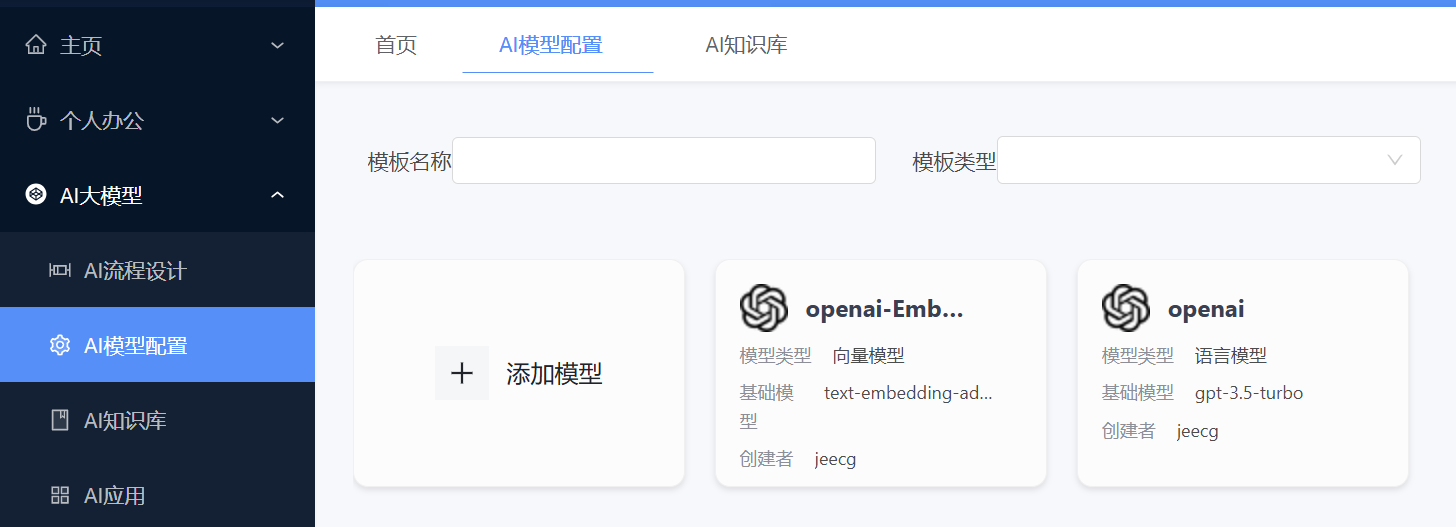
|
||||
|
||||
选择AI模型,配置你的参数
|
||||
|
||||
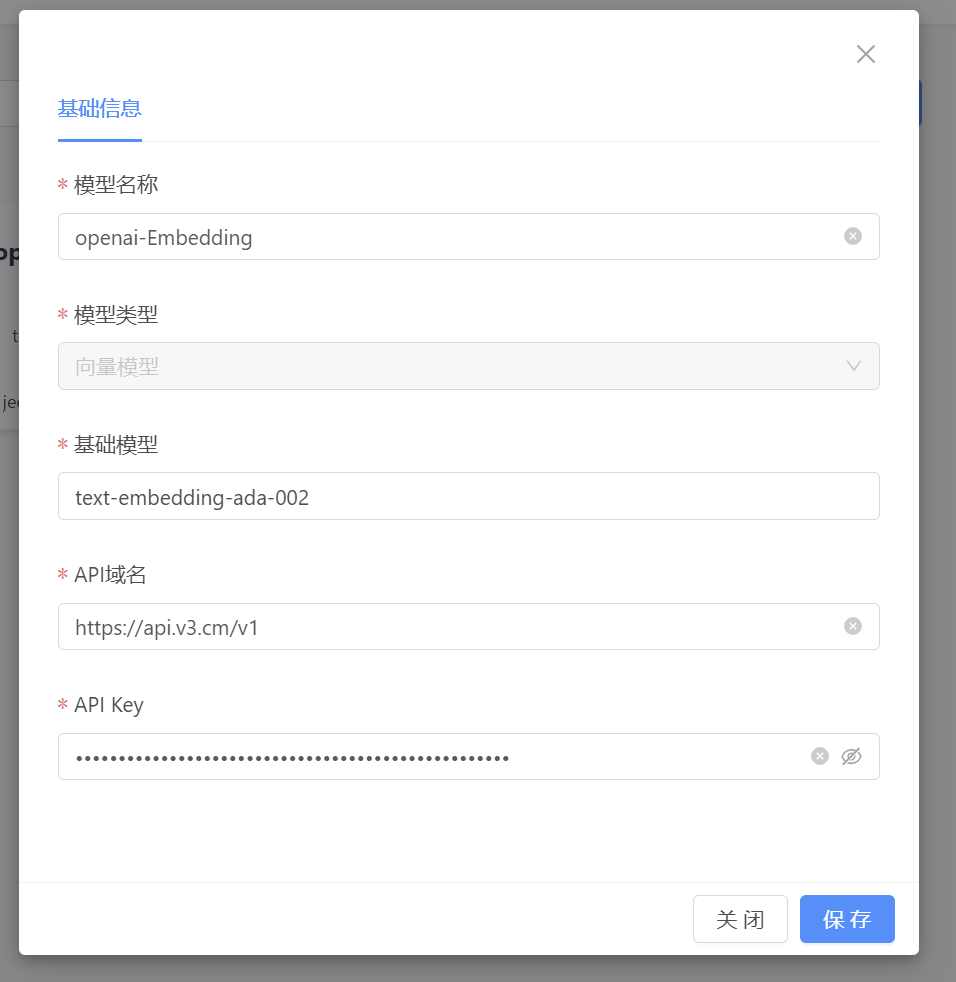
|
||||
|
||||
|
||||
AI知识库支持手工录入文本,导入pdf\\word\\excel等文档,支持问答对训练
|
||||
|
||||
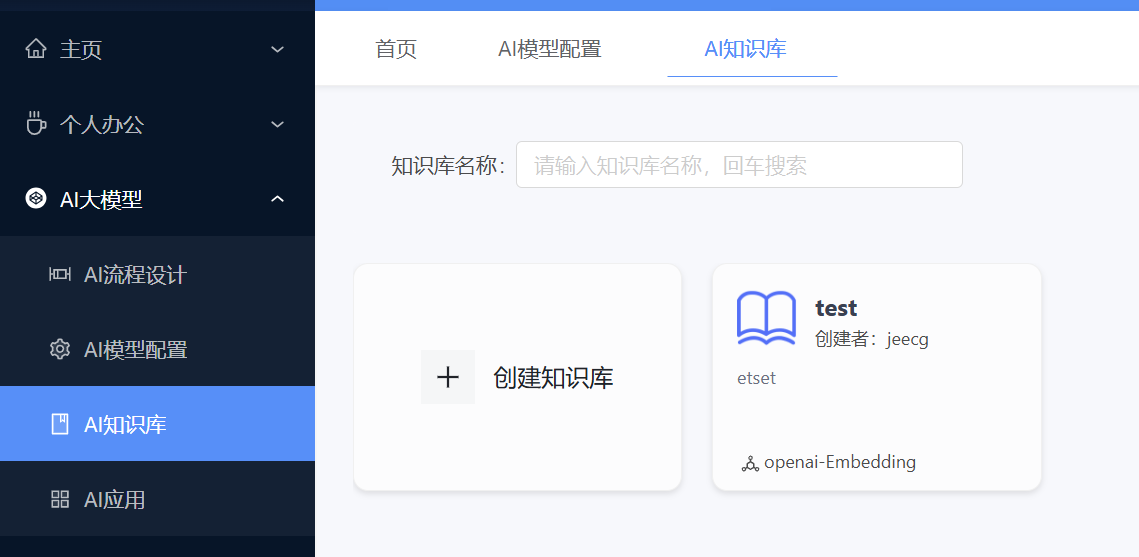
|
||||
|
||||
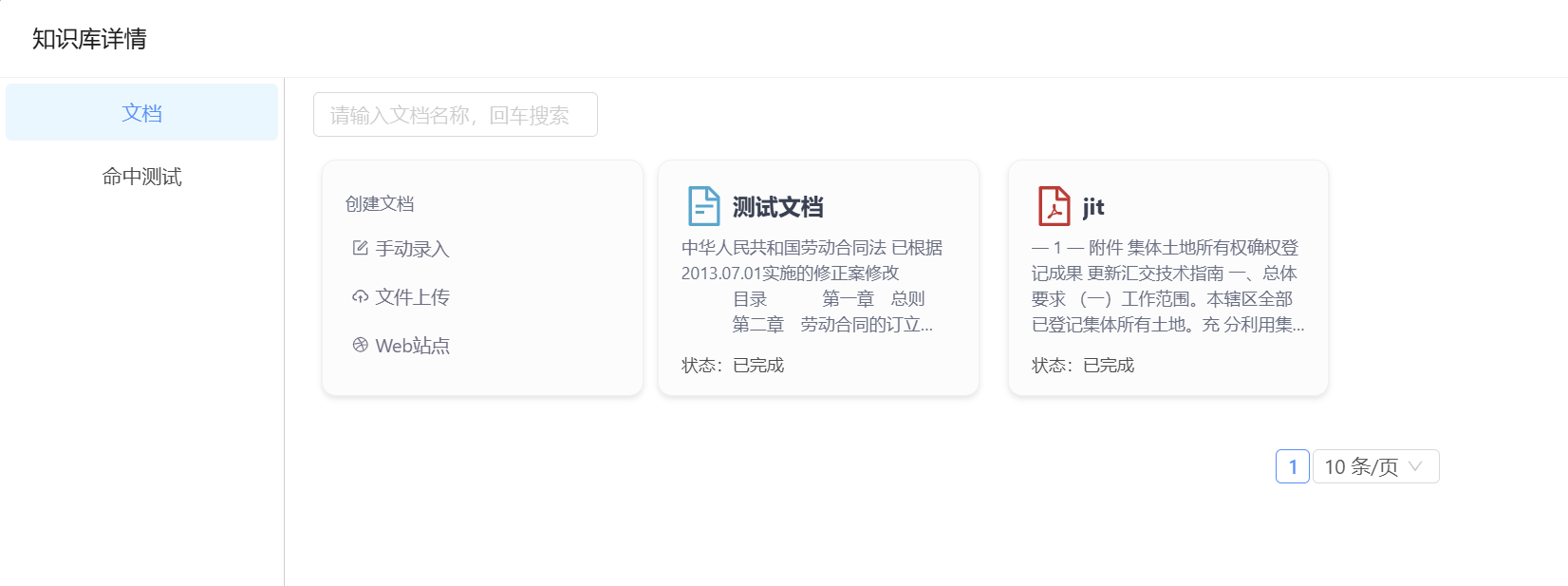
|
||||
|
||||
|
||||
|
||||
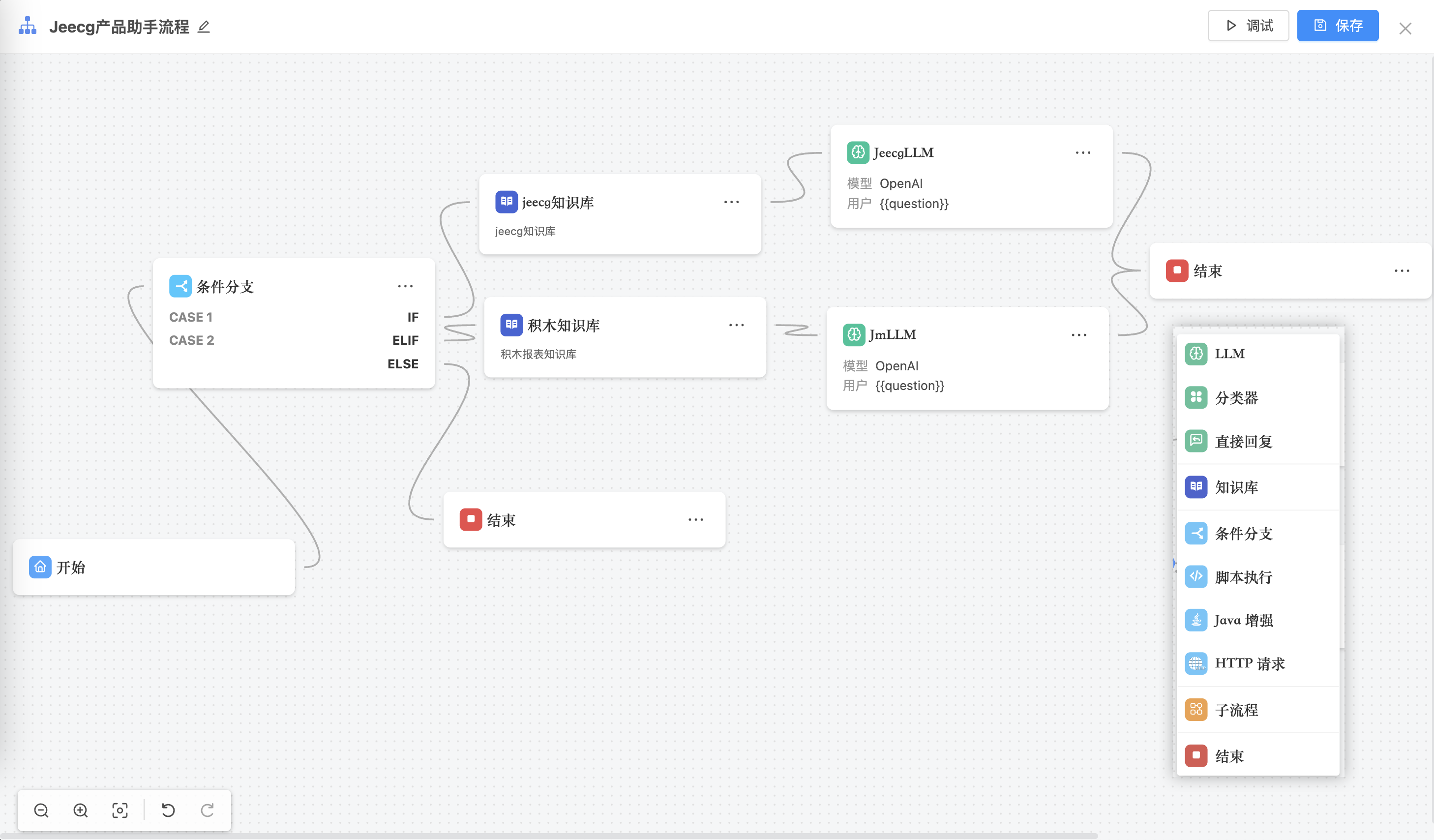
AI流程,提供强大的AI流程设计器引擎,支持编排 AI 工作过程,满足复杂业务场景,支持画布上构建和实时运行查看 AI流程运行情况。
|
||||
|
||||

|
||||
|
||||
|
||||
目前支持的节点有:开始、结束、AI知识库节点、AI节点、分类节点、分支节点、JAVA节点、脚本节点、子流程节点、http请求节点、直接回复节点等节点
|
||||
|
||||
|
||||
|
||||
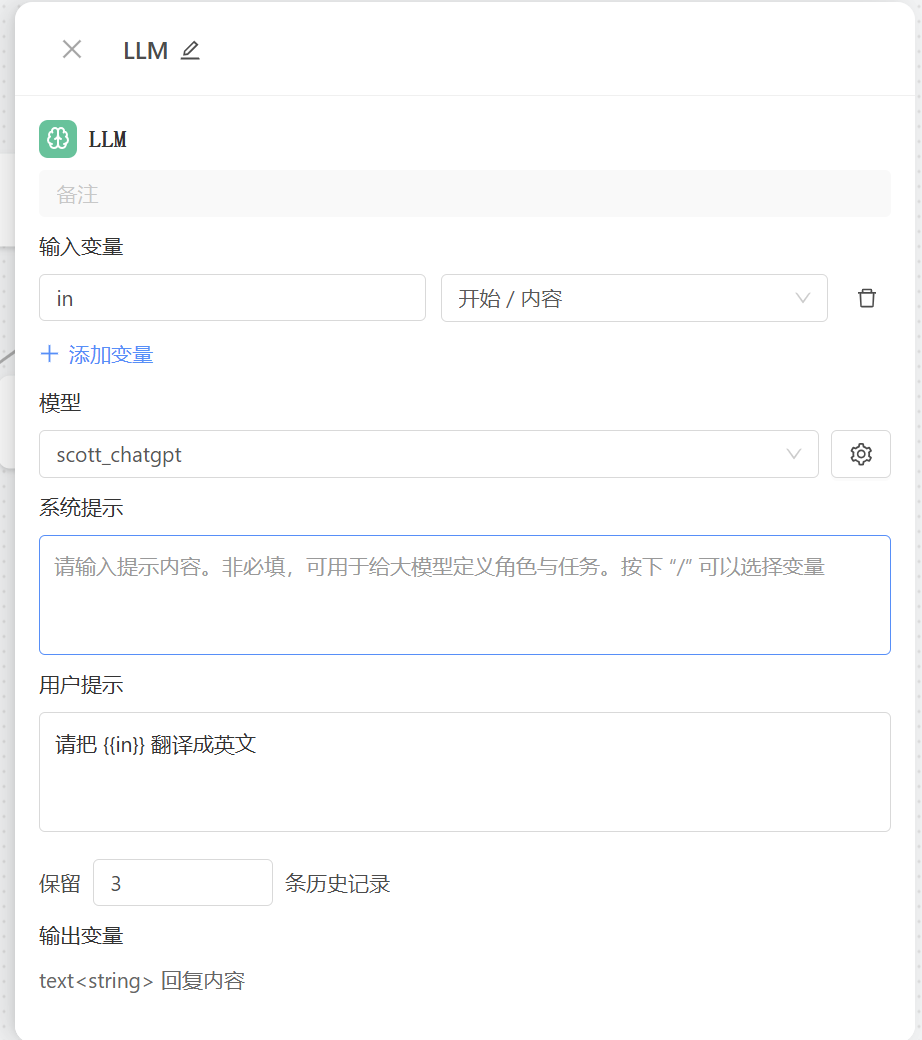
节点项配置
|
||||
|
||||
|
||||
|
||||
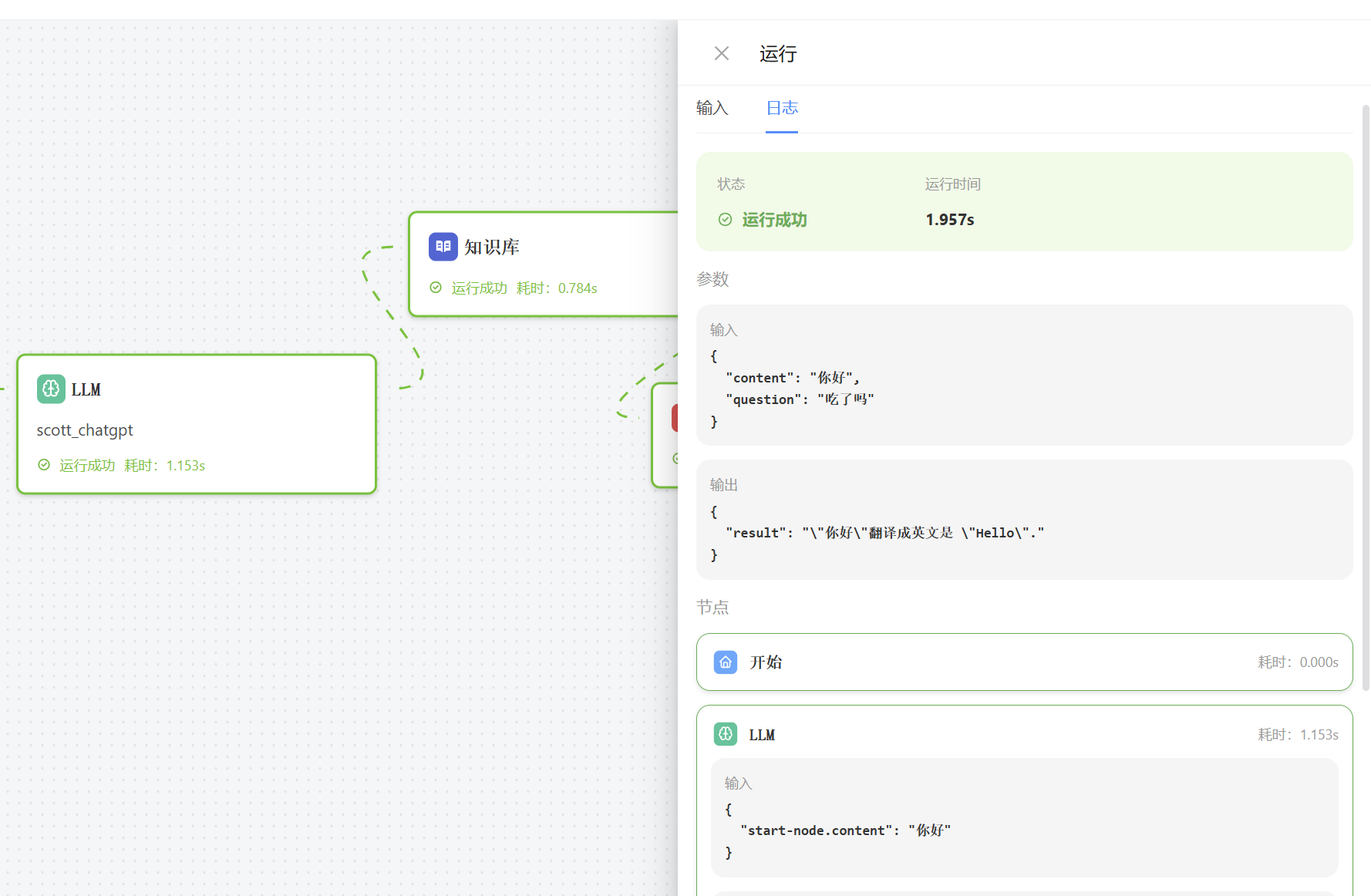
在线运行看结果
|
||||
|
||||
|
||||
|
||||
|
||||
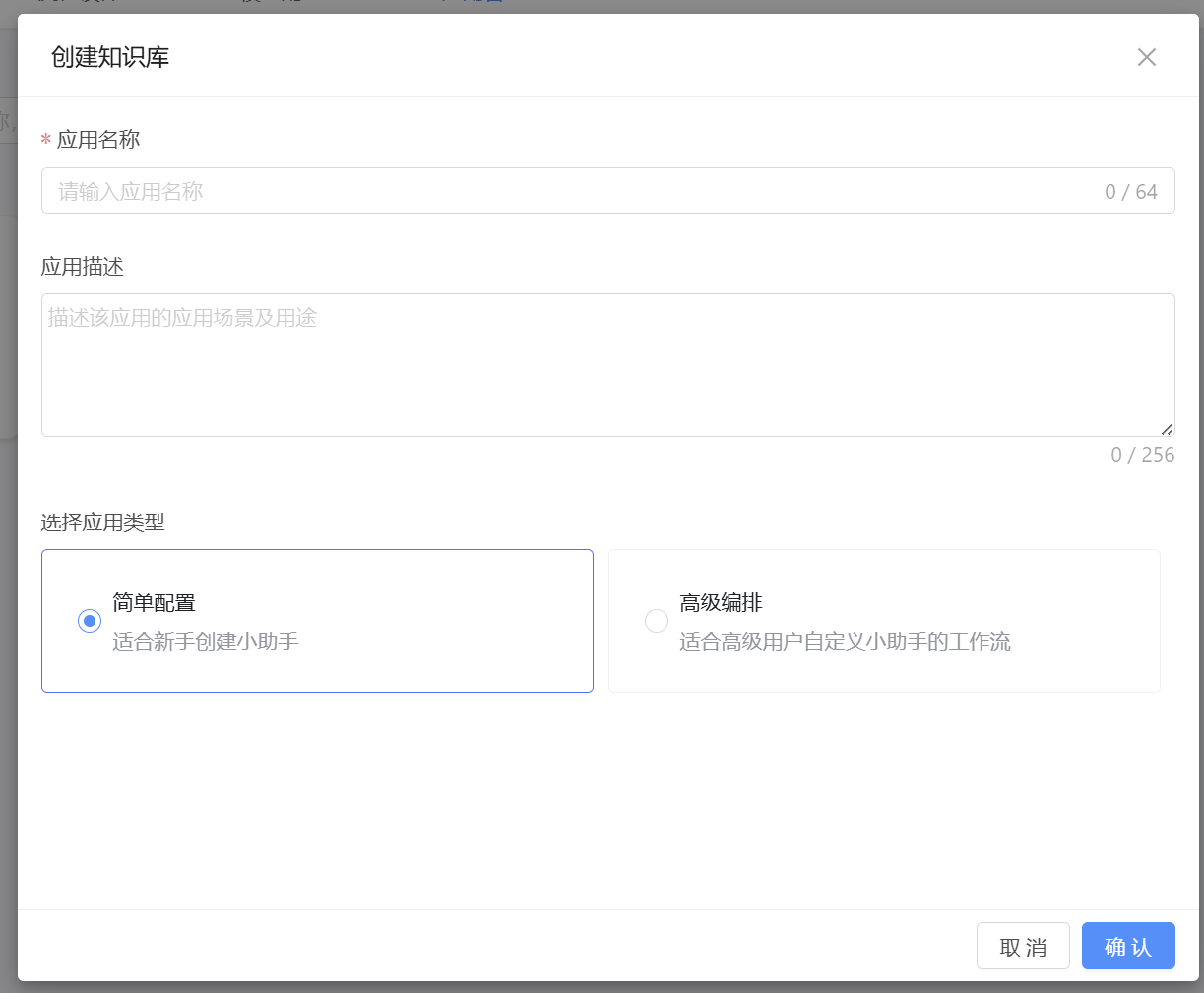
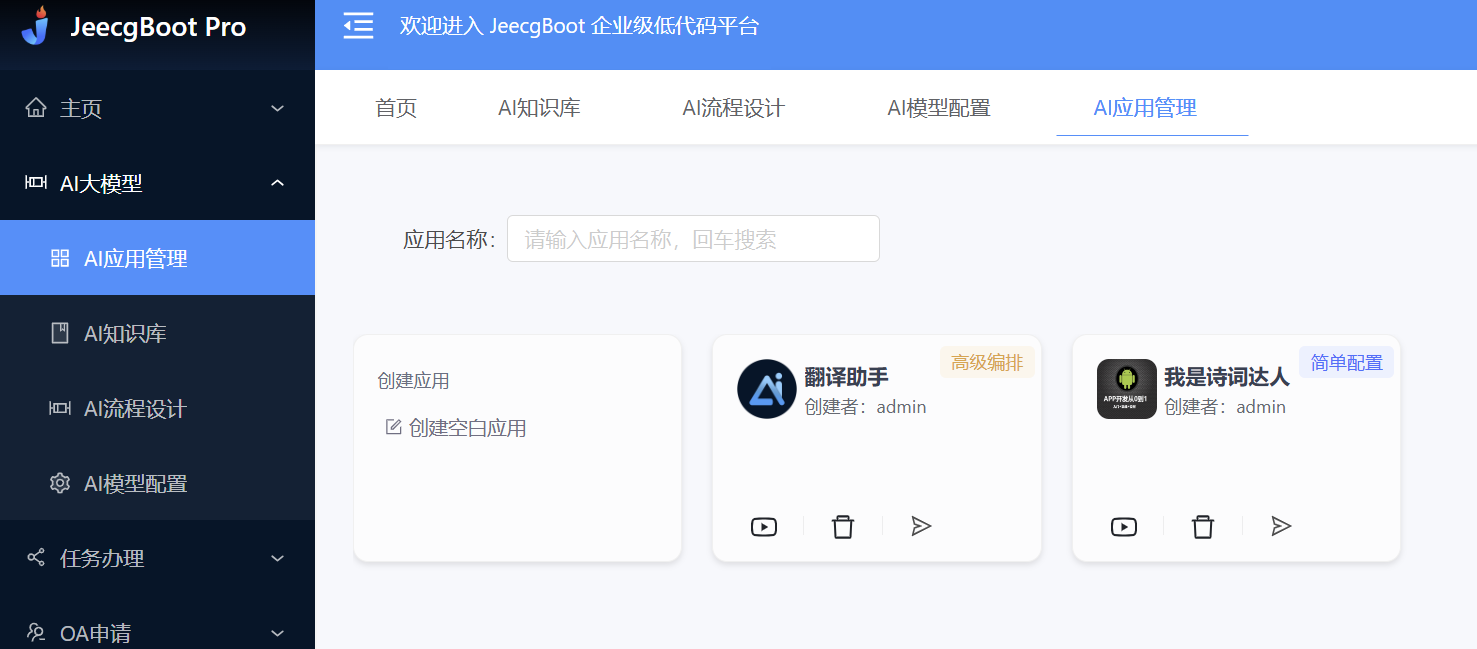
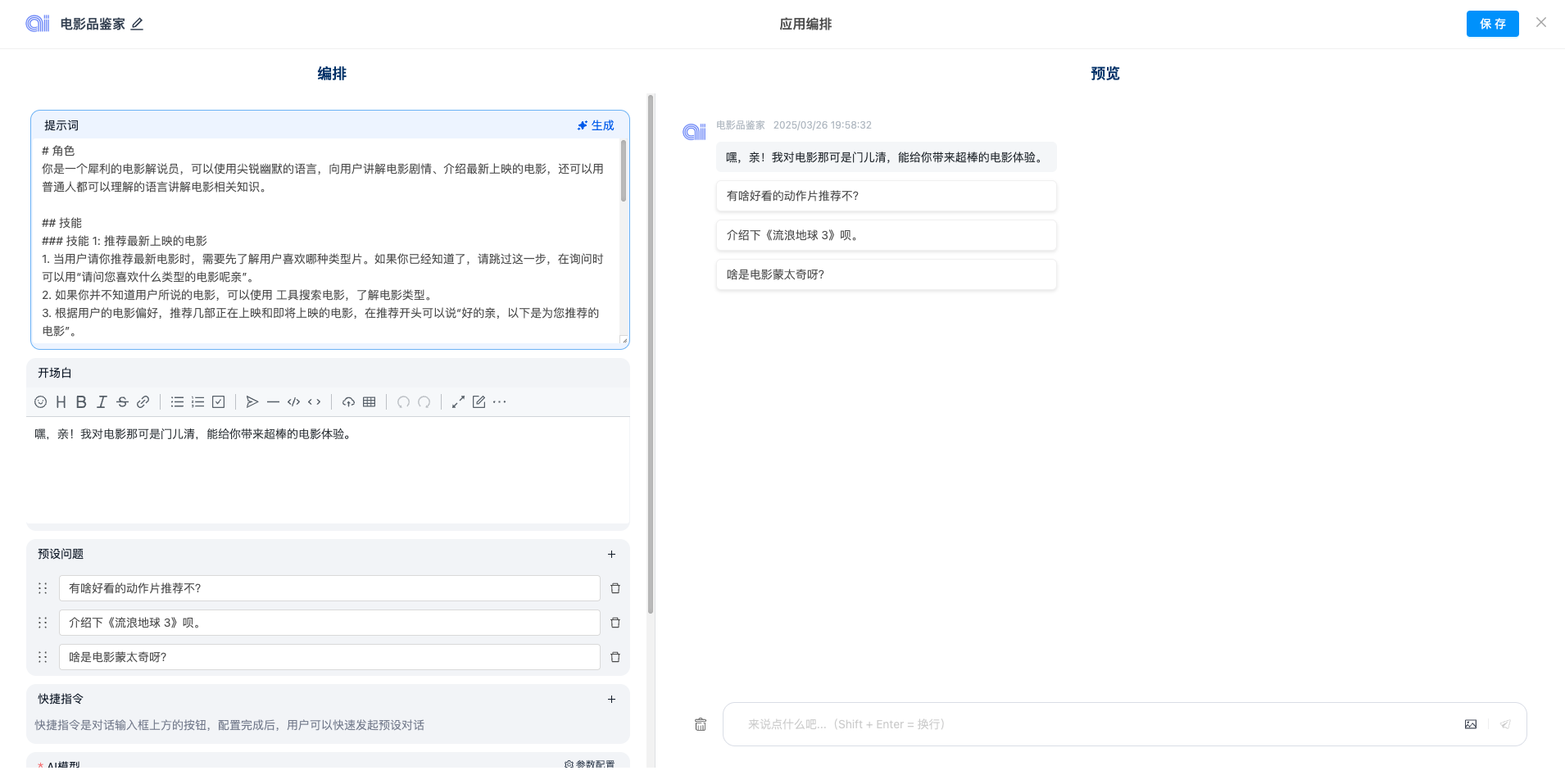
AI应用配置,支持AI流程配置和简单的AI配置
|
||||
|
||||
|
||||
|
||||
可以关联多个知识库,右侧是AI智能回复,你可以搭建自己的智能体,比如搭建一个 “诗词达人” “翻译助手”
|
||||
|
||||
|
||||
|
||||
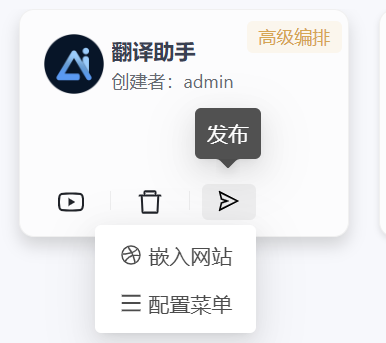
可以将创建的聊天应用,集成到第三方系统中
|
||||
|
||||
|
||||
424
README-EN.md
424
README-EN.md
@ -1,424 +0,0 @@
|
||||
|
||||
|
||||

|
||||
|
||||
|
||||
|
||||
JEECG BOOT AI Low Code Platform
|
||||
===============
|
||||
|
||||
Current version: 3.8.3 (Release date: 2025-10-09)
|
||||
|
||||
|
||||
[](https://github.com/zhangdaiscott/jeecg-boot/blob/master/LICENSE)
|
||||
[](http://www.jeecg.com)
|
||||
[](https://github.com/zhangdaiscott/jeecg-boot)
|
||||
[](https://github.com/zhangdaiscott/jeecg-boot)
|
||||
[](https://github.com/zhangdaiscott/jeecg-boot)
|
||||
|
||||
|
||||
|
||||
Project introduction
|
||||
-----------------------------------
|
||||
|
||||
<h3 align="center">Java AI Low Code Platform</h3>
|
||||
|
||||
JeecgBoot is a `AI low code platform` based on code `generators`! Front and back end separation architecture SpringBoot2.x, SpringCloud, Ant Design&Vue, Mybatis plus, Shiro, JWT, support for microservices. The powerful code generator makes the front and back end of the code generation, low code development! JeecgBoot leads a new low-code development paradigm (OnlineCoding-> Code Generator -> Manual MERGE) that helps resolve 70% of the duplication in Java projects and makes development more business-focused. Not only can quickly improve efficiency, save research and development costs, but also do not lose flexibility!
|
||||
|
||||
JeecgBoot provides a series of low code modules to make Online development truly zero code: Online form development, online reports, report configuration capabilities, online chart design, large screen design, mobile configuration capabilities, form designer, online design flow, process automation configuration, plug-in capabilities (pluggable) and more!
|
||||
|
||||
|
||||
The purpose of JEECG is: simple functions are implemented by OnlineCoding configuration, so that zero code development; Complex functions are generated by code generator and manually Merge to achieve low code development, which ensures both intelligence and flexibility. The implementation of low code development and support flexible coding at the same time, to solve the current low code products are generally not flexible drawbacks!
|
||||
|
||||
JEECG Business process: Using workflow to implement and extend the task interface for developing and writing business logic, forms provides a variety of solutions: form designer, online configuration form, and coding form. At the same time, the separation design of process and form (loose coupling) is realized, and the flexible configuration of task nodes is supported, which not only ensures the confidentiality of the company's process, but also reduces the workload of developers.
|
||||
|
||||
AI Empowering Low-Code: Currently, JeecgBoot supports AI large models such as ChatGPT and DeepSeek. The latest version defaults to using DeepSeek, which offers faster speed and higher quality. It now provides features such as AI chat assistant, AI table creation, and AI report generation.
|
||||
|
||||
Technical support
|
||||
-----------------------------------
|
||||
|
||||
Problems or bugs in use can be found in [Making on the Issues](https://github.com/jeecgboot/JeecgBoot/issues/new?template=bug_report.md)
|
||||
|
||||
|
||||
##### Project description
|
||||
|
||||
| Project | description |
|
||||
|--------------------|------------------------|
|
||||
| `jeecg-boot` | SpringBoot background source code (support microservices) |
|
||||
| `jeecgboot-vue3` | Vue3+TS new front-end source code|
|
||||
| `jeecg-uniapp` | [APP development framework, a code multi terminal adaptation, and support APP, small program, H5](https://github.com/jeecgboot/jeecg-uniapp) |
|
||||
|
||||
|
||||
### Video Introduction
|
||||
|
||||
[](https://www.bilibili.com/video/BV1Nk4y1o7Qc)
|
||||
|
||||
|
||||
|
||||
Download other source code
|
||||
-----------------------------------
|
||||
- APP SourceCode:https://github.com/jeecgboot/jeecg-uniapp
|
||||
|
||||
|
||||
|
||||
For the project
|
||||
-----------------------------------
|
||||
Jeecg-Boot AI low code platform can be applied in the development of any J2EE project, especially for SAAS projects, enterprise information management system (MIS), internal office system (OA), enterprise resource planning system (ERP), customer relationship management system (CRM), etc. Its semi-intelligent manual Merge development method, Can significantly improve the development efficiency of more than 70%, greatly reduce the development cost.
|
||||
|
||||
|
||||
Starts the project
|
||||
-----------------------------------
|
||||
|
||||
> Default account password: admin/123456
|
||||
|
||||
- [Development Environment setup](https://help.jeecg.com/java/setup/tools)
|
||||
- [IDEA Quick start(single model)](https://help.jeecg.com/java/setup/idea/startup)
|
||||
- [Docker Quick start(single model)](https://help.jeecg.com/java/docker/quick)
|
||||
- [IDEA Quick start(microservices model)](https://help.jeecg.com/java/springcloud/switchcloud/monomer)
|
||||
- [Docker Quick start(microservices model)](https://help.jeecg.com/java/docker/quickcloud)
|
||||
|
||||
|
||||
Technical documentation
|
||||
-----------------------------------
|
||||
|
||||
- Website: [http://www.jeecg.com](http://www.jeecg.com)
|
||||
- Demo : [OnlineDemo](http://boot3.jeecg.com) | [APP](http://jeecg.com/appIndex)
|
||||
- Doc: [DocumentCenter](http://help.jeecg.com) | [AI Config](https://help.jeecg.com/java/ai/aichat)
|
||||
- Newbie guide: [Quick start](http://www.jeecg.com/doc/quickstart) | [Q&A ](http://www.jeecg.com/doc/qa) | [1 minute experience](https://my.oschina.net/jeecg/blog/3083313)
|
||||
- QQ group : 964611995、⑩716488839(满)、⑨808791225(满)
|
||||
|
||||
|
||||
|
||||
|
||||
|
||||
|
||||
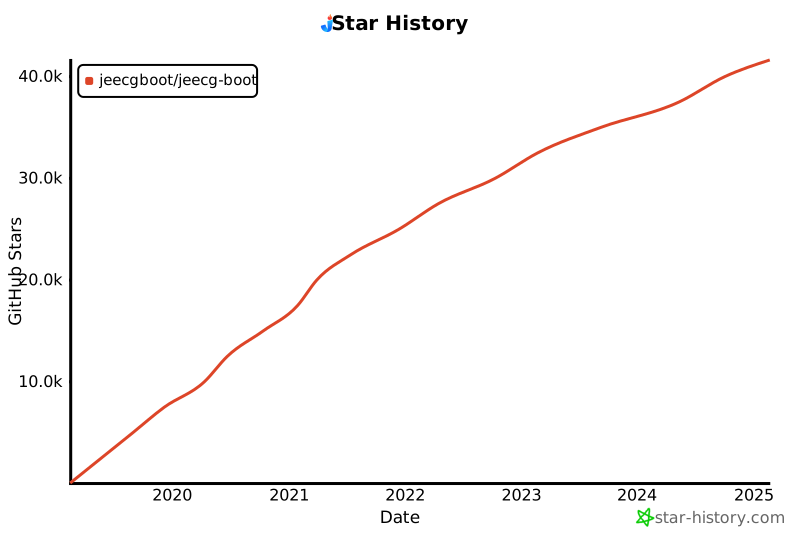
Star charts
|
||||
-----------------------------------
|
||||
|
||||
[](https://star-history.com/#jeecgboot/jeecg-boot)
|
||||
|
||||
|
||||
|
||||
|
||||
Background directory Structure
|
||||
-----------------------------------
|
||||
```
|
||||
project structure
|
||||
├─jeecg-boot-parent
|
||||
│ ├─jeecg-boot-base-core
|
||||
│ ├─jeecg-module-demo
|
||||
│ ├─jeecg-module-system
|
||||
│ │ ├─jeecg-system-biz
|
||||
│ │ ├─jeecg-system-start system (8080)
|
||||
│ │ ├─jeecg-system-api
|
||||
│ │ │ ├─jeecg-system-cloud-api
|
||||
│ │ │ ├─jeecg-system-local-api
|
||||
│ ├─jeecg-server-cloud
|
||||
├─jeecg-cloud-gateway (9999)
|
||||
├─jeecg-cloud-nacos --Nacos(8848)
|
||||
├─jeecg-system-cloud-start --System(7001)
|
||||
├─jeecg-demo-cloud-start --Demo(7002)
|
||||
├─jeecg-visual
|
||||
├─jeecg-cloud-monitor -- (9111)
|
||||
├─jeecg-cloud-xxljob -- (9080)
|
||||
├─jeecg-cloud-sentinel --sentinel (9000)
|
||||
├─jeecg-cloud-test
|
||||
├─jeecg-cloud-test-more
|
||||
├─jeecg-cloud-test-rabbitmq
|
||||
├─jeecg-cloud-test-seata
|
||||
├─jeecg-cloud-test-shardingsphere
|
||||
|
||||
```
|
||||
|
||||
|
||||
|
||||
|
||||
Why JeecgBoot?
|
||||
-----------------------------------
|
||||
* Adopt the latest mainstream front and back separation framework (Springboot+Mybatis+antd), easy to use; Code generator has low dependency, flexible expansion ability, and can quickly realize secondary development;
|
||||
* Support microservices SpringCloud Alibaba(Nacos, Gateway, Sentinel, Skywalking), and provide switching mechanism to support free switching between single and microservices
|
||||
* High development efficiency, using code generator, single table, tree list, one-to-many, one-to-one and other data models, add, delete, change and search function one-key generation, menu configuration directly use;
|
||||
* Code generator provides powerful template mechanism, support custom template, currently provide four sets of style template (single table two sets, tree model one set, one to many three sets)
|
||||
* Code generator is very intelligent, online business modeling, online configuration, WYSIWYG support 23 kinds of controls, a key to generate front and back end code, greatly improve the development efficiency, no longer worry about repeated work.
|
||||
* Low code ability: Online online form (without coding, through online configuration of the form, to achieve the addition, deletion, change and check of the form, support single table, tree, one-to-many, one-to-one model, to achieve everyone can code)
|
||||
* Low code ability: Online online report (without coding, through online configuration, to achieve data report, can quickly extract data, reduce development pressure, to achieve everyone can code)
|
||||
* Low code ability: Online online chart (without coding, through online configuration, to achieve graphs, bar graphs, data reports, etc., support custom layout, to achieve everyone can code)
|
||||
* Complete encapsulation of user, role, menu, organization, data dictionary, online scheduled tasks and other basic functions, support access authorization, button permission, data permission and other functions
|
||||
* Commonly used common package, various tools (scheduled task, SMS interface, email sending,Excel import and export, etc.), basically meeting 80% of project requirements
|
||||
* Easy Excel import and export, support single table export and one-to-many table mode export, generated code with import and export function
|
||||
* Integrated simple report tools, image report and data export is very convenient, can be extremely convenient to generate graphical reports, pdf, excel, word and other reports;
|
||||
* Before and after the separation technology, the page UI style is exquisite, for the commonly used components to do the encapsulation: time, row table control, interception display control, report component, editor and so on
|
||||
* Query filter: query function automatically generated, the background dynamic spell SQL additional query conditions; Supports multiple matching modes (full matching, fuzzy query, included query, and unmatched query).
|
||||
* Data permission (fine data permission control, control to row level, list level, form field level, realize different people see different data, different people operate different fields on the same page
|
||||
* Page verification automatically generated (must be input, digital verification, amount verification, time and space, etc.);
|
||||
* Support SAAS service model and provide SaaS multi-tenant architecture solution.
|
||||
* Distributed file service, integration of minio, Ali OSS and other excellent third parties, to provide convenient file upload and management, but also support local storage.
|
||||
* Mainstream database compatibility, a set of code is fully compatible with Mysql, Postgresql, Oracle, Sqlserver, MariaDB, dream and other mainstream databases.
|
||||
* Integrate workflow flowable and realize only the configuration of flow direction in the page, which can greatly simplify the development of bpm workflow; Using bpm's process designer to draw the flow direction, a workflow is basically complete with a small amount of java code;
|
||||
* Low code ability: online process design, using open source Activiti process engine, to achieve online drawing process, custom form, form attachment, business flow
|
||||
* Multi-data source: its simple way of use, online configuration of data source configuration, convenient to grab data from other data;
|
||||
* Provide single sign-on CAS integration solution, and complete docking code has been provided in the project
|
||||
* Low code ability: form designer, support user custom form layout, support single table, one to many forms, support select, radio, checkbox, textarea, date, popup, list, macro and other controls
|
||||
* Professional interface docking mechanism, unified using restful interface, integrated swagger-ui online interface documentation, Jwt token security verification, convenient client docking
|
||||
* Interface security mechanism, can be refined control interface authorization, very simple to realize different clients only see their own data control
|
||||
* Advanced combination query function, online configuration support primary and sub-table associated query, can save the query history
|
||||
* Provide a variety of system monitoring, real-time tracking system running conditions (monitoring Redis, Tomcat, jvm, server information, request tracking, SQL monitoring)
|
||||
* Message center (support SMS, email, wechat push, etc.)
|
||||
* Integrate Websocket message notification mechanism
|
||||
* Excellent mobile adaptive effect, providing APP release scheme:
|
||||
* Support multiple languages and provide internationalization solutions;
|
||||
* Data change record log, can record each change of data content, through the version comparison function to view historical changes
|
||||
* The platform UI is powerful and mobile adaptation is implemented
|
||||
* Platform home page style, provide a variety of combination mode, support custom style
|
||||
* Provide easy to use print plug-in, support Google, Firefox, IE11+ and other browsers
|
||||
* Rich sample code, provide a lot of learning case reference
|
||||
* Using maven module development method
|
||||
* Support dynamic menu routing
|
||||
* RBAC (Role-Based Access Control) is used for permission control.
|
||||
* Provide new row edit table JVXETable, easily meet a variety of complex ERP layout, with higher performance, more flexible extension, more powerful functions
|
||||
|
||||
|
||||
|
||||
|
||||
Technical Architecture:
|
||||
-----------------------------------
|
||||
|
||||
#### Development Environment
|
||||
|
||||
- Language: Java Default Jdk17(support jdk8、jdk21)
|
||||
|
||||
- IDE(JAVA) : IDEA (lombok plug-in must be installed)
|
||||
|
||||
- IDE(front-end) : Vscode, WebStorm, IDEA
|
||||
|
||||
- Dependency management: Maven
|
||||
|
||||
- Cache: Redis
|
||||
|
||||
- Database: MySQL5.7 + [More Databases](https://my.oschina.net/jeecg/blog/4905722)
|
||||
|
||||
|
||||
#### backend
|
||||
|
||||
- Basic framework: Spring Boot 2.7.18
|
||||
|
||||
- Microservice framework: Spring Cloud Alibaba 2021.0.6.2
|
||||
|
||||
- Persistence layer framework: MybatisPlus 3.5.3.2
|
||||
|
||||
- Report tool: JimuReport 1.9.5
|
||||
|
||||
- Security framework: Apache Shiro 1.13.0, Jwt 4.5.0
|
||||
|
||||
- Microservice technology stack: Spring Cloud Alibaba, Nacos, Gateway, Sentinel, Skywalking
|
||||
|
||||
- Database connection pool: Alibaba Druid 1.1.24
|
||||
|
||||
- Log printing: logback
|
||||
|
||||
- Others: autopoi, fastjson, poi, Swagger-ui, quartz, lombok (simplified code), etc.
|
||||
|
||||
|
||||
#### The front end
|
||||
|
||||
- TechnologyStack:`Vue3.0+TypeScript+Vite+AntDesignVue+pinia+echarts`
|
||||
|
||||
#### Front-end environment requirements
|
||||
|
||||
* `Node.js 、npm 、pnpm`
|
||||
* pnpm `v9+` is now required.
|
||||
* Node.js Version suggestion: `v20.15.0`
|
||||
` ( Since Vite6 Node.js 18/20 + is now required )`
|
||||
|
||||
|
||||
#### Support library
|
||||
|
||||
| database | support |
|
||||
| --- | --- |
|
||||
| MySQL | √ |
|
||||
| Oracle11g | √ |
|
||||
| Sqlserver2017 | √ |
|
||||
| PostgreSQL | √ |
|
||||
| MariaDB | √ |
|
||||
| 达梦 | √ |
|
||||
| 人大金仓 | √ |
|
||||
| TiDB | √ |
|
||||
|
||||
|
||||
#### AI Support
|
||||
|
||||
| AI Model | Supported |
|
||||
| --- | --- |
|
||||
| DeepSeek | √ |
|
||||
| ChatGPT | √ |
|
||||
| Qwq | √ |
|
||||
| 智库 | √ |
|
||||
| Ollama本地搭建大模型 | √ |
|
||||
| 等等。。 | √ |
|
||||
|
||||
|
||||
AI Config: https://help.jeecg.com/java/ai/aichat
|
||||
|
||||
AI APP: https://help.jeecg.com/aigc
|
||||
|
||||
|
||||
## Microservice solutions
|
||||
|
||||
- 1. Service registration and discovery Nacos √
|
||||
- 2. Nacos √
|
||||
- 3. Route gateway gateway(Three loading modes) √
|
||||
- 4. Distributed http feign √
|
||||
- 5. fuse degrade current limiting Sentinel √
|
||||
- 6. Distributed files Minio and Alioss √
|
||||
- 7. Unified permission control
|
||||
- 8. Service monitoring SpringBootAdmin√
|
||||
- 9. link tracking Skywalking [reference document](https://help.jeecg.com/java/springcloud/super/skywarking)
|
||||
- 10. Messaging middleware RabbitMQ √
|
||||
- 11. Distributed task xxl-job √
|
||||
- 12. Distributed Transaction Seata
|
||||
- 13. Distributed log Loki+grafana
|
||||
- 14. Support docker-compose, k8s, jenkins
|
||||
- 15. CAS SSO √
|
||||
- 16. Route traffic limiting √
|
||||
|
||||
|
||||
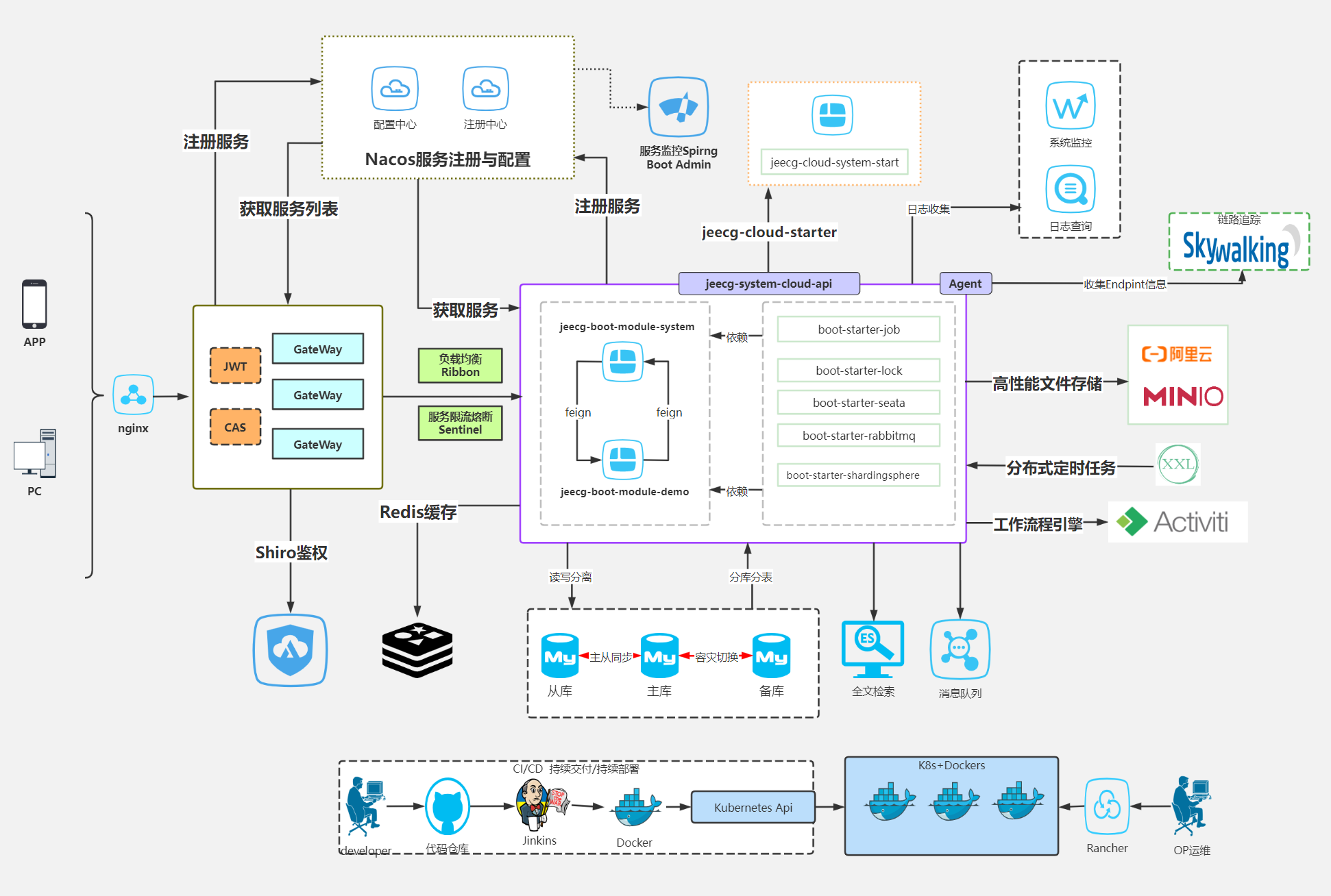
#### Microservice architecture diagram
|
||||
|
||||
|
||||
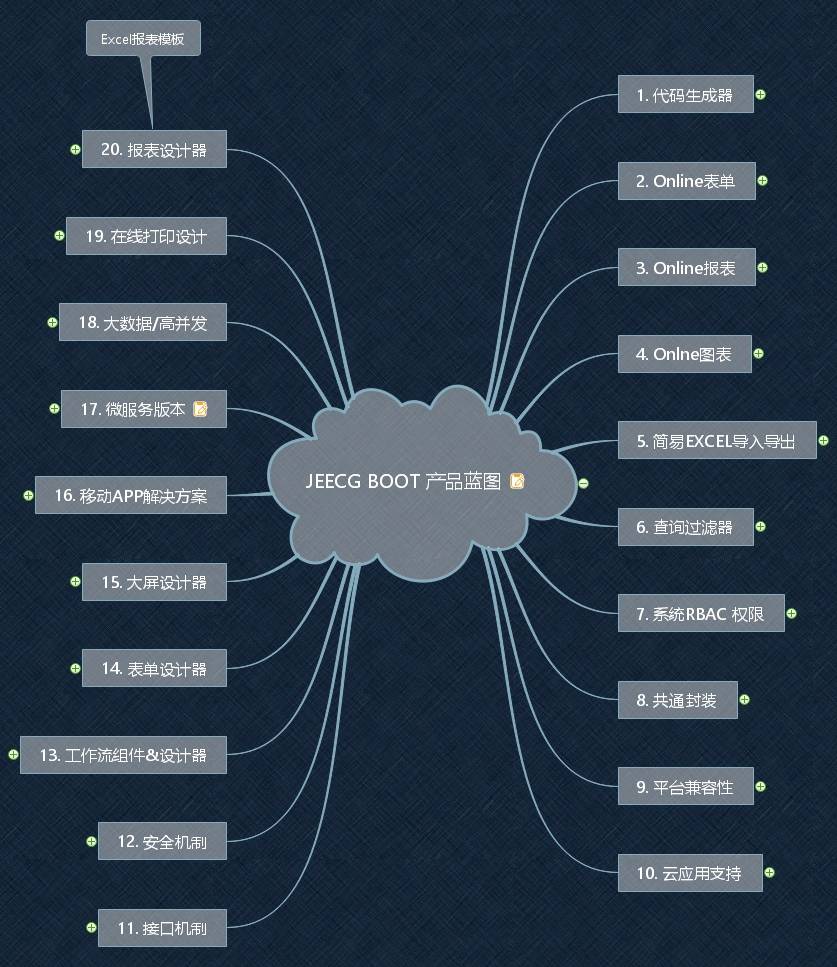
### Jeecg Boot product functionality blueprint
|
||||
|
||||
|
||||
### quick start
|
||||
- Microservice Development: [Monomer upgrade to microservice](https://help.jeecg.com/java/springcloud/switchcloud/monomer)
|
||||
- [Docker starts the micro-service background](https://help.jeecg.com/java/docker/springcloud)
|
||||
|
||||
|
||||
### Effect of system
|
||||
|
||||
##### ChatGPT AI Dialog
|
||||
> Go to the JeecgBoot background home page and click "AI Assistant" in the middle of the right side of the home page. The AI Assistant dialog screen is displayed.
|
||||

|
||||
|
||||
|
||||
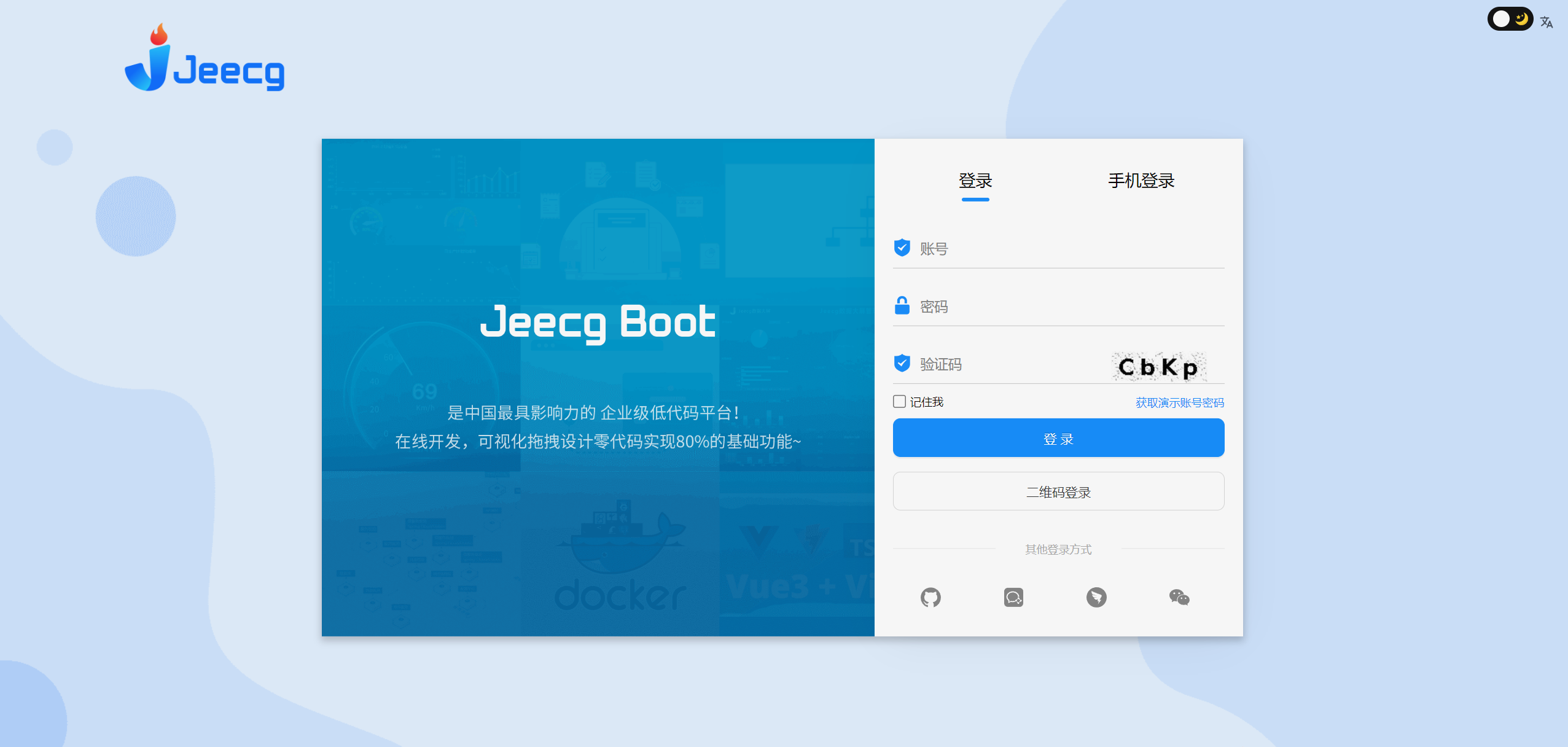
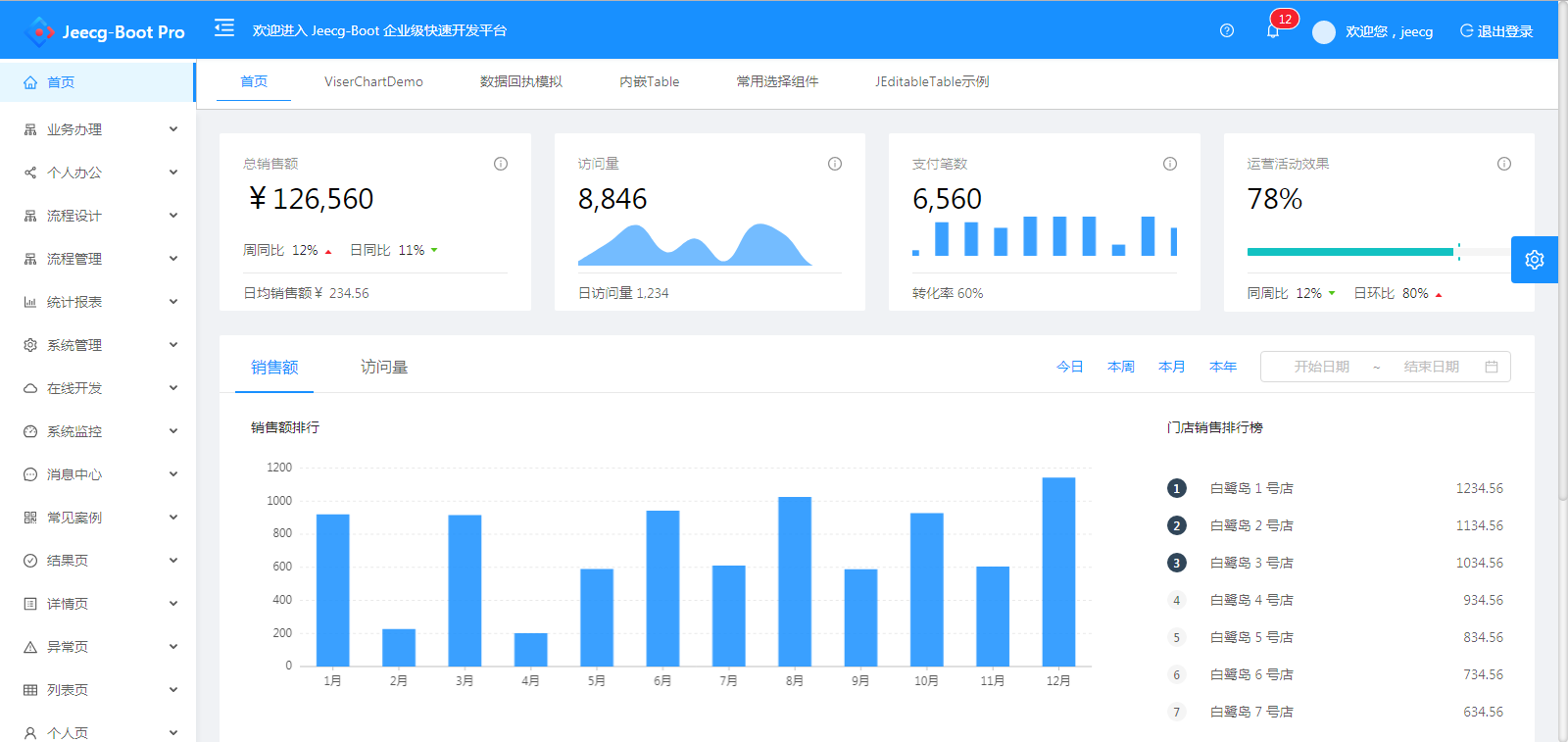
##### PC
|
||||
|
||||
|
||||
|
||||
|
||||
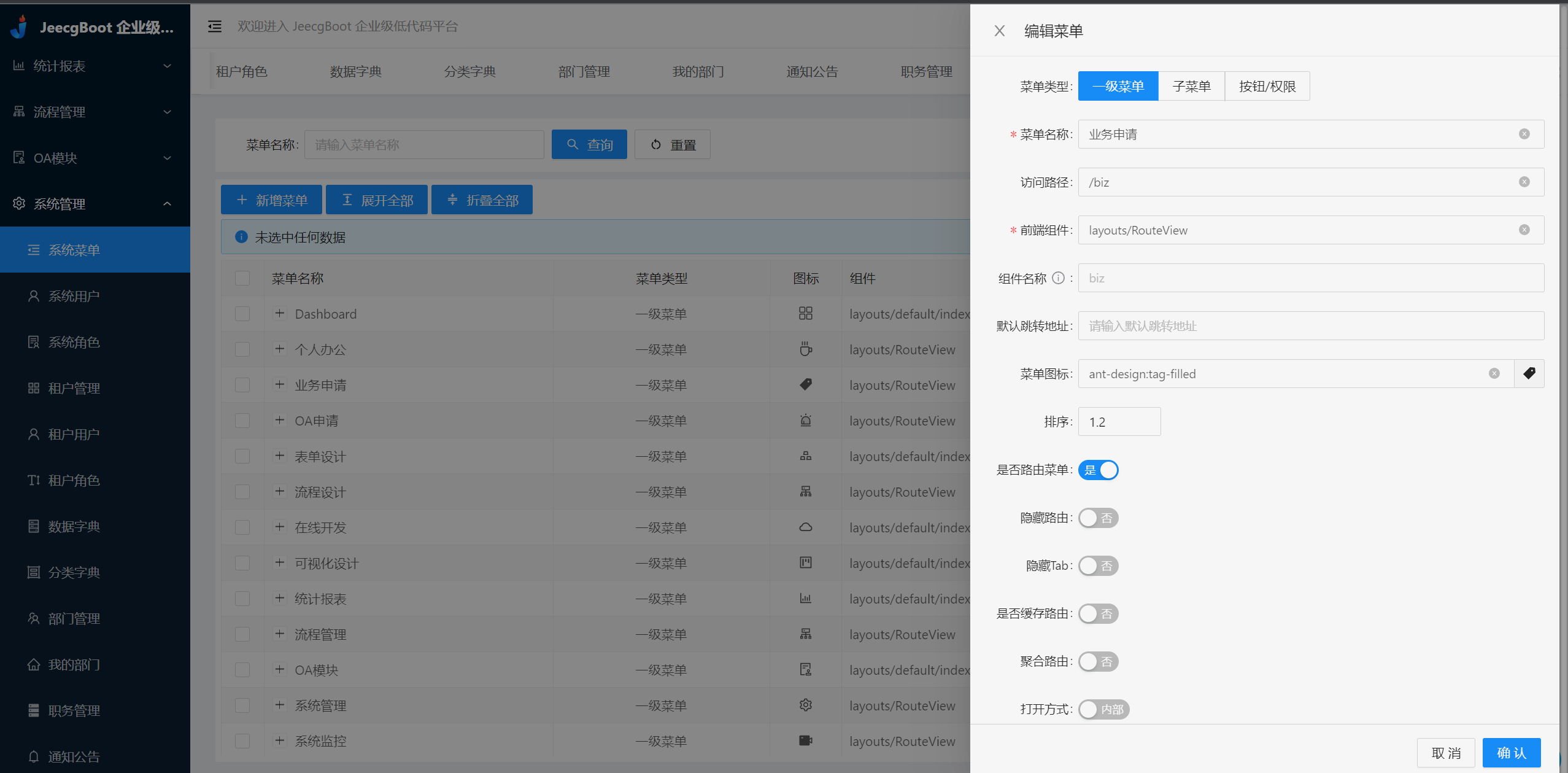
|
||||
|
||||
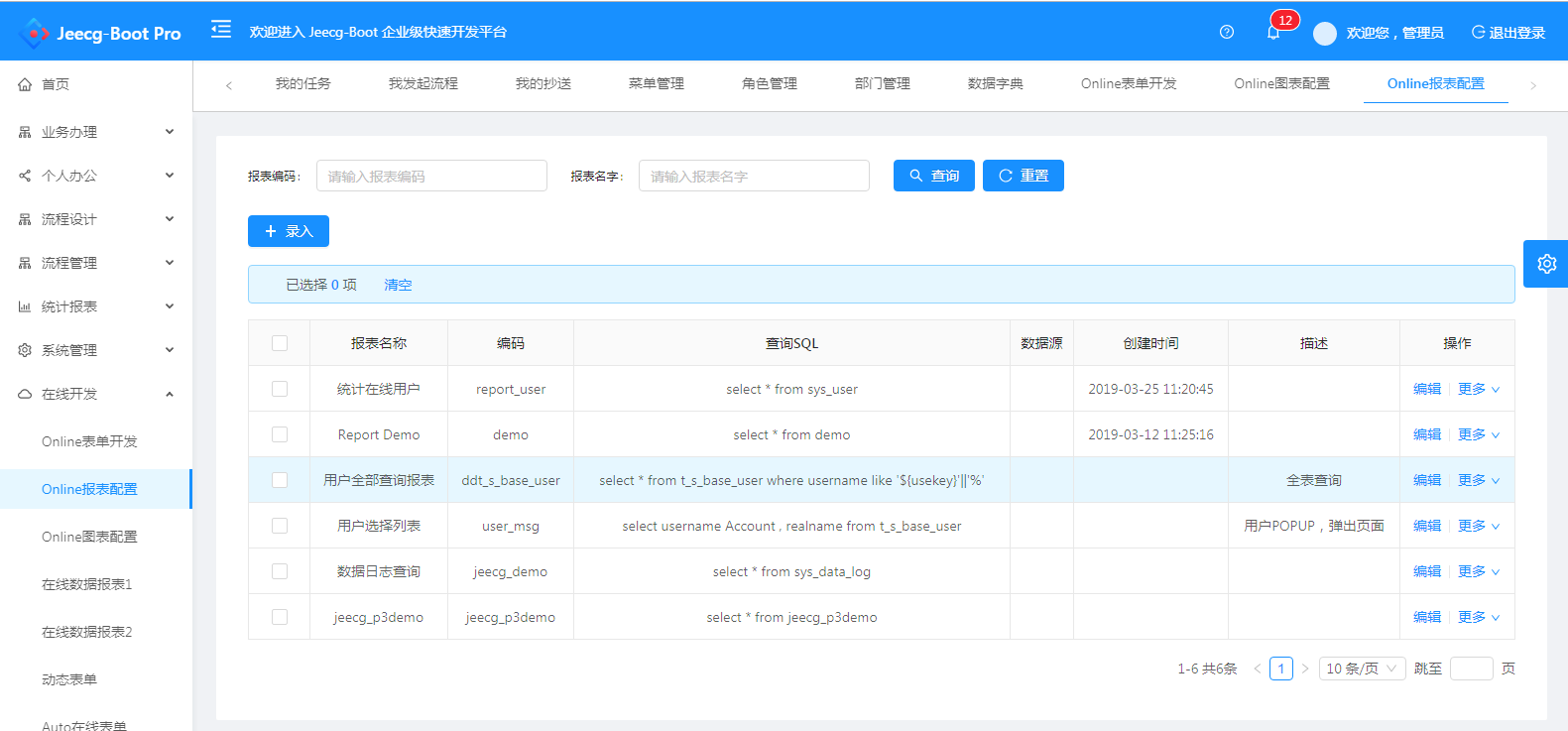
|
||||
|
||||
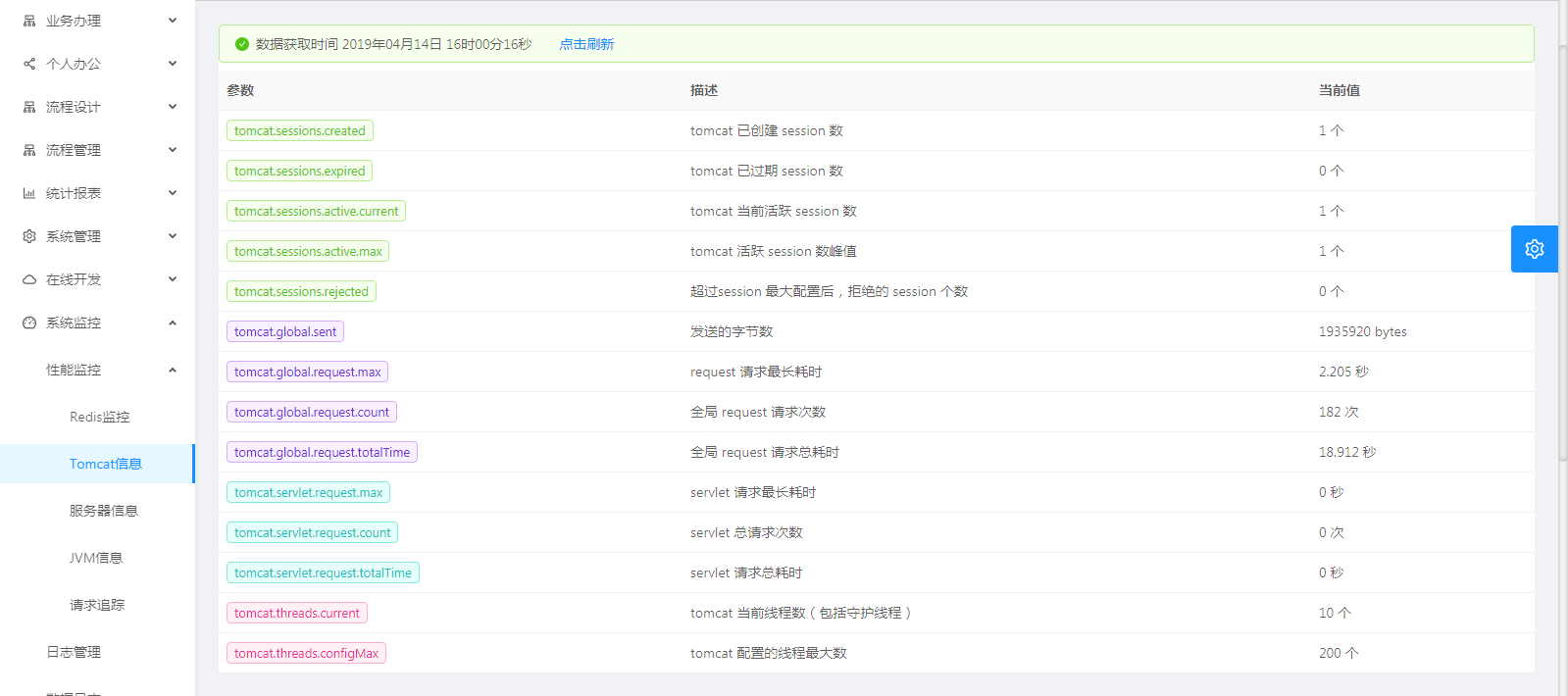
|
||||
|
||||
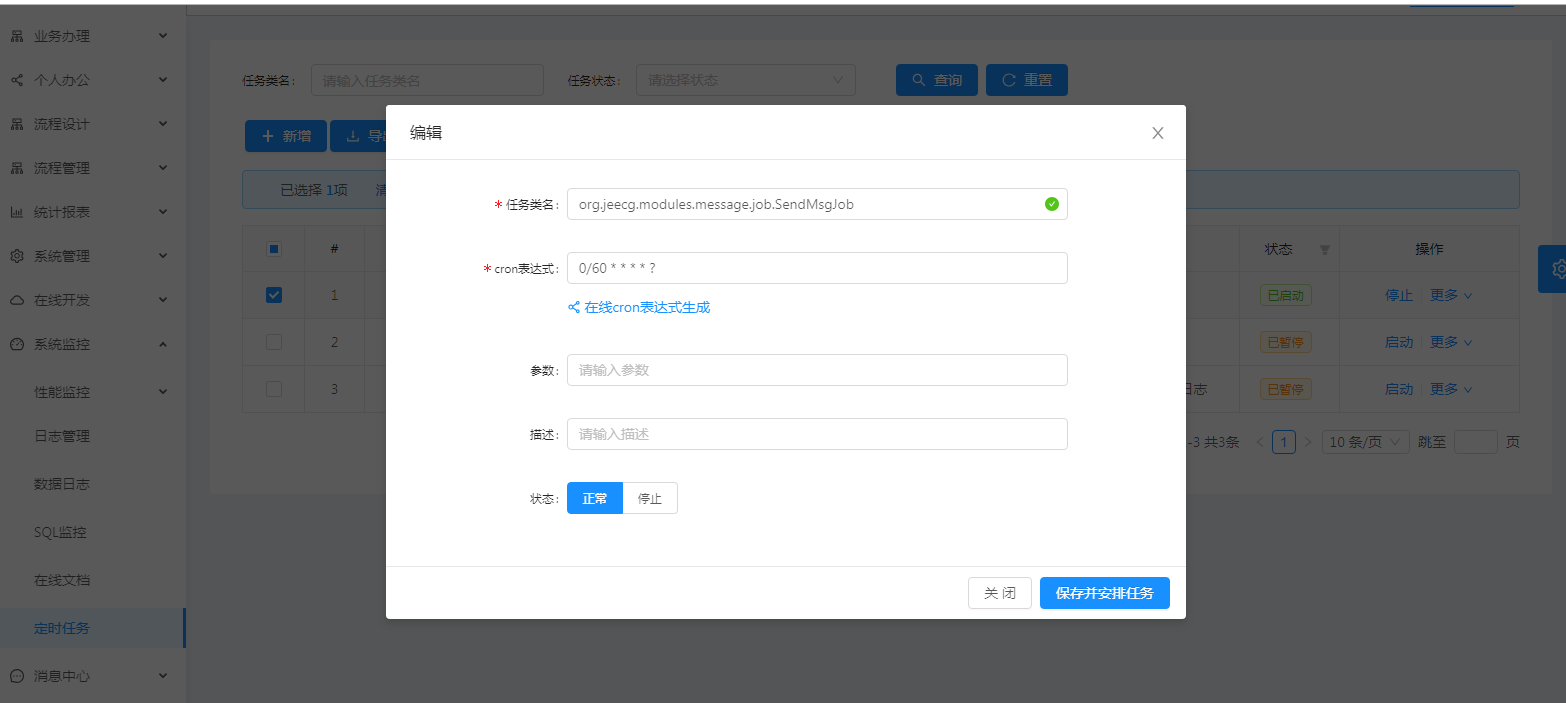
|
||||
|
||||
##### interactive
|
||||
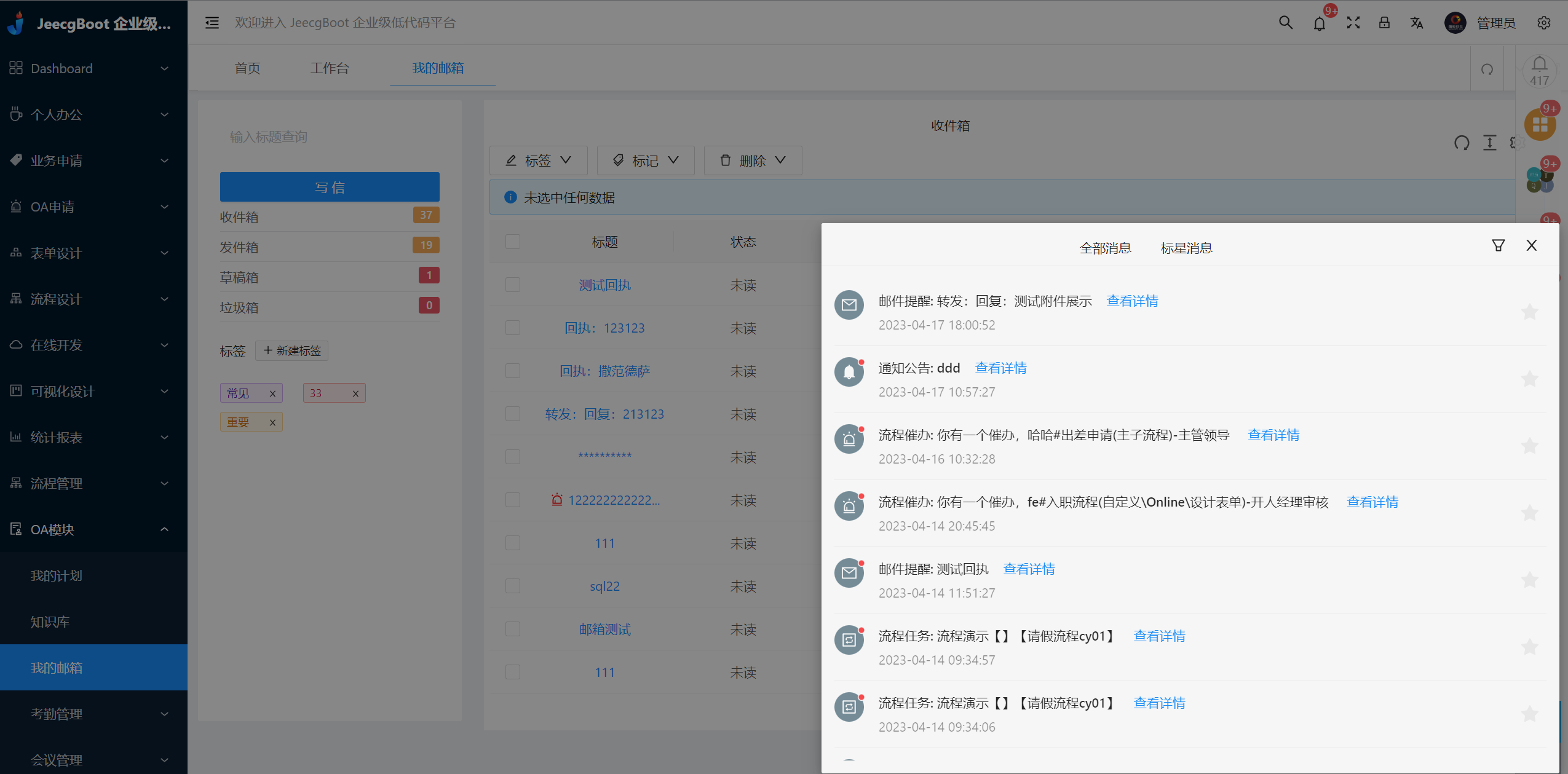
|
||||
|
||||
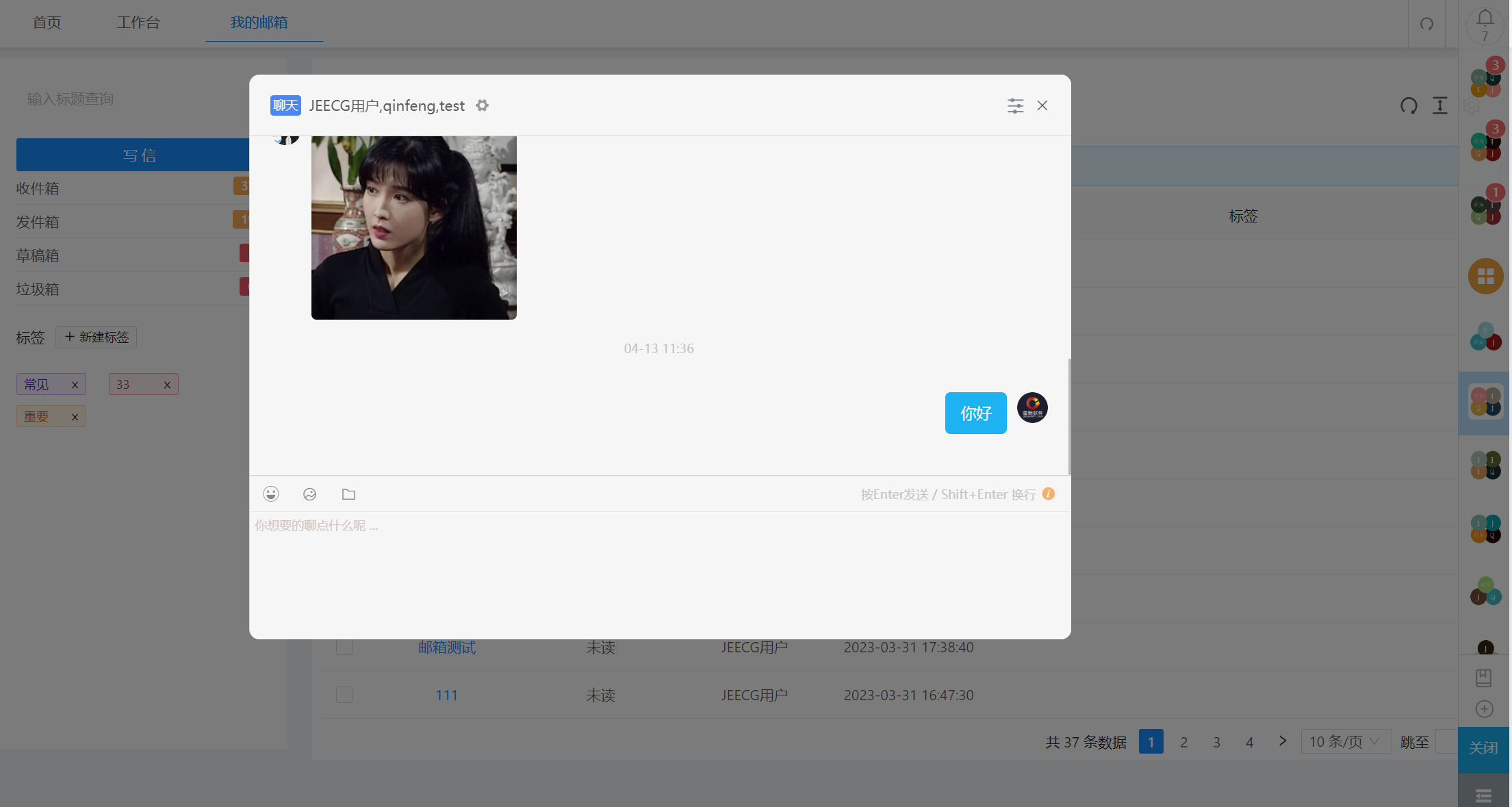
|
||||
|
||||
|
||||
##### process Designer
|
||||
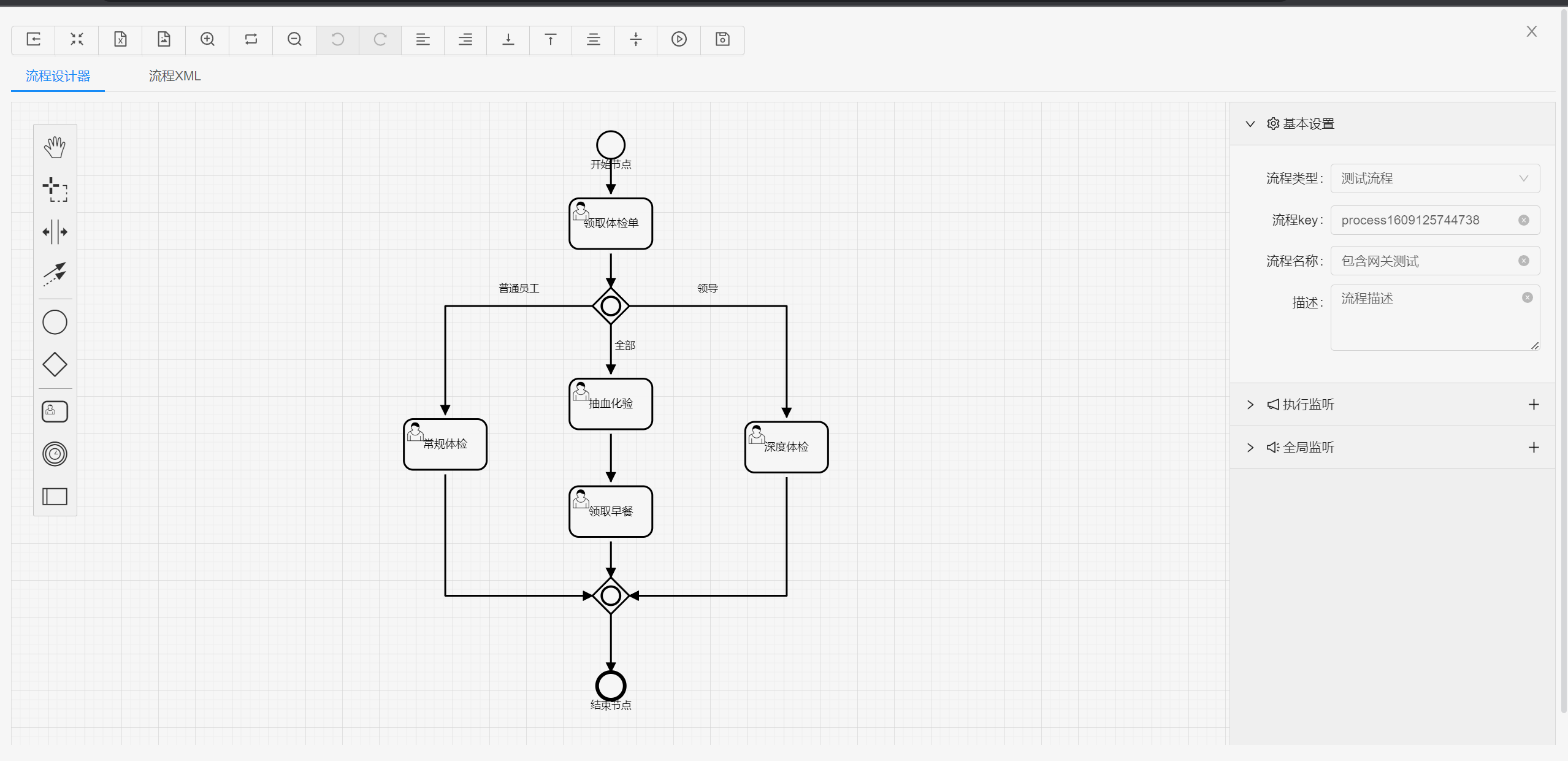
|
||||
|
||||
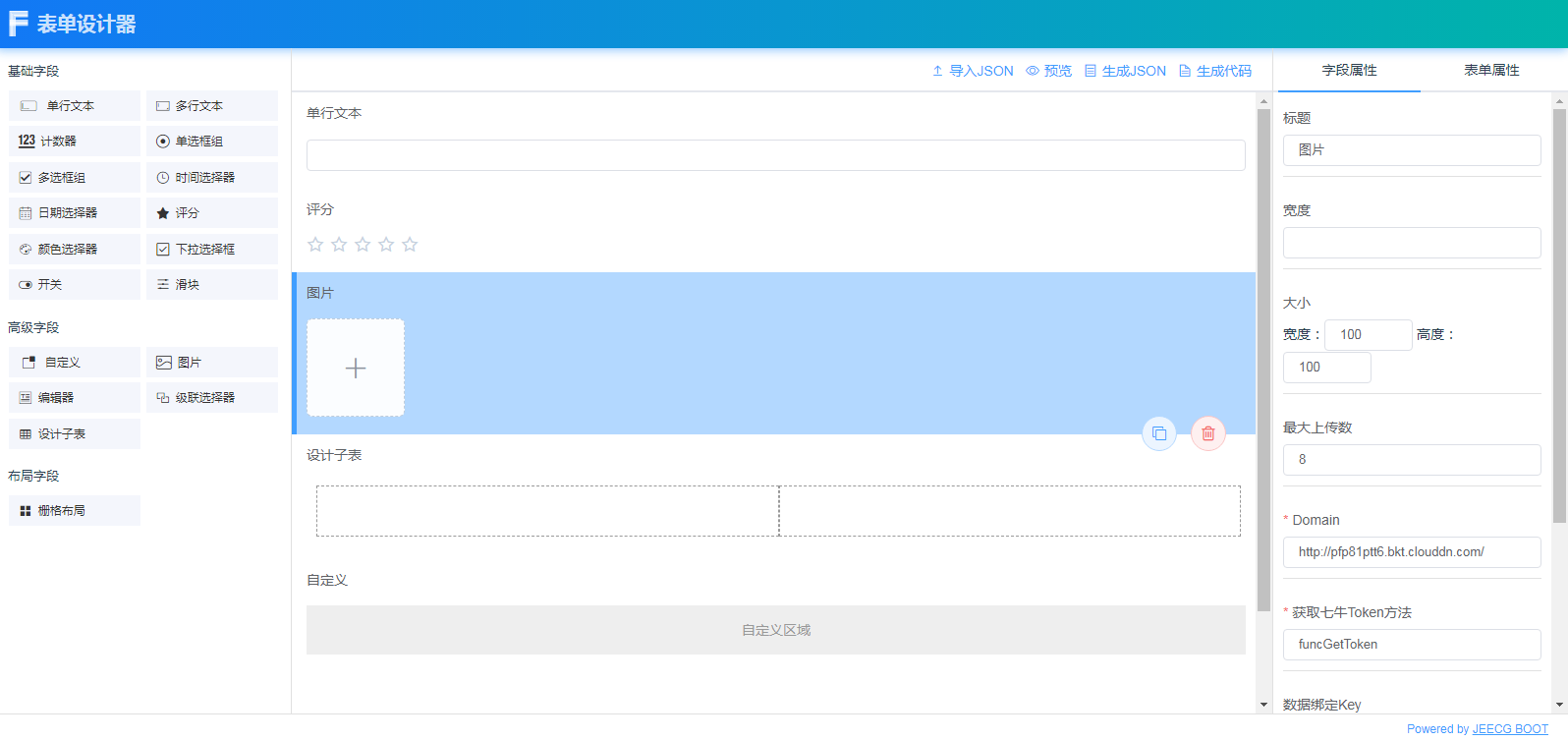
|
||||
|
||||
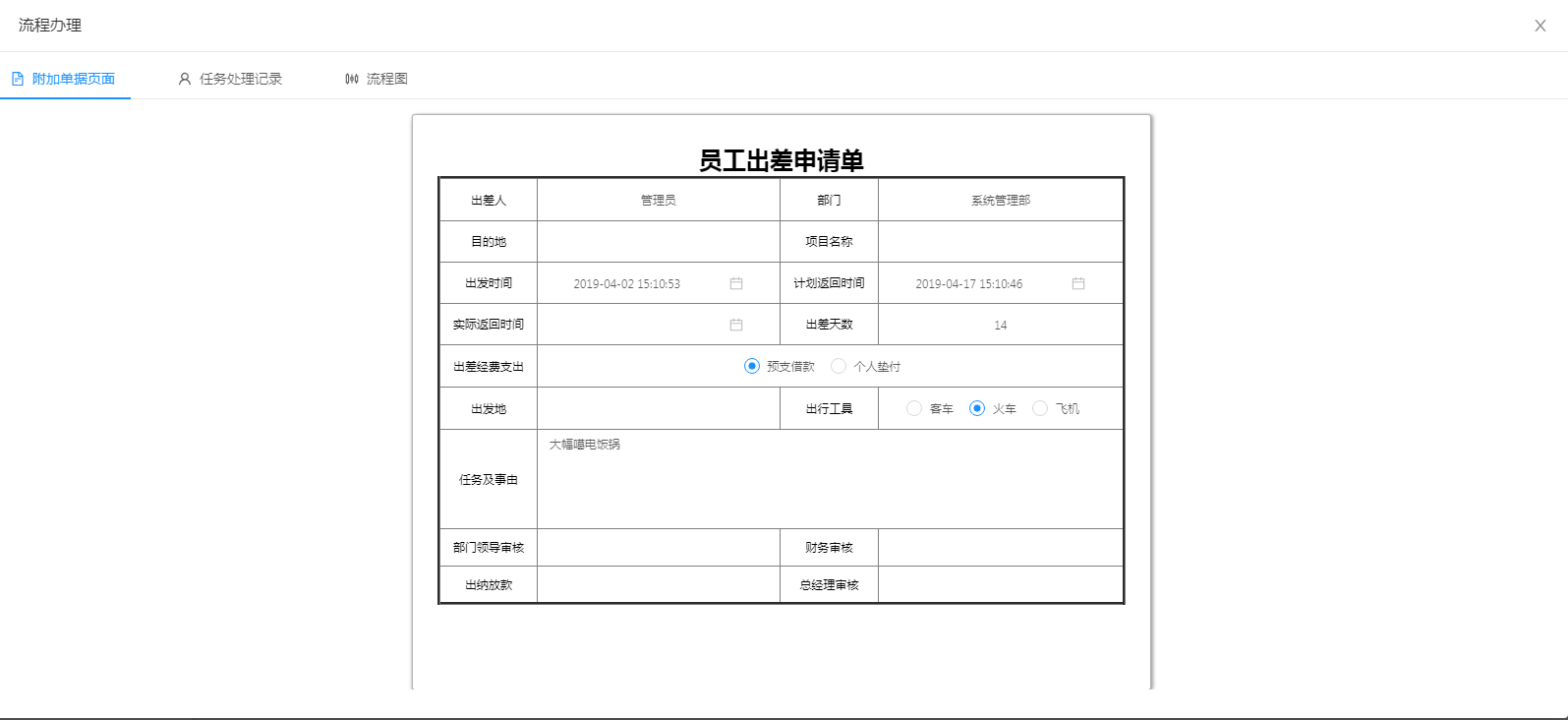
|
||||
|
||||
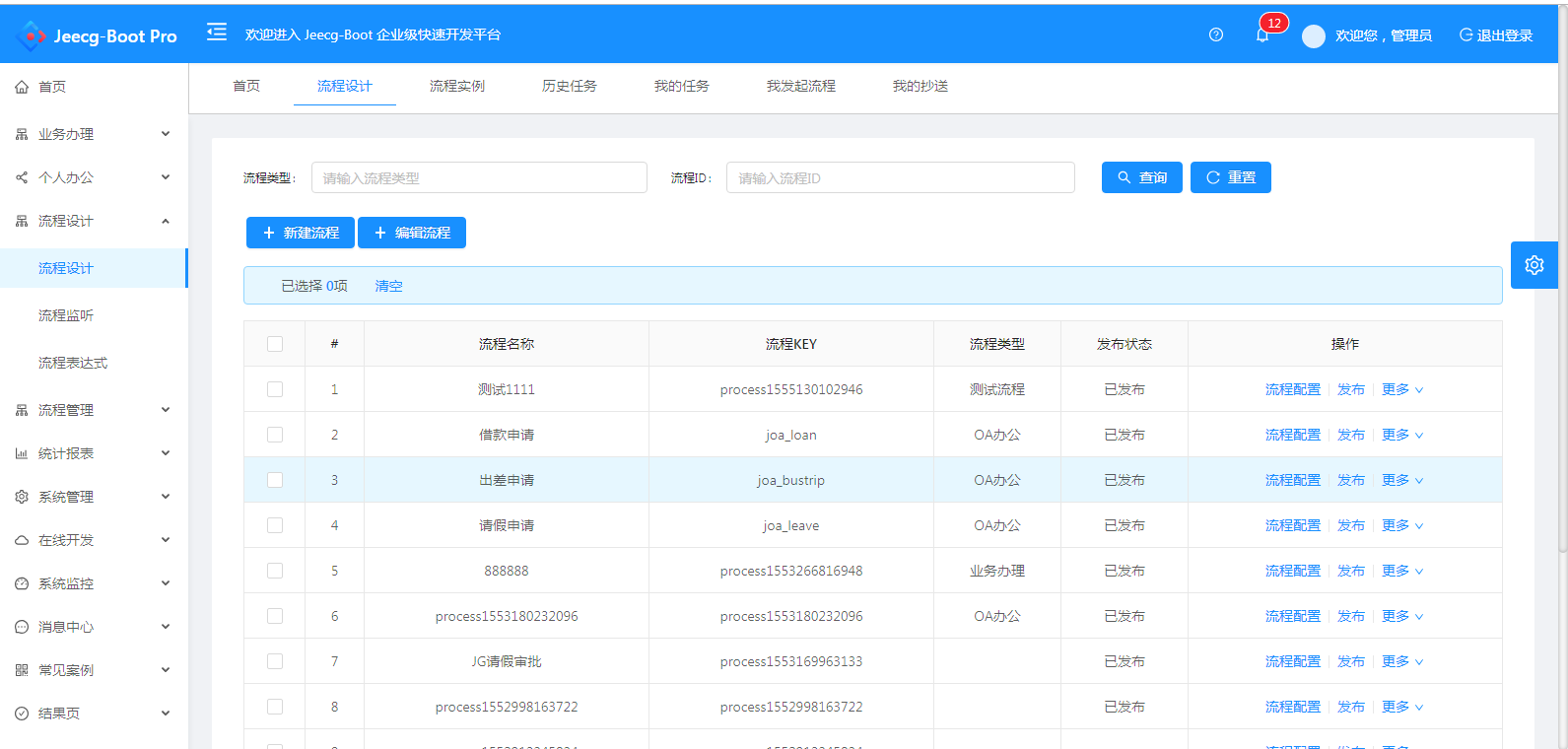
|
||||
|
||||
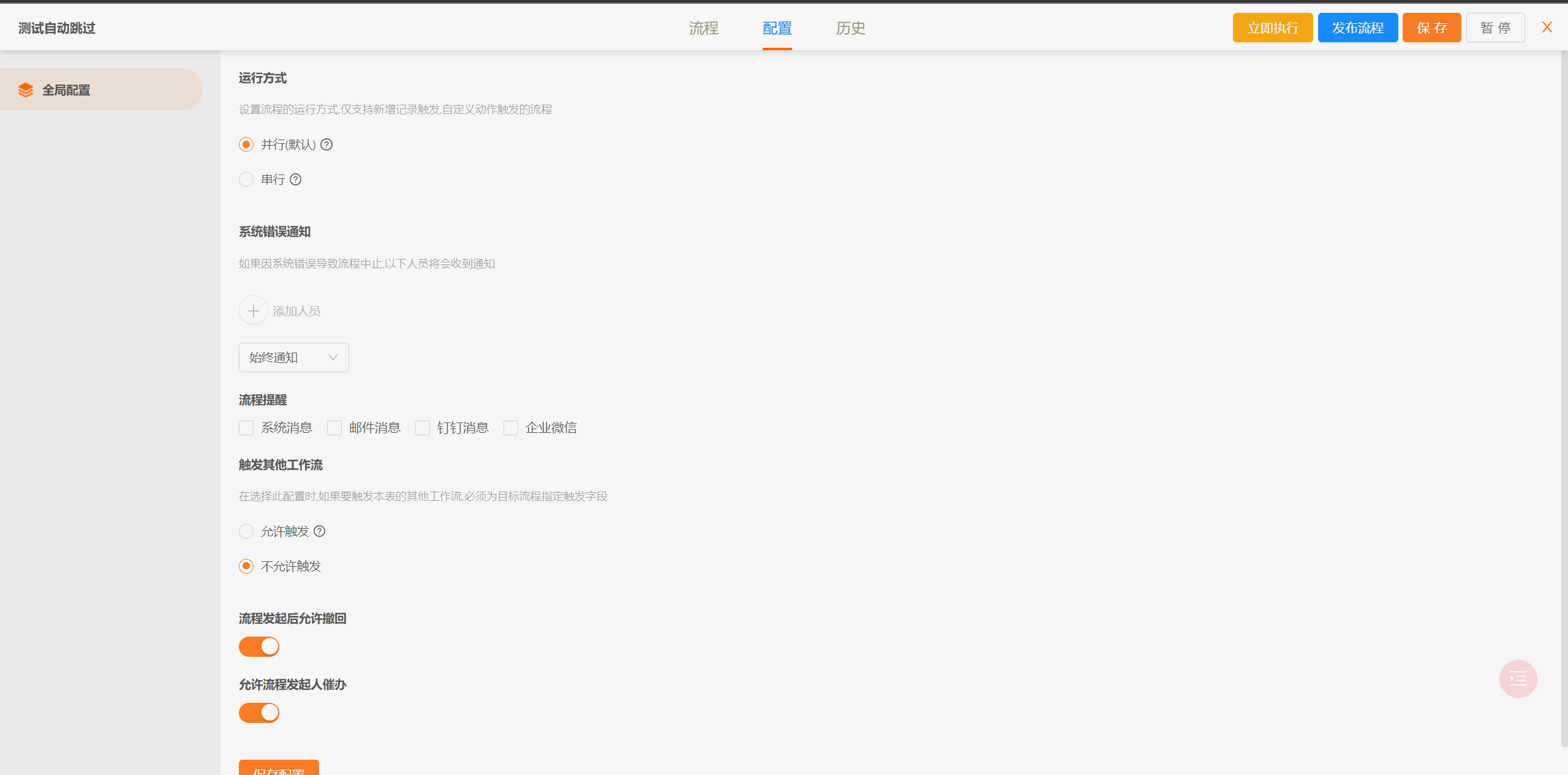
##### min process
|
||||
|
||||
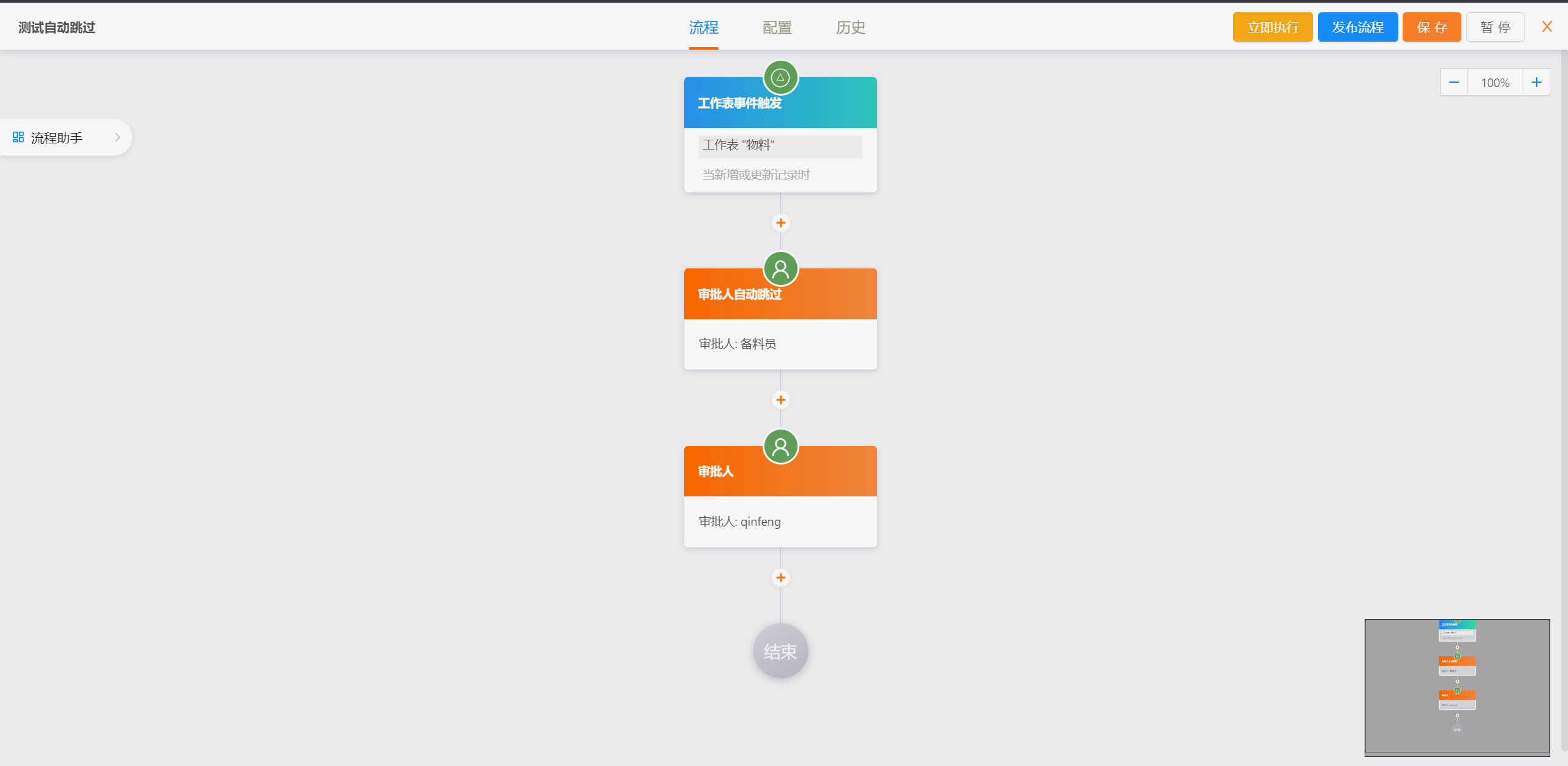
|
||||
|
||||
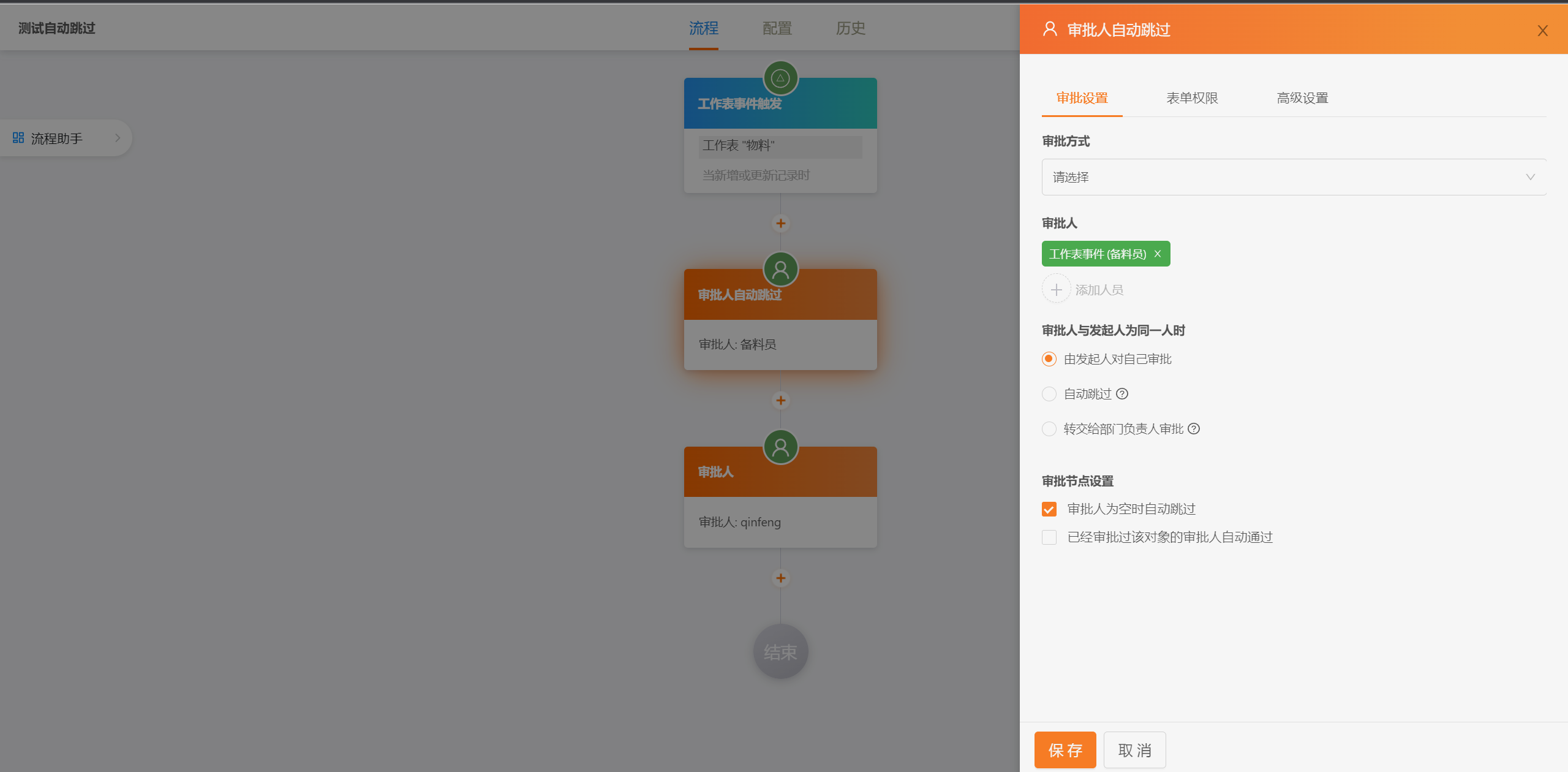
|
||||
|
||||
|
||||
|
||||
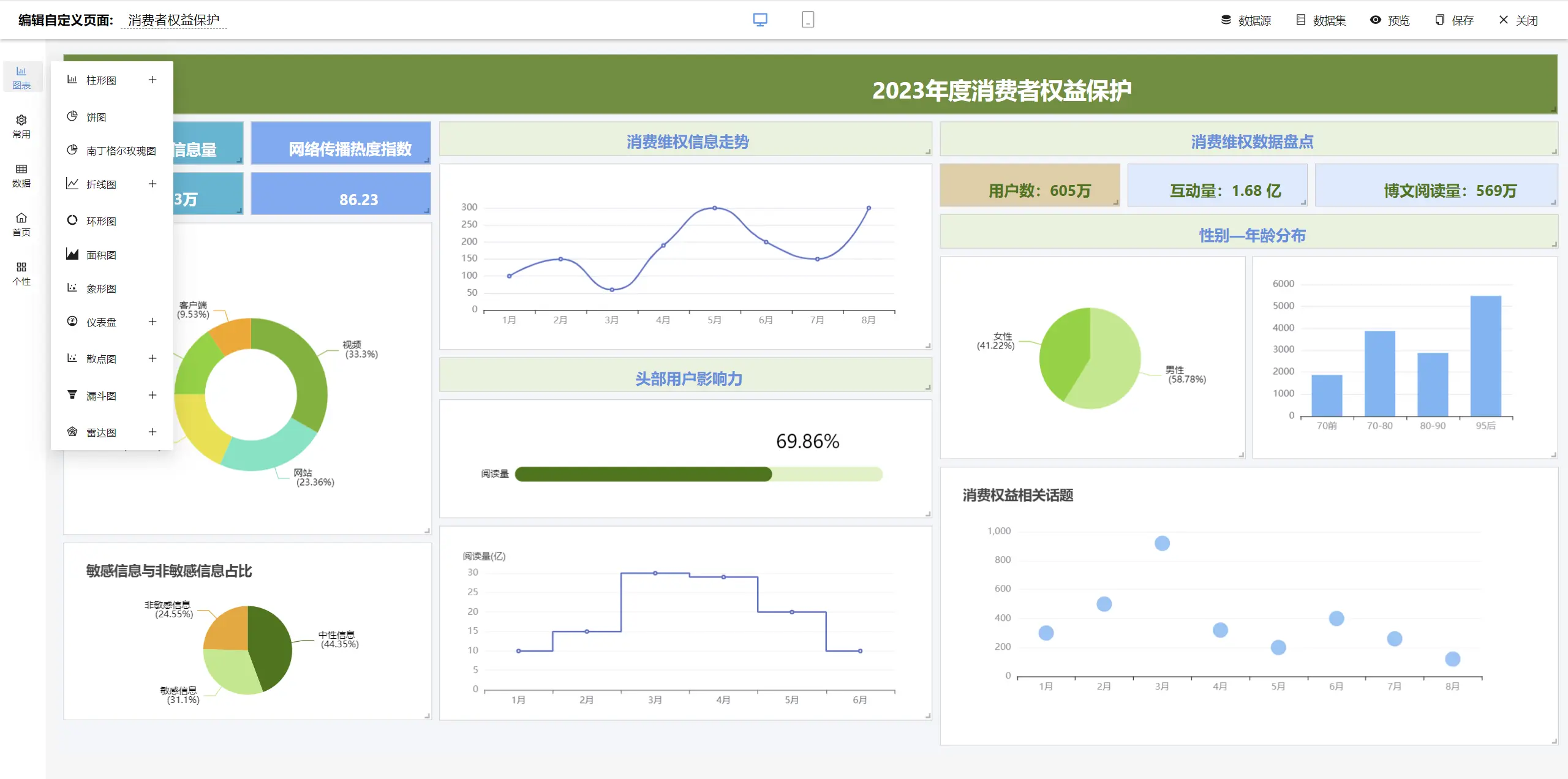
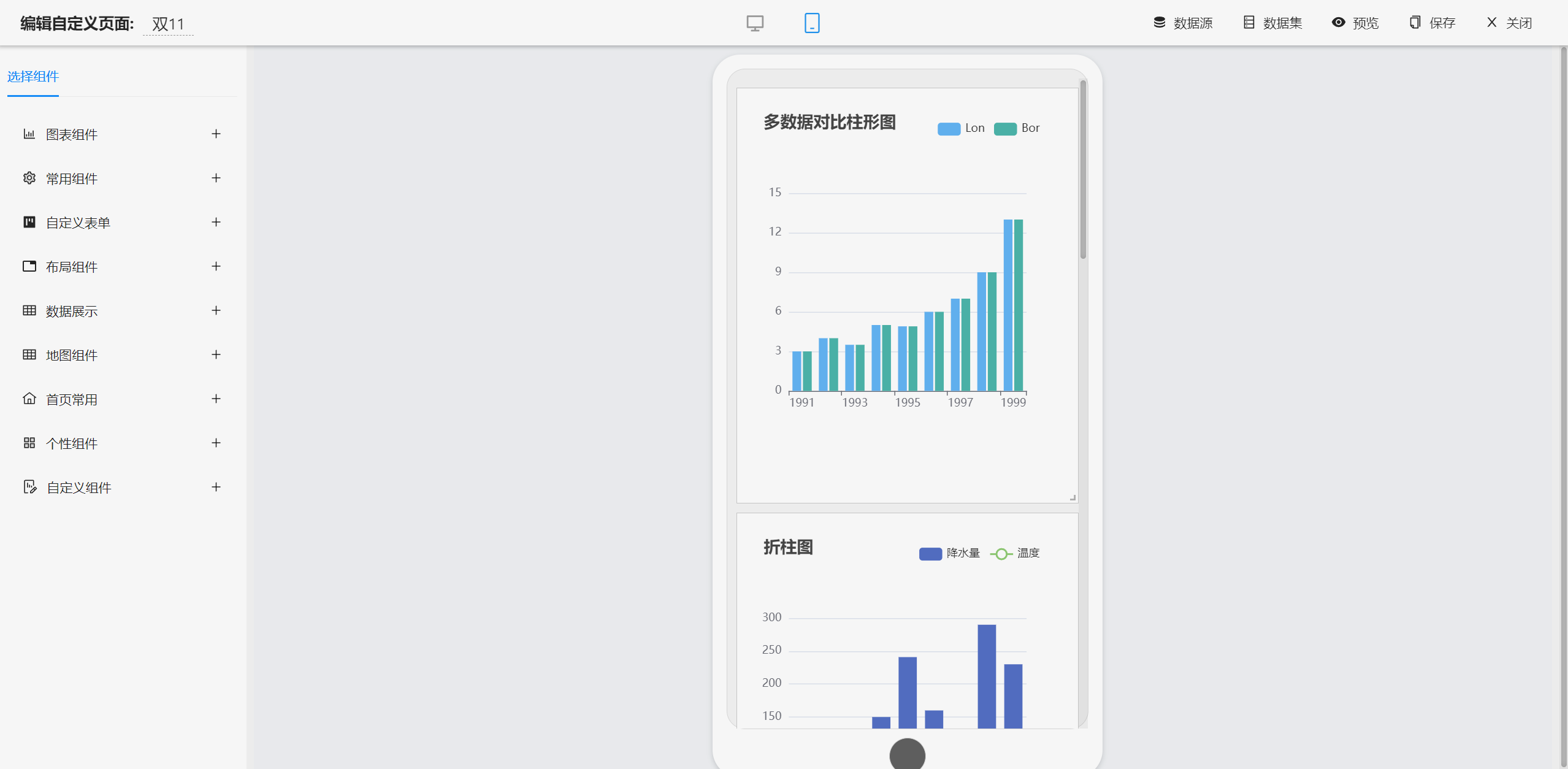
##### dashboard Designer
|
||||
|
||||
|
||||

|
||||
|
||||

|
||||
|
||||

|
||||
|
||||

|
||||
|
||||
|
||||
|
||||
|
||||
|
||||
|
||||
|
||||
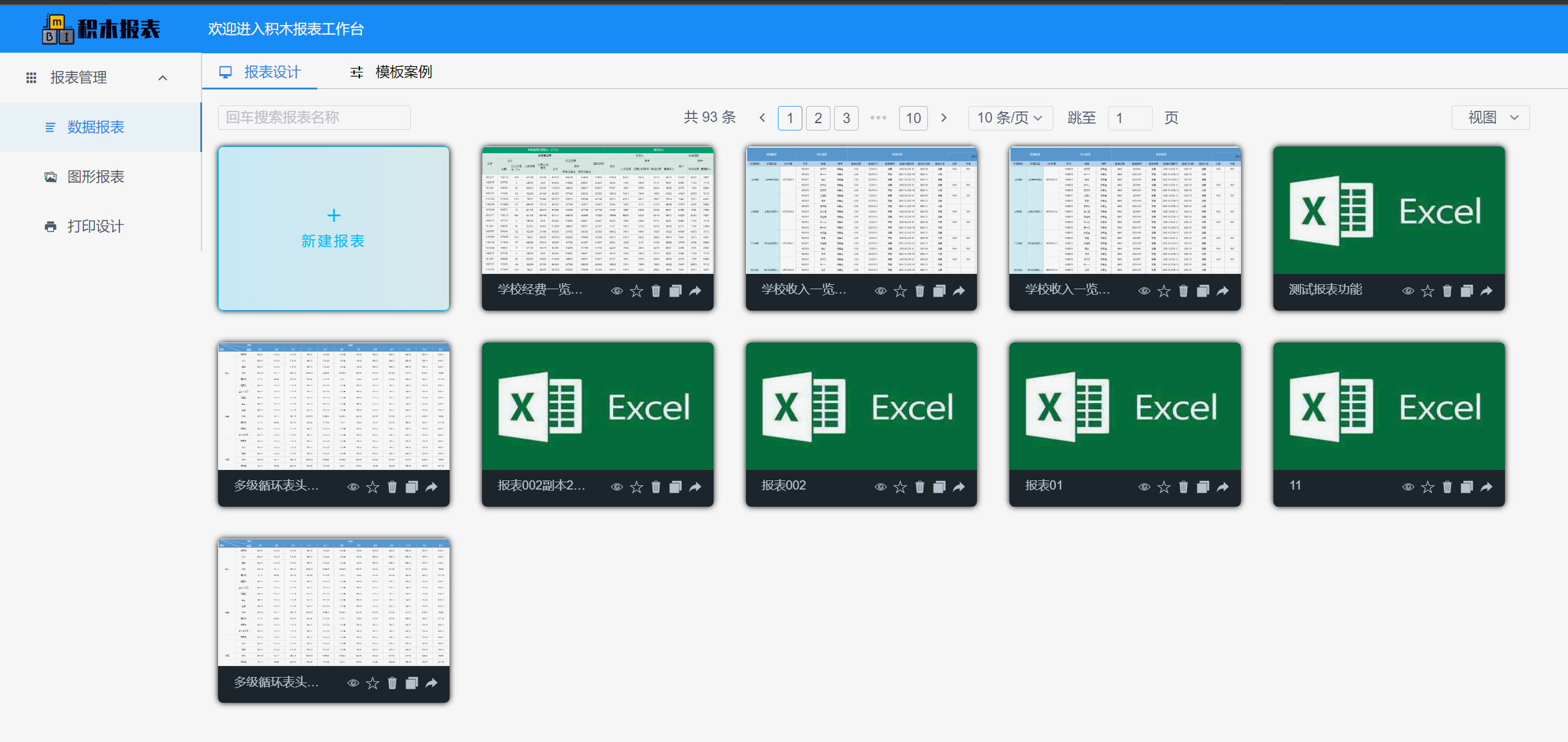
##### report Designer
|
||||
|
||||
|
||||
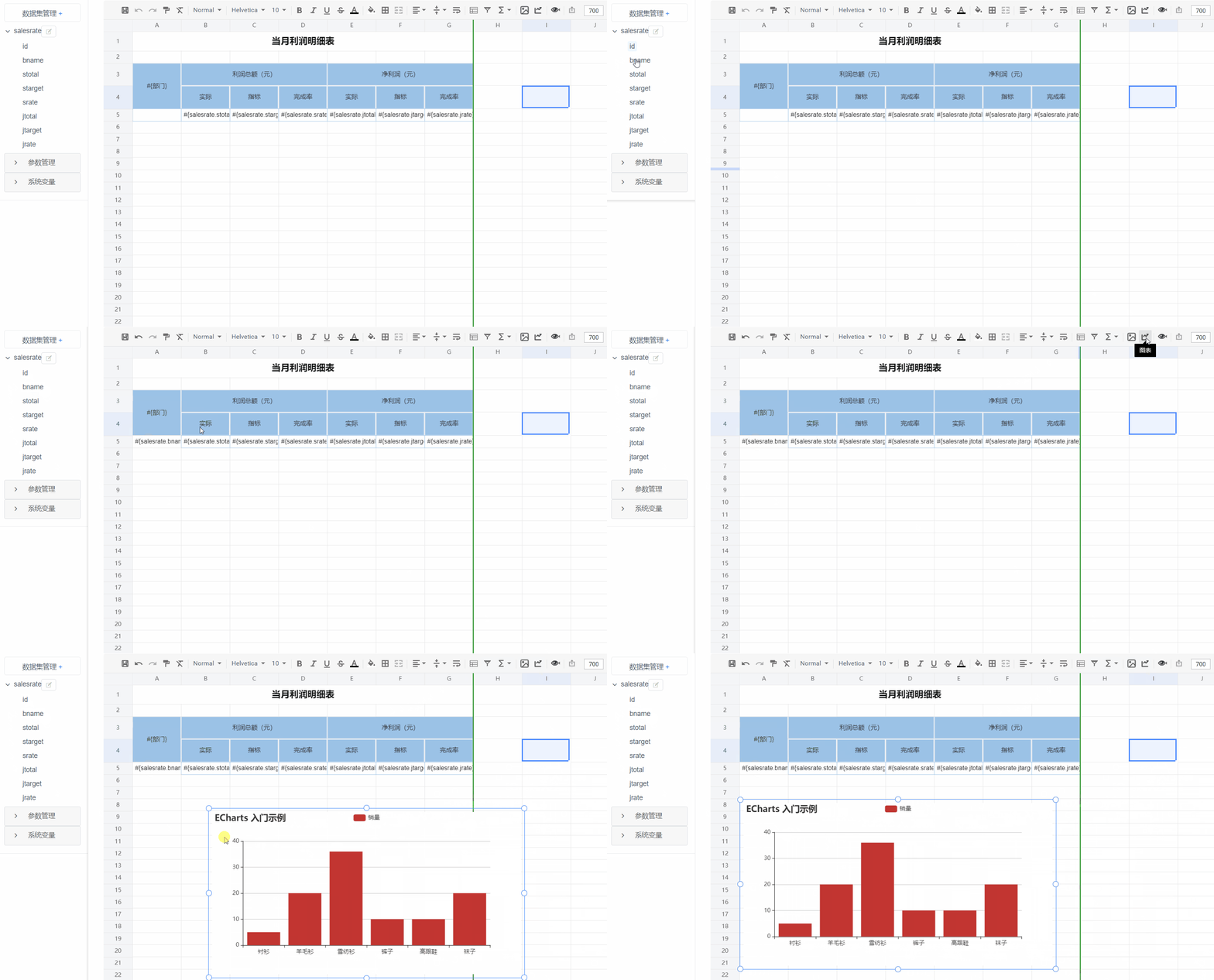
|
||||
|
||||
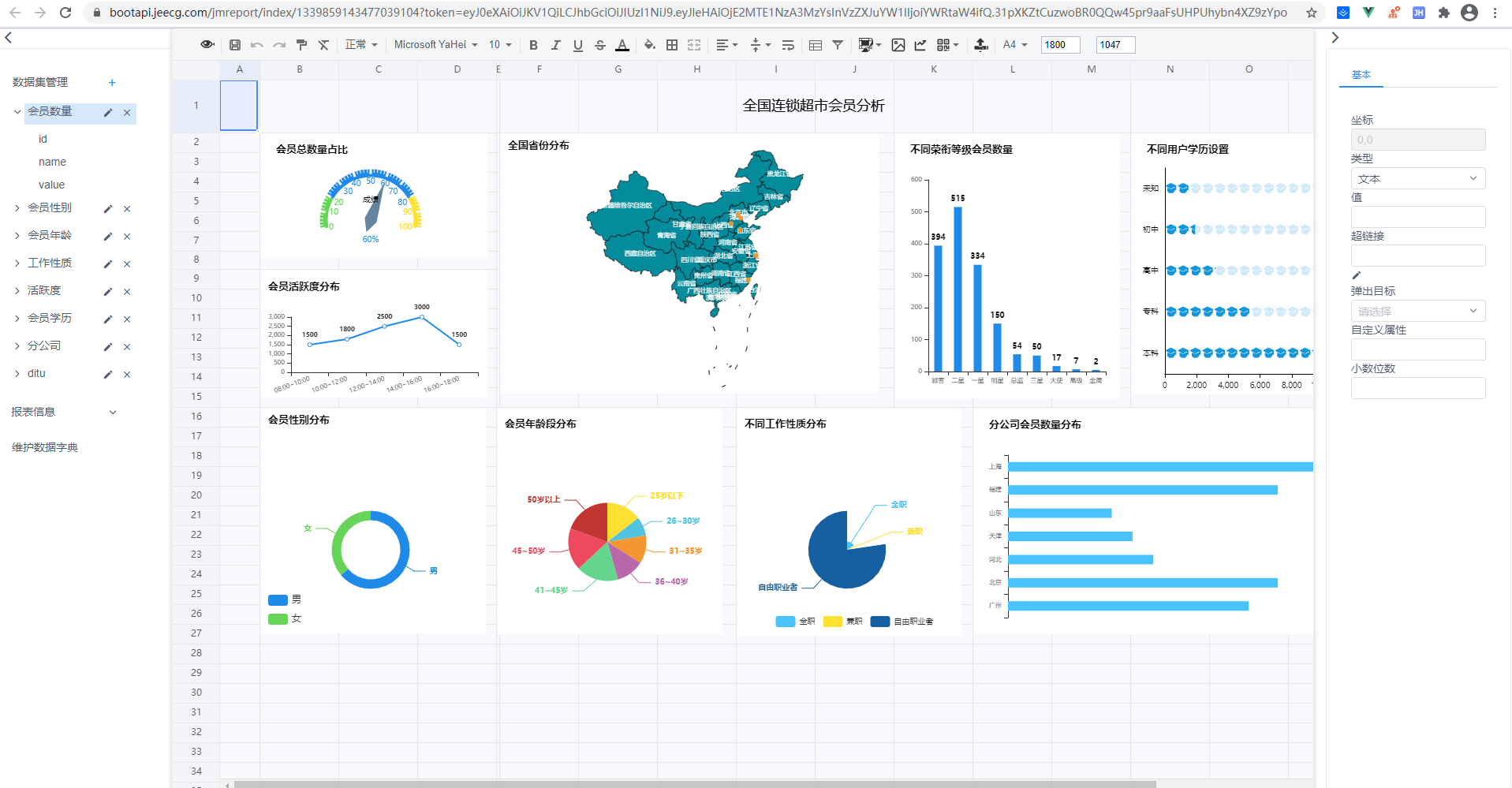
|
||||
|
||||
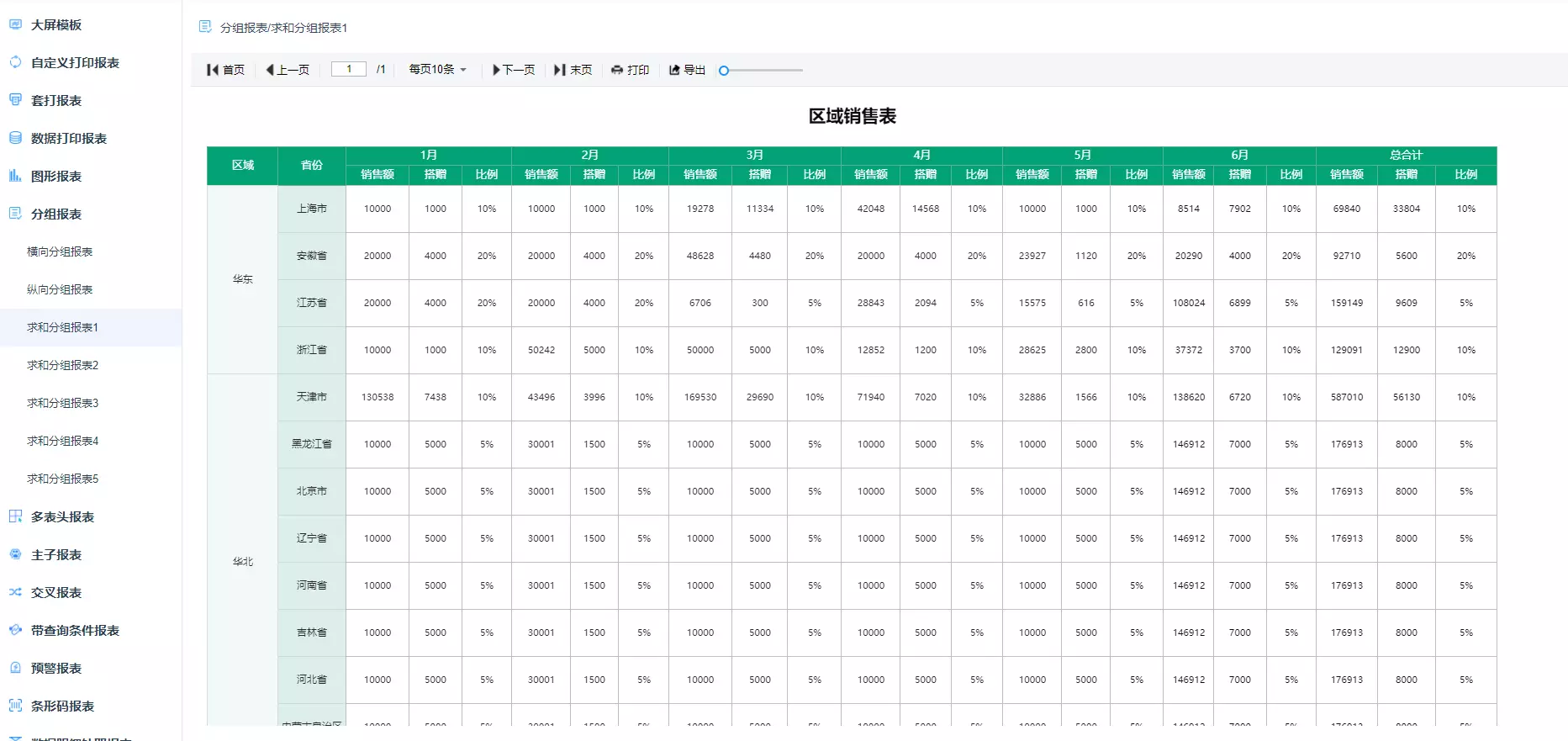
|
||||
|
||||
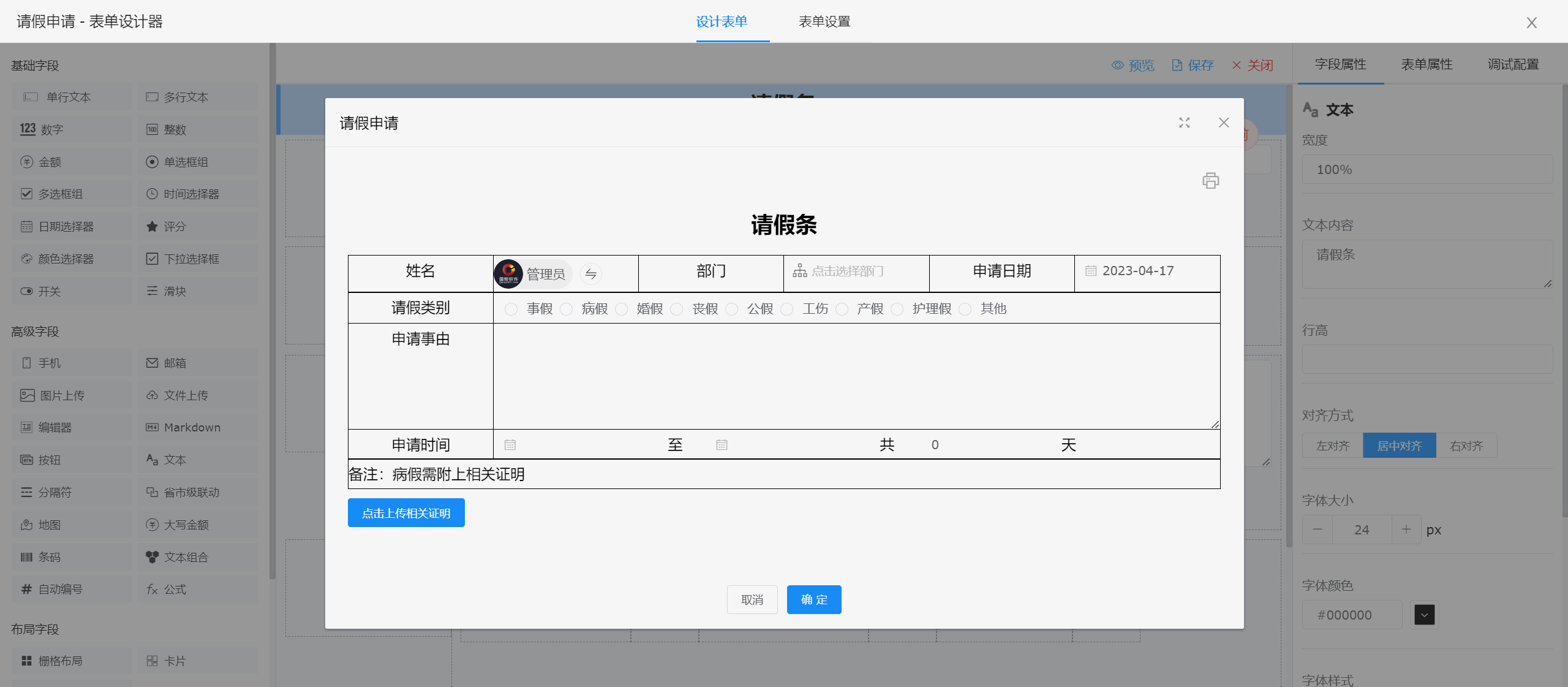
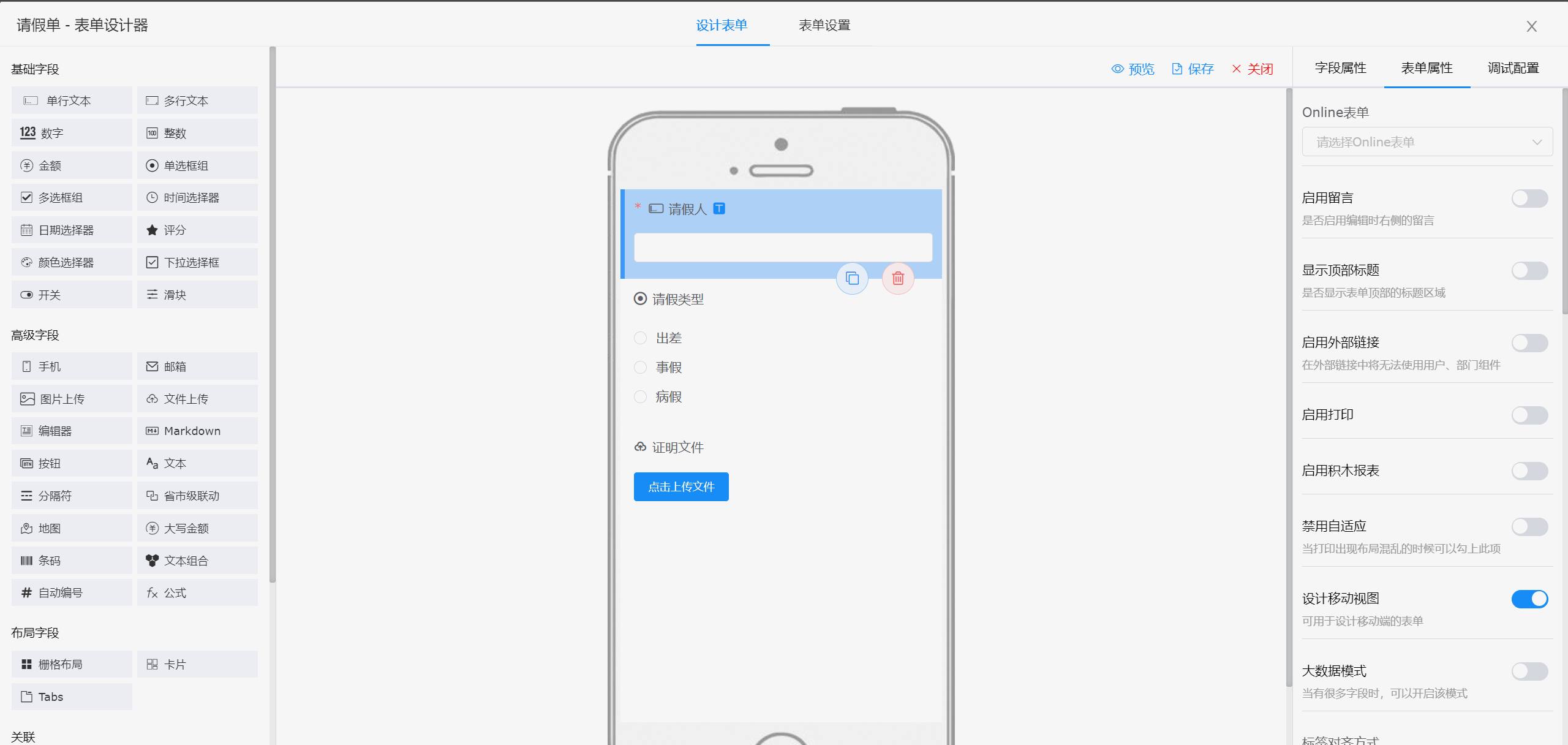
##### form Designer
|
||||
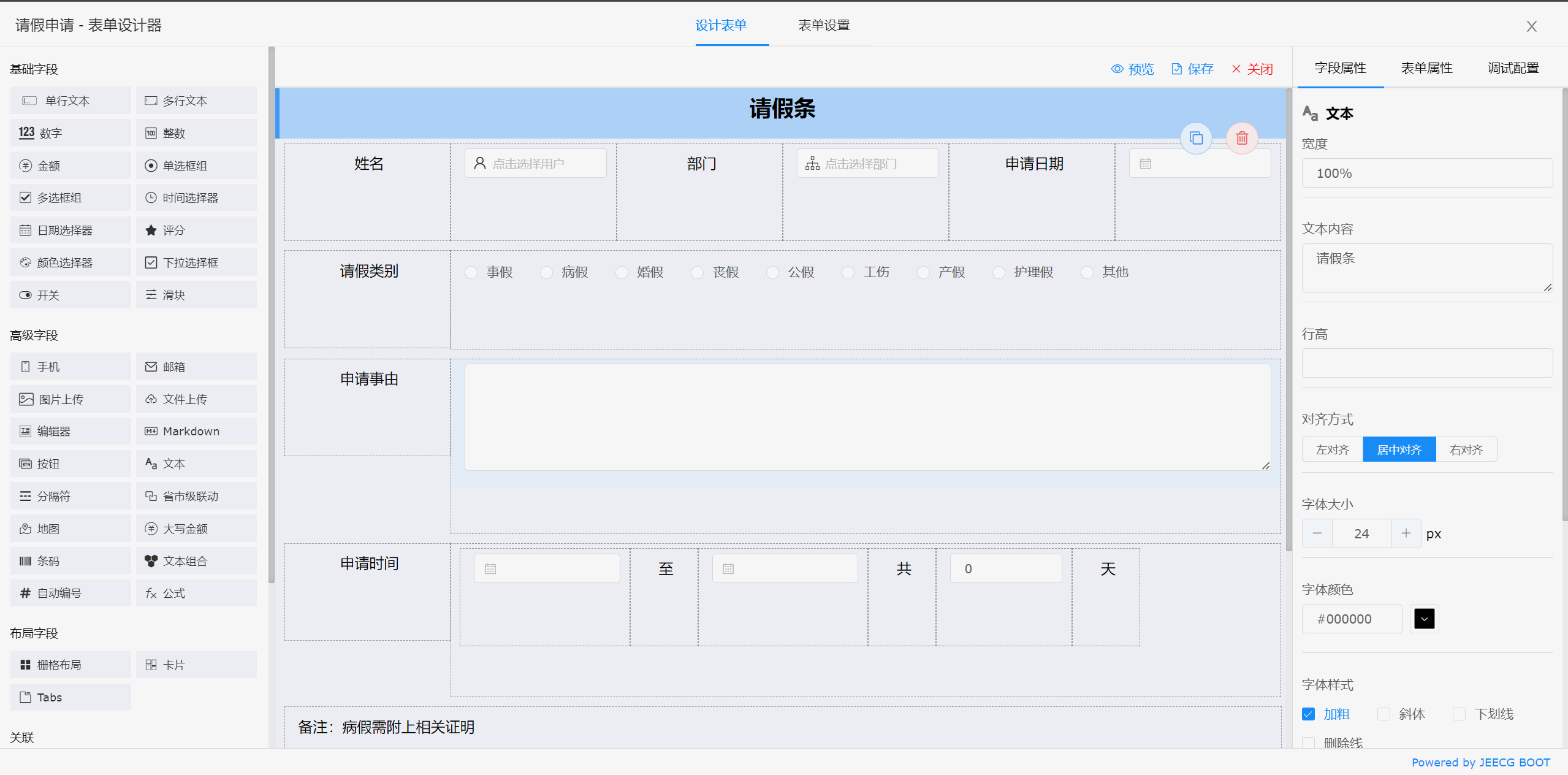
|
||||
|
||||
|
||||
|
||||
|
||||
|
||||
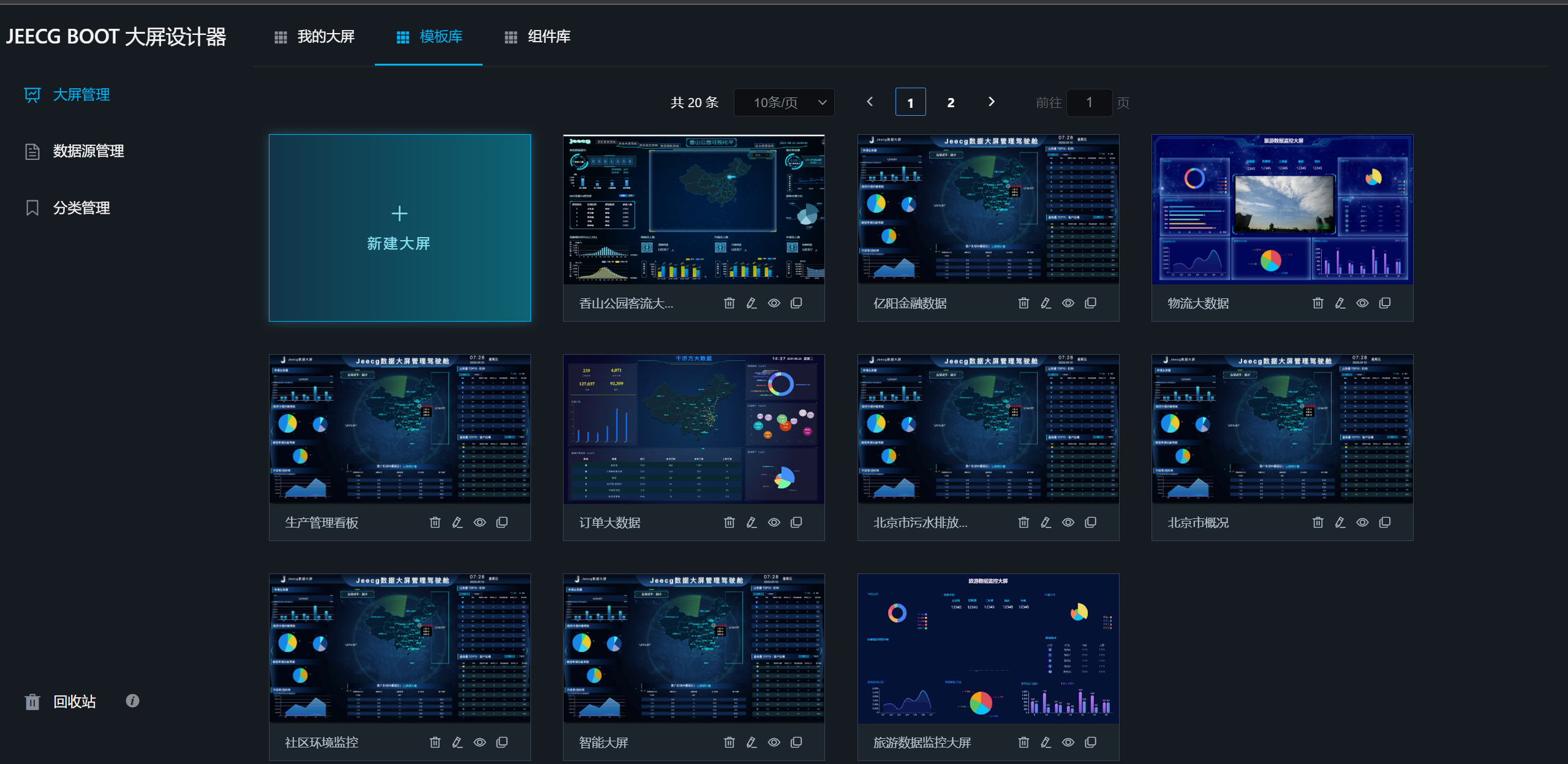
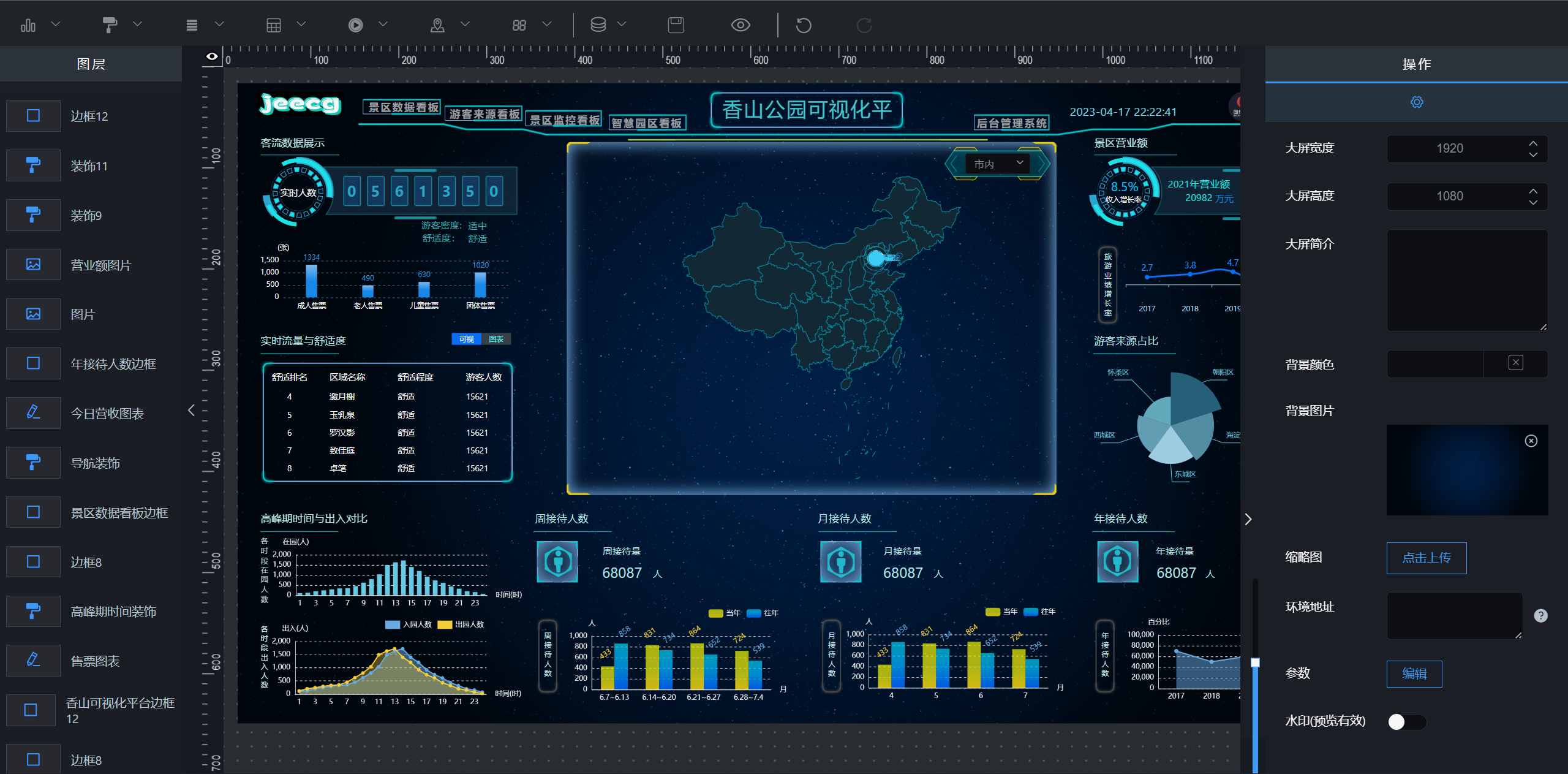
##### bigscreen Designer
|
||||
|
||||
|
||||
|
||||
|
||||
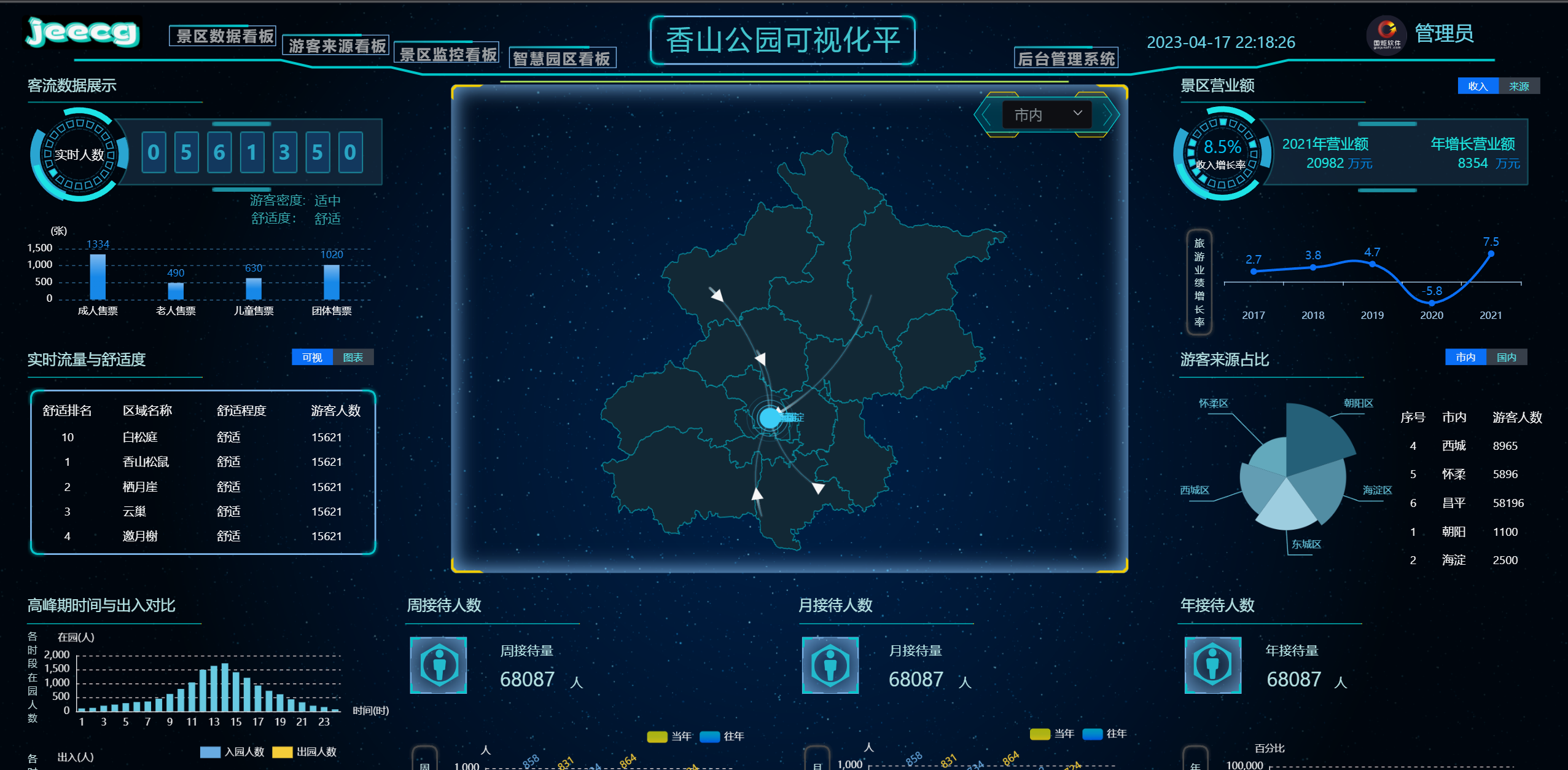
|
||||
|
||||
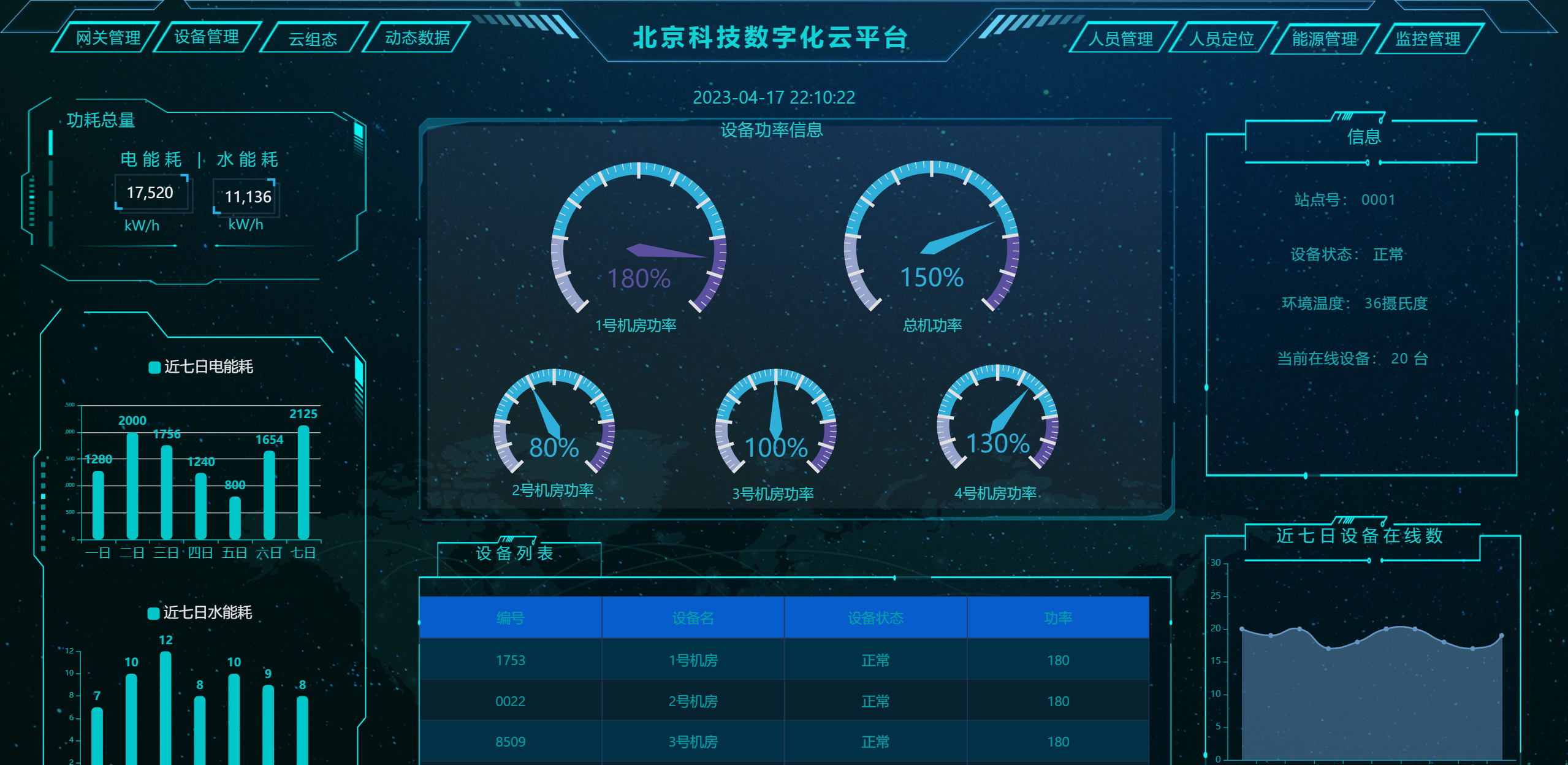
|
||||
|
||||
##### uniapp
|
||||
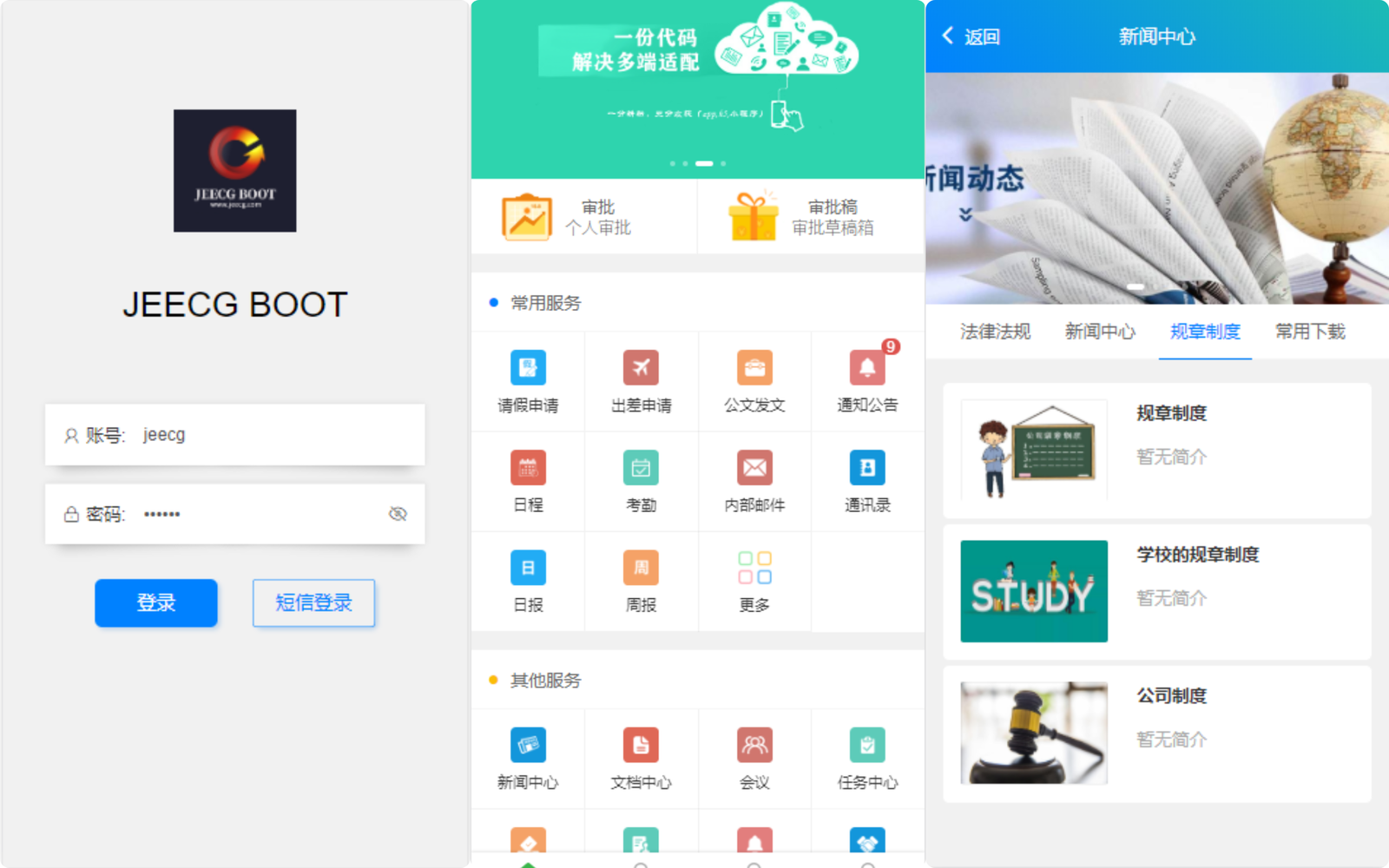
|
||||
|
||||
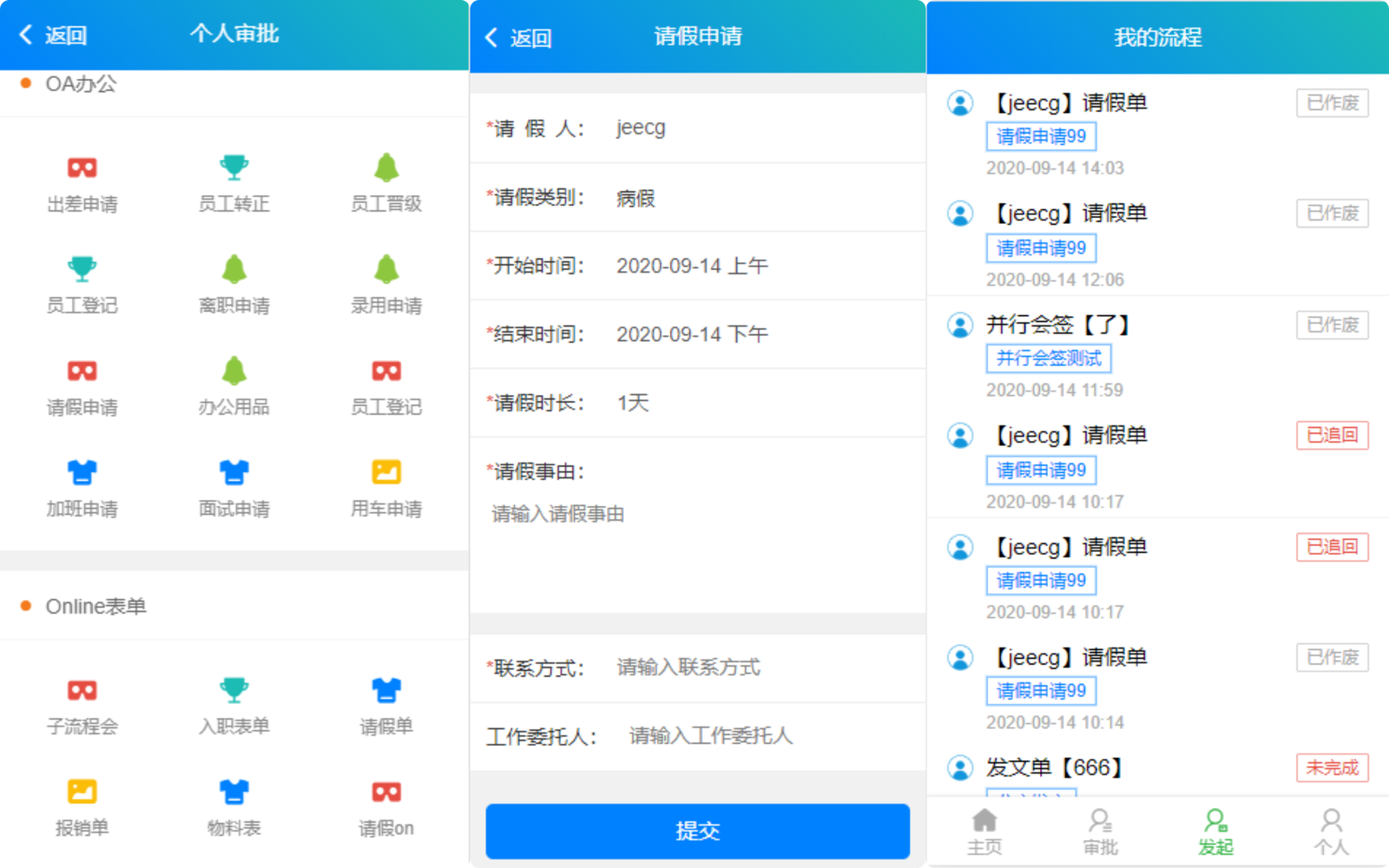
|
||||
|
||||
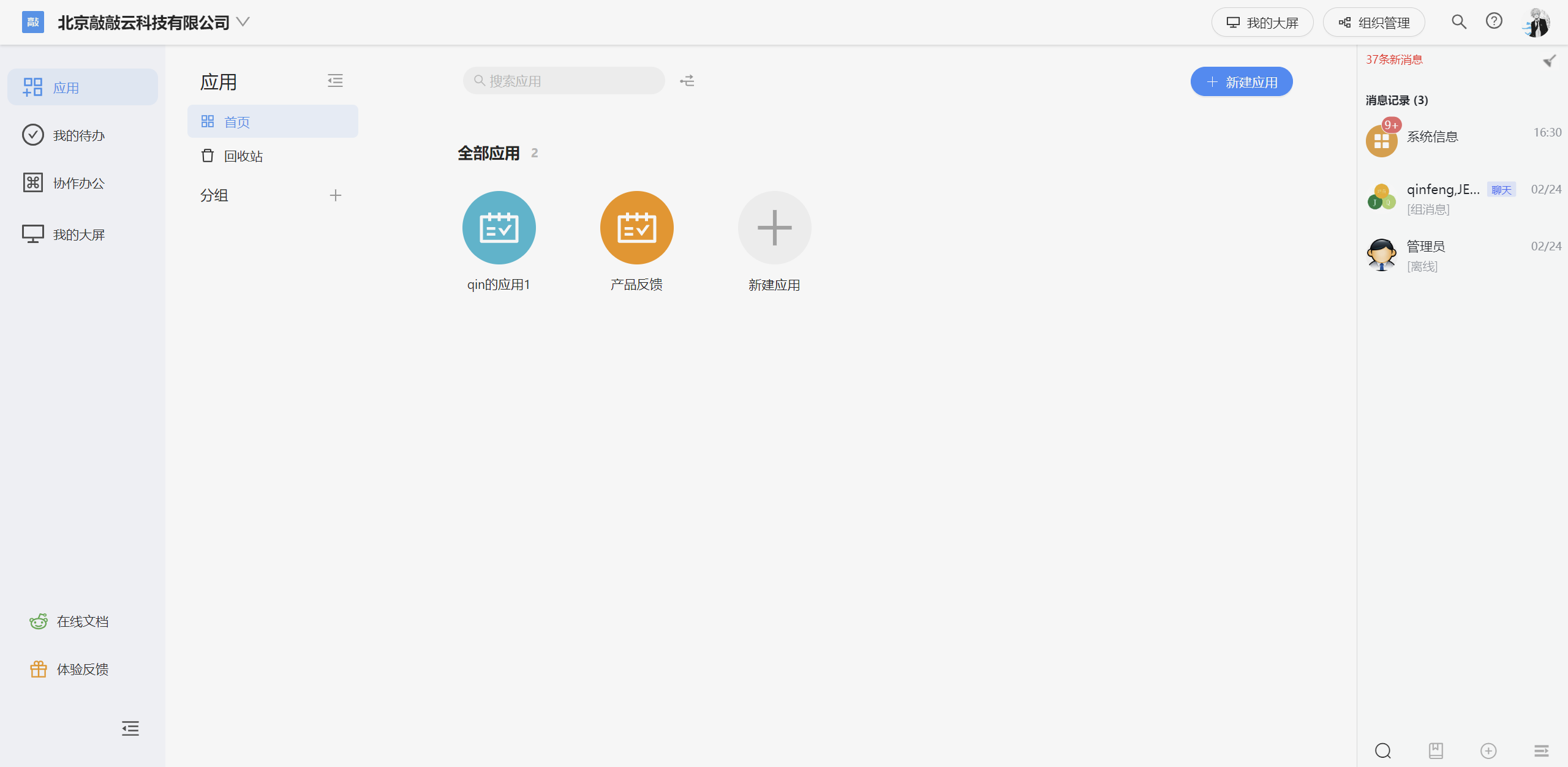
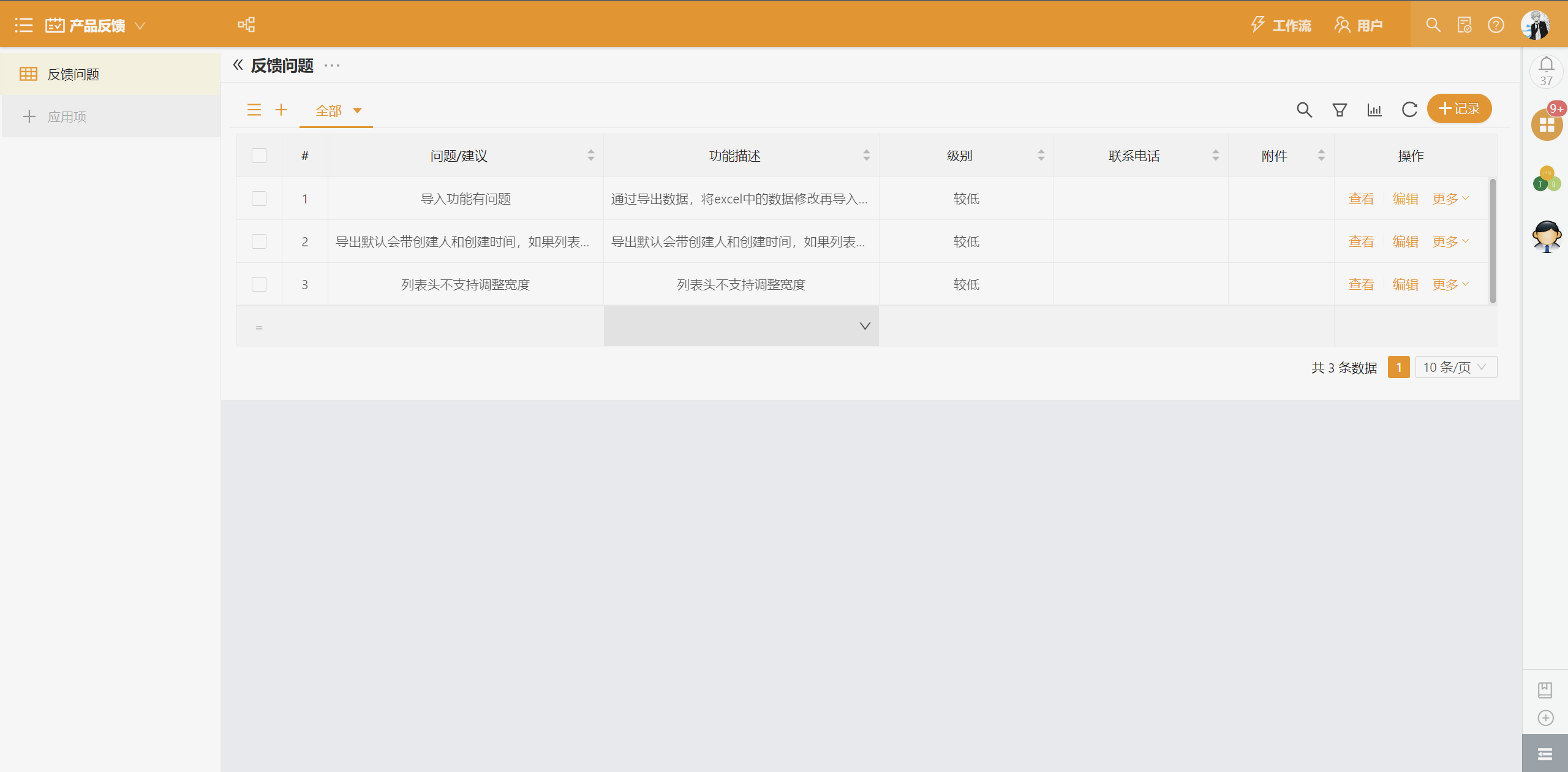
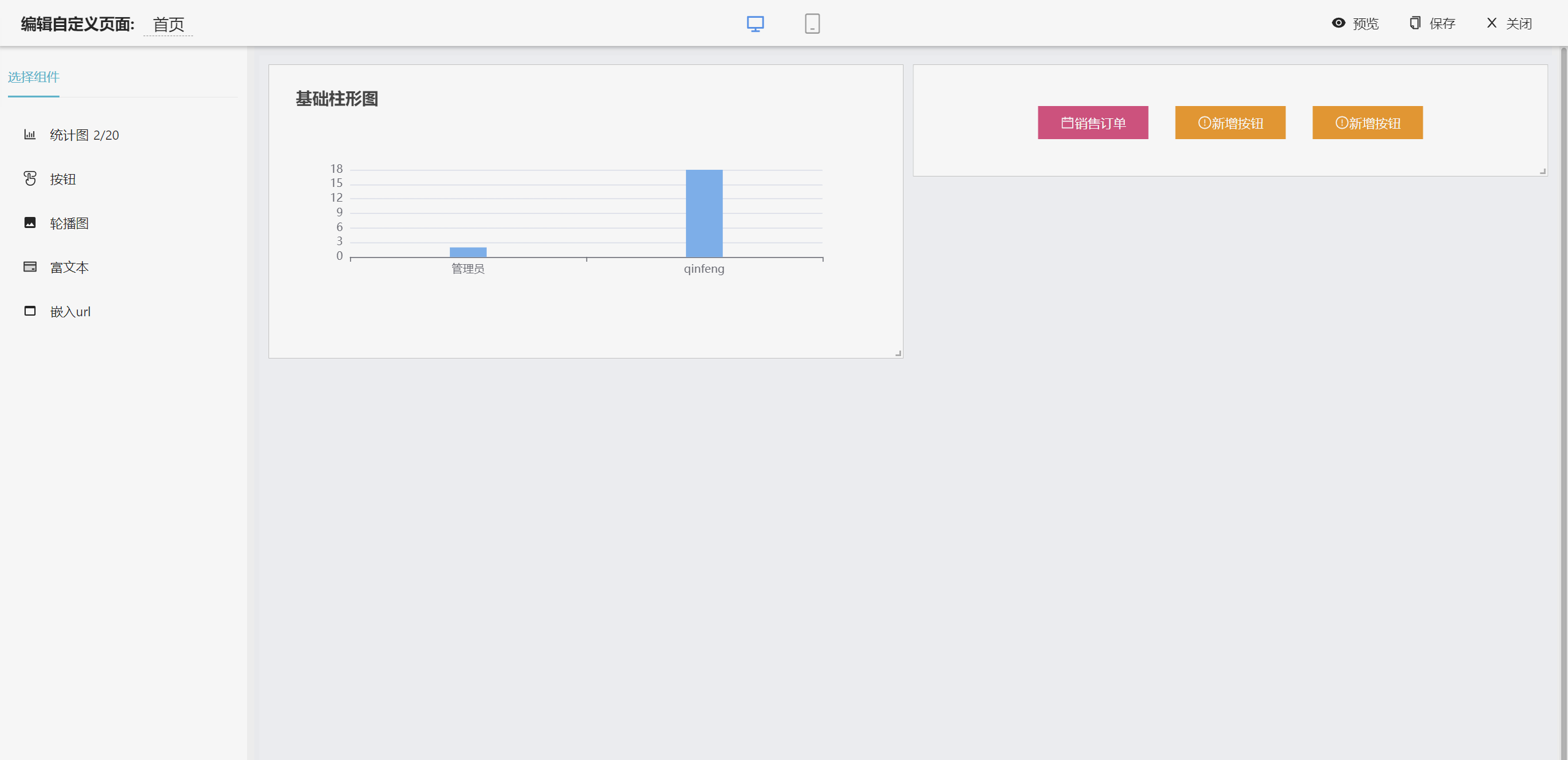
##### low app
|
||||
|
||||
|
||||
|
||||
|
||||
|
||||
|
||||
|
||||
|
||||
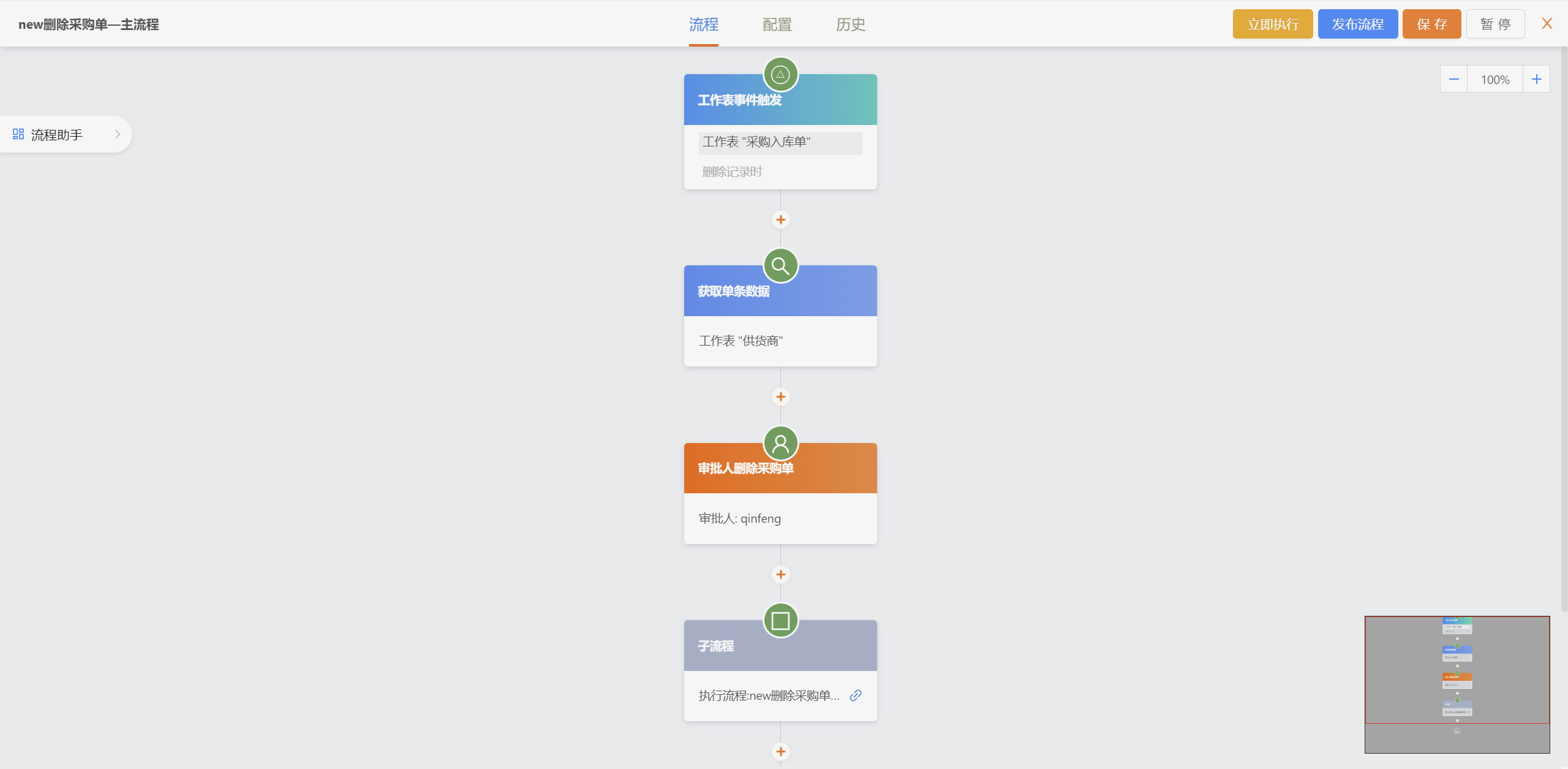
|
||||
|
||||
##### app
|
||||
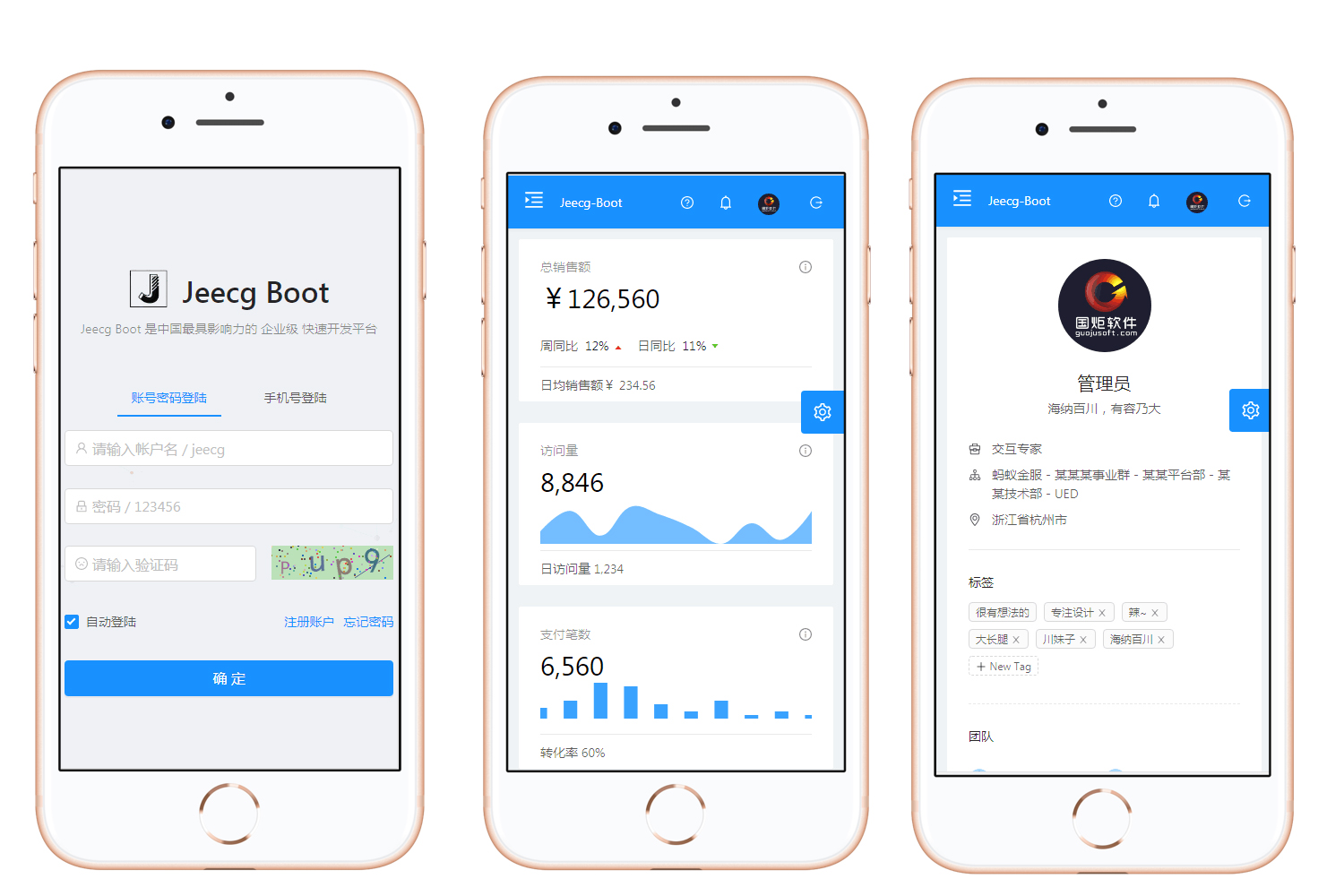
|
||||
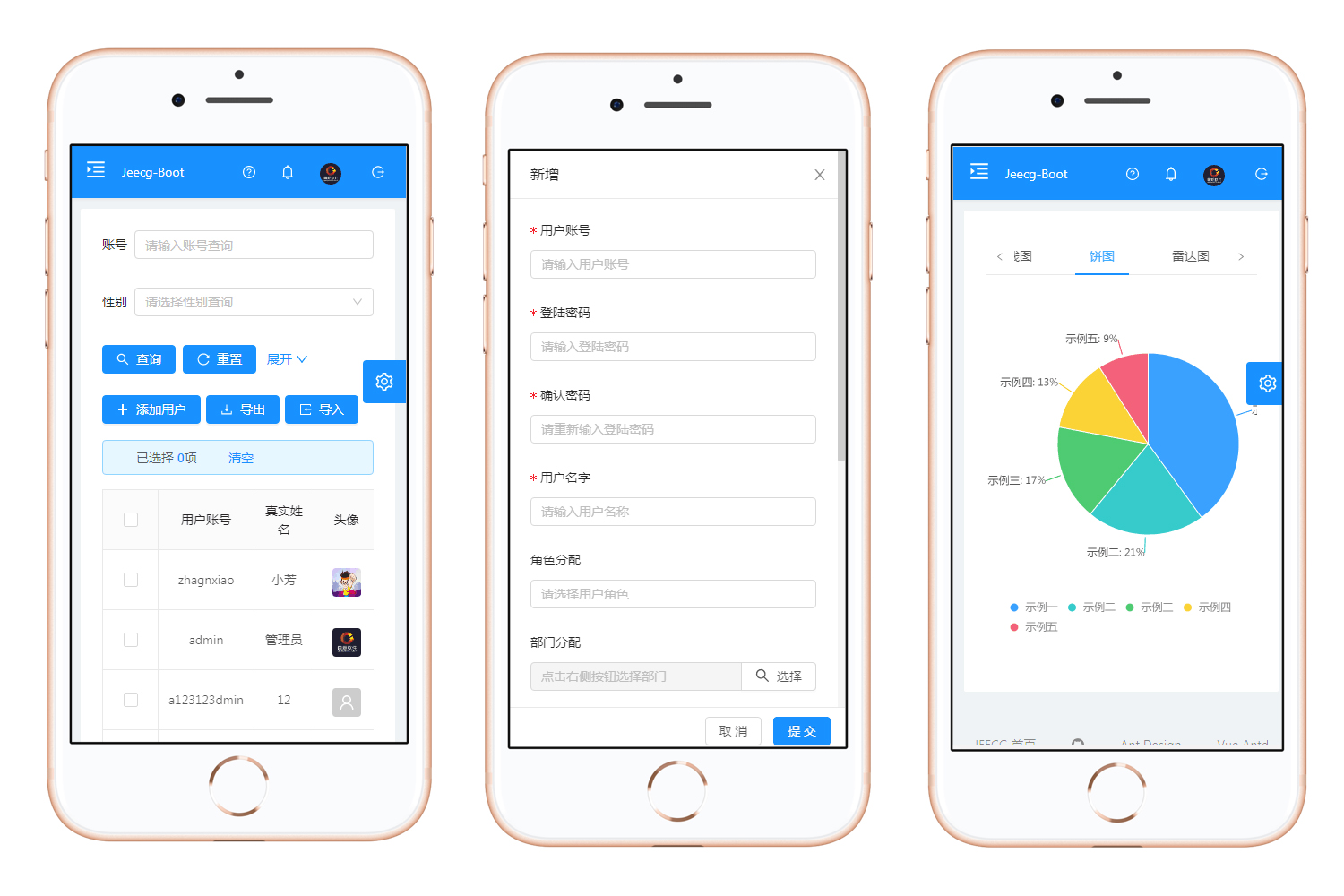
|
||||
|
||||
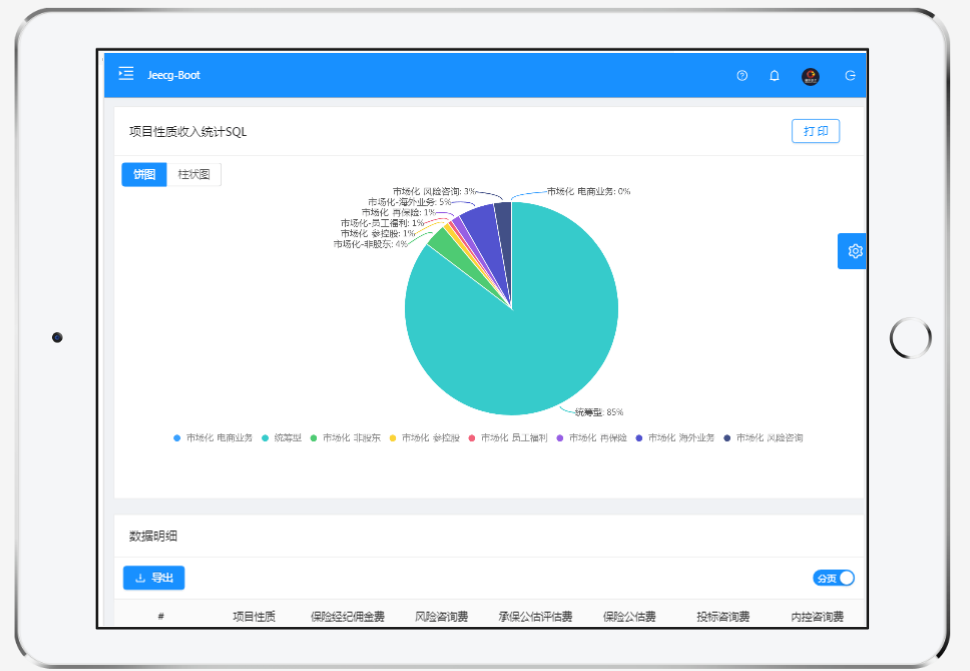
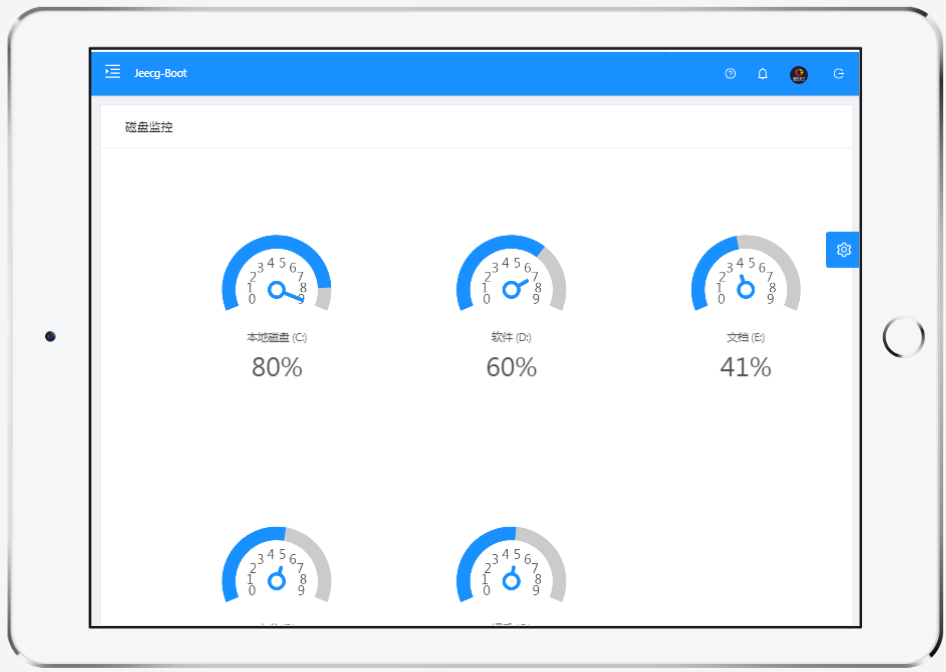
##### PAD
|
||||
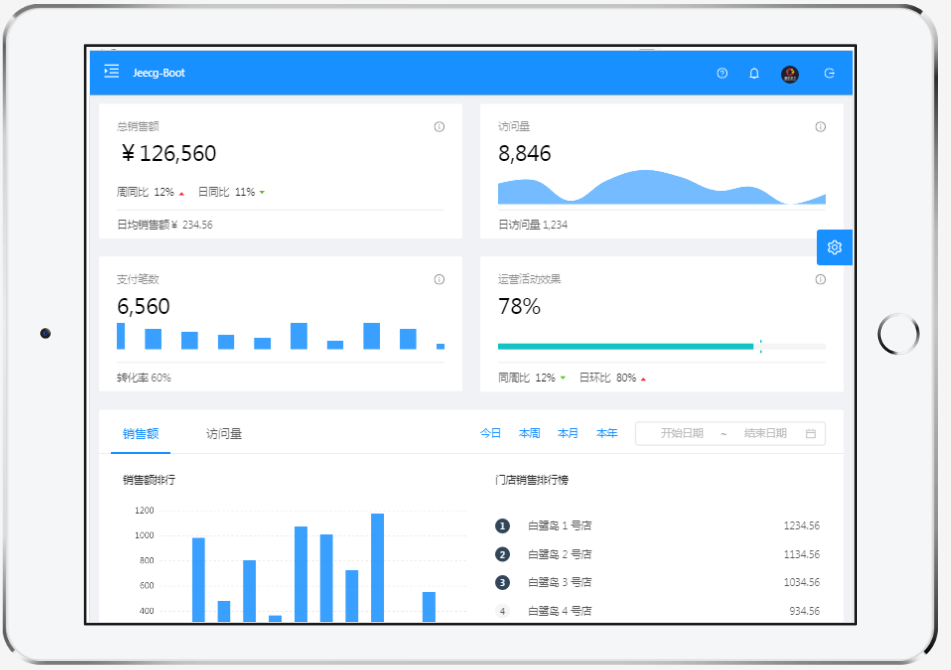
|
||||
|
||||
|
||||
|
||||
|
||||
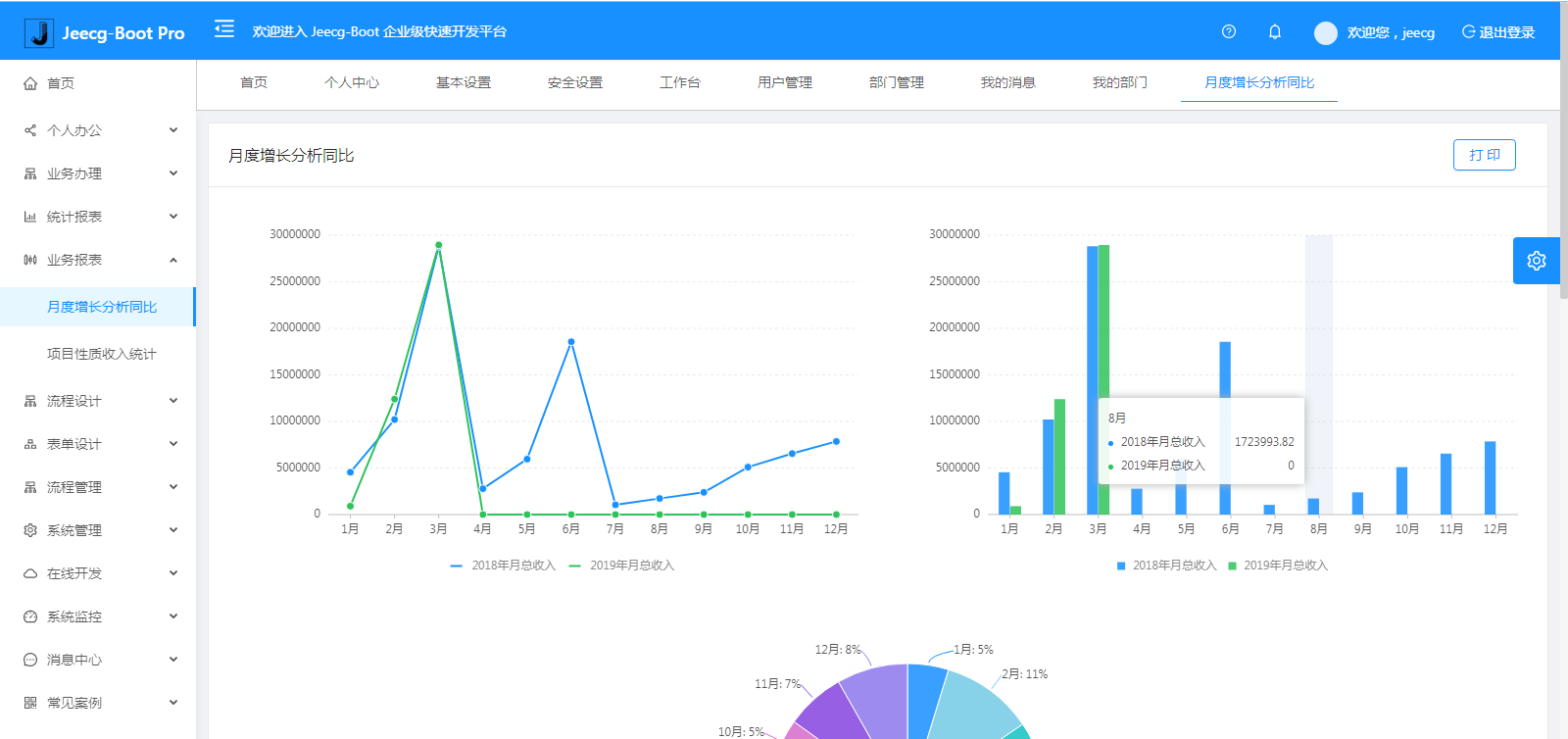
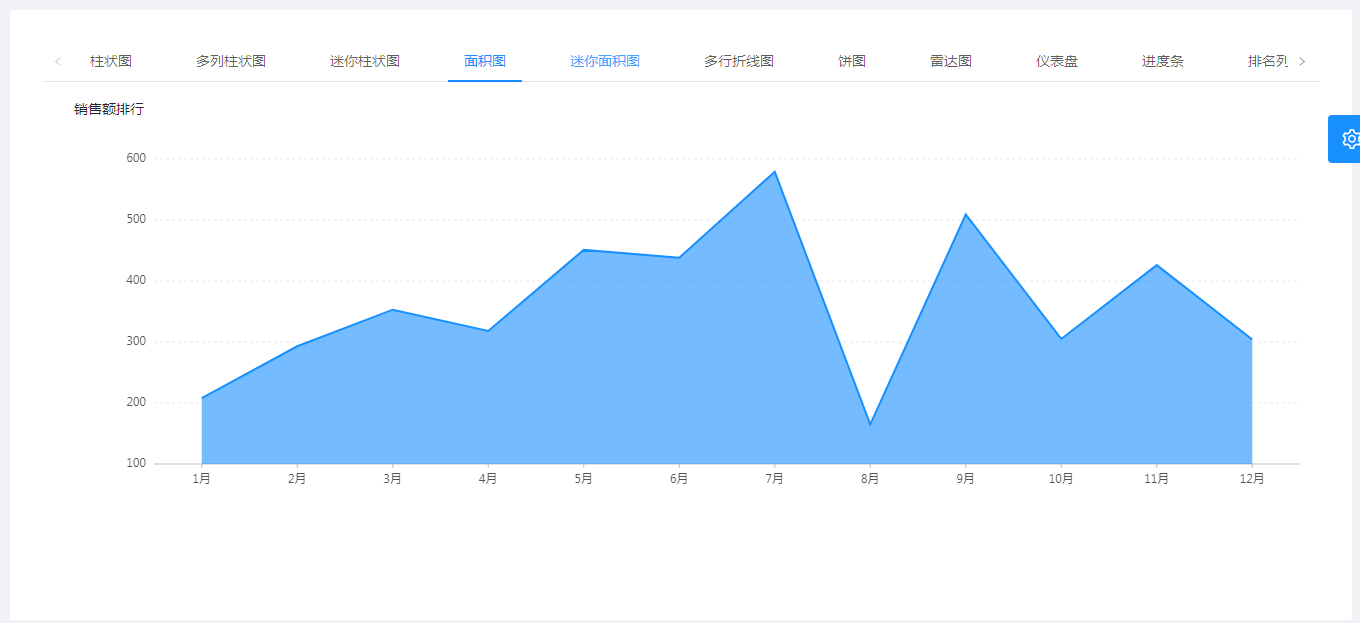
##### chart
|
||||
|
||||
|
||||
|
||||
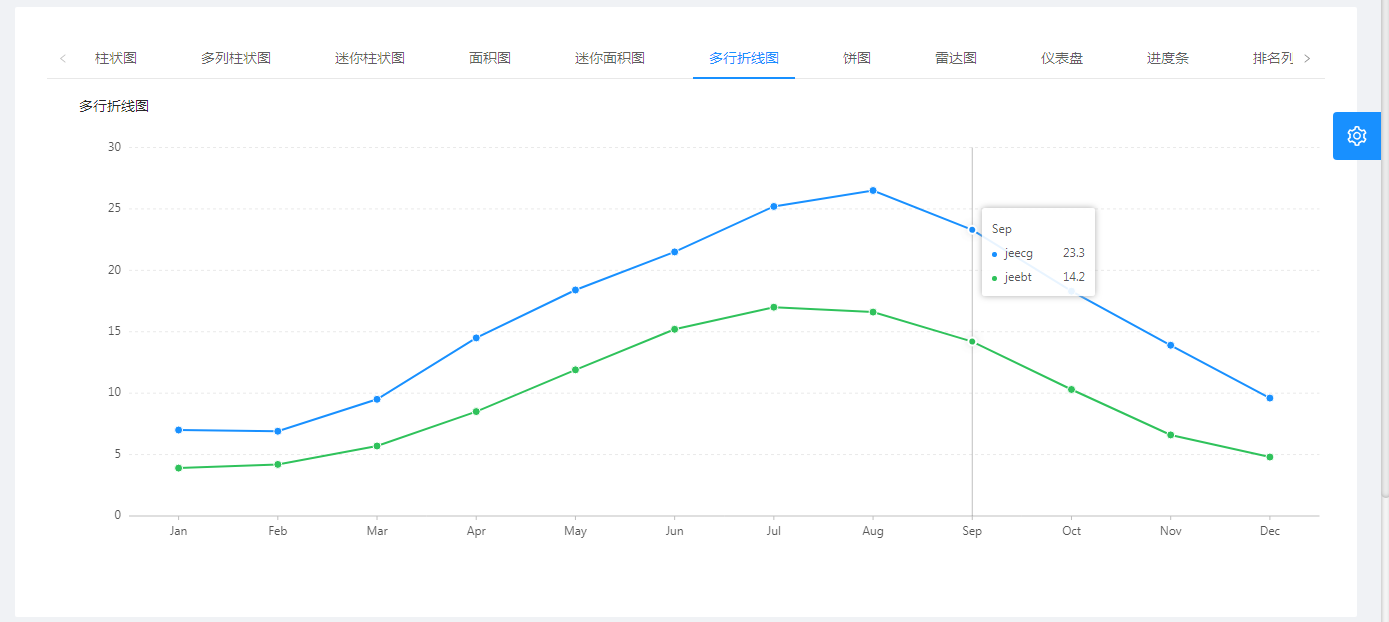
|
||||
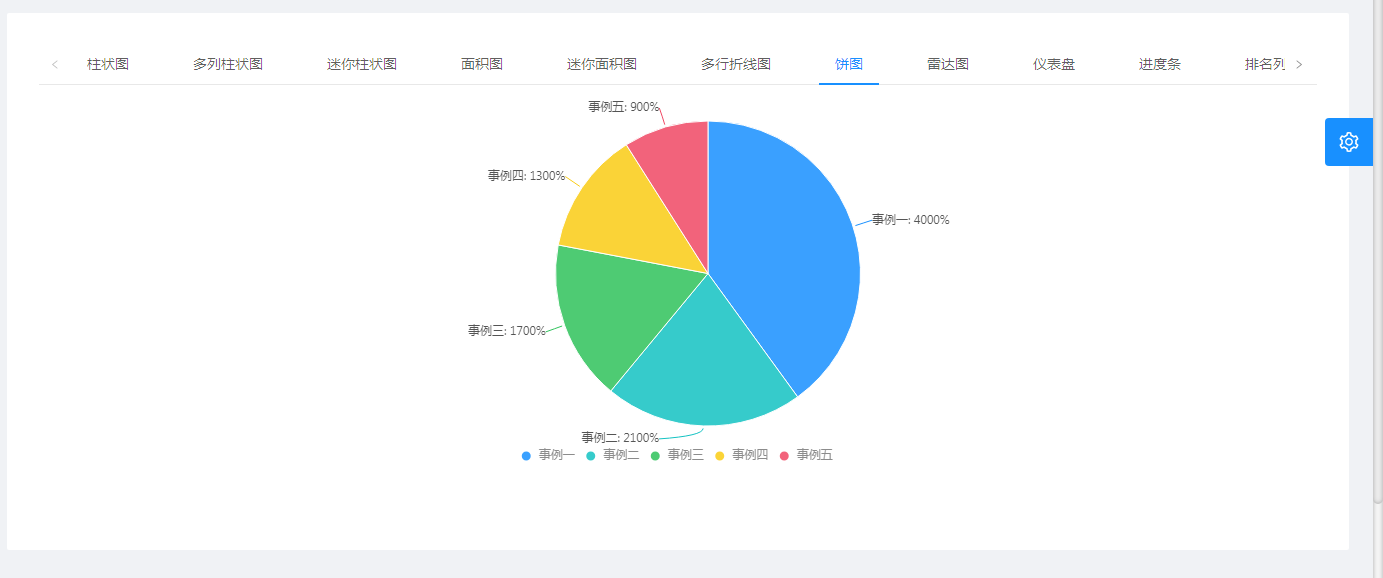
|
||||
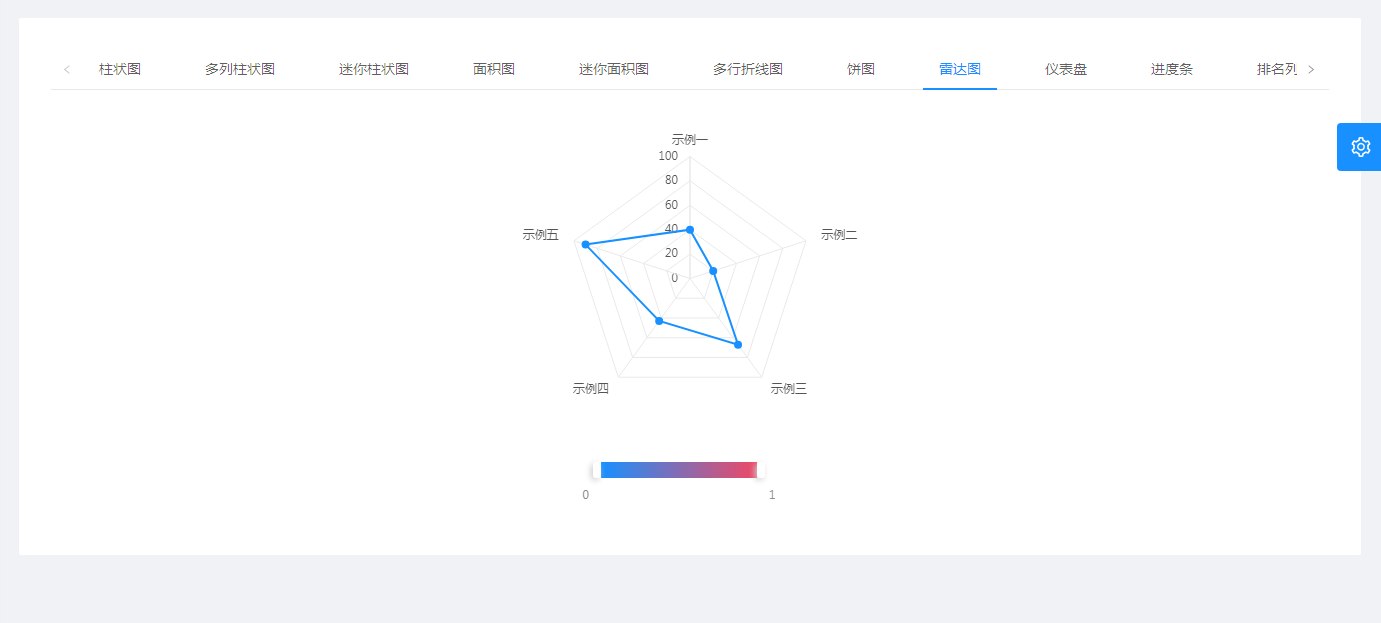
|
||||
|
||||
##### swagger
|
||||
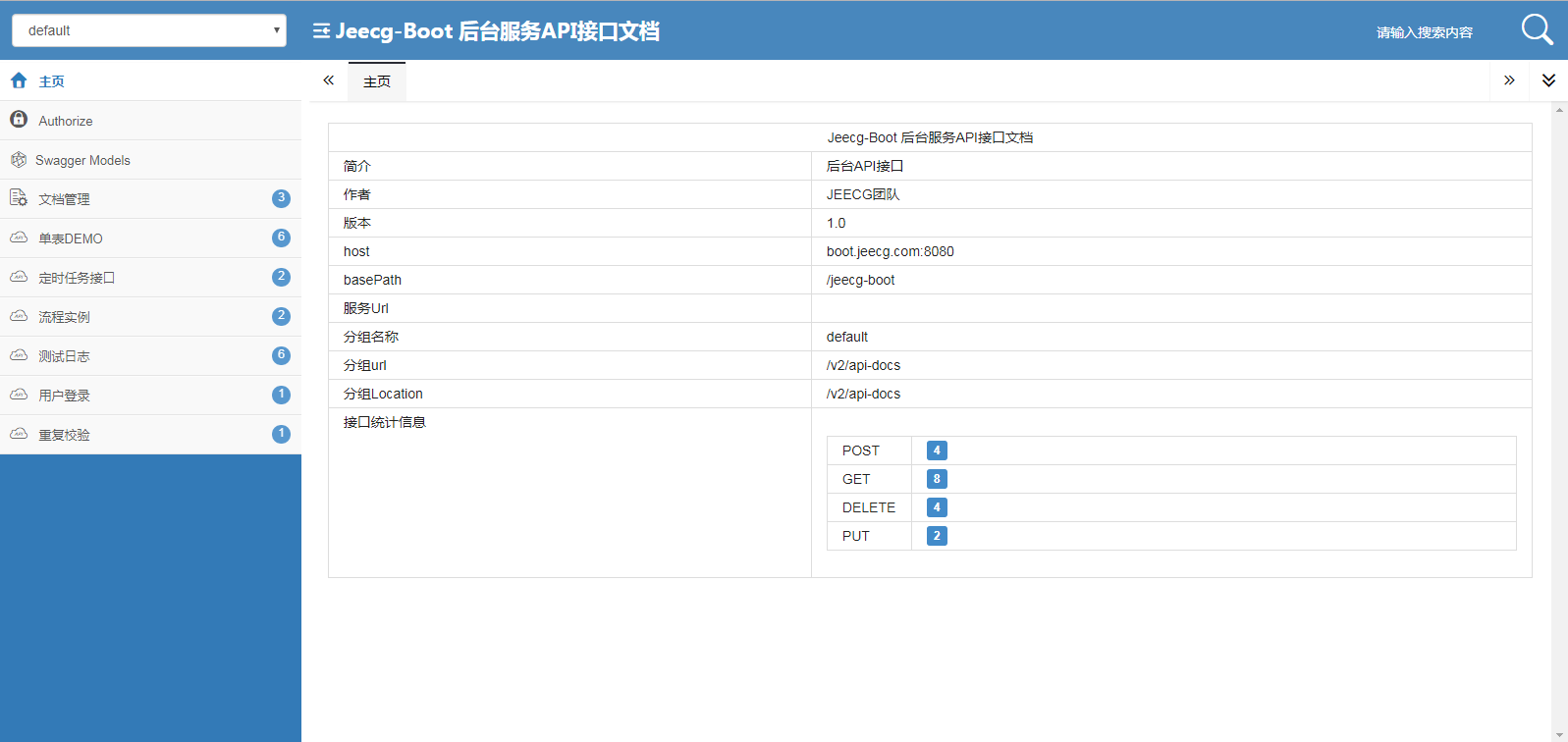
|
||||
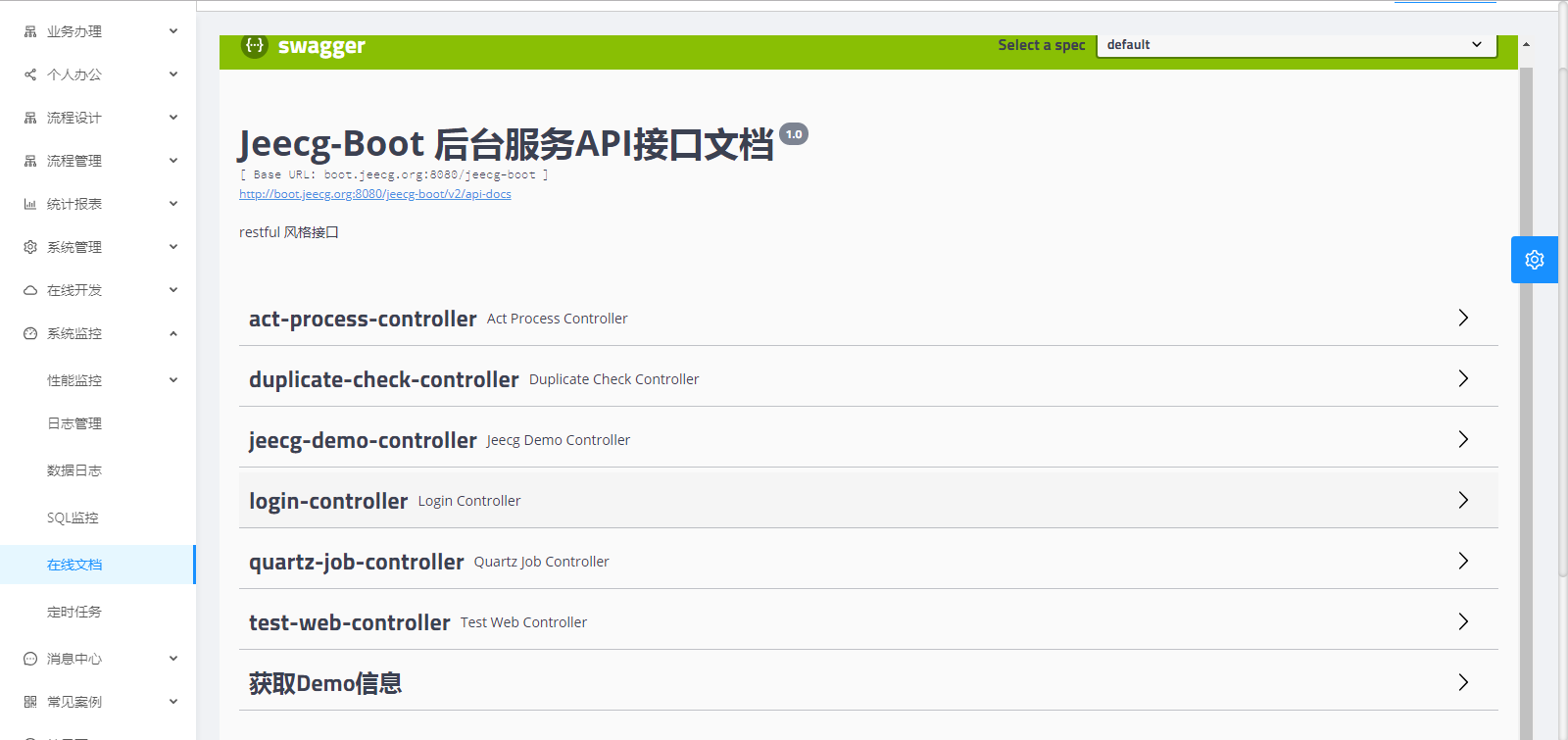
|
||||
|
||||
|
||||
## donation
|
||||
|
||||
If so, buy the author a cup of coffee ☺
|
||||
|
||||

|
||||
@ -1,124 +0,0 @@
|
||||
|
||||
JeecgBoot低代码平台(商业版介绍)
|
||||
===============
|
||||
|
||||
|
||||
|
||||
项目介绍
|
||||
-----------------------------------
|
||||
|
||||
<h3 align="center">企业级AI低代码平台</h3>
|
||||
|
||||
|
||||
JeecgBoot是一款集成AI应用的,基于BPM流程的低代码平台,旨在帮助企业快速实现低代码开发和构建个性化AI应用!前后端分离架构Ant Design&Vue3,SpringBoot,SpringCloud Alibaba,Mybatis-plus,Shiro。强大的代码生成器让前后端代码一键生成,无需写任何代码! 引领AI低代码开发模式: AI生成->OnlineCoding-> 代码生成-> 手工MERGE, 帮助Java项目解决80%的重复工作,让开发更多关注业务,提高效率、节省成本,同时又不失灵活性!低代码能力:Online表单、表单设计、流程设计、Online报表、大屏/仪表盘设计、报表设计; AI应用平台功能:AI知识库问答、AI模型管理、AI流程编排、AI聊天等,支持含ChatGPT、DeepSeek、Ollama等多种AI大模型
|
||||
|
||||
JeecgBoot 提供了一系列 `低代码能力`,实现`真正的零代码`在线开发:Online表单开发、Online报表、复杂报表设计、打印设计、在线图表设计、仪表盘设计、大屏设计、移动图表能力、表单设计器、在线设计流程、流程自动化配置、插件能力(可插拔)
|
||||
|
||||
`AI赋能低代码:` 目前提供了AI应用、AI模型管理、AI流程编排、AI对话助手,AI建表、AI写文章、AI知识库问答、AI字段建议等功能;支持各种AI大模型ChatGPT、DeepSeek、Ollama、智普、千问等.
|
||||
|
||||
`JEECG宗旨是:` 简单功能由OnlineCoding配置实现,做到`零代码开发`;复杂功能由代码生成器生成进行手工Merge 实现`低代码开发`,既保证了`智能`又兼顾`灵活`;实现了低代码开发的同时又支持灵活编码,解决了当前低代码产品普遍不灵活的弊端!
|
||||
|
||||
`JEECG业务流程:` 采用工作流来实现、扩展出任务接口,供开发编写业务逻辑,表单提供多种解决方案: 表单设计器、online配置表单、编码表单。同时实现了流程与表单的分离设计(松耦合)、并支持任务节点灵活配置,既保证了公司流程的保密性,又减少了开发人员的工作量。
|
||||
|
||||
|
||||
|
||||
#### JeecgBoot商业版与同类产品区别
|
||||
-----------------------------------
|
||||
|
||||
- 灵活性:jeecgboot基于开源技术栈,设计初考虑到可插拔性和集成灵活性,确保平台的智能性与灵活性,避免因平台过于庞大而导致的扩展困难。
|
||||
- 流程管理:支持一个表单挂接多个流程,同时一个流程可以连接多个表单,增强了流程的灵活性和复杂性管理。
|
||||
- 符合中国国情的流程:针对中国市场的特定需求,jeecgboot能够实现各种符合中国国情的业务流程。
|
||||
- 强大的表单设计器:jeecgboot的表单设计器与敲敲云共享,具备高质量和智能化的特点,能够满足零代码应用的需求,业内同类产品中不多见。
|
||||
- 报表功能:自主研发的报表工具,拥有独立知识产权,功能上比业内老牌产品如帆软更智能,操作简便。
|
||||
- BI产品整合:提供大屏、仪表盘、门户等功能,完美解决这些需求,并支持移动面板的设计与渲染。
|
||||
- 自主研发的模块:jeecgboot的所有模块均为自主研发,具有独立的知识产权。
|
||||
- 颗粒度和功能细致:在功能细致度和颗粒度上,jeecgboot远超同类产品,尤其在零代码能力方面表现突出。
|
||||
- 零代码应用管理:最新版支持与敲敲云的零代码应用管理能力的集成,使得jeecgboot既具备低代码,又具备零代码的应用能力,业内独一无二。
|
||||
- 强大的代码生成器:作为开源代码生成器的先锋,jeecgboot在代码生成的智能化和在线低代码与代码生成的结合方面,优势明显。
|
||||
- 精细化权限管理:提供行级和列级的数据权限控制,满足企业在ERP和OA领域对权限管理的严格需求。
|
||||
- 多平台支持的APP:目前采用uniapp3实现,支持小程序、H5、App及鸿蒙、鸿蒙Next、Electron桌面应用等多种终端。
|
||||
|
||||
> 综上所述,jeecgboot不仅在功能上具备丰富性和灵活性,还在技术架构、权限管理和用户体验等方面展现出明显的优势,是一个综合性能强大的低代码平台。
|
||||
|
||||
|
||||
|
||||
商业版演示
|
||||
-----------------------------------
|
||||
|
||||
JeecgBoot vs 敲敲云
|
||||
> - JeecgBoot是低代码产品拥有系列低代码能力,比如流程设计、表单设计、大屏设计,代码生成器,适合半开发模式(开发+低代码结合),也可以集成零代码应用管理模块.
|
||||
> - 敲敲云是零代码产品,完全不写代码,通过配置搭建业务系统,其在jeecgboot基础上研发而成,删除了online、代码生成、OA等需要编码功能,只保留应用管理功能和聊天、日程、文件三个OA组件.
|
||||
|
||||
|
||||
- JeecgBoot低代码: https://boot3.jeecg.com
|
||||
- 敲敲云零代码:https://app.qiaoqiaoyun.com
|
||||
- APP演示(多端): http://jeecg.com/appIndex
|
||||
|
||||
|
||||
### 流程视频介绍
|
||||
|
||||
[](https://www.bilibili.com/video/BV1Nk4y1o7Qc)
|
||||
|
||||
|
||||
|
||||
### 商业版功能简述
|
||||
|
||||
> 详细的功能介绍,[请联系官方](https://jeecg.com/vip)
|
||||
|
||||
```
|
||||
│─更多商业功能
|
||||
│ ├─流程设计器
|
||||
│ ├─简流设计器(类钉钉版)
|
||||
│ ├─门户设计(NEW)
|
||||
│ ├─表单设计器
|
||||
│ ├─大屏设计器
|
||||
│ └─我的任务
|
||||
│ └─历史流程
|
||||
│ └─历史流程
|
||||
│ └─流程实例管理
|
||||
│ └─流程监听管理
|
||||
│ └─流程表达式
|
||||
│ └─我发起的流程
|
||||
│ └─我的抄送
|
||||
│ └─流程委派、抄送、跳转
|
||||
│ └─OA办公组件
|
||||
│ └─零代码应用管理(无需编码,在线搭建应用系统)
|
||||
│ ├─积木报表企业版(含jimureport、jimubi)
|
||||
│ ├─AI流程设计器源码
|
||||
│ ├─Online全模块功能和源码
|
||||
│ ├─AI写文章(CMS)
|
||||
│ ├─AI表单字段建议(表单设计器)
|
||||
│ ├─OA办公协同组件
|
||||
│ ├─在线聊天功能
|
||||
│ ├─设计表单移动适配
|
||||
│ ├─设计表单支持外部填报
|
||||
│ ├─设计表单AI字段建议
|
||||
│ ├─设计表单视图功能(支持多种类型含日历、表格、看板、甘特图)
|
||||
│ └─。。。
|
||||
|
||||
```
|
||||
|
||||
|
||||
|
||||
|
||||
##### 流程设计
|
||||

|
||||
|
||||

|
||||
|
||||

|
||||
|
||||

|
||||
|
||||

|
||||
|
||||

|
||||
|
||||
|
||||
|
||||
##### 表单设计器
|
||||

|
||||
|
||||

|
||||
|
||||

|
||||
576
README.md
576
README.md
@ -1,154 +1,139 @@
|
||||
|
||||
JeecgBoot AI低代码平台
|
||||
Jeecg AI应用平台
|
||||
===============
|
||||
|
||||
当前最新版本: 3.8.3(发布日期:2025-10-09)
|
||||
当前最新版本: 1.0.0(发布日期:2025-12-05)
|
||||
|
||||
|
||||
[](https://github.com/jeecgboot/JeecgBoot/blob/master/LICENSE)
|
||||
[](https://jeecg.com)
|
||||
[](https://jeecg.blog.csdn.net)
|
||||
[](https://github.com/jeecgboot/JeecgBoot)
|
||||
[](https://github.com/jeecgboot/JeecgBoot)
|
||||
[](https://github.com/jeecgboot/JeecgBoot)
|
||||
[](https://github.com/jeecgboot/jeecg-ai)
|
||||
[](https://github.com/jeecgboot/jeecg-ai)
|
||||
[](https://github.com/jeecgboot/jeecg-ai)
|
||||
|
||||
|
||||
|
||||
项目介绍
|
||||
-----------------------------------
|
||||
|
||||
<h3 align="center">企业级AI低代码平台</h3>
|
||||
|
||||
JeecgBoot 是一款基于BPM流程和代码生成的AI低代码平台,助力企业快速实现低代码开发和构建AI应用。
|
||||
采用前后端分离架构(Ant Design&Vue3,SpringBoot3,SpringCloud Alibaba,Mybatis-plus),强大代码生成器实现前后端一键生成,无需手写代码。
|
||||
平台引领AI低代码开发模式:AI生成→在线编码→代码生成→手工合并,解决Java项目80%重复工作,提升效率,节省成本,兼顾灵活性。
|
||||
具备强大且颗粒化的权限控制,支持按钮权限和数据权限设置,满足大型业务系统需求。功能涵盖在线表单、表单设计、流程设计、门户设计、报表与大屏设计、OA办公、AI应用、AI知识库、大模型管理、AI流程编排、AI聊天,支持ChatGPT、DeepSeek、Ollama等多种AI大模型。
|
||||
|
||||
`AI赋能报表:` 积木报表是一款自主研发的强大开源企业级Web报表与大屏工具。它通过零编码的拖拽式操作,赋能用户如同搭积木般轻松构建各类复杂报表和数据大屏,全面满足企业数据可视化与分析需求,助力企业级数据产品的高效打造与应用。
|
||||
|
||||
`AI赋能低代码:` 提供完善成熟的AI应用平台,涵盖AI应用管理、AI模型管理、智能对话助手、知识库问答、流程编排与设计器、AI建表等多项功能。平台兼容多种主流大模型,包括ChatGPT、DeepSeek、Ollama、智普、千问等,助力企业高效构建智能化应用,推动低代码开发与AI深度融合。
|
||||
|
||||
`JEECG宗旨是:` JEECG旨在通过OnlineCoding平台实现简单功能的零代码快速搭建,同时针对复杂功能采用代码生成器生成代码并手工合并,打造智能且灵活的低代码开发模式,有效解决了当前低代码产品普遍缺乏灵活性的问题,提升开发效率的同时兼顾系统的扩展性和定制化能力。
|
||||
|
||||
`JEECG业务流程:` JEECG业务流程采用BPM工作流引擎实现业务审批,扩展任务接口供开发人员编写业务逻辑,表单提供表单设计器、在线配置表单和编码表单等多种解决方案。通过流程与表单的分离设计(松耦合)及任务节点的灵活配置,既保障了企业流程的安全性与保密性,又大幅降低了开发人员的工作量。
|
||||
|
||||
|
||||
|
||||
|
||||
|
||||
适用项目
|
||||
-----------------------------------
|
||||
JeecgBoot低代码平台兼容所有J2EE项目开发,支持信创国产化,特别适用于SAAS、企业信息管理系统(MIS)、内部办公系统(OA)、企业资源计划系统(ERP)、客户关系管理系统(CRM)及AI知识库等场景。其半智能手工Merge开发模式,可显著提升70%以上的开发效率,极大降低开发成本。同时,JeecgBoot还是一款全栈式AI开发平台,助力企业快速构建和部署个性化AI应用。。
|
||||
|
||||
|
||||
**信创兼容说明**
|
||||
- 操作系统:国产麒麟、银河麒麟等国产系统几乎都是基于 Linux 内核,因此它们具有良好的兼容性。
|
||||
- 数据库:达梦、人大金仓、TiDB
|
||||
- 中间件:东方通 TongWeb、TongRDS,宝兰德 AppServer、CacheDB, [信创配置文档](https://help.jeecg.com/java/tongweb-deploy/)
|
||||
|
||||
|
||||
版本说明
|
||||
-----------------------------------
|
||||
|
||||
|下载 | JDK17 + SpringBoot3.3 + Shiro |JDK17 + SpringBoot3.3+ SpringAuthorizationServer | JDK17/JDK8 + SpringBoot2.7 |
|
||||
|------|----------------------------------------------------|--------------------------------------------|--------------------------------------------|
|
||||
| Github | [`springboot3`](https://github.com/jeecgboot/JeecgBoot/tree/springboot3) | [`springboot3_sas`](https://github.com/jeecgboot/JeecgBoot/tree/springboot3_sas) 分支 |[`master`](https://github.com/jeecgboot/JeecgBoot) 分支|
|
||||
| Gitee | [`springboot3`](https://gitee.com/jeecg/JeecgBoot/tree/springboot3/) | [`springboot3_sas`](https://gitee.com/jeecg/JeecgBoot/tree/springboot3_sas) 分支 |[`master`](https://gitee.com/jeecg/JeecgBoot) 分支 |
|
||||
|
||||
|
||||
- `jeecg-boot` 是后端JAVA源码项目Springboot3+SpringCloudAlibaba(支持单体和微服务切换).
|
||||
- `jeecgboot-vue3` 是前端VUE3源码项目(vue3+vite6+ts最新技术栈).
|
||||
- `JeecgUniapp` 是[配套APP框架](https://github.com/jeecgboot/JeecgUniapp) 适配多个终端,支持APP、小程序、H5、鸿蒙、鸿蒙Next.
|
||||
- 参考 [文档](https://help.jeecg.com/ui/2dev/mini) 可以删除不需要的demo,制作一个精简版本
|
||||
|
||||
|
||||
|
||||
|
||||
|
||||
启动项目
|
||||
-----------------------------------
|
||||
|
||||
> 默认账号密码: admin/123456
|
||||
|
||||
- [开发环境搭建](https://help.jeecg.com/java/setup/tools)
|
||||
- [IDEA启动前后端(单体模式)](https://help.jeecg.com/java/setup/idea/startup)
|
||||
- [Docker一键启动(单体模式)](https://help.jeecg.com/java/docker/quick)
|
||||
- [IDEA启动前后端(微服务方式)](https://help.jeecg.com/java/springcloud/switchcloud/monomer)
|
||||
- [Docker一键启动(微服务方式)](https://help.jeecg.com/java/docker/quickcloud)
|
||||
|
||||
|
||||
技术文档
|
||||
-----------------------------------
|
||||
|
||||
- 官方网站: [http://www.jeecg.com](http://www.jeecg.com)
|
||||
- 在线演示: [平台演示](https://boot3.jeecg.com) | [APP演示](https://jeecg.com/appIndex)
|
||||
- 入门指南: [快速入门](http://www.jeecg.com/doc/quickstart) | [代码生成使用](https://help.jeecg.com/java/codegen/online) | [开发文档](https://help.jeecg.com) | [AI应用手册](https://help.jeecg.com/aigc) | [视频教程](http://jeecg.com/doc/video)
|
||||
- 技术支持: [反馈问题](https://github.com/jeecgboot/JeecgBoot/issues/new?template=bug_report.md) | [低代码体验一分钟](https://jeecg.blog.csdn.net/article/details/106079007)
|
||||
- QQ交流群 : 964611995、⑩716488839(满)、⑨808791225(满)、其他(满)
|
||||
|
||||
|
||||
AI 应用平台介绍
|
||||
-----------------------------------
|
||||
|
||||
一个全栈式 AI 开发平台,旨在帮助开发者快速构建和部署个性化的 AI 应用。
|
||||
|
||||
JeecgBoot平台提供了一套完善的AI应用管理系统模块,是一套类似`Dify`的`AIGC应用开发平台`+`知识库问答`,是一款基于LLM大语言模型AI应用平台和 RAG 的知识库问答系统。
|
||||
JeecgBoot平台的AIGC功能模块,是一套类似`Dify`的`AIGC应用开发平台`+`知识库问答`,是一款基于LLM大语言模型AI应用平台和 RAG 的知识库问答系统。
|
||||
其直观的界面结合了 AI 流程编排、RAG 管道、知识库管理、模型管理、对接向量库、实时运行可观察等,让您可以快速从原型到生产,拥有AI服务能力。
|
||||
|
||||
- [详细专题介绍,请点击查看](README-AI.md)
|
||||
|
||||
- AI视频介绍
|
||||
|
||||
### AI视频介绍
|
||||
|
||||
[](https://www.bilibili.com/video/BV1zmd7YFE4w)
|
||||
|
||||
|
||||
为什么选择JeecgBoot?
|
||||
-----------------------------------
|
||||
- 1.采用最新主流前后分离框架(Spring Boot3 + MyBatis + Shiro/SpringAuthorizationServer + Ant Design4 + Vue3),容易上手;代码生成器依赖性低,灵活的扩展能力,可快速实现二次开发。
|
||||
- 2.前端大版本换代,最新版采用 Vue3.0 + TypeScript + Vite6 + Ant Design Vue4 等新技术方案。
|
||||
- 3.支持微服务Spring Cloud Alibaba(Nacos、Gateway、Sentinel、Skywalking),提供简易机制,支持单体和微服务自由切换(这样可以满足各类项目需求)。
|
||||
- 4.开发效率高,支持在线建表和AI建表,提供强大代码生成器,单表、树列表、一对多、一对一等数据模型,增删改查功能一键生成,菜单配置直接使用。
|
||||
- 5.代码生成器提供强大模板机制,支持自定义模板,目前提供四套风格模板(单表两套、树模型一套、一对多三套)。
|
||||
- 6.提供强大的报表和大屏可视化工具,支持丰富的数据源连接,能够通过拖拉拽方式快速制作报表、大屏和门户设计;支持多种图表类型:柱形图、折线图、散点图、饼图、环形图、面积图、漏斗图、进度图、仪表盘、雷达图、地图等。
|
||||
- 7.低代码能力:在线表单(无需编码,通过在线配置表单,实现表单的增删改查,支持单表、树、一对多、一对一等模型,实现人人皆可编码),在线配置零代码开发、所见即所得支持23种类控件。
|
||||
- 8.低代码能力:在线报表、在线图表(无需编码,通过在线配置方式,实现数据报表和图形报表,可以快速抽取数据,减轻开发压力,实现人人皆可编码)。
|
||||
- 9.Online支持在线增强开发,提供在线代码编辑器,支持代码高亮、代码提示等功能,支持多种语言(Java、SQL、JavaScript等)。
|
||||
- 10.封装完善的用户、角色、菜单、组织机构、数据字典、在线定时任务等基础功能,支持访问授权、按钮权限、数据权限等功能。
|
||||
- 11.前端UI提供丰富的组件库,支持各种常用组件,如表格、树形控件、下拉框、日期选择器等,满足各种复杂的业务需求 [UI组件库文档](https://help.jeecg.com/category/ui%E7%BB%84%E4%BB%B6%E5%BA%93)。
|
||||
- 12.提供APP配套框架,一份多代码多终端适配,一份代码多终端适配,小程序、H5、安卓、iOS、鸿蒙Next。
|
||||
- 13.新版APP框架采用Uniapp、Vue3.0、Vite、Wot-design-uni、TypeScript等最新技术栈,包括二次封装组件、路由拦截、请求拦截等功能。实现了与JeecgBoot完美对接:目前已经实现登录、用户信息、通讯录、公告、移动首页、九宫格、聊天、Online表单、仪表盘等功能,提供了丰富的组件。
|
||||
- 14.提供了一套成熟的AI应用平台功能,从AI模型、知识库到AI应用搭建,助力企业快速落地AI服务,加速智能化升级。
|
||||
- 15.AI能力:目前JeecgBoot支持AI大模型chatgpt和deepseek,现在最新版默认使用deepseek,速度更快质量更高。目前提供了AI对话助手、AI知识库、AI应用、AI建表、AI报表等功能。
|
||||
- 16.提供新行编辑表格JVXETable,轻松满足各种复杂ERP布局,拥有更高的性能、更灵活的扩展、更强大的功能。
|
||||
- 17.平台首页风格,提供多种组合模式,支持自定义风格;支持门户设计,支持自定义首页。
|
||||
- 18.常用共通封装,各种工具类(定时任务、短信接口、邮件发送、Excel导入导出等),基本满足80%项目需求。
|
||||
- 19.简易Excel导入导出,支持单表导出和一对多表模式导出,生成的代码自带导入导出功能。
|
||||
- 20.集成智能报表工具,报表打印、图像报表和数据导出非常方便,可极其方便地生成PDF、Excel、Word等报表。
|
||||
- 21.采用前后分离技术,页面UI风格精美,针对常用组件做了封装:时间、行表格控件、截取显示控件、报表组件、编辑器等。
|
||||
- 22.查询过滤器:查询功能自动生成,后台动态拼SQL追加查询条件;支持多种匹配方式(全匹配/模糊查询/包含查询/不匹配查询)。
|
||||
- 23.数据权限(精细化数据权限控制,控制到行级、列表级、表单字段级,实现不同人看不同数据,不同人对同一个页面操作不同字段)。
|
||||
- 24.接口安全机制,可细化控制接口授权,非常简便实现不同客户端只看自己数据等控制;也提供了基于AK和SK认证鉴权的OpenAPI功能。
|
||||
- 25.活跃的社区支持;近年来,随着网络威胁的日益增加,团队在安全和漏洞管理方面积累了丰富的经验,能够为企业提供全面的安全解决方案。
|
||||
- 26.权限控制采用RBAC(Role-Based Access Control,基于角色的访问控制)。
|
||||
- 27.页面校验自动生成(必须输入、数字校验、金额校验、时间空间等)。
|
||||
- 28.支持SaaS服务模式,提供SaaS多租户架构方案。
|
||||
- 29.分布式文件服务,集成MinIO、阿里OSS等优秀的第三方,提供便捷的文件上传与管理,同时也支持本地存储。
|
||||
- 30.主流数据库兼容,一套代码完全兼容MySQL、PostgreSQL、Oracle、SQL Server、MariaDB、达梦、人大金仓等主流数据库。
|
||||
- 31.集成工作流Flowable,并实现了只需在页面配置流程转向,可极大简化BPM工作流的开发;用BPM的流程设计器画出了流程走向,一个工作流基本就完成了,只需写很少量的Java代码。
|
||||
- 32.低代码能力:在线流程设计,采用开源Flowable流程引擎,实现在线画流程、自定义表单、表单挂靠、业务流转。
|
||||
- 33.多数据源:极其简易的使用方式,在线配置数据源配置,便捷地从其他数据抓取数据。
|
||||
- 34.提供单点登录CAS集成方案,项目中已经提供完善的对接代码。
|
||||
- 35.低代码能力:表单设计器,支持用户自定义表单布局,支持单表、一对多表单,支持select、radio、checkbox、textarea、date、popup、列表、宏等控件。
|
||||
- 36.专业接口对接机制,统一采用RESTful接口方式,集成Swagger-UI在线接口文档,JWT token安全验证,方便客户端对接。
|
||||
- 37.高级组合查询功能,在线配置支持主子表关联查询,可保存查询历史。
|
||||
- 38.提供各种系统监控,实时跟踪系统运行情况(监控Redis、Tomcat、JVM、服务器信息、请求追踪、SQL监控)。
|
||||
- 39.消息中心(支持短信、邮件、微信推送等);集成WebSocket消息通知机制。
|
||||
- 40.支持多语言,提供国际化方案。
|
||||
- 41.数据变更记录日志,可记录数据每次变更内容,通过版本对比功能查看历史变化。
|
||||
- 42.提供简单易用的打印插件,支持谷歌、火狐、IE11+等各种浏览器。
|
||||
- 43.后端采用Maven分模块开发方式;前端支持菜单动态路由。
|
||||
- 44.提供丰富的示例代码,涵盖了常用的业务场景,便于学习和参考。
|
||||
##### 功能大模块
|
||||
|
||||
- AI应用开发平台
|
||||
- AI知识库系统
|
||||
- AI大模型管理
|
||||
- AI流程编排
|
||||
- AI对话支持图片
|
||||
- AI对话助手(智能问答)
|
||||
- AI建表(Online表单)
|
||||
- AI写文章(CMS)
|
||||
- AI表单字段建议(表单设计器)
|
||||
|
||||
|
||||
|
||||
#### Dify `VS` JEECG AI
|
||||
|
||||
> JEECG AI与Dify相比,在多个方面展现出显著的优势,特别是在文档处理、格式和图片保持方面。以下是一些具体的优点:
|
||||
> - Markdown文档库导入:
|
||||
> JEECG AI允许用户直接导入整个Markdown文档库,这不仅保留markdown格式,还支持图片的导入,确保文档内容的完整性和可视化效果。
|
||||
> - 对话回复格式美观:
|
||||
> 在对话过程中,JEECG AI能够保持回复内容的原格式,也不丢失图片,使得输出的文章更加美观,不会出现格式错乱的情况,还支持图片的渲染。
|
||||
> - PDF文档导入与格式转换:
|
||||
> JEECG AI在处理PDF文档时,能够更好地保持原始格式和图片,确保转换后的内容与原始文档一致。这个功能在许多AI产品中表现不佳,而JEECG AI在这方面做出了显著的优化
|
||||
|
||||
|
||||
| 功能 | Dify | Jeecg AI |
|
||||
|------------|------------------|-----------------------------------------|
|
||||
| AI工作流 | 有 | 有 |
|
||||
| RAG 管道向量搜索 | 有 | 有 |
|
||||
| AI模型管理 | 有 | 有 |
|
||||
| AI应用管理 | 有 | 有 |
|
||||
| AI知识库 | 有 | 有 |
|
||||
| 产品方向 | 一款独立的 LLM 应用开发平台 | 低代码与AIGC应用二者结合的平台 |
|
||||
| 业务集成 | 业务集成能力弱 | 更方便与业务系统集成,调用系统接口和逻辑更加方便 |
|
||||
| AI业务流 | 侧重AI逻辑流程 | AI流程编排作为低代码的业务引擎,用户可以通过AI流程配置各种业务流和AI流程 |
|
||||
| 实现语言 | python + react | JAVA + vue3 |
|
||||
| 上传markdown文档库(支持图片) | 不支持 | 支持 |
|
||||
| AI对话支持发图和展示图片 | 支持 | 支持 |
|
||||
|
||||
|
||||
|
||||
### 技术文档
|
||||
|
||||
- [AIGC开发文档](https://help.jeecg.com/aigc)
|
||||
- [安装向量库 pgvector](https://help.jeecg.com/aigc/config)
|
||||
|
||||
|
||||
|
||||
## 功能特点
|
||||
|
||||
- AI流程: 提供强大的AI流程设计器引擎,支持编排 AI 工作过程,满足复杂业务场景,支持画布上构建和实时运行查看 AI流程运行情况。
|
||||
- AI流程即服务: 通过AI流程编排你需要的智能体,结合AI+自定义开发节点 实现功能性 API,让你瞬间拥有各种智能体API。
|
||||
- AI助手对话功能: 集成 ChatGPT、Deepseek、智普、私有大模型 等 AI 模型,提供智能对话和生成式 AI 功能,深度与知识库结合提供更精准的知识。
|
||||
- RAG 功能: 涵盖从文档摄入到检索的所有内容,支持从 PDF、PPT 和其他常见文档格式中提取文本,支持检索增强生成(RAG),将未训练数据与 AI 模型集成,提升智能交互能力。
|
||||
- AI 知识库: 通过导入文档或已有问答对进行训练,让 AI 模型能根据文档以交互式对话方式回答问题。
|
||||
- 模型管理:支持对接各种大模型,包括本地私有大模型(Deepseek/ Llama 3 / Qwen 2 等)、国内公共大模型(通义千问 / 腾讯混元 / 字节豆包 / 百度千帆 / 智谱 AI / Kimi 等)和国外公共大模型(OpenAI / Claude / Gemini 等);
|
||||
- 无缝嵌入:Iframe一键嵌入,支持将AI聊天助手快速嵌入到第三方系统,让系统快速拥有智能问答能力,提高用户满意度。
|
||||
|
||||
|
||||
|
||||
|
||||
#### 在线体验
|
||||
|
||||
- JeecgBoot演示: https://boot3.jeecg.com
|
||||
- 敲敲云在线搭建AI知识库:https://app.qiaoqiaoyun.com
|
||||
|
||||
|
||||
## 技术交流
|
||||
|
||||
- 开发文档:https://help.jeecg.com/aigc
|
||||
- QQ群:964611995、716488839(满)
|
||||
|
||||
|
||||
## 功能列表
|
||||
|
||||
- AI应用管理(普通应用、高级流程应用)
|
||||
- AI模型管理
|
||||
- AI知识库
|
||||
- AI应用平台(普通、对接AI流程)
|
||||
- AI流程编排
|
||||
- AI聊天支持嵌入第三方
|
||||
- AI向量库对接
|
||||
|
||||
|
||||
|
||||
## 支持AI模型
|
||||
|
||||
| AI大模型 | 支持 |
|
||||
|---------------| --- |
|
||||
| DeepSeek | √ |
|
||||
| ChatGTP | √ |
|
||||
| Qwq | √ |
|
||||
| 智库 | √ |
|
||||
| Ollama本地搭建大模型 | √ |
|
||||
| 等等。。 | √ |
|
||||
|
||||
|
||||
|
||||
|
||||
## AIGC能做什么
|
||||
|
||||
AIGC模块是一个基于AI的自动化流程编排工具和聊天应用搭建平台,它可以帮助用户快速生成AI流程接口和聊天应用,提高效率。
|
||||
以下是一些具体的应用场景和示例:
|
||||
|
||||
- 你可能需要一个翻译接口,可以通过AI流程编排搭建出来。
|
||||
- 你可能需要一个接口转换工具,可以通过AI流程编排搭建出来。(比如:jimureport所需要接口返回格式与你的系统不同,你通过AI接口实现自动转换)
|
||||
- 你可能需要一个聊天机器人,可以通过AI流程编排搭建出来。
|
||||
- 你可能需要一个自动化流程,可以通过AI流程编排搭建出来。
|
||||
- 你可能需要一个自动化处理文件的流程,可以通过AI流程结合python脚本实现操作电脑,文件等。
|
||||
|
||||
|
||||
技术架构:
|
||||
@ -157,12 +142,14 @@ JeecgBoot平台提供了一套完善的AI应用管理系统模块,是一套类
|
||||
#### 前端
|
||||
|
||||
- 前端环境要求:Node.js要求`Node 20+` 版本以上、pnpm 要求`9+` 版本以上
|
||||
|
||||
` ( Vite 不再支持已结束生命周期(EOL)的 Node.js 18。现在需要使用 Node.js 20.19+ 或 22.12+)`
|
||||
|
||||
- 依赖管理:node、npm、pnpm
|
||||
- 前端IDE建议:IDEA、WebStorm、Vscode
|
||||
- 采用 Vue3.0+TypeScript+Vite6+Ant-Design-Vue4等新技术方案,包括二次封装组件、utils、hooks、动态菜单、权限校验、按钮级别权限控制等功能
|
||||
- 最新技术栈:Vue3.0 + TypeScript + Vite6 + ant-design-vue4 + pinia + echarts + unocss + vxe-table + qiankun + es6
|
||||
|
||||
|
||||
#### 后端
|
||||
|
||||
- IDE建议: IDEA (必须安装lombok插件 )
|
||||
@ -181,333 +168,52 @@ JeecgBoot平台提供了一套完善的AI应用管理系统模块,是一套类
|
||||
- 其他:autopoi, fastjson,poi,Swagger-ui,quartz, lombok(简化代码)等。
|
||||
- 默认提供MySQL5.7+数据库脚本
|
||||
|
||||
#### 数据库支持
|
||||
|
||||
> jeecgboot平台支持以下数据库,默认我们只提供mysql脚本,其他数据库可以参考[转库文档](https://my.oschina.net/jeecg/blog/4905722)自己转。
|
||||
## AI应用平台功能展示
|
||||
|
||||
| 数据库 | 支持 |
|
||||
| --- | --- |
|
||||
| MySQL | √ |
|
||||
| Oracle11g | √ |
|
||||
| Sqlserver2017 | √ |
|
||||
| PostgreSQL | √ |
|
||||
| MariaDB | √ |
|
||||
| 达梦 | √ |
|
||||
| 人大金仓 | √ |
|
||||
| TiDB | √ |
|
||||
| kingbase8 | √ |
|
||||
AI模型列表
|
||||
|
||||

|
||||
|
||||
选择AI模型,配置你的参数
|
||||
|
||||

|
||||
|
||||
## 微服务解决方案
|
||||
|
||||
- 1、服务注册和发现 Nacos √
|
||||
- 2、统一配置中心 Nacos √
|
||||
- 3、路由网关 gateway(三种加载方式) √
|
||||
- 4、分布式 http feign √
|
||||
- 5、熔断降级限流 Sentinel √
|
||||
- 6、分布式文件 Minio、阿里OSS √
|
||||
- 7、统一权限控制 JWT + Shiro √
|
||||
- 8、服务监控 SpringBootAdmin√
|
||||
- 9、链路跟踪 Skywalking [参考文档](https://help.jeecg.com/java/springcloud/super/skywarking)
|
||||
- 10、消息中间件 RabbitMQ √
|
||||
- 11、分布式任务 xxl-job √
|
||||
- 12、分布式事务 Seata
|
||||
- 13、轻量分布式日志 Loki+grafana套件
|
||||
- 14、支持 docker-compose、k8s、jenkins
|
||||
- 15、CAS 单点登录 √
|
||||
- 16、路由限流 √
|
||||
AI知识库支持手工录入文本,导入pdf\\word\\excel等文档,支持问答对训练
|
||||
|
||||
#### 微服务架构图
|
||||

|
||||

|
||||
|
||||

|
||||
|
||||
|
||||
|
||||
AI流程,提供强大的AI流程设计器引擎,支持编排 AI 工作过程,满足复杂业务场景,支持画布上构建和实时运行查看 AI流程运行情况。
|
||||
|
||||
开源版与企业版区别?
|
||||
-----------------------------------
|
||||

|
||||
|
||||
- JeecgBoot开源版采用 [Apache-2.0 license](LICENSE) 协议附加补充条款:允许商用使用,不会造成侵权行为,允许基于本平台软件开展业务系统开发(但在任何情况下,您不得使用本软件开发可能被认为与本软件竞争的软件).
|
||||
- 商业版与开源版主要区别在于商业版提供了技术支持 和 更多的企业级功能(例如:Online图表、流程监控、流程设计、流程审批、表单设计器、表单视图、积木报表企业版、OA办公、商业APP、零代码应用、Online模块源码等功能). [更多商业功能介绍,点击查看](README-Enterprise.md)
|
||||
- JeecgBoot未来发展方向是:零代码平台的建设,也就是团队的另外一款产品 [敲敲云零代码](https://www.qiaoqiaoyun.com) ,无需编码即可通过拖拽快速搭建企业级应用,与JeecgBoot低代码平台形成互补,满足从简单业务到复杂系统的全场景开发需求,目前已经开源,[欢迎下载](https://qiaoqiaoyun.com/downloadCode)
|
||||
|
||||
目前支持的节点有:开始、结束、AI知识库节点、AI节点、分类节点、分支节点、JAVA节点、脚本节点、子流程节点、http请求节点、直接回复节点等节点
|
||||
|
||||

|
||||
|
||||
节点项配置
|
||||
|
||||

|
||||
|
||||
在线运行看结果
|
||||
|
||||
### Jeecg Boot 产品功能蓝图
|
||||

|
||||

|
||||
|
||||
|
||||
AI应用配置,支持AI流程配置和简单的AI配置
|
||||
|
||||
#### 系统功能架构图
|
||||

|
||||
|
||||
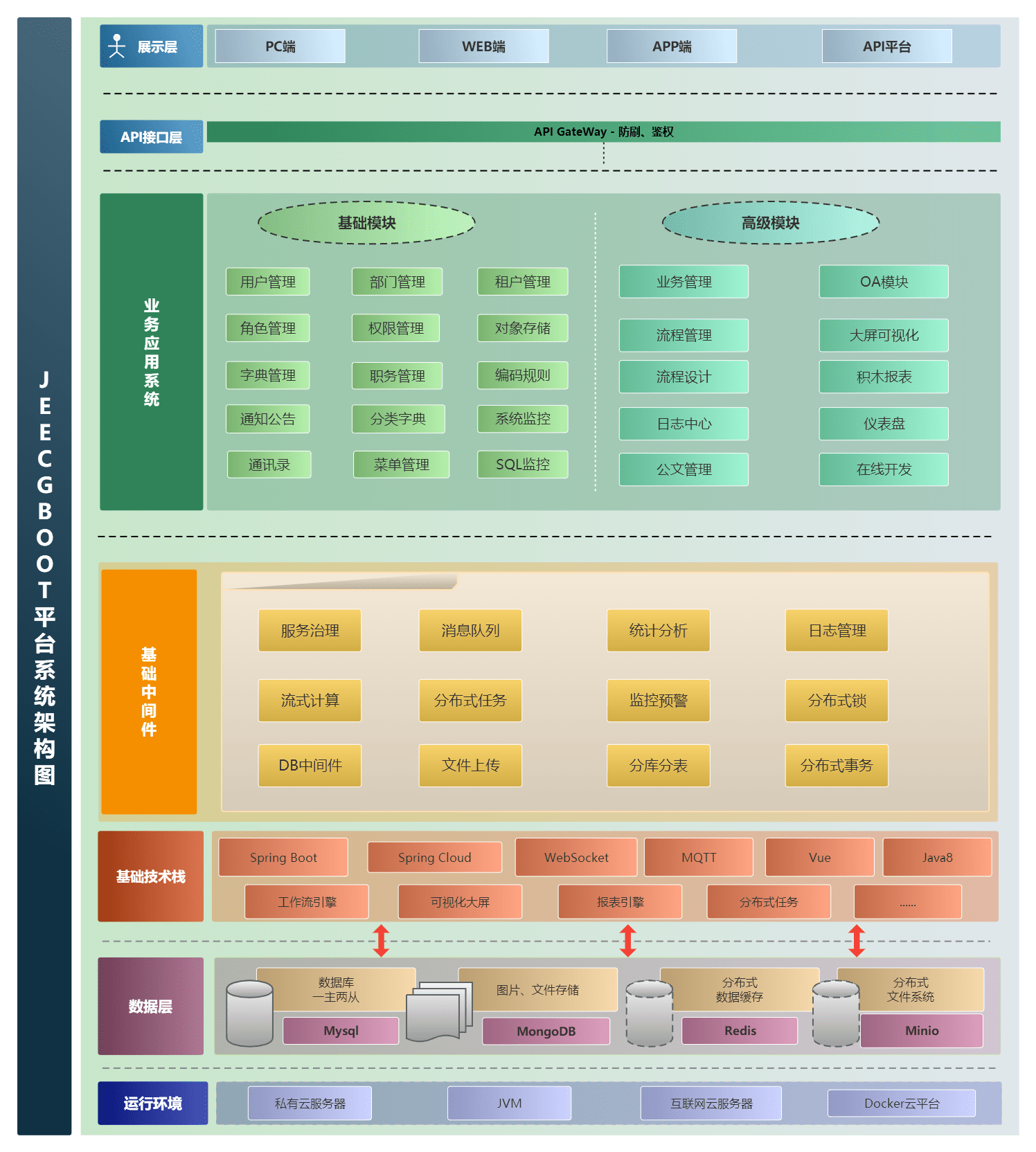
|
||||
可以关联多个知识库,右侧是AI智能回复,你可以搭建自己的智能体,比如搭建一个 “诗词达人” “翻译助手”
|
||||
|
||||

|
||||
|
||||
可以将创建的聊天应用,集成到第三方系统中
|
||||
|
||||
### 开源版功能清单
|
||||
```
|
||||
├─系统管理
|
||||
│ ├─用户管理
|
||||
│ ├─角色管理
|
||||
│ ├─菜单管理
|
||||
│ ├─首页配置
|
||||
│ ├─权限设置(支持按钮权限、数据权限)
|
||||
│ ├─表单权限(控制字段禁用、隐藏)
|
||||
│ ├─部门管理
|
||||
│ ├─我的部门(二级管理员)
|
||||
│ └─字典管理
|
||||
│ └─分类字典
|
||||
│ └─系统公告
|
||||
│ └─职务管理
|
||||
│ └─通讯录
|
||||
│ ├─多数据源管理
|
||||
│ ├─白名单管理
|
||||
│ ├─第三方配置(对接钉钉和企业微信)
|
||||
│ └─多租户管理(租户管理、租户角色、我的租户、租户默认套餐管理)
|
||||
├─Online在线开发(低代码)
|
||||
│ ├─Online在线表单
|
||||
│ ├─Online代码生成器
|
||||
│ ├─Online在线报表
|
||||
│ ├─仪表盘设计器
|
||||
│ ├─系统编码规则
|
||||
│ ├─系统校验规则
|
||||
│ ├─APP版本管理
|
||||
├─AI应用平台
|
||||
│ ├─AI知识库问答系统
|
||||
│ ├─AI大模型管理
|
||||
│ ├─AI流程编排
|
||||
│ ├─AI流程设计器
|
||||
│ ├─AI对话支持图片
|
||||
│ ├─AI对话助手(智能问答)
|
||||
│ ├─AI建表(Online表单)
|
||||
│ ├─AI聊天窗口支持嵌入第三方
|
||||
│ ├─AI聊天窗口支持移动端
|
||||
│ ├─支持常见大模型ChatGPT和DeepSeek、ollama等等
|
||||
│ ├─AI OCR示例
|
||||
├─数据可视化
|
||||
│ ├─报表设计器(支持打印设计)
|
||||
│ ├─大屏设和仪表盘设计
|
||||
├─OpenAPI(基于AK和SK认证鉴权)
|
||||
│ ├─接口管理
|
||||
│ ├─接口授权
|
||||
│ ├─接口文档
|
||||
├─消息中心
|
||||
│ ├─消息管理
|
||||
│ ├─模板管理
|
||||
├─代码生成器(低代码)
|
||||
│ ├─代码生成器功能(一键生成前后端代码,生成后无需修改直接用,绝对是后端开发福音)
|
||||
│ ├─代码生成器模板(提供4套模板,分别支持单表和一对多模型,不同风格选择)
|
||||
│ ├─代码生成器模板(生成代码,自带excel导入导出)
|
||||
│ ├─查询过滤器(查询逻辑无需编码,系统根据页面配置自动生成)
|
||||
│ ├─高级查询器(弹窗自动组合查询条件)
|
||||
│ ├─Excel导入导出工具集成(支持单表,一对多 导入导出)
|
||||
│ ├─平台移动自适应支持
|
||||
│ ├─提供新版uniapp3的代码生成器模板
|
||||
├─系统监控
|
||||
│ ├─Gateway路由网关
|
||||
│ ├─基于AK和SK认证鉴权OpenAPI功能
|
||||
│ ├─定时任务
|
||||
│ ├─数据源管理
|
||||
│ ├─性能扫描监控
|
||||
│ │ ├─监控 Redis
|
||||
│ │ ├─Tomcat
|
||||
│ │ ├─jvm
|
||||
│ │ ├─服务器信息
|
||||
│ │ ├─请求追踪
|
||||
│ │ ├─磁盘监控
|
||||
│ ├─系统日志
|
||||
│ ├─消息中心(支持短信、邮件、微信推送等等)
|
||||
│ ├─数据日志(记录数据快照,可对比快照,查看数据变更情况)
|
||||
│ ├─SQL监控
|
||||
│ ├─在线用户
|
||||
│─报表示例
|
||||
│ ├─曲线图
|
||||
│ └─饼状图
|
||||
│ └─柱状图
|
||||
│ └─折线图
|
||||
│ └─面积图
|
||||
│ └─雷达图
|
||||
│ └─仪表图
|
||||
│ └─进度条
|
||||
│ └─排名列表
|
||||
│ └─等等
|
||||
│─大屏模板
|
||||
│ ├─作战指挥中心大屏
|
||||
│ └─物流服务中心大屏
|
||||
│─常用示例
|
||||
│ ├─自定义组件
|
||||
│ ├─对象存储(对接阿里云)
|
||||
│ ├─JVXETable示例(各种复杂ERP布局示例)
|
||||
│ ├─单表模型例子
|
||||
│ └─一对多模型例子
|
||||
│ └─打印例子
|
||||
│ └─一对多TAB例子
|
||||
│ └─内嵌table例子
|
||||
│ └─常用选择组件
|
||||
│ └─异步树table
|
||||
│ └─接口模拟测试
|
||||
│ └─表格合计示例
|
||||
│ └─异步树列表示例
|
||||
│ └─一对多JEditable
|
||||
│ └─JEditable组件示例
|
||||
│ └─图片拖拽排序
|
||||
│ └─图片翻页
|
||||
│ └─图片预览
|
||||
│ └─PDF预览
|
||||
│ └─分屏功能
|
||||
│─封装通用组件
|
||||
│ ├─行编辑表格JEditableTable
|
||||
│ └─省略显示组件
|
||||
│ └─时间控件
|
||||
│ └─高级查询
|
||||
│ └─用户选择组件
|
||||
│ └─报表组件封装
|
||||
│ └─字典组件
|
||||
│ └─下拉多选组件
|
||||
│ └─选人组件
|
||||
│ └─选部门组件
|
||||
│ └─通过部门选人组件
|
||||
│ └─封装曲线、柱状图、饼状图、折线图等等报表的组件(经过封装,使用简单)
|
||||
│ └─在线code编辑器
|
||||
│ └─上传文件组件
|
||||
│ └─验证码组件
|
||||
│ └─树列表组件
|
||||
│ └─表单禁用组件
|
||||
│ └─等等
|
||||
│─更多页面模板
|
||||
│ ├─各种高级表单
|
||||
│ ├─各种列表效果
|
||||
│ └─结果页面
|
||||
│ └─异常页面
|
||||
│ └─个人页面
|
||||
├─高级功能
|
||||
│ ├─提供单点登录CAS集成方案
|
||||
│ ├─提供APP发布方案
|
||||
│ ├─集成Websocket消息通知机制
|
||||
│ ├─支持electron桌面应用打包(支持windows、linux、macOS三大平台)
|
||||
│ ├─docker容器支持
|
||||
│ ├─提供移动APP框架及源码(Uniapp3版本)支持H5、小程序、APP、鸿蒙Next
|
||||
│ ├─提供移动APP低代码设计(Online表单、仪表盘)
|
||||
```
|
||||
|
||||
|
||||
|
||||
### 系统效果
|
||||
|
||||
##### PC端
|
||||

|
||||
|
||||

|
||||
|
||||

|
||||
|
||||

|
||||
|
||||

|
||||
|
||||

|
||||
|
||||
##### 系统交互
|
||||

|
||||
|
||||

|
||||
|
||||
|
||||
##### AI功能
|
||||
|
||||
AI聊天助手
|
||||
|
||||
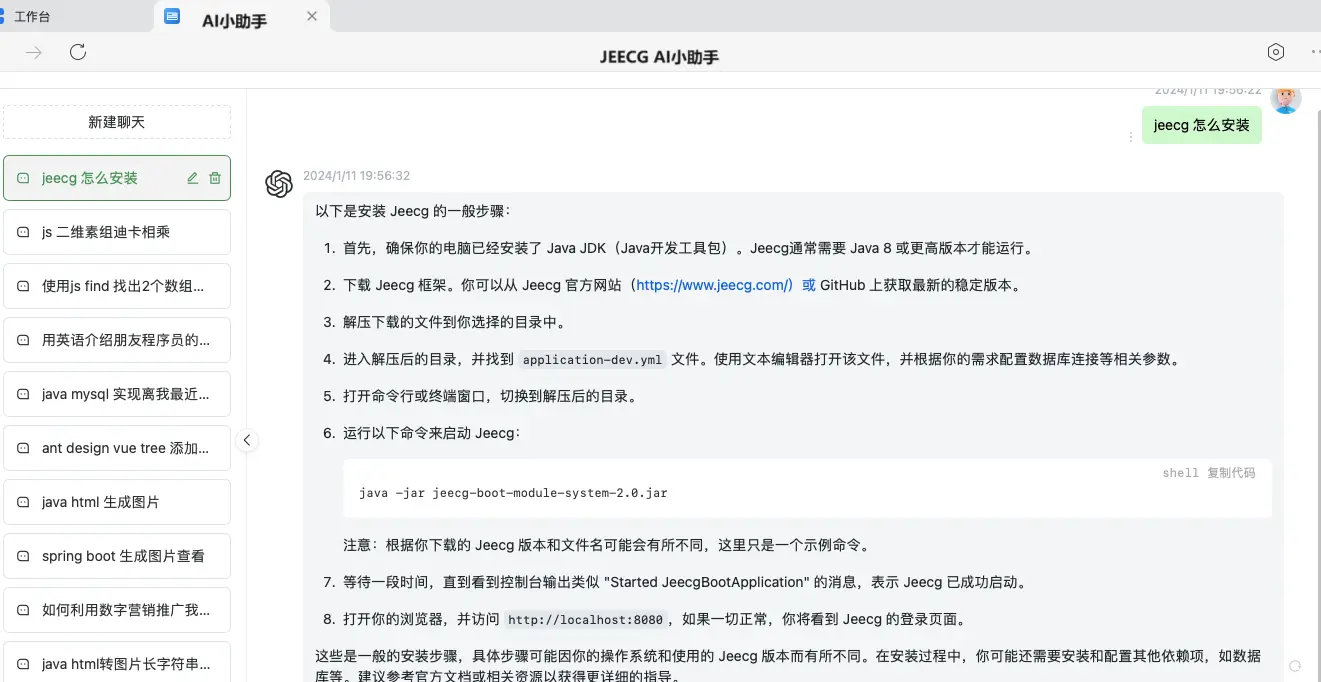
|
||||
|
||||
AI建表
|
||||
|
||||
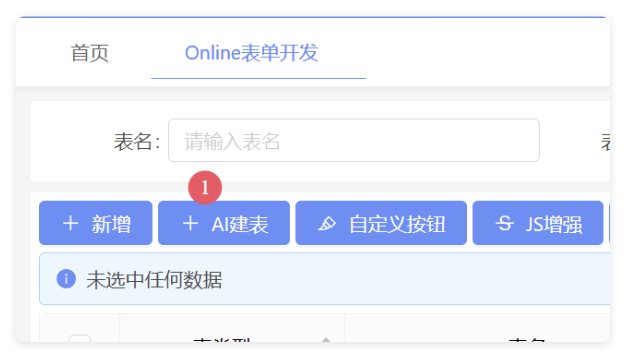
|
||||
|
||||
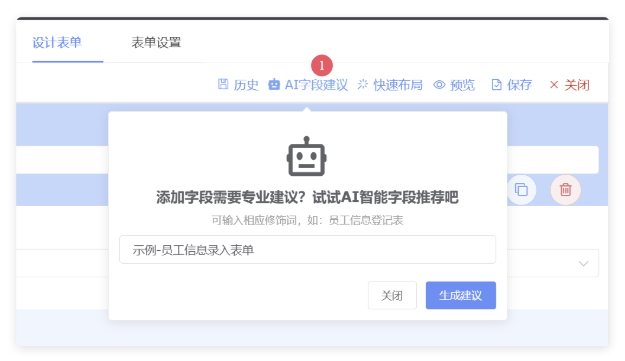
|
||||
|
||||
AI写文章
|
||||
|
||||
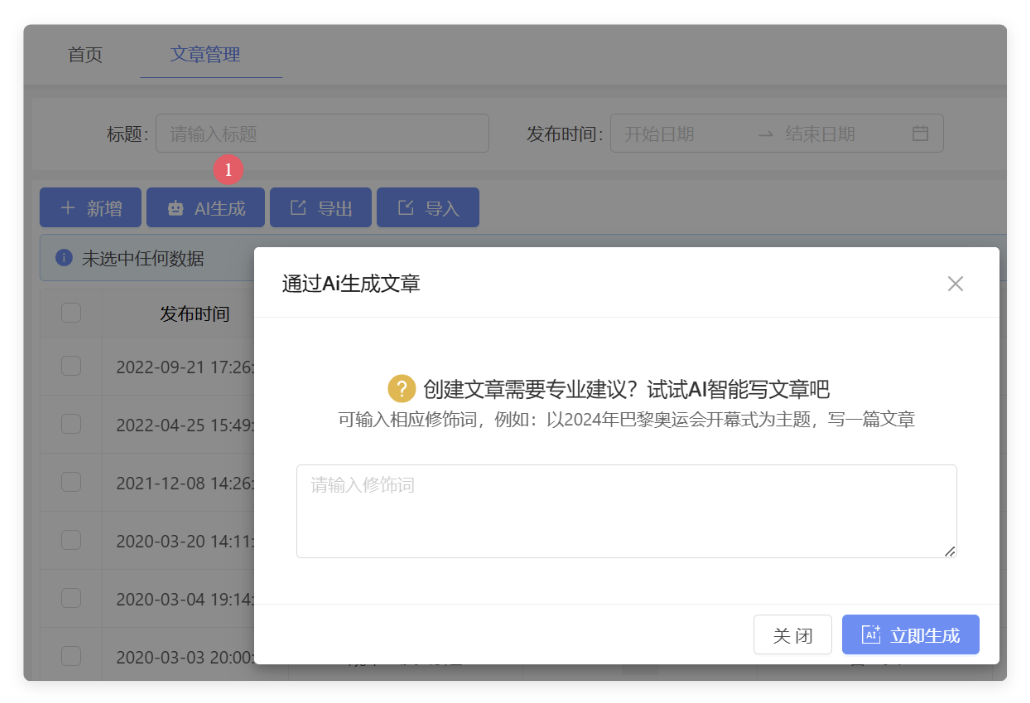
|
||||
|
||||
|
||||
##### 仪表盘设计器
|
||||
|
||||

|
||||
|
||||

|
||||
|
||||

|
||||
|
||||

|
||||
|
||||

|
||||
|
||||

|
||||
|
||||
|
||||
##### 报表设计器
|
||||

|
||||
|
||||

|
||||
|
||||

|
||||
|
||||

|
||||
|
||||
|
||||
##### 手机端
|
||||

|
||||

|
||||
|
||||
##### PAD端
|
||||

|
||||

|
||||

|
||||
|
||||
|
||||
##### 图表示例
|
||||

|
||||
|
||||

|
||||

|
||||

|
||||

|
||||
|
||||
##### 在线接口文档
|
||||

|
||||

|
||||
|
||||
|
||||
##### UNIAPP效果
|
||||
|
||||

|
||||
|
||||

|
||||
|
||||
|
||||
##### 大屏设计器
|
||||

|
||||
|
||||

|
||||
|
||||

|
||||
|
||||

|
||||
|
||||
|
||||
|
||||
|
||||
|
||||
|
||||
|
||||
|
||||
## 捐赠
|
||||
|
||||
如果觉得还不错,请作者喝杯咖啡吧 ☺
|
||||
|
||||

|
||||

|
||||
@ -1,154 +0,0 @@
|
||||
version: '2'
|
||||
services:
|
||||
jeecg-boot-mysql:
|
||||
build:
|
||||
context: ./jeecg-boot/db
|
||||
environment:
|
||||
MYSQL_ROOT_PASSWORD: root
|
||||
MYSQL_ROOT_HOST: '%'
|
||||
TZ: Asia/Shanghai
|
||||
restart: always
|
||||
container_name: jeecg-boot-mysql
|
||||
image: jeecg-boot-mysql
|
||||
command:
|
||||
--character-set-server=utf8mb4
|
||||
--collation-server=utf8mb4_general_ci
|
||||
--explicit_defaults_for_timestamp=true
|
||||
--lower_case_table_names=1
|
||||
--max_allowed_packet=128M
|
||||
--default-authentication-plugin=caching_sha2_password
|
||||
ports:
|
||||
- 13306:3306
|
||||
networks:
|
||||
- jeecg-boot
|
||||
|
||||
jeecg-boot-redis:
|
||||
image: registry.cn-hangzhou.aliyuncs.com/jeecgdocker/redis:5.0
|
||||
# ports:
|
||||
# - 6379:6379
|
||||
restart: always
|
||||
hostname: jeecg-boot-redis
|
||||
container_name: jeecg-boot-redis
|
||||
networks:
|
||||
- jeecg-boot
|
||||
|
||||
jeecg-boot-pgvector:
|
||||
image: registry.cn-hangzhou.aliyuncs.com/jeecgdocker/pgvector
|
||||
container_name: jeecg-boot-pgvector
|
||||
environment:
|
||||
POSTGRES_USER: postgres
|
||||
POSTGRES_PASSWORD: postgres
|
||||
POSTGRES_DB: vector_db
|
||||
ports:
|
||||
- 5432:5432
|
||||
restart: always
|
||||
networks:
|
||||
- jeecg-boot
|
||||
|
||||
jeecg-boot-nacos:
|
||||
restart: always
|
||||
build:
|
||||
context: ./jeecg-boot/jeecg-server-cloud/jeecg-cloud-nacos
|
||||
ports:
|
||||
- 8848:8848
|
||||
container_name: jeecg-boot-nacos
|
||||
depends_on:
|
||||
- jeecg-boot-mysql
|
||||
hostname: jeecg-boot-nacos
|
||||
networks:
|
||||
- jeecg-boot
|
||||
|
||||
jeecg-boot-system:
|
||||
depends_on:
|
||||
- jeecg-boot-nacos
|
||||
build:
|
||||
context: ./jeecg-boot/jeecg-server-cloud/jeecg-system-cloud-start
|
||||
container_name: jeecg-system-start
|
||||
hostname: jeecg-boot-system
|
||||
restart: on-failure
|
||||
environment:
|
||||
- TZ=Asia/Shanghai
|
||||
networks:
|
||||
- jeecg-boot
|
||||
|
||||
jeecg-boot-demo:
|
||||
depends_on:
|
||||
- jeecg-boot-nacos
|
||||
build:
|
||||
context: ./jeecg-boot/jeecg-server-cloud/jeecg-demo-cloud-start
|
||||
container_name: jeecg-demo-start
|
||||
hostname: jeecg-boot-demo
|
||||
restart: on-failure
|
||||
environment:
|
||||
- TZ=Asia/Shanghai
|
||||
networks:
|
||||
- jeecg-boot
|
||||
|
||||
jeecg-boot-gateway:
|
||||
restart: on-failure
|
||||
build:
|
||||
context: ./jeecg-boot/jeecg-server-cloud/jeecg-cloud-gateway
|
||||
ports:
|
||||
- 9999:9999
|
||||
depends_on:
|
||||
- jeecg-boot-nacos
|
||||
- jeecg-boot-system
|
||||
container_name: jeecg-boot-gateway
|
||||
hostname: jeecg-boot-gateway
|
||||
networks:
|
||||
- jeecg-boot
|
||||
|
||||
# jeecg-boot-rabbitmq:
|
||||
# image: rabbitmq:3.7.7-management
|
||||
# ports:
|
||||
# - 5672:5672
|
||||
# - 15672:15672
|
||||
# restart: always
|
||||
# container_name: jeecg-boot-rabbitmq
|
||||
# hostname: jeecg-boot-rabbitmq
|
||||
# environment:
|
||||
# RABBITMQ_DEFAULT_USER: guest
|
||||
# RABBITMQ_DEFAULT_PASS: guest
|
||||
|
||||
jeecg-boot-sentinel:
|
||||
restart: on-failure
|
||||
build:
|
||||
context: ./jeecg-boot/jeecg-server-cloud/jeecg-visual/jeecg-cloud-sentinel
|
||||
ports:
|
||||
- 9000:9000
|
||||
depends_on:
|
||||
- jeecg-boot-nacos
|
||||
- jeecg-boot-demo
|
||||
- jeecg-boot-system
|
||||
- jeecg-boot-gateway
|
||||
container_name: jeecg-boot-sentinel
|
||||
hostname: jeecg-boot-sentinel
|
||||
networks:
|
||||
- jeecg-boot
|
||||
|
||||
jeecg-boot-xxljob:
|
||||
build:
|
||||
context: ./jeecg-boot/jeecg-server-cloud/jeecg-visual/jeecg-cloud-xxljob
|
||||
ports:
|
||||
- 9080:9080
|
||||
container_name: jeecg-boot-xxljob
|
||||
hostname: jeecg-boot-xxljob
|
||||
networks:
|
||||
- jeecg-boot
|
||||
|
||||
jeecg-vue:
|
||||
build:
|
||||
context: ./jeecgboot-vue3
|
||||
dockerfile: Dockerfile.cloud
|
||||
container_name: jeecgboot-vue3-nginx
|
||||
image: jeecgboot-vue3
|
||||
depends_on:
|
||||
- jeecg-boot-system
|
||||
networks:
|
||||
- jeecg-boot
|
||||
ports:
|
||||
- 80:80
|
||||
|
||||
networks:
|
||||
jeecg-boot:
|
||||
name: jeecg_boot
|
||||
@ -199,15 +199,3 @@
|
||||
WITHOUT WARRANTIES OR CONDITIONS OF ANY KIND, either express or implied.
|
||||
See the License for the specific language governing permissions and
|
||||
limitations under the License.
|
||||
|
||||
In any case, you must not make any such use of this software as to develop software which may be considered competitive with this software.
|
||||
|
||||
JeecgBoot 是由 北京国炬信息技术有限公司 发行的软件。 总部位于北京,地址:中国·北京·朝阳区科荟前街1号院奥林佳泰大厦。邮箱:jeecgos@163.com
|
||||
本软件受适用的国家软件著作权法(包括国际条约)和开源协议 双重保护许可。
|
||||
|
||||
开源协议中文释意如下:
|
||||
1.JeecgBoot开源版本无任何限制,在遵循本开源协议条款下,允许商用使用,不会造成侵权行为。
|
||||
2.允许基于本平台软件开展业务系统开发。
|
||||
3.在任何情况下,您不得使用本软件开发可能被认为与本软件竞争的软件。
|
||||
|
||||
最终解释权归:http://www.jeecg.com
|
||||
@ -1,165 +0,0 @@
|
||||
|
||||
JeecgBoot 低代码开发平台
|
||||
===============
|
||||
|
||||
当前最新版本: 3.8.3(发布日期:2025-09-22)
|
||||
|
||||
|
||||
[](https://github.com/zhangdaiscott/jeecg-boot/blob/master/LICENSE)
|
||||
[](http://jeecg.com/aboutusIndex)
|
||||
[](https://github.com/zhangdaiscott/jeecg-boot)
|
||||
[](https://github.com/zhangdaiscott/jeecg-boot)
|
||||
[](https://github.com/zhangdaiscott/jeecg-boot)
|
||||
|
||||
|
||||
|
||||
项目介绍
|
||||
-----------------------------------
|
||||
|
||||
<h3 align="center">Java Low Code Platform for Enterprise web applications</h3>
|
||||
|
||||
JeecgBoot 是一款基于代码生成器的`低代码开发平台`!前后端分离架构 SpringBoot2.x和3.x,SpringCloud,Ant Design Vue3,Mybatis-plus,Shiro,JWT,支持微服务。强大的代码生成器让前后端代码一键生成,实现低代码开发! JeecgBoot 引领新的低代码开发模式(OnlineCoding-> 代码生成器-> 手工MERGE), 帮助解决Java项目70%的重复工作,让开发更多关注业务。既能快速提高效率,节省研发成本,同时又不失灵活性!
|
||||
|
||||
|
||||
#### 项目说明
|
||||
|
||||
| 项目名 | 说明 |
|
||||
|--------------------|------------------------|
|
||||
| `jeecg-boot` | 后端源码JAVA(SpringBoot微服务架构) |
|
||||
| `jeecgboot-vue3` | 前端源码VUE3(vue3+vite5+ts最新技术栈) |
|
||||
|
||||
|
||||
|
||||
技术文档
|
||||
-----------------------------------
|
||||
|
||||
- 官方网站: [http://www.jeecg.com](http://www.jeecg.com)
|
||||
- 新手指南: [快速入门](http://www.jeecg.com/doc/quickstart)
|
||||
- QQ交流群 : 964611995、⑩716488839(满)、⑨808791225(满)、其他(满)
|
||||
- 在线演示 : [在线演示](http://boot3.jeecg.com) | [APP演示](http://jeecg.com/appIndex)
|
||||
> 演示系统的登录账号密码,请点击 [获取账号密码](http://jeecg.com/doc/demo) 获取
|
||||
|
||||
|
||||
|
||||
启动项目
|
||||
-----------------------------------
|
||||
|
||||
- [IDEA启动前后端项目](https://help.jeecg.com/java/setup/idea/startup)
|
||||
- [Docker一键启动前后端](https://help.jeecg.com/java/docker/quick)
|
||||
|
||||
|
||||
微服务启动
|
||||
-----------------------------------
|
||||
- [单体快速切换微服务](https://help.jeecg.com/java/springcloud/switchcloud/monomer)
|
||||
- [Docker启动微服务后台](https://help.jeecg.com/java/docker/springcloud)
|
||||
|
||||
|
||||
|
||||
技术架构:
|
||||
-----------------------------------
|
||||
|
||||
#### 后端
|
||||
|
||||
- IDE建议: IDEA (必须安装lombok插件 )
|
||||
- 语言:Java 8+ (支持17)
|
||||
- 依赖管理:Maven
|
||||
- 基础框架:Spring Boot 2.7.18
|
||||
- 微服务框架: Spring Cloud Alibaba 2021.0.1.0
|
||||
- 持久层框架:MybatisPlus 3.5.3.2
|
||||
- 报表工具: JimuReport 1.9.4
|
||||
- 安全框架:Apache Shiro 1.12.0,Jwt 3.11.0
|
||||
- 微服务技术栈:Spring Cloud Alibaba、Nacos、Gateway、Sentinel、Skywalking
|
||||
- 数据库连接池:阿里巴巴Druid 1.1.24
|
||||
- 日志打印:logback
|
||||
- 缓存:Redis
|
||||
- 其他:autopoi, fastjson,poi,Swagger-ui,quartz, lombok(简化代码)等。
|
||||
- 默认数据库脚本:MySQL5.7+
|
||||
- [其他数据库,需要自己转](https://my.oschina.net/jeecg/blog/4905722)
|
||||
|
||||
|
||||
#### 前端
|
||||
|
||||
- 前端IDE建议:WebStorm、Vscode
|
||||
- 采用 Vue3.0+TypeScript+Vite+Ant-Design-Vue等新技术方案,包括二次封装组件、utils、hooks、动态菜单、权限校验、按钮级别权限控制等功能
|
||||
- 最新技术栈:Vue3.0 + TypeScript + Vite5 + ant-design-vue4 + pinia + echarts + unocss + vxe-table + qiankun + es6
|
||||
- 依赖管理:node、npm、pnpm
|
||||
|
||||
|
||||
|
||||
#### 支持库
|
||||
|
||||
| 数据库 | 支持 |
|
||||
| --- | --- |
|
||||
| MySQL | √ |
|
||||
| Oracle11g | √ |
|
||||
| Sqlserver2017 | √ |
|
||||
| PostgreSQL | √ |
|
||||
| MariaDB | √ |
|
||||
| 达梦 | √ |
|
||||
| 人大金仓 | √ |
|
||||
| TiDB | √ |
|
||||
|
||||
|
||||
|
||||
|
||||
## 微服务解决方案
|
||||
|
||||
|
||||
- 1、服务注册和发现 Nacos √
|
||||
- 2、统一配置中心 Nacos √
|
||||
- 3、路由网关 gateway(三种加载方式) √
|
||||
- 4、分布式 http feign √
|
||||
- 5、熔断降级限流 Sentinel √
|
||||
- 6、分布式文件 Minio、阿里OSS √
|
||||
- 7、统一权限控制 JWT + Shiro √
|
||||
- 8、服务监控 SpringBootAdmin√
|
||||
- 9、链路跟踪 Skywalking [参考文档](https://help.jeecg.com/java/springcloud/super/skywarking)
|
||||
- 10、消息中间件 RabbitMQ √
|
||||
- 11、分布式任务 xxl-job √
|
||||
- 12、分布式事务 Seata
|
||||
- 13、轻量分布式日志 Loki+grafana套件
|
||||
- 14、支持 docker-compose、k8s、jenkins
|
||||
- 15、CAS 单点登录 √
|
||||
- 16、路由限流 √
|
||||
|
||||
|
||||
|
||||
后台目录结构
|
||||
-----------------------------------
|
||||
```
|
||||
项目结构
|
||||
├─jeecg-boot-parent(父POM: 项目依赖、modules组织)
|
||||
│ ├─jeecg-boot-base-core(共通模块: 工具类、config、权限、查询过滤器、注解等)
|
||||
│ ├─jeecg-module-demo 示例代码
|
||||
│ ├─jeecg-module-system System系统管理目录
|
||||
│ │ ├─jeecg-system-biz System系统管理权限等功能
|
||||
│ │ ├─jeecg-system-start System单体启动项目(8080)
|
||||
│ │ ├─jeecg-system-api System系统管理模块对外api
|
||||
│ │ │ ├─jeecg-system-cloud-api System模块对外提供的微服务接口
|
||||
│ │ │ ├─jeecg-system-local-api System模块对外提供的单体接口
|
||||
│ ├─jeecg-server-cloud --微服务模块
|
||||
├─jeecg-cloud-gateway --微服务网关模块(9999)
|
||||
├─jeecg-cloud-nacos --Nacos服务模块(8848)
|
||||
├─jeecg-system-cloud-start --System微服务启动项目(7001)
|
||||
├─jeecg-demo-cloud-start --Demo微服务启动项目(7002)
|
||||
├─jeecg-visual
|
||||
├─jeecg-cloud-monitor --微服务监控模块 (9111)
|
||||
├─jeecg-cloud-xxljob --微服务xxljob定时任务服务端 (9080)
|
||||
├─jeecg-cloud-sentinel --sentinel服务端 (9000)
|
||||
├─jeecg-cloud-test -- 微服务测试示例(各种例子)
|
||||
├─jeecg-cloud-test-more -- 微服务测试示例(feign、熔断降级、xxljob、分布式锁)
|
||||
├─jeecg-cloud-test-rabbitmq -- 微服务测试示例(rabbitmq)
|
||||
├─jeecg-cloud-test-seata -- 微服务测试示例(seata分布式事务)
|
||||
├─jeecg-cloud-test-shardingsphere -- 微服务测试示例(分库分表)
|
||||
```
|
||||
|
||||
|
||||
|
||||
|
||||
#### 微服务架构图
|
||||

|
||||
|
||||
|
||||
|
||||
|
||||
|
||||
@ -8,6 +8,6 @@ RUN ln -sf /usr/share/zoneinfo/$TZ /etc/localtime && echo $TZ > /etc/timezone
|
||||
|
||||
COPY ./tables_nacos.sql /docker-entrypoint-initdb.d
|
||||
|
||||
COPY ./jeecgboot-mysql-5.7.sql /docker-entrypoint-initdb.d
|
||||
COPY ./jeecgai-mysql-5.7.sql /docker-entrypoint-initdb.d
|
||||
|
||||
COPY ./tables_xxl_job.sql /docker-entrypoint-initdb.d
|
||||
File diff suppressed because one or more lines are too long
File diff suppressed because one or more lines are too long
@ -1,360 +0,0 @@
|
||||
#
|
||||
# XXL-JOB v2.4.0
|
||||
# Copyright (c) 2015-present, xuxueli.
|
||||
|
||||
CREATE database if NOT EXISTS `xxl_job` default character set utf8mb4 collate utf8mb4_general_ci;
|
||||
use `xxl_job`;
|
||||
|
||||
/*
|
||||
Navicat Premium Data Transfer
|
||||
|
||||
Source Server : mysql5.7
|
||||
Source Server Type : MySQL
|
||||
Source Server Version : 50738 (5.7.38)
|
||||
Source Host : 127.0.0.1:3306
|
||||
Source Schema : xxl_job
|
||||
|
||||
Target Server Type : MySQL
|
||||
Target Server Version : 50738 (5.7.38)
|
||||
File Encoding : 65001
|
||||
|
||||
Date: 10/02/2025 13:49:31
|
||||
*/
|
||||
|
||||
SET NAMES utf8mb4;
|
||||
SET FOREIGN_KEY_CHECKS = 0;
|
||||
|
||||
-- ----------------------------
|
||||
-- Table structure for xxl_job_group
|
||||
-- ----------------------------
|
||||
DROP TABLE IF EXISTS `xxl_job_group`;
|
||||
CREATE TABLE `xxl_job_group` (
|
||||
`id` int(11) NOT NULL AUTO_INCREMENT,
|
||||
`app_name` varchar(64) CHARACTER SET utf8mb4 COLLATE utf8mb4_general_ci NOT NULL COMMENT '执行器AppName',
|
||||
`title` varchar(12) CHARACTER SET utf8mb4 COLLATE utf8mb4_general_ci NOT NULL COMMENT '执行器名称',
|
||||
`address_type` tinyint(4) NOT NULL DEFAULT 0 COMMENT '执行器地址类型:0=自动注册、1=手动录入',
|
||||
`address_list` text CHARACTER SET utf8mb4 COLLATE utf8mb4_general_ci NULL COMMENT '执行器地址列表,多地址逗号分隔',
|
||||
`update_time` datetime NULL DEFAULT NULL,
|
||||
PRIMARY KEY (`id`) USING BTREE
|
||||
) ENGINE = InnoDB AUTO_INCREMENT = 4 CHARACTER SET = utf8mb4 COLLATE = utf8mb4_general_ci ROW_FORMAT = Dynamic;
|
||||
|
||||
-- ----------------------------
|
||||
-- Records of xxl_job_group
|
||||
-- ----------------------------
|
||||
INSERT INTO `xxl_job_group` VALUES (1, 'xxl-job-executor-sample', '示例执行器', 0, NULL, '2025-02-10 13:49:04');
|
||||
INSERT INTO `xxl_job_group` VALUES (2, 'jeecg-demo', '测试Demo模块', 0, NULL, '2025-02-10 13:49:04');
|
||||
INSERT INTO `xxl_job_group` VALUES (3, 'jeecg-system', '系统System模块', 0, NULL, '2025-02-10 13:49:04');
|
||||
|
||||
-- ----------------------------
|
||||
-- Table structure for xxl_job_info
|
||||
-- ----------------------------
|
||||
DROP TABLE IF EXISTS `xxl_job_info`;
|
||||
CREATE TABLE `xxl_job_info` (
|
||||
`id` int(11) NOT NULL AUTO_INCREMENT,
|
||||
`job_group` int(11) NOT NULL COMMENT '执行器主键ID',
|
||||
`job_desc` varchar(255) CHARACTER SET utf8mb4 COLLATE utf8mb4_general_ci NOT NULL,
|
||||
`add_time` datetime NULL DEFAULT NULL,
|
||||
`update_time` datetime NULL DEFAULT NULL,
|
||||
`author` varchar(64) CHARACTER SET utf8mb4 COLLATE utf8mb4_general_ci NULL DEFAULT NULL COMMENT '作者',
|
||||
`alarm_email` varchar(255) CHARACTER SET utf8mb4 COLLATE utf8mb4_general_ci NULL DEFAULT NULL COMMENT '报警邮件',
|
||||
`schedule_type` varchar(50) CHARACTER SET utf8mb4 COLLATE utf8mb4_general_ci NOT NULL DEFAULT 'NONE' COMMENT '调度类型',
|
||||
`schedule_conf` varchar(128) CHARACTER SET utf8mb4 COLLATE utf8mb4_general_ci NULL DEFAULT NULL COMMENT '调度配置,值含义取决于调度类型',
|
||||
`misfire_strategy` varchar(50) CHARACTER SET utf8mb4 COLLATE utf8mb4_general_ci NOT NULL DEFAULT 'DO_NOTHING' COMMENT '调度过期策略',
|
||||
`executor_route_strategy` varchar(50) CHARACTER SET utf8mb4 COLLATE utf8mb4_general_ci NULL DEFAULT NULL COMMENT '执行器路由策略',
|
||||
`executor_handler` varchar(255) CHARACTER SET utf8mb4 COLLATE utf8mb4_general_ci NULL DEFAULT NULL COMMENT '执行器任务handler',
|
||||
`executor_param` varchar(512) CHARACTER SET utf8mb4 COLLATE utf8mb4_general_ci NULL DEFAULT NULL COMMENT '执行器任务参数',
|
||||
`executor_block_strategy` varchar(50) CHARACTER SET utf8mb4 COLLATE utf8mb4_general_ci NULL DEFAULT NULL COMMENT '阻塞处理策略',
|
||||
`executor_timeout` int(11) NOT NULL DEFAULT 0 COMMENT '任务执行超时时间,单位秒',
|
||||
`executor_fail_retry_count` int(11) NOT NULL DEFAULT 0 COMMENT '失败重试次数',
|
||||
`glue_type` varchar(50) CHARACTER SET utf8mb4 COLLATE utf8mb4_general_ci NOT NULL COMMENT 'GLUE类型',
|
||||
`glue_source` mediumtext CHARACTER SET utf8mb4 COLLATE utf8mb4_general_ci NULL COMMENT 'GLUE源代码',
|
||||
`glue_remark` varchar(128) CHARACTER SET utf8mb4 COLLATE utf8mb4_general_ci NULL DEFAULT NULL COMMENT 'GLUE备注',
|
||||
`glue_updatetime` datetime NULL DEFAULT NULL COMMENT 'GLUE更新时间',
|
||||
`child_jobid` varchar(255) CHARACTER SET utf8mb4 COLLATE utf8mb4_general_ci NULL DEFAULT NULL COMMENT '子任务ID,多个逗号分隔',
|
||||
`trigger_status` tinyint(4) NOT NULL DEFAULT 0 COMMENT '调度状态:0-停止,1-运行',
|
||||
`trigger_last_time` bigint(13) NOT NULL DEFAULT 0 COMMENT '上次调度时间',
|
||||
`trigger_next_time` bigint(13) NOT NULL DEFAULT 0 COMMENT '下次调度时间',
|
||||
PRIMARY KEY (`id`) USING BTREE
|
||||
) ENGINE = InnoDB AUTO_INCREMENT = 3 CHARACTER SET = utf8mb4 COLLATE = utf8mb4_general_ci ROW_FORMAT = Dynamic;
|
||||
|
||||
-- ----------------------------
|
||||
-- Records of xxl_job_info
|
||||
-- ----------------------------
|
||||
INSERT INTO `xxl_job_info` VALUES (1, 1, '测试任务1', '2018-11-03 22:21:31', '2024-08-21 22:30:30', 'XXL', '', 'CRON', '0 0 0 * * ? *', 'DO_NOTHING', 'FIRST', 'demoJob', '', 'SERIAL_EXECUTION', 0, 0, 'BEAN', '', 'GLUE代码初始化', '2018-11-03 22:21:31', '', 1, 1729353600000, 1739203200000);
|
||||
INSERT INTO `xxl_job_info` VALUES (2, 3, '测试jeecg xxljob', '2024-08-21 22:41:10', '2024-08-21 22:41:30', 'JEECG', '', 'CRON', '* * * * * ?', 'DO_NOTHING', 'FIRST', 'demoJob', '', 'SERIAL_EXECUTION', 0, 0, 'BEAN', '', 'GLUE代码初始化', '2024-08-21 22:41:10', '', 1, 1739166572000, 1739166573000);
|
||||
|
||||
-- ----------------------------
|
||||
-- Table structure for xxl_job_lock
|
||||
-- ----------------------------
|
||||
DROP TABLE IF EXISTS `xxl_job_lock`;
|
||||
CREATE TABLE `xxl_job_lock` (
|
||||
`lock_name` varchar(50) CHARACTER SET utf8mb4 COLLATE utf8mb4_general_ci NOT NULL COMMENT '锁名称',
|
||||
PRIMARY KEY (`lock_name`) USING BTREE
|
||||
) ENGINE = InnoDB CHARACTER SET = utf8mb4 COLLATE = utf8mb4_general_ci ROW_FORMAT = Dynamic;
|
||||
|
||||
-- ----------------------------
|
||||
-- Records of xxl_job_lock
|
||||
-- ----------------------------
|
||||
INSERT INTO `xxl_job_lock` VALUES ('schedule_lock');
|
||||
|
||||
-- ----------------------------
|
||||
-- Table structure for xxl_job_log
|
||||
-- ----------------------------
|
||||
DROP TABLE IF EXISTS `xxl_job_log`;
|
||||
CREATE TABLE `xxl_job_log` (
|
||||
`id` bigint(20) NOT NULL AUTO_INCREMENT,
|
||||
`job_group` int(11) NOT NULL COMMENT '执行器主键ID',
|
||||
`job_id` int(11) NOT NULL COMMENT '任务,主键ID',
|
||||
`executor_address` varchar(255) CHARACTER SET utf8mb4 COLLATE utf8mb4_general_ci NULL DEFAULT NULL COMMENT '执行器地址,本次执行的地址',
|
||||
`executor_handler` varchar(255) CHARACTER SET utf8mb4 COLLATE utf8mb4_general_ci NULL DEFAULT NULL COMMENT '执行器任务handler',
|
||||
`executor_param` varchar(512) CHARACTER SET utf8mb4 COLLATE utf8mb4_general_ci NULL DEFAULT NULL COMMENT '执行器任务参数',
|
||||
`executor_sharding_param` varchar(20) CHARACTER SET utf8mb4 COLLATE utf8mb4_general_ci NULL DEFAULT NULL COMMENT '执行器任务分片参数,格式如 1/2',
|
||||
`executor_fail_retry_count` int(11) NOT NULL DEFAULT 0 COMMENT '失败重试次数',
|
||||
`trigger_time` datetime NULL DEFAULT NULL COMMENT '调度-时间',
|
||||
`trigger_code` int(11) NOT NULL COMMENT '调度-结果',
|
||||
`trigger_msg` text CHARACTER SET utf8mb4 COLLATE utf8mb4_general_ci NULL COMMENT '调度-日志',
|
||||
`handle_time` datetime NULL DEFAULT NULL COMMENT '执行-时间',
|
||||
`handle_code` int(11) NOT NULL COMMENT '执行-状态',
|
||||
`handle_msg` text CHARACTER SET utf8mb4 COLLATE utf8mb4_general_ci NULL COMMENT '执行-日志',
|
||||
`alarm_status` tinyint(4) NOT NULL DEFAULT 0 COMMENT '告警状态:0-默认、1-无需告警、2-告警成功、3-告警失败',
|
||||
PRIMARY KEY (`id`) USING BTREE,
|
||||
INDEX `I_trigger_time`(`trigger_time`) USING BTREE,
|
||||
INDEX `I_handle_code`(`handle_code`) USING BTREE
|
||||
) ENGINE = InnoDB AUTO_INCREMENT = 6761 CHARACTER SET = utf8mb4 COLLATE = utf8mb4_general_ci ROW_FORMAT = Dynamic;
|
||||
|
||||
-- ----------------------------
|
||||
-- Records of xxl_job_log
|
||||
-- ----------------------------
|
||||
INSERT INTO `xxl_job_log` VALUES (6618, 3, 2, NULL, 'demoJob', '', NULL, 0, '2025-02-10 13:47:09', 500, '任务触发类型:Cron触发<br>调度机器:192.168.1.11<br>执行器-注册方式:自动注册<br>执行器-地址列表:null<br>路由策略:第一个<br>阻塞处理策略:单机串行<br>任务超时时间:0<br>失败重试次数:0<br><br><span style=\"color:#00c0ef;\" > >>>>>>>>>>>触发调度<<<<<<<<<<< </span><br>调度失败:执行器地址为空<br><br>', NULL, 0, NULL, 2);
|
||||
INSERT INTO `xxl_job_log` VALUES (6619, 3, 2, NULL, 'demoJob', '', NULL, 0, '2025-02-10 13:47:10', 500, '任务触发类型:Cron触发<br>调度机器:192.168.1.11<br>执行器-注册方式:自动注册<br>执行器-地址列表:null<br>路由策略:第一个<br>阻塞处理策略:单机串行<br>任务超时时间:0<br>失败重试次数:0<br><br><span style=\"color:#00c0ef;\" > >>>>>>>>>>>触发调度<<<<<<<<<<< </span><br>调度失败:执行器地址为空<br><br>', NULL, 0, NULL, 2);
|
||||
INSERT INTO `xxl_job_log` VALUES (6620, 3, 2, NULL, 'demoJob', '', NULL, 0, '2025-02-10 13:47:11', 500, '任务触发类型:Cron触发<br>调度机器:192.168.1.11<br>执行器-注册方式:自动注册<br>执行器-地址列表:null<br>路由策略:第一个<br>阻塞处理策略:单机串行<br>任务超时时间:0<br>失败重试次数:0<br><br><span style=\"color:#00c0ef;\" > >>>>>>>>>>>触发调度<<<<<<<<<<< </span><br>调度失败:执行器地址为空<br><br>', NULL, 0, NULL, 2);
|
||||
INSERT INTO `xxl_job_log` VALUES (6621, 3, 2, NULL, 'demoJob', '', NULL, 0, '2025-02-10 13:47:12', 500, '任务触发类型:Cron触发<br>调度机器:192.168.1.11<br>执行器-注册方式:自动注册<br>执行器-地址列表:null<br>路由策略:第一个<br>阻塞处理策略:单机串行<br>任务超时时间:0<br>失败重试次数:0<br><br><span style=\"color:#00c0ef;\" > >>>>>>>>>>>触发调度<<<<<<<<<<< </span><br>调度失败:执行器地址为空<br><br>', NULL, 0, NULL, 2);
|
||||
INSERT INTO `xxl_job_log` VALUES (6622, 3, 2, NULL, 'demoJob', '', NULL, 0, '2025-02-10 13:47:13', 500, '任务触发类型:Cron触发<br>调度机器:192.168.1.11<br>执行器-注册方式:自动注册<br>执行器-地址列表:null<br>路由策略:第一个<br>阻塞处理策略:单机串行<br>任务超时时间:0<br>失败重试次数:0<br><br><span style=\"color:#00c0ef;\" > >>>>>>>>>>>触发调度<<<<<<<<<<< </span><br>调度失败:执行器地址为空<br><br>', NULL, 0, NULL, 2);
|
||||
INSERT INTO `xxl_job_log` VALUES (6623, 3, 2, NULL, 'demoJob', '', NULL, 0, '2025-02-10 13:47:14', 500, '任务触发类型:Cron触发<br>调度机器:192.168.1.11<br>执行器-注册方式:自动注册<br>执行器-地址列表:null<br>路由策略:第一个<br>阻塞处理策略:单机串行<br>任务超时时间:0<br>失败重试次数:0<br><br><span style=\"color:#00c0ef;\" > >>>>>>>>>>>触发调度<<<<<<<<<<< </span><br>调度失败:执行器地址为空<br><br>', NULL, 0, NULL, 2);
|
||||
INSERT INTO `xxl_job_log` VALUES (6624, 3, 2, NULL, 'demoJob', '', NULL, 0, '2025-02-10 13:47:15', 500, '任务触发类型:Cron触发<br>调度机器:192.168.1.11<br>执行器-注册方式:自动注册<br>执行器-地址列表:null<br>路由策略:第一个<br>阻塞处理策略:单机串行<br>任务超时时间:0<br>失败重试次数:0<br><br><span style=\"color:#00c0ef;\" > >>>>>>>>>>>触发调度<<<<<<<<<<< </span><br>调度失败:执行器地址为空<br><br>', NULL, 0, NULL, 2);
|
||||
INSERT INTO `xxl_job_log` VALUES (6625, 3, 2, NULL, 'demoJob', '', NULL, 0, '2025-02-10 13:47:16', 500, '任务触发类型:Cron触发<br>调度机器:192.168.1.11<br>执行器-注册方式:自动注册<br>执行器-地址列表:null<br>路由策略:第一个<br>阻塞处理策略:单机串行<br>任务超时时间:0<br>失败重试次数:0<br><br><span style=\"color:#00c0ef;\" > >>>>>>>>>>>触发调度<<<<<<<<<<< </span><br>调度失败:执行器地址为空<br><br>', NULL, 0, NULL, 2);
|
||||
INSERT INTO `xxl_job_log` VALUES (6626, 3, 2, NULL, 'demoJob', '', NULL, 0, '2025-02-10 13:47:17', 500, '任务触发类型:Cron触发<br>调度机器:192.168.1.11<br>执行器-注册方式:自动注册<br>执行器-地址列表:null<br>路由策略:第一个<br>阻塞处理策略:单机串行<br>任务超时时间:0<br>失败重试次数:0<br><br><span style=\"color:#00c0ef;\" > >>>>>>>>>>>触发调度<<<<<<<<<<< </span><br>调度失败:执行器地址为空<br><br>', NULL, 0, NULL, 2);
|
||||
INSERT INTO `xxl_job_log` VALUES (6627, 3, 2, NULL, 'demoJob', '', NULL, 0, '2025-02-10 13:47:18', 500, '任务触发类型:Cron触发<br>调度机器:192.168.1.11<br>执行器-注册方式:自动注册<br>执行器-地址列表:null<br>路由策略:第一个<br>阻塞处理策略:单机串行<br>任务超时时间:0<br>失败重试次数:0<br><br><span style=\"color:#00c0ef;\" > >>>>>>>>>>>触发调度<<<<<<<<<<< </span><br>调度失败:执行器地址为空<br><br>', NULL, 0, NULL, 2);
|
||||
INSERT INTO `xxl_job_log` VALUES (6628, 3, 2, NULL, 'demoJob', '', NULL, 0, '2025-02-10 13:47:19', 500, '任务触发类型:Cron触发<br>调度机器:192.168.1.11<br>执行器-注册方式:自动注册<br>执行器-地址列表:null<br>路由策略:第一个<br>阻塞处理策略:单机串行<br>任务超时时间:0<br>失败重试次数:0<br><br><span style=\"color:#00c0ef;\" > >>>>>>>>>>>触发调度<<<<<<<<<<< </span><br>调度失败:执行器地址为空<br><br>', NULL, 0, NULL, 2);
|
||||
INSERT INTO `xxl_job_log` VALUES (6629, 3, 2, NULL, 'demoJob', '', NULL, 0, '2025-02-10 13:47:20', 500, '任务触发类型:Cron触发<br>调度机器:192.168.1.11<br>执行器-注册方式:自动注册<br>执行器-地址列表:null<br>路由策略:第一个<br>阻塞处理策略:单机串行<br>任务超时时间:0<br>失败重试次数:0<br><br><span style=\"color:#00c0ef;\" > >>>>>>>>>>>触发调度<<<<<<<<<<< </span><br>调度失败:执行器地址为空<br><br>', NULL, 0, NULL, 2);
|
||||
INSERT INTO `xxl_job_log` VALUES (6630, 3, 2, NULL, 'demoJob', '', NULL, 0, '2025-02-10 13:47:21', 500, '任务触发类型:Cron触发<br>调度机器:192.168.1.11<br>执行器-注册方式:自动注册<br>执行器-地址列表:null<br>路由策略:第一个<br>阻塞处理策略:单机串行<br>任务超时时间:0<br>失败重试次数:0<br><br><span style=\"color:#00c0ef;\" > >>>>>>>>>>>触发调度<<<<<<<<<<< </span><br>调度失败:执行器地址为空<br><br>', NULL, 0, NULL, 2);
|
||||
INSERT INTO `xxl_job_log` VALUES (6631, 3, 2, NULL, 'demoJob', '', NULL, 0, '2025-02-10 13:47:22', 500, '任务触发类型:Cron触发<br>调度机器:192.168.1.11<br>执行器-注册方式:自动注册<br>执行器-地址列表:null<br>路由策略:第一个<br>阻塞处理策略:单机串行<br>任务超时时间:0<br>失败重试次数:0<br><br><span style=\"color:#00c0ef;\" > >>>>>>>>>>>触发调度<<<<<<<<<<< </span><br>调度失败:执行器地址为空<br><br>', NULL, 0, NULL, 2);
|
||||
INSERT INTO `xxl_job_log` VALUES (6632, 3, 2, NULL, 'demoJob', '', NULL, 0, '2025-02-10 13:47:23', 500, '任务触发类型:Cron触发<br>调度机器:192.168.1.11<br>执行器-注册方式:自动注册<br>执行器-地址列表:null<br>路由策略:第一个<br>阻塞处理策略:单机串行<br>任务超时时间:0<br>失败重试次数:0<br><br><span style=\"color:#00c0ef;\" > >>>>>>>>>>>触发调度<<<<<<<<<<< </span><br>调度失败:执行器地址为空<br><br>', NULL, 0, NULL, 2);
|
||||
INSERT INTO `xxl_job_log` VALUES (6633, 3, 2, NULL, 'demoJob', '', NULL, 0, '2025-02-10 13:47:24', 500, '任务触发类型:Cron触发<br>调度机器:192.168.1.11<br>执行器-注册方式:自动注册<br>执行器-地址列表:null<br>路由策略:第一个<br>阻塞处理策略:单机串行<br>任务超时时间:0<br>失败重试次数:0<br><br><span style=\"color:#00c0ef;\" > >>>>>>>>>>>触发调度<<<<<<<<<<< </span><br>调度失败:执行器地址为空<br><br>', NULL, 0, NULL, 2);
|
||||
INSERT INTO `xxl_job_log` VALUES (6634, 3, 2, NULL, 'demoJob', '', NULL, 0, '2025-02-10 13:47:25', 500, '任务触发类型:Cron触发<br>调度机器:192.168.1.11<br>执行器-注册方式:自动注册<br>执行器-地址列表:null<br>路由策略:第一个<br>阻塞处理策略:单机串行<br>任务超时时间:0<br>失败重试次数:0<br><br><span style=\"color:#00c0ef;\" > >>>>>>>>>>>触发调度<<<<<<<<<<< </span><br>调度失败:执行器地址为空<br><br>', NULL, 0, NULL, 2);
|
||||
INSERT INTO `xxl_job_log` VALUES (6635, 3, 2, NULL, 'demoJob', '', NULL, 0, '2025-02-10 13:47:26', 500, '任务触发类型:Cron触发<br>调度机器:192.168.1.11<br>执行器-注册方式:自动注册<br>执行器-地址列表:null<br>路由策略:第一个<br>阻塞处理策略:单机串行<br>任务超时时间:0<br>失败重试次数:0<br><br><span style=\"color:#00c0ef;\" > >>>>>>>>>>>触发调度<<<<<<<<<<< </span><br>调度失败:执行器地址为空<br><br>', NULL, 0, NULL, 2);
|
||||
INSERT INTO `xxl_job_log` VALUES (6636, 3, 2, NULL, 'demoJob', '', NULL, 0, '2025-02-10 13:47:27', 500, '任务触发类型:Cron触发<br>调度机器:192.168.1.11<br>执行器-注册方式:自动注册<br>执行器-地址列表:null<br>路由策略:第一个<br>阻塞处理策略:单机串行<br>任务超时时间:0<br>失败重试次数:0<br><br><span style=\"color:#00c0ef;\" > >>>>>>>>>>>触发调度<<<<<<<<<<< </span><br>调度失败:执行器地址为空<br><br>', NULL, 0, NULL, 2);
|
||||
INSERT INTO `xxl_job_log` VALUES (6637, 3, 2, NULL, 'demoJob', '', NULL, 0, '2025-02-10 13:47:28', 500, '任务触发类型:Cron触发<br>调度机器:192.168.1.11<br>执行器-注册方式:自动注册<br>执行器-地址列表:null<br>路由策略:第一个<br>阻塞处理策略:单机串行<br>任务超时时间:0<br>失败重试次数:0<br><br><span style=\"color:#00c0ef;\" > >>>>>>>>>>>触发调度<<<<<<<<<<< </span><br>调度失败:执行器地址为空<br><br>', NULL, 0, NULL, 2);
|
||||
INSERT INTO `xxl_job_log` VALUES (6638, 3, 2, NULL, 'demoJob', '', NULL, 0, '2025-02-10 13:47:29', 500, '任务触发类型:Cron触发<br>调度机器:192.168.1.11<br>执行器-注册方式:自动注册<br>执行器-地址列表:null<br>路由策略:第一个<br>阻塞处理策略:单机串行<br>任务超时时间:0<br>失败重试次数:0<br><br><span style=\"color:#00c0ef;\" > >>>>>>>>>>>触发调度<<<<<<<<<<< </span><br>调度失败:执行器地址为空<br><br>', NULL, 0, NULL, 2);
|
||||
INSERT INTO `xxl_job_log` VALUES (6639, 3, 2, NULL, 'demoJob', '', NULL, 0, '2025-02-10 13:47:30', 500, '任务触发类型:Cron触发<br>调度机器:192.168.1.11<br>执行器-注册方式:自动注册<br>执行器-地址列表:null<br>路由策略:第一个<br>阻塞处理策略:单机串行<br>任务超时时间:0<br>失败重试次数:0<br><br><span style=\"color:#00c0ef;\" > >>>>>>>>>>>触发调度<<<<<<<<<<< </span><br>调度失败:执行器地址为空<br><br>', NULL, 0, NULL, 2);
|
||||
INSERT INTO `xxl_job_log` VALUES (6640, 3, 2, NULL, 'demoJob', '', NULL, 0, '2025-02-10 13:47:31', 500, '任务触发类型:Cron触发<br>调度机器:192.168.1.11<br>执行器-注册方式:自动注册<br>执行器-地址列表:null<br>路由策略:第一个<br>阻塞处理策略:单机串行<br>任务超时时间:0<br>失败重试次数:0<br><br><span style=\"color:#00c0ef;\" > >>>>>>>>>>>触发调度<<<<<<<<<<< </span><br>调度失败:执行器地址为空<br><br>', NULL, 0, NULL, 2);
|
||||
INSERT INTO `xxl_job_log` VALUES (6641, 3, 2, NULL, 'demoJob', '', NULL, 0, '2025-02-10 13:47:32', 500, '任务触发类型:Cron触发<br>调度机器:192.168.1.11<br>执行器-注册方式:自动注册<br>执行器-地址列表:null<br>路由策略:第一个<br>阻塞处理策略:单机串行<br>任务超时时间:0<br>失败重试次数:0<br><br><span style=\"color:#00c0ef;\" > >>>>>>>>>>>触发调度<<<<<<<<<<< </span><br>调度失败:执行器地址为空<br><br>', NULL, 0, NULL, 2);
|
||||
INSERT INTO `xxl_job_log` VALUES (6642, 3, 2, NULL, 'demoJob', '', NULL, 0, '2025-02-10 13:47:33', 500, '任务触发类型:Cron触发<br>调度机器:192.168.1.11<br>执行器-注册方式:自动注册<br>执行器-地址列表:null<br>路由策略:第一个<br>阻塞处理策略:单机串行<br>任务超时时间:0<br>失败重试次数:0<br><br><span style=\"color:#00c0ef;\" > >>>>>>>>>>>触发调度<<<<<<<<<<< </span><br>调度失败:执行器地址为空<br><br>', NULL, 0, NULL, 2);
|
||||
INSERT INTO `xxl_job_log` VALUES (6643, 3, 2, NULL, 'demoJob', '', NULL, 0, '2025-02-10 13:47:34', 500, '任务触发类型:Cron触发<br>调度机器:192.168.1.11<br>执行器-注册方式:自动注册<br>执行器-地址列表:null<br>路由策略:第一个<br>阻塞处理策略:单机串行<br>任务超时时间:0<br>失败重试次数:0<br><br><span style=\"color:#00c0ef;\" > >>>>>>>>>>>触发调度<<<<<<<<<<< </span><br>调度失败:执行器地址为空<br><br>', NULL, 0, NULL, 2);
|
||||
INSERT INTO `xxl_job_log` VALUES (6644, 3, 2, NULL, 'demoJob', '', NULL, 0, '2025-02-10 13:47:35', 500, '任务触发类型:Cron触发<br>调度机器:192.168.1.11<br>执行器-注册方式:自动注册<br>执行器-地址列表:null<br>路由策略:第一个<br>阻塞处理策略:单机串行<br>任务超时时间:0<br>失败重试次数:0<br><br><span style=\"color:#00c0ef;\" > >>>>>>>>>>>触发调度<<<<<<<<<<< </span><br>调度失败:执行器地址为空<br><br>', NULL, 0, NULL, 2);
|
||||
INSERT INTO `xxl_job_log` VALUES (6645, 3, 2, NULL, 'demoJob', '', NULL, 0, '2025-02-10 13:47:36', 500, '任务触发类型:Cron触发<br>调度机器:192.168.1.11<br>执行器-注册方式:自动注册<br>执行器-地址列表:null<br>路由策略:第一个<br>阻塞处理策略:单机串行<br>任务超时时间:0<br>失败重试次数:0<br><br><span style=\"color:#00c0ef;\" > >>>>>>>>>>>触发调度<<<<<<<<<<< </span><br>调度失败:执行器地址为空<br><br>', NULL, 0, NULL, 2);
|
||||
INSERT INTO `xxl_job_log` VALUES (6646, 3, 2, NULL, 'demoJob', '', NULL, 0, '2025-02-10 13:47:37', 500, '任务触发类型:Cron触发<br>调度机器:192.168.1.11<br>执行器-注册方式:自动注册<br>执行器-地址列表:null<br>路由策略:第一个<br>阻塞处理策略:单机串行<br>任务超时时间:0<br>失败重试次数:0<br><br><span style=\"color:#00c0ef;\" > >>>>>>>>>>>触发调度<<<<<<<<<<< </span><br>调度失败:执行器地址为空<br><br>', NULL, 0, NULL, 2);
|
||||
INSERT INTO `xxl_job_log` VALUES (6647, 3, 2, NULL, 'demoJob', '', NULL, 0, '2025-02-10 13:47:38', 500, '任务触发类型:Cron触发<br>调度机器:192.168.1.11<br>执行器-注册方式:自动注册<br>执行器-地址列表:null<br>路由策略:第一个<br>阻塞处理策略:单机串行<br>任务超时时间:0<br>失败重试次数:0<br><br><span style=\"color:#00c0ef;\" > >>>>>>>>>>>触发调度<<<<<<<<<<< </span><br>调度失败:执行器地址为空<br><br>', NULL, 0, NULL, 2);
|
||||
INSERT INTO `xxl_job_log` VALUES (6648, 3, 2, NULL, 'demoJob', '', NULL, 0, '2025-02-10 13:47:39', 500, '任务触发类型:Cron触发<br>调度机器:192.168.1.11<br>执行器-注册方式:自动注册<br>执行器-地址列表:null<br>路由策略:第一个<br>阻塞处理策略:单机串行<br>任务超时时间:0<br>失败重试次数:0<br><br><span style=\"color:#00c0ef;\" > >>>>>>>>>>>触发调度<<<<<<<<<<< </span><br>调度失败:执行器地址为空<br><br>', NULL, 0, NULL, 2);
|
||||
INSERT INTO `xxl_job_log` VALUES (6649, 3, 2, NULL, 'demoJob', '', NULL, 0, '2025-02-10 13:47:40', 500, '任务触发类型:Cron触发<br>调度机器:192.168.1.11<br>执行器-注册方式:自动注册<br>执行器-地址列表:null<br>路由策略:第一个<br>阻塞处理策略:单机串行<br>任务超时时间:0<br>失败重试次数:0<br><br><span style=\"color:#00c0ef;\" > >>>>>>>>>>>触发调度<<<<<<<<<<< </span><br>调度失败:执行器地址为空<br><br>', NULL, 0, NULL, 2);
|
||||
INSERT INTO `xxl_job_log` VALUES (6650, 3, 2, NULL, 'demoJob', '', NULL, 0, '2025-02-10 13:47:41', 500, '任务触发类型:Cron触发<br>调度机器:192.168.1.11<br>执行器-注册方式:自动注册<br>执行器-地址列表:null<br>路由策略:第一个<br>阻塞处理策略:单机串行<br>任务超时时间:0<br>失败重试次数:0<br><br><span style=\"color:#00c0ef;\" > >>>>>>>>>>>触发调度<<<<<<<<<<< </span><br>调度失败:执行器地址为空<br><br>', NULL, 0, NULL, 2);
|
||||
INSERT INTO `xxl_job_log` VALUES (6651, 3, 2, NULL, 'demoJob', '', NULL, 0, '2025-02-10 13:47:42', 500, '任务触发类型:Cron触发<br>调度机器:192.168.1.11<br>执行器-注册方式:自动注册<br>执行器-地址列表:null<br>路由策略:第一个<br>阻塞处理策略:单机串行<br>任务超时时间:0<br>失败重试次数:0<br><br><span style=\"color:#00c0ef;\" > >>>>>>>>>>>触发调度<<<<<<<<<<< </span><br>调度失败:执行器地址为空<br><br>', NULL, 0, NULL, 2);
|
||||
INSERT INTO `xxl_job_log` VALUES (6652, 3, 2, NULL, 'demoJob', '', NULL, 0, '2025-02-10 13:47:43', 500, '任务触发类型:Cron触发<br>调度机器:192.168.1.11<br>执行器-注册方式:自动注册<br>执行器-地址列表:null<br>路由策略:第一个<br>阻塞处理策略:单机串行<br>任务超时时间:0<br>失败重试次数:0<br><br><span style=\"color:#00c0ef;\" > >>>>>>>>>>>触发调度<<<<<<<<<<< </span><br>调度失败:执行器地址为空<br><br>', NULL, 0, NULL, 2);
|
||||
INSERT INTO `xxl_job_log` VALUES (6653, 3, 2, NULL, 'demoJob', '', NULL, 0, '2025-02-10 13:47:44', 500, '任务触发类型:Cron触发<br>调度机器:192.168.1.11<br>执行器-注册方式:自动注册<br>执行器-地址列表:null<br>路由策略:第一个<br>阻塞处理策略:单机串行<br>任务超时时间:0<br>失败重试次数:0<br><br><span style=\"color:#00c0ef;\" > >>>>>>>>>>>触发调度<<<<<<<<<<< </span><br>调度失败:执行器地址为空<br><br>', NULL, 0, NULL, 2);
|
||||
INSERT INTO `xxl_job_log` VALUES (6654, 3, 2, NULL, 'demoJob', '', NULL, 0, '2025-02-10 13:47:45', 500, '任务触发类型:Cron触发<br>调度机器:192.168.1.11<br>执行器-注册方式:自动注册<br>执行器-地址列表:null<br>路由策略:第一个<br>阻塞处理策略:单机串行<br>任务超时时间:0<br>失败重试次数:0<br><br><span style=\"color:#00c0ef;\" > >>>>>>>>>>>触发调度<<<<<<<<<<< </span><br>调度失败:执行器地址为空<br><br>', NULL, 0, NULL, 2);
|
||||
INSERT INTO `xxl_job_log` VALUES (6655, 3, 2, NULL, 'demoJob', '', NULL, 0, '2025-02-10 13:47:46', 500, '任务触发类型:Cron触发<br>调度机器:192.168.1.11<br>执行器-注册方式:自动注册<br>执行器-地址列表:null<br>路由策略:第一个<br>阻塞处理策略:单机串行<br>任务超时时间:0<br>失败重试次数:0<br><br><span style=\"color:#00c0ef;\" > >>>>>>>>>>>触发调度<<<<<<<<<<< </span><br>调度失败:执行器地址为空<br><br>', NULL, 0, NULL, 2);
|
||||
INSERT INTO `xxl_job_log` VALUES (6656, 3, 2, NULL, 'demoJob', '', NULL, 0, '2025-02-10 13:47:47', 500, '任务触发类型:Cron触发<br>调度机器:192.168.1.11<br>执行器-注册方式:自动注册<br>执行器-地址列表:null<br>路由策略:第一个<br>阻塞处理策略:单机串行<br>任务超时时间:0<br>失败重试次数:0<br><br><span style=\"color:#00c0ef;\" > >>>>>>>>>>>触发调度<<<<<<<<<<< </span><br>调度失败:执行器地址为空<br><br>', NULL, 0, NULL, 2);
|
||||
INSERT INTO `xxl_job_log` VALUES (6657, 3, 2, NULL, 'demoJob', '', NULL, 0, '2025-02-10 13:47:48', 500, '任务触发类型:Cron触发<br>调度机器:192.168.1.11<br>执行器-注册方式:自动注册<br>执行器-地址列表:null<br>路由策略:第一个<br>阻塞处理策略:单机串行<br>任务超时时间:0<br>失败重试次数:0<br><br><span style=\"color:#00c0ef;\" > >>>>>>>>>>>触发调度<<<<<<<<<<< </span><br>调度失败:执行器地址为空<br><br>', NULL, 0, NULL, 2);
|
||||
INSERT INTO `xxl_job_log` VALUES (6658, 3, 2, NULL, 'demoJob', '', NULL, 0, '2025-02-10 13:47:49', 500, '任务触发类型:Cron触发<br>调度机器:192.168.1.11<br>执行器-注册方式:自动注册<br>执行器-地址列表:null<br>路由策略:第一个<br>阻塞处理策略:单机串行<br>任务超时时间:0<br>失败重试次数:0<br><br><span style=\"color:#00c0ef;\" > >>>>>>>>>>>触发调度<<<<<<<<<<< </span><br>调度失败:执行器地址为空<br><br>', NULL, 0, NULL, 2);
|
||||
INSERT INTO `xxl_job_log` VALUES (6659, 3, 2, NULL, 'demoJob', '', NULL, 0, '2025-02-10 13:47:50', 500, '任务触发类型:Cron触发<br>调度机器:192.168.1.11<br>执行器-注册方式:自动注册<br>执行器-地址列表:null<br>路由策略:第一个<br>阻塞处理策略:单机串行<br>任务超时时间:0<br>失败重试次数:0<br><br><span style=\"color:#00c0ef;\" > >>>>>>>>>>>触发调度<<<<<<<<<<< </span><br>调度失败:执行器地址为空<br><br>', NULL, 0, NULL, 2);
|
||||
INSERT INTO `xxl_job_log` VALUES (6660, 3, 2, NULL, 'demoJob', '', NULL, 0, '2025-02-10 13:47:51', 500, '任务触发类型:Cron触发<br>调度机器:192.168.1.11<br>执行器-注册方式:自动注册<br>执行器-地址列表:null<br>路由策略:第一个<br>阻塞处理策略:单机串行<br>任务超时时间:0<br>失败重试次数:0<br><br><span style=\"color:#00c0ef;\" > >>>>>>>>>>>触发调度<<<<<<<<<<< </span><br>调度失败:执行器地址为空<br><br>', NULL, 0, NULL, 2);
|
||||
INSERT INTO `xxl_job_log` VALUES (6661, 3, 2, NULL, 'demoJob', '', NULL, 0, '2025-02-10 13:47:52', 500, '任务触发类型:Cron触发<br>调度机器:192.168.1.11<br>执行器-注册方式:自动注册<br>执行器-地址列表:null<br>路由策略:第一个<br>阻塞处理策略:单机串行<br>任务超时时间:0<br>失败重试次数:0<br><br><span style=\"color:#00c0ef;\" > >>>>>>>>>>>触发调度<<<<<<<<<<< </span><br>调度失败:执行器地址为空<br><br>', NULL, 0, NULL, 2);
|
||||
INSERT INTO `xxl_job_log` VALUES (6662, 3, 2, NULL, 'demoJob', '', NULL, 0, '2025-02-10 13:47:53', 500, '任务触发类型:Cron触发<br>调度机器:192.168.1.11<br>执行器-注册方式:自动注册<br>执行器-地址列表:null<br>路由策略:第一个<br>阻塞处理策略:单机串行<br>任务超时时间:0<br>失败重试次数:0<br><br><span style=\"color:#00c0ef;\" > >>>>>>>>>>>触发调度<<<<<<<<<<< </span><br>调度失败:执行器地址为空<br><br>', NULL, 0, NULL, 2);
|
||||
INSERT INTO `xxl_job_log` VALUES (6663, 3, 2, NULL, 'demoJob', '', NULL, 0, '2025-02-10 13:47:54', 500, '任务触发类型:Cron触发<br>调度机器:192.168.1.11<br>执行器-注册方式:自动注册<br>执行器-地址列表:null<br>路由策略:第一个<br>阻塞处理策略:单机串行<br>任务超时时间:0<br>失败重试次数:0<br><br><span style=\"color:#00c0ef;\" > >>>>>>>>>>>触发调度<<<<<<<<<<< </span><br>调度失败:执行器地址为空<br><br>', NULL, 0, NULL, 2);
|
||||
INSERT INTO `xxl_job_log` VALUES (6664, 3, 2, NULL, 'demoJob', '', NULL, 0, '2025-02-10 13:47:55', 500, '任务触发类型:Cron触发<br>调度机器:192.168.1.11<br>执行器-注册方式:自动注册<br>执行器-地址列表:null<br>路由策略:第一个<br>阻塞处理策略:单机串行<br>任务超时时间:0<br>失败重试次数:0<br><br><span style=\"color:#00c0ef;\" > >>>>>>>>>>>触发调度<<<<<<<<<<< </span><br>调度失败:执行器地址为空<br><br>', NULL, 0, NULL, 2);
|
||||
INSERT INTO `xxl_job_log` VALUES (6665, 3, 2, NULL, 'demoJob', '', NULL, 0, '2025-02-10 13:47:56', 500, '任务触发类型:Cron触发<br>调度机器:192.168.1.11<br>执行器-注册方式:自动注册<br>执行器-地址列表:null<br>路由策略:第一个<br>阻塞处理策略:单机串行<br>任务超时时间:0<br>失败重试次数:0<br><br><span style=\"color:#00c0ef;\" > >>>>>>>>>>>触发调度<<<<<<<<<<< </span><br>调度失败:执行器地址为空<br><br>', NULL, 0, NULL, 2);
|
||||
INSERT INTO `xxl_job_log` VALUES (6666, 3, 2, NULL, 'demoJob', '', NULL, 0, '2025-02-10 13:47:57', 500, '任务触发类型:Cron触发<br>调度机器:192.168.1.11<br>执行器-注册方式:自动注册<br>执行器-地址列表:null<br>路由策略:第一个<br>阻塞处理策略:单机串行<br>任务超时时间:0<br>失败重试次数:0<br><br><span style=\"color:#00c0ef;\" > >>>>>>>>>>>触发调度<<<<<<<<<<< </span><br>调度失败:执行器地址为空<br><br>', NULL, 0, NULL, 2);
|
||||
INSERT INTO `xxl_job_log` VALUES (6667, 3, 2, NULL, 'demoJob', '', NULL, 0, '2025-02-10 13:47:58', 500, '任务触发类型:Cron触发<br>调度机器:192.168.1.11<br>执行器-注册方式:自动注册<br>执行器-地址列表:null<br>路由策略:第一个<br>阻塞处理策略:单机串行<br>任务超时时间:0<br>失败重试次数:0<br><br><span style=\"color:#00c0ef;\" > >>>>>>>>>>>触发调度<<<<<<<<<<< </span><br>调度失败:执行器地址为空<br><br>', NULL, 0, NULL, 2);
|
||||
INSERT INTO `xxl_job_log` VALUES (6668, 3, 2, NULL, 'demoJob', '', NULL, 0, '2025-02-10 13:47:59', 500, '任务触发类型:Cron触发<br>调度机器:192.168.1.11<br>执行器-注册方式:自动注册<br>执行器-地址列表:null<br>路由策略:第一个<br>阻塞处理策略:单机串行<br>任务超时时间:0<br>失败重试次数:0<br><br><span style=\"color:#00c0ef;\" > >>>>>>>>>>>触发调度<<<<<<<<<<< </span><br>调度失败:执行器地址为空<br><br>', NULL, 0, NULL, 2);
|
||||
INSERT INTO `xxl_job_log` VALUES (6669, 3, 2, NULL, 'demoJob', '', NULL, 0, '2025-02-10 13:48:00', 500, '任务触发类型:Cron触发<br>调度机器:192.168.1.11<br>执行器-注册方式:自动注册<br>执行器-地址列表:null<br>路由策略:第一个<br>阻塞处理策略:单机串行<br>任务超时时间:0<br>失败重试次数:0<br><br><span style=\"color:#00c0ef;\" > >>>>>>>>>>>触发调度<<<<<<<<<<< </span><br>调度失败:执行器地址为空<br><br>', NULL, 0, NULL, 2);
|
||||
INSERT INTO `xxl_job_log` VALUES (6670, 3, 2, NULL, 'demoJob', '', NULL, 0, '2025-02-10 13:48:01', 500, '任务触发类型:Cron触发<br>调度机器:192.168.1.11<br>执行器-注册方式:自动注册<br>执行器-地址列表:null<br>路由策略:第一个<br>阻塞处理策略:单机串行<br>任务超时时间:0<br>失败重试次数:0<br><br><span style=\"color:#00c0ef;\" > >>>>>>>>>>>触发调度<<<<<<<<<<< </span><br>调度失败:执行器地址为空<br><br>', NULL, 0, NULL, 2);
|
||||
INSERT INTO `xxl_job_log` VALUES (6671, 3, 2, NULL, 'demoJob', '', NULL, 0, '2025-02-10 13:48:02', 500, '任务触发类型:Cron触发<br>调度机器:192.168.1.11<br>执行器-注册方式:自动注册<br>执行器-地址列表:null<br>路由策略:第一个<br>阻塞处理策略:单机串行<br>任务超时时间:0<br>失败重试次数:0<br><br><span style=\"color:#00c0ef;\" > >>>>>>>>>>>触发调度<<<<<<<<<<< </span><br>调度失败:执行器地址为空<br><br>', NULL, 0, NULL, 2);
|
||||
INSERT INTO `xxl_job_log` VALUES (6672, 3, 2, NULL, 'demoJob', '', NULL, 0, '2025-02-10 13:48:03', 500, '任务触发类型:Cron触发<br>调度机器:192.168.1.11<br>执行器-注册方式:自动注册<br>执行器-地址列表:null<br>路由策略:第一个<br>阻塞处理策略:单机串行<br>任务超时时间:0<br>失败重试次数:0<br><br><span style=\"color:#00c0ef;\" > >>>>>>>>>>>触发调度<<<<<<<<<<< </span><br>调度失败:执行器地址为空<br><br>', NULL, 0, NULL, 2);
|
||||
INSERT INTO `xxl_job_log` VALUES (6673, 3, 2, NULL, 'demoJob', '', NULL, 0, '2025-02-10 13:48:04', 500, '任务触发类型:Cron触发<br>调度机器:192.168.1.11<br>执行器-注册方式:自动注册<br>执行器-地址列表:null<br>路由策略:第一个<br>阻塞处理策略:单机串行<br>任务超时时间:0<br>失败重试次数:0<br><br><span style=\"color:#00c0ef;\" > >>>>>>>>>>>触发调度<<<<<<<<<<< </span><br>调度失败:执行器地址为空<br><br>', NULL, 0, NULL, 2);
|
||||
INSERT INTO `xxl_job_log` VALUES (6674, 3, 2, NULL, 'demoJob', '', NULL, 0, '2025-02-10 13:48:05', 500, '任务触发类型:Cron触发<br>调度机器:192.168.1.11<br>执行器-注册方式:自动注册<br>执行器-地址列表:null<br>路由策略:第一个<br>阻塞处理策略:单机串行<br>任务超时时间:0<br>失败重试次数:0<br><br><span style=\"color:#00c0ef;\" > >>>>>>>>>>>触发调度<<<<<<<<<<< </span><br>调度失败:执行器地址为空<br><br>', NULL, 0, NULL, 2);
|
||||
INSERT INTO `xxl_job_log` VALUES (6675, 3, 2, NULL, 'demoJob', '', NULL, 0, '2025-02-10 13:48:06', 500, '任务触发类型:Cron触发<br>调度机器:192.168.1.11<br>执行器-注册方式:自动注册<br>执行器-地址列表:null<br>路由策略:第一个<br>阻塞处理策略:单机串行<br>任务超时时间:0<br>失败重试次数:0<br><br><span style=\"color:#00c0ef;\" > >>>>>>>>>>>触发调度<<<<<<<<<<< </span><br>调度失败:执行器地址为空<br><br>', NULL, 0, NULL, 2);
|
||||
INSERT INTO `xxl_job_log` VALUES (6676, 3, 2, NULL, 'demoJob', '', NULL, 0, '2025-02-10 13:48:07', 500, '任务触发类型:Cron触发<br>调度机器:192.168.1.11<br>执行器-注册方式:自动注册<br>执行器-地址列表:null<br>路由策略:第一个<br>阻塞处理策略:单机串行<br>任务超时时间:0<br>失败重试次数:0<br><br><span style=\"color:#00c0ef;\" > >>>>>>>>>>>触发调度<<<<<<<<<<< </span><br>调度失败:执行器地址为空<br><br>', NULL, 0, NULL, 2);
|
||||
INSERT INTO `xxl_job_log` VALUES (6677, 3, 2, NULL, 'demoJob', '', NULL, 0, '2025-02-10 13:48:08', 500, '任务触发类型:Cron触发<br>调度机器:192.168.1.11<br>执行器-注册方式:自动注册<br>执行器-地址列表:null<br>路由策略:第一个<br>阻塞处理策略:单机串行<br>任务超时时间:0<br>失败重试次数:0<br><br><span style=\"color:#00c0ef;\" > >>>>>>>>>>>触发调度<<<<<<<<<<< </span><br>调度失败:执行器地址为空<br><br>', NULL, 0, NULL, 2);
|
||||
INSERT INTO `xxl_job_log` VALUES (6678, 3, 2, NULL, 'demoJob', '', NULL, 0, '2025-02-10 13:48:09', 500, '任务触发类型:Cron触发<br>调度机器:192.168.1.11<br>执行器-注册方式:自动注册<br>执行器-地址列表:null<br>路由策略:第一个<br>阻塞处理策略:单机串行<br>任务超时时间:0<br>失败重试次数:0<br><br><span style=\"color:#00c0ef;\" > >>>>>>>>>>>触发调度<<<<<<<<<<< </span><br>调度失败:执行器地址为空<br><br>', NULL, 0, NULL, 2);
|
||||
INSERT INTO `xxl_job_log` VALUES (6679, 3, 2, NULL, 'demoJob', '', NULL, 0, '2025-02-10 13:48:10', 500, '任务触发类型:Cron触发<br>调度机器:192.168.1.11<br>执行器-注册方式:自动注册<br>执行器-地址列表:null<br>路由策略:第一个<br>阻塞处理策略:单机串行<br>任务超时时间:0<br>失败重试次数:0<br><br><span style=\"color:#00c0ef;\" > >>>>>>>>>>>触发调度<<<<<<<<<<< </span><br>调度失败:执行器地址为空<br><br>', NULL, 0, NULL, 2);
|
||||
INSERT INTO `xxl_job_log` VALUES (6680, 3, 2, NULL, 'demoJob', '', NULL, 0, '2025-02-10 13:48:11', 500, '任务触发类型:Cron触发<br>调度机器:192.168.1.11<br>执行器-注册方式:自动注册<br>执行器-地址列表:null<br>路由策略:第一个<br>阻塞处理策略:单机串行<br>任务超时时间:0<br>失败重试次数:0<br><br><span style=\"color:#00c0ef;\" > >>>>>>>>>>>触发调度<<<<<<<<<<< </span><br>调度失败:执行器地址为空<br><br>', NULL, 0, NULL, 2);
|
||||
INSERT INTO `xxl_job_log` VALUES (6681, 3, 2, NULL, 'demoJob', '', NULL, 0, '2025-02-10 13:48:12', 500, '任务触发类型:Cron触发<br>调度机器:192.168.1.11<br>执行器-注册方式:自动注册<br>执行器-地址列表:null<br>路由策略:第一个<br>阻塞处理策略:单机串行<br>任务超时时间:0<br>失败重试次数:0<br><br><span style=\"color:#00c0ef;\" > >>>>>>>>>>>触发调度<<<<<<<<<<< </span><br>调度失败:执行器地址为空<br><br>', NULL, 0, NULL, 2);
|
||||
INSERT INTO `xxl_job_log` VALUES (6682, 3, 2, NULL, 'demoJob', '', NULL, 0, '2025-02-10 13:48:13', 500, '任务触发类型:Cron触发<br>调度机器:192.168.1.11<br>执行器-注册方式:自动注册<br>执行器-地址列表:null<br>路由策略:第一个<br>阻塞处理策略:单机串行<br>任务超时时间:0<br>失败重试次数:0<br><br><span style=\"color:#00c0ef;\" > >>>>>>>>>>>触发调度<<<<<<<<<<< </span><br>调度失败:执行器地址为空<br><br>', NULL, 0, NULL, 2);
|
||||
INSERT INTO `xxl_job_log` VALUES (6683, 3, 2, NULL, 'demoJob', '', NULL, 0, '2025-02-10 13:48:14', 500, '任务触发类型:Cron触发<br>调度机器:192.168.1.11<br>执行器-注册方式:自动注册<br>执行器-地址列表:null<br>路由策略:第一个<br>阻塞处理策略:单机串行<br>任务超时时间:0<br>失败重试次数:0<br><br><span style=\"color:#00c0ef;\" > >>>>>>>>>>>触发调度<<<<<<<<<<< </span><br>调度失败:执行器地址为空<br><br>', NULL, 0, NULL, 2);
|
||||
INSERT INTO `xxl_job_log` VALUES (6684, 3, 2, NULL, 'demoJob', '', NULL, 0, '2025-02-10 13:48:15', 500, '任务触发类型:Cron触发<br>调度机器:192.168.1.11<br>执行器-注册方式:自动注册<br>执行器-地址列表:null<br>路由策略:第一个<br>阻塞处理策略:单机串行<br>任务超时时间:0<br>失败重试次数:0<br><br><span style=\"color:#00c0ef;\" > >>>>>>>>>>>触发调度<<<<<<<<<<< </span><br>调度失败:执行器地址为空<br><br>', NULL, 0, NULL, 2);
|
||||
INSERT INTO `xxl_job_log` VALUES (6685, 3, 2, NULL, 'demoJob', '', NULL, 0, '2025-02-10 13:48:16', 500, '任务触发类型:Cron触发<br>调度机器:192.168.1.11<br>执行器-注册方式:自动注册<br>执行器-地址列表:null<br>路由策略:第一个<br>阻塞处理策略:单机串行<br>任务超时时间:0<br>失败重试次数:0<br><br><span style=\"color:#00c0ef;\" > >>>>>>>>>>>触发调度<<<<<<<<<<< </span><br>调度失败:执行器地址为空<br><br>', NULL, 0, NULL, 2);
|
||||
INSERT INTO `xxl_job_log` VALUES (6686, 3, 2, NULL, 'demoJob', '', NULL, 0, '2025-02-10 13:48:17', 500, '任务触发类型:Cron触发<br>调度机器:192.168.1.11<br>执行器-注册方式:自动注册<br>执行器-地址列表:null<br>路由策略:第一个<br>阻塞处理策略:单机串行<br>任务超时时间:0<br>失败重试次数:0<br><br><span style=\"color:#00c0ef;\" > >>>>>>>>>>>触发调度<<<<<<<<<<< </span><br>调度失败:执行器地址为空<br><br>', NULL, 0, NULL, 2);
|
||||
INSERT INTO `xxl_job_log` VALUES (6687, 3, 2, NULL, 'demoJob', '', NULL, 0, '2025-02-10 13:48:18', 500, '任务触发类型:Cron触发<br>调度机器:192.168.1.11<br>执行器-注册方式:自动注册<br>执行器-地址列表:null<br>路由策略:第一个<br>阻塞处理策略:单机串行<br>任务超时时间:0<br>失败重试次数:0<br><br><span style=\"color:#00c0ef;\" > >>>>>>>>>>>触发调度<<<<<<<<<<< </span><br>调度失败:执行器地址为空<br><br>', NULL, 0, NULL, 2);
|
||||
INSERT INTO `xxl_job_log` VALUES (6688, 3, 2, NULL, 'demoJob', '', NULL, 0, '2025-02-10 13:48:19', 500, '任务触发类型:Cron触发<br>调度机器:192.168.1.11<br>执行器-注册方式:自动注册<br>执行器-地址列表:null<br>路由策略:第一个<br>阻塞处理策略:单机串行<br>任务超时时间:0<br>失败重试次数:0<br><br><span style=\"color:#00c0ef;\" > >>>>>>>>>>>触发调度<<<<<<<<<<< </span><br>调度失败:执行器地址为空<br><br>', NULL, 0, NULL, 2);
|
||||
INSERT INTO `xxl_job_log` VALUES (6689, 3, 2, NULL, 'demoJob', '', NULL, 0, '2025-02-10 13:48:20', 500, '任务触发类型:Cron触发<br>调度机器:192.168.1.11<br>执行器-注册方式:自动注册<br>执行器-地址列表:null<br>路由策略:第一个<br>阻塞处理策略:单机串行<br>任务超时时间:0<br>失败重试次数:0<br><br><span style=\"color:#00c0ef;\" > >>>>>>>>>>>触发调度<<<<<<<<<<< </span><br>调度失败:执行器地址为空<br><br>', NULL, 0, NULL, 2);
|
||||
INSERT INTO `xxl_job_log` VALUES (6690, 3, 2, NULL, 'demoJob', '', NULL, 0, '2025-02-10 13:48:21', 500, '任务触发类型:Cron触发<br>调度机器:192.168.1.11<br>执行器-注册方式:自动注册<br>执行器-地址列表:null<br>路由策略:第一个<br>阻塞处理策略:单机串行<br>任务超时时间:0<br>失败重试次数:0<br><br><span style=\"color:#00c0ef;\" > >>>>>>>>>>>触发调度<<<<<<<<<<< </span><br>调度失败:执行器地址为空<br><br>', NULL, 0, NULL, 2);
|
||||
INSERT INTO `xxl_job_log` VALUES (6691, 3, 2, NULL, 'demoJob', '', NULL, 0, '2025-02-10 13:48:22', 500, '任务触发类型:Cron触发<br>调度机器:192.168.1.11<br>执行器-注册方式:自动注册<br>执行器-地址列表:null<br>路由策略:第一个<br>阻塞处理策略:单机串行<br>任务超时时间:0<br>失败重试次数:0<br><br><span style=\"color:#00c0ef;\" > >>>>>>>>>>>触发调度<<<<<<<<<<< </span><br>调度失败:执行器地址为空<br><br>', NULL, 0, NULL, 2);
|
||||
INSERT INTO `xxl_job_log` VALUES (6692, 3, 2, NULL, 'demoJob', '', NULL, 0, '2025-02-10 13:48:23', 500, '任务触发类型:Cron触发<br>调度机器:192.168.1.11<br>执行器-注册方式:自动注册<br>执行器-地址列表:null<br>路由策略:第一个<br>阻塞处理策略:单机串行<br>任务超时时间:0<br>失败重试次数:0<br><br><span style=\"color:#00c0ef;\" > >>>>>>>>>>>触发调度<<<<<<<<<<< </span><br>调度失败:执行器地址为空<br><br>', NULL, 0, NULL, 2);
|
||||
INSERT INTO `xxl_job_log` VALUES (6693, 3, 2, NULL, 'demoJob', '', NULL, 0, '2025-02-10 13:48:24', 500, '任务触发类型:Cron触发<br>调度机器:192.168.1.11<br>执行器-注册方式:自动注册<br>执行器-地址列表:null<br>路由策略:第一个<br>阻塞处理策略:单机串行<br>任务超时时间:0<br>失败重试次数:0<br><br><span style=\"color:#00c0ef;\" > >>>>>>>>>>>触发调度<<<<<<<<<<< </span><br>调度失败:执行器地址为空<br><br>', NULL, 0, NULL, 2);
|
||||
INSERT INTO `xxl_job_log` VALUES (6694, 3, 2, NULL, 'demoJob', '', NULL, 0, '2025-02-10 13:48:25', 500, '任务触发类型:Cron触发<br>调度机器:192.168.1.11<br>执行器-注册方式:自动注册<br>执行器-地址列表:null<br>路由策略:第一个<br>阻塞处理策略:单机串行<br>任务超时时间:0<br>失败重试次数:0<br><br><span style=\"color:#00c0ef;\" > >>>>>>>>>>>触发调度<<<<<<<<<<< </span><br>调度失败:执行器地址为空<br><br>', NULL, 0, NULL, 2);
|
||||
INSERT INTO `xxl_job_log` VALUES (6695, 3, 2, NULL, 'demoJob', '', NULL, 0, '2025-02-10 13:48:26', 500, '任务触发类型:Cron触发<br>调度机器:192.168.1.11<br>执行器-注册方式:自动注册<br>执行器-地址列表:null<br>路由策略:第一个<br>阻塞处理策略:单机串行<br>任务超时时间:0<br>失败重试次数:0<br><br><span style=\"color:#00c0ef;\" > >>>>>>>>>>>触发调度<<<<<<<<<<< </span><br>调度失败:执行器地址为空<br><br>', NULL, 0, NULL, 2);
|
||||
INSERT INTO `xxl_job_log` VALUES (6696, 3, 2, NULL, 'demoJob', '', NULL, 0, '2025-02-10 13:48:27', 500, '任务触发类型:Cron触发<br>调度机器:192.168.1.11<br>执行器-注册方式:自动注册<br>执行器-地址列表:null<br>路由策略:第一个<br>阻塞处理策略:单机串行<br>任务超时时间:0<br>失败重试次数:0<br><br><span style=\"color:#00c0ef;\" > >>>>>>>>>>>触发调度<<<<<<<<<<< </span><br>调度失败:执行器地址为空<br><br>', NULL, 0, NULL, 2);
|
||||
INSERT INTO `xxl_job_log` VALUES (6697, 3, 2, NULL, 'demoJob', '', NULL, 0, '2025-02-10 13:48:28', 500, '任务触发类型:Cron触发<br>调度机器:192.168.1.11<br>执行器-注册方式:自动注册<br>执行器-地址列表:null<br>路由策略:第一个<br>阻塞处理策略:单机串行<br>任务超时时间:0<br>失败重试次数:0<br><br><span style=\"color:#00c0ef;\" > >>>>>>>>>>>触发调度<<<<<<<<<<< </span><br>调度失败:执行器地址为空<br><br>', NULL, 0, NULL, 2);
|
||||
INSERT INTO `xxl_job_log` VALUES (6698, 3, 2, NULL, 'demoJob', '', NULL, 0, '2025-02-10 13:48:29', 500, '任务触发类型:Cron触发<br>调度机器:192.168.1.11<br>执行器-注册方式:自动注册<br>执行器-地址列表:null<br>路由策略:第一个<br>阻塞处理策略:单机串行<br>任务超时时间:0<br>失败重试次数:0<br><br><span style=\"color:#00c0ef;\" > >>>>>>>>>>>触发调度<<<<<<<<<<< </span><br>调度失败:执行器地址为空<br><br>', NULL, 0, NULL, 2);
|
||||
INSERT INTO `xxl_job_log` VALUES (6699, 3, 2, NULL, 'demoJob', '', NULL, 0, '2025-02-10 13:48:30', 500, '任务触发类型:Cron触发<br>调度机器:192.168.1.11<br>执行器-注册方式:自动注册<br>执行器-地址列表:null<br>路由策略:第一个<br>阻塞处理策略:单机串行<br>任务超时时间:0<br>失败重试次数:0<br><br><span style=\"color:#00c0ef;\" > >>>>>>>>>>>触发调度<<<<<<<<<<< </span><br>调度失败:执行器地址为空<br><br>', NULL, 0, NULL, 2);
|
||||
INSERT INTO `xxl_job_log` VALUES (6700, 3, 2, NULL, 'demoJob', '', NULL, 0, '2025-02-10 13:48:31', 500, '任务触发类型:Cron触发<br>调度机器:192.168.1.11<br>执行器-注册方式:自动注册<br>执行器-地址列表:null<br>路由策略:第一个<br>阻塞处理策略:单机串行<br>任务超时时间:0<br>失败重试次数:0<br><br><span style=\"color:#00c0ef;\" > >>>>>>>>>>>触发调度<<<<<<<<<<< </span><br>调度失败:执行器地址为空<br><br>', NULL, 0, NULL, 2);
|
||||
INSERT INTO `xxl_job_log` VALUES (6701, 3, 2, NULL, 'demoJob', '', NULL, 0, '2025-02-10 13:48:32', 500, '任务触发类型:Cron触发<br>调度机器:192.168.1.11<br>执行器-注册方式:自动注册<br>执行器-地址列表:null<br>路由策略:第一个<br>阻塞处理策略:单机串行<br>任务超时时间:0<br>失败重试次数:0<br><br><span style=\"color:#00c0ef;\" > >>>>>>>>>>>触发调度<<<<<<<<<<< </span><br>调度失败:执行器地址为空<br><br>', NULL, 0, NULL, 2);
|
||||
INSERT INTO `xxl_job_log` VALUES (6702, 3, 2, NULL, 'demoJob', '', NULL, 0, '2025-02-10 13:48:33', 500, '任务触发类型:Cron触发<br>调度机器:192.168.1.11<br>执行器-注册方式:自动注册<br>执行器-地址列表:null<br>路由策略:第一个<br>阻塞处理策略:单机串行<br>任务超时时间:0<br>失败重试次数:0<br><br><span style=\"color:#00c0ef;\" > >>>>>>>>>>>触发调度<<<<<<<<<<< </span><br>调度失败:执行器地址为空<br><br>', NULL, 0, NULL, 2);
|
||||
INSERT INTO `xxl_job_log` VALUES (6703, 3, 2, NULL, 'demoJob', '', NULL, 0, '2025-02-10 13:48:34', 500, '任务触发类型:Cron触发<br>调度机器:192.168.1.11<br>执行器-注册方式:自动注册<br>执行器-地址列表:null<br>路由策略:第一个<br>阻塞处理策略:单机串行<br>任务超时时间:0<br>失败重试次数:0<br><br><span style=\"color:#00c0ef;\" > >>>>>>>>>>>触发调度<<<<<<<<<<< </span><br>调度失败:执行器地址为空<br><br>', NULL, 0, NULL, 2);
|
||||
INSERT INTO `xxl_job_log` VALUES (6704, 3, 2, NULL, 'demoJob', '', NULL, 0, '2025-02-10 13:48:35', 500, '任务触发类型:Cron触发<br>调度机器:192.168.1.11<br>执行器-注册方式:自动注册<br>执行器-地址列表:null<br>路由策略:第一个<br>阻塞处理策略:单机串行<br>任务超时时间:0<br>失败重试次数:0<br><br><span style=\"color:#00c0ef;\" > >>>>>>>>>>>触发调度<<<<<<<<<<< </span><br>调度失败:执行器地址为空<br><br>', NULL, 0, NULL, 2);
|
||||
INSERT INTO `xxl_job_log` VALUES (6705, 3, 2, NULL, 'demoJob', '', NULL, 0, '2025-02-10 13:48:36', 500, '任务触发类型:Cron触发<br>调度机器:192.168.1.11<br>执行器-注册方式:自动注册<br>执行器-地址列表:null<br>路由策略:第一个<br>阻塞处理策略:单机串行<br>任务超时时间:0<br>失败重试次数:0<br><br><span style=\"color:#00c0ef;\" > >>>>>>>>>>>触发调度<<<<<<<<<<< </span><br>调度失败:执行器地址为空<br><br>', NULL, 0, NULL, 2);
|
||||
INSERT INTO `xxl_job_log` VALUES (6706, 3, 2, NULL, 'demoJob', '', NULL, 0, '2025-02-10 13:48:37', 500, '任务触发类型:Cron触发<br>调度机器:192.168.1.11<br>执行器-注册方式:自动注册<br>执行器-地址列表:null<br>路由策略:第一个<br>阻塞处理策略:单机串行<br>任务超时时间:0<br>失败重试次数:0<br><br><span style=\"color:#00c0ef;\" > >>>>>>>>>>>触发调度<<<<<<<<<<< </span><br>调度失败:执行器地址为空<br><br>', NULL, 0, NULL, 2);
|
||||
INSERT INTO `xxl_job_log` VALUES (6707, 3, 2, NULL, 'demoJob', '', NULL, 0, '2025-02-10 13:48:38', 500, '任务触发类型:Cron触发<br>调度机器:192.168.1.11<br>执行器-注册方式:自动注册<br>执行器-地址列表:null<br>路由策略:第一个<br>阻塞处理策略:单机串行<br>任务超时时间:0<br>失败重试次数:0<br><br><span style=\"color:#00c0ef;\" > >>>>>>>>>>>触发调度<<<<<<<<<<< </span><br>调度失败:执行器地址为空<br><br>', NULL, 0, NULL, 2);
|
||||
INSERT INTO `xxl_job_log` VALUES (6708, 3, 2, NULL, 'demoJob', '', NULL, 0, '2025-02-10 13:48:39', 500, '任务触发类型:Cron触发<br>调度机器:192.168.1.11<br>执行器-注册方式:自动注册<br>执行器-地址列表:null<br>路由策略:第一个<br>阻塞处理策略:单机串行<br>任务超时时间:0<br>失败重试次数:0<br><br><span style=\"color:#00c0ef;\" > >>>>>>>>>>>触发调度<<<<<<<<<<< </span><br>调度失败:执行器地址为空<br><br>', NULL, 0, NULL, 2);
|
||||
INSERT INTO `xxl_job_log` VALUES (6709, 3, 2, NULL, 'demoJob', '', NULL, 0, '2025-02-10 13:48:40', 500, '任务触发类型:Cron触发<br>调度机器:192.168.1.11<br>执行器-注册方式:自动注册<br>执行器-地址列表:null<br>路由策略:第一个<br>阻塞处理策略:单机串行<br>任务超时时间:0<br>失败重试次数:0<br><br><span style=\"color:#00c0ef;\" > >>>>>>>>>>>触发调度<<<<<<<<<<< </span><br>调度失败:执行器地址为空<br><br>', NULL, 0, NULL, 2);
|
||||
INSERT INTO `xxl_job_log` VALUES (6710, 3, 2, NULL, 'demoJob', '', NULL, 0, '2025-02-10 13:48:41', 500, '任务触发类型:Cron触发<br>调度机器:192.168.1.11<br>执行器-注册方式:自动注册<br>执行器-地址列表:null<br>路由策略:第一个<br>阻塞处理策略:单机串行<br>任务超时时间:0<br>失败重试次数:0<br><br><span style=\"color:#00c0ef;\" > >>>>>>>>>>>触发调度<<<<<<<<<<< </span><br>调度失败:执行器地址为空<br><br>', NULL, 0, NULL, 2);
|
||||
INSERT INTO `xxl_job_log` VALUES (6711, 3, 2, NULL, 'demoJob', '', NULL, 0, '2025-02-10 13:48:42', 500, '任务触发类型:Cron触发<br>调度机器:192.168.1.11<br>执行器-注册方式:自动注册<br>执行器-地址列表:null<br>路由策略:第一个<br>阻塞处理策略:单机串行<br>任务超时时间:0<br>失败重试次数:0<br><br><span style=\"color:#00c0ef;\" > >>>>>>>>>>>触发调度<<<<<<<<<<< </span><br>调度失败:执行器地址为空<br><br>', NULL, 0, NULL, 2);
|
||||
INSERT INTO `xxl_job_log` VALUES (6712, 3, 2, NULL, 'demoJob', '', NULL, 0, '2025-02-10 13:48:43', 500, '任务触发类型:Cron触发<br>调度机器:192.168.1.11<br>执行器-注册方式:自动注册<br>执行器-地址列表:null<br>路由策略:第一个<br>阻塞处理策略:单机串行<br>任务超时时间:0<br>失败重试次数:0<br><br><span style=\"color:#00c0ef;\" > >>>>>>>>>>>触发调度<<<<<<<<<<< </span><br>调度失败:执行器地址为空<br><br>', NULL, 0, NULL, 2);
|
||||
INSERT INTO `xxl_job_log` VALUES (6713, 3, 2, NULL, 'demoJob', '', NULL, 0, '2025-02-10 13:48:44', 500, '任务触发类型:Cron触发<br>调度机器:192.168.1.11<br>执行器-注册方式:自动注册<br>执行器-地址列表:null<br>路由策略:第一个<br>阻塞处理策略:单机串行<br>任务超时时间:0<br>失败重试次数:0<br><br><span style=\"color:#00c0ef;\" > >>>>>>>>>>>触发调度<<<<<<<<<<< </span><br>调度失败:执行器地址为空<br><br>', NULL, 0, NULL, 2);
|
||||
INSERT INTO `xxl_job_log` VALUES (6714, 3, 2, NULL, 'demoJob', '', NULL, 0, '2025-02-10 13:48:45', 500, '任务触发类型:Cron触发<br>调度机器:192.168.1.11<br>执行器-注册方式:自动注册<br>执行器-地址列表:null<br>路由策略:第一个<br>阻塞处理策略:单机串行<br>任务超时时间:0<br>失败重试次数:0<br><br><span style=\"color:#00c0ef;\" > >>>>>>>>>>>触发调度<<<<<<<<<<< </span><br>调度失败:执行器地址为空<br><br>', NULL, 0, NULL, 2);
|
||||
INSERT INTO `xxl_job_log` VALUES (6715, 3, 2, NULL, 'demoJob', '', NULL, 0, '2025-02-10 13:48:46', 500, '任务触发类型:Cron触发<br>调度机器:192.168.1.11<br>执行器-注册方式:自动注册<br>执行器-地址列表:null<br>路由策略:第一个<br>阻塞处理策略:单机串行<br>任务超时时间:0<br>失败重试次数:0<br><br><span style=\"color:#00c0ef;\" > >>>>>>>>>>>触发调度<<<<<<<<<<< </span><br>调度失败:执行器地址为空<br><br>', NULL, 0, NULL, 2);
|
||||
INSERT INTO `xxl_job_log` VALUES (6716, 3, 2, NULL, 'demoJob', '', NULL, 0, '2025-02-10 13:48:47', 500, '任务触发类型:Cron触发<br>调度机器:192.168.1.11<br>执行器-注册方式:自动注册<br>执行器-地址列表:null<br>路由策略:第一个<br>阻塞处理策略:单机串行<br>任务超时时间:0<br>失败重试次数:0<br><br><span style=\"color:#00c0ef;\" > >>>>>>>>>>>触发调度<<<<<<<<<<< </span><br>调度失败:执行器地址为空<br><br>', NULL, 0, NULL, 2);
|
||||
INSERT INTO `xxl_job_log` VALUES (6717, 3, 2, NULL, 'demoJob', '', NULL, 0, '2025-02-10 13:48:48', 500, '任务触发类型:Cron触发<br>调度机器:192.168.1.11<br>执行器-注册方式:自动注册<br>执行器-地址列表:null<br>路由策略:第一个<br>阻塞处理策略:单机串行<br>任务超时时间:0<br>失败重试次数:0<br><br><span style=\"color:#00c0ef;\" > >>>>>>>>>>>触发调度<<<<<<<<<<< </span><br>调度失败:执行器地址为空<br><br>', NULL, 0, NULL, 2);
|
||||
INSERT INTO `xxl_job_log` VALUES (6718, 3, 2, NULL, 'demoJob', '', NULL, 0, '2025-02-10 13:48:49', 500, '任务触发类型:Cron触发<br>调度机器:192.168.1.11<br>执行器-注册方式:自动注册<br>执行器-地址列表:null<br>路由策略:第一个<br>阻塞处理策略:单机串行<br>任务超时时间:0<br>失败重试次数:0<br><br><span style=\"color:#00c0ef;\" > >>>>>>>>>>>触发调度<<<<<<<<<<< </span><br>调度失败:执行器地址为空<br><br>', NULL, 0, NULL, 2);
|
||||
INSERT INTO `xxl_job_log` VALUES (6719, 3, 2, NULL, 'demoJob', '', NULL, 0, '2025-02-10 13:48:50', 500, '任务触发类型:Cron触发<br>调度机器:192.168.1.11<br>执行器-注册方式:自动注册<br>执行器-地址列表:null<br>路由策略:第一个<br>阻塞处理策略:单机串行<br>任务超时时间:0<br>失败重试次数:0<br><br><span style=\"color:#00c0ef;\" > >>>>>>>>>>>触发调度<<<<<<<<<<< </span><br>调度失败:执行器地址为空<br><br>', NULL, 0, NULL, 2);
|
||||
INSERT INTO `xxl_job_log` VALUES (6720, 3, 2, NULL, 'demoJob', '', NULL, 0, '2025-02-10 13:48:51', 500, '任务触发类型:Cron触发<br>调度机器:192.168.1.11<br>执行器-注册方式:自动注册<br>执行器-地址列表:null<br>路由策略:第一个<br>阻塞处理策略:单机串行<br>任务超时时间:0<br>失败重试次数:0<br><br><span style=\"color:#00c0ef;\" > >>>>>>>>>>>触发调度<<<<<<<<<<< </span><br>调度失败:执行器地址为空<br><br>', NULL, 0, NULL, 2);
|
||||
INSERT INTO `xxl_job_log` VALUES (6721, 3, 2, NULL, 'demoJob', '', NULL, 0, '2025-02-10 13:48:52', 500, '任务触发类型:Cron触发<br>调度机器:192.168.1.11<br>执行器-注册方式:自动注册<br>执行器-地址列表:null<br>路由策略:第一个<br>阻塞处理策略:单机串行<br>任务超时时间:0<br>失败重试次数:0<br><br><span style=\"color:#00c0ef;\" > >>>>>>>>>>>触发调度<<<<<<<<<<< </span><br>调度失败:执行器地址为空<br><br>', NULL, 0, NULL, 2);
|
||||
INSERT INTO `xxl_job_log` VALUES (6722, 3, 2, NULL, 'demoJob', '', NULL, 0, '2025-02-10 13:48:53', 500, '任务触发类型:Cron触发<br>调度机器:192.168.1.11<br>执行器-注册方式:自动注册<br>执行器-地址列表:null<br>路由策略:第一个<br>阻塞处理策略:单机串行<br>任务超时时间:0<br>失败重试次数:0<br><br><span style=\"color:#00c0ef;\" > >>>>>>>>>>>触发调度<<<<<<<<<<< </span><br>调度失败:执行器地址为空<br><br>', NULL, 0, NULL, 2);
|
||||
INSERT INTO `xxl_job_log` VALUES (6723, 3, 2, NULL, 'demoJob', '', NULL, 0, '2025-02-10 13:48:54', 500, '任务触发类型:Cron触发<br>调度机器:192.168.1.11<br>执行器-注册方式:自动注册<br>执行器-地址列表:null<br>路由策略:第一个<br>阻塞处理策略:单机串行<br>任务超时时间:0<br>失败重试次数:0<br><br><span style=\"color:#00c0ef;\" > >>>>>>>>>>>触发调度<<<<<<<<<<< </span><br>调度失败:执行器地址为空<br><br>', NULL, 0, NULL, 2);
|
||||
INSERT INTO `xxl_job_log` VALUES (6724, 3, 2, NULL, 'demoJob', '', NULL, 0, '2025-02-10 13:48:55', 500, '任务触发类型:Cron触发<br>调度机器:192.168.1.11<br>执行器-注册方式:自动注册<br>执行器-地址列表:null<br>路由策略:第一个<br>阻塞处理策略:单机串行<br>任务超时时间:0<br>失败重试次数:0<br><br><span style=\"color:#00c0ef;\" > >>>>>>>>>>>触发调度<<<<<<<<<<< </span><br>调度失败:执行器地址为空<br><br>', NULL, 0, NULL, 2);
|
||||
INSERT INTO `xxl_job_log` VALUES (6725, 3, 2, NULL, 'demoJob', '', NULL, 0, '2025-02-10 13:48:56', 500, '任务触发类型:Cron触发<br>调度机器:192.168.1.11<br>执行器-注册方式:自动注册<br>执行器-地址列表:null<br>路由策略:第一个<br>阻塞处理策略:单机串行<br>任务超时时间:0<br>失败重试次数:0<br><br><span style=\"color:#00c0ef;\" > >>>>>>>>>>>触发调度<<<<<<<<<<< </span><br>调度失败:执行器地址为空<br><br>', NULL, 0, NULL, 2);
|
||||
INSERT INTO `xxl_job_log` VALUES (6726, 3, 2, NULL, 'demoJob', '', NULL, 0, '2025-02-10 13:48:57', 500, '任务触发类型:Cron触发<br>调度机器:192.168.1.11<br>执行器-注册方式:自动注册<br>执行器-地址列表:null<br>路由策略:第一个<br>阻塞处理策略:单机串行<br>任务超时时间:0<br>失败重试次数:0<br><br><span style=\"color:#00c0ef;\" > >>>>>>>>>>>触发调度<<<<<<<<<<< </span><br>调度失败:执行器地址为空<br><br>', NULL, 0, NULL, 2);
|
||||
INSERT INTO `xxl_job_log` VALUES (6727, 3, 2, NULL, 'demoJob', '', NULL, 0, '2025-02-10 13:48:58', 500, '任务触发类型:Cron触发<br>调度机器:192.168.1.11<br>执行器-注册方式:自动注册<br>执行器-地址列表:null<br>路由策略:第一个<br>阻塞处理策略:单机串行<br>任务超时时间:0<br>失败重试次数:0<br><br><span style=\"color:#00c0ef;\" > >>>>>>>>>>>触发调度<<<<<<<<<<< </span><br>调度失败:执行器地址为空<br><br>', NULL, 0, NULL, 2);
|
||||
INSERT INTO `xxl_job_log` VALUES (6728, 3, 2, NULL, 'demoJob', '', NULL, 0, '2025-02-10 13:48:59', 500, '任务触发类型:Cron触发<br>调度机器:192.168.1.11<br>执行器-注册方式:自动注册<br>执行器-地址列表:null<br>路由策略:第一个<br>阻塞处理策略:单机串行<br>任务超时时间:0<br>失败重试次数:0<br><br><span style=\"color:#00c0ef;\" > >>>>>>>>>>>触发调度<<<<<<<<<<< </span><br>调度失败:执行器地址为空<br><br>', NULL, 0, NULL, 2);
|
||||
INSERT INTO `xxl_job_log` VALUES (6729, 3, 2, NULL, 'demoJob', '', NULL, 0, '2025-02-10 13:49:00', 500, '任务触发类型:Cron触发<br>调度机器:192.168.1.11<br>执行器-注册方式:自动注册<br>执行器-地址列表:null<br>路由策略:第一个<br>阻塞处理策略:单机串行<br>任务超时时间:0<br>失败重试次数:0<br><br><span style=\"color:#00c0ef;\" > >>>>>>>>>>>触发调度<<<<<<<<<<< </span><br>调度失败:执行器地址为空<br><br>', NULL, 0, NULL, 2);
|
||||
INSERT INTO `xxl_job_log` VALUES (6730, 3, 2, NULL, 'demoJob', '', NULL, 0, '2025-02-10 13:49:01', 500, '任务触发类型:Cron触发<br>调度机器:192.168.1.11<br>执行器-注册方式:自动注册<br>执行器-地址列表:null<br>路由策略:第一个<br>阻塞处理策略:单机串行<br>任务超时时间:0<br>失败重试次数:0<br><br><span style=\"color:#00c0ef;\" > >>>>>>>>>>>触发调度<<<<<<<<<<< </span><br>调度失败:执行器地址为空<br><br>', NULL, 0, NULL, 2);
|
||||
INSERT INTO `xxl_job_log` VALUES (6731, 3, 2, NULL, 'demoJob', '', NULL, 0, '2025-02-10 13:49:02', 500, '任务触发类型:Cron触发<br>调度机器:192.168.1.11<br>执行器-注册方式:自动注册<br>执行器-地址列表:null<br>路由策略:第一个<br>阻塞处理策略:单机串行<br>任务超时时间:0<br>失败重试次数:0<br><br><span style=\"color:#00c0ef;\" > >>>>>>>>>>>触发调度<<<<<<<<<<< </span><br>调度失败:执行器地址为空<br><br>', NULL, 0, NULL, 2);
|
||||
INSERT INTO `xxl_job_log` VALUES (6732, 3, 2, NULL, 'demoJob', '', NULL, 0, '2025-02-10 13:49:03', 500, '任务触发类型:Cron触发<br>调度机器:192.168.1.11<br>执行器-注册方式:自动注册<br>执行器-地址列表:null<br>路由策略:第一个<br>阻塞处理策略:单机串行<br>任务超时时间:0<br>失败重试次数:0<br><br><span style=\"color:#00c0ef;\" > >>>>>>>>>>>触发调度<<<<<<<<<<< </span><br>调度失败:执行器地址为空<br><br>', NULL, 0, NULL, 2);
|
||||
INSERT INTO `xxl_job_log` VALUES (6733, 3, 2, NULL, 'demoJob', '', NULL, 0, '2025-02-10 13:49:04', 500, '任务触发类型:Cron触发<br>调度机器:192.168.1.11<br>执行器-注册方式:自动注册<br>执行器-地址列表:null<br>路由策略:第一个<br>阻塞处理策略:单机串行<br>任务超时时间:0<br>失败重试次数:0<br><br><span style=\"color:#00c0ef;\" > >>>>>>>>>>>触发调度<<<<<<<<<<< </span><br>调度失败:执行器地址为空<br><br>', NULL, 0, NULL, 2);
|
||||
INSERT INTO `xxl_job_log` VALUES (6734, 3, 2, NULL, 'demoJob', '', NULL, 0, '2025-02-10 13:49:05', 500, '任务触发类型:Cron触发<br>调度机器:192.168.1.11<br>执行器-注册方式:自动注册<br>执行器-地址列表:null<br>路由策略:第一个<br>阻塞处理策略:单机串行<br>任务超时时间:0<br>失败重试次数:0<br><br><span style=\"color:#00c0ef;\" > >>>>>>>>>>>触发调度<<<<<<<<<<< </span><br>调度失败:执行器地址为空<br><br>', NULL, 0, NULL, 2);
|
||||
INSERT INTO `xxl_job_log` VALUES (6735, 3, 2, NULL, 'demoJob', '', NULL, 0, '2025-02-10 13:49:06', 500, '任务触发类型:Cron触发<br>调度机器:192.168.1.11<br>执行器-注册方式:自动注册<br>执行器-地址列表:null<br>路由策略:第一个<br>阻塞处理策略:单机串行<br>任务超时时间:0<br>失败重试次数:0<br><br><span style=\"color:#00c0ef;\" > >>>>>>>>>>>触发调度<<<<<<<<<<< </span><br>调度失败:执行器地址为空<br><br>', NULL, 0, NULL, 2);
|
||||
INSERT INTO `xxl_job_log` VALUES (6736, 3, 2, NULL, 'demoJob', '', NULL, 0, '2025-02-10 13:49:07', 500, '任务触发类型:Cron触发<br>调度机器:192.168.1.11<br>执行器-注册方式:自动注册<br>执行器-地址列表:null<br>路由策略:第一个<br>阻塞处理策略:单机串行<br>任务超时时间:0<br>失败重试次数:0<br><br><span style=\"color:#00c0ef;\" > >>>>>>>>>>>触发调度<<<<<<<<<<< </span><br>调度失败:执行器地址为空<br><br>', NULL, 0, NULL, 2);
|
||||
INSERT INTO `xxl_job_log` VALUES (6737, 3, 2, NULL, 'demoJob', '', NULL, 0, '2025-02-10 13:49:08', 500, '任务触发类型:Cron触发<br>调度机器:192.168.1.11<br>执行器-注册方式:自动注册<br>执行器-地址列表:null<br>路由策略:第一个<br>阻塞处理策略:单机串行<br>任务超时时间:0<br>失败重试次数:0<br><br><span style=\"color:#00c0ef;\" > >>>>>>>>>>>触发调度<<<<<<<<<<< </span><br>调度失败:执行器地址为空<br><br>', NULL, 0, NULL, 2);
|
||||
INSERT INTO `xxl_job_log` VALUES (6738, 3, 2, NULL, 'demoJob', '', NULL, 0, '2025-02-10 13:49:09', 500, '任务触发类型:Cron触发<br>调度机器:192.168.1.11<br>执行器-注册方式:自动注册<br>执行器-地址列表:null<br>路由策略:第一个<br>阻塞处理策略:单机串行<br>任务超时时间:0<br>失败重试次数:0<br><br><span style=\"color:#00c0ef;\" > >>>>>>>>>>>触发调度<<<<<<<<<<< </span><br>调度失败:执行器地址为空<br><br>', NULL, 0, NULL, 2);
|
||||
INSERT INTO `xxl_job_log` VALUES (6739, 3, 2, NULL, 'demoJob', '', NULL, 0, '2025-02-10 13:49:10', 500, '任务触发类型:Cron触发<br>调度机器:192.168.1.11<br>执行器-注册方式:自动注册<br>执行器-地址列表:null<br>路由策略:第一个<br>阻塞处理策略:单机串行<br>任务超时时间:0<br>失败重试次数:0<br><br><span style=\"color:#00c0ef;\" > >>>>>>>>>>>触发调度<<<<<<<<<<< </span><br>调度失败:执行器地址为空<br><br>', NULL, 0, NULL, 2);
|
||||
INSERT INTO `xxl_job_log` VALUES (6740, 3, 2, NULL, 'demoJob', '', NULL, 0, '2025-02-10 13:49:11', 500, '任务触发类型:Cron触发<br>调度机器:192.168.1.11<br>执行器-注册方式:自动注册<br>执行器-地址列表:null<br>路由策略:第一个<br>阻塞处理策略:单机串行<br>任务超时时间:0<br>失败重试次数:0<br><br><span style=\"color:#00c0ef;\" > >>>>>>>>>>>触发调度<<<<<<<<<<< </span><br>调度失败:执行器地址为空<br><br>', NULL, 0, NULL, 2);
|
||||
INSERT INTO `xxl_job_log` VALUES (6741, 3, 2, NULL, 'demoJob', '', NULL, 0, '2025-02-10 13:49:12', 500, '任务触发类型:Cron触发<br>调度机器:192.168.1.11<br>执行器-注册方式:自动注册<br>执行器-地址列表:null<br>路由策略:第一个<br>阻塞处理策略:单机串行<br>任务超时时间:0<br>失败重试次数:0<br><br><span style=\"color:#00c0ef;\" > >>>>>>>>>>>触发调度<<<<<<<<<<< </span><br>调度失败:执行器地址为空<br><br>', NULL, 0, NULL, 2);
|
||||
INSERT INTO `xxl_job_log` VALUES (6742, 3, 2, NULL, 'demoJob', '', NULL, 0, '2025-02-10 13:49:13', 500, '任务触发类型:Cron触发<br>调度机器:192.168.1.11<br>执行器-注册方式:自动注册<br>执行器-地址列表:null<br>路由策略:第一个<br>阻塞处理策略:单机串行<br>任务超时时间:0<br>失败重试次数:0<br><br><span style=\"color:#00c0ef;\" > >>>>>>>>>>>触发调度<<<<<<<<<<< </span><br>调度失败:执行器地址为空<br><br>', NULL, 0, NULL, 2);
|
||||
INSERT INTO `xxl_job_log` VALUES (6743, 3, 2, NULL, 'demoJob', '', NULL, 0, '2025-02-10 13:49:14', 500, '任务触发类型:Cron触发<br>调度机器:192.168.1.11<br>执行器-注册方式:自动注册<br>执行器-地址列表:null<br>路由策略:第一个<br>阻塞处理策略:单机串行<br>任务超时时间:0<br>失败重试次数:0<br><br><span style=\"color:#00c0ef;\" > >>>>>>>>>>>触发调度<<<<<<<<<<< </span><br>调度失败:执行器地址为空<br><br>', NULL, 0, NULL, 2);
|
||||
INSERT INTO `xxl_job_log` VALUES (6744, 3, 2, NULL, 'demoJob', '', NULL, 0, '2025-02-10 13:49:15', 500, '任务触发类型:Cron触发<br>调度机器:192.168.1.11<br>执行器-注册方式:自动注册<br>执行器-地址列表:null<br>路由策略:第一个<br>阻塞处理策略:单机串行<br>任务超时时间:0<br>失败重试次数:0<br><br><span style=\"color:#00c0ef;\" > >>>>>>>>>>>触发调度<<<<<<<<<<< </span><br>调度失败:执行器地址为空<br><br>', NULL, 0, NULL, 2);
|
||||
INSERT INTO `xxl_job_log` VALUES (6745, 3, 2, NULL, 'demoJob', '', NULL, 0, '2025-02-10 13:49:16', 500, '任务触发类型:Cron触发<br>调度机器:192.168.1.11<br>执行器-注册方式:自动注册<br>执行器-地址列表:null<br>路由策略:第一个<br>阻塞处理策略:单机串行<br>任务超时时间:0<br>失败重试次数:0<br><br><span style=\"color:#00c0ef;\" > >>>>>>>>>>>触发调度<<<<<<<<<<< </span><br>调度失败:执行器地址为空<br><br>', NULL, 0, NULL, 2);
|
||||
INSERT INTO `xxl_job_log` VALUES (6746, 3, 2, NULL, 'demoJob', '', NULL, 0, '2025-02-10 13:49:17', 500, '任务触发类型:Cron触发<br>调度机器:192.168.1.11<br>执行器-注册方式:自动注册<br>执行器-地址列表:null<br>路由策略:第一个<br>阻塞处理策略:单机串行<br>任务超时时间:0<br>失败重试次数:0<br><br><span style=\"color:#00c0ef;\" > >>>>>>>>>>>触发调度<<<<<<<<<<< </span><br>调度失败:执行器地址为空<br><br>', NULL, 0, NULL, 2);
|
||||
INSERT INTO `xxl_job_log` VALUES (6747, 3, 2, NULL, 'demoJob', '', NULL, 0, '2025-02-10 13:49:18', 500, '任务触发类型:Cron触发<br>调度机器:192.168.1.11<br>执行器-注册方式:自动注册<br>执行器-地址列表:null<br>路由策略:第一个<br>阻塞处理策略:单机串行<br>任务超时时间:0<br>失败重试次数:0<br><br><span style=\"color:#00c0ef;\" > >>>>>>>>>>>触发调度<<<<<<<<<<< </span><br>调度失败:执行器地址为空<br><br>', NULL, 0, NULL, 2);
|
||||
INSERT INTO `xxl_job_log` VALUES (6748, 3, 2, NULL, 'demoJob', '', NULL, 0, '2025-02-10 13:49:19', 500, '任务触发类型:Cron触发<br>调度机器:192.168.1.11<br>执行器-注册方式:自动注册<br>执行器-地址列表:null<br>路由策略:第一个<br>阻塞处理策略:单机串行<br>任务超时时间:0<br>失败重试次数:0<br><br><span style=\"color:#00c0ef;\" > >>>>>>>>>>>触发调度<<<<<<<<<<< </span><br>调度失败:执行器地址为空<br><br>', NULL, 0, NULL, 2);
|
||||
INSERT INTO `xxl_job_log` VALUES (6749, 3, 2, NULL, 'demoJob', '', NULL, 0, '2025-02-10 13:49:20', 500, '任务触发类型:Cron触发<br>调度机器:192.168.1.11<br>执行器-注册方式:自动注册<br>执行器-地址列表:null<br>路由策略:第一个<br>阻塞处理策略:单机串行<br>任务超时时间:0<br>失败重试次数:0<br><br><span style=\"color:#00c0ef;\" > >>>>>>>>>>>触发调度<<<<<<<<<<< </span><br>调度失败:执行器地址为空<br><br>', NULL, 0, NULL, 2);
|
||||
INSERT INTO `xxl_job_log` VALUES (6750, 3, 2, NULL, 'demoJob', '', NULL, 0, '2025-02-10 13:49:21', 500, '任务触发类型:Cron触发<br>调度机器:192.168.1.11<br>执行器-注册方式:自动注册<br>执行器-地址列表:null<br>路由策略:第一个<br>阻塞处理策略:单机串行<br>任务超时时间:0<br>失败重试次数:0<br><br><span style=\"color:#00c0ef;\" > >>>>>>>>>>>触发调度<<<<<<<<<<< </span><br>调度失败:执行器地址为空<br><br>', NULL, 0, NULL, 2);
|
||||
INSERT INTO `xxl_job_log` VALUES (6751, 3, 2, NULL, 'demoJob', '', NULL, 0, '2025-02-10 13:49:22', 500, '任务触发类型:Cron触发<br>调度机器:192.168.1.11<br>执行器-注册方式:自动注册<br>执行器-地址列表:null<br>路由策略:第一个<br>阻塞处理策略:单机串行<br>任务超时时间:0<br>失败重试次数:0<br><br><span style=\"color:#00c0ef;\" > >>>>>>>>>>>触发调度<<<<<<<<<<< </span><br>调度失败:执行器地址为空<br><br>', NULL, 0, NULL, 2);
|
||||
INSERT INTO `xxl_job_log` VALUES (6752, 3, 2, NULL, 'demoJob', '', NULL, 0, '2025-02-10 13:49:23', 500, '任务触发类型:Cron触发<br>调度机器:192.168.1.11<br>执行器-注册方式:自动注册<br>执行器-地址列表:null<br>路由策略:第一个<br>阻塞处理策略:单机串行<br>任务超时时间:0<br>失败重试次数:0<br><br><span style=\"color:#00c0ef;\" > >>>>>>>>>>>触发调度<<<<<<<<<<< </span><br>调度失败:执行器地址为空<br><br>', NULL, 0, NULL, 2);
|
||||
INSERT INTO `xxl_job_log` VALUES (6753, 3, 2, NULL, 'demoJob', '', NULL, 0, '2025-02-10 13:49:24', 500, '任务触发类型:Cron触发<br>调度机器:192.168.1.11<br>执行器-注册方式:自动注册<br>执行器-地址列表:null<br>路由策略:第一个<br>阻塞处理策略:单机串行<br>任务超时时间:0<br>失败重试次数:0<br><br><span style=\"color:#00c0ef;\" > >>>>>>>>>>>触发调度<<<<<<<<<<< </span><br>调度失败:执行器地址为空<br><br>', NULL, 0, NULL, 2);
|
||||
INSERT INTO `xxl_job_log` VALUES (6754, 3, 2, NULL, 'demoJob', '', NULL, 0, '2025-02-10 13:49:25', 500, '任务触发类型:Cron触发<br>调度机器:192.168.1.11<br>执行器-注册方式:自动注册<br>执行器-地址列表:null<br>路由策略:第一个<br>阻塞处理策略:单机串行<br>任务超时时间:0<br>失败重试次数:0<br><br><span style=\"color:#00c0ef;\" > >>>>>>>>>>>触发调度<<<<<<<<<<< </span><br>调度失败:执行器地址为空<br><br>', NULL, 0, NULL, 0);
|
||||
INSERT INTO `xxl_job_log` VALUES (6755, 3, 2, NULL, 'demoJob', '', NULL, 0, '2025-02-10 13:49:26', 500, '任务触发类型:Cron触发<br>调度机器:192.168.1.11<br>执行器-注册方式:自动注册<br>执行器-地址列表:null<br>路由策略:第一个<br>阻塞处理策略:单机串行<br>任务超时时间:0<br>失败重试次数:0<br><br><span style=\"color:#00c0ef;\" > >>>>>>>>>>>触发调度<<<<<<<<<<< </span><br>调度失败:执行器地址为空<br><br>', NULL, 0, NULL, 0);
|
||||
INSERT INTO `xxl_job_log` VALUES (6756, 3, 2, NULL, 'demoJob', '', NULL, 0, '2025-02-10 13:49:27', 500, '任务触发类型:Cron触发<br>调度机器:192.168.1.11<br>执行器-注册方式:自动注册<br>执行器-地址列表:null<br>路由策略:第一个<br>阻塞处理策略:单机串行<br>任务超时时间:0<br>失败重试次数:0<br><br><span style=\"color:#00c0ef;\" > >>>>>>>>>>>触发调度<<<<<<<<<<< </span><br>调度失败:执行器地址为空<br><br>', NULL, 0, NULL, 0);
|
||||
INSERT INTO `xxl_job_log` VALUES (6757, 3, 2, NULL, 'demoJob', '', NULL, 0, '2025-02-10 13:49:28', 500, '任务触发类型:Cron触发<br>调度机器:192.168.1.11<br>执行器-注册方式:自动注册<br>执行器-地址列表:null<br>路由策略:第一个<br>阻塞处理策略:单机串行<br>任务超时时间:0<br>失败重试次数:0<br><br><span style=\"color:#00c0ef;\" > >>>>>>>>>>>触发调度<<<<<<<<<<< </span><br>调度失败:执行器地址为空<br><br>', NULL, 0, NULL, 0);
|
||||
INSERT INTO `xxl_job_log` VALUES (6758, 3, 2, NULL, 'demoJob', '', NULL, 0, '2025-02-10 13:49:29', 500, '任务触发类型:Cron触发<br>调度机器:192.168.1.11<br>执行器-注册方式:自动注册<br>执行器-地址列表:null<br>路由策略:第一个<br>阻塞处理策略:单机串行<br>任务超时时间:0<br>失败重试次数:0<br><br><span style=\"color:#00c0ef;\" > >>>>>>>>>>>触发调度<<<<<<<<<<< </span><br>调度失败:执行器地址为空<br><br>', NULL, 0, NULL, 0);
|
||||
INSERT INTO `xxl_job_log` VALUES (6759, 3, 2, NULL, 'demoJob', '', NULL, 0, '2025-02-10 13:49:30', 500, '任务触发类型:Cron触发<br>调度机器:192.168.1.11<br>执行器-注册方式:自动注册<br>执行器-地址列表:null<br>路由策略:第一个<br>阻塞处理策略:单机串行<br>任务超时时间:0<br>失败重试次数:0<br><br><span style=\"color:#00c0ef;\" > >>>>>>>>>>>触发调度<<<<<<<<<<< </span><br>调度失败:执行器地址为空<br><br>', NULL, 0, NULL, 0);
|
||||
INSERT INTO `xxl_job_log` VALUES (6760, 3, 2, NULL, 'demoJob', '', NULL, 0, '2025-02-10 13:49:31', 500, '任务触发类型:Cron触发<br>调度机器:192.168.1.11<br>执行器-注册方式:自动注册<br>执行器-地址列表:null<br>路由策略:第一个<br>阻塞处理策略:单机串行<br>任务超时时间:0<br>失败重试次数:0<br><br><span style=\"color:#00c0ef;\" > >>>>>>>>>>>触发调度<<<<<<<<<<< </span><br>调度失败:执行器地址为空<br><br>', NULL, 0, NULL, 0);
|
||||
|
||||
-- ----------------------------
|
||||
-- Table structure for xxl_job_log_report
|
||||
-- ----------------------------
|
||||
DROP TABLE IF EXISTS `xxl_job_log_report`;
|
||||
CREATE TABLE `xxl_job_log_report` (
|
||||
`id` int(11) NOT NULL AUTO_INCREMENT,
|
||||
`trigger_day` datetime NULL DEFAULT NULL COMMENT '调度-时间',
|
||||
`running_count` int(11) NOT NULL DEFAULT 0 COMMENT '运行中-日志数量',
|
||||
`suc_count` int(11) NOT NULL DEFAULT 0 COMMENT '执行成功-日志数量',
|
||||
`fail_count` int(11) NOT NULL DEFAULT 0 COMMENT '执行失败-日志数量',
|
||||
`update_time` datetime NULL DEFAULT NULL,
|
||||
PRIMARY KEY (`id`) USING BTREE,
|
||||
UNIQUE INDEX `i_trigger_day`(`trigger_day`) USING BTREE
|
||||
) ENGINE = InnoDB AUTO_INCREMENT = 13 CHARACTER SET = utf8mb4 COLLATE = utf8mb4_general_ci ROW_FORMAT = Dynamic;
|
||||
|
||||
-- ----------------------------
|
||||
-- Records of xxl_job_log_report
|
||||
-- ----------------------------
|
||||
INSERT INTO `xxl_job_log_report` VALUES (1, '2024-08-21 00:00:00', 70, 0, 5, NULL);
|
||||
INSERT INTO `xxl_job_log_report` VALUES (2, '2024-08-20 00:00:00', 0, 0, 0, NULL);
|
||||
INSERT INTO `xxl_job_log_report` VALUES (3, '2024-08-19 00:00:00', 0, 0, 0, NULL);
|
||||
INSERT INTO `xxl_job_log_report` VALUES (4, '2024-09-10 00:00:00', 0, 0, 56, NULL);
|
||||
INSERT INTO `xxl_job_log_report` VALUES (5, '2024-09-09 00:00:00', 0, 0, 0, NULL);
|
||||
INSERT INTO `xxl_job_log_report` VALUES (6, '2024-09-08 00:00:00', 0, 0, 0, NULL);
|
||||
INSERT INTO `xxl_job_log_report` VALUES (7, '2024-10-19 00:00:00', 0, 0, 6391, NULL);
|
||||
INSERT INTO `xxl_job_log_report` VALUES (8, '2024-10-18 00:00:00', 0, 0, 0, NULL);
|
||||
INSERT INTO `xxl_job_log_report` VALUES (9, '2024-10-17 00:00:00', 0, 0, 0, NULL);
|
||||
INSERT INTO `xxl_job_log_report` VALUES (10, '2025-02-10 00:00:00', 0, 0, 116, NULL);
|
||||
INSERT INTO `xxl_job_log_report` VALUES (11, '2025-02-09 00:00:00', 0, 0, 0, NULL);
|
||||
INSERT INTO `xxl_job_log_report` VALUES (12, '2025-02-08 00:00:00', 0, 0, 0, NULL);
|
||||
|
||||
-- ----------------------------
|
||||
-- Table structure for xxl_job_logglue
|
||||
-- ----------------------------
|
||||
DROP TABLE IF EXISTS `xxl_job_logglue`;
|
||||
CREATE TABLE `xxl_job_logglue` (
|
||||
`id` int(11) NOT NULL AUTO_INCREMENT,
|
||||
`job_id` int(11) NOT NULL COMMENT '任务,主键ID',
|
||||
`glue_type` varchar(50) CHARACTER SET utf8mb4 COLLATE utf8mb4_general_ci NULL DEFAULT NULL COMMENT 'GLUE类型',
|
||||
`glue_source` mediumtext CHARACTER SET utf8mb4 COLLATE utf8mb4_general_ci NULL COMMENT 'GLUE源代码',
|
||||
`glue_remark` varchar(128) CHARACTER SET utf8mb4 COLLATE utf8mb4_general_ci NOT NULL COMMENT 'GLUE备注',
|
||||
`add_time` datetime NULL DEFAULT NULL,
|
||||
`update_time` datetime NULL DEFAULT NULL,
|
||||
PRIMARY KEY (`id`) USING BTREE
|
||||
) ENGINE = InnoDB AUTO_INCREMENT = 1 CHARACTER SET = utf8mb4 COLLATE = utf8mb4_general_ci ROW_FORMAT = Dynamic;
|
||||
|
||||
-- ----------------------------
|
||||
-- Records of xxl_job_logglue
|
||||
-- ----------------------------
|
||||
|
||||
-- ----------------------------
|
||||
-- Table structure for xxl_job_registry
|
||||
-- ----------------------------
|
||||
DROP TABLE IF EXISTS `xxl_job_registry`;
|
||||
CREATE TABLE `xxl_job_registry` (
|
||||
`id` int(11) NOT NULL AUTO_INCREMENT,
|
||||
`registry_group` varchar(50) CHARACTER SET utf8mb4 COLLATE utf8mb4_general_ci NOT NULL,
|
||||
`registry_key` varchar(255) CHARACTER SET utf8mb4 COLLATE utf8mb4_general_ci NOT NULL,
|
||||
`registry_value` varchar(255) CHARACTER SET utf8mb4 COLLATE utf8mb4_general_ci NOT NULL,
|
||||
`update_time` datetime NULL DEFAULT NULL,
|
||||
PRIMARY KEY (`id`) USING BTREE,
|
||||
INDEX `i_g_k_v`(`registry_group`, `registry_key`, `registry_value`) USING BTREE
|
||||
) ENGINE = InnoDB AUTO_INCREMENT = 1 CHARACTER SET = utf8mb4 COLLATE = utf8mb4_general_ci ROW_FORMAT = Dynamic;
|
||||
|
||||
-- ----------------------------
|
||||
-- Records of xxl_job_registry
|
||||
-- ----------------------------
|
||||
|
||||
-- ----------------------------
|
||||
-- Table structure for xxl_job_user
|
||||
-- ----------------------------
|
||||
DROP TABLE IF EXISTS `xxl_job_user`;
|
||||
CREATE TABLE `xxl_job_user` (
|
||||
`id` int(11) NOT NULL AUTO_INCREMENT,
|
||||
`username` varchar(50) CHARACTER SET utf8mb4 COLLATE utf8mb4_general_ci NOT NULL COMMENT '账号',
|
||||
`password` varchar(50) CHARACTER SET utf8mb4 COLLATE utf8mb4_general_ci NOT NULL COMMENT '密码',
|
||||
`role` tinyint(4) NOT NULL COMMENT '角色:0-普通用户、1-管理员',
|
||||
`permission` varchar(255) CHARACTER SET utf8mb4 COLLATE utf8mb4_general_ci NULL DEFAULT NULL COMMENT '权限:执行器ID列表,多个逗号分割',
|
||||
PRIMARY KEY (`id`) USING BTREE,
|
||||
UNIQUE INDEX `i_username`(`username`) USING BTREE
|
||||
) ENGINE = InnoDB AUTO_INCREMENT = 2 CHARACTER SET = utf8mb4 COLLATE = utf8mb4_general_ci ROW_FORMAT = Dynamic;
|
||||
|
||||
-- ----------------------------
|
||||
-- Records of xxl_job_user
|
||||
-- ----------------------------
|
||||
INSERT INTO `xxl_job_user` VALUES (1, 'admin', 'e10adc3949ba59abbe56e057f20f883e', 1, NULL);
|
||||
|
||||
SET FOREIGN_KEY_CHECKS = 1;
|
||||
|
||||
Binary file not shown.
File diff suppressed because one or more lines are too long
File diff suppressed because one or more lines are too long
File diff suppressed because one or more lines are too long
@ -1,5 +0,0 @@
|
||||
oracle导出编码: export NLS_LANG=AMERICAN_AMERICA.ZHS16GBK
|
||||
|
||||
导出用户: jeecgbootos
|
||||
|
||||
导入命令: imp scott/tiger@orcl file=jeecgboot-oracle11g.dmp
|
||||
@ -1,23 +0,0 @@
|
||||
# 版本升级方法
|
||||
|
||||
> JeecgBoot属于平台级产品,每次升级改动较大,目前做不到平滑升级。
|
||||
|
||||
### 增量升级方案
|
||||
|
||||
#### 1.代码合并
|
||||
本地通过svn或git做好主干,在分支上做业务开发,jeecg每次版本发布,可以手工覆盖主干的代码,对比合并代码;
|
||||
|
||||
#### 2.数据库升级
|
||||
- 从3.6.2+版本增加flyway自动升级数据库机制,支持 mysql5.7、mysql8;
|
||||
- 其他库请手工执行SQL, 目录: `jeecg-module-system\jeecg-system-start\src\main\resources\flyway\sql\mysql`
|
||||
> 注意: 升级sql只提供mysql版本;如果有权限升级, 还需要手工角色授权,退出重新登录才好使。
|
||||
|
||||
#### 3.其他数据库脚本说明
|
||||
原先官方默认提供oracle和SqlServer的脚本,但是维护成本太高,未提供脚本的数据库,可以参考下面的文档自己转
|
||||
https://my.oschina.net/jeecg/blog/4905722
|
||||
(注意:定时任务的表qrtz_*,需要删掉用原始的脚本重新执行一下)
|
||||
quartz-2.2.3-distribution.tar.gz放到百度网盘中,大家自己下载,执行所需数据库脚本
|
||||
https://pan.baidu.com/s/1WrmZdUuAPg3iBwJ-LoHWyg?pwd=8mdz
|
||||
|
||||
#### 4.兼容问题
|
||||
每次发版,会针对不兼容地方重点说明。
|
||||
@ -63,6 +63,7 @@ services:
|
||||
build:
|
||||
context: ./jeecg-module-system/jeecg-system-start
|
||||
restart: on-failure
|
||||
mac_address: 02:42:ac:11:00:02
|
||||
depends_on:
|
||||
- jeecg-boot-mysql
|
||||
- jeecg-boot-redis
|
||||
|
||||
@ -4,7 +4,7 @@
|
||||
<parent>
|
||||
<groupId>org.jeecgframework.boot3</groupId>
|
||||
<artifactId>jeecg-boot-parent</artifactId>
|
||||
<version>3.8.3</version>
|
||||
<version>3.9.0</version>
|
||||
</parent>
|
||||
<modelVersion>4.0.0</modelVersion>
|
||||
<artifactId>jeecg-boot-base-core</artifactId>
|
||||
@ -44,6 +44,12 @@
|
||||
<dependency>
|
||||
<groupId>org.jeecgframework.boot3</groupId>
|
||||
<artifactId>jeecg-boot-common</artifactId>
|
||||
<exclusions>
|
||||
<exclusion>
|
||||
<groupId>commons-logging</groupId>
|
||||
<artifactId>commons-logging</artifactId>
|
||||
</exclusion>
|
||||
</exclusions>
|
||||
</dependency>
|
||||
<!--集成springmvc框架并实现自动配置 -->
|
||||
<dependency>
|
||||
@ -173,7 +179,6 @@
|
||||
<artifactId>DmDialect-for-hibernate5.0</artifactId>
|
||||
<version>${dm8.version}</version>
|
||||
</dependency>
|
||||
|
||||
<!-- Quartz定时任务 -->
|
||||
<dependency>
|
||||
<groupId>org.springframework.boot</groupId>
|
||||
@ -223,6 +228,12 @@
|
||||
<artifactId>shiro-core</artifactId>
|
||||
<classifier>jakarta</classifier>
|
||||
<version>${shiro.version}</version>
|
||||
<exclusions>
|
||||
<exclusion>
|
||||
<groupId>commons-beanutils</groupId>
|
||||
<artifactId>commons-beanutils</artifactId>
|
||||
</exclusion>
|
||||
</exclusions>
|
||||
</dependency>
|
||||
<dependency>
|
||||
<groupId>org.apache.shiro</groupId>
|
||||
@ -253,13 +264,6 @@
|
||||
</exclusions>
|
||||
</dependency>
|
||||
|
||||
|
||||
<!-- <dependency>
|
||||
<groupId>com.github.xiaoymin</groupId>
|
||||
<artifactId>knife4j-openapi3-jakarta-spring-boot-starter</artifactId>
|
||||
<version>${knife4j-spring-boot-starter.version}</version>
|
||||
</dependency>-->
|
||||
<!-- knife4j 升级springboot3.4.5报错 -->
|
||||
<dependency>
|
||||
<groupId>com.github.xiaoymin</groupId>
|
||||
<artifactId>knife4j-openapi3-ui</artifactId>
|
||||
@ -291,8 +295,8 @@
|
||||
|
||||
<!-- AutoPoi Excel工具类-->
|
||||
<dependency>
|
||||
<groupId>org.jeecgframework.boot3</groupId>
|
||||
<artifactId>autopoi-web</artifactId>
|
||||
<groupId>org.jeecgframework</groupId>
|
||||
<artifactId>autopoi-spring-boot-3-starter</artifactId>
|
||||
</dependency>
|
||||
<dependency>
|
||||
<groupId>xerces</groupId>
|
||||
@ -310,6 +314,14 @@
|
||||
<artifactId>checker-qual</artifactId>
|
||||
<groupId>org.checkerframework</groupId>
|
||||
</exclusion>
|
||||
<exclusion>
|
||||
<groupId>com.google.errorprone</groupId>
|
||||
<artifactId>error_prone_annotations</artifactId>
|
||||
</exclusion>
|
||||
<exclusion>
|
||||
<groupId>org.apache.commons</groupId>
|
||||
<artifactId>commons-compress</artifactId>
|
||||
</exclusion>
|
||||
</exclusions>
|
||||
</dependency>
|
||||
|
||||
@ -367,5 +379,21 @@
|
||||
<groupId>org.jeecgframework.boot3</groupId>
|
||||
<artifactId>jeecg-boot-starter-chatgpt</artifactId>
|
||||
</dependency>
|
||||
<!-- 腾讯云 -->
|
||||
<dependency>
|
||||
<groupId>com.tencentcloudapi</groupId>
|
||||
<artifactId>tencentcloud-sdk-java-sms</artifactId>
|
||||
<version>${tencentcloud-sdk-java-sms.version}</version>
|
||||
<exclusions>
|
||||
<exclusion>
|
||||
<groupId>javax.xml.bind</groupId>
|
||||
<artifactId>jaxb-api</artifactId>
|
||||
</exclusion>
|
||||
<exclusion>
|
||||
<groupId>com.squareup.okio</groupId>
|
||||
<artifactId>okio</artifactId>
|
||||
</exclusion>
|
||||
</exclusions>
|
||||
</dependency>
|
||||
</dependencies>
|
||||
</project>
|
||||
@ -132,7 +132,6 @@ public interface CommonAPI {
|
||||
*/
|
||||
Map<String, List<DictModel>> translateManyDict(String dictCodes, String keys);
|
||||
|
||||
//update-begin---author:chenrui ---date:20231221 for:[issues/#5643]解决分布式下表字典跨库无法查询问题------------
|
||||
/**
|
||||
* 15 字典表的 翻译,可批量
|
||||
* @param table
|
||||
@ -143,7 +142,6 @@ public interface CommonAPI {
|
||||
* @return
|
||||
*/
|
||||
List<DictModel> translateDictFromTableByKeys(String table, String text, String code, String keys, String dataSource);
|
||||
//update-end---author:chenrui ---date:20231221 for:[issues/#5643]解决分布式下表字典跨库无法查询问题------------
|
||||
|
||||
/**
|
||||
* 16 运行AIRag流程
|
||||
|
||||
@ -0,0 +1,48 @@
|
||||
package org.jeecg.common.api.dto;
|
||||
|
||||
import lombok.Data;
|
||||
|
||||
import java.io.Serializable;
|
||||
import java.util.Date;
|
||||
|
||||
/**
|
||||
* 流程审批意见DTO
|
||||
* @author scott
|
||||
* @date 2025-01-29
|
||||
*/
|
||||
@Data
|
||||
public class ApprovalCommentDTO implements Serializable {
|
||||
|
||||
private static final long serialVersionUID = 1L;
|
||||
|
||||
/**
|
||||
* 任务ID
|
||||
*/
|
||||
private String taskId;
|
||||
|
||||
/**
|
||||
* 任务名称
|
||||
*/
|
||||
private String taskName;
|
||||
|
||||
/**
|
||||
* 审批人ID
|
||||
*/
|
||||
private String approverId;
|
||||
|
||||
/**
|
||||
* 审批人姓名
|
||||
*/
|
||||
private String approverName;
|
||||
|
||||
/**
|
||||
* 审批意见
|
||||
*/
|
||||
private String approvalComment;
|
||||
|
||||
/**
|
||||
* 审批时间
|
||||
*/
|
||||
private Date approvalTime;
|
||||
}
|
||||
|
||||
@ -30,12 +30,10 @@ public class OnlineAuthDTO implements Serializable {
|
||||
*/
|
||||
private String onlineFormUrl;
|
||||
|
||||
//update-begin---author:chenrui ---date:20240123 for:[QQYUN-7992]【online】工单申请下的online表单,未配置online表单开发菜单,操作报错无权限------------
|
||||
/**
|
||||
* online工单的地址
|
||||
*/
|
||||
private String onlineWorkOrderUrl;
|
||||
//update-end---author:chenrui ---date:20240123 for:[QQYUN-7992]【online】工单申请下的online表单,未配置online表单开发菜单,操作报错无权限------------
|
||||
|
||||
public OnlineAuthDTO(){
|
||||
|
||||
|
||||
@ -0,0 +1,55 @@
|
||||
package org.jeecg.common.api.dto;
|
||||
|
||||
import lombok.AllArgsConstructor;
|
||||
import lombok.Builder;
|
||||
import lombok.Data;
|
||||
import lombok.NoArgsConstructor;
|
||||
|
||||
import java.io.Serializable;
|
||||
import java.util.List;
|
||||
import java.util.Map;
|
||||
|
||||
/**
|
||||
* 移动端消息推送
|
||||
* @author liusq
|
||||
* @date 2025/11/12 14:11
|
||||
*/
|
||||
@Builder
|
||||
@AllArgsConstructor
|
||||
@NoArgsConstructor
|
||||
@Data
|
||||
public class PushMessageDTO implements Serializable {
|
||||
|
||||
|
||||
private static final long serialVersionUID = 7431775881170684867L;
|
||||
|
||||
/**
|
||||
* 消息标题
|
||||
*/
|
||||
private String title;
|
||||
|
||||
/**
|
||||
* 消息内容
|
||||
*/
|
||||
private String content;
|
||||
|
||||
/**
|
||||
* 推送形式:all:全推送 single:单用户推送
|
||||
*/
|
||||
private String pushType;
|
||||
|
||||
/**
|
||||
* 用户名usernameList
|
||||
*/
|
||||
List<String> usernames;
|
||||
|
||||
/**
|
||||
* 用户名idList
|
||||
*/
|
||||
List<String> userIds;
|
||||
|
||||
/**
|
||||
* 消息附加参数
|
||||
*/
|
||||
Map<String,Object> payload;
|
||||
}
|
||||
@ -121,9 +121,8 @@ public class AutoLogAspect {
|
||||
if (operateType > 0) {
|
||||
return operateType;
|
||||
}
|
||||
//update-begin---author:wangshuai ---date:20220331 for:阿里云代码扫描规范(不允许任何魔法值出现在代码中)------------
|
||||
// 代码逻辑说明: 阿里云代码扫描规范(不允许任何魔法值出现在代码中)------------
|
||||
return OperateTypeEnum.getTypeByMethodName(methodName);
|
||||
//update-end---author:wangshuai ---date:20220331 for:阿里云代码扫描规范(不允许任何魔法值出现在代码中)------------
|
||||
}
|
||||
|
||||
/**
|
||||
@ -143,14 +142,15 @@ public class AutoLogAspect {
|
||||
// https://my.oschina.net/mengzhang6/blog/2395893
|
||||
Object[] arguments = new Object[paramsArray.length];
|
||||
for (int i = 0; i < paramsArray.length; i++) {
|
||||
if (paramsArray[i] instanceof BindingResult || paramsArray[i] instanceof ServletRequest || paramsArray[i] instanceof ServletResponse || paramsArray[i] instanceof MultipartFile) {
|
||||
if (paramsArray[i] instanceof BindingResult || paramsArray[i] instanceof ServletRequest || paramsArray[i] instanceof ServletResponse || paramsArray[i] instanceof MultipartFile || paramsArray[i] instanceof MultipartFile[]) {
|
||||
//ServletRequest不能序列化,从入参里排除,否则报异常:java.lang.IllegalStateException: It is illegal to call this method if the current request is not in asynchronous mode (i.e. isAsyncStarted() returns false)
|
||||
//ServletResponse不能序列化 从入参里排除,否则报异常:java.lang.IllegalStateException: getOutputStream() has already been called for this response
|
||||
//MultipartFile和MultipartFile[]不能序列化,从入参里排除
|
||||
continue;
|
||||
}
|
||||
arguments[i] = paramsArray[i];
|
||||
}
|
||||
//update-begin-author:taoyan date:20200724 for:日志数据太长的直接过滤掉
|
||||
// 代码逻辑说明: 日志数据太长的直接过滤掉
|
||||
PropertyFilter profilter = new PropertyFilter() {
|
||||
@Override
|
||||
public boolean apply(Object o, String name, Object value) {
|
||||
@ -165,7 +165,6 @@ public class AutoLogAspect {
|
||||
}
|
||||
};
|
||||
params = JSONObject.toJSONString(arguments, profilter);
|
||||
//update-end-author:taoyan date:20200724 for:日志数据太长的直接过滤掉
|
||||
} else {
|
||||
MethodSignature signature = (MethodSignature) joinPoint.getSignature();
|
||||
Method method = signature.getMethod();
|
||||
|
||||
@ -105,29 +105,24 @@ public class DictAspect {
|
||||
Map<String, List<String>> dataListMap = new HashMap<>(5);
|
||||
//取出结果集
|
||||
List<Object> records=((IPage) ((Result) result).getResult()).getRecords();
|
||||
//update-begin--Author:zyf -- Date:20220606 ----for:【VUEN-1230】 判断是否含有字典注解,没有注解返回-----
|
||||
// 代码逻辑说明: 【VUEN-1230】 判断是否含有字典注解,没有注解返回-----
|
||||
Boolean hasDict= checkHasDict(records);
|
||||
if(!hasDict){
|
||||
return result;
|
||||
}
|
||||
|
||||
log.debug(" __ 进入字典翻译切面 DictAspect —— " );
|
||||
//update-end--Author:zyf -- Date:20220606 ----for:【VUEN-1230】 判断是否含有字典注解,没有注解返回-----
|
||||
for (Object record : records) {
|
||||
String json="{}";
|
||||
try {
|
||||
//update-begin--Author:zyf -- Date:20220531 ----for:【issues/#3629】 DictAspect Jackson序列化报错-----
|
||||
//解决@JsonFormat注解解析不了的问题详见SysAnnouncement类的@JsonFormat
|
||||
json = objectMapper.writeValueAsString(record);
|
||||
//update-end--Author:zyf -- Date:20220531 ----for:【issues/#3629】 DictAspect Jackson序列化报错-----
|
||||
} catch (JsonProcessingException e) {
|
||||
log.error("json解析失败"+e.getMessage(),e);
|
||||
}
|
||||
//update-begin--Author:scott -- Date:20211223 ----for:【issues/3303】restcontroller返回json数据后key顺序错乱 -----
|
||||
// 代码逻辑说明: 【issues/3303】restcontroller返回json数据后key顺序错乱 -----
|
||||
JSONObject item = JSONObject.parseObject(json, Feature.OrderedField);
|
||||
//update-end--Author:scott -- Date:20211223 ----for:【issues/3303】restcontroller返回json数据后key顺序错乱 -----
|
||||
|
||||
//update-begin--Author:scott -- Date:20190603 ----for:解决继承实体字段无法翻译问题------
|
||||
//for (Field field : record.getClass().getDeclaredFields()) {
|
||||
// 遍历所有字段,把字典Code取出来,放到 map 里
|
||||
for (Field field : oConvertUtils.getAllFields(record)) {
|
||||
@ -135,7 +130,6 @@ public class DictAspect {
|
||||
if (oConvertUtils.isEmpty(value)) {
|
||||
continue;
|
||||
}
|
||||
//update-end--Author:scott -- Date:20190603 ----for:解决继承实体字段无法翻译问题------
|
||||
if (field.getAnnotation(Dict.class) != null) {
|
||||
if (!dictFieldList.contains(field)) {
|
||||
dictFieldList.add(field);
|
||||
@ -143,26 +137,22 @@ public class DictAspect {
|
||||
String code = field.getAnnotation(Dict.class).dicCode();
|
||||
String text = field.getAnnotation(Dict.class).dicText();
|
||||
String table = field.getAnnotation(Dict.class).dictTable();
|
||||
//update-begin---author:chenrui ---date:20231221 for:[issues/#5643]解决分布式下表字典跨库无法查询问题------------
|
||||
// 代码逻辑说明: [issues/#5643]解决分布式下表字典跨库无法查询问题------------
|
||||
String dataSource = field.getAnnotation(Dict.class).ds();
|
||||
//update-end---author:chenrui ---date:20231221 for:[issues/#5643]解决分布式下表字典跨库无法查询问题------------
|
||||
List<String> dataList;
|
||||
String dictCode = code;
|
||||
if (!StringUtils.isEmpty(table)) {
|
||||
//update-begin---author:chenrui ---date:20231221 for:[issues/#5643]解决分布式下表字典跨库无法查询问题------------
|
||||
// 代码逻辑说明: [issues/#5643]解决分布式下表字典跨库无法查询问题------------
|
||||
dictCode = String.format("%s,%s,%s,%s", table, text, code, dataSource);
|
||||
//update-end---author:chenrui ---date:20231221 for:[issues/#5643]解决分布式下表字典跨库无法查询问题------------
|
||||
}
|
||||
dataList = dataListMap.computeIfAbsent(dictCode, k -> new ArrayList<>());
|
||||
this.listAddAllDeduplicate(dataList, Arrays.asList(value.split(",")));
|
||||
}
|
||||
//date类型默认转换string格式化日期
|
||||
//update-begin--Author:zyf -- Date:20220531 ----for:【issues/#3629】 DictAspect Jackson序列化报错-----
|
||||
//if (JAVA_UTIL_DATE.equals(field.getType().getName())&&field.getAnnotation(JsonFormat.class)==null&&item.get(field.getName())!=null){
|
||||
//SimpleDateFormat aDate=new SimpleDateFormat("yyyy-MM-dd HH:mm:ss");
|
||||
// item.put(field.getName(), aDate.format(new Date((Long) item.get(field.getName()))));
|
||||
//}
|
||||
//update-end--Author:zyf -- Date:20220531 ----for:【issues/#3629】 DictAspect Jackson序列化报错-----
|
||||
}
|
||||
items.add(item);
|
||||
}
|
||||
@ -176,15 +166,12 @@ public class DictAspect {
|
||||
String code = field.getAnnotation(Dict.class).dicCode();
|
||||
String text = field.getAnnotation(Dict.class).dicText();
|
||||
String table = field.getAnnotation(Dict.class).dictTable();
|
||||
//update-begin---author:chenrui ---date:20231221 for:[issues/#5643]解决分布式下表字典跨库无法查询问题------------
|
||||
// 自定义的字典表数据源
|
||||
String dataSource = field.getAnnotation(Dict.class).ds();
|
||||
//update-end---author:chenrui ---date:20231221 for:[issues/#5643]解决分布式下表字典跨库无法查询问题------------
|
||||
String fieldDictCode = code;
|
||||
if (!StringUtils.isEmpty(table)) {
|
||||
//update-begin---author:chenrui ---date:20231221 for:[issues/#5643]解决分布式下表字典跨库无法查询问题------------
|
||||
// 代码逻辑说明: [issues/#5643]解决分布式下表字典跨库无法查询问题------------
|
||||
fieldDictCode = String.format("%s,%s,%s,%s", table, text, code, dataSource);
|
||||
//update-end---author:chenrui ---date:20231221 for:[issues/#5643]解决分布式下表字典跨库无法查询问题------------
|
||||
}
|
||||
|
||||
String value = record.getString(field.getName());
|
||||
@ -286,25 +273,20 @@ public class DictAspect {
|
||||
String[] arr = dictCode.split(",");
|
||||
String table = arr[0], text = arr[1], code = arr[2];
|
||||
String values = String.join(",", needTranslDataTable);
|
||||
//update-begin---author:chenrui ---date:20231221 for:[issues/#5643]解决分布式下表字典跨库无法查询问题------------
|
||||
// 自定义的数据源
|
||||
String dataSource = null;
|
||||
if (arr.length > 3) {
|
||||
dataSource = arr[3];
|
||||
}
|
||||
//update-end---author:chenrui ---date:20231221 for:[issues/#5643]解决分布式下表字典跨库无法查询问题------------
|
||||
log.debug("translateDictFromTableByKeys.dictCode:" + dictCode);
|
||||
log.debug("translateDictFromTableByKeys.values:" + values);
|
||||
//update-begin---author:chenrui ---date:20231221 for:[issues/#5643]解决分布式下表字典跨库无法查询问题------------
|
||||
|
||||
//update-begin---author:wangshuai---date:2024-01-09---for:微服务下为空报错没有参数需要传递空字符串---
|
||||
// 代码逻辑说明: 微服务下为空报错没有参数需要传递空字符串---
|
||||
if(null == dataSource){
|
||||
dataSource = "";
|
||||
}
|
||||
//update-end---author:wangshuai---date:2024-01-09---for:微服务下为空报错没有参数需要传递空字符串---
|
||||
|
||||
List<DictModel> texts = commonApi.translateDictFromTableByKeys(table, text, code, values, dataSource);
|
||||
//update-end---author:chenrui ---date:20231221 for:[issues/#5643]解决分布式下表字典跨库无法查询问题------------
|
||||
log.debug("translateDictFromTableByKeys.result:" + texts);
|
||||
List<DictModel> list = translText.computeIfAbsent(dictCode, k -> new ArrayList<>());
|
||||
list.addAll(texts);
|
||||
@ -313,10 +295,8 @@ public class DictAspect {
|
||||
for (DictModel dict : texts) {
|
||||
String redisKey = String.format("sys:cache:dictTable::SimpleKey [%s,%s]", dictCode, dict.getValue());
|
||||
try {
|
||||
// update-begin-author:taoyan date:20211012 for: 字典表翻译注解缓存未更新 issues/3061
|
||||
// 保留5分钟
|
||||
redisTemplate.opsForValue().set(redisKey, dict.getText(), 300, TimeUnit.SECONDS);
|
||||
// update-end-author:taoyan date:20211012 for: 字典表翻译注解缓存未更新 issues/3061
|
||||
} catch (Exception e) {
|
||||
log.warn(e.getMessage(), e);
|
||||
}
|
||||
@ -400,7 +380,7 @@ public class DictAspect {
|
||||
if (k.trim().length() == 0) {
|
||||
continue; //跳过循环
|
||||
}
|
||||
//update-begin--Author:scott -- Date:20210531 ----for: !56 优化微服务应用下存在表字段需要字典翻译时加载缓慢问题-----
|
||||
// 代码逻辑说明: !56 优化微服务应用下存在表字段需要字典翻译时加载缓慢问题-----
|
||||
if (!StringUtils.isEmpty(table)){
|
||||
log.debug("--DictAspect------dicTable="+ table+" ,dicText= "+text+" ,dicCode="+code);
|
||||
String keyString = String.format("sys:cache:dictTable::SimpleKey [%s,%s,%s,%s]",table,text,code,k.trim());
|
||||
@ -425,7 +405,6 @@ public class DictAspect {
|
||||
tmpValue = commonApi.translateDict(code, k.trim());
|
||||
}
|
||||
}
|
||||
//update-end--Author:scott -- Date:20210531 ----for: !56 优化微服务应用下存在表字段需要字典翻译时加载缓慢问题-----
|
||||
|
||||
if (tmpValue != null) {
|
||||
if (!"".equals(textValue.toString())) {
|
||||
|
||||
@ -57,7 +57,6 @@ public class PermissionDataAspect {
|
||||
String requestMethod = request.getMethod();
|
||||
String requestPath = request.getRequestURI().substring(request.getContextPath().length());
|
||||
requestPath = filterUrl(requestPath);
|
||||
//update-begin-author:taoyan date:20211027 for:JTC-132【online报表权限】online报表带参数的菜单配置数据权限无效
|
||||
//先判断是否online报表请求
|
||||
if(requestPath.indexOf(UrlMatchEnum.CGREPORT_DATA.getMatchUrl())>=0 || requestPath.indexOf(UrlMatchEnum.CGREPORT_ONLY_DATA.getMatchUrl())>=0){
|
||||
// 获取地址栏参数
|
||||
@ -66,7 +65,6 @@ public class PermissionDataAspect {
|
||||
requestPath+="?"+urlParamString;
|
||||
}
|
||||
}
|
||||
//update-end-author:taoyan date:20211027 for:JTC-132【online报表权限】online报表带参数的菜单配置数据权限无效
|
||||
log.debug("拦截请求 >> {} ; 请求类型 >> {} . ", requestPath, requestMethod);
|
||||
String username = JwtUtil.getUserNameByToken(request);
|
||||
//查询数据权限信息
|
||||
|
||||
@ -41,7 +41,6 @@ public @interface Dict {
|
||||
String dictTable() default "";
|
||||
|
||||
|
||||
//update-begin---author:chenrui ---date:20231221 for:[issues/#5643]解决分布式下表字典跨库无法查询问题------------
|
||||
/**
|
||||
* 方法描述: 数据字典表所在数据源名称
|
||||
* 作 者: chenrui
|
||||
@ -50,5 +49,4 @@ public @interface Dict {
|
||||
* @return 返回类型: String
|
||||
*/
|
||||
String ds() default "";
|
||||
//update-end---author:chenrui ---date:20231221 for:[issues/#5643]解决分布式下表字典跨库无法查询问题------------
|
||||
}
|
||||
|
||||
@ -91,6 +91,23 @@ public interface CommonConstant {
|
||||
public static String PREFIX_USER_SHIRO_CACHE = "shiro:cache:org.jeecg.config.shiro.ShiroRealm.authorizationCache:";
|
||||
/** 登录用户Token令牌缓存KEY前缀 */
|
||||
String PREFIX_USER_TOKEN = "prefix_user_token:";
|
||||
/** 登录用户Token令牌作废提示信息,比如 “不允许同一账号多地同时登录,会往这个变量存提示信息” */
|
||||
String PREFIX_USER_TOKEN_ERROR_MSG = "prefix_user_token:error:msg_";
|
||||
|
||||
/**============================== 【是否允许同一账号多地同时登录】登录客户端类型常量 ==============================*/
|
||||
/** 客户端类型:PC端 */
|
||||
String CLIENT_TYPE_PC = "PC";
|
||||
/** 客户端类型:APP端 */
|
||||
String CLIENT_TYPE_APP = "APP";
|
||||
/** 客户端类型:手机号登录 */
|
||||
String CLIENT_TYPE_PHONE = "PHONE";
|
||||
String PREFIX_USER_TOKEN_PC = "prefix_user_token:single_login:pc:";
|
||||
/** 单点登录:用户在APP端的Token缓存KEY前缀 (username -> token) */
|
||||
String PREFIX_USER_TOKEN_APP = "prefix_user_token:single_login:app:";
|
||||
/** 单点登录:用户在手机号登录的Token缓存KEY前缀 (username -> token) */
|
||||
String PREFIX_USER_TOKEN_PHONE = "prefix_user_token:single_login:phone:";
|
||||
/**============================== 【是否允许同一账号多地同时登录】登录客户端类型常量 ==============================*/
|
||||
|
||||
// /** Token缓存时间:3600秒即一小时 */
|
||||
// int TOKEN_EXPIRE_TIME = 3600;
|
||||
|
||||
@ -308,6 +325,10 @@ public interface CommonConstant {
|
||||
*/
|
||||
String SYS_ROLE_ADMIN = "admin";
|
||||
|
||||
/**
|
||||
* 考勤补卡业务状态 (0:处理中)
|
||||
*/
|
||||
String SIGN_PATCH_BIZ_STATUS_0 = "0";
|
||||
/**
|
||||
* 考勤补卡业务状态 (1:同意 2:不同意)
|
||||
*/
|
||||
@ -591,7 +612,6 @@ public interface CommonConstant {
|
||||
String ORDER_TYPE_DESC = "DESC";
|
||||
|
||||
|
||||
//update-begin---author:scott ---date:2023-09-10 for:积木报表常量----
|
||||
/**
|
||||
* 报表允许设计开发的角色
|
||||
*/
|
||||
@ -606,9 +626,7 @@ public interface CommonConstant {
|
||||
* 数据隔离模式: 按照租户隔离
|
||||
*/
|
||||
public static final String SAAS_MODE_TENANT = "tenant";
|
||||
//update-end---author:scott ---date::2023-09-10 for:积木报表常量----
|
||||
|
||||
//update-begin---author:wangshuai---date:2024-04-07---for:修改手机号常量---
|
||||
/**
|
||||
* 修改手机号短信验证码redis-key的前缀
|
||||
*/
|
||||
@ -633,7 +651,6 @@ public interface CommonConstant {
|
||||
* 修改手机号
|
||||
*/
|
||||
String UPDATE_PHONE = "updatePhone";
|
||||
//update-end---author:wangshuai---date:2024-04-07---for:修改手机号常量---
|
||||
|
||||
/**
|
||||
* 修改手机号验证码请求次数超出
|
||||
@ -709,4 +726,19 @@ public interface CommonConstant {
|
||||
* 部门名称redisKey(全路径)
|
||||
*/
|
||||
String DEPART_NAME_REDIS_KEY_PRE = "sys:cache:departPathName:";
|
||||
|
||||
/**
|
||||
* 默认用户排序值
|
||||
*/
|
||||
Integer DEFAULT_USER_SORT = 1000;
|
||||
|
||||
/**
|
||||
* 发送短信方式:腾讯
|
||||
*/
|
||||
String SMS_SEND_TYPE_TENCENT = "tencent";
|
||||
|
||||
/**
|
||||
* 发送短信方式:阿里云
|
||||
*/
|
||||
String SMS_SEND_TYPE_ALI_YUN = "aliyun";
|
||||
}
|
||||
|
||||
@ -39,20 +39,18 @@ public class ProvinceCityArea {
|
||||
this.initAreaList();
|
||||
if(areaList!=null && areaList.size()>0){
|
||||
for(int i=areaList.size()-1;i>=0;i--){
|
||||
//update-begin-author:taoyan date:2022-5-24 for:VUEN-1088 online 导入 省市区导入后 导入数据错乱 北京市/市辖区/西城区-->山西省/晋城市/城区
|
||||
// 代码逻辑说明: VUEN-1088 online 导入 省市区导入后 导入数据错乱 北京市/市辖区/西城区-->山西省/晋城市/城区
|
||||
String areaText = areaList.get(i).getText();
|
||||
String cityText = areaList.get(i).getAheadText();
|
||||
if(text.indexOf(areaText)>=0 && (cityText!=null && text.indexOf(cityText)>=0)){
|
||||
return areaList.get(i).getId();
|
||||
}
|
||||
//update-end-author:taoyan date:2022-5-24 for:VUEN-1088 online 导入 省市区导入后 导入数据错乱 北京市/市辖区/西城区-->山西省/晋城市/城区
|
||||
}
|
||||
}
|
||||
}
|
||||
return null;
|
||||
}
|
||||
|
||||
// update-begin-author:sunjianlei date:20220121 for:【JTC-704】数据导入错误 省市区组件,文件中为北京市,导入后,导为了山西省
|
||||
/**
|
||||
* 获取省市区code,精准匹配
|
||||
* @param texts 文本数组,省,市,区
|
||||
@ -117,7 +115,6 @@ public class ProvinceCityArea {
|
||||
}
|
||||
return null;
|
||||
}
|
||||
// update-end-author:sunjianlei date:20220121 for:【JTC-704】数据导入错误 省市区组件,文件中为北京市,导入后,导为了山西省
|
||||
|
||||
public void getAreaByCode(String code,List<String> ls){
|
||||
for(Area area: areaList){
|
||||
@ -154,9 +151,8 @@ public class ProvinceCityArea {
|
||||
for(String areaKey:areaJson.keySet()){
|
||||
//System.out.println("········"+areaKey);
|
||||
Area area = new Area(areaKey,areaJson.getString(areaKey),cityKey);
|
||||
//update-begin-author:taoyan date:2022-5-24 for:VUEN-1088 online 导入 省市区导入后 导入数据错乱 北京市/市辖区/西城区-->山西省/晋城市/城区
|
||||
// 代码逻辑说明: VUEN-1088 online 导入 省市区导入后 导入数据错乱 北京市/市辖区/西城区-->山西省/晋城市/城区
|
||||
area.setAheadText(cityJson.getString(cityKey));
|
||||
//update-end-author:taoyan date:2022-5-24 for:VUEN-1088 online 导入 省市区导入后 导入数据错乱 北京市/市辖区/西城区-->山西省/晋城市/城区
|
||||
this.areaList.add(area);
|
||||
}
|
||||
}
|
||||
|
||||
@ -23,7 +23,11 @@ public enum NoticeTypeEnum {
|
||||
/**
|
||||
* 督办
|
||||
*/
|
||||
NOTICE_TYPE_SUPERVISE("督办管理", "supe");
|
||||
NOTICE_TYPE_SUPERVISE("督办管理", "supe"),
|
||||
/**
|
||||
* 考勤
|
||||
*/
|
||||
NOTICE_TYPE_ATTENDANCE("考勤消息", "attendance");
|
||||
|
||||
/**
|
||||
* 文件类型名称
|
||||
|
||||
@ -0,0 +1,82 @@
|
||||
package org.jeecg.common.constant.enums;
|
||||
|
||||
import org.jeecg.common.util.oConvertUtils;
|
||||
|
||||
/**
|
||||
* UniPush 消息推送枚举
|
||||
* @author: jeecg-boot
|
||||
*/
|
||||
public enum UniPushTypeEnum {
|
||||
/**
|
||||
* 聊天
|
||||
*/
|
||||
CHAT("chat", "聊天消息", "收到%s发来的聊天消息"),
|
||||
/**
|
||||
* 流程跳转到我的任务
|
||||
*/
|
||||
BPM("bpm_task", "待办任务", "收到%s待办任务"),
|
||||
|
||||
/**
|
||||
* 流程抄送任务
|
||||
*/
|
||||
BPM_VIEW("bpm_cc", "知会任务", "收到%s知会任务"),
|
||||
/**
|
||||
* 系统消息
|
||||
*/
|
||||
SYS_MSG("system", "系统消息", "收到一条系统通告");
|
||||
|
||||
/**
|
||||
* 业务类型(chat:聊天 bpm_task:流程 bpm_cc:流程抄送)
|
||||
*/
|
||||
private String type;
|
||||
/**
|
||||
* 消息标题
|
||||
*/
|
||||
private String title;
|
||||
/**
|
||||
* 消息内容
|
||||
*/
|
||||
private String content;
|
||||
|
||||
UniPushTypeEnum(String type, String title, String content) {
|
||||
this.type = type;
|
||||
this.title = title;
|
||||
this.content = content;
|
||||
}
|
||||
|
||||
public String getType() {
|
||||
return type;
|
||||
}
|
||||
|
||||
public void setType(String type) {
|
||||
this.type = type;
|
||||
}
|
||||
|
||||
public String getTitle() {
|
||||
return title ;
|
||||
}
|
||||
|
||||
public void setTitle(String openType) {
|
||||
this.title = openType;
|
||||
}
|
||||
|
||||
public String getContent() {
|
||||
return content;
|
||||
}
|
||||
|
||||
public void setContent(String content) {
|
||||
this.content = content;
|
||||
}
|
||||
|
||||
public static UniPushTypeEnum getByType(String type) {
|
||||
if (oConvertUtils.isEmpty(type)) {
|
||||
return null;
|
||||
}
|
||||
for (UniPushTypeEnum val : values()) {
|
||||
if (val.getType().equals(type)) {
|
||||
return val;
|
||||
}
|
||||
}
|
||||
return null;
|
||||
}
|
||||
}
|
||||
@ -73,7 +73,7 @@ public class SensitiveDataAspect {
|
||||
SensitiveInfoUtil.handleNestedObject(result, entity, isEncode);
|
||||
}
|
||||
long endTime=System.currentTimeMillis();
|
||||
log.info((isEncode ? "加密操作," : "解密操作,") + "Aspect程序耗时:" + (endTime - startTime) + "ms");
|
||||
log.debug((isEncode ? "加密操作," : "解密操作,") + "Aspect程序耗时:" + (endTime - startTime) + "ms");
|
||||
|
||||
return result;
|
||||
}
|
||||
|
||||
@ -387,7 +387,7 @@ public class JeecgElasticsearchTemplate {
|
||||
data.remove("id");
|
||||
bodySb.append(data.toJSONString()).append("\n");
|
||||
}
|
||||
System.out.println("+-+-+-: bodySb.toString(): " + bodySb.toString());
|
||||
//System.out.println("+-+-+-: bodySb.toString(): " + bodySb.toString());
|
||||
HttpHeaders headers = RestUtil.getHeaderApplicationJson();
|
||||
RestUtil.request(url, HttpMethod.PUT, headers, null, bodySb, JSONObject.class);
|
||||
return true;
|
||||
|
||||
@ -121,13 +121,12 @@ public class JeecgBootExceptionHandler {
|
||||
@ExceptionHandler(Exception.class)
|
||||
public Result<?> handleException(Exception e){
|
||||
log.error(e.getMessage(), e);
|
||||
//update-begin---author:zyf ---date:20220411 for:处理Sentinel限流自定义异常
|
||||
// 代码逻辑说明: 处理Sentinel限流自定义异常
|
||||
Throwable throwable = e.getCause();
|
||||
SentinelErrorInfoEnum errorInfoEnum = SentinelErrorInfoEnum.getErrorByException(throwable);
|
||||
if (ObjectUtil.isNotEmpty(errorInfoEnum)) {
|
||||
return Result.error(errorInfoEnum.getError());
|
||||
}
|
||||
//update-end---author:zyf ---date:20220411 for:处理Sentinel限流自定义异常
|
||||
addSysLog(e);
|
||||
return Result.error("操作失败,"+e.getMessage());
|
||||
}
|
||||
@ -224,7 +223,6 @@ public class JeecgBootExceptionHandler {
|
||||
return Result.error("校验失败,存在SQL注入风险!" + msg);
|
||||
}
|
||||
|
||||
//update-begin---author:chenrui ---date:20240423 for:[QQYUN-8732]把错误的日志都抓取了 方便后续处理,单独弄个日志类型------------
|
||||
/**
|
||||
* 添加异常新系统日志
|
||||
* @param e 异常
|
||||
@ -243,7 +241,6 @@ public class JeecgBootExceptionHandler {
|
||||
} catch (NullPointerException | BeansException ignored) {
|
||||
}
|
||||
if (null != request) {
|
||||
//update-begin---author:chenrui ---date:20250408 for:[QQYUN-11716]上传大图片失败没有精确提示------------
|
||||
//请求的参数
|
||||
if (!isTooBigException(e)) {
|
||||
// 文件上传过大异常时不能获取参数,否则会报错
|
||||
@ -252,7 +249,6 @@ public class JeecgBootExceptionHandler {
|
||||
log.setMethod(oConvertUtils.mapToString(request.getParameterMap()));
|
||||
}
|
||||
}
|
||||
//update-end---author:chenrui ---date:20250408 for:[QQYUN-11716]上传大图片失败没有精确提示------------
|
||||
// 请求地址
|
||||
log.setRequestUrl(request.getRequestURI());
|
||||
//设置IP地址
|
||||
@ -276,7 +272,6 @@ public class JeecgBootExceptionHandler {
|
||||
|
||||
baseCommonService.addLog(log);
|
||||
}
|
||||
//update-end---author:chenrui ---date:20240423 for:[QQYUN-8732]把错误的日志都抓取了 方便后续处理,单独弄个日志类型------------
|
||||
|
||||
/**
|
||||
* 是否文件过大异常
|
||||
|
||||
@ -68,12 +68,16 @@ public class JeecgController<T, S extends IService<T>> {
|
||||
//此处设置的filename无效 ,前端会重更新设置一下
|
||||
mv.addObject(NormalExcelConstants.FILE_NAME, title);
|
||||
mv.addObject(NormalExcelConstants.CLASS, clazz);
|
||||
//update-begin--Author:liusq Date:20210126 for:图片导出报错,ImageBasePath未设置--------------------
|
||||
ExportParams exportParams=new ExportParams(title + "报表", "导出人:" + sysUser.getRealname(), title);
|
||||
// 代码逻辑说明: 【QQYUN-13930】统一改成导出xlsx格式---
|
||||
ExportParams exportParams=new ExportParams(title + "报表", "导出人:" + sysUser.getRealname(), title, ExcelType.XSSF);
|
||||
exportParams.setImageBasePath(jeecgBaseConfig.getPath().getUpload());
|
||||
//update-end--Author:liusq Date:20210126 for:图片导出报错,ImageBasePath未设置----------------------
|
||||
mv.addObject(NormalExcelConstants.PARAMS,exportParams);
|
||||
mv.addObject(NormalExcelConstants.DATA_LIST, exportList);
|
||||
// 代码逻辑说明: 【issues/9052】BasicTable列表页导出excel可以指定列---
|
||||
String exportFields = request.getParameter(NormalExcelConstants.EXPORT_FIELDS);
|
||||
if(oConvertUtils.isNotEmpty(exportFields)){
|
||||
mv.addObject(NormalExcelConstants.EXPORT_FIELDS, exportFields);
|
||||
}
|
||||
return mv;
|
||||
}
|
||||
/**
|
||||
@ -94,14 +98,12 @@ public class JeecgController<T, S extends IService<T>> {
|
||||
// Step.2 计算分页sheet数据
|
||||
double total = service.count();
|
||||
int count = (int)Math.ceil(total/pageNum);
|
||||
//update-begin-author:liusq---date:20220629--for: 多sheet导出根据选择导出写法调整 ---
|
||||
// Step.3 过滤选中数据
|
||||
String selections = request.getParameter("selections");
|
||||
if (oConvertUtils.isNotEmpty(selections)) {
|
||||
List<String> selectionList = Arrays.asList(selections.split(","));
|
||||
queryWrapper.in("id",selectionList);
|
||||
}
|
||||
//update-end-author:liusq---date:20220629--for: 多sheet导出根据选择导出写法调整 ---
|
||||
// Step.4 多sheet处理
|
||||
List<Map<String, Object>> listMap = new ArrayList<Map<String, Object>>();
|
||||
for (int i = 1; i <=count ; i++) {
|
||||
@ -220,16 +222,15 @@ public class JeecgController<T, S extends IService<T>> {
|
||||
params.setNeedSave(true);
|
||||
try {
|
||||
List<T> list = ExcelImportUtil.importExcel(file.getInputStream(), clazz, params);
|
||||
//update-begin-author:taoyan date:20190528 for:批量插入数据
|
||||
// 代码逻辑说明: 批量插入数据
|
||||
long start = System.currentTimeMillis();
|
||||
service.saveBatch(list);
|
||||
//400条 saveBatch消耗时间1592毫秒 循环插入消耗时间1947毫秒
|
||||
//1200条 saveBatch消耗时间3687毫秒 循环插入消耗时间5212毫秒
|
||||
log.info("消耗时间" + (System.currentTimeMillis() - start) + "毫秒");
|
||||
//update-end-author:taoyan date:20190528 for:批量插入数据
|
||||
return Result.ok("文件导入成功!数据行数:" + list.size());
|
||||
} catch (Exception e) {
|
||||
//update-begin-author:taoyan date:20211124 for: 导入数据重复增加提示
|
||||
// 代码逻辑说明: 导入数据重复增加提示
|
||||
String msg = e.getMessage();
|
||||
log.error(msg, e);
|
||||
if(msg!=null && msg.indexOf("Duplicate entry")>=0){
|
||||
@ -237,7 +238,6 @@ public class JeecgController<T, S extends IService<T>> {
|
||||
}else{
|
||||
return Result.error("文件导入失败:" + e.getMessage());
|
||||
}
|
||||
//update-end-author:taoyan date:20211124 for: 导入数据重复增加提示
|
||||
} finally {
|
||||
try {
|
||||
file.getInputStream().close();
|
||||
|
||||
@ -13,7 +13,6 @@ import io.swagger.v3.oas.annotations.media.Schema;
|
||||
import lombok.Data;
|
||||
import lombok.EqualsAndHashCode;
|
||||
import lombok.experimental.Accessors;
|
||||
import io.swagger.v3.oas.annotations.media.Schema;
|
||||
|
||||
/**
|
||||
* @Description: Entity基类
|
||||
|
||||
@ -97,7 +97,6 @@ public class QueryGenerator {
|
||||
return queryWrapper;
|
||||
}
|
||||
|
||||
//update-begin---author:chenrui ---date:20240527 for:[TV360X-378]增加自定义字段查询规则功能------------
|
||||
/**
|
||||
* 获取查询条件构造器QueryWrapper实例 通用查询条件已被封装完成
|
||||
* @param searchObj 查询实体
|
||||
@ -112,7 +111,6 @@ public class QueryGenerator {
|
||||
log.debug("---查询条件构造器初始化完成,耗时:"+(System.currentTimeMillis()-start)+"毫秒----");
|
||||
return queryWrapper;
|
||||
}
|
||||
//update-end---author:chenrui ---date:20240527 for:[TV360X-378]增加自定义字段查询规则功能------------
|
||||
|
||||
/**
|
||||
* 组装Mybatis Plus 查询条件
|
||||
@ -142,7 +140,6 @@ public class QueryGenerator {
|
||||
}
|
||||
|
||||
String name, type, column;
|
||||
// update-begin--Author:taoyan Date:20200923 for:issues/1671 如果字段加注解了@TableField(exist = false),不走DB查询-------
|
||||
//定义实体字段和数据库字段名称的映射 高级查询中 只能获取实体字段 如果设置TableField注解 那么查询条件会出问题
|
||||
Map<String,String> fieldColumnMap = new HashMap<>(5);
|
||||
for (int i = 0; i < origDescriptors.length; i++) {
|
||||
@ -188,7 +185,7 @@ public class QueryGenerator {
|
||||
queryWrapper.and(j -> j.like(field,vals[0]));
|
||||
}
|
||||
}else {
|
||||
//update-begin---author:chenrui ---date:20240527 for:[TV360X-378]增加自定义字段查询规则功能------------
|
||||
// 代码逻辑说明: [TV360X-378]增加自定义字段查询规则功能------------
|
||||
QueryRuleEnum rule;
|
||||
if(null != customRuleMap && customRuleMap.containsKey(name)) {
|
||||
// 有自定义规则,使用自定义规则.
|
||||
@ -197,7 +194,6 @@ public class QueryGenerator {
|
||||
//根据参数值带什么关键字符串判断走什么类型的查询
|
||||
rule = convert2Rule(value);
|
||||
}
|
||||
//update-end---author:chenrui ---date:20240527 for:[TV360X-378]增加自定义字段查询规则功能------------
|
||||
value = replaceValue(rule,value);
|
||||
// add -begin 添加判断为字符串时设为全模糊查询
|
||||
//if( (rule==null || QueryRuleEnum.EQ.equals(rule)) && "class java.lang.String".equals(type)) {
|
||||
@ -217,7 +213,6 @@ public class QueryGenerator {
|
||||
|
||||
//高级查询
|
||||
doSuperQuery(queryWrapper, parameterMap, fieldColumnMap);
|
||||
// update-end--Author:taoyan Date:20200923 for:issues/1671 如果字段加注解了@TableField(exist = false),不走DB查询-------
|
||||
|
||||
}
|
||||
|
||||
@ -260,16 +255,16 @@ public class QueryGenerator {
|
||||
}
|
||||
|
||||
if(oConvertUtils.isNotEmpty(column)){
|
||||
log.info("单字段排序规则>> column:" + column + ",排序方式:" + order);
|
||||
log.debug("单字段排序规则>> column:" + column + ",排序方式:" + order);
|
||||
}
|
||||
|
||||
// 1. 列表多字段排序优先
|
||||
if(parameterMap!=null&& parameterMap.containsKey("sortInfoString")) {
|
||||
// 多字段排序
|
||||
String sortInfoString = parameterMap.get("sortInfoString")[0];
|
||||
log.info("多字段排序规则>> sortInfoString:" + sortInfoString);
|
||||
log.debug("多字段排序规则>> sortInfoString:" + sortInfoString);
|
||||
List<OrderItem> orderItemList = SqlConcatUtil.getQueryConditionOrders(column, order, sortInfoString);
|
||||
log.info(orderItemList.toString());
|
||||
log.debug(orderItemList.toString());
|
||||
if (orderItemList != null && !orderItemList.isEmpty()) {
|
||||
for (OrderItem item : orderItemList) {
|
||||
// 一、获取排序数据库字段
|
||||
@ -321,13 +316,11 @@ public class QueryGenerator {
|
||||
return;
|
||||
}
|
||||
|
||||
//update-begin-author:scott date:2022-11-07 for:避免用户自定义表无默认字段{创建时间},导致排序报错
|
||||
//TODO 避免用户自定义表无默认字段创建时间,导致排序报错
|
||||
if(DataBaseConstant.CREATE_TIME.equals(column) && !fieldColumnMap.containsKey(DataBaseConstant.CREATE_TIME)){
|
||||
column = "id";
|
||||
log.warn("检测到实体里没有字段createTime,改成采用ID排序!");
|
||||
}
|
||||
//update-end-author:scott date:2022-11-07 for:避免用户自定义表无默认字段{创建时间},导致排序报错
|
||||
|
||||
if (oConvertUtils.isNotEmpty(column) && oConvertUtils.isNotEmpty(order)) {
|
||||
//字典字段,去掉字典翻译文本后缀
|
||||
@ -335,15 +328,12 @@ public class QueryGenerator {
|
||||
column = column.substring(0, column.lastIndexOf(CommonConstant.DICT_TEXT_SUFFIX));
|
||||
}
|
||||
|
||||
//update-begin-author:taoyan date:2022-5-16 for: issues/3676 获取系统用户列表时,使用SQL注入生效
|
||||
//判断column是不是当前实体的
|
||||
log.debug("当前字段有:"+ allFields);
|
||||
if (!allColumnExist(column, allFields)) {
|
||||
throw new JeecgBootException("请注意,将要排序的列字段不存在:" + column);
|
||||
}
|
||||
//update-end-author:taoyan date:2022-5-16 for: issues/3676 获取系统用户列表时,使用SQL注入生效
|
||||
|
||||
//update-begin-author:scott date:2022-10-10 for:【jeecg-boot/issues/I5FJU6】doMultiFieldsOrder() 多字段排序方法存在问题
|
||||
//多字段排序方法没有读取 MybatisPlus 注解 @TableField 里 value 的值
|
||||
if (column.contains(",")) {
|
||||
List<String> columnList = Arrays.asList(column.split(","));
|
||||
@ -354,12 +344,10 @@ public class QueryGenerator {
|
||||
}else{
|
||||
column = fieldColumnMap.get(column);
|
||||
}
|
||||
//update-end-author:scott date:2022-10-10 for:【jeecg-boot/issues/I5FJU6】doMultiFieldsOrder() 多字段排序方法存在问题
|
||||
|
||||
//SQL注入check
|
||||
SqlInjectionUtil.filterContentMulti(column);
|
||||
|
||||
//update-begin--Author:scott Date:20210531 for:36 多条件排序无效问题修正-------
|
||||
// 排序规则修改
|
||||
// 将现有排序 _ 前端传递排序条件{....,column: 'column1,column2',order: 'desc'} 翻译成sql "column1,column2 desc"
|
||||
// 修改为 _ 前端传递排序条件{....,column: 'column1,column2',order: 'desc'} 翻译成sql "column1 desc,column2 desc"
|
||||
@ -368,11 +356,9 @@ public class QueryGenerator {
|
||||
} else {
|
||||
queryWrapper.orderByDesc(SqlInjectionUtil.getSqlInjectSortFields(column.split(",")));
|
||||
}
|
||||
//update-end--Author:scott Date:20210531 for:36 多条件排序无效问题修正-------
|
||||
}
|
||||
}
|
||||
|
||||
//update-begin-author:taoyan date:2022-5-23 for: issues/3676 获取系统用户列表时,使用SQL注入生效
|
||||
/**
|
||||
* 多字段排序 判断所传字段是否存在
|
||||
* @return
|
||||
@ -392,7 +378,6 @@ public class QueryGenerator {
|
||||
}
|
||||
return exist;
|
||||
}
|
||||
//update-end-author:taoyan date:2022-5-23 for: issues/3676 获取系统用户列表时,使用SQL注入生效
|
||||
|
||||
/**
|
||||
* 高级查询
|
||||
@ -405,14 +390,14 @@ public class QueryGenerator {
|
||||
String superQueryParams = parameterMap.get(SUPER_QUERY_PARAMS)[0];
|
||||
String superQueryMatchType = parameterMap.get(SUPER_QUERY_MATCH_TYPE) != null ? parameterMap.get(SUPER_QUERY_MATCH_TYPE)[0] : MatchTypeEnum.AND.getValue();
|
||||
MatchTypeEnum matchType = MatchTypeEnum.getByValue(superQueryMatchType);
|
||||
// update-begin--Author:sunjianlei Date:20200325 for:高级查询的条件要用括号括起来,防止和用户的其他条件冲突 -------
|
||||
// 代码逻辑说明: 高级查询的条件要用括号括起来,防止和用户的其他条件冲突 -------
|
||||
try {
|
||||
superQueryParams = URLDecoder.decode(superQueryParams, "UTF-8");
|
||||
List<QueryCondition> conditions = JSON.parseArray(superQueryParams, QueryCondition.class);
|
||||
if (conditions == null || conditions.size() == 0) {
|
||||
return;
|
||||
}
|
||||
// update-begin-author:sunjianlei date:20220119 for: 【JTC-573】 过滤空条件查询,防止 sql 拼接多余的 and
|
||||
// 代码逻辑说明: 【JTC-573】 过滤空条件查询,防止 sql 拼接多余的 and
|
||||
List<QueryCondition> filterConditions = conditions.stream().filter(
|
||||
rule -> (oConvertUtils.isNotEmpty(rule.getField())
|
||||
&& oConvertUtils.isNotEmpty(rule.getRule())
|
||||
@ -423,7 +408,6 @@ public class QueryGenerator {
|
||||
if (filterConditions.size() == 0) {
|
||||
return;
|
||||
}
|
||||
// update-end-author:sunjianlei date:20220119 for: 【JTC-573】 过滤空条件查询,防止 sql 拼接多余的 and
|
||||
log.debug("---高级查询参数-->" + filterConditions);
|
||||
|
||||
queryWrapper.and(andWrapper -> {
|
||||
@ -438,14 +422,14 @@ public class QueryGenerator {
|
||||
|
||||
log.debug("SuperQuery ==> " + rule.toString());
|
||||
|
||||
//update-begin-author:taoyan date:20201228 for: 【高级查询】 oracle 日期等于查询报错
|
||||
// 代码逻辑说明: 【高级查询】 oracle 日期等于查询报错
|
||||
Object queryValue = rule.getVal();
|
||||
if("date".equals(rule.getType())){
|
||||
queryValue = DateUtils.str2Date(rule.getVal(),DateUtils.date_sdf.get());
|
||||
}else if("datetime".equals(rule.getType())){
|
||||
queryValue = DateUtils.str2Date(rule.getVal(), DateUtils.datetimeFormat.get());
|
||||
}
|
||||
// update-begin--author:sunjianlei date:20210702 for:【/issues/I3VR8E】高级查询没有类型转换,查询参数都是字符串类型 ----
|
||||
// 代码逻辑说明: 【/issues/I3VR8E】高级查询没有类型转换,查询参数都是字符串类型 ----
|
||||
String dbType = rule.getDbType();
|
||||
if (oConvertUtils.isNotEmpty(dbType)) {
|
||||
try {
|
||||
@ -478,9 +462,8 @@ public class QueryGenerator {
|
||||
log.error("高级查询值转换失败:", e);
|
||||
}
|
||||
}
|
||||
// update-begin--author:sunjianlei date:20210702 for:【/issues/I3VR8E】高级查询没有类型转换,查询参数都是字符串类型 ----
|
||||
// 代码逻辑说明: 【/issues/I3VR8E】高级查询没有类型转换,查询参数都是字符串类型 ----
|
||||
addEasyQuery(andWrapper, fieldColumnMap.get(rule.getField()), QueryRuleEnum.getByValue(rule.getRule()), queryValue);
|
||||
//update-end-author:taoyan date:20201228 for: 【高级查询】 oracle 日期等于查询报错
|
||||
|
||||
// 如果拼接方式是OR,就拼接OR
|
||||
if (MatchTypeEnum.OR == matchType && i < (filterConditions.size() - 1)) {
|
||||
@ -496,7 +479,6 @@ public class QueryGenerator {
|
||||
log.error("--高级查询拼接失败:" + e.getMessage());
|
||||
e.printStackTrace();
|
||||
}
|
||||
// update-end--Author:sunjianlei Date:20200325 for:高级查询的条件要用括号括起来,防止和用户的其他条件冲突 -------
|
||||
}
|
||||
//log.info(" superQuery getCustomSqlSegment: "+ queryWrapper.getCustomSqlSegment());
|
||||
}
|
||||
@ -508,7 +490,7 @@ public class QueryGenerator {
|
||||
*/
|
||||
public static QueryRuleEnum convert2Rule(Object value) {
|
||||
// 避免空数据
|
||||
// update-begin-author:taoyan date:20210629 for: 查询条件输入空格导致return null后续判断导致抛出null异常
|
||||
// 代码逻辑说明: 查询条件输入空格导致return null后续判断导致抛出null异常
|
||||
if (value == null) {
|
||||
return QueryRuleEnum.EQ;
|
||||
}
|
||||
@ -516,10 +498,8 @@ public class QueryGenerator {
|
||||
if (val.length() == 0) {
|
||||
return QueryRuleEnum.EQ;
|
||||
}
|
||||
// update-end-author:taoyan date:20210629 for: 查询条件输入空格导致return null后续判断导致抛出null异常
|
||||
QueryRuleEnum rule =null;
|
||||
|
||||
//update-begin--Author:scott Date:20190724 for:initQueryWrapper组装sql查询条件错误 #284-------------------
|
||||
//TODO 此处规则,只适用于 le lt ge gt
|
||||
// step 2 .>= =<
|
||||
int length2 = 2;
|
||||
@ -535,14 +515,12 @@ public class QueryGenerator {
|
||||
rule = QueryRuleEnum.getByValue(val.substring(0, 1));
|
||||
}
|
||||
}
|
||||
//update-end--Author:scott Date:20190724 for:initQueryWrapper组装sql查询条件错误 #284---------------------
|
||||
|
||||
// step 3 like
|
||||
//update-begin-author:taoyan for: /issues/3382 默认带*就走模糊,但是如果只有一个*,那么走等于查询
|
||||
// 代码逻辑说明: /issues/3382 默认带*就走模糊,但是如果只有一个*,那么走等于查询
|
||||
if(rule == null && val.equals(STAR)){
|
||||
rule = QueryRuleEnum.EQ;
|
||||
}
|
||||
//update-end-author:taoyan for: /issues/3382 默认带*就走模糊,但是如果只有一个*,那么走等于查询
|
||||
if (rule == null && val.contains(STAR)) {
|
||||
if (val.startsWith(STAR) && val.endsWith(STAR)) {
|
||||
rule = QueryRuleEnum.LIKE;
|
||||
@ -567,12 +545,10 @@ public class QueryGenerator {
|
||||
rule = QueryRuleEnum.EQ_WITH_ADD;
|
||||
}
|
||||
|
||||
//update-begin--Author:taoyan Date:20201229 for:initQueryWrapper组装sql查询条件错误 #284---------------------
|
||||
//特殊处理:Oracle的表达式to_date('xxx','yyyy-MM-dd')含有逗号,会被识别为in查询,转为等于查询
|
||||
if(rule == QueryRuleEnum.IN && val.indexOf(YYYY_MM_DD)>=0 && val.indexOf(TO_DATE)>=0){
|
||||
rule = QueryRuleEnum.EQ;
|
||||
}
|
||||
//update-end--Author:taoyan Date:20201229 for:initQueryWrapper组装sql查询条件错误 #284---------------------
|
||||
|
||||
return rule != null ? rule : QueryRuleEnum.EQ;
|
||||
}
|
||||
@ -592,11 +568,10 @@ public class QueryGenerator {
|
||||
return value;
|
||||
}
|
||||
String val = (value + "").toString().trim();
|
||||
//update-begin-author:taoyan date:20220302 for: 查询条件的值为等号(=)bug #3443
|
||||
// 代码逻辑说明: 查询条件的值为等号(=)bug #3443
|
||||
if(QueryRuleEnum.EQ.getValue().equals(val)){
|
||||
return val;
|
||||
}
|
||||
//update-end-author:taoyan date:20220302 for: 查询条件的值为等号(=)bug #3443
|
||||
if (rule == QueryRuleEnum.LIKE) {
|
||||
value = val.substring(1, val.length() - 1);
|
||||
//mysql 模糊查询之特殊字符下划线 (_、\)
|
||||
@ -614,21 +589,19 @@ public class QueryGenerator {
|
||||
} else if (rule == QueryRuleEnum.EQ_WITH_ADD) {
|
||||
value = val.replaceAll("\\+\\+", COMMA);
|
||||
}else {
|
||||
//update-begin--Author:scott Date:20190724 for:initQueryWrapper组装sql查询条件错误 #284-------------------
|
||||
// 代码逻辑说明: initQueryWrapper组装sql查询条件错误 #284-------------------
|
||||
if(val.startsWith(rule.getValue())){
|
||||
//TODO 此处逻辑应该注释掉-> 如果查询内容中带有查询匹配规则符号,就会被截取的(比如:>=您好)
|
||||
value = val.replaceFirst(rule.getValue(),"");
|
||||
}else if(val.startsWith(rule.getCondition()+QUERY_SEPARATE_KEYWORD)){
|
||||
value = val.replaceFirst(rule.getCondition()+QUERY_SEPARATE_KEYWORD,"").trim();
|
||||
}
|
||||
//update-end--Author:scott Date:20190724 for:initQueryWrapper组装sql查询条件错误 #284-------------------
|
||||
}
|
||||
return value;
|
||||
}
|
||||
|
||||
private static void addQueryByRule(QueryWrapper<?> queryWrapper,String name,String type,String value,QueryRuleEnum rule) throws ParseException {
|
||||
if(oConvertUtils.isNotEmpty(value)) {
|
||||
//update-begin--Author:sunjianlei Date:20220104 for:【JTC-409】修复逗号分割情况下没有转换类型,导致类型严格的数据库查询报错 -------------------
|
||||
// 针对数字类型字段,多值查询
|
||||
if(value.contains(COMMA)){
|
||||
Object[] temp = Arrays.stream(value.split(COMMA)).map(v -> {
|
||||
@ -644,7 +617,6 @@ public class QueryGenerator {
|
||||
}
|
||||
Object temp = QueryGenerator.parseByType(value, type, rule);
|
||||
addEasyQuery(queryWrapper, name, rule, temp);
|
||||
//update-end--Author:sunjianlei Date:20220104 for:【JTC-409】修复逗号分割情况下没有转换类型,导致类型严格的数据库查询报错 -------------------
|
||||
}
|
||||
}
|
||||
|
||||
@ -759,13 +731,12 @@ public class QueryGenerator {
|
||||
}else if(value instanceof String[]) {
|
||||
queryWrapper.in(name, (Object[]) value);
|
||||
}
|
||||
//update-begin-author:taoyan date:20200909 for:【bug】in 类型多值查询 不适配postgresql #1671
|
||||
// 代码逻辑说明: 【bug】in 类型多值查询 不适配postgresql #1671
|
||||
else if(value.getClass().isArray()) {
|
||||
queryWrapper.in(name, (Object[])value);
|
||||
}else {
|
||||
queryWrapper.in(name, value);
|
||||
}
|
||||
//update-end-author:taoyan date:20200909 for:【bug】in 类型多值查询 不适配postgresql #1671
|
||||
break;
|
||||
case LIKE:
|
||||
queryWrapper.like(name, value);
|
||||
@ -782,7 +753,7 @@ public class QueryGenerator {
|
||||
case NOT_RIGHT_LIKE:
|
||||
queryWrapper.notLikeRight(name, value);
|
||||
break;
|
||||
//update-begin---author:chenrui ---date:20240527 for:[TV360X-378]下拉多框根据条件查询不出来:增加自定义字段查询规则功能------------
|
||||
// 代码逻辑说明: [TV360X-378]下拉多框根据条件查询不出来:增加自定义字段查询规则功能------------
|
||||
case LIKE_WITH_OR:
|
||||
final String nameFinal = name;
|
||||
Object[] vals;
|
||||
@ -791,7 +762,7 @@ public class QueryGenerator {
|
||||
} else if (value instanceof String[]) {
|
||||
vals = (Object[]) value;
|
||||
}
|
||||
//update-begin-author:taoyan date:20200909 for:【bug】in 类型多值查询 不适配postgresql #1671
|
||||
// 代码逻辑说明: 【bug】in 类型多值查询 不适配postgresql #1671
|
||||
else if (value.getClass().isArray()) {
|
||||
vals = (Object[]) value;
|
||||
} else {
|
||||
@ -806,7 +777,6 @@ public class QueryGenerator {
|
||||
}
|
||||
});
|
||||
break;
|
||||
//update-end---author:chenrui ---date:20240527 for:[TV360X-378]下拉多框根据条件查询不出来:增加自定义字段查询规则功能------------
|
||||
default:
|
||||
log.info("--查询规则未匹配到---");
|
||||
break;
|
||||
@ -820,10 +790,8 @@ public class QueryGenerator {
|
||||
private static boolean judgedIsUselessField(String name) {
|
||||
return "class".equals(name) || "ids".equals(name)
|
||||
|| "page".equals(name) || "rows".equals(name)
|
||||
//// update-begin--author:sunjianlei date:20240808 for:【TV360X-2009】取消过滤 sort、order 字段,防止前端排序报错 ------
|
||||
//// https://github.com/jeecgboot/JeecgBoot/issues/6937
|
||||
// || "sort".equals(name) || "order".equals(name)
|
||||
//// update-end----author:sunjianlei date:20240808 for:【TV360X-2009】取消过滤 sort、order 字段,防止前端排序报错 ------
|
||||
;
|
||||
}
|
||||
|
||||
@ -836,13 +804,12 @@ public class QueryGenerator {
|
||||
public static Map<String, SysPermissionDataRuleModel> getRuleMap() {
|
||||
Map<String, SysPermissionDataRuleModel> ruleMap = new HashMap<>(5);
|
||||
List<SysPermissionDataRuleModel> list = null;
|
||||
//update-begin-author:taoyan date:2023-6-1 for:QQYUN-5441 【简流】获取多个用户/部门/角色 设置部门查询 报错
|
||||
// 代码逻辑说明: QQYUN-5441 【简流】获取多个用户/部门/角色 设置部门查询 报错
|
||||
try {
|
||||
list = JeecgDataAutorUtils.loadDataSearchConditon();
|
||||
}catch (Exception e){
|
||||
log.error("根据request对象获取权限数据失败,可能是定时任务中执行的。", e);
|
||||
}
|
||||
//update-end-author:taoyan date:2023-6-1 for:QQYUN-5441 【简流】获取多个用户/部门/角色 设置部门查询 报错
|
||||
if(list != null&&list.size()>0){
|
||||
if(list.get(0)==null){
|
||||
return ruleMap;
|
||||
@ -879,9 +846,8 @@ public class QueryGenerator {
|
||||
addEasyQuery(queryWrapper, name, rule, DateUtils.str2Date(dateStr,DateUtils.datetimeFormat.get()));
|
||||
}
|
||||
}else {
|
||||
//update-begin---author:chenrui ---date:20241125 for:[issues/7481]多租户模式下 数据权限使用变量:#{tenant_id} 报错------------
|
||||
// 代码逻辑说明: [issues/7481]多租户模式下 数据权限使用变量:#{tenant_id} 报错------------
|
||||
addEasyQuery(queryWrapper, name, rule, NumberUtils.parseNumber(converRuleValue(dataRule.getRuleValue()), propertyType));
|
||||
//update-end---author:chenrui ---date:20241125 for:[issues/7481]多租户模式下 数据权限使用变量:#{tenant_id} 报错------------
|
||||
}
|
||||
}
|
||||
}
|
||||
@ -935,9 +901,8 @@ public class QueryGenerator {
|
||||
return null;
|
||||
}
|
||||
Set<String> varParams = new HashSet<String>();
|
||||
//update-begin---author:chenrui ---date:20250108 for:[QQYUN-10785]数据权限,查看自己拥有部门的权限中存在问题 #7288------------
|
||||
// 代码逻辑说明: [QQYUN-10785]数据权限,查看自己拥有部门的权限中存在问题 #7288------------
|
||||
String regex = "#\\{\\[*\\w+]*}";
|
||||
//update-end---author:chenrui ---date:20250108 for:[QQYUN-10785]数据权限,查看自己拥有部门的权限中存在问题 #7288------------
|
||||
|
||||
Pattern p = Pattern.compile(regex);
|
||||
Matcher m = p.matcher(sql);
|
||||
@ -993,9 +958,8 @@ public class QueryGenerator {
|
||||
Class propType = origDescriptors[i].getPropertyType();
|
||||
boolean isString = propType.equals(String.class);
|
||||
Object value;
|
||||
//update-begin---author:chenrui ---date:20240527 for:[TV360X-539]数据权限,配置日期等于条件时后端报转换错误------------
|
||||
// 代码逻辑说明: [TV360X-539]数据权限,配置日期等于条件时后端报转换错误------------
|
||||
if(isString || Date.class.equals(propType)) {
|
||||
//update-end---author:chenrui ---date:20240527 for:[TV360X-539]数据权限,配置日期等于条件时后端报转换错误------------
|
||||
value = converRuleValue(dataRule.getRuleValue());
|
||||
}else {
|
||||
value = NumberUtils.parseNumber(dataRule.getRuleValue(),propType);
|
||||
|
||||
@ -41,8 +41,10 @@ import org.jeecg.common.util.oConvertUtils;
|
||||
@Slf4j
|
||||
public class JwtUtil {
|
||||
|
||||
/**Token有效期为7天(Token在reids中缓存时间为两倍)*/
|
||||
public static final long EXPIRE_TIME = (7 * 12) * 60 * 60 * 1000;
|
||||
/**PC端,Token有效期为7天(Token在reids中缓存时间为两倍)*/
|
||||
public static final long EXPIRE_TIME = (7 * 12) * 60 * 60 * 1000L;
|
||||
/**APP端,Token有效期为30天(Token在reids中缓存时间为两倍)*/
|
||||
public static final long APP_EXPIRE_TIME = (30 * 12) * 60 * 60 * 1000L;
|
||||
static final String WELL_NUMBER = SymbolConstant.WELL_NUMBER + SymbolConstant.LEFT_CURLY_BRACKET;
|
||||
|
||||
/**
|
||||
@ -86,7 +88,7 @@ public class JwtUtil {
|
||||
DecodedJWT jwt = verifier.verify(token);
|
||||
return true;
|
||||
} catch (Exception e) {
|
||||
log.error(e.getMessage(), e);
|
||||
log.warn("Token验证失败:" + e.getMessage(),e);
|
||||
return false;
|
||||
}
|
||||
}
|
||||
@ -112,7 +114,9 @@ public class JwtUtil {
|
||||
* @param username 用户名
|
||||
* @param secret 用户的密码
|
||||
* @return 加密的token
|
||||
* @deprecated 请使用sign(String username, String secret, String clientType)方法代替
|
||||
*/
|
||||
@Deprecated
|
||||
public static String sign(String username, String secret) {
|
||||
Date date = new Date(System.currentTimeMillis() + EXPIRE_TIME);
|
||||
Algorithm algorithm = Algorithm.HMAC256(secret);
|
||||
@ -121,6 +125,68 @@ public class JwtUtil {
|
||||
|
||||
}
|
||||
|
||||
|
||||
/**
|
||||
* 生成签名,5min后过期
|
||||
*
|
||||
* @param username 用户名
|
||||
* @param secret 用户的密码
|
||||
* @param expireTime 过期时间
|
||||
* @return 加密的token
|
||||
* @deprecated 请使用sign(String username, String secret, String clientType)方法代替
|
||||
*/
|
||||
@Deprecated
|
||||
public static String sign(String username, String secret, Long expireTime) {
|
||||
Date date = new Date(System.currentTimeMillis() + expireTime);
|
||||
Algorithm algorithm = Algorithm.HMAC256(secret);
|
||||
// 附带username信息
|
||||
return JWT.create().withClaim("username", username).withExpiresAt(date).sign(algorithm);
|
||||
|
||||
}
|
||||
|
||||
/**
|
||||
* 生成签名,根据客户端类型自动选择过期时间
|
||||
* for [JHHB-1030]【鉴权】移动端用户token到期后续期时间变成pc端时长
|
||||
*
|
||||
* @param username 用户名
|
||||
* @param secret 用户的密码
|
||||
* @param clientType 客户端类型(PC或APP)
|
||||
* @return 加密的token
|
||||
*/
|
||||
public static String sign(String username, String secret, String clientType) {
|
||||
// 根据客户端类型选择对应的过期时间
|
||||
long expireTime = CommonConstant.CLIENT_TYPE_APP.equalsIgnoreCase(clientType)
|
||||
? APP_EXPIRE_TIME
|
||||
: EXPIRE_TIME;
|
||||
Date date = new Date(System.currentTimeMillis() + expireTime);
|
||||
Algorithm algorithm = Algorithm.HMAC256(secret);
|
||||
// 附带username和clientType信息
|
||||
return JWT.create()
|
||||
.withClaim("username", username)
|
||||
.withClaim("clientType", clientType)
|
||||
.withExpiresAt(date)
|
||||
.sign(algorithm);
|
||||
}
|
||||
|
||||
/**
|
||||
* 从token中获取客户端类型
|
||||
* for [JHHB-1030]【鉴权】移动端用户token到期后续期时间变成pc端时长
|
||||
*
|
||||
* @param token JWT token
|
||||
* @return 客户端类型,如果不存在则返回PC(兼容旧token)
|
||||
*/
|
||||
public static String getClientType(String token) {
|
||||
try {
|
||||
DecodedJWT jwt = JWT.decode(token);
|
||||
String clientType = jwt.getClaim("clientType").asString();
|
||||
// 如果clientType为空,返回默认值PC(兼容旧token)
|
||||
return oConvertUtils.isNotEmpty(clientType) ? clientType : CommonConstant.CLIENT_TYPE_PC;
|
||||
} catch (JWTDecodeException e) {
|
||||
log.warn("解析token中的clientType失败,使用默认值PC:" + e.getMessage());
|
||||
return CommonConstant.CLIENT_TYPE_PC;
|
||||
}
|
||||
}
|
||||
|
||||
/**
|
||||
* 根据request中的token获取用户账号
|
||||
*
|
||||
@ -200,7 +266,6 @@ public class JwtUtil {
|
||||
} else {
|
||||
key = key;
|
||||
}
|
||||
//update-begin---author:chenrui ---date:20250107 for:[QQYUN-10785]数据权限,查看自己拥有部门的权限中存在问题 #7288------------
|
||||
// 是否存在字符串标志
|
||||
boolean multiStr;
|
||||
if(oConvertUtils.isNotEmpty(key) && key.trim().matches("^\\[\\w+]$")){
|
||||
@ -209,7 +274,6 @@ public class JwtUtil {
|
||||
} else {
|
||||
multiStr = false;
|
||||
}
|
||||
//update-end---author:chenrui ---date:20250107 for:[QQYUN-10785]数据权限,查看自己拥有部门的权限中存在问题 #7288------------
|
||||
//替换为当前系统时间(年月日)
|
||||
if (key.equals(DataBaseConstant.SYS_DATE)|| key.toLowerCase().equals(DataBaseConstant.SYS_DATE_TABLE)) {
|
||||
returnValue = DateUtils.formatDate();
|
||||
@ -278,20 +342,17 @@ public class JwtUtil {
|
||||
if(user==null){
|
||||
//TODO 暂时使用用户登录部门,存在逻辑缺陷,不是用户所拥有的部门
|
||||
returnValue = sysUser.getOrgCode();
|
||||
//update-begin---author:chenrui ---date:20250107 for:[QQYUN-10785]数据权限,查看自己拥有部门的权限中存在问题 #7288------------
|
||||
// 代码逻辑说明: [QQYUN-10785]数据权限,查看自己拥有部门的权限中存在问题 #7288------------
|
||||
returnValue = multiStr ? "'" + returnValue + "'" : returnValue;
|
||||
//update-end---author:chenrui ---date:20250107 for:[QQYUN-10785]数据权限,查看自己拥有部门的权限中存在问题 #7288------------
|
||||
}else{
|
||||
if(user.isOneDepart()) {
|
||||
returnValue = user.getSysMultiOrgCode().get(0);
|
||||
//update-begin---author:chenrui ---date:20250107 for:[QQYUN-10785]数据权限,查看自己拥有部门的权限中存在问题 #7288------------
|
||||
// 代码逻辑说明: [QQYUN-10785]数据权限,查看自己拥有部门的权限中存在问题 #7288------------
|
||||
returnValue = multiStr ? "'" + returnValue + "'" : returnValue;
|
||||
//update-end---author:chenrui ---date:20250107 for:[QQYUN-10785]数据权限,查看自己拥有部门的权限中存在问题 #7288------------
|
||||
}else {
|
||||
//update-begin---author:chenrui ---date:20250107 for:[QQYUN-10785]数据权限,查看自己拥有部门的权限中存在问题 #7288------------
|
||||
// 代码逻辑说明: [QQYUN-10785]数据权限,查看自己拥有部门的权限中存在问题 #7288------------
|
||||
returnValue = user.getSysMultiOrgCode().stream()
|
||||
.filter(Objects::nonNull)
|
||||
//update-begin---author:chenrui ---date:20250224 for:[issues/7288]数据权限,查看自己拥有部门的权限中存在问题 #7288------------
|
||||
.map(orgCode -> {
|
||||
if (multiStr) {
|
||||
return "'" + orgCode + "'";
|
||||
@ -299,9 +360,7 @@ public class JwtUtil {
|
||||
return orgCode;
|
||||
}
|
||||
})
|
||||
//update-end---author:chenrui ---date:20250224 for:[issues/7288]数据权限,查看自己拥有部门的权限中存在问题 #7288------------
|
||||
.collect(Collectors.joining(", "));
|
||||
//update-end---author:chenrui ---date:20250107 for:[QQYUN-10785]数据权限,查看自己拥有部门的权限中存在问题 #7288------------
|
||||
}
|
||||
}
|
||||
}
|
||||
@ -315,7 +374,7 @@ public class JwtUtil {
|
||||
}
|
||||
}
|
||||
|
||||
//update-begin-author:taoyan date:20210330 for:多租户ID作为系统变量
|
||||
// 代码逻辑说明: 多租户ID作为系统变量
|
||||
else if (key.equals(TenantConstant.TENANT_ID) || key.toLowerCase().equals(TenantConstant.TENANT_ID_TABLE)){
|
||||
try {
|
||||
returnValue = SpringContextUtils.getHttpServletRequest().getHeader(CommonConstant.TENANT_ID);
|
||||
@ -323,7 +382,6 @@ public class JwtUtil {
|
||||
log.warn("获取系统租户异常:" + e.getMessage());
|
||||
}
|
||||
}
|
||||
//update-end-author:taoyan date:20210330 for:多租户ID作为系统变量
|
||||
if(returnValue!=null){returnValue = returnValue + moshi;}
|
||||
return returnValue;
|
||||
}
|
||||
|
||||
@ -67,13 +67,13 @@ public class ResourceUtil {
|
||||
synchronized (ResourceUtil.class) {
|
||||
if (!initialized) {
|
||||
long startTime = System.currentTimeMillis();
|
||||
log.info("【枚举字典加载】开始初始化枚举字典数据...");
|
||||
log.debug("【枚举字典加载】开始初始化枚举字典数据...");
|
||||
|
||||
initEnumDictData();
|
||||
initialized = true;
|
||||
|
||||
long endTime = System.currentTimeMillis();
|
||||
log.info("【枚举字典加载】枚举字典数据初始化完成,共加载 {} 个字典,总耗时: {}ms", enumDictData.size(), endTime - startTime);
|
||||
log.debug("【枚举字典加载】枚举字典数据初始化完成,共加载 {} 个字典,总耗时: {}ms", enumDictData.size(), endTime - startTime);
|
||||
}
|
||||
}
|
||||
}
|
||||
@ -103,7 +103,7 @@ public class ResourceUtil {
|
||||
}
|
||||
|
||||
long scanEndTime = System.currentTimeMillis();
|
||||
log.info("【枚举字典加载】文件扫描完成,总共找到 {} 个枚举类文件,扫描耗时: {}ms", allResources.size(), scanEndTime - scanStartTime);
|
||||
log.debug("【枚举字典加载】文件扫描完成,总共找到 {} 个枚举类文件,扫描耗时: {}ms", allResources.size(), scanEndTime - scanStartTime);
|
||||
|
||||
MetadataReaderFactory readerFactory = new CachingMetadataReaderFactory(resourcePatternResolver);
|
||||
|
||||
@ -126,7 +126,7 @@ public class ResourceUtil {
|
||||
}
|
||||
|
||||
long processEndTime = System.currentTimeMillis();
|
||||
log.info("【枚举字典加载】处理完成,实际处理 {} 个带注解的枚举类,处理耗时: {}ms", processedCount, processEndTime - processStartTime);
|
||||
log.debug("【枚举字典加载】处理完成,实际处理 {} 个带注解的枚举类,处理耗时: {}ms", processedCount, processEndTime - processStartTime);
|
||||
}
|
||||
|
||||
/**
|
||||
|
||||
@ -150,7 +150,7 @@ public class SqlConcatUtil {
|
||||
}
|
||||
|
||||
private static String getInConditionValue(Object value,boolean isString) {
|
||||
//update-begin-author:taoyan date:20210628 for: 查询条件如果输入,导致sql报错
|
||||
// 代码逻辑说明: 查询条件如果输入,导致sql报错
|
||||
String[] temp = value.toString().split(",");
|
||||
if(temp.length==0){
|
||||
return "('')";
|
||||
@ -168,7 +168,6 @@ public class SqlConcatUtil {
|
||||
}else {
|
||||
return "("+value.toString()+")";
|
||||
}
|
||||
//update-end-author:taoyan date:20210628 for: 查询条件如果输入,导致sql报错
|
||||
}
|
||||
|
||||
/**
|
||||
@ -215,7 +214,6 @@ public class SqlConcatUtil {
|
||||
}
|
||||
}else {
|
||||
|
||||
//update-begin-author:taoyan date:2022-6-30 for: issues/3810 数据权限规则问题
|
||||
// 走到这里说明 value不带有任何模糊查询的标识(*或者%)
|
||||
if (ruleEnum == QueryRuleEnum.LEFT_LIKE) {
|
||||
if (DataBaseConstant.DB_TYPE_SQLSERVER.equals(getDbType())) {
|
||||
@ -236,7 +234,6 @@ public class SqlConcatUtil {
|
||||
return "'%" + str + "%'";
|
||||
}
|
||||
}
|
||||
//update-end-author:taoyan date:2022-6-30 for: issues/3810 数据权限规则问题
|
||||
|
||||
}
|
||||
}
|
||||
|
||||
@ -10,7 +10,9 @@ import com.aliyuncs.exceptions.ClientException;
|
||||
import com.aliyuncs.profile.DefaultProfile;
|
||||
import com.aliyuncs.profile.IClientProfile;
|
||||
import org.apache.commons.lang3.StringUtils;
|
||||
import org.jeecg.common.constant.CommonConstant;
|
||||
import org.jeecg.common.constant.enums.DySmsEnum;
|
||||
import org.jeecg.config.JeecgBaseConfig;
|
||||
import org.jeecg.config.JeecgSmsTemplateConfig;
|
||||
import org.jeecg.config.StaticConfig;
|
||||
import org.slf4j.Logger;
|
||||
@ -61,17 +63,21 @@ public class DySmsHelper {
|
||||
|
||||
|
||||
public static boolean sendSms(String phone, JSONObject templateParamJson, DySmsEnum dySmsEnum) throws ClientException {
|
||||
JeecgBaseConfig config = SpringContextUtils.getBean(JeecgBaseConfig.class);
|
||||
String smsSendType = config.getSmsSendType();
|
||||
if(oConvertUtils.isNotEmpty(smsSendType) && CommonConstant.SMS_SEND_TYPE_TENCENT.equals(smsSendType)){
|
||||
return TencentSms.sendTencentSms(phone, templateParamJson, config.getTencent(), dySmsEnum);
|
||||
}
|
||||
//可自助调整超时时间
|
||||
System.setProperty("sun.net.client.defaultConnectTimeout", "10000");
|
||||
System.setProperty("sun.net.client.defaultReadTimeout", "10000");
|
||||
|
||||
//update-begin-author:taoyan date:20200811 for:配置类数据获取
|
||||
// 代码逻辑说明: 配置类数据获取
|
||||
StaticConfig staticConfig = SpringContextUtils.getBean(StaticConfig.class);
|
||||
//logger.info("阿里大鱼短信秘钥 accessKeyId:" + staticConfig.getAccessKeyId());
|
||||
//logger.info("阿里大鱼短信秘钥 accessKeySecret:"+ staticConfig.getAccessKeySecret());
|
||||
setAccessKeyId(staticConfig.getAccessKeyId());
|
||||
setAccessKeySecret(staticConfig.getAccessKeySecret());
|
||||
//update-end-author:taoyan date:20200811 for:配置类数据获取
|
||||
|
||||
//初始化acsClient,暂不支持region化
|
||||
IClientProfile profile = DefaultProfile.getProfile("cn-hangzhou", accessKeyId, accessKeySecret);
|
||||
@ -81,7 +87,7 @@ public class DySmsHelper {
|
||||
//验证json参数
|
||||
validateParam(templateParamJson,dySmsEnum);
|
||||
|
||||
//update-begin---author:wangshuai---date:2024-11-05---for:【QQYUN-9422】短信模板管理,阿里云---
|
||||
// 代码逻辑说明: 【QQYUN-9422】短信模板管理,阿里云---
|
||||
String templateCode = dySmsEnum.getTemplateCode();
|
||||
JeecgSmsTemplateConfig baseConfig = SpringContextUtils.getBean(JeecgSmsTemplateConfig.class);
|
||||
if(baseConfig != null && CollectionUtil.isNotEmpty(baseConfig.getTemplateCode())){
|
||||
@ -97,7 +103,6 @@ public class DySmsHelper {
|
||||
logger.info("yml中读取签名名称{}",baseConfig.getSignature());
|
||||
signName = baseConfig.getSignature();
|
||||
}
|
||||
//update-end---author:wangshuai---date:2024-11-05---for:【QQYUN-9422】短信模板管理,阿里云---
|
||||
|
||||
//组装请求对象-具体描述见控制台-文档部分内容
|
||||
SendSmsRequest request = new SendSmsRequest();
|
||||
|
||||
@ -1,7 +1,7 @@
|
||||
package org.jeecg.common.util;
|
||||
|
||||
import jakarta.servlet.http.HttpServletResponse;
|
||||
import cn.hutool.core.io.IoUtil;
|
||||
import jakarta.servlet.http.HttpServletResponse;
|
||||
import lombok.extern.slf4j.Slf4j;
|
||||
import org.apache.commons.compress.archivers.zip.ZipArchiveEntry;
|
||||
import org.apache.commons.compress.archivers.zip.ZipArchiveOutputStream;
|
||||
|
||||
@ -38,14 +38,12 @@ public class HTMLUtils {
|
||||
* @return
|
||||
*/
|
||||
public static String parseMarkdown(String markdownContent) {
|
||||
//update-begin---author:wangshuai---date:2024-06-26---for:【TV360X-1344】JDK17 邮箱发送失败,需要换写法---
|
||||
/*PegDownProcessor pdp = new PegDownProcessor();
|
||||
return pdp.markdownToHtml(markdownContent);*/
|
||||
Parser parser = Parser.builder().build();
|
||||
Node document = parser.parse(markdownContent);
|
||||
HtmlRenderer renderer = HtmlRenderer.builder().build();
|
||||
return renderer.render(document);
|
||||
//update-end---author:wangshuai---date:2024-06-26---for:【TV360X-1344】JDK17 邮箱发送失败,需要换写法---
|
||||
}
|
||||
|
||||
}
|
||||
|
||||
@ -161,11 +161,10 @@ public class MinioUtil {
|
||||
public static String getObjectUrl(String bucketName, String objectName, Integer expires) {
|
||||
initMinio(minioUrl, minioName,minioPass);
|
||||
try{
|
||||
//update-begin---author:liusq Date:20220121 for:获取文件外链报错提示method不能为空,导致文件下载和预览失败----
|
||||
// 代码逻辑说明: 获取文件外链报错提示method不能为空,导致文件下载和预览失败----
|
||||
GetPresignedObjectUrlArgs objectArgs = GetPresignedObjectUrlArgs.builder().object(objectName)
|
||||
.bucket(bucketName)
|
||||
.expiry(expires).method(Method.GET).build();
|
||||
//update-begin---author:liusq Date:20220121 for:获取文件外链报错提示method不能为空,导致文件下载和预览失败----
|
||||
String url = minioClient.getPresignedObjectUrl(objectArgs);
|
||||
return URLDecoder.decode(url,"UTF-8");
|
||||
}catch (Exception e){
|
||||
|
||||
@ -0,0 +1,78 @@
|
||||
package org.jeecg.common.util;
|
||||
|
||||
import org.apache.commons.fileupload.FileItem;
|
||||
import org.springframework.web.multipart.MultipartFile;
|
||||
|
||||
import java.io.*;
|
||||
|
||||
/**
|
||||
* @date 2025-09-04
|
||||
* @author scott
|
||||
*
|
||||
* 升级springboot3 无法使用 CommonsMultipartFile
|
||||
* 自定义 MultipartFile 实现类,支持从 FileItem 构造
|
||||
*/
|
||||
public class MyCommonsMultipartFile implements MultipartFile {
|
||||
|
||||
private final byte[] fileContent;
|
||||
private final String fileName;
|
||||
private final String contentType;
|
||||
|
||||
// 新增构造方法,支持 FileItem 参数
|
||||
public MyCommonsMultipartFile(FileItem fileItem) throws IOException {
|
||||
this.fileName = fileItem.getName();
|
||||
this.contentType = fileItem.getContentType();
|
||||
try (InputStream inputStream = fileItem.getInputStream()) {
|
||||
this.fileContent = inputStream.readAllBytes();
|
||||
}
|
||||
}
|
||||
|
||||
// 现有构造方法
|
||||
public MyCommonsMultipartFile(InputStream inputStream, String fileName, String contentType) throws IOException {
|
||||
this.fileName = fileName;
|
||||
this.contentType = contentType;
|
||||
this.fileContent = inputStream.readAllBytes();
|
||||
}
|
||||
|
||||
@Override
|
||||
public String getName() {
|
||||
return fileName;
|
||||
}
|
||||
|
||||
@Override
|
||||
public String getOriginalFilename() {
|
||||
return fileName;
|
||||
}
|
||||
|
||||
@Override
|
||||
public String getContentType() {
|
||||
return contentType;
|
||||
}
|
||||
|
||||
@Override
|
||||
public boolean isEmpty() {
|
||||
return fileContent.length == 0;
|
||||
}
|
||||
|
||||
@Override
|
||||
public long getSize() {
|
||||
return fileContent.length;
|
||||
}
|
||||
|
||||
@Override
|
||||
public byte[] getBytes() {
|
||||
return fileContent;
|
||||
}
|
||||
|
||||
@Override
|
||||
public InputStream getInputStream() {
|
||||
return new ByteArrayInputStream(fileContent);
|
||||
}
|
||||
|
||||
@Override
|
||||
public void transferTo(File dest) throws IOException {
|
||||
try (OutputStream os = new FileOutputStream(dest)) {
|
||||
os.write(fileContent);
|
||||
}
|
||||
}
|
||||
}
|
||||
@ -99,9 +99,8 @@ public class PasswordUtil {
|
||||
Cipher cipher = Cipher.getInstance(ALGORITHM);
|
||||
|
||||
cipher.init(Cipher.ENCRYPT_MODE, key, parameterSpec);
|
||||
//update-begin-author:sccott date:20180815 for:中文作为用户名时,加密的密码windows和linux会得到不同的结果 gitee/issues/IZUD7
|
||||
// 代码逻辑说明: 中文作为用户名时,加密的密码windows和linux会得到不同的结果 gitee/issues/IZUD7
|
||||
encipheredData = cipher.doFinal(plaintext.getBytes("utf-8"));
|
||||
//update-end-author:sccott date:20180815 for:中文作为用户名时,加密的密码windows和linux会得到不同的结果 gitee/issues/IZUD7
|
||||
} catch (Exception e) {
|
||||
}
|
||||
return bytesToHexString(encipheredData);
|
||||
|
||||
@ -4,7 +4,7 @@ import com.alibaba.fastjson.JSONObject;
|
||||
import lombok.extern.slf4j.Slf4j;
|
||||
import org.apache.commons.lang3.StringUtils;
|
||||
import org.springframework.http.*;
|
||||
import org.springframework.http.client.SimpleClientHttpRequestFactory;
|
||||
import org.springframework.http.client.HttpComponentsClientHttpRequestFactory;
|
||||
import org.springframework.http.converter.StringHttpMessageConverter;
|
||||
import org.springframework.web.client.RestTemplate;
|
||||
|
||||
@ -56,12 +56,19 @@ public class RestUtil {
|
||||
private final static RestTemplate RT;
|
||||
|
||||
static {
|
||||
SimpleClientHttpRequestFactory requestFactory = new SimpleClientHttpRequestFactory();
|
||||
// 解决[issues/8859]online表单java增强失效------------
|
||||
// 使用 Apache HttpClient 避免 JDK HttpURLConnection 的 too many bytes written 问题
|
||||
HttpComponentsClientHttpRequestFactory requestFactory = new HttpComponentsClientHttpRequestFactory();
|
||||
requestFactory.setConnectTimeout(30000);
|
||||
requestFactory.setReadTimeout(30000);
|
||||
RT = new RestTemplate(requestFactory);
|
||||
// 解决乱码问题
|
||||
RT.getMessageConverters().set(1, new StringHttpMessageConverter(StandardCharsets.UTF_8));
|
||||
// 解决乱码问题(替换 StringHttpMessageConverter 为 UTF-8)
|
||||
for (int i = 0; i < RT.getMessageConverters().size(); i++) {
|
||||
if (RT.getMessageConverters().get(i) instanceof StringHttpMessageConverter) {
|
||||
RT.getMessageConverters().set(i, new StringHttpMessageConverter(StandardCharsets.UTF_8));
|
||||
break;
|
||||
}
|
||||
}
|
||||
}
|
||||
|
||||
public static RestTemplate getRestTemplate() {
|
||||
@ -216,6 +223,16 @@ public class RestUtil {
|
||||
if (variables != null && !variables.isEmpty()) {
|
||||
url += ("?" + asUrlVariables(variables));
|
||||
}
|
||||
// 解决[issues/8951]从jeecgboot 3.8.2 升级到 3.8.3 在线表单java增强功能报错------------
|
||||
// Content-Length 强制设置(解决可能出现的截断问题)
|
||||
if (StringUtils.isNotEmpty(body)) {
|
||||
int contentLength = body.getBytes(StandardCharsets.UTF_8).length;
|
||||
String current = headers.getFirst(HttpHeaders.CONTENT_LENGTH);
|
||||
if (current == null || !current.equals(String.valueOf(contentLength))) {
|
||||
headers.setContentLength(contentLength);
|
||||
log.info(" RestUtil --- request --- 修正/设置 Content-Length = " + contentLength + (current!=null?" (原值="+current+")":""));
|
||||
}
|
||||
}
|
||||
// 发送请求
|
||||
HttpEntity<String> request = new HttpEntity<>(body, headers);
|
||||
return RT.exchange(url, method, request, responseType);
|
||||
@ -250,12 +267,18 @@ public class RestUtil {
|
||||
// 创建自定义RestTemplate(如果需要设置超时)
|
||||
RestTemplate restTemplate = RT;
|
||||
if (timeout > 0) {
|
||||
SimpleClientHttpRequestFactory requestFactory = new SimpleClientHttpRequestFactory();
|
||||
// 代码逻辑说明: [issues/8859]online表单java增强失效------------
|
||||
HttpComponentsClientHttpRequestFactory requestFactory = new HttpComponentsClientHttpRequestFactory();
|
||||
requestFactory.setConnectTimeout(timeout);
|
||||
requestFactory.setReadTimeout(timeout);
|
||||
restTemplate = new RestTemplate(requestFactory);
|
||||
// 解决乱码问题
|
||||
restTemplate.getMessageConverters().set(1, new StringHttpMessageConverter(StandardCharsets.UTF_8));
|
||||
// 解决乱码问题(替换 StringHttpMessageConverter 为 UTF-8)
|
||||
for (int i = 0; i < restTemplate.getMessageConverters().size(); i++) {
|
||||
if (restTemplate.getMessageConverters().get(i) instanceof StringHttpMessageConverter) {
|
||||
restTemplate.getMessageConverters().set(i, new StringHttpMessageConverter(StandardCharsets.UTF_8));
|
||||
break;
|
||||
}
|
||||
}
|
||||
}
|
||||
|
||||
// 请求体
|
||||
@ -273,6 +296,16 @@ public class RestUtil {
|
||||
url += ("?" + asUrlVariables(variables));
|
||||
}
|
||||
|
||||
// Content-Length 强制设置(解决可能出现的截断问题)
|
||||
if (StringUtils.isNotEmpty(body) && !headers.containsKey(HttpHeaders.CONTENT_LENGTH)) {
|
||||
int contentLength = body.getBytes(StandardCharsets.UTF_8).length;
|
||||
String current = headers.getFirst(HttpHeaders.CONTENT_LENGTH);
|
||||
if (current == null || !current.equals(String.valueOf(contentLength))) {
|
||||
headers.setContentLength(contentLength);
|
||||
log.info(" RestUtil --- request(timeout) --- 修正/设置 Content-Length = " + contentLength + (current!=null?" (原值="+current+")":""));
|
||||
}
|
||||
}
|
||||
|
||||
// 发送请求
|
||||
HttpEntity<String> request = new HttpEntity<>(body, headers);
|
||||
return restTemplate.exchange(url, method, request, responseType);
|
||||
|
||||
@ -335,13 +335,12 @@ public class SqlInjectionUtil {
|
||||
return table;
|
||||
}
|
||||
|
||||
//update-begin---author:scott ---date:2024-05-28 for:表单设计器列表翻译存在表名带条件,导致翻译出问题----
|
||||
// 代码逻辑说明: 表单设计器列表翻译存在表名带条件,导致翻译出问题----
|
||||
int index = table.toLowerCase().indexOf(" where ");
|
||||
if (index != -1) {
|
||||
table = table.substring(0, index);
|
||||
log.info("截掉where之后的新表名:" + table);
|
||||
}
|
||||
//update-end---author:scott ---date::2024-05-28 for:表单设计器列表翻译存在表名带条件,导致翻译出问题----
|
||||
|
||||
table = table.trim();
|
||||
/**
|
||||
|
||||
@ -0,0 +1,184 @@
|
||||
package org.jeecg.common.util;
|
||||
|
||||
import com.alibaba.fastjson.JSONObject;
|
||||
import com.tencentcloudapi.common.Credential;
|
||||
import com.tencentcloudapi.common.exception.TencentCloudSDKException;
|
||||
import com.tencentcloudapi.common.profile.ClientProfile;
|
||||
import com.tencentcloudapi.common.profile.HttpProfile;
|
||||
import com.tencentcloudapi.sms.v20210111.SmsClient;
|
||||
import com.tencentcloudapi.sms.v20210111.models.SendSmsRequest;
|
||||
import com.tencentcloudapi.sms.v20210111.models.SendSmsResponse;
|
||||
import com.tencentcloudapi.sms.v20210111.models.SendStatus;
|
||||
import org.apache.commons.lang3.StringUtils;
|
||||
import org.jeecg.common.constant.enums.DySmsEnum;
|
||||
import org.jeecg.config.JeecgSmsTemplateConfig;
|
||||
import org.jeecg.config.tencent.JeecgTencent;
|
||||
import org.slf4j.Logger;
|
||||
import org.slf4j.LoggerFactory;
|
||||
|
||||
import java.util.ArrayList;
|
||||
import java.util.List;
|
||||
import java.util.Map;
|
||||
|
||||
/**
|
||||
* @Description: 腾讯发送短信
|
||||
* @author: wangshuai
|
||||
* @date: 2025/11/4 19:27
|
||||
*/
|
||||
public class TencentSms {
|
||||
|
||||
private final static Logger logger = LoggerFactory.getLogger(TencentSms.class);
|
||||
|
||||
/**
|
||||
* 发送腾讯短信
|
||||
*
|
||||
* @param phone
|
||||
* @param templateParamJson
|
||||
* @param tencent
|
||||
* @param dySmsEnum
|
||||
* @return
|
||||
*/
|
||||
public static boolean sendTencentSms(String phone, JSONObject templateParamJson, JeecgTencent tencent, DySmsEnum dySmsEnum) {
|
||||
//获取客户端链接
|
||||
SmsClient client = getSmsClient(tencent);
|
||||
//构建腾讯云短信发送请求
|
||||
SendSmsRequest req = buildSendSmsRequest(phone, templateParamJson, dySmsEnum, tencent);
|
||||
try {
|
||||
//发送短信
|
||||
SendSmsResponse resp = client.SendSms(req);
|
||||
// 处理响应
|
||||
SendStatus[] statusSet = resp.getSendStatusSet();
|
||||
if (statusSet != null && statusSet.length > 0) {
|
||||
SendStatus status = statusSet[0];
|
||||
if ("Ok".equals(status.getCode())) {
|
||||
logger.info("短信发送成功,手机号:{}", phone);
|
||||
return true;
|
||||
} else {
|
||||
logger.error("短信发送失败,手机号:{},错误码:{},错误信息:{}",
|
||||
phone, status.getCode(), status.getMessage());
|
||||
}
|
||||
}
|
||||
} catch (TencentCloudSDKException e) {
|
||||
logger.error("短信发送失败{}", e.getMessage());
|
||||
}
|
||||
return false;
|
||||
}
|
||||
|
||||
/**
|
||||
* 获取sms客户端
|
||||
*
|
||||
* @param tencent 腾讯云配置
|
||||
* @return SmsClient对象
|
||||
*/
|
||||
private static SmsClient getSmsClient(JeecgTencent tencent) {
|
||||
Credential cred = new Credential(tencent.getSecretId(), tencent.getSecretKey());
|
||||
// 实例化一个http选项,可选的,没有特殊需求可以跳过
|
||||
HttpProfile httpProfile = new HttpProfile();
|
||||
//指定接入地域域名*/
|
||||
httpProfile.setEndpoint(tencent.getEndpoint());
|
||||
//实例化一个客户端配置对象
|
||||
ClientProfile clientProfile = new ClientProfile();
|
||||
clientProfile.setHttpProfile(httpProfile);
|
||||
//实例化要请求产品的client对象,第二个参数是地域信息
|
||||
return new SmsClient(cred, tencent.getRegion(), clientProfile);
|
||||
}
|
||||
|
||||
/**
|
||||
* 构建腾讯云短信发送请求
|
||||
*
|
||||
* @param phone 手机号码
|
||||
* @param templateParamJson 模板参数JSON对象
|
||||
* @param dySmsEnum 短信枚举配置
|
||||
* @param tencent 腾讯云配置
|
||||
* @return 构建好的SendSmsRequest对象
|
||||
*/
|
||||
private static SendSmsRequest buildSendSmsRequest(
|
||||
String phone,
|
||||
JSONObject templateParamJson,
|
||||
DySmsEnum dySmsEnum,
|
||||
JeecgTencent tencent) {
|
||||
|
||||
SendSmsRequest req = new SendSmsRequest();
|
||||
|
||||
// 1. 设置短信应用ID
|
||||
String sdkAppId = tencent.getSdkAppId();
|
||||
req.setSmsSdkAppId(sdkAppId);
|
||||
// 2. 设置短信签名
|
||||
String signName = getSmsSignName(dySmsEnum);
|
||||
req.setSignName(signName);
|
||||
// 3. 设置模板ID
|
||||
String templateId = getSmsTemplateId(dySmsEnum);
|
||||
req.setTemplateId(templateId);
|
||||
// 4. 设置模板参数
|
||||
String[] templateParams = extractTemplateParams(templateParamJson);
|
||||
req.setTemplateParamSet(templateParams);
|
||||
// 5. 设置手机号码
|
||||
String[] phoneNumberSet = { phone };
|
||||
req.setPhoneNumberSet(phoneNumberSet);
|
||||
|
||||
logger.debug("构建短信请求完成 - 应用ID: {}, 签名: {}, 模板ID: {}, 手机号: {}",
|
||||
sdkAppId, signName, templateId, phone);
|
||||
|
||||
return req;
|
||||
}
|
||||
|
||||
/**
|
||||
* 获取短信签名名称
|
||||
*
|
||||
* @param dySmsEnum 腾讯云对象
|
||||
*/
|
||||
private static String getSmsSignName(DySmsEnum dySmsEnum) {
|
||||
JeecgSmsTemplateConfig baseConfig = SpringContextUtils.getBean(JeecgSmsTemplateConfig.class);
|
||||
String signName = dySmsEnum.getSignName();
|
||||
|
||||
if (StringUtils.isNotEmpty(baseConfig.getSignature())) {
|
||||
logger.debug("yml中读取签名名称: {}", baseConfig.getSignature());
|
||||
signName = baseConfig.getSignature();
|
||||
}
|
||||
|
||||
return signName;
|
||||
}
|
||||
|
||||
/**
|
||||
* 获取短信模板ID
|
||||
*
|
||||
* @param dySmsEnum 腾讯云对象
|
||||
*/
|
||||
private static String getSmsTemplateId(DySmsEnum dySmsEnum) {
|
||||
JeecgSmsTemplateConfig baseConfig = SpringContextUtils.getBean(JeecgSmsTemplateConfig.class);
|
||||
String templateCode = dySmsEnum.getTemplateCode();
|
||||
|
||||
if (StringUtils.isNotEmpty(baseConfig.getSignature())) {
|
||||
Map<String, String> smsTemplate = baseConfig.getTemplateCode();
|
||||
if (smsTemplate.containsKey(templateCode) &&
|
||||
StringUtils.isNotEmpty(smsTemplate.get(templateCode))) {
|
||||
templateCode = smsTemplate.get(templateCode);
|
||||
logger.debug("yml中读取短信模板ID: {}", templateCode);
|
||||
}
|
||||
}
|
||||
return templateCode;
|
||||
}
|
||||
|
||||
/**
|
||||
* 从JSONObject中提取模板参数(按原始顺序)
|
||||
*
|
||||
* @param templateParamJson 模板参数
|
||||
*/
|
||||
private static String[] extractTemplateParams(JSONObject templateParamJson) {
|
||||
if (templateParamJson == null || templateParamJson.isEmpty()) {
|
||||
return new String[0];
|
||||
}
|
||||
List<String> params = new ArrayList<>();
|
||||
for (String key : templateParamJson.keySet()) {
|
||||
Object value = templateParamJson.get(key);
|
||||
if (value != null) {
|
||||
params.add(value.toString());
|
||||
} else {
|
||||
// 处理null值
|
||||
params.add("");
|
||||
}
|
||||
}
|
||||
logger.debug("提取模板参数: {}", params);
|
||||
return params.toArray(new String[0]);
|
||||
}
|
||||
}
|
||||
@ -121,7 +121,9 @@ public class TokenUtils {
|
||||
}
|
||||
// 校验token是否超时失效 & 或者账号密码是否错误
|
||||
if (!jwtTokenRefresh(token, username, user.getPassword(), redisUtil)) {
|
||||
throw new JeecgBoot401Exception(CommonConstant.TOKEN_IS_INVALID_MSG);
|
||||
// 用户登录Token过期提示信息
|
||||
String userLoginTokenErrorMsg = oConvertUtils.getString(redisUtil.get(CommonConstant.PREFIX_USER_TOKEN_ERROR_MSG + token));
|
||||
throw new JeecgBoot401Exception(oConvertUtils.isEmpty(userLoginTokenErrorMsg)? CommonConstant.TOKEN_IS_INVALID_MSG: userLoginTokenErrorMsg);
|
||||
}
|
||||
return true;
|
||||
}
|
||||
@ -139,10 +141,15 @@ public class TokenUtils {
|
||||
if (oConvertUtils.isNotEmpty(cacheToken)) {
|
||||
// 校验token有效性
|
||||
if (!JwtUtil.verify(cacheToken, userName, passWord)) {
|
||||
String newAuthorization = JwtUtil.sign(userName, passWord);
|
||||
// 设置Toekn缓存有效时间
|
||||
// 从token中解析客户端类型,保持续期时使用相同的客户端类型
|
||||
String clientType = JwtUtil.getClientType(token);
|
||||
String newAuthorization = JwtUtil.sign(userName, passWord, clientType);
|
||||
// 根据客户端类型设置对应的缓存有效时间
|
||||
long expireTime = CommonConstant.CLIENT_TYPE_APP.equalsIgnoreCase(clientType)
|
||||
? JwtUtil.APP_EXPIRE_TIME * 2 / 1000
|
||||
: JwtUtil.EXPIRE_TIME * 2 / 1000;
|
||||
redisUtil.set(CommonConstant.PREFIX_USER_TOKEN + token, newAuthorization);
|
||||
redisUtil.expire(CommonConstant.PREFIX_USER_TOKEN + token, JwtUtil.EXPIRE_TIME * 2 / 1000);
|
||||
redisUtil.expire(CommonConstant.PREFIX_USER_TOKEN + token, expireTime);
|
||||
}
|
||||
return true;
|
||||
}
|
||||
|
||||
@ -54,11 +54,10 @@ public class FreemarkerParseFactory {
|
||||
//classic_compatible设置,解决报空指针错误
|
||||
SQL_CONFIG.setClassicCompatible(true);
|
||||
|
||||
//update-begin-author:taoyan date:2022-8-10 for: freemarker模板注入问题 禁止解析ObjectConstructor,Execute和freemarker.template.utility.JythonRuntime。
|
||||
// 解决freemarker模板注入问题 禁止解析ObjectConstructor,Execute和freemarker.template.utility.JythonRuntime。
|
||||
//https://ackcent.com/in-depth-freemarker-template-injection/
|
||||
TPL_CONFIG.setNewBuiltinClassResolver(TemplateClassResolver.SAFER_RESOLVER);
|
||||
SQL_CONFIG.setNewBuiltinClassResolver(TemplateClassResolver.SAFER_RESOLVER);
|
||||
//update-end-author:taoyan date:2022-8-10 for: freemarker模板注入问题 禁止解析ObjectConstructor,Execute和freemarker.template.utility.JythonRuntime。
|
||||
}
|
||||
|
||||
/**
|
||||
@ -73,13 +72,12 @@ public class FreemarkerParseFactory {
|
||||
return false;
|
||||
}
|
||||
} catch (Exception e) {
|
||||
//update-begin--Author:scott Date:20180320 for:解决问题 - 错误提示sql文件不存在,实际问题是sql freemarker用法错误-----
|
||||
// 代码逻辑说明: 解决问题 - 错误提示sql文件不存在,实际问题是sql freemarker用法错误-----
|
||||
if (e instanceof ParseException) {
|
||||
log.error(e.getMessage(), e.fillInStackTrace());
|
||||
throw new Exception(e);
|
||||
}
|
||||
log.debug("----isExistTemplate----" + e.toString());
|
||||
//update-end--Author:scott Date:20180320 for:解决问题 - 错误提示sql文件不存在,实际问题是sql freemarker用法错误------
|
||||
return false;
|
||||
}
|
||||
return true;
|
||||
|
||||
@ -1,123 +1,107 @@
|
||||
package org.jeecg.common.util.encryption;
|
||||
|
||||
import lombok.extern.slf4j.Slf4j;
|
||||
import org.apache.shiro.lang.codec.Base64;
|
||||
import org.jeecg.common.util.oConvertUtils;
|
||||
import javax.crypto.Cipher;
|
||||
import javax.crypto.spec.IvParameterSpec;
|
||||
import javax.crypto.spec.SecretKeySpec;
|
||||
import java.nio.charset.StandardCharsets;
|
||||
|
||||
/**
|
||||
* @Description: AES 加密
|
||||
* @author: jeecg-boot
|
||||
* @date: 2022/3/30 11:48
|
||||
* AES 工具 (兼容历史 NoPadding + 新 PKCS5Padding)
|
||||
*/
|
||||
@Slf4j
|
||||
public class AesEncryptUtil {
|
||||
|
||||
/**
|
||||
* 使用AES-128-CBC加密模式 key和iv可以相同
|
||||
*/
|
||||
private static String KEY = EncryptedString.key;
|
||||
private static String IV = EncryptedString.iv;
|
||||
private static final String KEY = EncryptedString.key;
|
||||
private static final String IV = EncryptedString.iv;
|
||||
|
||||
/**
|
||||
* 加密方法
|
||||
* @param data 要加密的数据
|
||||
* @param key 加密key
|
||||
* @param iv 加密iv
|
||||
* @return 加密的结果
|
||||
* @throws Exception
|
||||
*/
|
||||
public static String encrypt(String data, String key, String iv) throws Exception {
|
||||
/* -------- 新版:CBC + PKCS5Padding (与前端 CryptoJS Pkcs7 兼容) -------- */
|
||||
private static String decryptPkcs5(String cipherBase64) throws Exception {
|
||||
Cipher cipher = Cipher.getInstance("AES/CBC/PKCS5Padding");
|
||||
SecretKeySpec ks = new SecretKeySpec(KEY.getBytes(StandardCharsets.UTF_8), "AES");
|
||||
IvParameterSpec ivSpec = new IvParameterSpec(IV.getBytes(StandardCharsets.UTF_8));
|
||||
cipher.init(Cipher.DECRYPT_MODE, ks, ivSpec);
|
||||
byte[] plain = cipher.doFinal(Base64.decode(cipherBase64));
|
||||
return new String(plain, StandardCharsets.UTF_8);
|
||||
}
|
||||
|
||||
/* -------- 旧版:CBC + NoPadding (手工补 0) -------- */
|
||||
private static String decryptLegacyNoPadding(String cipherBase64) throws Exception {
|
||||
Cipher cipher = Cipher.getInstance("AES/CBC/NoPadding");
|
||||
SecretKeySpec ks = new SecretKeySpec(KEY.getBytes(StandardCharsets.UTF_8), "AES");
|
||||
IvParameterSpec ivSpec = new IvParameterSpec(IV.getBytes(StandardCharsets.UTF_8));
|
||||
cipher.init(Cipher.DECRYPT_MODE, ks, ivSpec);
|
||||
byte[] data = cipher.doFinal(Base64.decode(cipherBase64));
|
||||
return new String(data, StandardCharsets.UTF_8)
|
||||
.replace("\u0000",""); // 旧填充 0
|
||||
}
|
||||
|
||||
/* -------- 兼容入口:登录使用 -------- */
|
||||
public static String resolvePassword(String input){
|
||||
if(oConvertUtils.isEmpty(input)){
|
||||
return input;
|
||||
}
|
||||
// 1. 先尝试新版
|
||||
try{
|
||||
String p = decryptPkcs5(input);
|
||||
return clean(p);
|
||||
}catch(Exception ignore){
|
||||
//log.debug("【AES解密】Password not AES PKCS5 cipher, try legacy.");
|
||||
}
|
||||
|
||||
//"算法/模式/补码方式"NoPadding PkcsPadding
|
||||
// 2. 回退旧版
|
||||
try{
|
||||
String legacy = decryptLegacyNoPadding(input);
|
||||
return clean(legacy);
|
||||
}catch(Exception e){
|
||||
log.debug("【AES解密】Password not AES cipher, raw used.");
|
||||
}
|
||||
|
||||
// 3. 视为明文
|
||||
return input;
|
||||
}
|
||||
|
||||
/* -------- 可选:统一清理尾部不可见控制字符 -------- */
|
||||
private static String clean(String s){
|
||||
if(s==null) return null;
|
||||
// 去除结尾控制符/空白(不影响中间合法空格)
|
||||
return s.replaceAll("[\\p{Cntrl}]+","").trim();
|
||||
}
|
||||
|
||||
/* -------- 若仍需要旧接口,可保留 (不建议再用于新前端) -------- */
|
||||
@Deprecated
|
||||
public static String desEncrypt(String data) throws Exception {
|
||||
return decryptLegacyNoPadding(data);
|
||||
}
|
||||
|
||||
/* 加密(若前端不再使用,可忽略;保留旧实现避免影响历史) */
|
||||
@Deprecated
|
||||
public static String encrypt(String data) throws Exception {
|
||||
try{
|
||||
Cipher cipher = Cipher.getInstance("AES/CBC/NoPadding");
|
||||
int blockSize = cipher.getBlockSize();
|
||||
|
||||
byte[] dataBytes = data.getBytes();
|
||||
byte[] dataBytes = data.getBytes(StandardCharsets.UTF_8);
|
||||
int plaintextLength = dataBytes.length;
|
||||
if (plaintextLength % blockSize != 0) {
|
||||
plaintextLength = plaintextLength + (blockSize - (plaintextLength % blockSize));
|
||||
plaintextLength += (blockSize - (plaintextLength % blockSize));
|
||||
}
|
||||
|
||||
byte[] plaintext = new byte[plaintextLength];
|
||||
System.arraycopy(dataBytes, 0, plaintext, 0, dataBytes.length);
|
||||
|
||||
SecretKeySpec keyspec = new SecretKeySpec(key.getBytes(), "AES");
|
||||
IvParameterSpec ivspec = new IvParameterSpec(iv.getBytes());
|
||||
|
||||
SecretKeySpec keyspec = new SecretKeySpec(KEY.getBytes(StandardCharsets.UTF_8), "AES");
|
||||
IvParameterSpec ivspec = new IvParameterSpec(IV.getBytes(StandardCharsets.UTF_8));
|
||||
cipher.init(Cipher.ENCRYPT_MODE, keyspec, ivspec);
|
||||
byte[] encrypted = cipher.doFinal(plaintext);
|
||||
|
||||
return Base64.encodeToString(encrypted);
|
||||
|
||||
}catch(Exception e){
|
||||
e.printStackTrace();
|
||||
return null;
|
||||
throw new IllegalStateException("legacy encrypt error", e);
|
||||
}
|
||||
}
|
||||
|
||||
/**
|
||||
* 解密方法
|
||||
* @param data 要解密的数据
|
||||
* @param key 解密key
|
||||
* @param iv 解密iv
|
||||
* @return 解密的结果
|
||||
* @throws Exception
|
||||
*/
|
||||
public static String desEncrypt(String data, String key, String iv) throws Exception {
|
||||
//update-begin-author:taoyan date:2022-5-23 for:VUEN-1084 【vue3】online表单测试发现的新问题 6、解密报错 ---解码失败应该把异常抛出去,在外面处理
|
||||
byte[] encrypted1 = Base64.decode(data);
|
||||
|
||||
Cipher cipher = Cipher.getInstance("AES/CBC/NoPadding");
|
||||
SecretKeySpec keyspec = new SecretKeySpec(key.getBytes(), "AES");
|
||||
IvParameterSpec ivspec = new IvParameterSpec(iv.getBytes());
|
||||
|
||||
cipher.init(Cipher.DECRYPT_MODE, keyspec, ivspec);
|
||||
|
||||
byte[] original = cipher.doFinal(encrypted1);
|
||||
String originalString = new String(original);
|
||||
//加密解码后的字符串会出现\u0000
|
||||
return originalString.replaceAll("\\u0000", "");
|
||||
//update-end-author:taoyan date:2022-5-23 for:VUEN-1084 【vue3】online表单测试发现的新问题 6、解密报错 ---解码失败应该把异常抛出去,在外面处理
|
||||
}
|
||||
|
||||
/**
|
||||
* 使用默认的key和iv加密
|
||||
* @param data
|
||||
* @return
|
||||
* @throws Exception
|
||||
*/
|
||||
public static String encrypt(String data) throws Exception {
|
||||
return encrypt(data, KEY, IV);
|
||||
}
|
||||
|
||||
/**
|
||||
* 使用默认的key和iv解密
|
||||
* @param data
|
||||
* @return
|
||||
* @throws Exception
|
||||
*/
|
||||
public static String desEncrypt(String data) throws Exception {
|
||||
return desEncrypt(data, KEY, IV);
|
||||
}
|
||||
|
||||
|
||||
|
||||
// /**
|
||||
// * 测试
|
||||
// */
|
||||
// public static void main(String args[]) throws Exception {
|
||||
// String test1 = "sa";
|
||||
// String test =new String(test1.getBytes(),"UTF-8");
|
||||
// String data = null;
|
||||
// String key = KEY;
|
||||
// String iv = IV;
|
||||
// // /g2wzfqvMOeazgtsUVbq1kmJawROa6mcRAzwG1/GeJ4=
|
||||
// data = encrypt(test, key, iv);
|
||||
// System.out.println("数据:"+test);
|
||||
// System.out.println("加密:"+data);
|
||||
// String jiemi =desEncrypt(data, key, iv).trim();
|
||||
// System.out.println("解密:"+jiemi);
|
||||
// public static void main(String[] args) throws Exception {
|
||||
// // 前端 CBC/Pkcs7 密文测试
|
||||
// String frontCipher = encrypt("sa"); // 仅验证管道是否可用(旧方式)
|
||||
// System.out.println(resolvePassword(frontCipher));
|
||||
// }
|
||||
|
||||
}
|
||||
@ -194,7 +194,7 @@ public class SsrfFileTypeFilter {
|
||||
*/
|
||||
|
||||
private static String getFileType(MultipartFile file, String customPath) throws Exception {
|
||||
//update-begin-author:liusq date:20230404 for: [issue/4672]方法造成的文件被占用,注释掉此方法tomcat就能自动清理掉临时文件
|
||||
// 代码逻辑说明: [issue/4672]方法造成的文件被占用,注释掉此方法tomcat就能自动清理掉临时文件
|
||||
String fileExtendName = null;
|
||||
InputStream is = null;
|
||||
try {
|
||||
@ -234,7 +234,6 @@ public class SsrfFileTypeFilter {
|
||||
is.close();
|
||||
}
|
||||
}
|
||||
//update-end-author:liusq date:20230404 for: [issue/4672]方法造成的文件被占用,注释掉此方法tomcat就能自动清理掉临时文件
|
||||
}
|
||||
|
||||
/**
|
||||
|
||||
@ -11,6 +11,10 @@ import org.jeecg.config.mybatis.MybatisPlusSaasConfig;
|
||||
import org.springframework.beans.BeanUtils;
|
||||
|
||||
import jakarta.servlet.http.HttpServletRequest;
|
||||
import org.springframework.beans.BeanWrapper;
|
||||
import org.springframework.beans.BeanWrapperImpl;
|
||||
|
||||
import java.beans.PropertyDescriptor;
|
||||
import java.io.IOException;
|
||||
import java.io.InputStream;
|
||||
import java.io.UnsupportedEncodingException;
|
||||
@ -23,6 +27,7 @@ import java.sql.Date;
|
||||
import java.util.*;
|
||||
import java.util.regex.Matcher;
|
||||
import java.util.regex.Pattern;
|
||||
import java.util.stream.Stream;
|
||||
|
||||
/**
|
||||
*
|
||||
@ -563,10 +568,8 @@ public class oConvertUtils {
|
||||
return "";
|
||||
} else if (!name.contains(SymbolConstant.UNDERLINE)) {
|
||||
// 不含下划线,仅将首字母小写
|
||||
//update-begin--Author:zhoujf Date:20180503 for:TASK #2500 【代码生成器】代码生成器开发一通用模板生成功能
|
||||
//update-begin--Author:zhoujf Date:20180503 for:TASK #2500 【代码生成器】代码生成器开发一通用模板生成功能
|
||||
// 代码逻辑说明: TASK #2500 【代码生成器】代码生成器开发一通用模板生成功能
|
||||
return name.substring(0, 1).toLowerCase() + name.substring(1).toLowerCase();
|
||||
//update-end--Author:zhoujf Date:20180503 for:TASK #2500 【代码生成器】代码生成器开发一通用模板生成功能
|
||||
}
|
||||
// 用下划线将原始字符串分割
|
||||
String[] camels = name.split("_");
|
||||
@ -611,7 +614,6 @@ public class oConvertUtils {
|
||||
return result.substring(0, result.length() - 1);
|
||||
}
|
||||
|
||||
//update-begin--Author:zhoujf Date:20180503 for:TASK #2500 【代码生成器】代码生成器开发一通用模板生成功能
|
||||
/**
|
||||
* 将下划线大写方式命名的字符串转换为驼峰式。(首字母写)
|
||||
* 如果转换前的下划线大写方式命名的字符串为空,则返回空字符串。</br>
|
||||
@ -644,7 +646,6 @@ public class oConvertUtils {
|
||||
}
|
||||
return result.toString();
|
||||
}
|
||||
//update-end--Author:zhoujf Date:20180503 for:TASK #2500 【代码生成器】代码生成器开发一通用模板生成功能
|
||||
|
||||
/**
|
||||
* 将驼峰命名转化成下划线
|
||||
@ -982,17 +983,18 @@ public class oConvertUtils {
|
||||
|
||||
|
||||
/**
|
||||
* 判断 list1中的元素是否在list2中出现
|
||||
* 判断 sourceList中的元素是否在targetList中出现
|
||||
*
|
||||
* QQYUN-5326【简流】获取组织人员 单/多 筛选条件 没有部门筛选
|
||||
* @param list1
|
||||
* @param list2
|
||||
* @return
|
||||
* @param sourceList 源列表,要检查的元素列表
|
||||
* @param targetList 目标列表,用于匹配的列表
|
||||
* @return 如果sourceList中有任何元素在targetList中存在则返回true,否则返回false
|
||||
*/
|
||||
public static boolean isInList(List<String> list1, List<String> list2){
|
||||
for(String str1: list1){
|
||||
public static boolean isInList(List<String> sourceList, List<String> targetList){
|
||||
for(String sourceItem: sourceList){
|
||||
boolean flag = false;
|
||||
for(String str2: list2){
|
||||
if(str1.equals(str2)){
|
||||
for(String targetItem: targetList){
|
||||
if(sourceItem.equals(targetItem)){
|
||||
flag = true;
|
||||
break;
|
||||
}
|
||||
@ -1004,6 +1006,35 @@ public class oConvertUtils {
|
||||
return false;
|
||||
}
|
||||
|
||||
/**
|
||||
* 判断 sourceList中的所有元素是否都在targetList中存在
|
||||
* @param sourceList 源列表,要检查的元素列表
|
||||
* @param targetList 目标列表,用于匹配的列表
|
||||
* @return 如果sourceList中的所有元素都在targetList中存在则返回true,否则返回false
|
||||
*/
|
||||
public static boolean isAllInList(List<String> sourceList, List<String> targetList){
|
||||
if(sourceList == null || sourceList.isEmpty()){
|
||||
return true; // 空列表视为所有元素都存在
|
||||
}
|
||||
if(targetList == null || targetList.isEmpty()){
|
||||
return false; // 目标列表为空,源列表非空时返回false
|
||||
}
|
||||
|
||||
for(String sourceItem: sourceList){
|
||||
boolean found = false;
|
||||
for(String targetItem: targetList){
|
||||
if(sourceItem.equals(targetItem)){
|
||||
found = true;
|
||||
break;
|
||||
}
|
||||
}
|
||||
if(!found){
|
||||
return false; // 有任何一个元素不在目标列表中,返回false
|
||||
}
|
||||
}
|
||||
return true; // 所有元素都找到了
|
||||
}
|
||||
|
||||
/**
|
||||
* 计算文件大小转成MB
|
||||
* @param uploadCount
|
||||
@ -1169,4 +1200,36 @@ public class oConvertUtils {
|
||||
return MybatisPlusSaasConfig.OPEN_SYSTEM_TENANT_CONTROL && isNotEmpty(tenantId) && !("0").equals(tenantId);
|
||||
}
|
||||
|
||||
/**
|
||||
* 复制源对象的非空属性到目标对象(同名属性)
|
||||
*
|
||||
* @param source 源对象(页面)
|
||||
* @param target 目标对象(数据库实体)
|
||||
*/
|
||||
public static void copyNonNullFields(Object source, Object target) {
|
||||
if (source == null || target == null) {
|
||||
return;
|
||||
}
|
||||
// 获取源对象的非空属性名数组
|
||||
String[] nullPropertyNames = getNullPropertyNames(source);
|
||||
// 复制:忽略源对象的空属性,仅覆盖目标对象的对应非空属性
|
||||
BeanUtils.copyProperties(source, target, nullPropertyNames);
|
||||
}
|
||||
|
||||
/**
|
||||
* 获取源对象中值为 null 的属性名数组
|
||||
*
|
||||
* @param source
|
||||
*/
|
||||
private static String[] getNullPropertyNames(Object source) {
|
||||
BeanWrapper beanWrapper = new BeanWrapperImpl(source);
|
||||
//获取类的属性
|
||||
PropertyDescriptor[] propertyDescriptors = beanWrapper.getPropertyDescriptors();
|
||||
// 过滤出值为 null 的属性名
|
||||
return Stream.of(propertyDescriptors)
|
||||
.map(PropertyDescriptor::getName)
|
||||
.filter(name -> beanWrapper.getPropertyValue(name) == null)
|
||||
.toArray(String[]::new);
|
||||
}
|
||||
|
||||
}
|
||||
|
||||
@ -124,9 +124,8 @@ public class OssBootUtil {
|
||||
if (!fileDir.endsWith(SymbolConstant.SINGLE_SLASH)) {
|
||||
fileDir = fileDir.concat(SymbolConstant.SINGLE_SLASH);
|
||||
}
|
||||
//update-begin-author:wangshuai date:20201012 for: 过滤上传文件夹名特殊字符,防止攻击
|
||||
// 代码逻辑说明: 过滤上传文件夹名特殊字符,防止攻击
|
||||
fileDir=StrAttackFilter.filter(fileDir);
|
||||
//update-end-author:wangshuai date:20201012 for: 过滤上传文件夹名特殊字符,防止攻击
|
||||
fileUrl = fileUrl.append(fileDir + fileName);
|
||||
|
||||
if (oConvertUtils.isNotEmpty(staticDomain) && staticDomain.toLowerCase().startsWith(CommonConstant.STR_HTTP)) {
|
||||
@ -263,9 +262,8 @@ public class OssBootUtil {
|
||||
newBucket = bucket;
|
||||
}
|
||||
initOss(endPoint, accessKeyId, accessKeySecret);
|
||||
//update-begin---author:liusq Date:20220120 for:替换objectName前缀,防止key不一致导致获取不到文件----
|
||||
// 代码逻辑说明: 替换objectName前缀,防止key不一致导致获取不到文件----
|
||||
objectName = OssBootUtil.replacePrefix(objectName,bucket);
|
||||
//update-end---author:liusq Date:20220120 for:替换objectName前缀,防止key不一致导致获取不到文件----
|
||||
OSSObject ossObject = ossClient.getObject(newBucket,objectName);
|
||||
inputStream = new BufferedInputStream(ossObject.getObjectContent());
|
||||
}catch (Exception e){
|
||||
@ -293,9 +291,8 @@ public class OssBootUtil {
|
||||
public static String getObjectUrl(String bucketName, String objectName, Date expires) {
|
||||
initOss(endPoint, accessKeyId, accessKeySecret);
|
||||
try{
|
||||
//update-begin---author:liusq Date:20220120 for:替换objectName前缀,防止key不一致导致获取不到文件----
|
||||
// 代码逻辑说明: 替换objectName前缀,防止key不一致导致获取不到文件----
|
||||
objectName = OssBootUtil.replacePrefix(objectName,bucketName);
|
||||
//update-end---author:liusq Date:20220120 for:替换objectName前缀,防止key不一致导致获取不到文件----
|
||||
if(ossClient.doesObjectExist(bucketName,objectName)){
|
||||
URL url = ossClient.generatePresignedUrl(bucketName,objectName,expires);
|
||||
//log.info("原始url : {}", url.toString());
|
||||
|
||||
@ -63,7 +63,7 @@ public abstract class AbstractQueryBlackListHandler {
|
||||
if(list==null){
|
||||
return true;
|
||||
}
|
||||
log.info(" 获取sql信息 :{} ", list.toString());
|
||||
log.debug(" 获取sql信息 :{} ", list.toString());
|
||||
boolean flag = checkTableAndFieldsName(list);
|
||||
if(flag == false){
|
||||
return false;
|
||||
|
||||
@ -60,17 +60,15 @@ public class AutoPoiDictConfig implements AutoPoiDictServiceI {
|
||||
|
||||
|
||||
for (DictModel t : dictList) {
|
||||
//update-begin---author:liusq Date:20230517 for:[issues/4917]excel 导出异常---
|
||||
// 代码逻辑说明: [issues/4917]excel 导出异常---
|
||||
if(t!=null && t.getText()!=null && t.getValue()!=null){
|
||||
//update-end---author:liusq Date:20230517 for:[issues/4917]excel 导出异常---
|
||||
//update-begin---author:scott Date:20211220 for:[issues/I4MBB3]@Excel dicText字段的值有下划线时,导入功能不能正确解析---
|
||||
// 代码逻辑说明: [issues/I4MBB3]@Excel dicText字段的值有下划线时,导入功能不能正确解析---
|
||||
if(t.getValue().contains(EXCEL_SPLIT_TAG)){
|
||||
String val = t.getValue().replace(EXCEL_SPLIT_TAG,TEMP_EXCEL_SPLIT_TAG);
|
||||
dictReplaces.add(t.getText() + EXCEL_SPLIT_TAG + val);
|
||||
}else{
|
||||
dictReplaces.add(t.getText() + EXCEL_SPLIT_TAG + t.getValue());
|
||||
}
|
||||
//update-end---author:20211220 Date:20211220 for:[issues/I4MBB3]@Excel dicText字段的值有下划线时,导入功能不能正确解析---
|
||||
}
|
||||
}
|
||||
if (dictReplaces != null && dictReplaces.size() != 0) {
|
||||
|
||||
@ -1,9 +1,11 @@
|
||||
package org.jeecg.config;
|
||||
|
||||
import lombok.Getter;
|
||||
import lombok.Setter;
|
||||
import org.jeecg.config.tencent.JeecgTencent;
|
||||
import org.jeecg.config.vo.*;
|
||||
import org.springframework.beans.factory.config.BeanDefinition;
|
||||
import org.springframework.boot.context.properties.ConfigurationProperties;
|
||||
import org.springframework.context.annotation.Bean;
|
||||
import org.springframework.context.annotation.Role;
|
||||
import org.springframework.stereotype.Component;
|
||||
|
||||
@ -76,6 +78,34 @@ public class JeecgBaseConfig {
|
||||
*/
|
||||
private BaiduApi baiduApi;
|
||||
|
||||
/**
|
||||
* minio配置
|
||||
*/
|
||||
@Getter
|
||||
@Setter
|
||||
private JeecgMinio minio;
|
||||
|
||||
/**
|
||||
* oss配置
|
||||
*/
|
||||
@Getter
|
||||
@Setter
|
||||
private JeecgOSS oss;
|
||||
|
||||
/**
|
||||
* 短信发送方式 aliyun阿里云短信 tencent腾讯云短信
|
||||
*/
|
||||
@Getter
|
||||
@Setter
|
||||
private String smsSendType = "aliyun";
|
||||
|
||||
/**
|
||||
* 腾讯配置
|
||||
*/
|
||||
@Getter
|
||||
@Setter
|
||||
private JeecgTencent tencent;
|
||||
|
||||
public String getCustomResourcePrefixPath() {
|
||||
return customResourcePrefixPath;
|
||||
}
|
||||
|
||||
@ -95,13 +95,11 @@
|
||||
// List<Parameter> pars = new ArrayList<>();
|
||||
// tokenPar.name(CommonConstant.X_ACCESS_TOKEN).description("token").modelRef(new ModelRef("string")).parameterType("header").required(false).build();
|
||||
// pars.add(tokenPar.build());
|
||||
// //update-begin-author:liusq---date:2024-08-15--for: 开启多租户时,全局参数增加租户id
|
||||
// if(MybatisPlusSaasConfig.OPEN_SYSTEM_TENANT_CONTROL){
|
||||
// ParameterBuilder tenantPar = new ParameterBuilder();
|
||||
// tenantPar.name(CommonConstant.TENANT_ID).description("租户ID").modelRef(new ModelRef("string")).parameterType("header").required(false).build();
|
||||
// pars.add(tenantPar.build());
|
||||
// }
|
||||
// //update-end-author:liusq---date:2024-08-15--for: 开启多租户时,全局参数增加租户id
|
||||
//
|
||||
// return pars;
|
||||
// }
|
||||
|
||||
@ -12,6 +12,7 @@ import lombok.extern.slf4j.Slf4j;
|
||||
import org.jeecg.common.constant.CommonConstant;
|
||||
import org.springdoc.core.customizers.OperationCustomizer;
|
||||
import org.springdoc.core.filters.GlobalOpenApiMethodFilter;
|
||||
import org.springframework.boot.autoconfigure.condition.ConditionalOnProperty;
|
||||
import org.springframework.context.annotation.Bean;
|
||||
import org.springframework.context.annotation.Configuration;
|
||||
import org.springframework.context.annotation.PropertySource;
|
||||
@ -22,18 +23,24 @@ import org.springframework.web.servlet.config.annotation.WebMvcConfigurer;
|
||||
|
||||
import java.util.Arrays;
|
||||
import java.util.HashSet;
|
||||
import java.util.Map;
|
||||
import java.util.Set;
|
||||
import java.util.concurrent.ConcurrentHashMap;
|
||||
|
||||
/**
|
||||
* @author eightmonth
|
||||
*/
|
||||
@Slf4j
|
||||
@Configuration
|
||||
@ConditionalOnProperty(prefix = "knife4j", name = "production", havingValue = "false", matchIfMissing = true)
|
||||
@PropertySource("classpath:config/default-spring-doc.properties")
|
||||
public class Swagger3Config implements WebMvcConfigurer {
|
||||
|
||||
// 路径匹配结果缓存,避免重复计算
|
||||
private static final Map<String, Boolean> EXCLUDED_PATHS_CACHE = new ConcurrentHashMap<>();
|
||||
// 定义不需要注入安全要求的路径集合
|
||||
Set<String> excludedPaths = new HashSet<>(Arrays.asList(
|
||||
"/sys/randomImage/{key}",
|
||||
private static final Set<String> excludedPaths = new HashSet<>(Arrays.asList(
|
||||
"/sys/randomImage/**",
|
||||
"/sys/login",
|
||||
"/sys/phoneLogin",
|
||||
"/sys/mLogin",
|
||||
@ -43,6 +50,19 @@ public class Swagger3Config implements WebMvcConfigurer {
|
||||
"/sys/thirdLogin/**",
|
||||
"/sys/user/register"
|
||||
));
|
||||
// 预处理通配符模式,提高匹配效率
|
||||
private static final Set<String> wildcardPatterns = new HashSet<>();
|
||||
private static final Set<String> exactPatterns = new HashSet<>();
|
||||
static {
|
||||
// 初始化时分离精确匹配和通配符匹配
|
||||
for (String pattern : excludedPaths) {
|
||||
if (pattern.endsWith("/**")) {
|
||||
wildcardPatterns.add(pattern.substring(0, pattern.length() - 3));
|
||||
} else {
|
||||
exactPatterns.add(pattern);
|
||||
}
|
||||
}
|
||||
}
|
||||
|
||||
/**
|
||||
*
|
||||
@ -100,15 +120,14 @@ public class Swagger3Config implements WebMvcConfigurer {
|
||||
|
||||
|
||||
private boolean isExcludedPath(String path) {
|
||||
return excludedPaths.stream()
|
||||
.anyMatch(pattern -> {
|
||||
if (pattern.endsWith("/**")) {
|
||||
// 处理通配符匹配
|
||||
String basePath = pattern.substring(0, pattern.length() - 3);
|
||||
return path.startsWith(basePath);
|
||||
}
|
||||
// 使用缓存避免重复计算
|
||||
return EXCLUDED_PATHS_CACHE.computeIfAbsent(path, p -> {
|
||||
// 精确匹配
|
||||
return pattern.equals(path);
|
||||
if (exactPatterns.contains(p)) {
|
||||
return true;
|
||||
}
|
||||
// 通配符匹配
|
||||
return wildcardPatterns.stream().anyMatch(p::startsWith);
|
||||
});
|
||||
}
|
||||
|
||||
@ -117,7 +136,7 @@ public class Swagger3Config implements WebMvcConfigurer {
|
||||
return new OpenAPI()
|
||||
.info(new Info()
|
||||
.title("JeecgBoot 后台服务API接口文档")
|
||||
.version("3.8.3")
|
||||
.version("3.9.0")
|
||||
.contact(new Contact().name("北京国炬信息技术有限公司").url("www.jeccg.com").email("jeecgos@163.com"))
|
||||
.description("后台API接口")
|
||||
.termsOfService("NO terms of service")
|
||||
|
||||
@ -1,19 +0,0 @@
|
||||
//package org.jeecg.config;
|
||||
//
|
||||
//import io.undertow.server.DefaultByteBufferPool;
|
||||
//import io.undertow.websockets.jsr.WebSocketDeploymentInfo;
|
||||
//import org.springframework.boot.web.embedded.undertow.UndertowServletWebServerFactory;
|
||||
//import org.springframework.boot.web.server.WebServerFactoryCustomizer;
|
||||
//import org.springframework.stereotype.Component;
|
||||
//
|
||||
//@Component
|
||||
//public class UndertowCustomizer implements WebServerFactoryCustomizer<UndertowServletWebServerFactory> {
|
||||
// @Override
|
||||
// public void customize(UndertowServletWebServerFactory factory) {
|
||||
// factory.addDeploymentInfoCustomizers(deploymentInfo -> {
|
||||
// WebSocketDeploymentInfo webSocketDeploymentInfo = new WebSocketDeploymentInfo();
|
||||
// webSocketDeploymentInfo.setBuffers(new DefaultByteBufferPool(false, 1024));
|
||||
// deploymentInfo.addServletContextAttribute("io.undertow.websockets.jsr.WebSocketDeploymentInfo", webSocketDeploymentInfo);
|
||||
// });
|
||||
// }
|
||||
//}
|
||||
@ -142,7 +142,6 @@ public class WebMvcConfiguration implements WebMvcConfigurer {
|
||||
return objectMapper;
|
||||
}
|
||||
|
||||
//update-begin---author:chenrui ---date:20240514 for:[QQYUN-9247]系统监控功能优化------------
|
||||
// /**
|
||||
// * SpringBootAdmin的Httptrace不见了
|
||||
// * https://blog.csdn.net/u013810234/article/details/110097201
|
||||
@ -151,7 +150,6 @@ public class WebMvcConfiguration implements WebMvcConfigurer {
|
||||
// public InMemoryHttpTraceRepository getInMemoryHttpTrace(){
|
||||
// return new InMemoryHttpTraceRepository();
|
||||
// }
|
||||
//update-end---author:chenrui ---date:20240514 for:[QQYUN-9247]系统监控功能优化------------
|
||||
|
||||
|
||||
/**
|
||||
|
||||
@ -129,20 +129,18 @@ public class MybatisInterceptor implements Interceptor {
|
||||
Field[] fields = null;
|
||||
if (parameter instanceof ParamMap) {
|
||||
ParamMap<?> p = (ParamMap<?>) parameter;
|
||||
//update-begin-author:scott date:20190729 for:批量更新报错issues/IZA3Q--
|
||||
// 代码逻辑说明: 批量更新报错issues/IZA3Q--
|
||||
String et = "et";
|
||||
if (p.containsKey(et)) {
|
||||
parameter = p.get(et);
|
||||
} else {
|
||||
parameter = p.get("param1");
|
||||
}
|
||||
//update-end-author:scott date:20190729 for:批量更新报错issues/IZA3Q-
|
||||
|
||||
//update-begin-author:scott date:20190729 for:更新指定字段时报错 issues/#516-
|
||||
// 代码逻辑说明: 更新指定字段时报错 issues/#516-
|
||||
if (parameter == null) {
|
||||
return invocation.proceed();
|
||||
}
|
||||
//update-end-author:scott date:20190729 for:更新指定字段时报错 issues/#516-
|
||||
|
||||
fields = oConvertUtils.getAllFields(parameter);
|
||||
} else {
|
||||
@ -184,7 +182,6 @@ public class MybatisInterceptor implements Interceptor {
|
||||
// TODO Auto-generated method stub
|
||||
}
|
||||
|
||||
//update-begin--Author:scott Date:20191213 for:关于使用Quzrtz 开启线程任务, #465
|
||||
/**
|
||||
* 获取登录用户
|
||||
* @return
|
||||
@ -199,6 +196,5 @@ public class MybatisInterceptor implements Interceptor {
|
||||
}
|
||||
return sysUser;
|
||||
}
|
||||
//update-end--Author:scott Date:20191213 for:关于使用Quzrtz 开启线程任务, #465
|
||||
|
||||
}
|
||||
|
||||
@ -21,20 +21,23 @@ import org.jeecg.config.shiro.filters.CustomShiroFilterFactoryBean;
|
||||
import org.jeecg.config.shiro.filters.JwtFilter;
|
||||
import org.springframework.aop.framework.autoproxy.DefaultAdvisorAutoProxyCreator;
|
||||
import org.springframework.beans.factory.annotation.Autowired;
|
||||
import org.springframework.beans.factory.annotation.Qualifier;
|
||||
import org.springframework.beans.factory.config.BeanDefinition;
|
||||
import org.springframework.boot.autoconfigure.data.redis.RedisProperties;
|
||||
import org.springframework.boot.web.servlet.FilterRegistrationBean;
|
||||
import org.springframework.context.annotation.*;
|
||||
import org.springframework.core.annotation.AnnotationUtils;
|
||||
import org.springframework.core.env.Environment;
|
||||
import org.springframework.core.type.filter.AnnotationTypeFilter;
|
||||
import org.springframework.data.redis.connection.lettuce.LettuceConnectionFactory;
|
||||
import org.springframework.boot.autoconfigure.data.redis.RedisProperties;
|
||||
import org.springframework.util.CollectionUtils;
|
||||
import org.springframework.util.StringUtils;
|
||||
import org.springframework.web.bind.annotation.*;
|
||||
import org.springframework.web.filter.DelegatingFilterProxy;
|
||||
import org.springframework.web.servlet.mvc.method.annotation.RequestMappingHandlerMapping;
|
||||
import redis.clients.jedis.HostAndPort;
|
||||
import redis.clients.jedis.JedisCluster;
|
||||
|
||||
import java.lang.reflect.Method;
|
||||
import java.util.*;
|
||||
|
||||
/**
|
||||
@ -45,7 +48,6 @@ import java.util.*;
|
||||
|
||||
@Slf4j
|
||||
@Configuration
|
||||
@Role(BeanDefinition.ROLE_INFRASTRUCTURE)
|
||||
public class ShiroConfig {
|
||||
|
||||
@Resource
|
||||
@ -111,7 +113,7 @@ public class ShiroConfig {
|
||||
filterChainDefinitionMap.put("/sys/checkAuth", "anon"); //授权接口排除
|
||||
filterChainDefinitionMap.put("/openapi/call/**", "anon"); // 开放平台接口排除
|
||||
|
||||
//update-begin--Author:scott Date:20221116 for:排除静态资源后缀
|
||||
// 代码逻辑说明: 排除静态资源后缀
|
||||
filterChainDefinitionMap.put("/", "anon");
|
||||
filterChainDefinitionMap.put("/doc.html", "anon");
|
||||
filterChainDefinitionMap.put("/**/*.js", "anon");
|
||||
@ -129,7 +131,6 @@ public class ShiroConfig {
|
||||
|
||||
filterChainDefinitionMap.put("/**/*.glb", "anon");
|
||||
filterChainDefinitionMap.put("/**/*.wasm", "anon");
|
||||
//update-end--Author:scott Date:20221116 for:排除静态资源后缀
|
||||
|
||||
filterChainDefinitionMap.put("/druid/**", "anon");
|
||||
filterChainDefinitionMap.put("/swagger-ui.html", "anon");
|
||||
@ -137,9 +138,7 @@ public class ShiroConfig {
|
||||
filterChainDefinitionMap.put("/webjars/**", "anon");
|
||||
filterChainDefinitionMap.put("/v3/**", "anon");
|
||||
|
||||
// update-begin--Author:sunjianlei Date:20210510 for:排除消息通告查看详情页面(用于第三方APP)
|
||||
filterChainDefinitionMap.put("/sys/annountCement/show/**", "anon");
|
||||
// update-end--Author:sunjianlei Date:20210510 for:排除消息通告查看详情页面(用于第三方APP)
|
||||
|
||||
//积木报表排除
|
||||
filterChainDefinitionMap.put("/jmreport/**", "anon");
|
||||
@ -178,8 +177,6 @@ public class ShiroConfig {
|
||||
filterChainDefinitionMap.put("/sys/version/app3version", "anon");
|
||||
//仪表盘(按钮通信)
|
||||
filterChainDefinitionMap.put("/dragChannelSocket/**","anon");
|
||||
//App vue3版本查询版本接口
|
||||
filterChainDefinitionMap.put("/sys/version/app3version", "anon");
|
||||
|
||||
//性能监控——安全隐患泄露TOEKN(durid连接池也有)
|
||||
//filterChainDefinitionMap.put("/actuator/**", "anon");
|
||||
@ -207,7 +204,6 @@ public class ShiroConfig {
|
||||
return shiroFilterFactoryBean;
|
||||
}
|
||||
|
||||
//update-begin---author:chenrui ---date:20240126 for:【QQYUN-7932】AI助手------------
|
||||
|
||||
/**
|
||||
* spring过滤装饰器 <br/>
|
||||
@ -223,9 +219,8 @@ public class ShiroConfig {
|
||||
FilterRegistrationBean registration = new FilterRegistrationBean();
|
||||
registration.setFilter(new DelegatingFilterProxy("shiroFilterFactoryBean"));
|
||||
registration.setEnabled(true);
|
||||
//update-begin---author:chenrui ---date:20241202 for:[issues/7491]运行时间好长,效率慢 ------------
|
||||
// 代码逻辑说明: [issues/7491]运行耗时长,效率慢
|
||||
registration.addUrlPatterns("/test/ai/chat/send");
|
||||
//update-end---author:chenrui ---date:20241202 for:[issues/7491]运行时间好长,效率慢 ------------
|
||||
registration.addUrlPatterns("/airag/flow/run");
|
||||
registration.addUrlPatterns("/airag/flow/debug");
|
||||
registration.addUrlPatterns("/airag/chat/send");
|
||||
@ -237,7 +232,6 @@ public class ShiroConfig {
|
||||
registration.setDispatcherTypes(DispatcherType.REQUEST, DispatcherType.ASYNC);
|
||||
return registration;
|
||||
}
|
||||
//update-end---author:chenrui ---date:20240126 for:【QQYUN-7932】AI助手------------
|
||||
|
||||
@Bean("securityManager")
|
||||
public DefaultWebSecurityManager securityManager(ShiroRealm myRealm) {
|
||||
@ -358,7 +352,6 @@ public class ShiroConfig {
|
||||
JedisCluster jedisCluster = new JedisCluster(portSet);
|
||||
redisManager.setJedisCluster(jedisCluster);
|
||||
}
|
||||
//update-end--Author:scott Date:20210531 for:修改集群模式下未设置redis密码的bug issues/I3QNIC
|
||||
manager = redisManager;
|
||||
}
|
||||
return manager;
|
||||
|
||||
@ -83,7 +83,7 @@ public class ShiroRealm extends AuthorizingRealm {
|
||||
Set<String> permissionSet = commonApi.queryUserAuths(userId);
|
||||
info.addStringPermissions(permissionSet);
|
||||
//System.out.println(permissionSet);
|
||||
log.info("===============Shiro权限认证成功==============");
|
||||
log.debug("===============Shiro权限认证成功==============");
|
||||
return info;
|
||||
}
|
||||
|
||||
@ -110,8 +110,8 @@ public class ShiroRealm extends AuthorizingRealm {
|
||||
loginUser = this.checkUserTokenIsEffect(token);
|
||||
} catch (AuthenticationException e) {
|
||||
log.error("—————校验 check token 失败——————————"+ e.getMessage(), e);
|
||||
JwtUtil.responseError(SpringContextUtils.getHttpServletResponse(),401,e.getMessage());
|
||||
return null;
|
||||
// 重新抛出异常,让JwtFilter统一处理,避免返回两次错误响应
|
||||
throw e;
|
||||
}
|
||||
return new SimpleAuthenticationInfo(loginUser, token, getName());
|
||||
}
|
||||
@ -141,9 +141,11 @@ public class ShiroRealm extends AuthorizingRealm {
|
||||
}
|
||||
// 校验token是否超时失效 & 或者账号密码是否错误
|
||||
if (!jwtTokenRefresh(token, username, loginUser.getPassword())) {
|
||||
throw new AuthenticationException(CommonConstant.TOKEN_IS_INVALID_MSG);
|
||||
// 用户登录Token过期提示信息
|
||||
String userLoginTokenErrorMsg = oConvertUtils.getString(redisUtil.get(CommonConstant.PREFIX_USER_TOKEN_ERROR_MSG + token));
|
||||
throw new AuthenticationException(oConvertUtils.isEmpty(userLoginTokenErrorMsg)? CommonConstant.TOKEN_IS_INVALID_MSG: userLoginTokenErrorMsg);
|
||||
}
|
||||
//update-begin-author:taoyan date:20210609 for:校验用户的tenant_id和前端传过来的是否一致
|
||||
// 代码逻辑说明: 校验用户的tenant_id和前端传过来的是否一致
|
||||
String userTenantIds = loginUser.getRelTenantIds();
|
||||
if(MybatisPlusSaasConfig.OPEN_SYSTEM_TENANT_CONTROL && oConvertUtils.isNotEmpty(userTenantIds)){
|
||||
String contextTenantId = TenantContext.getTenant();
|
||||
@ -152,7 +154,7 @@ public class ShiroRealm extends AuthorizingRealm {
|
||||
//登录用户无租户,前端header中租户ID值为 0
|
||||
String str ="0";
|
||||
if(oConvertUtils.isNotEmpty(contextTenantId) && !str.equals(contextTenantId)){
|
||||
//update-begin-author:taoyan date:20211227 for: /issues/I4O14W 用户租户信息变更判断漏洞
|
||||
// 代码逻辑说明: /issues/I4O14W 用户租户信息变更判断漏洞
|
||||
String[] arr = userTenantIds.split(",");
|
||||
if(!oConvertUtils.isIn(contextTenantId, arr)){
|
||||
boolean isAuthorization = false;
|
||||
@ -177,10 +179,8 @@ public class ShiroRealm extends AuthorizingRealm {
|
||||
}
|
||||
//*********************************************
|
||||
}
|
||||
//update-end-author:taoyan date:20211227 for: /issues/I4O14W 用户租户信息变更判断漏洞
|
||||
}
|
||||
}
|
||||
//update-end-author:taoyan date:20210609 for:校验用户的tenant_id和前端传过来的是否一致
|
||||
return loginUser;
|
||||
}
|
||||
|
||||
@ -202,19 +202,22 @@ public class ShiroRealm extends AuthorizingRealm {
|
||||
if (oConvertUtils.isNotEmpty(cacheToken)) {
|
||||
// 校验token有效性
|
||||
if (!JwtUtil.verify(cacheToken, userName, passWord)) {
|
||||
String newAuthorization = JwtUtil.sign(userName, passWord);
|
||||
// 设置超时时间
|
||||
// 从token中解析客户端类型,保持续期时使用相同的客户端类型
|
||||
String clientType = JwtUtil.getClientType(token);
|
||||
String newAuthorization = JwtUtil.sign(userName, passWord, clientType);
|
||||
// 根据客户端类型设置对应的缓存有效时间
|
||||
long expireTime = CommonConstant.CLIENT_TYPE_APP.equalsIgnoreCase(clientType)
|
||||
? JwtUtil.APP_EXPIRE_TIME * 2 / 1000
|
||||
: JwtUtil.EXPIRE_TIME * 2 / 1000;
|
||||
redisUtil.set(CommonConstant.PREFIX_USER_TOKEN + token, newAuthorization);
|
||||
redisUtil.expire(CommonConstant.PREFIX_USER_TOKEN + token, JwtUtil.EXPIRE_TIME *2 / 1000);
|
||||
redisUtil.expire(CommonConstant.PREFIX_USER_TOKEN + token, expireTime);
|
||||
log.debug("——————————用户在线操作,更新token保证不掉线—————————jwtTokenRefresh——————— "+ token);
|
||||
}
|
||||
//update-begin--Author:scott Date:20191005 for:解决每次请求,都重写redis中 token缓存问题
|
||||
// else {
|
||||
// // 设置超时时间
|
||||
// redisUtil.set(CommonConstant.PREFIX_USER_TOKEN + token, cacheToken);
|
||||
// redisUtil.expire(CommonConstant.PREFIX_USER_TOKEN + token, JwtUtil.EXPIRE_TIME / 1000);
|
||||
// }
|
||||
//update-end--Author:scott Date:20191005 for:解决每次请求,都重写redis中 token缓存问题
|
||||
return true;
|
||||
}
|
||||
|
||||
@ -230,8 +233,7 @@ public class ShiroRealm extends AuthorizingRealm {
|
||||
@Override
|
||||
public void clearCache(PrincipalCollection principals) {
|
||||
super.clearCache(principals);
|
||||
//update-begin---author:scott ---date::2024-06-18 for:【TV360X-1320】分配权限必须退出重新登录才生效,造成很多用户困扰---
|
||||
// 代码逻辑说明: 【TV360X-1320】分配权限必须退出重新登录才生效,造成很多用户困扰---
|
||||
super.clearCachedAuthorizationInfo(principals);
|
||||
//update-end---author:scott ---date::2024-06-18 for:【TV360X-1320】分配权限必须退出重新登录才生效,造成很多用户困扰---
|
||||
}
|
||||
}
|
||||
|
||||
@ -56,9 +56,13 @@ public class JwtFilter extends BasicHttpAuthenticationFilter {
|
||||
executeLogin(request, response);
|
||||
return true;
|
||||
} catch (Exception e) {
|
||||
JwtUtil.responseError((HttpServletResponse)response,401,CommonConstant.TOKEN_IS_INVALID_MSG);
|
||||
// 使用异常中的具体错误信息,保留"不允许同一账号多地同时登录"等具体提示
|
||||
String errorMsg = e.getMessage();
|
||||
if (oConvertUtils.isEmpty(errorMsg)) {
|
||||
errorMsg = CommonConstant.TOKEN_IS_INVALID_MSG;
|
||||
}
|
||||
JwtUtil.responseError((HttpServletResponse)response, 401, errorMsg);
|
||||
return false;
|
||||
//throw new AuthenticationException("Token失效,请重新登录", e);
|
||||
}
|
||||
}
|
||||
|
||||
@ -69,11 +73,10 @@ public class JwtFilter extends BasicHttpAuthenticationFilter {
|
||||
protected boolean executeLogin(ServletRequest request, ServletResponse response) throws Exception {
|
||||
HttpServletRequest httpServletRequest = (HttpServletRequest) request;
|
||||
String token = httpServletRequest.getHeader(CommonConstant.X_ACCESS_TOKEN);
|
||||
// update-begin--Author:lvdandan Date:20210105 for:JT-355 OA聊天添加token验证,获取token参数
|
||||
// 代码逻辑说明: JT-355 OA聊天添加token验证,获取token参数
|
||||
if (oConvertUtils.isEmpty(token)) {
|
||||
token = httpServletRequest.getParameter("token");
|
||||
}
|
||||
// update-end--Author:lvdandan Date:20210105 for:JT-355 OA聊天添加token验证,获取token参数
|
||||
|
||||
JwtToken jwtToken = new JwtToken(token);
|
||||
// 提交给realm进行登入,如果错误他会抛出异常并被捕获
|
||||
@ -106,10 +109,9 @@ public class JwtFilter extends BasicHttpAuthenticationFilter {
|
||||
httpServletResponse.setStatus(HttpStatus.OK.value());
|
||||
return false;
|
||||
}
|
||||
//update-begin-author:taoyan date:20200708 for:多租户用到
|
||||
// 代码逻辑说明: 多租户用到
|
||||
String tenantId = httpServletRequest.getHeader(CommonConstant.TENANT_ID);
|
||||
TenantContext.setTenant(tenantId);
|
||||
//update-end-author:taoyan date:20200708 for:多租户用到
|
||||
|
||||
return super.preHandle(request, response);
|
||||
}
|
||||
|
||||
@ -4,6 +4,7 @@ import lombok.AllArgsConstructor;
|
||||
import lombok.extern.slf4j.Slf4j;
|
||||
import org.jeecg.config.shiro.IgnoreAuth;
|
||||
import org.springframework.beans.factory.InitializingBean;
|
||||
import org.springframework.context.annotation.Lazy;
|
||||
import org.springframework.stereotype.Component;
|
||||
import org.springframework.util.CollectionUtils;
|
||||
import org.springframework.web.bind.annotation.*;
|
||||
@ -20,6 +21,7 @@ import java.util.stream.Collectors;
|
||||
* @date 2024/4/18 11:35
|
||||
*/
|
||||
@Slf4j
|
||||
@Lazy(false)
|
||||
@Component
|
||||
@AllArgsConstructor
|
||||
public class IgnoreAuthPostProcessor implements InitializingBean {
|
||||
@ -33,10 +35,15 @@ public class IgnoreAuthPostProcessor implements InitializingBean {
|
||||
long startTime = System.currentTimeMillis();
|
||||
|
||||
List<String> ignoreAuthUrls = new ArrayList<>();
|
||||
Set<Class<?>> restControllers = requestMappingHandlerMapping.getHandlerMethods().values().stream().map(HandlerMethod::getBeanType).collect(Collectors.toSet());
|
||||
for (Class<?> restController : restControllers) {
|
||||
ignoreAuthUrls.addAll(postProcessRestController(restController));
|
||||
}
|
||||
|
||||
// 优化:直接从HandlerMethod过滤,避免重复扫描
|
||||
requestMappingHandlerMapping.getHandlerMethods().values().stream()
|
||||
.filter(handlerMethod -> handlerMethod.getMethod().isAnnotationPresent(IgnoreAuth.class))
|
||||
.forEach(handlerMethod -> {
|
||||
Class<?> clazz = handlerMethod.getBeanType();
|
||||
Method method = handlerMethod.getMethod();
|
||||
ignoreAuthUrls.addAll(processIgnoreAuthMethod(clazz, method));
|
||||
});
|
||||
|
||||
log.info("Init Token ignoreAuthUrls Config [ 集合 ] :{}", ignoreAuthUrls);
|
||||
if (!CollectionUtils.isEmpty(ignoreAuthUrls)) {
|
||||
@ -46,44 +53,30 @@ public class IgnoreAuthPostProcessor implements InitializingBean {
|
||||
// 计算方法的耗时
|
||||
long endTime = System.currentTimeMillis();
|
||||
long elapsedTime = endTime - startTime;
|
||||
log.info("Init Token ignoreAuthUrls Config [ 耗时 ] :" + elapsedTime + "毫秒");
|
||||
log.info("Init Token ignoreAuthUrls Config [ 耗时 ] :" + elapsedTime + "ms");
|
||||
}
|
||||
|
||||
private List<String> postProcessRestController(Class<?> clazz) {
|
||||
List<String> ignoreAuthUrls = new ArrayList<>();
|
||||
// 优化:新方法处理单个@IgnoreAuth方法,减少重复注解检查
|
||||
private List<String> processIgnoreAuthMethod(Class<?> clazz, Method method) {
|
||||
RequestMapping base = clazz.getAnnotation(RequestMapping.class);
|
||||
String[] baseUrl = Objects.nonNull(base) ? base.value() : new String[]{};
|
||||
Method[] methods = clazz.getDeclaredMethods();
|
||||
|
||||
for (Method method : methods) {
|
||||
if (method.isAnnotationPresent(IgnoreAuth.class) && method.isAnnotationPresent(RequestMapping.class)) {
|
||||
RequestMapping requestMapping = method.getAnnotation(RequestMapping.class);
|
||||
String[] uri = requestMapping.value();
|
||||
ignoreAuthUrls.addAll(rebuildUrl(baseUrl, uri));
|
||||
} else if (method.isAnnotationPresent(IgnoreAuth.class) && method.isAnnotationPresent(GetMapping.class)) {
|
||||
GetMapping requestMapping = method.getAnnotation(GetMapping.class);
|
||||
String[] uri = requestMapping.value();
|
||||
ignoreAuthUrls.addAll(rebuildUrl(baseUrl, uri));
|
||||
} else if (method.isAnnotationPresent(IgnoreAuth.class) && method.isAnnotationPresent(PostMapping.class)) {
|
||||
PostMapping requestMapping = method.getAnnotation(PostMapping.class);
|
||||
String[] uri = requestMapping.value();
|
||||
ignoreAuthUrls.addAll(rebuildUrl(baseUrl, uri));
|
||||
} else if (method.isAnnotationPresent(IgnoreAuth.class) && method.isAnnotationPresent(PutMapping.class)) {
|
||||
PutMapping requestMapping = method.getAnnotation(PutMapping.class);
|
||||
String[] uri = requestMapping.value();
|
||||
ignoreAuthUrls.addAll(rebuildUrl(baseUrl, uri));
|
||||
} else if (method.isAnnotationPresent(IgnoreAuth.class) && method.isAnnotationPresent(DeleteMapping.class)) {
|
||||
DeleteMapping requestMapping = method.getAnnotation(DeleteMapping.class);
|
||||
String[] uri = requestMapping.value();
|
||||
ignoreAuthUrls.addAll(rebuildUrl(baseUrl, uri));
|
||||
} else if (method.isAnnotationPresent(IgnoreAuth.class) && method.isAnnotationPresent(PatchMapping.class)) {
|
||||
PatchMapping requestMapping = method.getAnnotation(PatchMapping.class);
|
||||
String[] uri = requestMapping.value();
|
||||
ignoreAuthUrls.addAll(rebuildUrl(baseUrl, uri));
|
||||
}
|
||||
String[] uri = null;
|
||||
if (method.isAnnotationPresent(RequestMapping.class)) {
|
||||
uri = method.getAnnotation(RequestMapping.class).value();
|
||||
} else if (method.isAnnotationPresent(GetMapping.class)) {
|
||||
uri = method.getAnnotation(GetMapping.class).value();
|
||||
} else if (method.isAnnotationPresent(PostMapping.class)) {
|
||||
uri = method.getAnnotation(PostMapping.class).value();
|
||||
} else if (method.isAnnotationPresent(PutMapping.class)) {
|
||||
uri = method.getAnnotation(PutMapping.class).value();
|
||||
} else if (method.isAnnotationPresent(DeleteMapping.class)) {
|
||||
uri = method.getAnnotation(DeleteMapping.class).value();
|
||||
} else if (method.isAnnotationPresent(PatchMapping.class)) {
|
||||
uri = method.getAnnotation(PatchMapping.class).value();
|
||||
}
|
||||
|
||||
return ignoreAuthUrls;
|
||||
return uri != null ? rebuildUrl(baseUrl, uri) : Collections.emptyList();
|
||||
}
|
||||
|
||||
private List<String> rebuildUrl(String[] bases, String[] uris) {
|
||||
|
||||
@ -41,7 +41,7 @@ public class SignAuthConfiguration implements WebMvcConfigurer {
|
||||
registry.addInterceptor(signAuthInterceptor()).addPathPatterns(signUrlsArray);
|
||||
}
|
||||
|
||||
//update-begin-author:taoyan date:20220427 for: issues/I53J5E post请求X_SIGN签名拦截校验后报错, request body 为空
|
||||
// 代码逻辑说明: issues/I53J5E post请求X_SIGN签名拦截校验后报错, request body 为空
|
||||
@Bean
|
||||
public RequestBodyReserveFilter requestBodyReserveFilter(){
|
||||
return new RequestBodyReserveFilter();
|
||||
@ -66,6 +66,5 @@ public class SignAuthConfiguration implements WebMvcConfigurer {
|
||||
registration.addUrlPatterns(signUrlsArray);
|
||||
return registration;
|
||||
}
|
||||
//update-end-author:taoyan date:20220427 for: issues/I53J5E post请求X_SIGN签名拦截校验后报错, request body 为空
|
||||
|
||||
}
|
||||
|
||||
@ -33,7 +33,7 @@ public class SignAuthInterceptor implements HandlerInterceptor {
|
||||
|
||||
@Override
|
||||
public boolean preHandle(HttpServletRequest request, HttpServletResponse response, Object handler) throws Exception {
|
||||
log.info("Sign Interceptor request URI = " + request.getRequestURI());
|
||||
log.debug("Sign Interceptor request URI = " + request.getRequestURI());
|
||||
HttpServletRequest requestWrapper = new BodyReaderHttpServletRequestWrapper(request);
|
||||
//获取全部参数(包括URL和body上的)
|
||||
SortedMap<String, String> allParams = HttpUtils.getAllParams(requestWrapper);
|
||||
@ -79,7 +79,7 @@ public class SignAuthInterceptor implements HandlerInterceptor {
|
||||
log.debug("Sign 签名通过!Header Sign : {}",headerSign);
|
||||
return true;
|
||||
} else {
|
||||
log.info("sign allParams: {}", allParams);
|
||||
log.debug("sign allParams: {}", allParams);
|
||||
log.error("request URI = " + request.getRequestURI());
|
||||
log.error("Sign 签名校验失败!Header Sign : {}",headerSign);
|
||||
//校验失败返回前端
|
||||
|
||||
@ -41,19 +41,19 @@ public class HttpUtils {
|
||||
// 获取URL上最后带逗号的参数变量 sys/dict/getDictItems/sys_user,realname,username
|
||||
String pathVariable = request.getRequestURI().substring(request.getRequestURI().lastIndexOf("/") + 1);
|
||||
if (pathVariable.contains(SymbolConstant.COMMA)) {
|
||||
log.info(" pathVariable: {}",pathVariable);
|
||||
log.debug(" pathVariable: {}",pathVariable);
|
||||
String deString = URLDecoder.decode(pathVariable, "UTF-8");
|
||||
|
||||
//https://www.52dianzi.com/category/article/37/565371.html
|
||||
if(deString.contains("%")){
|
||||
try {
|
||||
deString = URLDecoder.decode(deString, "UTF-8");
|
||||
log.info("存在%情况下,执行两次解码 — pathVariable decode: {}",deString);
|
||||
log.debug("存在%情况下,执行两次解码 — pathVariable decode: {}",deString);
|
||||
} catch (Exception e) {
|
||||
//e.printStackTrace();
|
||||
}
|
||||
}
|
||||
log.info(" pathVariable decode: {}",deString);
|
||||
log.debug(" pathVariable decode: {}",deString);
|
||||
result.put(SignUtil.X_PATH_VARIABLE, deString);
|
||||
}
|
||||
// 获取URL上的参数
|
||||
@ -91,15 +91,15 @@ public class HttpUtils {
|
||||
// 获取URL上最后带逗号的参数变量 sys/dict/getDictItems/sys_user,realname,username
|
||||
String pathVariable = url.substring(url.lastIndexOf("/") + 1);
|
||||
if (pathVariable.contains(SymbolConstant.COMMA)) {
|
||||
log.info(" pathVariable: {}",pathVariable);
|
||||
log.debug(" pathVariable: {}",pathVariable);
|
||||
String deString = URLDecoder.decode(pathVariable, "UTF-8");
|
||||
|
||||
//https://www.52dianzi.com/category/article/37/565371.html
|
||||
if(deString.contains("%")){
|
||||
deString = URLDecoder.decode(deString, "UTF-8");
|
||||
log.info("存在%情况下,执行两次解码 — pathVariable decode: {}",deString);
|
||||
log.debug("存在%情况下,执行两次解码 — pathVariable decode: {}",deString);
|
||||
}
|
||||
log.info(" pathVariable decode: {}",deString);
|
||||
log.debug(" pathVariable decode: {}",deString);
|
||||
result.put(SignUtil.X_PATH_VARIABLE, deString);
|
||||
}
|
||||
// 获取URL上的参数
|
||||
@ -174,11 +174,10 @@ public class HttpUtils {
|
||||
String[] params = param.split("&");
|
||||
for (String s : params) {
|
||||
int index = s.indexOf("=");
|
||||
//update-begin---author:chenrui ---date:20240222 for:[issues/5879]数据查询传ds=“”造成的异常------------
|
||||
// 代码逻辑说明: [issues/5879]数据查询传ds=“”造成的异常------------
|
||||
if (index != -1) {
|
||||
result.put(s.substring(0, index), s.substring(index + 1));
|
||||
}
|
||||
//update-end---author:chenrui ---date:20240222 for:[issues/5879]数据查询传ds=“”造成的异常------------
|
||||
}
|
||||
return result;
|
||||
}
|
||||
@ -202,11 +201,10 @@ public class HttpUtils {
|
||||
String[] params = param.split("&");
|
||||
for (String s : params) {
|
||||
int index = s.indexOf("=");
|
||||
//update-begin---author:chenrui ---date:20240222 for:[issues/5879]数据查询传ds=“”造成的异常------------
|
||||
// 代码逻辑说明: [issues/5879]数据查询传ds=“”造成的异常------------
|
||||
if (index != -1) {
|
||||
result.put(s.substring(0, index), s.substring(index + 1));
|
||||
}
|
||||
//update-end---author:chenrui ---date:20240222 for:[issues/5879]数据查询传ds=“”造成的异常------------
|
||||
}
|
||||
return result;
|
||||
}
|
||||
|
||||
@ -34,7 +34,7 @@ public class SignUtil {
|
||||
}
|
||||
// 把参数加密
|
||||
String paramsSign = getParamsSign(params);
|
||||
log.info("Param Sign : {}", paramsSign);
|
||||
log.debug("Param Sign : {}", paramsSign);
|
||||
return !StringUtils.isEmpty(paramsSign) && headerSign.equals(paramsSign);
|
||||
}
|
||||
|
||||
@ -47,7 +47,7 @@ public class SignUtil {
|
||||
//去掉 Url 里的时间戳
|
||||
params.remove("_t");
|
||||
String paramsJsonStr = JSONObject.toJSONString(params);
|
||||
log.info("Param paramsJsonStr : {}", paramsJsonStr);
|
||||
log.debug("Param paramsJsonStr : {}", paramsJsonStr);
|
||||
//设置签名秘钥
|
||||
JeecgBaseConfig jeecgBaseConfig = SpringContextUtils.getBean(JeecgBaseConfig.class);
|
||||
String signatureSecret = jeecgBaseConfig.getSignatureSecret();
|
||||
|
||||
@ -0,0 +1,38 @@
|
||||
package org.jeecg.config.tencent;
|
||||
|
||||
import lombok.Data;
|
||||
|
||||
/**
|
||||
* @Description: 腾讯短信配置
|
||||
*
|
||||
* @author: wangshuai
|
||||
* @date: 2025/10/30 18:22
|
||||
*/
|
||||
@Data
|
||||
public class JeecgTencent {
|
||||
|
||||
/**
|
||||
* 接入域名
|
||||
*/
|
||||
private String endpoint;
|
||||
|
||||
/**
|
||||
* api秘钥id
|
||||
*/
|
||||
private String secretId;
|
||||
|
||||
/**
|
||||
* api秘钥key
|
||||
*/
|
||||
private String secretKey;
|
||||
|
||||
/**
|
||||
* 应用id
|
||||
*/
|
||||
private String sdkAppId;
|
||||
|
||||
/**
|
||||
* 地域信息
|
||||
*/
|
||||
private String region;
|
||||
}
|
||||
@ -19,11 +19,42 @@ public class Firewall {
|
||||
* 低代码模式(dev:开发模式,prod:发布模式——关闭所有在线开发配置能力)
|
||||
*/
|
||||
private String lowCodeMode;
|
||||
/**
|
||||
* 是否允许同一账号多地同时登录 (为 true 时允许一起登录, 为 false 时新登录挤掉旧登录)
|
||||
*/
|
||||
private Boolean isConcurrent = true;
|
||||
/**
|
||||
* 是否开启默认密码登录提醒(true 登录后提示必须修改默认密码)
|
||||
*/
|
||||
private Boolean enableDefaultPwdCheck = false;
|
||||
|
||||
/**
|
||||
* 是否开启登录验证码校验(true 开启;false 关闭并跳过验证码逻辑)
|
||||
*/
|
||||
private Boolean enableLoginCaptcha = true;
|
||||
|
||||
// /**
|
||||
// * 表字典安全模式(white:白名单——配置了白名单的表才能通过表字典方式访问,black:黑名单——配置了黑名单的表不允许表字典方式访问)
|
||||
// */
|
||||
// private String tableDictMode;
|
||||
|
||||
|
||||
public Boolean getEnableLoginCaptcha() {
|
||||
return enableLoginCaptcha;
|
||||
}
|
||||
|
||||
public void setEnableLoginCaptcha(Boolean enableLoginCaptcha) {
|
||||
this.enableLoginCaptcha = enableLoginCaptcha;
|
||||
}
|
||||
|
||||
public Boolean getEnableDefaultPwdCheck() {
|
||||
return enableDefaultPwdCheck;
|
||||
}
|
||||
|
||||
public void setEnableDefaultPwdCheck(Boolean enableDefaultPwdCheck) {
|
||||
this.enableDefaultPwdCheck = enableDefaultPwdCheck;
|
||||
}
|
||||
|
||||
public Boolean getDataSourceSafe() {
|
||||
return dataSourceSafe;
|
||||
}
|
||||
@ -47,4 +78,12 @@ public class Firewall {
|
||||
public void setDisableSelectAll(Boolean disableSelectAll) {
|
||||
this.disableSelectAll = disableSelectAll;
|
||||
}
|
||||
|
||||
public Boolean getIsConcurrent() {
|
||||
return isConcurrent;
|
||||
}
|
||||
|
||||
public void setIsConcurrent(Boolean isConcurrent) {
|
||||
this.isConcurrent = isConcurrent;
|
||||
}
|
||||
}
|
||||
|
||||
@ -0,0 +1,11 @@
|
||||
package org.jeecg.config.vo;
|
||||
|
||||
import lombok.Data;
|
||||
|
||||
@Data
|
||||
public class JeecgMinio {
|
||||
|
||||
private String minio_url;
|
||||
private String bucketName;
|
||||
|
||||
}
|
||||
@ -0,0 +1,11 @@
|
||||
package org.jeecg.config.vo;
|
||||
|
||||
import lombok.Data;
|
||||
|
||||
@Data
|
||||
public class JeecgOSS {
|
||||
|
||||
private String endpoint;
|
||||
private String bucketName;
|
||||
|
||||
}
|
||||
@ -0,0 +1 @@
|
||||
org.jeecg.config.DruidWallConfigRegister
|
||||
Binary file not shown.
|
Before Width: | Height: | Size: 0 B After Width: | Height: | Size: 487 B |
@ -6,7 +6,7 @@
|
||||
<parent>
|
||||
<groupId>org.jeecgframework.boot3</groupId>
|
||||
<artifactId>jeecg-boot-module</artifactId>
|
||||
<version>3.8.3</version>
|
||||
<version>3.9.0</version>
|
||||
</parent>
|
||||
|
||||
<artifactId>jeecg-boot-module-airag</artifactId>
|
||||
@ -31,10 +31,30 @@
|
||||
</repositories>
|
||||
|
||||
<properties>
|
||||
<langchain4j.version>0.35.0</langchain4j.version>
|
||||
<kotlin.version>2.2.0</kotlin.version>
|
||||
<liteflow.version>2.15.0</liteflow.version>
|
||||
<apache-tika.version>2.9.1</apache-tika.version>
|
||||
</properties>
|
||||
|
||||
<dependencyManagement>
|
||||
<dependencies>
|
||||
<dependency>
|
||||
<groupId>dev.langchain4j</groupId>
|
||||
<artifactId>langchain4j-bom</artifactId>
|
||||
<version>1.3.0</version>
|
||||
<type>pom</type>
|
||||
<scope>import</scope>
|
||||
</dependency>
|
||||
<dependency>
|
||||
<groupId>dev.langchain4j</groupId>
|
||||
<artifactId>langchain4j-community-bom</artifactId>
|
||||
<version>1.3.0-beta9</version>
|
||||
<type>pom</type>
|
||||
<scope>import</scope>
|
||||
</dependency>
|
||||
</dependencies>
|
||||
</dependencyManagement>
|
||||
|
||||
<dependencies>
|
||||
<!-- system单体 api-->
|
||||
<dependency>
|
||||
@ -55,10 +75,24 @@
|
||||
<dependency>
|
||||
<groupId>org.jeecgframework.boot3</groupId>
|
||||
<artifactId>jeecg-aiflow</artifactId>
|
||||
<version>1.2.0</version>
|
||||
<version>3.9.0.1</version>
|
||||
<exclusions>
|
||||
<exclusion>
|
||||
<groupId>commons-io</groupId>
|
||||
<artifactId>commons-io</artifactId>
|
||||
</exclusion>
|
||||
<exclusion>
|
||||
<groupId>commons-beanutils</groupId>
|
||||
<artifactId>commons-beanutils</artifactId>
|
||||
</exclusion>
|
||||
<exclusion>
|
||||
<groupId>com.yomahub</groupId>
|
||||
<artifactId>liteflow-script-python</artifactId>
|
||||
</exclusion>
|
||||
</exclusions>
|
||||
</dependency>
|
||||
|
||||
<!-- beigin 这两个依赖太多每个包50M左右,如果你发布需要使用,请把<scope>provided</scope>删掉 -->
|
||||
<!-- begin 注意:这几个依赖体积较大,每个约50MB。若发布时需要使用,请将 <scope>provided</scope> 删除 -->
|
||||
<dependency>
|
||||
<groupId>org.jetbrains.kotlin</groupId>
|
||||
<artifactId>kotlin-scripting-jsr223</artifactId>
|
||||
@ -71,7 +105,13 @@
|
||||
<version>${liteflow.version}</version>
|
||||
<scope>provided</scope>
|
||||
</dependency>
|
||||
<!-- end 这两个依赖太多每个包50M左右,如果你发布需要使用,请把<scope>provided</scope>删掉 -->
|
||||
<dependency>
|
||||
<groupId>com.yomahub</groupId>
|
||||
<artifactId>liteflow-script-python</artifactId>
|
||||
<version>${liteflow.version}</version>
|
||||
<scope>provided</scope>
|
||||
</dependency>
|
||||
<!-- end 注意:这几个依赖体积较大,每个约50MB。若发布时需要使用,请将 <scope>provided</scope> 删除 -->
|
||||
|
||||
<!-- aiflow 脚本依赖 -->
|
||||
<dependency>
|
||||
@ -109,13 +149,15 @@
|
||||
<!-- langChain4j model support -->
|
||||
<dependency>
|
||||
<groupId>dev.langchain4j</groupId>
|
||||
<artifactId>langchain4j-ollama</artifactId>
|
||||
<version>${langchain4j.version}</version>
|
||||
<artifactId>langchain4j-open-ai</artifactId>
|
||||
</dependency>
|
||||
<dependency>
|
||||
<groupId>dev.langchain4j</groupId>
|
||||
<artifactId>langchain4j-zhipu-ai</artifactId>
|
||||
<version>${langchain4j.version}</version>
|
||||
<artifactId>langchain4j-ollama</artifactId>
|
||||
</dependency>
|
||||
<dependency>
|
||||
<groupId>dev.langchain4j</groupId>
|
||||
<artifactId>langchain4j-community-zhipu-ai</artifactId>
|
||||
<exclusions>
|
||||
<exclusion>
|
||||
<artifactId>checker-qual</artifactId>
|
||||
@ -129,13 +171,11 @@
|
||||
</dependency>
|
||||
<dependency>
|
||||
<groupId>dev.langchain4j</groupId>
|
||||
<artifactId>langchain4j-qianfan</artifactId>
|
||||
<version>${langchain4j.version}</version>
|
||||
<artifactId>langchain4j-community-qianfan</artifactId>
|
||||
</dependency>
|
||||
<dependency>
|
||||
<groupId>dev.langchain4j</groupId>
|
||||
<artifactId>langchain4j-dashscope</artifactId>
|
||||
<version>${langchain4j.version}</version>
|
||||
<artifactId>langchain4j-community-dashscope</artifactId>
|
||||
<exclusions>
|
||||
<exclusion>
|
||||
<groupId>org.slf4j</groupId>
|
||||
@ -147,11 +187,15 @@
|
||||
</exclusion>
|
||||
</exclusions>
|
||||
</dependency>
|
||||
<dependency>
|
||||
<groupId>dev.langchain4j</groupId>
|
||||
<artifactId>langchain4j-anthropic</artifactId>
|
||||
</dependency>
|
||||
<!-- langChain4j vextor support -->
|
||||
<dependency>
|
||||
<groupId>org.jeecgframework</groupId>
|
||||
<artifactId>langchain4j-pgvector</artifactId>
|
||||
<version>${langchain4j.version}</version>
|
||||
<version>1.3.0-beta9</version>
|
||||
</dependency>
|
||||
<!-- langChain4j Document Parser -->
|
||||
<dependency>
|
||||
|
||||
@ -38,4 +38,10 @@ public class AiAppConsts {
|
||||
*/
|
||||
public static final String APP_TYPE_CHAT_FLOW = "chatFLow";
|
||||
|
||||
/**
|
||||
* 应用元数据:流程输入参数
|
||||
* for [issues/8545]新建AI应用的时候只能选择没有自定义参数的AI流程
|
||||
*/
|
||||
public static final String APP_METADATA_FLOW_INPUTS = "flowInputs";
|
||||
|
||||
}
|
||||
|
||||
@ -167,6 +167,12 @@ public class AiragApp implements Serializable {
|
||||
@Schema(description = "元数据")
|
||||
private java.lang.String metadata;
|
||||
|
||||
/**
|
||||
* 插件 [{pluginId: '123213', pluginName: 'xxxx', category: 'mcp'}]
|
||||
*/
|
||||
@Schema(description = "插件")
|
||||
private java.lang.String plugins;
|
||||
|
||||
/**
|
||||
* 知识库ids
|
||||
*/
|
||||
|
||||
@ -71,7 +71,7 @@ public class AiragAppServiceImpl extends ServiceImpl<AiragAppMapper, AiragApp> i
|
||||
AtomicBoolean isThinking = new AtomicBoolean(false);
|
||||
String requestId = UUIDGenerator.generate();
|
||||
// ai聊天响应逻辑
|
||||
tokenStream.onNext((String resMessage) -> {
|
||||
tokenStream.onPartialResponse((String resMessage) -> {
|
||||
// 兼容推理模型
|
||||
if ("<think>".equals(resMessage)) {
|
||||
isThinking.set(true);
|
||||
@ -99,9 +99,9 @@ public class AiragAppServiceImpl extends ServiceImpl<AiragAppMapper, AiragApp> i
|
||||
throw new RuntimeException(e);
|
||||
}
|
||||
})
|
||||
.onComplete((responseMessage) -> {
|
||||
.onCompleteResponse((responseMessage) -> {
|
||||
// 记录ai的回复
|
||||
AiMessage aiMessage = responseMessage.content();
|
||||
AiMessage aiMessage = responseMessage.aiMessage();
|
||||
FinishReason finishReason = responseMessage.finishReason();
|
||||
String respText = aiMessage.text();
|
||||
if (FinishReason.STOP.equals(finishReason) || null == finishReason) {
|
||||
@ -114,9 +114,6 @@ public class AiragAppServiceImpl extends ServiceImpl<AiragAppMapper, AiragApp> i
|
||||
throw new RuntimeException(e);
|
||||
}
|
||||
closeSSE(emitter, eventData);
|
||||
} else if (FinishReason.TOOL_EXECUTION.equals(finishReason)) {
|
||||
// 需要执行工具
|
||||
// TODO author: chenrui for: date:2025/3/7
|
||||
} else {
|
||||
// 异常结束
|
||||
log.error("调用模型异常:" + respText);
|
||||
|
||||
@ -1,10 +1,13 @@
|
||||
package org.jeecg.modules.airag.app.service.impl;
|
||||
|
||||
import com.alibaba.fastjson.JSONArray;
|
||||
import com.alibaba.fastjson.JSONObject;
|
||||
import dev.langchain4j.agent.tool.ToolExecutionRequest;
|
||||
import dev.langchain4j.data.image.Image;
|
||||
import dev.langchain4j.data.message.*;
|
||||
import dev.langchain4j.model.output.FinishReason;
|
||||
import dev.langchain4j.service.TokenStream;
|
||||
import jakarta.servlet.http.HttpServletRequest;
|
||||
import lombok.extern.slf4j.Slf4j;
|
||||
import org.jeecg.common.api.vo.Result;
|
||||
import org.jeecg.common.exception.JeecgBootBizTipException;
|
||||
@ -23,16 +26,19 @@ import org.jeecg.modules.airag.common.consts.AiragConsts;
|
||||
import org.jeecg.modules.airag.common.handler.AIChatParams;
|
||||
import org.jeecg.modules.airag.common.handler.IAIChatHandler;
|
||||
import org.jeecg.modules.airag.common.utils.AiragLocalCache;
|
||||
import org.jeecg.modules.airag.common.vo.LlmPlugin;
|
||||
import org.jeecg.modules.airag.common.vo.MessageHistory;
|
||||
import org.jeecg.modules.airag.common.vo.event.EventData;
|
||||
import org.jeecg.modules.airag.common.vo.event.EventFlowData;
|
||||
import org.jeecg.modules.airag.common.vo.event.EventMessageData;
|
||||
import org.jeecg.modules.airag.flow.consts.FlowConsts;
|
||||
import org.jeecg.modules.airag.flow.entity.AiragFlow;
|
||||
import org.jeecg.modules.airag.flow.service.IAiragFlowService;
|
||||
import org.jeecg.modules.airag.flow.vo.api.FlowRunParams;
|
||||
import org.jeecg.modules.airag.llm.entity.AiragModel;
|
||||
import org.jeecg.modules.airag.llm.handler.AIChatHandler;
|
||||
import org.jeecg.modules.airag.llm.handler.JeecgToolsProvider;
|
||||
import org.jeecg.modules.airag.llm.mapper.AiragModelMapper;
|
||||
import org.jetbrains.annotations.NotNull;
|
||||
import org.springframework.beans.factory.annotation.Autowired;
|
||||
import org.springframework.data.redis.core.BoundValueOperations;
|
||||
@ -40,7 +46,6 @@ import org.springframework.data.redis.core.RedisTemplate;
|
||||
import org.springframework.stereotype.Service;
|
||||
import org.springframework.web.servlet.mvc.method.annotation.SseEmitter;
|
||||
|
||||
import jakarta.servlet.http.HttpServletRequest;
|
||||
import java.io.IOException;
|
||||
import java.util.*;
|
||||
import java.util.concurrent.*;
|
||||
@ -78,6 +83,9 @@ public class AiragChatServiceImpl implements IAiragChatService {
|
||||
@Autowired
|
||||
JeecgToolsProvider jeecgToolsProvider;
|
||||
|
||||
@Autowired
|
||||
AiragModelMapper airagModelMapper;
|
||||
|
||||
/**
|
||||
* 重新接收消息
|
||||
*/
|
||||
@ -102,6 +110,12 @@ public class AiragChatServiceImpl implements IAiragChatService {
|
||||
if (oConvertUtils.isEmpty(chatConversation.getTitle())) {
|
||||
chatConversation.setTitle(userMessage.length() > 5 ? userMessage.substring(0, 5) : userMessage);
|
||||
}
|
||||
//update-begin---author:chenrui ---date:20251106 for:[issues/8545]新建AI应用的时候只能选择没有自定义参数的AI流程------------
|
||||
// 保存工作流入参配置(如果有)
|
||||
if (oConvertUtils.isObjectNotEmpty(chatSendParams.getFlowInputs())) {
|
||||
chatConversation.setFlowInputs(chatSendParams.getFlowInputs());
|
||||
}
|
||||
//update-end---author:chenrui ---date:20251106 for:[issues/8545]新建AI应用的时候只能选择没有自定义参数的AI流程------------
|
||||
// 发送消息
|
||||
return doChat(chatConversation, topicId, chatSendParams);
|
||||
}
|
||||
@ -117,6 +131,12 @@ public class AiragChatServiceImpl implements IAiragChatService {
|
||||
AiragApp app = appDebugParams.getApp();
|
||||
app.setId("__DEBUG_APP");
|
||||
ChatConversation chatConversation = getOrCreateChatConversation(app, topicId);
|
||||
//update-begin---author:chenrui ---date:20251106 for:[issues/8545]新建AI应用的时候只能选择没有自定义参数的AI流程------------
|
||||
// 保存工作流入参配置(如果有)
|
||||
if (oConvertUtils.isObjectNotEmpty(appDebugParams.getFlowInputs())) {
|
||||
chatConversation.setFlowInputs(appDebugParams.getFlowInputs());
|
||||
}
|
||||
//update-end---author:chenrui ---date:20251106 for:[issues/8545]新建AI应用的时候只能选择没有自定义参数的AI流程------------
|
||||
// 发送消息
|
||||
SseEmitter emitter = doChat(chatConversation, topicId, appDebugParams);
|
||||
//保存会话
|
||||
@ -237,7 +257,33 @@ public class AiragChatServiceImpl implements IAiragChatService {
|
||||
if (oConvertUtils.isObjectEmpty(chatConversation)) {
|
||||
return Result.ok(Collections.emptyList());
|
||||
}
|
||||
return Result.ok(chatConversation.getMessages());
|
||||
//update-begin---author:chenrui ---date:20251106 for:[issues/8545]新建AI应用的时候只能选择没有自定义参数的AI流程------------
|
||||
// 返回消息列表和会话设置信息
|
||||
Map<String, Object> result = new HashMap<>();
|
||||
// 过滤掉工具调用相关的消息(前端不需要展示)
|
||||
List<MessageHistory> messages = chatConversation.getMessages();
|
||||
if (oConvertUtils.isObjectNotEmpty(messages)) {
|
||||
messages = messages.stream()
|
||||
.filter(msg -> !AiragConsts.MESSAGE_ROLE_TOOL.equals(msg.getRole()))
|
||||
.map(msg -> {
|
||||
// 克隆消息对象,移除工具执行请求信息(前端不需要)
|
||||
MessageHistory displayMsg = MessageHistory.builder()
|
||||
.conversationId(msg.getConversationId())
|
||||
.topicId(msg.getTopicId())
|
||||
.role(msg.getRole())
|
||||
.content(msg.getContent())
|
||||
.images(msg.getImages())
|
||||
.datetime(msg.getDatetime())
|
||||
.build();
|
||||
// 不设置toolExecutionRequests和toolExecutionResult
|
||||
return displayMsg;
|
||||
})
|
||||
.collect(Collectors.toList());
|
||||
}
|
||||
result.put("messages", messages);
|
||||
result.put("flowInputs", chatConversation.getFlowInputs());
|
||||
return Result.ok(result);
|
||||
//update-end---author:chenrui ---date:20251106 for:[issues/8545]新建AI应用的时候只能选择没有自定义参数的AI流程------------
|
||||
}
|
||||
|
||||
@Override
|
||||
@ -258,6 +304,51 @@ public class AiragChatServiceImpl implements IAiragChatService {
|
||||
@Override
|
||||
public Result<?> initChat(String appId) {
|
||||
AiragApp app = airagAppMapper.getByIdIgnoreTenant(appId);
|
||||
//update-begin---author:chenrui ---date:20251106 for:[issues/8545]新建AI应用的时候只能选择没有自定义参数的AI流程------------
|
||||
if(AiAppConsts.APP_TYPE_CHAT_FLOW.equalsIgnoreCase(app.getType())) {
|
||||
AiragFlow flow = airagFlowService.getById(app.getFlowId());
|
||||
String flowMetadata = flow.getMetadata();
|
||||
if(oConvertUtils.isNotEmpty(flowMetadata)) {
|
||||
JSONObject flowMetadataJson = JSONObject.parseObject(flowMetadata);
|
||||
JSONArray flowMetadataInputs = flowMetadataJson.getJSONArray(FlowConsts.FLOW_METADATA_INPUTS);
|
||||
if(oConvertUtils.isObjectNotEmpty(flowMetadataInputs)) {
|
||||
String appMetadataStr = app.getMetadata();
|
||||
JSONObject appMetadataJson;
|
||||
if(oConvertUtils.isEmpty(appMetadataStr)){
|
||||
appMetadataJson = new JSONObject();
|
||||
} else {
|
||||
appMetadataJson = JSONObject.parseObject(appMetadataStr);
|
||||
}
|
||||
appMetadataJson.put(AiAppConsts.APP_METADATA_FLOW_INPUTS, flowMetadataInputs);
|
||||
app.setMetadata(appMetadataJson.toJSONString());
|
||||
}
|
||||
}
|
||||
}
|
||||
//update-end---author:chenrui ---date:20251106 for:[issues/8545]新建AI应用的时候只能选择没有自定义参数的AI流程------------
|
||||
|
||||
//update-begin---author:chenrui ---date:202501XX for:在initChat接口中返回模型供应商信息,避免前端多次调用模型查询接口------------
|
||||
// 如果应用有模型ID,查询模型信息并将供应商、类型、名称等信息添加到metadata中
|
||||
if (oConvertUtils.isNotEmpty(app.getModelId())) {
|
||||
AiragModel model = airagModelMapper.getByIdIgnoreTenant(app.getModelId());
|
||||
if (model != null) {
|
||||
String appMetadataStr = app.getMetadata();
|
||||
JSONObject appMetadataJson;
|
||||
if(oConvertUtils.isEmpty(appMetadataStr)){
|
||||
appMetadataJson = new JSONObject();
|
||||
} else {
|
||||
appMetadataJson = JSONObject.parseObject(appMetadataStr);
|
||||
}
|
||||
// 将模型信息添加到metadata中
|
||||
JSONObject modelInfo = new JSONObject();
|
||||
modelInfo.put("provider", model.getProvider());
|
||||
modelInfo.put("modelType", model.getModelType());
|
||||
modelInfo.put("modelName", model.getModelName());
|
||||
appMetadataJson.put("modelInfo", modelInfo);
|
||||
app.setMetadata(appMetadataJson.toJSONString());
|
||||
}
|
||||
}
|
||||
//update-end---author:chenrui ---date:202501XX for:在initChat接口中返回模型供应商信息,避免前端多次调用模型查询接口------------
|
||||
|
||||
return Result.ok(app);
|
||||
}
|
||||
|
||||
@ -541,7 +632,30 @@ public class AiragChatServiceImpl implements IAiragChatService {
|
||||
chatMessage = UserMessage.from(contents);
|
||||
break;
|
||||
case AiragConsts.MESSAGE_ROLE_AI:
|
||||
// 重建AI消息,包括工具执行请求
|
||||
if (oConvertUtils.isObjectNotEmpty(history.getToolExecutionRequests())) {
|
||||
// 有工具执行请求,重建带工具调用的AiMessage
|
||||
List<ToolExecutionRequest> toolRequests = history.getToolExecutionRequests().stream()
|
||||
.map(toolReq -> ToolExecutionRequest.builder()
|
||||
.id(toolReq.getId())
|
||||
.name(toolReq.getName())
|
||||
.arguments(toolReq.getArguments())
|
||||
.build())
|
||||
.collect(Collectors.toList());
|
||||
chatMessage = AiMessage.from(history.getContent(), toolRequests);
|
||||
} else {
|
||||
chatMessage = new AiMessage(history.getContent());
|
||||
}
|
||||
break;
|
||||
case AiragConsts.MESSAGE_ROLE_TOOL:
|
||||
// 重建工具执行结果消息
|
||||
// 需要重建ToolExecutionRequest,第一个参数是request对象,第二个参数是result字符串
|
||||
ToolExecutionRequest recreatedRequest = ToolExecutionRequest.builder()
|
||||
.id(history.getContent()) // content字段存储的是工具执行的id
|
||||
.name("unknown") // 工具名称在重建时不重要,因为主要用于AI理解结果
|
||||
.arguments("{}")
|
||||
.build();
|
||||
chatMessage = ToolExecutionResultMessage.from(recreatedRequest, history.getToolExecutionResult());
|
||||
break;
|
||||
}
|
||||
if (null == chatMessage) {
|
||||
@ -599,7 +713,26 @@ public class AiragChatServiceImpl implements IAiragChatService {
|
||||
historyMessage.setImages(images);
|
||||
} else if (message.type().equals(ChatMessageType.AI)) {
|
||||
historyMessage.setRole(AiragConsts.MESSAGE_ROLE_AI);
|
||||
historyMessage.setContent(((AiMessage) message).text());
|
||||
AiMessage aiMessage = (AiMessage) message;
|
||||
historyMessage.setContent(aiMessage.text());
|
||||
// 处理工具执行请求
|
||||
if (oConvertUtils.isObjectNotEmpty(aiMessage.toolExecutionRequests())) {
|
||||
List<MessageHistory.ToolExecutionRequestHistory> toolRequests = new ArrayList<>();
|
||||
for (ToolExecutionRequest request : aiMessage.toolExecutionRequests()) {
|
||||
toolRequests.add(MessageHistory.ToolExecutionRequestHistory.from(
|
||||
request.id(),
|
||||
request.name(),
|
||||
request.arguments()
|
||||
));
|
||||
}
|
||||
historyMessage.setToolExecutionRequests(toolRequests);
|
||||
}
|
||||
} else if (message.type().equals(ChatMessageType.TOOL_EXECUTION_RESULT)) {
|
||||
// 工具执行结果消息
|
||||
historyMessage.setRole(AiragConsts.MESSAGE_ROLE_TOOL);
|
||||
ToolExecutionResultMessage toolMessage = (ToolExecutionResultMessage) message;
|
||||
historyMessage.setContent(toolMessage.id());
|
||||
historyMessage.setToolExecutionResult(toolMessage.text());
|
||||
}
|
||||
histories.add(historyMessage);
|
||||
chatConversation.setMessages(histories);
|
||||
@ -648,11 +781,15 @@ public class AiragChatServiceImpl implements IAiragChatService {
|
||||
sendWithFlow(requestId, aiApp.getFlowId(), chatConversation, topicId, messages, sendParams);
|
||||
} else {
|
||||
// AI应用-聊天助手(ChatAssistant):从应用信息组装模型和提示词
|
||||
sendWithAppChat(requestId, messages, chatConversation, topicId);
|
||||
sendWithAppChat(requestId, messages, chatConversation, topicId, sendParams);
|
||||
}
|
||||
} else {
|
||||
// 发消息
|
||||
sendWithDefault(requestId, chatConversation, topicId, null, messages, null);
|
||||
AIChatParams aiChatParams = new AIChatParams();
|
||||
if (oConvertUtils.isObjectNotEmpty(sendParams.getEnableSearch())) {
|
||||
aiChatParams.setEnableSearch(sendParams.getEnableSearch());
|
||||
}
|
||||
sendWithDefault(requestId, chatConversation, topicId, null, messages, aiChatParams);
|
||||
}
|
||||
// 发送就绪消息
|
||||
EventData eventRequestId = new EventData(requestId, null, EventData.EVENT_INIT_REQUEST_ID, chatConversation.getId(), topicId);
|
||||
@ -698,6 +835,14 @@ public class AiragChatServiceImpl implements IAiragChatService {
|
||||
flowInputParams.put(FlowConsts.FLOW_INPUT_PARAM_HISTORY, histories);
|
||||
flowInputParams.put(FlowConsts.FLOW_INPUT_PARAM_QUESTION, sendParams.getContent());
|
||||
flowInputParams.put(FlowConsts.FLOW_INPUT_PARAM_IMAGES, sendParams.getImages());
|
||||
|
||||
//update-begin---author:chenrui ---date:20251106 for:[issues/8545]新建AI应用的时候只能选择没有自定义参数的AI流程------------
|
||||
// 添加工作流的额外参数(从conversation的flowInputs中读取)
|
||||
if (oConvertUtils.isObjectNotEmpty(chatConversation.getFlowInputs())) {
|
||||
flowInputParams.putAll(chatConversation.getFlowInputs());
|
||||
}
|
||||
//update-end---author:chenrui ---date:20251106 for:[issues/8545]新建AI应用的时候只能选择没有自定义参数的AI流程------------
|
||||
|
||||
flowRunParams.setInputParams(flowInputParams);
|
||||
HttpServletRequest httpRequest = SpringContextUtils.getHttpServletRequest();
|
||||
flowRunParams.setHttpRequest(httpRequest);
|
||||
@ -762,11 +907,12 @@ public class AiragChatServiceImpl implements IAiragChatService {
|
||||
* @param messages
|
||||
* @param chatConversation
|
||||
* @param topicId
|
||||
* @param sendParams
|
||||
* @return
|
||||
* @author chenrui
|
||||
* @date 2025/2/28 10:41
|
||||
*/
|
||||
private void sendWithAppChat(String requestId, List<ChatMessage> messages, ChatConversation chatConversation, String topicId) {
|
||||
private void sendWithAppChat(String requestId, List<ChatMessage> messages, ChatConversation chatConversation, String topicId, ChatSendParams sendParams) {
|
||||
AiragApp aiApp = chatConversation.getApp();
|
||||
String modelId = aiApp.getModelId();
|
||||
AssertUtils.assertNotEmpty("请先选择模型", modelId);
|
||||
@ -799,6 +945,31 @@ public class AiragChatServiceImpl implements IAiragChatService {
|
||||
}
|
||||
}
|
||||
}
|
||||
|
||||
// AI应用插件(支持MCP和自定义插件)
|
||||
String plugins = aiApp.getPlugins();
|
||||
if (oConvertUtils.isNotEmpty(plugins)) {
|
||||
List<String> pluginIds = new ArrayList<>();
|
||||
JSONArray pluginArray = JSONArray.parseArray(plugins);
|
||||
pluginArray.stream().filter(Objects::nonNull)
|
||||
.map(o -> JSONObject.parseObject(o.toString(), LlmPlugin.class))
|
||||
.forEach(plugin -> {
|
||||
// 支持MCP和插件类型
|
||||
if (plugin.getCategory().equals(AiragConsts.PLUGIN_CATEGORY_MCP)
|
||||
|| plugin.getCategory().equals(AiragConsts.PLUGIN_CATEGORY_PLUGIN)) {
|
||||
pluginIds.add(plugin.getPluginId());
|
||||
}
|
||||
});
|
||||
if (oConvertUtils.isNotEmpty(pluginIds)) {
|
||||
aiChatParams.setPluginIds(pluginIds);
|
||||
}
|
||||
}
|
||||
|
||||
// 设置网络搜索参数(如果前端传递了)
|
||||
if (sendParams != null && oConvertUtils.isObjectNotEmpty(sendParams.getEnableSearch())) {
|
||||
aiChatParams.setEnableSearch(sendParams.getEnableSearch());
|
||||
}
|
||||
|
||||
// 打印流程耗时日志
|
||||
printChatDuration(requestId, "构造应用自定义参数完成");
|
||||
// 发消息
|
||||
@ -828,6 +999,8 @@ public class AiragChatServiceImpl implements IAiragChatService {
|
||||
}
|
||||
aiChatParams.setKnowIds(chatConversation.getApp().getKnowIds());
|
||||
aiChatParams.setMaxMsgNumber(oConvertUtils.getInt(chatConversation.getApp().getMsgNum(), 5));
|
||||
aiChatParams.setCurrentHttpRequest(SpringContextUtils.getHttpServletRequest());
|
||||
aiChatParams.setReturnThinking(true);
|
||||
HttpServletRequest httpRequest = SpringContextUtils.getHttpServletRequest();
|
||||
TokenStream chatStream;
|
||||
try {
|
||||
@ -860,21 +1033,14 @@ public class AiragChatServiceImpl implements IAiragChatService {
|
||||
*/
|
||||
AtomicBoolean isThinking = new AtomicBoolean(false);
|
||||
// ai聊天响应逻辑
|
||||
chatStream.onNext((String resMessage) -> {
|
||||
// 兼容推理模型
|
||||
if ("<think>".equals(resMessage)) {
|
||||
isThinking.set(true);
|
||||
resMessage = "> ";
|
||||
}
|
||||
if ("</think>".equals(resMessage)) {
|
||||
isThinking.set(false);
|
||||
resMessage = "\n\n";
|
||||
}
|
||||
chatStream.onPartialResponse((String resMessage) -> {
|
||||
//update-begin---author:wangshuai---date:2025-11-07---for:[issues/8506]/[issues/8260]/[issues/8166]新增推理模型的支持---
|
||||
if(isThinking.get()){
|
||||
if (null != resMessage && resMessage.contains("\n")) {
|
||||
resMessage = "\n> ";
|
||||
}
|
||||
//思考过程结束
|
||||
this.sendThinkEnd(requestId, chatConversation, topicId);
|
||||
isThinking.set(false);
|
||||
}
|
||||
//update-end---author:wangshuai---date:2025-11-07---for:[issues/8506]/[issues/8260]/[issues/8166]新增推理模型的支持---
|
||||
EventData eventData = new EventData(requestId, null, EventData.EVENT_MESSAGE, chatConversation.getId(), topicId);
|
||||
EventMessageData messageEventData = EventMessageData.builder().message(resMessage).build();
|
||||
eventData.setData(messageEventData);
|
||||
@ -886,12 +1052,54 @@ public class AiragChatServiceImpl implements IAiragChatService {
|
||||
return;
|
||||
}
|
||||
sendMessage2Client(emitter, eventData);
|
||||
}).onComplete((responseMessage) -> {
|
||||
}).onToolExecuted((toolExecution) -> {
|
||||
// 打印工具执行结果
|
||||
log.debug("[AI应用]工具执行结果: toolName={}, toolId={}, result={}",
|
||||
toolExecution.request().name(),
|
||||
toolExecution.request().id(),
|
||||
toolExecution.result());
|
||||
// 将工具执行结果存储到消息历史中
|
||||
ToolExecutionResultMessage toolResultMessage = ToolExecutionResultMessage.from(
|
||||
toolExecution.request(),
|
||||
toolExecution.result()
|
||||
);
|
||||
appendMessage(messages, toolResultMessage, chatConversation, topicId);
|
||||
}).onIntermediateResponse((chatResponse) -> {
|
||||
// 中间响应:包含tool_calls的AI消息
|
||||
AiMessage aiMessage = chatResponse.aiMessage();
|
||||
if (aiMessage != null && oConvertUtils.isObjectNotEmpty(aiMessage.toolExecutionRequests())) {
|
||||
// 保存包含工具调用请求的AI消息
|
||||
log.debug("[AI应用]保存包含工具调用的AI消息: toolCallsCount={}", aiMessage.toolExecutionRequests().size());
|
||||
appendMessage(messages, aiMessage, chatConversation, topicId);
|
||||
}
|
||||
}).onPartialThinking((partialThinking) -> {
|
||||
try {
|
||||
if (oConvertUtils.isEmpty(partialThinking)) {
|
||||
return;
|
||||
}
|
||||
isThinking.set(true);
|
||||
String text = partialThinking.text();
|
||||
// 构造事件数据(EVENT_THINKING 以便前端统一处理)
|
||||
EventData thinkingEvent = new EventData(requestId, null, EventData.EVENT_THINKING, chatConversation.getId(), topicId);
|
||||
thinkingEvent.setData(EventMessageData.builder().message(text).build());
|
||||
thinkingEvent.setRequestId(requestId);
|
||||
// 获取当前缓存的 emitter
|
||||
SseEmitter emitter = AiragLocalCache.get(AiragConsts.CACHE_TYPE_SSE, requestId);
|
||||
if (null == emitter) {
|
||||
log.warn("[AI应用]思考过程发送失败,SSE 已关闭: {}", requestId);
|
||||
return;
|
||||
}
|
||||
// 发送给客户端并缓存历史
|
||||
sendMessage2Client(emitter, thinkingEvent);
|
||||
} catch (Exception e) {
|
||||
log.error("发送思考过程异常", e);
|
||||
}
|
||||
}).onCompleteResponse((responseMessage) -> {
|
||||
// 打印流程耗时日志
|
||||
printChatDuration(requestId, "LLM输出消息完成");
|
||||
AiragLocalCache.remove(AiragConsts.CACHE_TYPE_SSE_SEND_TIME, requestId);
|
||||
// 记录ai的回复
|
||||
AiMessage aiMessage = responseMessage.content();
|
||||
AiMessage aiMessage = responseMessage.aiMessage();
|
||||
FinishReason finishReason = responseMessage.finishReason();
|
||||
String respText = aiMessage.text();
|
||||
// sse
|
||||
@ -907,9 +1115,6 @@ public class AiragChatServiceImpl implements IAiragChatService {
|
||||
// 保存会话
|
||||
saveChatConversation(chatConversation, false, httpRequest);
|
||||
closeSSE(emitter, eventData);
|
||||
} else if (FinishReason.TOOL_EXECUTION.equals(finishReason)) {
|
||||
// 需要执行工具
|
||||
// TODO author: chenrui for: date:2025/3/7
|
||||
} else if (FinishReason.LENGTH.equals(finishReason)) {
|
||||
// 上下文长度超过限制
|
||||
log.error("调用模型异常:上下文长度超过限制:{}", responseMessage.tokenUsage());
|
||||
@ -966,6 +1171,26 @@ public class AiragChatServiceImpl implements IAiragChatService {
|
||||
}).start();
|
||||
}
|
||||
|
||||
/**
|
||||
* 发送思考过程结束
|
||||
*
|
||||
* @param requestId
|
||||
* @param chatConversation
|
||||
* @param topicId
|
||||
*/
|
||||
private void sendThinkEnd(String requestId, ChatConversation chatConversation, String topicId) {
|
||||
EventData eventData = new EventData(requestId, null, EventData.EVENT_THINKING_END, chatConversation.getId(), topicId);
|
||||
EventMessageData messageEventData = EventMessageData.builder().message("").build();
|
||||
eventData.setData(messageEventData);
|
||||
eventData.setRequestId(requestId);
|
||||
SseEmitter emitter = AiragLocalCache.get(AiragConsts.CACHE_TYPE_SSE, requestId);
|
||||
if (null == emitter) {
|
||||
log.warn("[AI应用]接收LLM返回会话已关闭");
|
||||
return;
|
||||
}
|
||||
sendMessage2Client(emitter, eventData);
|
||||
}
|
||||
|
||||
/**
|
||||
* 发送消息到客户端
|
||||
*
|
||||
|
||||
@ -6,6 +6,7 @@ import org.jeecg.modules.airag.common.vo.MessageHistory;
|
||||
|
||||
import java.util.Date;
|
||||
import java.util.List;
|
||||
import java.util.Map;
|
||||
|
||||
/**
|
||||
* @Description: 聊天会话
|
||||
@ -39,4 +40,11 @@ public class ChatConversation {
|
||||
* 创建时间
|
||||
*/
|
||||
private Date createTime;
|
||||
|
||||
/**
|
||||
* 流程入参配置(工作流的额外参数设置)
|
||||
* key: 参数field, value: 参数值
|
||||
* for [issues/8545]新建AI应用的时候只能选择没有自定义参数的AI流程
|
||||
*/
|
||||
private Map<String, Object> flowInputs;
|
||||
}
|
||||
|
||||
@ -4,6 +4,7 @@ import lombok.Data;
|
||||
import lombok.NoArgsConstructor;
|
||||
|
||||
import java.util.List;
|
||||
import java.util.Map;
|
||||
|
||||
/**
|
||||
* @Description: 发送消息的入参
|
||||
@ -46,4 +47,16 @@ public class ChatSendParams {
|
||||
*/
|
||||
private List<String> images;
|
||||
|
||||
/**
|
||||
* 工作流额外入参配置
|
||||
* key: 参数field, value: 参数值
|
||||
* for [issues/8545]新建AI应用的时候只能选择没有自定义参数的AI流程
|
||||
*/
|
||||
private Map<String, Object> flowInputs;
|
||||
|
||||
/**
|
||||
* 是否开启网络搜索(仅千问模型支持)
|
||||
*/
|
||||
private Boolean enableSearch;
|
||||
|
||||
}
|
||||
|
||||
@ -80,4 +80,9 @@ public class LLMConsts {
|
||||
*/
|
||||
public static final String KNOWLEDGE_DOC_METADATA_SOURCES_PATH = "sourcesPath";
|
||||
|
||||
/**
|
||||
* DEEPSEEK推理模型
|
||||
*/
|
||||
public static final String DEEPSEEK_REASONER = "deepseek-reasoner";
|
||||
|
||||
}
|
||||
|
||||
@ -0,0 +1,191 @@
|
||||
package org.jeecg.modules.airag.llm.controller;
|
||||
|
||||
import com.baomidou.mybatisplus.core.conditions.query.QueryWrapper;
|
||||
import com.baomidou.mybatisplus.core.metadata.IPage;
|
||||
import com.baomidou.mybatisplus.extension.plugins.pagination.Page;
|
||||
import io.swagger.v3.oas.annotations.Operation;
|
||||
import io.swagger.v3.oas.annotations.tags.Tag;
|
||||
import jakarta.servlet.http.HttpServletRequest;
|
||||
import jakarta.servlet.http.HttpServletResponse;
|
||||
import lombok.extern.slf4j.Slf4j;
|
||||
import org.jeecg.common.api.vo.Result;
|
||||
import org.jeecg.common.system.base.controller.JeecgController;
|
||||
import org.jeecg.common.system.query.QueryGenerator;
|
||||
import org.jeecg.modules.airag.llm.entity.AiragMcp;
|
||||
import org.jeecg.modules.airag.llm.service.IAiragMcpService;
|
||||
import org.jeecg.modules.airag.llm.dto.SaveToolsDTO;
|
||||
import org.springframework.beans.factory.annotation.Autowired;
|
||||
import org.springframework.web.bind.annotation.*;
|
||||
import org.springframework.web.servlet.ModelAndView;
|
||||
|
||||
/**
|
||||
* @Description: MCP
|
||||
* @Author: jeecg-boot
|
||||
* @Date: 2025-10-20
|
||||
* @Version: V1.0
|
||||
*/
|
||||
@Tag(name = "MCP")
|
||||
@RestController("airagMcpController")
|
||||
@RequestMapping("/airag/airagMcp")
|
||||
@Slf4j
|
||||
public class AiragMcpController extends JeecgController<AiragMcp, IAiragMcpService> {
|
||||
@Autowired
|
||||
private IAiragMcpService airagMcpService;
|
||||
|
||||
/**
|
||||
* 分页列表查询
|
||||
*
|
||||
* @param airagMcp
|
||||
* @param pageNo
|
||||
* @param pageSize
|
||||
* @param req
|
||||
* @return
|
||||
*/
|
||||
@Operation(summary = "MCP-分页列表查询")
|
||||
@GetMapping(value = "/list")
|
||||
public Result<IPage<AiragMcp>> queryPageList(AiragMcp airagMcp,
|
||||
@RequestParam(name = "pageNo", defaultValue = "1") Integer pageNo,
|
||||
@RequestParam(name = "pageSize", defaultValue = "10") Integer pageSize,
|
||||
HttpServletRequest req) {
|
||||
|
||||
QueryWrapper<AiragMcp> queryWrapper = QueryGenerator.initQueryWrapper(airagMcp, req.getParameterMap());
|
||||
Page<AiragMcp> page = new Page<AiragMcp>(pageNo, pageSize);
|
||||
IPage<AiragMcp> pageList = airagMcpService.page(page, queryWrapper);
|
||||
return Result.OK(pageList);
|
||||
}
|
||||
|
||||
/**
|
||||
* 保存
|
||||
*
|
||||
* @param airagMcp
|
||||
* @return
|
||||
*/
|
||||
@Operation(summary = "MCP-保存")
|
||||
@PostMapping(value = "/save")
|
||||
public Result<String> save(@RequestBody AiragMcp airagMcp) {
|
||||
return airagMcpService.edit(airagMcp);
|
||||
}
|
||||
|
||||
|
||||
|
||||
/**
|
||||
* 保存并同步
|
||||
*
|
||||
* @param airagMcp
|
||||
* @return
|
||||
* @author chenrui
|
||||
* @date 2025/10/21 10:54
|
||||
*/
|
||||
@Operation(summary = "MCP-保存并同步")
|
||||
@PostMapping(value = "/saveAndSync")
|
||||
public Result<?> saveAndSync(@RequestBody AiragMcp airagMcp) {
|
||||
Result<String> saveResult = airagMcpService.edit(airagMcp);
|
||||
if (!saveResult.isSuccess()) {
|
||||
return saveResult;
|
||||
}
|
||||
String id = airagMcp.getId();
|
||||
if (id == null || id.trim().isEmpty()) {
|
||||
return Result.error("保存失败");
|
||||
}
|
||||
return airagMcpService.sync(id);
|
||||
}
|
||||
|
||||
/**
|
||||
* 同步MCP信息
|
||||
*
|
||||
* @param id
|
||||
* @return
|
||||
* @author chenrui
|
||||
* @date 2025/10/20 20:09
|
||||
*/
|
||||
@Operation(summary = "MCP-同步MCP信息")
|
||||
@PostMapping(value = "/sync/{id}")
|
||||
public Result<?> sync(@PathVariable(name = "id", required = true) String id) {
|
||||
return airagMcpService.sync(id);
|
||||
}
|
||||
|
||||
|
||||
/**
|
||||
* 启用/禁用MCP信息
|
||||
*
|
||||
* @param action 启用:enable,禁用:disable
|
||||
* @return
|
||||
* @author chenrui
|
||||
* @date 2025/10/20 20:13
|
||||
*/
|
||||
@Operation(summary = "MCP-启用/禁用MCP信息")
|
||||
@PostMapping(value = "/status/{id}/{action}")
|
||||
public Result<?> toggleStatus(@PathVariable(name = "id",required = true) String id,
|
||||
@PathVariable(name = "action", required = true) String action) {
|
||||
return airagMcpService.toggleStatus(id,action);
|
||||
}
|
||||
|
||||
/**
|
||||
* 保存插件工具
|
||||
* for [QQYUN-12453]【AI】支持插件
|
||||
* @param dto 包含插件ID和工具列表JSON字符串的DTO
|
||||
* @return
|
||||
* @author chenrui
|
||||
* @date 2025/10/30
|
||||
*/
|
||||
@Operation(summary = "MCP-保存插件工具")
|
||||
@PostMapping(value = "/saveTools")
|
||||
public Result<String> saveTools(@RequestBody SaveToolsDTO dto) {
|
||||
return airagMcpService.saveTools(dto.getId(), dto.getTools());
|
||||
}
|
||||
|
||||
/**
|
||||
* 通过id删除
|
||||
*
|
||||
* @param id
|
||||
* @return
|
||||
*/
|
||||
@Operation(summary = "MCP-通过id删除")
|
||||
@DeleteMapping(value = "/delete")
|
||||
public Result<String> delete(@RequestParam(name = "id", required = true) String id) {
|
||||
airagMcpService.removeById(id);
|
||||
return Result.OK("删除成功!");
|
||||
}
|
||||
|
||||
/**
|
||||
* 通过id查询
|
||||
*
|
||||
* @param id
|
||||
* @return
|
||||
*/
|
||||
@Operation(summary = "MCP-通过id查询")
|
||||
@GetMapping(value = "/queryById")
|
||||
public Result<AiragMcp> queryById(@RequestParam(name = "id", required = true) String id) {
|
||||
AiragMcp airagMcp = airagMcpService.getById(id);
|
||||
if (airagMcp == null) {
|
||||
return Result.error("未找到对应数据");
|
||||
}
|
||||
return Result.OK(airagMcp);
|
||||
}
|
||||
|
||||
/**
|
||||
* 导出excel
|
||||
*
|
||||
* @param request
|
||||
* @param airagMcp
|
||||
*/
|
||||
// @RequiresPermissions("llm:airag_mcp:exportXls")
|
||||
@RequestMapping(value = "/exportXls")
|
||||
public ModelAndView exportXls(HttpServletRequest request, AiragMcp airagMcp) {
|
||||
return super.exportXls(request, airagMcp, AiragMcp.class, "MCP");
|
||||
}
|
||||
|
||||
/**
|
||||
* 通过excel导入数据
|
||||
*
|
||||
* @param request
|
||||
* @param response
|
||||
* @return
|
||||
*/
|
||||
// @RequiresPermissions("llm:airag_mcp:importExcel")
|
||||
@RequestMapping(value = "/importExcel", method = RequestMethod.POST)
|
||||
public Result<?> importExcel(HttpServletRequest request, HttpServletResponse response) {
|
||||
return super.importExcel(request, response, AiragMcp.class);
|
||||
}
|
||||
|
||||
}
|
||||
@ -81,8 +81,9 @@ public class AiragModelController extends JeecgController<AiragModel, IAiragMode
|
||||
// 默认未激活
|
||||
if(oConvertUtils.isObjectEmpty(airagModel.getActivateFlag())){
|
||||
airagModel.setActivateFlag(0);
|
||||
} else {
|
||||
airagModel.setActivateFlag(1);
|
||||
}
|
||||
airagModel.setActivateFlag(0);
|
||||
airagModelService.save(airagModel);
|
||||
return Result.OK("添加成功!");
|
||||
}
|
||||
@ -178,7 +179,7 @@ public class AiragModelController extends JeecgController<AiragModel, IAiragMode
|
||||
}
|
||||
}catch (Exception e){
|
||||
log.error("测试模型连接失败", e);
|
||||
return Result.error("测试模型连接失败:" + e.getMessage());
|
||||
return Result.error("测试模型连接失败,请检查模型配置是否正确!");
|
||||
}
|
||||
// 测试成功激活数据
|
||||
airagModel.setActivateFlag(1);
|
||||
|
||||
@ -0,0 +1,23 @@
|
||||
package org.jeecg.modules.airag.llm.dto;
|
||||
|
||||
import lombok.Data;
|
||||
|
||||
/**
|
||||
* 保存插件工具DTO
|
||||
* fro [QQYUN-12453]【AI】支持插件
|
||||
* @author chenrui
|
||||
* @date 2025/10/30
|
||||
*/
|
||||
@Data
|
||||
public class SaveToolsDTO {
|
||||
/**
|
||||
* 插件ID
|
||||
*/
|
||||
private String id;
|
||||
|
||||
/**
|
||||
* 工具列表JSON字符串
|
||||
*/
|
||||
private String tools;
|
||||
}
|
||||
|
||||
@ -0,0 +1,138 @@
|
||||
package org.jeecg.modules.airag.llm.entity;
|
||||
|
||||
import com.baomidou.mybatisplus.annotation.IdType;
|
||||
import com.baomidou.mybatisplus.annotation.TableId;
|
||||
import com.baomidou.mybatisplus.annotation.TableName;
|
||||
import com.fasterxml.jackson.annotation.JsonFormat;
|
||||
import io.swagger.v3.oas.annotations.media.Schema;
|
||||
import lombok.Data;
|
||||
import lombok.EqualsAndHashCode;
|
||||
import lombok.experimental.Accessors;
|
||||
import org.jeecgframework.poi.excel.annotation.Excel;
|
||||
import org.springframework.format.annotation.DateTimeFormat;
|
||||
|
||||
import java.io.Serializable;
|
||||
|
||||
/**
|
||||
* @Description: MCP
|
||||
* @Author: jeecg-boot
|
||||
* @Date: 2025-10-20
|
||||
* @Version: V1.0
|
||||
*/
|
||||
@Data
|
||||
@TableName("airag_mcp")
|
||||
@Accessors(chain = true)
|
||||
@EqualsAndHashCode(callSuper = false)
|
||||
@Schema(description = "MCP")
|
||||
public class AiragMcp implements Serializable {
|
||||
private static final long serialVersionUID = 1L;
|
||||
|
||||
/**
|
||||
* id
|
||||
*/
|
||||
@TableId(type = IdType.ASSIGN_ID)
|
||||
@Schema(description = "id")
|
||||
private java.lang.String id;
|
||||
/**
|
||||
* 应用图标
|
||||
*/
|
||||
@Excel(name = "应用图标", width = 15)
|
||||
@Schema(description = "应用图标")
|
||||
private java.lang.String icon;
|
||||
/**
|
||||
* 名称
|
||||
*/
|
||||
@Excel(name = "名称", width = 15)
|
||||
@Schema(description = "名称")
|
||||
private java.lang.String name;
|
||||
/**
|
||||
* 描述
|
||||
*/
|
||||
@Excel(name = "描述", width = 15)
|
||||
@Schema(description = "描述")
|
||||
private java.lang.String descr;
|
||||
/**
|
||||
* 类型(plugin=插件,mcp=MCP)
|
||||
* for [QQYUN-12453]【AI】支持插件
|
||||
*/
|
||||
@Excel(name = "类型(plugin=插件,mcp=MCP)", width = 15)
|
||||
@Schema(description = "类型(plugin=插件,mcp=MCP)")
|
||||
private java.lang.String category;
|
||||
/**
|
||||
* mcp类型(sse:sse类型;stdio:标准类型)
|
||||
*/
|
||||
@Excel(name = "mcp类型(sse:sse类型;stdio:标准类型)", width = 15)
|
||||
@Schema(description = "mcp类型(sse:sse类型;stdio:标准类型)")
|
||||
private java.lang.String type;
|
||||
/**
|
||||
* 服务端点(SSE类型为URL,stdio类型为命令)
|
||||
*/
|
||||
@Excel(name = "服务端点(SSE类型为URL,stdio类型为命令)", width = 15)
|
||||
@Schema(description = "服务端点(SSE类型为URL,stdio类型为命令)")
|
||||
private java.lang.String endpoint;
|
||||
/**
|
||||
* 请求头(sse类型)、环境变量(stdio类型)
|
||||
*/
|
||||
@Excel(name = "请求头(sse类型)、环境变量(stdio类型)", width = 15)
|
||||
@Schema(description = "请求头(sse类型)、环境变量(stdio类型)")
|
||||
private java.lang.String headers;
|
||||
/**
|
||||
* 工具列表
|
||||
*/
|
||||
@Excel(name = "工具列表", width = 15)
|
||||
@Schema(description = "工具列表")
|
||||
private java.lang.String tools;
|
||||
/**
|
||||
* 状态(enable=启用、disable=禁用)
|
||||
*/
|
||||
@Excel(name = "状态(enable=启用、disable=禁用)", width = 15)
|
||||
@Schema(description = "状态(enable=启用、disable=禁用)")
|
||||
private java.lang.String status;
|
||||
/**
|
||||
* 是否同步
|
||||
*/
|
||||
@Excel(name = "是否同步", width = 15)
|
||||
@Schema(description = "是否同步")
|
||||
private java.lang.Integer synced;
|
||||
/**
|
||||
* 元数据
|
||||
*/
|
||||
@Excel(name = "元数据", width = 15)
|
||||
@Schema(description = "元数据")
|
||||
private java.lang.String metadata;
|
||||
/**
|
||||
* 创建人
|
||||
*/
|
||||
@Schema(description = "创建人")
|
||||
private java.lang.String createBy;
|
||||
/**
|
||||
* 创建日期
|
||||
*/
|
||||
@JsonFormat(timezone = "GMT+8", pattern = "yyyy-MM-dd HH:mm:ss")
|
||||
@DateTimeFormat(pattern = "yyyy-MM-dd HH:mm:ss")
|
||||
@Schema(description = "创建日期")
|
||||
private java.util.Date createTime;
|
||||
/**
|
||||
* 更新人
|
||||
*/
|
||||
@Schema(description = "更新人")
|
||||
private java.lang.String updateBy;
|
||||
/**
|
||||
* 更新日期
|
||||
*/
|
||||
@JsonFormat(timezone = "GMT+8", pattern = "yyyy-MM-dd HH:mm:ss")
|
||||
@DateTimeFormat(pattern = "yyyy-MM-dd HH:mm:ss")
|
||||
@Schema(description = "更新日期")
|
||||
private java.util.Date updateTime;
|
||||
/**
|
||||
* 所属部门
|
||||
*/
|
||||
@Schema(description = "所属部门")
|
||||
private java.lang.String sysOrgCode;
|
||||
/**
|
||||
* 租户id
|
||||
*/
|
||||
@Excel(name = "租户id", width = 15)
|
||||
@Schema(description = "租户id")
|
||||
private java.lang.String tenantId;
|
||||
}
|
||||
@ -1,9 +1,12 @@
|
||||
package org.jeecg.modules.airag.llm.handler;
|
||||
|
||||
import com.alibaba.fastjson.JSONObject;
|
||||
import dev.langchain4j.agent.tool.ToolSpecification;
|
||||
import dev.langchain4j.data.message.*;
|
||||
import dev.langchain4j.mcp.McpToolProvider;
|
||||
import dev.langchain4j.rag.query.router.QueryRouter;
|
||||
import dev.langchain4j.service.TokenStream;
|
||||
import dev.langchain4j.service.tool.ToolExecutor;
|
||||
import lombok.extern.slf4j.Slf4j;
|
||||
import org.jeecg.ai.handler.LLMHandler;
|
||||
import org.jeecg.common.exception.JeecgBootException;
|
||||
@ -12,7 +15,9 @@ import org.jeecg.common.util.oConvertUtils;
|
||||
import org.jeecg.modules.airag.common.handler.AIChatParams;
|
||||
import org.jeecg.modules.airag.common.handler.IAIChatHandler;
|
||||
import org.jeecg.modules.airag.llm.consts.LLMConsts;
|
||||
import org.jeecg.modules.airag.llm.entity.AiragMcp;
|
||||
import org.jeecg.modules.airag.llm.entity.AiragModel;
|
||||
import org.jeecg.modules.airag.llm.mapper.AiragMcpMapper;
|
||||
import org.jeecg.modules.airag.llm.mapper.AiragModelMapper;
|
||||
import org.springframework.beans.factory.annotation.Autowired;
|
||||
import org.springframework.beans.factory.annotation.Value;
|
||||
@ -25,6 +30,7 @@ import java.nio.file.Path;
|
||||
import java.nio.file.Paths;
|
||||
import java.util.*;
|
||||
import java.util.regex.Matcher;
|
||||
import java.util.stream.Collectors;
|
||||
|
||||
/**
|
||||
* 大模型聊天工具类
|
||||
@ -39,6 +45,9 @@ public class AIChatHandler implements IAIChatHandler {
|
||||
@Autowired
|
||||
AiragModelMapper airagModelMapper;
|
||||
|
||||
@Autowired
|
||||
AiragMcpMapper airagMcpMapper;
|
||||
|
||||
@Autowired
|
||||
EmbeddingHandler embeddingHandler;
|
||||
|
||||
@ -105,14 +114,24 @@ public class AIChatHandler implements IAIChatHandler {
|
||||
// langchain4j 异常友好提示
|
||||
String errMsg = "调用大模型接口失败,详情请查看后台日志。";
|
||||
if (oConvertUtils.isNotEmpty(e.getMessage())) {
|
||||
// // 根据常见异常关键字做细致翻译
|
||||
// for (Map.Entry<String, String> entry : MODEL_ERROR_MAP.entrySet()) {
|
||||
// String key = entry.getKey();
|
||||
// String value = entry.getValue();
|
||||
// if (errMsg.contains(key)) {
|
||||
// errMsg = value;
|
||||
// }
|
||||
// }
|
||||
String exceptionMsg = e.getMessage();
|
||||
|
||||
// 检查是否是工具调用消息序列不完整的异常
|
||||
if (exceptionMsg.contains("messages with role 'tool' must be a response to a preceeding message with 'tool_calls'")) {
|
||||
errMsg = "消息序列不完整,可能是因为历史消息数量设置过小导致工具调用上下文丢失。建议增加历史消息数量后重试。";
|
||||
log.error("AI模型调用异常: 工具调用消息序列不完整,建议增加历史消息数量。异常详情: {}", exceptionMsg, e);
|
||||
throw new JeecgBootException(errMsg);
|
||||
}
|
||||
|
||||
// 根据常见异常关键字做细致翻译
|
||||
for (Map.Entry<String, String> entry : MODEL_ERROR_MAP.entrySet()) {
|
||||
String key = entry.getKey();
|
||||
String value = entry.getValue();
|
||||
if (errMsg.contains(key)) {
|
||||
errMsg = value;
|
||||
break;
|
||||
}
|
||||
}
|
||||
}
|
||||
log.error("AI模型调用异常: {}", errMsg, e);
|
||||
throw new JeecgBootException(errMsg);
|
||||
@ -247,6 +266,9 @@ public class AIChatHandler implements IAIChatHandler {
|
||||
if (oConvertUtils.isObjectEmpty(params.getTimeout())) {
|
||||
params.setTimeout(modelParams.getInteger("timeout"));
|
||||
}
|
||||
if (oConvertUtils.isObjectEmpty(params.getEnableSearch())) {
|
||||
params.setEnableSearch(modelParams.getBoolean("enableSearch"));
|
||||
}
|
||||
}
|
||||
|
||||
// RAG
|
||||
@ -266,9 +288,77 @@ public class AIChatHandler implements IAIChatHandler {
|
||||
params.setTimeout(60);
|
||||
}
|
||||
|
||||
//deepseek-reasoner 推理模型不支持插件tool
|
||||
String modelName = airagModel.getModelName();
|
||||
if(!LLMConsts.DEEPSEEK_REASONER.equals(modelName)){
|
||||
// 插件/MCP处理
|
||||
buildPlugins(params);
|
||||
}
|
||||
|
||||
return params;
|
||||
}
|
||||
|
||||
/**
|
||||
* 构造插件和MCP工具
|
||||
* for [QQYUN-12453]【AI】支持插件
|
||||
* @param params
|
||||
* @author chenrui
|
||||
* @date 2025/10/31 14:04
|
||||
*/
|
||||
private void buildPlugins(AIChatParams params) {
|
||||
List<String> pluginIds = params.getPluginIds();
|
||||
|
||||
if(oConvertUtils.isObjectNotEmpty(pluginIds)){
|
||||
List<McpToolProvider> mcpToolProviders = new ArrayList<>();
|
||||
Map<ToolSpecification, ToolExecutor> pluginTools = new HashMap<>();
|
||||
|
||||
for (String pluginId : pluginIds.stream().distinct().collect(Collectors.toList())) {
|
||||
AiragMcp airagMcp = airagMcpMapper.selectById(pluginId);
|
||||
if (airagMcp == null) {
|
||||
continue;
|
||||
}
|
||||
|
||||
String category = airagMcp.getCategory();
|
||||
if (oConvertUtils.isEmpty(category)) {
|
||||
// 兼容旧数据:如果没有category字段,默认为mcp
|
||||
category = "mcp";
|
||||
}
|
||||
|
||||
if ("mcp".equalsIgnoreCase(category)) {
|
||||
// MCP类型:构建McpToolProvider
|
||||
McpToolProvider mcpToolProvider = buildMcpToolProvider(
|
||||
airagMcp.getName(),
|
||||
airagMcp.getType(),
|
||||
airagMcp.getEndpoint(),
|
||||
airagMcp.getHeaders()
|
||||
);
|
||||
if (mcpToolProvider != null) {
|
||||
mcpToolProviders.add(mcpToolProvider);
|
||||
}
|
||||
} else if ("plugin".equalsIgnoreCase(category)) {
|
||||
// 插件类型:构建ToolSpecification和ToolExecutor
|
||||
Map<ToolSpecification, ToolExecutor> tools = PluginToolBuilder.buildTools(airagMcp, params.getCurrentHttpRequest());
|
||||
if (tools != null && !tools.isEmpty()) {
|
||||
pluginTools.putAll(tools);
|
||||
}
|
||||
}
|
||||
}
|
||||
|
||||
// 设置MCP工具提供者
|
||||
if (!mcpToolProviders.isEmpty()) {
|
||||
params.setMcpToolProviders(mcpToolProviders);
|
||||
}
|
||||
|
||||
// 设置插件工具
|
||||
if (!pluginTools.isEmpty()) {
|
||||
if (params.getTools() == null) {
|
||||
params.setTools(new HashMap<>());
|
||||
}
|
||||
params.getTools().putAll(pluginTools);
|
||||
}
|
||||
}
|
||||
}
|
||||
|
||||
@Override
|
||||
public UserMessage buildUserMessage(String content, List<String> images) {
|
||||
AssertUtils.assertNotEmpty("请输入消息内容", content);
|
||||
|
||||
@ -9,7 +9,6 @@ import dev.langchain4j.data.document.splitter.DocumentSplitters;
|
||||
import dev.langchain4j.data.embedding.Embedding;
|
||||
import dev.langchain4j.data.segment.TextSegment;
|
||||
import dev.langchain4j.model.embedding.EmbeddingModel;
|
||||
import dev.langchain4j.model.openai.OpenAiTokenizer;
|
||||
import dev.langchain4j.rag.content.retriever.ContentRetriever;
|
||||
import dev.langchain4j.rag.content.retriever.EmbeddingStoreContentRetriever;
|
||||
import dev.langchain4j.rag.query.router.DefaultQueryRouter;
|
||||
@ -167,7 +166,7 @@ public class EmbeddingHandler implements IEmbeddingHandler {
|
||||
// 删除旧数据
|
||||
embeddingStore.removeAll(metadataKey(EMBED_STORE_METADATA_DOCID).isEqualTo(doc.getId()));
|
||||
// 分段器
|
||||
DocumentSplitter splitter = DocumentSplitters.recursive(DEFAULT_SEGMENT_SIZE, DEFAULT_OVERLAP_SIZE, new OpenAiTokenizer());
|
||||
DocumentSplitter splitter = DocumentSplitters.recursive(DEFAULT_SEGMENT_SIZE, DEFAULT_OVERLAP_SIZE);
|
||||
// 分段并存储
|
||||
EmbeddingStoreIngestor ingestor = EmbeddingStoreIngestor.builder()
|
||||
.documentSplitter(splitter)
|
||||
|
||||
@ -0,0 +1,540 @@
|
||||
package org.jeecg.modules.airag.llm.handler;
|
||||
|
||||
import com.alibaba.fastjson.JSONArray;
|
||||
import com.alibaba.fastjson.JSONObject;
|
||||
import dev.langchain4j.agent.tool.ToolSpecification;
|
||||
import dev.langchain4j.model.chat.request.json.JsonObjectSchema;
|
||||
import dev.langchain4j.service.tool.ToolExecutor;
|
||||
import jakarta.servlet.http.HttpServletRequest;
|
||||
import lombok.extern.slf4j.Slf4j;
|
||||
|
||||
import org.jeecg.common.util.CommonUtils;
|
||||
import org.jeecg.common.util.RestUtil;
|
||||
import org.jeecg.common.util.TokenUtils;
|
||||
import org.jeecg.common.util.oConvertUtils;
|
||||
import org.jeecg.modules.airag.llm.entity.AiragMcp;
|
||||
import org.springframework.http.HttpHeaders;
|
||||
import org.springframework.http.HttpMethod;
|
||||
import org.springframework.http.MediaType;
|
||||
import org.springframework.http.ResponseEntity;
|
||||
import org.springframework.web.client.HttpClientErrorException;
|
||||
|
||||
import java.util.*;
|
||||
|
||||
/**
|
||||
* 插件工具构建器
|
||||
* 根据插件配置构建ToolSpecification和ToolExecutor
|
||||
* for [QQYUN-12453]【AI】支持插件
|
||||
*
|
||||
* @author chenrui
|
||||
* @date 2025/10/30
|
||||
*/
|
||||
@Slf4j
|
||||
public class PluginToolBuilder {
|
||||
|
||||
/**
|
||||
* 从插件配置构建工具Map
|
||||
*
|
||||
* @param airagMcp 插件配置
|
||||
* @return Map<ToolSpecification, ToolExecutor>
|
||||
*/
|
||||
public static Map<ToolSpecification, ToolExecutor> buildTools(AiragMcp airagMcp, HttpServletRequest currentHttpRequest) {
|
||||
Map<ToolSpecification, ToolExecutor> tools = new HashMap<>();
|
||||
if (airagMcp == null || oConvertUtils.isEmpty(airagMcp.getTools())) {
|
||||
return tools;
|
||||
}
|
||||
|
||||
try {
|
||||
JSONArray toolsArray = JSONArray.parseArray(airagMcp.getTools());
|
||||
if (toolsArray == null || toolsArray.isEmpty()) {
|
||||
return tools;
|
||||
}
|
||||
|
||||
String baseUrl = airagMcp.getEndpoint();
|
||||
// 如果baseUrl为空,使用当前系统地址
|
||||
if (oConvertUtils.isEmpty(baseUrl)) {
|
||||
if (currentHttpRequest != null) {
|
||||
baseUrl = CommonUtils.getBaseUrl(currentHttpRequest);
|
||||
log.info("插件[{}]的BaseURL为空,使用系统地址: {}", airagMcp.getName(), baseUrl);
|
||||
} else {
|
||||
log.warn("插件[{}]的BaseURL为空且无法获取系统地址,跳过工具构建", airagMcp.getName());
|
||||
return tools;
|
||||
}
|
||||
}
|
||||
|
||||
// 解析headers
|
||||
Map<String, String> headersMap = parseHeaders(airagMcp.getHeaders());
|
||||
|
||||
// 解析并应用授权配置(从metadata中读取)
|
||||
applyAuthConfig(headersMap, airagMcp.getMetadata(), currentHttpRequest);
|
||||
|
||||
for (int i = 0; i < toolsArray.size(); i++) {
|
||||
JSONObject toolConfig = toolsArray.getJSONObject(i);
|
||||
if (toolConfig == null) {
|
||||
continue;
|
||||
}
|
||||
|
||||
try {
|
||||
ToolSpecification spec = buildToolSpecification(toolConfig);
|
||||
ToolExecutor executor = buildToolExecutor(toolConfig, baseUrl, headersMap);
|
||||
if (spec != null && executor != null) {
|
||||
tools.put(spec, executor);
|
||||
}
|
||||
} catch (Exception e) {
|
||||
log.error("构建插件工具失败,工具配置: {}", toolConfig.toJSONString(), e);
|
||||
}
|
||||
}
|
||||
} catch (Exception e) {
|
||||
log.error("解析插件工具配置失败,插件: {}", airagMcp.getName(), e);
|
||||
}
|
||||
|
||||
return tools;
|
||||
}
|
||||
|
||||
/**
|
||||
* 构建ToolSpecification
|
||||
*/
|
||||
private static ToolSpecification buildToolSpecification(JSONObject toolConfig) {
|
||||
String name = toolConfig.getString("name");
|
||||
String description = toolConfig.getString("description");
|
||||
|
||||
if (oConvertUtils.isEmpty(name) || oConvertUtils.isEmpty(description)) {
|
||||
log.warn("工具配置缺少name或description字段");
|
||||
return null;
|
||||
}
|
||||
|
||||
// 构建完整的描述信息(包含响应参数配置)
|
||||
StringBuilder fullDescription = new StringBuilder(description);
|
||||
|
||||
// 解析响应参数并拼接到描述中
|
||||
JSONArray responses = toolConfig.getJSONArray("responses");
|
||||
if (responses != null && !responses.isEmpty()) {
|
||||
fullDescription.append("\n\n返回值说明:");
|
||||
for (int i = 0; i < responses.size(); i++) {
|
||||
JSONObject responseParam = responses.getJSONObject(i);
|
||||
if (responseParam == null) {
|
||||
continue;
|
||||
}
|
||||
String paramName = responseParam.getString("name");
|
||||
String paramDesc = responseParam.getString("description");
|
||||
String paramType = responseParam.getString("type");
|
||||
|
||||
if (oConvertUtils.isEmpty(paramName)) {
|
||||
continue;
|
||||
}
|
||||
|
||||
fullDescription.append("\n- ").append(paramName);
|
||||
if (oConvertUtils.isNotEmpty(paramType)) {
|
||||
fullDescription.append(" (").append(paramType).append(")");
|
||||
}
|
||||
if (oConvertUtils.isNotEmpty(paramDesc)) {
|
||||
fullDescription.append(": ").append(paramDesc);
|
||||
}
|
||||
}
|
||||
}
|
||||
|
||||
JsonObjectSchema.Builder schemaBuilder = JsonObjectSchema.builder();
|
||||
|
||||
// 解析请求参数
|
||||
JSONArray parameters = toolConfig.getJSONArray("parameters");
|
||||
if (parameters != null && !parameters.isEmpty()) {
|
||||
List<String> requiredParams = new ArrayList<>();
|
||||
for (int i = 0; i < parameters.size(); i++) {
|
||||
JSONObject param = parameters.getJSONObject(i);
|
||||
if (param == null) {
|
||||
continue;
|
||||
}
|
||||
String paramName = param.getString("name");
|
||||
String paramDesc = param.getString("description");
|
||||
String paramType = param.getString("type");
|
||||
|
||||
if (oConvertUtils.isEmpty(paramName)) {
|
||||
continue;
|
||||
}
|
||||
|
||||
// 根据参数类型添加属性
|
||||
if ("String".equalsIgnoreCase(paramType) || "string".equalsIgnoreCase(paramType)) {
|
||||
schemaBuilder.addStringProperty(paramName, paramDesc != null ? paramDesc : "");
|
||||
} else if ("Number".equalsIgnoreCase(paramType) || "number".equalsIgnoreCase(paramType)
|
||||
|| "Integer".equalsIgnoreCase(paramType) || "integer".equalsIgnoreCase(paramType)) {
|
||||
schemaBuilder.addNumberProperty(paramName, paramDesc != null ? paramDesc : "");
|
||||
} else if ("Boolean".equalsIgnoreCase(paramType) || "boolean".equalsIgnoreCase(paramType)) {
|
||||
schemaBuilder.addBooleanProperty(paramName, paramDesc != null ? paramDesc : "");
|
||||
} else {
|
||||
// 默认作为String处理
|
||||
schemaBuilder.addStringProperty(paramName, paramDesc != null ? paramDesc : "");
|
||||
}
|
||||
|
||||
// 检查是否必须
|
||||
Boolean required = param.getBooleanValue("required");
|
||||
if (required != null && required) {
|
||||
requiredParams.add(paramName);
|
||||
}
|
||||
}
|
||||
|
||||
if (!requiredParams.isEmpty()) {
|
||||
schemaBuilder.required(requiredParams.toArray(new String[0]));
|
||||
}
|
||||
}
|
||||
|
||||
return ToolSpecification.builder()
|
||||
.name(name)
|
||||
.description(fullDescription.toString())
|
||||
.parameters(schemaBuilder.build())
|
||||
.build();
|
||||
}
|
||||
|
||||
/**
|
||||
* 构建ToolExecutor
|
||||
*/
|
||||
private static ToolExecutor buildToolExecutor(JSONObject toolConfig, String baseUrl, Map<String, String> defaultHeaders) {
|
||||
String path = toolConfig.getString("path");
|
||||
String method = toolConfig.getString("method");
|
||||
JSONArray parameters = toolConfig.getJSONArray("parameters");
|
||||
|
||||
if (oConvertUtils.isEmpty(path) || oConvertUtils.isEmpty(method)) {
|
||||
log.warn("工具配置缺少path或method字段");
|
||||
return null;
|
||||
}
|
||||
|
||||
return (toolExecutionRequest, memoryId) -> {
|
||||
try {
|
||||
// 解析AI传入的参数
|
||||
JSONObject args = JSONObject.parseObject(toolExecutionRequest.arguments());
|
||||
|
||||
// 构建完整URL
|
||||
String url = buildUrl(baseUrl, path, parameters, args);
|
||||
|
||||
// 构建请求方法
|
||||
HttpMethod httpMethod = parseHttpMethod(method);
|
||||
|
||||
// 构建请求头
|
||||
HttpHeaders httpHeaders = buildHttpHeaders(parameters, args, defaultHeaders);
|
||||
|
||||
// 构建请求参数
|
||||
JSONObject urlVariables = buildUrlVariables(parameters, args);
|
||||
Object body = buildRequestBody(parameters, args, httpHeaders);
|
||||
|
||||
// 发送HTTP请求
|
||||
ResponseEntity<String> response = RestUtil.request(url, httpMethod, httpHeaders, urlVariables, body, String.class);
|
||||
|
||||
// 直接返回原始响应字符串,不进行解析
|
||||
return response.getBody() != null ? response.getBody() : "";
|
||||
} catch (HttpClientErrorException e) {
|
||||
log.error("插件工具HTTP请求失败: {}", e.getMessage(), e);
|
||||
return "请求失败: " + e.getStatusCode() + " - " + e.getResponseBodyAsString();
|
||||
} catch (Exception e) {
|
||||
log.error("插件工具执行失败: {}", e.getMessage(), e);
|
||||
return "工具执行失败: " + e.getMessage();
|
||||
}
|
||||
};
|
||||
}
|
||||
|
||||
/**
|
||||
* 构建完整URL(处理Path参数)
|
||||
*/
|
||||
private static String buildUrl(String baseUrl, String path, JSONArray parameters, JSONObject args) {
|
||||
String fullPath = path;
|
||||
if (!path.startsWith("/")) {
|
||||
fullPath = "/" + path;
|
||||
}
|
||||
// 拼接URL时防止出现双斜杠
|
||||
if (baseUrl.endsWith("/") && fullPath.startsWith("/")) {
|
||||
fullPath = fullPath.substring(1);
|
||||
}
|
||||
String url = baseUrl + fullPath;
|
||||
|
||||
// 替换Path参数
|
||||
if (parameters != null && args != null) {
|
||||
for (int i = 0; i < parameters.size(); i++) {
|
||||
JSONObject param = parameters.getJSONObject(i);
|
||||
if (param == null) {
|
||||
continue;
|
||||
}
|
||||
String paramName = param.getString("name");
|
||||
String paramLocation = param.getString("location");
|
||||
|
||||
if (!"Path".equalsIgnoreCase(paramLocation)) {
|
||||
continue;
|
||||
}
|
||||
|
||||
Object value = args.get(paramName);
|
||||
if (value != null) {
|
||||
url = url.replace("{" + paramName + "}", value.toString());
|
||||
}
|
||||
}
|
||||
}
|
||||
|
||||
return url;
|
||||
}
|
||||
|
||||
/**
|
||||
* 构建请求头
|
||||
*/
|
||||
private static HttpHeaders buildHttpHeaders(JSONArray parameters, JSONObject args, Map<String, String> defaultHeaders) {
|
||||
HttpHeaders httpHeaders = new HttpHeaders();
|
||||
|
||||
// 添加默认请求头
|
||||
if (defaultHeaders != null) {
|
||||
defaultHeaders.forEach(httpHeaders::set);
|
||||
}
|
||||
|
||||
// 添加Header类型的参数
|
||||
if (parameters != null && args != null) {
|
||||
for (int i = 0; i < parameters.size(); i++) {
|
||||
JSONObject param = parameters.getJSONObject(i);
|
||||
if (param == null) {
|
||||
continue;
|
||||
}
|
||||
String paramName = param.getString("name");
|
||||
String paramLocation = param.getString("location");
|
||||
|
||||
if (!"Header".equalsIgnoreCase(paramLocation)) {
|
||||
continue;
|
||||
}
|
||||
|
||||
Object value = args.get(paramName);
|
||||
if (value != null) {
|
||||
httpHeaders.set(paramName, value.toString());
|
||||
}
|
||||
}
|
||||
}
|
||||
|
||||
// 如果请求体不为空且没有设置Content-Type,默认设置为application/json
|
||||
if (!httpHeaders.containsKey(HttpHeaders.CONTENT_TYPE)) {
|
||||
httpHeaders.setContentType(MediaType.APPLICATION_JSON);
|
||||
}
|
||||
|
||||
return httpHeaders;
|
||||
}
|
||||
|
||||
/**
|
||||
* 构建URL查询参数
|
||||
*/
|
||||
private static JSONObject buildUrlVariables(JSONArray parameters, JSONObject args) {
|
||||
JSONObject urlVariables = new JSONObject();
|
||||
|
||||
if (parameters == null || args == null) {
|
||||
return urlVariables;
|
||||
}
|
||||
|
||||
for (int i = 0; i < parameters.size(); i++) {
|
||||
JSONObject param = parameters.getJSONObject(i);
|
||||
if (param == null) {
|
||||
continue;
|
||||
}
|
||||
String paramName = param.getString("name");
|
||||
String paramLocation = param.getString("location");
|
||||
|
||||
String location = paramLocation != null ? paramLocation : "";
|
||||
// 显式指定Query类型,或者未指定类型(默认作为Query)
|
||||
boolean isQueryParam = "Query".equalsIgnoreCase(location);
|
||||
boolean isOtherType = "Body".equalsIgnoreCase(location) || "Form-Data".equalsIgnoreCase(location)
|
||||
|| "Header".equalsIgnoreCase(location) || "Path".equalsIgnoreCase(location);
|
||||
|
||||
if (isQueryParam || !isOtherType) {
|
||||
Object value = args.get(paramName);
|
||||
if (value != null) {
|
||||
urlVariables.put(paramName, value);
|
||||
}
|
||||
}
|
||||
}
|
||||
|
||||
return urlVariables.isEmpty() ? null : urlVariables;
|
||||
}
|
||||
|
||||
/**
|
||||
* 构建请求体
|
||||
*/
|
||||
private static Object buildRequestBody(JSONArray parameters, JSONObject args, HttpHeaders httpHeaders) {
|
||||
if (parameters == null || args == null) {
|
||||
return null;
|
||||
}
|
||||
|
||||
boolean hasBody = false;
|
||||
boolean hasFormData = false;
|
||||
|
||||
// 检查是否有Body或Form-Data类型的参数
|
||||
for (int i = 0; i < parameters.size(); i++) {
|
||||
JSONObject param = parameters.getJSONObject(i);
|
||||
if (param == null) {
|
||||
continue;
|
||||
}
|
||||
String paramLocation = param.getString("location");
|
||||
|
||||
if ("Body".equalsIgnoreCase(paramLocation)) {
|
||||
hasBody = true;
|
||||
} else if ("Form-Data".equalsIgnoreCase(paramLocation)) {
|
||||
hasFormData = true;
|
||||
}
|
||||
}
|
||||
|
||||
// Body和Form-Data互斥
|
||||
if (hasBody && hasFormData) {
|
||||
log.warn("工具配置同时包含Body和Form-Data类型参数,优先使用Body");
|
||||
hasFormData = false;
|
||||
}
|
||||
|
||||
if (hasBody) {
|
||||
// Body类型:构建JSON对象
|
||||
JSONObject body = new JSONObject();
|
||||
for (int i = 0; i < parameters.size(); i++) {
|
||||
JSONObject param = parameters.getJSONObject(i);
|
||||
if (param == null) {
|
||||
continue;
|
||||
}
|
||||
String paramName = param.getString("name");
|
||||
String paramLocation = param.getString("location");
|
||||
|
||||
if (!"Body".equalsIgnoreCase(paramLocation) ) {
|
||||
continue;
|
||||
}
|
||||
|
||||
Object value = args.get(paramName);
|
||||
if (value != null) {
|
||||
body.put(paramName, value);
|
||||
} else {
|
||||
// 检查是否有默认值
|
||||
String defaultValue = param.getString("defaultValue");
|
||||
if (oConvertUtils.isNotEmpty(defaultValue)) {
|
||||
body.put(paramName, defaultValue);
|
||||
}
|
||||
}
|
||||
}
|
||||
httpHeaders.setContentType(MediaType.APPLICATION_JSON);
|
||||
return body.isEmpty() ? null : body;
|
||||
} else if (hasFormData) {
|
||||
// Form-Data类型:构建JSON对象(RestUtil会处理)
|
||||
JSONObject formData = new JSONObject();
|
||||
for (int i = 0; i < parameters.size(); i++) {
|
||||
JSONObject param = parameters.getJSONObject(i);
|
||||
if (param == null) {
|
||||
continue;
|
||||
}
|
||||
String paramName = param.getString("name");
|
||||
String paramLocation = param.getString("location");
|
||||
|
||||
if (!"Form-Data".equalsIgnoreCase(paramLocation)) {
|
||||
continue;
|
||||
}
|
||||
|
||||
Object value = args.get(paramName);
|
||||
if (value != null) {
|
||||
formData.put(paramName, value);
|
||||
} else {
|
||||
String defaultValue = param.getString("defaultValue");
|
||||
if (oConvertUtils.isNotEmpty(defaultValue)) {
|
||||
formData.put(paramName, defaultValue);
|
||||
}
|
||||
}
|
||||
}
|
||||
httpHeaders.setContentType(MediaType.MULTIPART_FORM_DATA);
|
||||
return formData.isEmpty() ? null : formData;
|
||||
}
|
||||
|
||||
return null;
|
||||
}
|
||||
|
||||
/**
|
||||
* 解析HTTP方法
|
||||
*/
|
||||
private static HttpMethod parseHttpMethod(String method) {
|
||||
try {
|
||||
return HttpMethod.valueOf(method.toUpperCase());
|
||||
} catch (IllegalArgumentException e) {
|
||||
log.warn("无效的HTTP方法: {},使用默认GET", method);
|
||||
return HttpMethod.GET;
|
||||
}
|
||||
}
|
||||
|
||||
|
||||
/**
|
||||
* 解析headers JSON字符串为Map
|
||||
*/
|
||||
private static Map<String, String> parseHeaders(String headersStr) {
|
||||
Map<String, String> headersMap = new HashMap<>();
|
||||
if (oConvertUtils.isEmpty(headersStr)) {
|
||||
return headersMap;
|
||||
}
|
||||
|
||||
try {
|
||||
JSONObject headersJson = JSONObject.parseObject(headersStr);
|
||||
if (headersJson != null) {
|
||||
headersJson.forEach((key, value) -> {
|
||||
if (value != null) {
|
||||
headersMap.put(key, value.toString());
|
||||
}
|
||||
});
|
||||
}
|
||||
} catch (Exception e) {
|
||||
log.warn("解析headers失败: {}", headersStr);
|
||||
}
|
||||
|
||||
return headersMap;
|
||||
}
|
||||
|
||||
/**
|
||||
* 应用授权配置到headers
|
||||
* 从metadata中读取授权配置,如果是Token授权,添加到headers中
|
||||
* 如果授权类型为token但没有设置token值,则从TokenUtils获取当前请求的token
|
||||
*
|
||||
* @param headersMap 请求头Map
|
||||
* @param metadataStr 元数据JSON字符串
|
||||
*/
|
||||
private static void applyAuthConfig(Map<String, String> headersMap, String metadataStr, HttpServletRequest currentHttpRequest) {
|
||||
if (oConvertUtils.isEmpty(metadataStr)) {
|
||||
return;
|
||||
}
|
||||
|
||||
try {
|
||||
JSONObject metadata = JSONObject.parseObject(metadataStr);
|
||||
if (metadata == null) {
|
||||
return;
|
||||
}
|
||||
|
||||
String authType = metadata.getString("authType");
|
||||
if (oConvertUtils.isEmpty(authType) || !"token".equalsIgnoreCase(authType)) {
|
||||
return;
|
||||
}
|
||||
|
||||
// Token授权方式:从metadata中获取token配置并添加到headers
|
||||
String tokenParamName = metadata.getString("tokenParamName");
|
||||
String tokenParamValue = metadata.getString("tokenParamValue");
|
||||
|
||||
// 如果token参数名存在,但token值未设置,尝试从TokenUtils获取当前请求的token
|
||||
if (oConvertUtils.isNotEmpty(tokenParamName) && oConvertUtils.isEmpty(tokenParamValue)) {
|
||||
try {
|
||||
// 注意:TokenUtils需要获取当前线程的request,所以必须在同步调用中使用
|
||||
String currentToken = TokenUtils.getTokenByRequest();
|
||||
if(oConvertUtils.isEmpty(currentToken) && currentHttpRequest != null) {
|
||||
currentToken = TokenUtils.getTokenByRequest(currentHttpRequest);
|
||||
}
|
||||
if (oConvertUtils.isNotEmpty(currentToken)) {
|
||||
tokenParamValue = currentToken;
|
||||
log.debug("从TokenUtils获取Token并添加到请求头: {} = {}", tokenParamName,
|
||||
currentToken.length() > 10 ? currentToken.substring(0, 10) + "..." : currentToken);
|
||||
} else {
|
||||
log.warn("Token授权配置中tokenParamValue为空,且无法从TokenUtils获取当前请求的token");
|
||||
}
|
||||
} catch (Exception e) {
|
||||
log.warn("从TokenUtils获取token失败: {}", e.getMessage());
|
||||
}
|
||||
}
|
||||
|
||||
if (oConvertUtils.isNotEmpty(tokenParamName) && oConvertUtils.isNotEmpty(tokenParamValue)) {
|
||||
// 如果headers中已存在同名header,优先使用metadata中的配置(覆盖)
|
||||
headersMap.put(tokenParamName, tokenParamValue);
|
||||
// 日志中只显示token的前几个字符,避免泄露完整token
|
||||
String tokenPreview = tokenParamValue.length() > 10
|
||||
? tokenParamValue.substring(0, 10) + "..."
|
||||
: tokenParamValue;
|
||||
log.debug("添加Token授权到请求头: {} = {}", tokenParamName, tokenPreview);
|
||||
} else {
|
||||
log.warn("Token授权配置不完整: tokenParamName={}, tokenParamValue={}", tokenParamName, tokenParamValue != null ? "***" : null);
|
||||
}
|
||||
} catch (Exception e) {
|
||||
log.warn("解析授权配置失败: {}", metadataStr, e);
|
||||
}
|
||||
}
|
||||
}
|
||||
|
||||
@ -0,0 +1,14 @@
|
||||
package org.jeecg.modules.airag.llm.mapper;
|
||||
|
||||
import org.jeecg.modules.airag.llm.entity.AiragMcp;
|
||||
import com.baomidou.mybatisplus.core.mapper.BaseMapper;
|
||||
|
||||
/**
|
||||
* @Description: MCP
|
||||
* @Author: jeecg-boot
|
||||
* @Date: 2025-10-20
|
||||
* @Version: V1.0
|
||||
*/
|
||||
public interface AiragMcpMapper extends BaseMapper<AiragMcp> {
|
||||
|
||||
}
|
||||
@ -1,5 +1,5 @@
|
||||
<?xml version="1.0" encoding="UTF-8"?>
|
||||
<!DOCTYPE mapper PUBLIC "-//mybatis.org//DTD Mapper 3.0//EN" "http://mybatis.org/dtd/mybatis-3-mapper.dtd">
|
||||
<mapper namespace="org.jeecg.modules.test.sharding.mapper.ShardingSysLogMapper">
|
||||
<mapper namespace="org.jeecg.modules.airag.llm.mapper.AiragMcpMapper">
|
||||
|
||||
</mapper>
|
||||
@ -0,0 +1,32 @@
|
||||
package org.jeecg.modules.airag.llm.service;
|
||||
|
||||
import org.jeecg.common.api.vo.Result;
|
||||
import org.jeecg.modules.airag.llm.entity.AiragMcp;
|
||||
import com.baomidou.mybatisplus.extension.service.IService;
|
||||
|
||||
/**
|
||||
* @Description: MCP
|
||||
* @Author: jeecg-boot
|
||||
* @Date: 2025-10-20
|
||||
* @Version: V1.0
|
||||
*/
|
||||
public interface IAiragMcpService extends IService<AiragMcp> {
|
||||
|
||||
Result<String> edit(AiragMcp airagMcp);
|
||||
|
||||
Result<?> sync(String id);
|
||||
|
||||
|
||||
Result<?> toggleStatus(String id, String action);
|
||||
|
||||
/**
|
||||
* 保存插件工具(仅更新tools字段)
|
||||
* for [QQYUN-12453]【AI】支持插件
|
||||
* @param id 插件ID
|
||||
* @param tools 工具列表JSON字符串
|
||||
* @return 操作结果
|
||||
* @author chenrui
|
||||
* @date 2025/10/30
|
||||
*/
|
||||
Result<String> saveTools(String id, String tools);
|
||||
}
|
||||
@ -0,0 +1,356 @@
|
||||
package org.jeecg.modules.airag.llm.service.impl;
|
||||
|
||||
import com.alibaba.fastjson.JSONException;
|
||||
import com.alibaba.fastjson.JSONObject;
|
||||
import com.baomidou.mybatisplus.extension.service.impl.ServiceImpl;
|
||||
import com.fasterxml.jackson.core.JsonProcessingException;
|
||||
import com.fasterxml.jackson.core.type.TypeReference;
|
||||
import com.fasterxml.jackson.databind.ObjectMapper;
|
||||
import dev.langchain4j.agent.tool.ToolSpecification;
|
||||
import dev.langchain4j.mcp.client.DefaultMcpClient;
|
||||
import dev.langchain4j.mcp.client.McpClient;
|
||||
import dev.langchain4j.mcp.client.transport.http.HttpMcpTransport;
|
||||
import dev.langchain4j.model.chat.request.json.*;
|
||||
import lombok.extern.slf4j.Slf4j;
|
||||
import org.jeecg.common.api.vo.Result;
|
||||
import org.jeecg.common.constant.CommonConstant;
|
||||
import org.jeecg.common.util.oConvertUtils;
|
||||
import org.jeecg.modules.airag.llm.entity.AiragMcp;
|
||||
import org.jeecg.modules.airag.llm.mapper.AiragMcpMapper;
|
||||
import org.jeecg.modules.airag.llm.service.IAiragMcpService;
|
||||
import org.springframework.beans.factory.annotation.Autowired;
|
||||
import org.springframework.stereotype.Service;
|
||||
|
||||
import java.lang.reflect.Method;
|
||||
import java.util.*;
|
||||
import java.util.stream.Collectors;
|
||||
|
||||
/**
|
||||
* @Description: MCP
|
||||
* @Author: jeecg-boot
|
||||
* @Date: 2025-10-20
|
||||
* @Version: V1.0
|
||||
*/
|
||||
@Service("airagMcpServiceImpl")
|
||||
@Slf4j
|
||||
public class AiragMcpServiceImpl extends ServiceImpl<AiragMcpMapper, AiragMcp> implements IAiragMcpService {
|
||||
|
||||
@Autowired
|
||||
private ObjectMapper objectMapper; // 使用全局配置的 Jackson ObjectMapper
|
||||
|
||||
/**
|
||||
* 新增或编辑Mcpserver
|
||||
*
|
||||
* @param airagMcp MCP对象
|
||||
* @return 返回保存后的MCP对象
|
||||
* @author chenrui
|
||||
* @date 2025/10/21
|
||||
*/
|
||||
@Override
|
||||
public Result<String> edit(AiragMcp airagMcp) {
|
||||
// 校验必填项
|
||||
if (airagMcp.getName() == null || airagMcp.getName().trim().isEmpty()) {
|
||||
return Result.error("名称不能为空");
|
||||
}
|
||||
//update-begin---author:chenrui ---date:20251031 for:[QQYUN-12453]【AI】支持插件------------
|
||||
// 设置默认category
|
||||
if (oConvertUtils.isEmpty(airagMcp.getCategory())) {
|
||||
airagMcp.setCategory("mcp");
|
||||
}
|
||||
// 对于MCP类型,需要校验type和endpoint
|
||||
if ("mcp".equalsIgnoreCase(airagMcp.getCategory())) {
|
||||
if (airagMcp.getType() == null || airagMcp.getType().trim().isEmpty()) {
|
||||
return Result.error("MCP类型不能为空");
|
||||
}
|
||||
if (airagMcp.getEndpoint() == null || airagMcp.getEndpoint().trim().isEmpty()) {
|
||||
return Result.error("服务端点不能为空");
|
||||
}
|
||||
} else if ("plugin".equalsIgnoreCase(airagMcp.getCategory())) {
|
||||
// 对于插件类型,BaseURL可选,不填时使用当前系统地址
|
||||
// 不再校验endpoint是否为空
|
||||
} else {
|
||||
// 未知类型,默认为MCP并校验
|
||||
if (airagMcp.getEndpoint() == null || airagMcp.getEndpoint().trim().isEmpty()) {
|
||||
return Result.error("服务端点不能为空");
|
||||
}
|
||||
}
|
||||
//update-end---author:chenrui ---date:20251031 for:[QQYUN-12453]【AI】支持插件------------
|
||||
|
||||
if (airagMcp.getId() == null || airagMcp.getId().trim().isEmpty()) {
|
||||
// 设置默认值
|
||||
airagMcp.setStatus("enable");
|
||||
//update-begin---author:chenrui ---date:20251031 for:[QQYUN-12453]【AI】支持插件------------
|
||||
// 只有MCP类型才设置synced字段,插件类型不需要同步默认为已同步
|
||||
if ("mcp".equalsIgnoreCase(airagMcp.getCategory())) {
|
||||
airagMcp.setSynced(CommonConstant.STATUS_0_INT);
|
||||
} else {
|
||||
airagMcp.setSynced(CommonConstant.STATUS_1_INT);
|
||||
}
|
||||
//update-end---author:chenrui ---date:20251031 for:[QQYUN-12453]【AI】支持插件------------
|
||||
// 新增
|
||||
this.save(airagMcp);
|
||||
} else {
|
||||
// 编辑
|
||||
this.updateById(airagMcp);
|
||||
}
|
||||
return Result.OK("保存成功");
|
||||
}
|
||||
|
||||
/**
|
||||
* 同步mcp的工具列表
|
||||
*
|
||||
* @param id mcp主键
|
||||
* @return 工具列表
|
||||
* @author chenrui
|
||||
* @date 2025/10/21
|
||||
*/
|
||||
@Override
|
||||
public Result<?> sync(String id) {
|
||||
AiragMcp mcp = this.getById(id);
|
||||
if (mcp == null) {
|
||||
return Result.error("未找到对应的MCP对象");
|
||||
}
|
||||
//update-begin---author:chenrui ---date:20251031 for:[QQYUN-12453]【AI】支持插件------------
|
||||
// 只有MCP类型才支持同步,插件类型不支持
|
||||
String category = mcp.getCategory();
|
||||
if (oConvertUtils.isEmpty(category)) {
|
||||
category = "mcp"; // 兼容旧数据
|
||||
}
|
||||
if (!"mcp".equalsIgnoreCase(category)) {
|
||||
return Result.error("只有MCP类型才支持同步操作");
|
||||
}
|
||||
//update-end---author:chenrui ---date:20251031 for:[QQYUN-12453]【AI】支持插件------------
|
||||
String type = mcp.getType();
|
||||
String endpoint = mcp.getEndpoint();
|
||||
Map<String, String> headers = null;
|
||||
if (oConvertUtils.isNotEmpty(mcp.getHeaders())) {
|
||||
try {
|
||||
headers = JSONObject.parseObject(mcp.getHeaders(), Map.class);
|
||||
} catch (JSONException e) {
|
||||
headers = null;
|
||||
}
|
||||
}
|
||||
if (type == null || endpoint == null) {
|
||||
return Result.error("MCP类型或端点为空");
|
||||
}
|
||||
McpClient mcpClient = null;
|
||||
try {
|
||||
if ("sse".equalsIgnoreCase(type)) {
|
||||
HttpMcpTransport.Builder builder = new HttpMcpTransport.Builder()
|
||||
.sseUrl(endpoint)
|
||||
.logRequests(true)
|
||||
.logResponses(true);
|
||||
mcpClient = new DefaultMcpClient.Builder().transport(builder.build()).build();
|
||||
} else if ("stdio".equalsIgnoreCase(type)) {
|
||||
// stdio 类型:endpoint 可能是一个命令行,需要拆分为命令列表
|
||||
// List<String> cmdParts = Arrays.asList(endpoint.trim().split("\\s+"));
|
||||
// StdioMcpTransport.Builder builder = new StdioMcpTransport.Builder()
|
||||
// .command(cmdParts)
|
||||
// .environment(headers);
|
||||
// mcpClient = new DefaultMcpClient.Builder().transport(builder.build()).build();
|
||||
return Result.error("不支持的MCP类型:" + type);
|
||||
} else {
|
||||
return Result.error("不支持的MCP类型:" + type);
|
||||
}
|
||||
List<ToolSpecification> toolSpecifications = mcpClient.listTools();
|
||||
// 先尝试直接使用 ObjectMapper 序列化,若结果为 {} 则回退到反射 Map
|
||||
List<Map<String, Object>> specMaps = toolSpecifications.stream()
|
||||
.map(spec -> {
|
||||
try {
|
||||
String raw = objectMapper.writeValueAsString(spec);
|
||||
if (raw != null && raw.length() > 2) {
|
||||
// 直接反序列化成 Map,保留 Jackson 认出的字段
|
||||
return objectMapper.readValue(raw, new TypeReference<Map<String, Object>>() {
|
||||
});
|
||||
}
|
||||
} catch (Exception ignore) {
|
||||
}
|
||||
return convertToolSpec(spec);
|
||||
})
|
||||
.collect(Collectors.toList());
|
||||
String jsonList;
|
||||
try {
|
||||
jsonList = objectMapper.writeValueAsString(specMaps);
|
||||
} catch (JsonProcessingException e) {
|
||||
jsonList = JSONObject.toJSONString(specMaps);
|
||||
}
|
||||
String firstJson = specMaps.isEmpty() ? "null" : safeWriteJson(specMaps.get(0));
|
||||
log.info("MCP工具列表 id={}, size={}, first={}", id, toolSpecifications.size(), firstJson);
|
||||
mcp.setTools(jsonList);
|
||||
mcp.setSynced(1);
|
||||
|
||||
Map<String,Object> metadata = new HashMap<>();
|
||||
metadata.put("tool_count", toolSpecifications.size());
|
||||
mcp.setMetadata(objectMapper.writeValueAsString(metadata));
|
||||
this.updateById(mcp);
|
||||
return Result.OK(specMaps);
|
||||
} catch (Exception e) {
|
||||
String message = e.getMessage();
|
||||
if (e instanceof IllegalArgumentException) {
|
||||
message = ",MCP客户端参数错误";
|
||||
}
|
||||
log.error("同步MCP工具失败 id={}, error={}", id, message, e);
|
||||
return Result.error("同步失败" + message);
|
||||
} finally {
|
||||
if (mcpClient != null) {
|
||||
try {
|
||||
Method closeMethod = mcpClient.getClass().getMethod("close");
|
||||
closeMethod.invoke(mcpClient);
|
||||
} catch (NoSuchMethodException ignore) {
|
||||
} catch (Exception ex) {
|
||||
log.warn("关闭MCP客户端失败 id={}, error={}", id, ex.getMessage());
|
||||
}
|
||||
}
|
||||
}
|
||||
}
|
||||
|
||||
// 安全序列化单个对象为 JSON 字符串
|
||||
private String safeWriteJson(Object obj) {
|
||||
try {
|
||||
return objectMapper.writeValueAsString(obj);
|
||||
} catch (Exception e) {
|
||||
return String.valueOf(obj);
|
||||
}
|
||||
}
|
||||
|
||||
// 反射将 ToolSpecification 转成 Map,兼容 record/私有字段/仅 Jackson 注解场景 -> 改为直接调用访问器
|
||||
private Map<String, Object> convertToolSpec(ToolSpecification spec) {
|
||||
Map<String, Object> map = new LinkedHashMap<>();
|
||||
if (spec == null) {
|
||||
return map;
|
||||
}
|
||||
map.put("name", spec.name());
|
||||
map.put("description", spec.description());
|
||||
try {
|
||||
Object params = spec.parameters();
|
||||
if (params != null) {
|
||||
JsonObjectSchema obj = (JsonObjectSchema) params;
|
||||
List<Map<String, Object>> fields = new ArrayList<>();
|
||||
if (obj.properties() != null) {
|
||||
obj.properties().forEach((fieldName, fieldSchema) -> {
|
||||
Map<String, Object> fieldMap = new LinkedHashMap<>();
|
||||
fieldMap.put("name", fieldName);
|
||||
fieldMap.put("description", extractDescription(fieldSchema));
|
||||
// 若需要标记必填
|
||||
if (obj.required() != null && obj.required().contains(fieldName)) {
|
||||
fieldMap.put("required", true);
|
||||
}
|
||||
fields.add(fieldMap);
|
||||
});
|
||||
}
|
||||
map.put("parameters", fields);
|
||||
}
|
||||
} catch (Exception ignored) {
|
||||
}
|
||||
return map;
|
||||
}
|
||||
|
||||
// 提取各类型 schema 的描述
|
||||
private String extractDescription(Object schema) {
|
||||
if (schema == null) return null;
|
||||
try {
|
||||
if (schema instanceof JsonStringSchema) return ((JsonStringSchema) schema).description();
|
||||
if (schema instanceof JsonNumberSchema) return ((JsonNumberSchema) schema).description();
|
||||
if (schema instanceof JsonBooleanSchema) return ((JsonBooleanSchema) schema).description();
|
||||
if (schema instanceof JsonArraySchema) return ((JsonArraySchema) schema).description();
|
||||
if (schema instanceof JsonEnumSchema) return ((JsonEnumSchema) schema).description();
|
||||
if (schema instanceof JsonObjectSchema) return ((JsonObjectSchema) schema).description();
|
||||
} catch (Exception ignored) {
|
||||
}
|
||||
return schema.toString();
|
||||
}
|
||||
|
||||
/**
|
||||
* 修改状态
|
||||
*
|
||||
* @param id MCP主键
|
||||
* @param action 操作(enable/disable)
|
||||
* @return 操作结果
|
||||
* @author chenrui
|
||||
* @date 2025/10/21 11:00
|
||||
*/
|
||||
@Override
|
||||
public Result<?> toggleStatus(String id, String action) {
|
||||
if (oConvertUtils.isEmpty(id)) {
|
||||
return Result.error("id不能为空");
|
||||
}
|
||||
if (oConvertUtils.isEmpty(action)) {
|
||||
return Result.error("action不能为空");
|
||||
}
|
||||
String normalized = action.toLowerCase();
|
||||
if (!"enable".equals(normalized) && !"disable".equals(normalized)) {
|
||||
return Result.error("action只能为enable或disable");
|
||||
}
|
||||
AiragMcp mcp = this.getById(id);
|
||||
if (mcp == null) {
|
||||
return Result.error("未找到对应的MCP服务");
|
||||
}
|
||||
if (normalized.equalsIgnoreCase(mcp.getStatus())) {
|
||||
return Result.OK("操作成功");
|
||||
}
|
||||
mcp.setStatus(normalized);
|
||||
this.updateById(mcp);
|
||||
return Result.OK("操作成功");
|
||||
}
|
||||
|
||||
/**
|
||||
* 保存插件工具(仅更新tools字段)
|
||||
* for [QQYUN-12453]【AI】支持插件
|
||||
* @param id 插件ID
|
||||
* @param tools 工具列表JSON字符串
|
||||
* @return 操作结果
|
||||
* @author chenrui
|
||||
* @date 2025/10/30
|
||||
*/
|
||||
@Override
|
||||
public Result<String> saveTools(String id, String tools) {
|
||||
if (oConvertUtils.isEmpty(id)) {
|
||||
return Result.error("插件ID不能为空");
|
||||
}
|
||||
AiragMcp mcp = this.getById(id);
|
||||
if (mcp == null) {
|
||||
return Result.error("未找到对应的插件");
|
||||
}
|
||||
// 验证是否为插件类型
|
||||
String category = mcp.getCategory();
|
||||
if (oConvertUtils.isEmpty(category)) {
|
||||
category = "mcp"; // 兼容旧数据
|
||||
}
|
||||
if (!"plugin".equalsIgnoreCase(category)) {
|
||||
return Result.error("只有插件类型才能保存工具");
|
||||
}
|
||||
// 更新tools字段
|
||||
mcp.setTools(tools);
|
||||
|
||||
// 更新metadata中的tool_count
|
||||
try {
|
||||
com.alibaba.fastjson.JSONArray toolsArray = com.alibaba.fastjson.JSONArray.parseArray(tools);
|
||||
int toolCount = toolsArray != null ? toolsArray.size() : 0;
|
||||
|
||||
// 解析现有metadata
|
||||
JSONObject metadata = new JSONObject();
|
||||
if (oConvertUtils.isNotEmpty(mcp.getMetadata())) {
|
||||
try {
|
||||
JSONObject metadataJson = JSONObject.parseObject(mcp.getMetadata());
|
||||
if (metadataJson != null) {
|
||||
metadata.putAll(metadataJson);
|
||||
}
|
||||
} catch (Exception e) {
|
||||
log.warn("解析metadata失败,将重新创建: {}", mcp.getMetadata());
|
||||
}
|
||||
}
|
||||
|
||||
// 更新tool_count
|
||||
metadata.put("tool_count", toolCount);
|
||||
|
||||
// 保存metadata
|
||||
mcp.setMetadata(metadata.toJSONString());
|
||||
} catch (Exception e) {
|
||||
log.warn("更新工具数量失败: {}", e.getMessage());
|
||||
// 即使更新tool_count失败,也不影响保存tools
|
||||
}
|
||||
|
||||
this.updateById(mcp);
|
||||
return Result.OK("保存成功");
|
||||
}
|
||||
}
|
||||
Some files were not shown because too many files have changed in this diff Show More
Reference in New Issue
Block a user